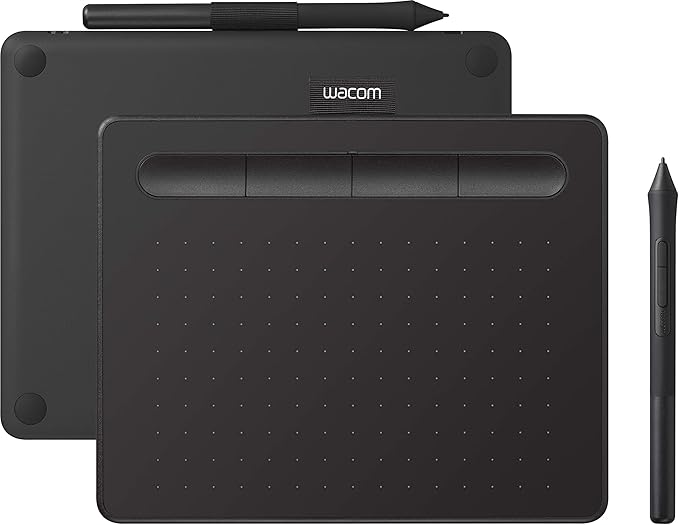
*WACOM Wacom Intuos Medium Wireless Black / Pen Tablet CTL-6100WL / K0
Wacom Intuos wireless pen tablet has been designed for those who are getting started drawing, painting or photo editing with their Mac, PC, Chromebook or select Android smartphones/tablets. Enjoy the convenience of wireless creating with built in Bluetooth -or connect the graphics tablet directly to your computer with the included USB cable. Whether it’s the pressure-sensitive pen, the stylish design, the included software or online tutorials, Wacom Intuos is all you need to get creative digitally. Wacom Intuos can also be used to easily write, edit or convey ideas to in education or remote work settings. This product works with devices capable of running the latest version of Chrome OS and has been certified to meet Google's compatibility standards. Google is not responsible for the operation of this product or its compliance with safety requirements. Chromebook, Android, and the Works With Chromebook badge are trademarks of Google LLC. Features This product is tested and certified as Works With Chromebook, which means it meets Google’s compatibility standards and is compatible with your Chromebook. Control and precision thanks to the pen’s 4,096 levels of pressure sensitivity. EMR (Electro-Magnetic Resonance) technology means the battery–free pen is light and comfortable to use. 2 pen buttons for quick access shortcuts. 4 customizable ExpressKeys for faster, efficient shortcuts.
Wacom Intuos wireless pen tablet has been designed for those who are getting started drawing, painting or photo editing with their Mac, PC, Chromebook or select Android smartphones/tablets. Enjoy the convenience of wireless creating with built in Bluetooth -or connect the graphics tablet directly to your computer with the included USB cable. Whether it’s the pressure-sensitive pen, the stylish design, the included software or online tutorials, Wacom Intuos is all you need to get creative digitally. Wacom Intuos can also be used to easily write, edit or convey ideas to in education or remote work settings. This product works with devices capable of running the latest version of Chrome OS and has been certified to meet Google's compatibility standards. Google is not responsible for the operation of this product or its compliance with safety requirements. Chromebook, Android, and the Works With Chromebook badge are trademarks of Google LLC. Features This product is tested and certified as Works With Chromebook, which means it meets Google’s compatibility standards and is compatible with your Chromebook. Control and precision thanks to the pen’s 4,096 levels of pressure sensitivity. EMR (Electro-Magnetic Resonance) technology means the battery–free pen is light and comfortable to use. 2 pen buttons for quick access shortcuts. 4 customizable ExpressKeys for faster, efficient shortcuts.
Wacom Intuos wireless pen tablet has been designed for those who are getting started drawing, painting or photo editing with their Mac, PC, Chromebook or select Android smartphones/tablets. Enjoy the convenience of wireless creating with built in Bluetooth -or connect the graphics tablet directly to your computer with the included USB cable. Whether it’s the pressure-sensitive pen, the stylish design, the included software or online tutorials, Wacom Intuos is all you need to get creative digitally. Wacom Intuos can also be used to easily write, edit or convey ideas to in education or remote work settings. This product works with devices capable of running the latest version of Chrome OS and has been certified to meet Google's compatibility standards. Google is not responsible for the operation of this product or its compliance with safety requirements. Chromebook, Android, and the Works With Chromebook badge are trademarks of Google LLC. Features This product is tested and certified as Works With Chromebook, which means it meets Google’s compatibility standards and is compatible with your Chromebook. Control and precision thanks to the pen’s 4,096 levels of pressure sensitivity. EMR (Electro-Magnetic Resonance) technology means the battery–free pen is light and comfortable to use. 2 pen buttons for quick access shortcuts. 4 customizable ExpressKeys for faster, efficient shortcuts.
Wacom Intuos wireless pen tablet has been designed for those who are getting started drawing, painting or photo editing with their Mac, PC, Chromebook or select Android smartphones/tablets. Enjoy the convenience of wireless creating with built in Bluetooth -or connect the graphics tablet directly to your computer with the included USB cable. Whether it’s the pressure-sensitive pen, the stylish design, the included software or online tutorials, Wacom Intuos is all you need to get creative digitally. Wacom Intuos can also be used to easily write, edit or convey ideas to in education or remote work settings. This product works with devices capable of running the latest version of Chrome OS and has been certified to meet Google's compatibility standards. Google is not responsible for the operation of this product or its compliance with safety requirements. Chromebook, Android, and the Works With Chromebook badge are trademarks of Google LLC. Features This product is tested and certified as Works With Chromebook, which means it meets Google’s compatibility standards and is compatible with your Chromebook. Control and precision thanks to the pen’s 4,096 levels of pressure sensitivity. EMR (Electro-Magnetic Resonance) technology means the battery–free pen is light and comfortable to use. 2 pen buttons for quick access shortcuts. 4 customizable ExpressKeys for faster, efficient shortcuts.
in 3 offers
The lowest price for *WACOM Wacom Intuos Medium Wireless Black / Pen Tablet CTL-6100WL / K0 right now is $84.65 at 駿河屋.com, compared across 3 retailers.
The all-time low was $40.00 on 23 Feb 2026 — today's price is 112% above the lowest ever. It has been notably cheaper before — worth setting a price alert.
Prices last updated 11 May 2026.
Last updated at 11/05/2026 13:16:00
Pentablet Wacom Intuos Medium Wireless (Black) [CTL-6100WL/K0]
Delivery $7.91
CTL-6100/K0 Wacom Intuos Basic Medium
Free delivery between 20–22 May
Wacom Intuos Clt-6100Wl Black Tablet - Other
Delivery $22.95
originally posted on pbtech.co.nz
spent the last couple of days trying to install software for this. Finally got hold of someone via their facebook page who managed to help, but even then had to jump through hoops to register and download and install.. Only to find software not even free. Was issued with a serial to register for studio paint which I did, then it pops up with a message asking me to choose a monthly plan.. I thought surely thats wrong. Tried to use software now it won't let me use it unless I put in a serial. There was originally a message saying it was free for 2 years.. Been around and around in circles trying to sort this.. Im done with it. On selling the tablet to some other sucker who can deal with the dramas. This is ridiculous. Surely it should be as simple as buying the tablet ... Morespent the last couple of days trying to install software for this. Finally got hold of someone via their facebook page who managed to help, but even then had to jump through hoops to register and download and install.. Only to find software not even free. Was issued with a serial to register for studio paint which I did, then it pops up with a message asking me to choose a monthly plan.. I thought surely thats wrong. Tried to use software now it won't let me use it unless I put in a serial. There was originally a message saying it was free for 2 years.. Been around and around in circles trying to sort this.. Im done with it. On selling the tablet to some other sucker who can deal with the dramas. This is ridiculous. Surely it should be as simple as buying the tablet and being issued with the manufacturers free software to use it.. Apparently not. Im over it.. Wont ever touch their products again.
originally posted on pbtech.co.nz
I’ve only ever drawn on paper and never digitally so finally making the change and the jump can be a bit nerve wrecking and even intimidating. I think the tablet is super easy to navigate and understand as well. Given the price as well — id say you’re investing in a decent, easy to use device. Plus it comes with three programs to start you off! I think CPS is a little hard to navigate at first but it’s pretty good. I have no issues with the tablet either. It’s a good size for myself. I’m glad I picked medium over small.
originally posted on bhphotovideo.com
The ancient Egyptians had a more elegant and sophisticated tool than this, it's called paper. Facetiousness aside, I can't recommend this at all. The tablet and pen feel insanely cheap for what I paid, the software is bad, it still has a micro USB. I can't imagine a task where this is preferable either to drawing on paper and scanning, roughing it with a mouse, or moving up to a marginally more expensive alternative like a refurbed iPad or Cintiq. This feels like one of those weird in-between technologies from the 2000s, like the MiniDisc or Windows Vista that has somehow survived to present. I feel stupid for getting one.
Pentablet Wacom Intuos Medium Wireless (Black) [CTL-6100WL/K0]
Delivery $7.91
CTL-6100/K0 Wacom Intuos Basic Medium
Free delivery between 20–22 May
Wacom Intuos Clt-6100Wl Black Tablet - Other
Delivery $22.95
spent the last couple of days trying to install software for this. Finally got hold of someone via their facebook page who managed to help, but even then had to jump through hoops to register and download and install.. Only to find software not even free. Was issued with a serial to register for studio paint which I did, then it pops up with a message asking me to choose a monthly plan.. I thought surely thats wrong. Tried to use software now it won't let me use it unless I put in a serial. There was originally a message saying it was free for 2 years.. Been around and around in circles trying to sort this.. Im done with it. On selling the tablet to some other sucker who can deal with the dramas. This is ridiculous. Surely it should be as simple as buying the tablet ... Morespent the last couple of days trying to install software for this. Finally got hold of someone via their facebook page who managed to help, but even then had to jump through hoops to register and download and install.. Only to find software not even free. Was issued with a serial to register for studio paint which I did, then it pops up with a message asking me to choose a monthly plan.. I thought surely thats wrong. Tried to use software now it won't let me use it unless I put in a serial. There was originally a message saying it was free for 2 years.. Been around and around in circles trying to sort this.. Im done with it. On selling the tablet to some other sucker who can deal with the dramas. This is ridiculous. Surely it should be as simple as buying the tablet and being issued with the manufacturers free software to use it.. Apparently not. Im over it.. Wont ever touch their products again.
I’ve only ever drawn on paper and never digitally so finally making the change and the jump can be a bit nerve wrecking and even intimidating. I think the tablet is super easy to navigate and understand as well. Given the price as well — id say you’re investing in a decent, easy to use device. Plus it comes with three programs to start you off! I think CPS is a little hard to navigate at first but it’s pretty good. I have no issues with the tablet either. It’s a good size for myself. I’m glad I picked medium over small.
The ancient Egyptians had a more elegant and sophisticated tool than this, it's called paper. Facetiousness aside, I can't recommend this at all. The tablet and pen feel insanely cheap for what I paid, the software is bad, it still has a micro USB. I can't imagine a task where this is preferable either to drawing on paper and scanning, roughing it with a mouse, or moving up to a marginally more expensive alternative like a refurbed iPad or Cintiq. This feels like one of those weird in-between technologies from the 2000s, like the MiniDisc or Windows Vista that has somehow survived to present. I feel stupid for getting one.
Works great. Nice that its wireless so I can take it to my work and use it and come home and recharge it while still using it. Wish there had been more options of color where I live, but that doesn't affect how it works. I would buy this brand again even though its a bit pricey compared to some other brands. I like the new update that you can change the settings straight from the wacom desktop center instead of looking for it in Bluetooth devices.The free software is probably its only downside. While clip studio is free for 2 years the rest are not for very long.
I've never owned a drawing tablet before but I knew I wanted one for my print on demand merch because a mouse is just super annoying and restrictive at times when it comes to drawing things how you envision them. With some research, it became clear Wacom is the current industry leader with their products and accompanying software. I was tempted to buy the Pro version but it was nearly double the price and has the issue of wearing out nibs very fast which would soon make it a costly bit of tech to own (You can buy a smoother texture sheet to reduce nib wear, but why wasn't that the standard- Money grab much-) - so I got this one instead.The tablet itself is quite big! I probably didn't need to get the medium and if you only have one monitor you probably don't ... MoreI've never owned a drawing tablet before but I knew I wanted one for my print on demand merch because a mouse is just super annoying and restrictive at times when it comes to drawing things how you envision them. With some research, it became clear Wacom is the current industry leader with their products and accompanying software. I was tempted to buy the Pro version but it was nearly double the price and has the issue of wearing out nibs very fast which would soon make it a costly bit of tech to own (You can buy a smoother texture sheet to reduce nib wear, but why wasn't that the standard- Money grab much-) - so I got this one instead.The tablet itself is quite big! I probably didn't need to get the medium and if you only have one monitor you probably don't either. You really have to move your whole forearm to get from one side of the screen to the other and my main monitor is only 23". If you are doing detailed work you will likely be zoomed in anyway so this medium tablet would be unnecessary for most unless your screen is like 29"+ or you have multiple monitors that you want to work on simultaneously.The software is awesome and you can map the buttons on the tablet and pen to each program you might use like Photoshop and Clip Paint Studio Pro etc. The pen is of acceptable quality and can store 3 extra nibs in the back of it. I could not try the Bluetooth connection because my computers Bluetooth is playing up and won't connect to anything.Final thoughts, I thought I needed the Pro version of this tablet to do anything of worth, but even this is overkill for my needs. For those who are new to drawing tablets and even casual artists, the Wacom Intuos Small will probably do everything you need and leave you money left over to buy other relevant things like drawing software or like one month of Adobe subscription ¯_(
I've used several drawing tablets, ones w screens, ones like this w/ out a screen. I will say it works good for what it does, however, because the pen is so small, if you have average sized or large hands it does begin to hurt after a short amount of time. The pen also feels VERY VERY cheap, and I mean VERY cheap. I'm talking dollar store cheap. I would say look towards the Intuos Pro, or even other alternatives that are much, much cheaper. So far not exactly satisfied w the experience w this drawing tablet, and I will be returning it this week. If they included a better pen (and they should at $200) I might have different opinions. If this is being purchased for a kid, I would say it's partially a good purchase it, seeing as they will likely have much smaller ... MoreI've used several drawing tablets, ones w screens, ones like this w/ out a screen. I will say it works good for what it does, however, because the pen is so small, if you have average sized or large hands it does begin to hurt after a short amount of time. The pen also feels VERY VERY cheap, and I mean VERY cheap. I'm talking dollar store cheap. I would say look towards the Intuos Pro, or even other alternatives that are much, much cheaper. So far not exactly satisfied w the experience w this drawing tablet, and I will be returning it this week. If they included a better pen (and they should at $200) I might have different opinions. If this is being purchased for a kid, I would say it's partially a good purchase it, seeing as they will likely have much smaller hands, but even then, there are better alternatives. One other thing to note, if you plan on using BT, this tablet has very noticeable lag when not plugged in.
I'm not using this for it's graphics work; I'm using it as mouse alternative and my other Wacom tablets have stopped working (thanks Wacom for stopping supporting them to force us to buy more!) and I did upgrade to the larger size over the small one and it did make a difference for my arm angle, etc. so was it worth the gigantic price difference? My cheap self is right on the fence. I got it as a deal of the day so I'd say go for it on sale but at regular price it does hurt. Do I use it a lot? I do. Do I wish I could get by with the small one? I do. Do I highly suggest both to help repetitive nerve pain injuries? 100% (I'm a fitness pro and recommend this to clients all the time). The tips do groove more and wear out faster than past Wacom models so I think that's ... MoreI'm not using this for it's graphics work; I'm using it as mouse alternative and my other Wacom tablets have stopped working (thanks Wacom for stopping supporting them to force us to buy more!) and I did upgrade to the larger size over the small one and it did make a difference for my arm angle, etc. so was it worth the gigantic price difference? My cheap self is right on the fence. I got it as a deal of the day so I'd say go for it on sale but at regular price it does hurt. Do I use it a lot? I do. Do I wish I could get by with the small one? I do. Do I highly suggest both to help repetitive nerve pain injuries? 100% (I'm a fitness pro and recommend this to clients all the time). The tips do groove more and wear out faster than past Wacom models so I think that's Wacom's intentional design to make you buy more and not the user's mistreatment.
I bought this to replace a Wacom Bamboo CTH-670 that I had been using forever but accidentally broke the USB port on, purchased specifically because of Linux compatibility. Instead of opening it up to resolder the joint, I decided to update to this model.This new tablet has some improvements over the Bamboo, biggest being it is ambidextrous without reversing the layout and with this the Bluetooth is integrated vs being a module on my older Bamboo.One star got knocked off because the included pen doesn't have an eraser side like my Bamboo did and I had come to rely on that mechanic more than I realized. Button mapping works well enough for a replacement though.
I thought it would be an upgrade from my old one. The Bluetooth connection is nice, but the pen nib is still quite loose and leads to a lot of pen drag marks in my writing (= sign usually ends up like a Z). The dialogue box to designate button controls settings is a lot more complicated now as well. I used to be able to toggle touch on/off for scrolling. Now you have to hold one of the buttons down while scrolling and it doesn't control very well- jumps around even when scrolling slowly). This tool is still essential to my online courses and allows me to submit completed hand written assignments electronically, even if they are substantially messier than my natural handwriting due to the pen nib "travel" while writing, feels like I'm writing with a broken clicker ... MoreI thought it would be an upgrade from my old one. The Bluetooth connection is nice, but the pen nib is still quite loose and leads to a lot of pen drag marks in my writing (= sign usually ends up like a Z). The dialogue box to designate button controls settings is a lot more complicated now as well. I used to be able to toggle touch on/off for scrolling. Now you have to hold one of the buttons down while scrolling and it doesn't control very well- jumps around even when scrolling slowly). This tool is still essential to my online courses and allows me to submit completed hand written assignments electronically, even if they are substantially messier than my natural handwriting due to the pen nib "travel" while writing, feels like I'm writing with a broken clicker pen. Curious to see how the pen included with the Pro version compares but alas, no in store demos at my location.
I am a structural engineer and do a lot of hand sketches at my office. Transitioning to work at home, I needed a good alternative medium to produce sketches digitally.This tablet did not disappoint. I can sketch in PDFs all day and produce decent quality mark ups without using hand sketches or scans.The tablet acts as a canvas of your monitor, the tablet edges become the monitor edges and can be adjusted for multiple screens as well.The pen tool acts as a mouse and is set to "left-click" when pressed down on the tablet. By hovering over the tablet without pressing, you can track your mouse pointer on screen without "clicking" anything.There are two buttons on the pen that can be set to various key commands for quick use while drawing, and 5 buttons at the top ... MoreI am a structural engineer and do a lot of hand sketches at my office. Transitioning to work at home, I needed a good alternative medium to produce sketches digitally.This tablet did not disappoint. I can sketch in PDFs all day and produce decent quality mark ups without using hand sketches or scans.The tablet acts as a canvas of your monitor, the tablet edges become the monitor edges and can be adjusted for multiple screens as well.The pen tool acts as a mouse and is set to "left-click" when pressed down on the tablet. By hovering over the tablet without pressing, you can track your mouse pointer on screen without "clicking" anything.There are two buttons on the pen that can be set to various key commands for quick use while drawing, and 5 buttons at the top of the tablet that do likewise.For example, I set one of the pen buttons to shift so I can draw on top of my previous notations in PDF Xchange without accidentally grabbing and dragging them.All in all, this is basically a pen version of a mouse and although it may be used with higher end digital media and graphic design software, it can also be used with anything and everything you'd prefer a digital pen to a traditional mouse. Works great for me!Make sure you verify your computer has Bluetooth before buying, mine did not turns out so now here I am installing an Intel m.2 card and antenna to use this feature. This comes with a corded options, sobim still able to use it, but if you don't need Bluetooth you ought to invest in the cheeper model without the Bluetooth option.PS - the pen nubs wear out so you'll need more eventually. There are extra nubs inside the pen when you purchase it, so that's nice.The 3 free programs were a bit weird to install and I haven't used them yet, but did get them downloaded.Not a lot of negative stuff to say here, I'm super happy with the purchase and will be even more psyched when I get Bluetooth going.

