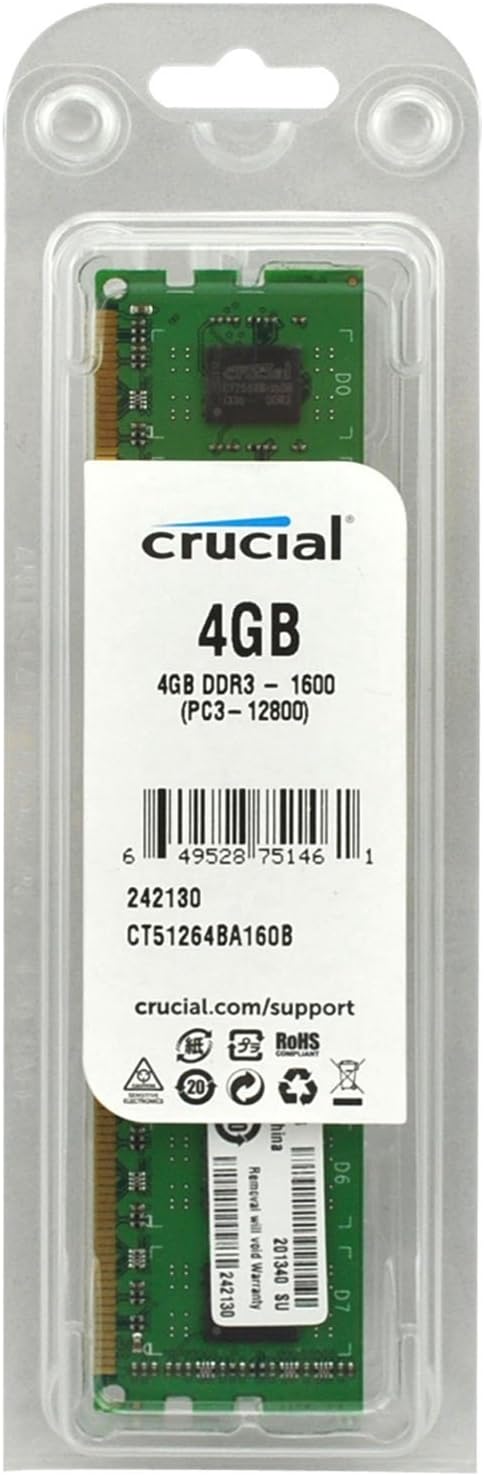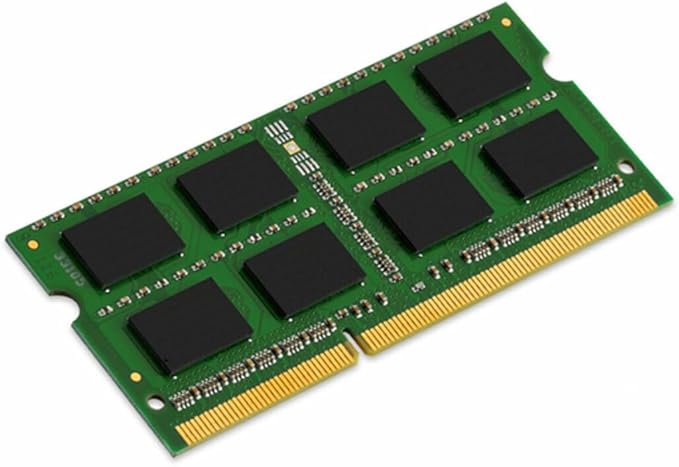
8GB Kingston 1600MHz DDR3L SODIMM
Kingston's KCP3L16SD8/8 is a SO-DDR3 memory module for various notebooks according to the DDR3-1600 standard with a storage capacity of 8 GB. It is equipped on one side with eight 512 Mbit FBGA chips with a data density of 4096 Mbit per memory chip. The connection is made via 204-pin by inserting the module perpendicular to the board and parallel to it. The voltage can be reduced to up to 1.28 V, thus reducing the operating temperature.
Kingston's KCP3L16SD8/8 is a SO-DDR3 memory module for various notebooks according to the DDR3-1600 standard with a storage capacity of 8 GB. It is equipped on one side with eight 512 Mbit FBGA chips with a data density of 4096 Mbit per memory chip. The connection is made via 204-pin by inserting the module perpendicular to the board and parallel to it. The voltage can be reduced to up to 1.28 V, thus reducing the operating temperature.
Kingston's KCP3L16SD8/8 is a SO-DDR3 memory module for various notebooks according to the DDR3-1600 standard with a storage capacity of 8 GB. It is equipped on one side with eight 512 Mbit FBGA chips with a data density of 4096 Mbit per memory chip. The connection is made via 204-pin by inserting the module perpendicular to the board and parallel to it. The voltage can be reduced to up to 1.28 V, thus reducing the operating temperature.
Kingston's KCP3L16SD8/8 is a SO-DDR3 memory module for various notebooks according to the DDR3-1600 standard with a storage capacity of 8 GB. It is equipped on one side with eight 512 Mbit FBGA chips with a data density of 4096 Mbit per memory chip. The connection is made via 204-pin by inserting the module perpendicular to the board and parallel to it. The voltage can be reduced to up to 1.28 V, thus reducing the operating temperature.
in 13 offers
The lowest price for 8GB Kingston 1600MHz DDR3L SODIMM right now is $15.65 at eBay.com.au, compared across 8 retailers.
The all-time low was $15.65 on 30 July 2026. That's the lowest price we've ever tracked — a great time to buy.
Prices last updated 3 Aug 2026.
Last updated at 03/08/2026 06:31:37
Kingston 4gb 1600mhz Low Voltage Sodimm (kcp3l16ss8/4)
Delivery $31.11
Affiliate Disclosure: We may receive a small commission for purchases made through this link at no extra cost to you. This helps support our site. Thank you!
Kingston 4gb Pc3-12800 (ddr3-1600) Memory (kcp3l16ss8/4 Ram Sealed
Delivery $30.41
Affiliate Disclosure: We may receive a small commission for purchases made through this link at no extra cost to you. This helps support our site. Thank you!
Kingston 8GB PC3-12800 (DDR3-1600) Memory (KCP3L16SD8/8)
Affiliate Disclosure: We may receive a small commission for purchases made through this link at no extra cost to you. This helps support our site. Thank you!
Kingston 8gb Ddr3l 1600 Mhz Laptop Ram Pc3-12800 8g So-dimm
Free delivery
Affiliate Disclosure: We may receive a small commission for purchases made through this link at no extra cost to you. This helps support our site. Thank you!
Kingston 8gb 2rx8 Pc3l-12800 Ddr3 1600 Mhz 1.35v So-dimm Laptop Memory
Delivery $31.29
Affiliate Disclosure: We may receive a small commission for purchases made through this link at no extra cost to you. This helps support our site. Thank you!
Kingston 8gb Ddr3 1600mt/s Non-ecc Unbuffered Sodimm, Kcp3l16sd8/8
Delivery $26.65
Affiliate Disclosure: We may receive a small commission for purchases made through this link at no extra cost to you. This helps support our site. Thank you!
Kingston KCP3L16SS8/4 4GB DDR3L 1600MHz Sodimm Memory
Delivery between 6–10 Aug $27.55
Kingston Technology KCP3L16SS8/4
Delivery between Tue – Sat $71.11
Kingston Memory 3-NB-8G-KVR16LS11/8
Delivery between 6–11 Aug $18
Kingston 8GB DDR3L Desktop RAM 1600MHz - SDRAM - 204-pin - Low Votage 1.35V - SoDIMM
7-day returns
originally posted on lazada.com.ph
**Seller is responsive sa mga questions/inquiries. Package arrived earlier. Nag-expect na may box itself yung item pero wala pala but at least it is well wrapped. **My Laptop is Asus K555LB. Compatible naman sya. And it is working as you can see after ko iinsert yung 8gb RAM. Total ram ko 12gb na yaz!! 🙌Hopefully this quality will last longer. Will come back on my review after 3months. thanks seller! p.s it has warranty 🔥
originally posted on homeessentialsdirect.com
Comment; I have not measured this Memory module impact on battery life (duration of charge), since I didn't measure how it was with the lesser size RAM and different brand module that it replaced, but at least it hasn't shortened battery life, so 5 starts there. This memory went into my wife's entry level, Office and Google Classroom dedicated entry-level laptop, which it doesn't have touch screen, so I'll give it 5 starts to avoid giving wrong negative impression. Installation is as easy as your device allows. Meaning, in my case I needed to remove the whole bottom cover, which is 15 small screws with a small Phillips screwdriver, the removing the installed memory module and inserting this one, taking care of preventing static discharge on your memory module and ... MoreComment; I have not measured this Memory module impact on battery life (duration of charge), since I didn't measure how it was with the lesser size RAM and different brand module that it replaced, but at least it hasn't shortened battery life, so 5 starts there. This memory went into my wife's entry level, Office and Google Classroom dedicated entry-level laptop, which it doesn't have touch screen, so I'll give it 5 starts to avoid giving wrong negative impression. Installation is as easy as your device allows. Meaning, in my case I needed to remove the whole bottom cover, which is 15 small screws with a small Phillips screwdriver, the removing the installed memory module and inserting this one, taking care of preventing static discharge on your memory module and rest of computer parts, is really easy. in my case just pushing the side holders to free the first one, pulling it out carefully, inserting the new module (it only goes in one position) carefully, until the side holders click in place, and finally placing back and screwing the bottom cover with its screws. Some laptops have only a small cover to remove and reach for the memory location. The module was immediately recognized by the BIOS, and by Windows 10 (64 bits) and I'm attaching a picture of the received memory module as well as a couple of screen pictures to show you.
originally posted on homeessentialsdirect.com
I found it very helpful to see that someone with my exact computer had purchased and installed this RAM successfully, so I'll post the same. I replaced the 2x2GB RAM with 2 of these memory sticks in my MacBook Pro, Mid-2012 model (2.5GHz Intel Core i5). The installation process is simple enough but I did not replace the memory myself (why risk it when the student help desk can do it with experience for free?). If you'll do it yourself I would recommend that you keep track of where the screws came from, though - apparently some of them are different sizes than the others sometimes. Everything seemed to work when I powered it back up after the installation, though I did have to reboot again before it could find my campus WiFi and connect up automatically. Since then ... MoreI found it very helpful to see that someone with my exact computer had purchased and installed this RAM successfully, so I'll post the same. I replaced the 2x2GB RAM with 2 of these memory sticks in my MacBook Pro, Mid-2012 model (2.5GHz Intel Core i5). The installation process is simple enough but I did not replace the memory myself (why risk it when the student help desk can do it with experience for free?). If you'll do it yourself I would recommend that you keep track of where the screws came from, though - apparently some of them are different sizes than the others sometimes. Everything seemed to work when I powered it back up after the installation, though I did have to reboot again before it could find my campus WiFi and connect up automatically. Since then smooth sailing! As a graduate student I tend to desire between 4-8 apps open at a time over three "desktops" and 4GB of RAM just wasn't enough. I've only got 4 apps open now but it's already clear that menu and program start-up times are much better, and even basic things like searching for a file or opening a massive folder in Finder. I'll certainly update my review if I have any issues pop up but so far these improvements make this purchase totally worth it!
| Memory voltage | 1.35 V |
| Component for | Notebook |
| Memory ranking | 2 |
| ECC | N |
| Buffered memory type | Unregistered (unbuffered) |
Kingston 4gb 1600mhz Low Voltage Sodimm (kcp3l16ss8/4)
Delivery $31.11
Affiliate Disclosure: We may receive a small commission for purchases made through this link at no extra cost to you. This helps support our site. Thank you!
Kingston 4gb Pc3-12800 (ddr3-1600) Memory (kcp3l16ss8/4 Ram Sealed
Delivery $30.41
Affiliate Disclosure: We may receive a small commission for purchases made through this link at no extra cost to you. This helps support our site. Thank you!
Kingston 8GB PC3-12800 (DDR3-1600) Memory (KCP3L16SD8/8)
Affiliate Disclosure: We may receive a small commission for purchases made through this link at no extra cost to you. This helps support our site. Thank you!
Kingston 8gb Ddr3l 1600 Mhz Laptop Ram Pc3-12800 8g So-dimm
Free delivery
Affiliate Disclosure: We may receive a small commission for purchases made through this link at no extra cost to you. This helps support our site. Thank you!
Kingston 8gb 2rx8 Pc3l-12800 Ddr3 1600 Mhz 1.35v So-dimm Laptop Memory
Delivery $31.29
Affiliate Disclosure: We may receive a small commission for purchases made through this link at no extra cost to you. This helps support our site. Thank you!
**Seller is responsive sa mga questions/inquiries. Package arrived earlier. Nag-expect na may box itself yung item pero wala pala but at least it is well wrapped. **My Laptop is Asus K555LB. Compatible naman sya. And it is working as you can see after ko iinsert yung 8gb RAM. Total ram ko 12gb na yaz!! 🙌Hopefully this quality will last longer. Will come back on my review after 3months. thanks seller! p.s it has warranty 🔥
Comment; I have not measured this Memory module impact on battery life (duration of charge), since I didn't measure how it was with the lesser size RAM and different brand module that it replaced, but at least it hasn't shortened battery life, so 5 starts there. This memory went into my wife's entry level, Office and Google Classroom dedicated entry-level laptop, which it doesn't have touch screen, so I'll give it 5 starts to avoid giving wrong negative impression. Installation is as easy as your device allows. Meaning, in my case I needed to remove the whole bottom cover, which is 15 small screws with a small Phillips screwdriver, the removing the installed memory module and inserting this one, taking care of preventing static discharge on your memory module and ... MoreComment; I have not measured this Memory module impact on battery life (duration of charge), since I didn't measure how it was with the lesser size RAM and different brand module that it replaced, but at least it hasn't shortened battery life, so 5 starts there. This memory went into my wife's entry level, Office and Google Classroom dedicated entry-level laptop, which it doesn't have touch screen, so I'll give it 5 starts to avoid giving wrong negative impression. Installation is as easy as your device allows. Meaning, in my case I needed to remove the whole bottom cover, which is 15 small screws with a small Phillips screwdriver, the removing the installed memory module and inserting this one, taking care of preventing static discharge on your memory module and rest of computer parts, is really easy. in my case just pushing the side holders to free the first one, pulling it out carefully, inserting the new module (it only goes in one position) carefully, until the side holders click in place, and finally placing back and screwing the bottom cover with its screws. Some laptops have only a small cover to remove and reach for the memory location. The module was immediately recognized by the BIOS, and by Windows 10 (64 bits) and I'm attaching a picture of the received memory module as well as a couple of screen pictures to show you.
I found it very helpful to see that someone with my exact computer had purchased and installed this RAM successfully, so I'll post the same. I replaced the 2x2GB RAM with 2 of these memory sticks in my MacBook Pro, Mid-2012 model (2.5GHz Intel Core i5). The installation process is simple enough but I did not replace the memory myself (why risk it when the student help desk can do it with experience for free?). If you'll do it yourself I would recommend that you keep track of where the screws came from, though - apparently some of them are different sizes than the others sometimes. Everything seemed to work when I powered it back up after the installation, though I did have to reboot again before it could find my campus WiFi and connect up automatically. Since then ... MoreI found it very helpful to see that someone with my exact computer had purchased and installed this RAM successfully, so I'll post the same. I replaced the 2x2GB RAM with 2 of these memory sticks in my MacBook Pro, Mid-2012 model (2.5GHz Intel Core i5). The installation process is simple enough but I did not replace the memory myself (why risk it when the student help desk can do it with experience for free?). If you'll do it yourself I would recommend that you keep track of where the screws came from, though - apparently some of them are different sizes than the others sometimes. Everything seemed to work when I powered it back up after the installation, though I did have to reboot again before it could find my campus WiFi and connect up automatically. Since then smooth sailing! As a graduate student I tend to desire between 4-8 apps open at a time over three "desktops" and 4GB of RAM just wasn't enough. I've only got 4 apps open now but it's already clear that menu and program start-up times are much better, and even basic things like searching for a file or opening a massive folder in Finder. I'll certainly update my review if I have any issues pop up but so far these improvements make this purchase totally worth it!
| Memory voltage | 1.35 V |
| Component for | Notebook |
| Memory ranking | 2 |
| ECC | N |
| Buffered memory type | Unregistered (unbuffered) |