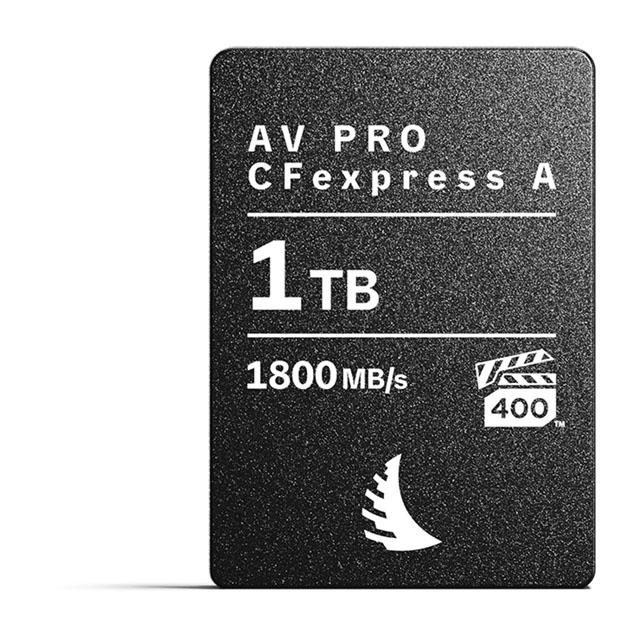
Angelbird AV Pro CFexpress 1 TB
Angelbird's CFexpress 1TB AV Pro Memory Card is a high-performance memory solution for photographers and videographers. This Type B card, based on CFexpress 2.0 technology, boasts a maximum read speed of 1700 MB/s and a maximum write speed of 1500 MB/s. It's designed for handling RAW 4K to 12K photo and HD video content, making it an ideal choice for demanding workflows. The card features advanced thermal management, adaptive power management, and host power loss protection to ensure stable performance in various conditions. Angelbird also offers a free data recovery service at the hardware level. This memory card is sticker-free, ensuring a clean and professional look.
Angelbird's CFexpress 1TB AV Pro Memory Card is a high-performance memory solution for photographers and videographers. This Type B card, based on CFexpress 2.0 technology, boasts a maximum read speed of 1700 MB/s and a maximum write speed of 1500 MB/s. It's designed for handling RAW 4K to 12K photo and HD video content, making it an ideal choice for demanding workflows. The card features advanced thermal management, adaptive power management, and host power loss protection to ensure stable performance in various conditions. Angelbird also offers a free data recovery service at the hardware level. This memory card is sticker-free, ensuring a clean and professional look.
Angelbird's CFexpress 1TB AV Pro Memory Card is a high-performance memory solution for photographers and videographers. This Type B card, based on CFexpress 2.0 technology, boasts a maximum read speed of 1700 MB/s and a maximum write speed of 1500 MB/s. It's designed for handling RAW 4K to 12K photo and HD video content, making it an ideal choice for demanding workflows. The card features advanced thermal management, adaptive power management, and host power loss protection to ensure stable performance in various conditions. Angelbird also offers a free data recovery service at the hardware level. This memory card is sticker-free, ensuring a clean and professional look.
Angelbird's CFexpress 1TB AV Pro Memory Card is a high-performance memory solution for photographers and videographers. This Type B card, based on CFexpress 2.0 technology, boasts a maximum read speed of 1700 MB/s and a maximum write speed of 1500 MB/s. It's designed for handling RAW 4K to 12K photo and HD video content, making it an ideal choice for demanding workflows. The card features advanced thermal management, adaptive power management, and host power loss protection to ensure stable performance in various conditions. Angelbird also offers a free data recovery service at the hardware level. This memory card is sticker-free, ensuring a clean and professional look.
in 6 offers
The lowest price for Angelbird AV Pro CFexpress 1 TB right now is $502.20 at cinegear.nl, compared across 6 retailers.
The all-time low was $55.00 on 18 Sept 2026 — today's price is 813% above the lowest ever. It has been notably cheaper before — worth setting a price alert.
Prices last updated 1 Oct 2026.
Last updated at 01/10/2026 09:51:58
Angelbird AVpro CFexpress Type B Memory Card 1TB
Delivery $73.24
Angelbird CFexpress 1TB AV Pro Memory Card -Type B XQD and CFexpress Memory Card
Free delivery between Tue – Wed
Angelbird AV Pro CFExpress 1 TB
Free delivery
Atomos Angelbird AV PRO CFexpress 1 TB 1 Pack Memory Card
Free delivery between 6–15 Oct
Angelbird AV PRO CFexpress 1 TB (1 Pack) - Memory Card
Free delivery
Angelbird AV PRO CFexpress Type B 1TB | 1 PACK
Delivery by 9 Oct $9.70
originally posted on bhphotovideo.com
Trying this card on my D500. I use this Angelbird 1TB on the both Angelbird and Prograde readers. Same issue: Adobe Bridge 2022 DOES NOT recognize this card at all.Using Windows 10 to transferring 600 photos to my computer: hung up many times and crashed. Have to repeat the transferring processes many times to complete to emptying the card.The bug coming from the card/card readers combo or my software, can't tell for now. But the result is very very disappointing/unsatisfactory.
originally posted on bhphotovideo.com
I have been using this card for 8 months in my Canon C300 III and my Canon R5C with no issues at all. It's been fast and has kept chugging in all recording resolutions/speeds from 8K Raw to 120fps. It's worked great even when it's been blistering hot outside. Data transfers have been fast and the card has been reliable for me. I'm considering purchasing another one.
originally posted on bhphotovideo.com
Using this card in a Nikon Z9. So far it is working great and seems to copy over to my computer quickly, but I have not tested the speed. I usually use Sandisk cards since they have been super reliable for me. So I had been using a Sandisk Extreme Pro 128GB CF Express card in my Z9 with no issues but needed more space. The Angelbird card seems faster and allows roughly 10-15 more shots before the buffer fills.One reviewer commented they could shoot indefinitely at 20fps. I could not. After approx 65-70 shots, the buffer fills and slows the camera down a bit. It seems like 10fps so still very good. You can continue to shoot seemingly indefinitely at this rate (but I did not shoot until the card filled to test it). However, if you let off the shutter button for a ... MoreUsing this card in a Nikon Z9. So far it is working great and seems to copy over to my computer quickly, but I have not tested the speed. I usually use Sandisk cards since they have been super reliable for me. So I had been using a Sandisk Extreme Pro 128GB CF Express card in my Z9 with no issues but needed more space. The Angelbird card seems faster and allows roughly 10-15 more shots before the buffer fills.One reviewer commented they could shoot indefinitely at 20fps. I could not. After approx 65-70 shots, the buffer fills and slows the camera down a bit. It seems like 10fps so still very good. You can continue to shoot seemingly indefinitely at this rate (but I did not shoot until the card filled to test it). However, if you let off the shutter button for a brief second or so, the buffer quickly empties and you can shoot another burst at 20fps. So in practice it works great since I am rarely holding the shutter down for more than 2-3 seconds without a brief pause anyway.Overall I am very happy with the size, speed and cost. But I bought it on sale (130 off) so maybe not as good of a value at full price.
| CAPACITY | 1 TB |
| FORM FACTOR | CFexpress Type B |
| DIMENSIONS | 38.5 × 3.8 × 29.8 mm |
| MAX. READ SPEED | 1785 MB/s |
| MAX. WRITE SPEED | 1550 MB/s |
Angelbird AVpro CFexpress Type B Memory Card 1TB
Delivery $73.24
Angelbird CFexpress 1TB AV Pro Memory Card -Type B XQD and CFexpress Memory Card
Free delivery between Tue – Wed
Angelbird AV Pro CFExpress 1 TB
Free delivery
Atomos Angelbird AV PRO CFexpress 1 TB 1 Pack Memory Card
Free delivery between 6–15 Oct
Angelbird AV PRO CFexpress 1 TB (1 Pack) - Memory Card
Free delivery
Trying this card on my D500. I use this Angelbird 1TB on the both Angelbird and Prograde readers. Same issue: Adobe Bridge 2022 DOES NOT recognize this card at all.Using Windows 10 to transferring 600 photos to my computer: hung up many times and crashed. Have to repeat the transferring processes many times to complete to emptying the card.The bug coming from the card/card readers combo or my software, can't tell for now. But the result is very very disappointing/unsatisfactory.
I have been using this card for 8 months in my Canon C300 III and my Canon R5C with no issues at all. It's been fast and has kept chugging in all recording resolutions/speeds from 8K Raw to 120fps. It's worked great even when it's been blistering hot outside. Data transfers have been fast and the card has been reliable for me. I'm considering purchasing another one.
Using this card in a Nikon Z9. So far it is working great and seems to copy over to my computer quickly, but I have not tested the speed. I usually use Sandisk cards since they have been super reliable for me. So I had been using a Sandisk Extreme Pro 128GB CF Express card in my Z9 with no issues but needed more space. The Angelbird card seems faster and allows roughly 10-15 more shots before the buffer fills.One reviewer commented they could shoot indefinitely at 20fps. I could not. After approx 65-70 shots, the buffer fills and slows the camera down a bit. It seems like 10fps so still very good. You can continue to shoot seemingly indefinitely at this rate (but I did not shoot until the card filled to test it). However, if you let off the shutter button for a ... MoreUsing this card in a Nikon Z9. So far it is working great and seems to copy over to my computer quickly, but I have not tested the speed. I usually use Sandisk cards since they have been super reliable for me. So I had been using a Sandisk Extreme Pro 128GB CF Express card in my Z9 with no issues but needed more space. The Angelbird card seems faster and allows roughly 10-15 more shots before the buffer fills.One reviewer commented they could shoot indefinitely at 20fps. I could not. After approx 65-70 shots, the buffer fills and slows the camera down a bit. It seems like 10fps so still very good. You can continue to shoot seemingly indefinitely at this rate (but I did not shoot until the card filled to test it). However, if you let off the shutter button for a brief second or so, the buffer quickly empties and you can shoot another burst at 20fps. So in practice it works great since I am rarely holding the shutter down for more than 2-3 seconds without a brief pause anyway.Overall I am very happy with the size, speed and cost. But I bought it on sale (130 off) so maybe not as good of a value at full price.
I had previously purchased the older non-MK2 version of this card (1700MB/s version) and warranty/support were quick to send me this newer version when I ran into some problems with the old one. Who can say no to great service and a 'free' upgrade?Upon receipt I wanted to validate that prior issues did not crop up again (which might suggest issues with my camera or readers/PC) and I ran some benchmarks on the new card in CrystalDiskMark.Long story short, using Angelbird's own MK2 reader, as well as this card, attached to a 20gbit USB 3.2 gen2x2 (20gbit) port directly, this card vastly underperforms compared to the rated speeds.Read speed is averaging around 712MB/s (rated at 1785) and write is around 934MB/s (1300 rated.) For comparison, a Sony Tough 128GB ... MoreI had previously purchased the older non-MK2 version of this card (1700MB/s version) and warranty/support were quick to send me this newer version when I ran into some problems with the old one. Who can say no to great service and a 'free' upgrade?Upon receipt I wanted to validate that prior issues did not crop up again (which might suggest issues with my camera or readers/PC) and I ran some benchmarks on the new card in CrystalDiskMark.Long story short, using Angelbird's own MK2 reader, as well as this card, attached to a 20gbit USB 3.2 gen2x2 (20gbit) port directly, this card vastly underperforms compared to the rated speeds.Read speed is averaging around 712MB/s (rated at 1785) and write is around 934MB/s (1300 rated.) For comparison, a Sony Tough 128GB card I have on hand is doing 1734 read and 1462 write with the exact same computer/cable/Angelbird MK2 reader.I initially thought my bad luck had struck again and that the replacement may be defective, and responded to Angelbird with my results. After some chatter back and forth (they remained responsive and friendly as always, of course) I was told that this is expected behavior.As Angelbird stated to me, the rated speeds only apply when in-camera because of it being a native PCI Express interface, while they INTENTIONALLY throttle speeds and that it is like this when using our card, and reader together, out of safety, and reliability reason.In order to get the high numbers using a card reader with our cards at this moment, you need to use PCIe based reader (Thunderbolt)I don't have Thunderbolt ports on my workstation, so I can't verify.In the end, for me a huge reason for using CF Express media is the speed of copying data off the card and onto a computer for editing/processing. 712MB/s is a FAR cry from the 1734MB/s my Sony card can deliver.I am all for data checks, improving stability and reliability, etc. and I really want to love Angelbird products but this is a glaring performance issue that should be disclosed to consumers BEFORE purchase.
If you want to record 4.1K120 or higher in N-RAW (NEV) with a setting of N-RAW Quality High, you will run into issues with this (MK1) version of the card. (They were on sale for a reason!!) You will get Recording Interrupted stop errors. You must use version MK2 to resolve the issue. I've reached out to Angelbird to see if there is any resolution for MK1 owners. Also note, you must have the $80 Angelbird card reader to update firmware on these cards, you cannot use an Atech Blackjet Thunderbolt 3 reader, or a Delkin reader, or a Sony reader, it must be the Angelbird version according to the firmware update installer which requires the Angelbird's reader chip. The MK1 is great for still photos though.
I purchased two 1TB cards for my Nikon Z9. My Z9 was set to shoot redundant so both cards slots have identical images & video. The second card suddenly stopped working. Could neither read nor write to the card, nor format it, nor view or transfer images from a CFExpress card reader. Luckily one card had all of my work on it but B&H did exchange the card without any fuss. Hopefully it was just a bad card and not a systemic issue when working with Nikon mirrorless. I have several bodies and the Z7II, Z7 or Z6 could not read the card either.
I picked this up when B&H had it on sale the second I saw it. Hands-down this is one of the best cost/gig high end cards out there.I never ran into issues with startup in my R5 (mine did turn out to have the latest firmware, confirmed after acquiring the Angelbird reader and checking.)I did, however, have seemingly random file corruption issues that would manifest when trying to copy large batches to my computer. Out of, say, 300 photos, one or two would be corrupted in a way that caused the copy process to hang up and freeze entirely.After some quick troubleshooting (verified firmware of the card, multiple card readers, camera firmware, etc.) Angelbird did not hesitate to initiate an RMA. Once the bad card was received by their US RMA location in Florida, I ... MoreI picked this up when B&H had it on sale the second I saw it. Hands-down this is one of the best cost/gig high end cards out there.I never ran into issues with startup in my R5 (mine did turn out to have the latest firmware, confirmed after acquiring the Angelbird reader and checking.)I did, however, have seemingly random file corruption issues that would manifest when trying to copy large batches to my computer. Out of, say, 300 photos, one or two would be corrupted in a way that caused the copy process to hang up and freeze entirely.After some quick troubleshooting (verified firmware of the card, multiple card readers, camera firmware, etc.) Angelbird did not hesitate to initiate an RMA. Once the bad card was received by their US RMA location in Florida, I had a new (upgraded model) replacement in my hands in less than a week.
For 3 weeks continues work on the R5, ive had one incident happen 3 times : the camera states recording stopped and the camera red LED stays on for a while, then it turns off, and the camera states that it cannot record in the format chosen because it does not meet the speed requirements. This was only 4k 60fps. The card was not warm at all.First time this happened, i got so nervous i did a low level format, then had the camera record in 8k raw as a stress test.... And it was fine.This since then has happened 2 more times.On another note, it happened twice where i was using the sandisk reader on typec plug and it went as low as 30mbps transfer rate. And it would not go back to over 200mbps until i had restarted my laptop, even when i had ejected and plugged ... MoreFor 3 weeks continues work on the R5, ive had one incident happen 3 times : the camera states recording stopped and the camera red LED stays on for a while, then it turns off, and the camera states that it cannot record in the format chosen because it does not meet the speed requirements. This was only 4k 60fps. The card was not warm at all.First time this happened, i got so nervous i did a low level format, then had the camera record in 8k raw as a stress test.... And it was fine.This since then has happened 2 more times.On another note, it happened twice where i was using the sandisk reader on typec plug and it went as low as 30mbps transfer rate. And it would not go back to over 200mbps until i had restarted my laptop, even when i had ejected and plugged again.I was contemplating returning it but its a long way from saudi, and it was on such a good price when i got it. I really hope this is another canon firmware issue that will be updated soon.
The card works just as it should speed wise, recording, transferring all works as expected. For the price its hard to beat.I have run into a weird thing with this card over the delkin and sandisk that I also use. It tends to hang in the slot when you push it in to kick it out. This seems to happen to other Fuji H2S users as well so I dont think it is just my camera. The other cards dont do this.That said, it doesn't cause the card to fail, its just a pain to have to work out the card when it releases but doesn't push itself out. Perhaps the tolerances on the Angelbird as slightly different size wise or perhaps the same is true for the Fuji.Again, it hasn't caused any issues but it is worth noting that it does it.
I bought AV Pro CFexpress B 1Tb card a few months back and registered the product according to their instruction for warranty service. Recently I found out that my Nikon Z 9 could not read the card as it shows card error on several attempts. I am positive that it is the card, not my camera as I don't have any problems with my CFexpress B cards of the other brand.Following the instructions Angelbird provided on the product registration card, I sent several emails and made several phone calls. No one bothered to respond to my emails and no one was on line answering the support phone line (+43 5572 40725). At one time, someone picked up the phone and told me that she promised that someone at Angelbird would get back to me on the same day. Well, only disappointment ... MoreI bought AV Pro CFexpress B 1Tb card a few months back and registered the product according to their instruction for warranty service. Recently I found out that my Nikon Z 9 could not read the card as it shows card error on several attempts. I am positive that it is the card, not my camera as I don't have any problems with my CFexpress B cards of the other brand.Following the instructions Angelbird provided on the product registration card, I sent several emails and made several phone calls. No one bothered to respond to my emails and no one was on line answering the support phone line (+43 5572 40725). At one time, someone picked up the phone and told me that she promised that someone at Angelbird would get back to me on the same day. Well, only disappointment awaited. This kind of business behavior and customer services are only linked to scams that people commonly encounter. What a shame! Therefore, their empty promise of warranty is a joke. Please stay away from them.
| CAPACITY | 1 TB |
| FORM FACTOR | CFexpress Type B |
| DIMENSIONS | 38.5 × 3.8 × 29.8 mm |
| MAX. READ SPEED | 1785 MB/s |
| MAX. WRITE SPEED | 1550 MB/s |