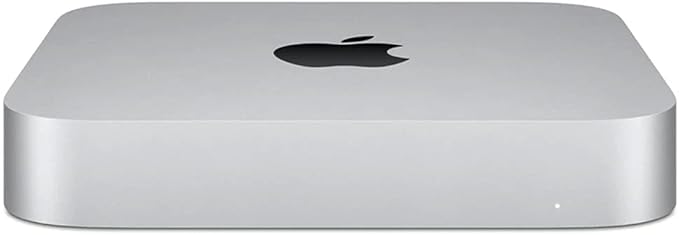
Apple Mac Mini 8-Core M1 Chip 8GB/512GB
New guts. More glory. The Apple M1 chip takes our most versatile, do-it-all desktop into another dimension. With up to 3× faster CPU performance. Up to 6× faster graphics. And our most advanced Neural Engine for up to 15× faster machine learning. Get ready to work, play and create on Mac mini with speed and power beyond anything you ever imagined.
New guts. More glory. The Apple M1 chip takes our most versatile, do-it-all desktop into another dimension. With up to 3× faster CPU performance. Up to 6× faster graphics. And our most advanced Neural Engine for up to 15× faster machine learning. Get ready to work, play and create on Mac mini with speed and power beyond anything you ever imagined.
New guts. More glory. The Apple M1 chip takes our most versatile, do-it-all desktop into another dimension. With up to 3× faster CPU performance. Up to 6× faster graphics. And our most advanced Neural Engine for up to 15× faster machine learning. Get ready to work, play and create on Mac mini with speed and power beyond anything you ever imagined.
New guts. More glory. The Apple M1 chip takes our most versatile, do-it-all desktop into another dimension. With up to 3× faster CPU performance. Up to 6× faster graphics. And our most advanced Neural Engine for up to 15× faster machine learning. Get ready to work, play and create on Mac mini with speed and power beyond anything you ever imagined.
in 5 offers
The lowest price for Apple Mac Mini 8-Core M1 Chip 8GB/512GB right now is $649.00 at Mobileciti, compared across 4 retailers.
The all-time low was $115.00 on 31 Aug 2023 — today's price is 464% above the lowest ever. It has been notably cheaper before — worth setting a price alert.
Prices last updated 11 May 2026.
Last updated at 11/05/2026 20:43:13
Apple Mac Mini with M1 chip (8C CPU, 512GB/16GB) [Refurbished] - Excellent
Free next-day delivery
Apple Mac Mini 2020 - M1 512GB - Silver (MGNT3X/A)
30-day returns
Apple Mac Mini with M1 chip (8-core CPU, 512GB SSD, MGNT3X/A, A2348)
Free delivery between 15–25 May
Apple Mac Mini M1 8 Core, 8GB RAM, 512GB SSD
7-day returns
originally posted on pbtech.co.nz
Have had this for 4 months now, and it's definitely a good entry level product for browsing, multimedia, Mac version of mobile games, coding... I use it with SketchUp for ~100mb files. Adding products obviously slows it down, but manages small projects i.e. single houses or larger projects with little detail i.e. exterior walls only. If you are considering this from a Windows PC, there probably aren't better options in this price range. But for a little more you could get a mini pc with a bit more oomph for more complex software, bigger games, larger 3D files... As a Windows user, it was a little strange at first getting used to the Mac nuances esp with file management, Mac shortcut keys etc, settings etc, but it is a great machine and a great OS. It's nice to not ... MoreHave had this for 4 months now, and it's definitely a good entry level product for browsing, multimedia, Mac version of mobile games, coding... I use it with SketchUp for ~100mb files. Adding products obviously slows it down, but manages small projects i.e. single houses or larger projects with little detail i.e. exterior walls only. If you are considering this from a Windows PC, there probably aren't better options in this price range. But for a little more you could get a mini pc with a bit more oomph for more complex software, bigger games, larger 3D files... As a Windows user, it was a little strange at first getting used to the Mac nuances esp with file management, Mac shortcut keys etc, settings etc, but it is a great machine and a great OS. It's nice to not have Windows updates every other day and I haven't had any issues with the OS or updates. I will say, coming from Windows, I should've paid more attention to what software and apps could run on Mac OS. There are still plenty of games that I used to play that do not run on my Mac Mini M1, despite the specs saying it will. Running virtual machines is an option, but you're left with only half of the specs your mini offers to run the game i.e. this 8GB model will only have 4GBs RAM to run on a game in a virtual machine... People do say that Mac OS is getting better and faster and can compete with Windows machines with more RAM and storage, but I haven't found that to be the case. I do like this machine for the price, but for anyone who regularly uses Windows software (and would be running it on a virtual machine) and likes casual games or 3D modelling, probably best to raise your budget a little and get a 16GB model, or a PC/mini PC.
originally posted on bestbuy.com
Apple has ruined me for all other PCs. This little computer is my daily workhorse. I use it from my work-at-home job all day. It runs silently, never feels even the slightest bit warm, never asks me if I would like to recommend MacOS to my friends (I'm looking at you, Windows 10 and 11 and your annoying, built-in ads), came with practically all the software I'll ever need, and runs all my work-related software without any problems. I typically only reboot when Apple rolls out upgrades requiring one. Otherwise, I just swipe the cursor down to the lower left screen corner (courtesy the Magic Touchpad and a little MacOS thing known as "hot corners") to lock the computer and put the screen to sleep when I step away from my desk. I wanted to get a PC to supplement my ... MoreApple has ruined me for all other PCs. This little computer is my daily workhorse. I use it from my work-at-home job all day. It runs silently, never feels even the slightest bit warm, never asks me if I would like to recommend MacOS to my friends (I'm looking at you, Windows 10 and 11 and your annoying, built-in ads), came with practically all the software I'll ever need, and runs all my work-related software without any problems. I typically only reboot when Apple rolls out upgrades requiring one. Otherwise, I just swipe the cursor down to the lower left screen corner (courtesy the Magic Touchpad and a little MacOS thing known as "hot corners") to lock the computer and put the screen to sleep when I step away from my desk. I wanted to get a PC to supplement my at-home work, but with Citrix and virtual desktop options my job offers, I really have no need. In years past, I've lost countless hours maintaining and fixing my Windows computers. Since buying Macs, I simply use them then walk away when I'm done. The M1 is a marvel making this Mac mini fast, power efficient and 100% silent and cool to the touch. Built-in Wi-Fi means I can put it anywhere in my home. Even the box it comes in is a tenth the size of a fully unpacked Windows PC. Get this computer!
originally posted on bestbuy.com
I recently added the Mac mini Desktop with the Apple M1 chip, 8GB memory, and 256GB SSD in Silver to my home office setup, and it has been a fantastic investment. Here's a rundown of my experience with this compact yet powerful desktop computer: Design: The Mac mini's small form factor, measuring just 7.7" x 7.7" x 1.4", is perfect for those with limited desk space. The sleek silver finish gives it a modern and elegant look that complements any workspace. Despite its small size, the build quality is top-notch and feels solid and durable. Performance: The Apple M1 chip is the real game-changer here. It offers impressive performance, rivaling that of larger and more expensive desktops. The 8GB memory and 256GB SSD work seamlessly together, ensuring smooth multitasking ... MoreI recently added the Mac mini Desktop with the Apple M1 chip, 8GB memory, and 256GB SSD in Silver to my home office setup, and it has been a fantastic investment. Here's a rundown of my experience with this compact yet powerful desktop computer: Design: The Mac mini's small form factor, measuring just 7.7" x 7.7" x 1.4", is perfect for those with limited desk space. The sleek silver finish gives it a modern and elegant look that complements any workspace. Despite its small size, the build quality is top-notch and feels solid and durable. Performance: The Apple M1 chip is the real game-changer here. It offers impressive performance, rivaling that of larger and more expensive desktops. The 8GB memory and 256GB SSD work seamlessly together, ensuring smooth multitasking and quick access to files and applications. The Mac mini handles everyday tasks with ease and is also capable of running more demanding software like Adobe Creative Suite or Apple's own Final Cut Pro without any hiccups. Thermal Management: The Mac mini's thermal management is excellent, thanks to its efficient cooling system. Even under heavy workloads, the device remains cool and quiet, which is essential for maintaining a distraction-free work environment. Connectivity and Ports: The Mac mini comes with a solid selection of ports, including two Thunderbolt 3/USB 4 ports, two USB-A ports, an HDMI 2.0 port, Gigabit Ethernet, and a 3.5mm headphone jack. This variety of ports allows for easy connectivity with multiple peripherals, such as external displays, storage devices, and audio equipment. macOS: The Mac mini comes with the latest version of macOS, which offers a clean and user-friendly interface, making it easy for both new and experienced users to navigate. The tight integration between hardware and software ensures a smooth and enjoyable computing experience. Upgradeability: One potential downside is the limited upgradeability, as both the memory and SSD are soldered to the motherboard. This means that users need to choose their desired configuration at the time of purchase, as upgrading later is not an option. However, for most users, the base configuration of 8GB memory and 256GB SSD should be more than adequate for everyday use. In conclusion, the Mac mini Desktop with the Apple M1 chip, 8GB memory, and 256GB SSD in Silver is a fantastic choice for those looking for a compact yet powerful desktop computer. Its small footprint, impressive performance, and seamless integration with macOS make it an excellent option for both home and professional use. Just be sure to choose the right configuration for your needs, as upgrading later is not possible.
| Limited Warranty | 1 Year |
| Standard Memory | 8 GB |
| Operating System | macOS Big Sur |
| Form Factor | Mini PC |
| Processor Core | Octa-core (8 Core) |
Apple Mac Mini with M1 chip (8C CPU, 512GB/16GB) [Refurbished] - Excellent
Free next-day delivery
Apple Mac Mini 2020 - M1 512GB - Silver (MGNT3X/A)
30-day returns
Apple Mac Mini with M1 chip (8-core CPU, 512GB SSD, MGNT3X/A, A2348)
Free delivery between 15–25 May
Apple Mac Mini M1 8 Core, 8GB RAM, 512GB SSD
7-day returns
Have had this for 4 months now, and it's definitely a good entry level product for browsing, multimedia, Mac version of mobile games, coding... I use it with SketchUp for ~100mb files. Adding products obviously slows it down, but manages small projects i.e. single houses or larger projects with little detail i.e. exterior walls only. If you are considering this from a Windows PC, there probably aren't better options in this price range. But for a little more you could get a mini pc with a bit more oomph for more complex software, bigger games, larger 3D files... As a Windows user, it was a little strange at first getting used to the Mac nuances esp with file management, Mac shortcut keys etc, settings etc, but it is a great machine and a great OS. It's nice to not ... MoreHave had this for 4 months now, and it's definitely a good entry level product for browsing, multimedia, Mac version of mobile games, coding... I use it with SketchUp for ~100mb files. Adding products obviously slows it down, but manages small projects i.e. single houses or larger projects with little detail i.e. exterior walls only. If you are considering this from a Windows PC, there probably aren't better options in this price range. But for a little more you could get a mini pc with a bit more oomph for more complex software, bigger games, larger 3D files... As a Windows user, it was a little strange at first getting used to the Mac nuances esp with file management, Mac shortcut keys etc, settings etc, but it is a great machine and a great OS. It's nice to not have Windows updates every other day and I haven't had any issues with the OS or updates. I will say, coming from Windows, I should've paid more attention to what software and apps could run on Mac OS. There are still plenty of games that I used to play that do not run on my Mac Mini M1, despite the specs saying it will. Running virtual machines is an option, but you're left with only half of the specs your mini offers to run the game i.e. this 8GB model will only have 4GBs RAM to run on a game in a virtual machine... People do say that Mac OS is getting better and faster and can compete with Windows machines with more RAM and storage, but I haven't found that to be the case. I do like this machine for the price, but for anyone who regularly uses Windows software (and would be running it on a virtual machine) and likes casual games or 3D modelling, probably best to raise your budget a little and get a 16GB model, or a PC/mini PC.
Apple has ruined me for all other PCs. This little computer is my daily workhorse. I use it from my work-at-home job all day. It runs silently, never feels even the slightest bit warm, never asks me if I would like to recommend MacOS to my friends (I'm looking at you, Windows 10 and 11 and your annoying, built-in ads), came with practically all the software I'll ever need, and runs all my work-related software without any problems. I typically only reboot when Apple rolls out upgrades requiring one. Otherwise, I just swipe the cursor down to the lower left screen corner (courtesy the Magic Touchpad and a little MacOS thing known as "hot corners") to lock the computer and put the screen to sleep when I step away from my desk. I wanted to get a PC to supplement my ... MoreApple has ruined me for all other PCs. This little computer is my daily workhorse. I use it from my work-at-home job all day. It runs silently, never feels even the slightest bit warm, never asks me if I would like to recommend MacOS to my friends (I'm looking at you, Windows 10 and 11 and your annoying, built-in ads), came with practically all the software I'll ever need, and runs all my work-related software without any problems. I typically only reboot when Apple rolls out upgrades requiring one. Otherwise, I just swipe the cursor down to the lower left screen corner (courtesy the Magic Touchpad and a little MacOS thing known as "hot corners") to lock the computer and put the screen to sleep when I step away from my desk. I wanted to get a PC to supplement my at-home work, but with Citrix and virtual desktop options my job offers, I really have no need. In years past, I've lost countless hours maintaining and fixing my Windows computers. Since buying Macs, I simply use them then walk away when I'm done. The M1 is a marvel making this Mac mini fast, power efficient and 100% silent and cool to the touch. Built-in Wi-Fi means I can put it anywhere in my home. Even the box it comes in is a tenth the size of a fully unpacked Windows PC. Get this computer!
I recently added the Mac mini Desktop with the Apple M1 chip, 8GB memory, and 256GB SSD in Silver to my home office setup, and it has been a fantastic investment. Here's a rundown of my experience with this compact yet powerful desktop computer: Design: The Mac mini's small form factor, measuring just 7.7" x 7.7" x 1.4", is perfect for those with limited desk space. The sleek silver finish gives it a modern and elegant look that complements any workspace. Despite its small size, the build quality is top-notch and feels solid and durable. Performance: The Apple M1 chip is the real game-changer here. It offers impressive performance, rivaling that of larger and more expensive desktops. The 8GB memory and 256GB SSD work seamlessly together, ensuring smooth multitasking ... MoreI recently added the Mac mini Desktop with the Apple M1 chip, 8GB memory, and 256GB SSD in Silver to my home office setup, and it has been a fantastic investment. Here's a rundown of my experience with this compact yet powerful desktop computer: Design: The Mac mini's small form factor, measuring just 7.7" x 7.7" x 1.4", is perfect for those with limited desk space. The sleek silver finish gives it a modern and elegant look that complements any workspace. Despite its small size, the build quality is top-notch and feels solid and durable. Performance: The Apple M1 chip is the real game-changer here. It offers impressive performance, rivaling that of larger and more expensive desktops. The 8GB memory and 256GB SSD work seamlessly together, ensuring smooth multitasking and quick access to files and applications. The Mac mini handles everyday tasks with ease and is also capable of running more demanding software like Adobe Creative Suite or Apple's own Final Cut Pro without any hiccups. Thermal Management: The Mac mini's thermal management is excellent, thanks to its efficient cooling system. Even under heavy workloads, the device remains cool and quiet, which is essential for maintaining a distraction-free work environment. Connectivity and Ports: The Mac mini comes with a solid selection of ports, including two Thunderbolt 3/USB 4 ports, two USB-A ports, an HDMI 2.0 port, Gigabit Ethernet, and a 3.5mm headphone jack. This variety of ports allows for easy connectivity with multiple peripherals, such as external displays, storage devices, and audio equipment. macOS: The Mac mini comes with the latest version of macOS, which offers a clean and user-friendly interface, making it easy for both new and experienced users to navigate. The tight integration between hardware and software ensures a smooth and enjoyable computing experience. Upgradeability: One potential downside is the limited upgradeability, as both the memory and SSD are soldered to the motherboard. This means that users need to choose their desired configuration at the time of purchase, as upgrading later is not an option. However, for most users, the base configuration of 8GB memory and 256GB SSD should be more than adequate for everyday use. In conclusion, the Mac mini Desktop with the Apple M1 chip, 8GB memory, and 256GB SSD in Silver is a fantastic choice for those looking for a compact yet powerful desktop computer. Its small footprint, impressive performance, and seamless integration with macOS make it an excellent option for both home and professional use. Just be sure to choose the right configuration for your needs, as upgrading later is not possible.
I am not an apple person and I never was, but I had to check out the hype over the m1 chip. Loading programs and executing processes are a breeze and consume very little of the CPU. Very impressed with that but couple draw backs are that this little package only comes with 8gbs of ram. For my uses it fine for the moment, which brings me to the storage which is pretty miniscule compared to other systems; granted you can just rock the external... Over all I believe this is a perfect budget computer because it comes only with the bare minimum of what you need to get started, considering you must get all of peripherals. I'm still learning all of apples quirks but so far so good, pca to me are more open ended, customizable, and more user-friendly, but if you like the ... MoreI am not an apple person and I never was, but I had to check out the hype over the m1 chip. Loading programs and executing processes are a breeze and consume very little of the CPU. Very impressed with that but couple draw backs are that this little package only comes with 8gbs of ram. For my uses it fine for the moment, which brings me to the storage which is pretty miniscule compared to other systems; granted you can just rock the external... Over all I believe this is a perfect budget computer because it comes only with the bare minimum of what you need to get started, considering you must get all of peripherals. I'm still learning all of apples quirks but so far so good, pca to me are more open ended, customizable, and more user-friendly, but if you like the price, that price is hard to get for what your getting. I'm currently using this for music production and it makes quick work of the job. I like it on my end, just if you want to upgrade or get the next tier, it can get a little pricey (big bro the Mac studio). Give it a shot, I recommend even not being familiar with the OS!
This is Apple’s first foray into developing its own chipsets, and in my opinion, it is quite impressive what they’ve done. For starters, this Mac is silky smooth. It does everything I throw at it: word processing, video streaming, downloading files, graphics design and Photoshop, etc. It doesn’t lag nor does it throttle performance. This is quite impressive considering I have not once heard the fans come on. My only complaint with this computer however is that it can ONLY drive two monitors at a time out the box. You can only use one of the Thunderbolt 3 ports and the one HDMI port together at a time. If you want to connect a third monitor, you have to buy a DisplayLink adapter and connect that to one of the two USB Type-A ports. MST doesn’t work on macOS, so you ... MoreThis is Apple’s first foray into developing its own chipsets, and in my opinion, it is quite impressive what they’ve done. For starters, this Mac is silky smooth. It does everything I throw at it: word processing, video streaming, downloading files, graphics design and Photoshop, etc. It doesn’t lag nor does it throttle performance. This is quite impressive considering I have not once heard the fans come on. My only complaint with this computer however is that it can ONLY drive two monitors at a time out the box. You can only use one of the Thunderbolt 3 ports and the one HDMI port together at a time. If you want to connect a third monitor, you have to buy a DisplayLink adapter and connect that to one of the two USB Type-A ports. MST doesn’t work on macOS, so you can’t daisy chain DisplayPort monitors coming off the Thunderbolt 3 ports. This is a major disappointment considering the previous Mac mini does allow the user to connect more than two monitors at a time. If you don’t need more than two monitors, this computer is perfect for you. If you need more than two, just keep the aforementioned in mind.
Wonderful! That's the only way I can describe the Mac mini I recently purchased from Best Buy. Just excellent in every way. I have been using a 2015 iMac and it was getting slower and more unresponsive every year. I had been waiting for a 27" iMac with the M1 chip for over a year and with no certain release of it I just didn't want to wait any longer. But what option would I have to get the M1 chip and a 27" monitor? I had heard about the Mac mini for years -- but figured it was an entry level computer for simple tasks only. But in researching the mini I found that was completely not the case. The reviews and YouTube videos about the Mac mini I looked at were promising but there were a few criticisms that nagged at me. Nevertheless, I went ahead and bought the ... MoreWonderful! That's the only way I can describe the Mac mini I recently purchased from Best Buy. Just excellent in every way. I have been using a 2015 iMac and it was getting slower and more unresponsive every year. I had been waiting for a 27" iMac with the M1 chip for over a year and with no certain release of it I just didn't want to wait any longer. But what option would I have to get the M1 chip and a 27" monitor? I had heard about the Mac mini for years -- but figured it was an entry level computer for simple tasks only. But in researching the mini I found that was completely not the case. The reviews and YouTube videos about the Mac mini I looked at were promising but there were a few criticisms that nagged at me. Nevertheless, I went ahead and bought the computer anyway and although its been just a few days everything runs like a dream. The speed and quickness of app response is markedly beyond what I had been hoping for. Bluetooth works flawlessly for both the Apple Magic keyboard and Magic Mouse. I upgraded a 3D app I have used for years, SketchUp, which had been also been getting increasingly buggier on the old iMac. SketchUp now runs like a gazelle with no glitches or crashes. I purchased a Dell 27" 4K monitor for the new layout and it also pairs beautifully with the Mini mac. The M1 chip is all that reviewers have said it is which makes me happy as I have been a loyal Apple user since 1997.
If you are looking for a budget friendly way to get into a base Mac desktop, this may work for you. Keep in mind you will need to either buy or already have all the peripherals: keyboard, mouse, and monitor. I was able to get into a setup for a few hundred dollars less than a 8-core iMac, as the mini is 8-core. Yes the iMac is beautiful, and you get everything included with all the essential bells and whistles, but with some creative use of price breaks and Apple Store credits I am happy with what I have. (remember an 8-core iMac will run $1500 before added apple care). All that being said, this is a very capable desktop Mac with a relatively small footprint. The block is a little larger than I expected, but at roughly 8"X8" and a little over an inch high, it ... MoreIf you are looking for a budget friendly way to get into a base Mac desktop, this may work for you. Keep in mind you will need to either buy or already have all the peripherals: keyboard, mouse, and monitor. I was able to get into a setup for a few hundred dollars less than a 8-core iMac, as the mini is 8-core. Yes the iMac is beautiful, and you get everything included with all the essential bells and whistles, but with some creative use of price breaks and Apple Store credits I am happy with what I have. (remember an 8-core iMac will run $1500 before added apple care). All that being said, this is a very capable desktop Mac with a relatively small footprint. The block is a little larger than I expected, but at roughly 8"X8" and a little over an inch high, it certainly beats the old towers. Yes I am locked into what I bought as far as drive size and memory, but at $699 (can very depending on current deals) I can live with that, especially when one can easily go into the 2-3 thousand range (and higher) for some of the many Mac and MacBook choices. The base 256GB/8GB is plenty for most casual users that just do emails, web activity, document work, and some photo work. There are plenty of ports available to external drives etc. if needed, and that is a nice change from a MacBook with a bunch of dongles. And the last point is why I bought this. I use my iPad for most daily activities, and my computer when I really need a keyboard. I found my last MacBook quite limiting the few times when I really needed to get some more serious work done as the screen was never quite large enough. My iPad gives me all the mobility I need as I don't need to do any serious work while mobile. The most expensive peripheral will be the monitor, and it is critical to do your homework here, as some monitors don't work well with an M1 Mac. I found this out the hard way, already having a monitor that worked well with my Windows partition on my old Intel based MacBook, but when hooked up to an M1 Mac did not work well at all. Fortunately I found a Dell on sale that works nicely as a budget friendly option with an M1 Mac. Again, do your homework on this critical piece and don't assume the monitor you already have will be a good match. Bottom line, if you have the money, by all means look for a beautiful iMac (better if on sale) and everything will be included. If you are patient and willing to piece together a Mac Silicon system yourself, the mini is a great choice.
My early 2009 iMac is working perfectly. However, the most recent OS that it will run is Yosemite, and the latest browsers, and other software that I need to run, require at least the High Sierra OS. That means that the iMac is pretty much obsolete since websites are increasingly refusing to let me use the old browsers. Rather than buy a new iMac, I started looking into the Mac Mini. I have two good external monitors (I always use 2 large monitors) and Apple keyboard and mouse from the iMac so I was able to get a Mac Mini system for about half the cost of a new iMac. After considering a new Macbook Air, it became obvious that the Mini was better suited for my needs. It has two Thunderbolt and two USB connectors, along with ethernet and HDMI port. Unlike my previous ... MoreMy early 2009 iMac is working perfectly. However, the most recent OS that it will run is Yosemite, and the latest browsers, and other software that I need to run, require at least the High Sierra OS. That means that the iMac is pretty much obsolete since websites are increasingly refusing to let me use the old browsers. Rather than buy a new iMac, I started looking into the Mac Mini. I have two good external monitors (I always use 2 large monitors) and Apple keyboard and mouse from the iMac so I was able to get a Mac Mini system for about half the cost of a new iMac. After considering a new Macbook Air, it became obvious that the Mini was better suited for my needs. It has two Thunderbolt and two USB connectors, along with ethernet and HDMI port. Unlike my previous 3 Mac Minis, the power supply is built in. There's no external brick. So now I have my desktop updated with 2 large monitors. The tiny footprint of the Mac Mini provides a resting place for an external hub for more USB and other ports. The new Monterey OS will now run the latest browsers and software versions. And, boy this computer is FAST! The built-in 250GB SSD is lightening fast. Quite an improvement from my old iMac. The only thing I will miss is the built-in DVD for accessing the hundreds of data and video recordings that I have. Eventually, all of this will go into the cloud, but for now I can use my old iMac to get to the old files. I'm really glad that Apple is continuing to offer the Mac Mini. If you have all of the peripherals already, this is the way to go, in my opinion.
This is a solid entry level Apple desktop option if you already have a monitor, keyboard and mouse laying around. I got it to save wear and tear on my Apple MacBook Pro. I use it as a work computer - web browsing, MS Word & Excel, Zoom, etc. and at that level it's really good. The much lauded M1 chip is faster I guess. I'm not noticing that it is markedly faster than the Intel i5 in my MacBook Pro. That said - I'm using almost exclusively legacy apps for work. I.E. Programs not designed to run specifically on Apple silicon so maybe I'm missing something here. I find that I'm still getting low memory warnings if I have too many google table open (drive, google docs, g-chat, etc.). Google apps are notorious memory hogs but I was still disappointed to be getting these ... MoreThis is a solid entry level Apple desktop option if you already have a monitor, keyboard and mouse laying around. I got it to save wear and tear on my Apple MacBook Pro. I use it as a work computer - web browsing, MS Word & Excel, Zoom, etc. and at that level it's really good. The much lauded M1 chip is faster I guess. I'm not noticing that it is markedly faster than the Intel i5 in my MacBook Pro. That said - I'm using almost exclusively legacy apps for work. I.E. Programs not designed to run specifically on Apple silicon so maybe I'm missing something here. I find that I'm still getting low memory warnings if I have too many google table open (drive, google docs, g-chat, etc.). Google apps are notorious memory hogs but I was still disappointed to be getting these warnings on a new Mac mini. Moral of the story - if you're gonna have a gazillion tabs open and work a lot in the google ecosystem, you may want to opt for the 16gb memory option. I have dual 1080p Samsung monitors hooked up to it and the display is great. The mini can support up to 4k 60hz displays but I simply don't need that quality of resolution for a work computer. Overall - I'm satisfied with my purchase. I wish it handled the heavy lifting of having a gazillion tabs and apps open better but it's not a deal breaker. If you are looking for an affordable Apple desk top and already have all the peripherals this is a great choice. Also good for someone wanting to dip their toe into the Apple ecosystem without spending a fortune. Possibly the - literally - coolest thing about this computer is that it's all solid state....no moving parts....so there's absolutely no noise and it doesn't generate any heat. Be aware that it only has 2 USB A, 2 USB C, 1 HDMI & Ethernet ports. If you have a ton of peripherals you'll need a dock or adapter.
I purchased this Mac Mini instead of another iMac because I needed dual screens and didn't want to have a nice looking iMac screen sitting next to another monitor that looked nothing like it. Instead, I paired my new Mac Mini with a 34" high resolution ultrawide monitor. I will comment on the change from iMac to Mac Mini, but will first comment on performance. Regarding performance, I have not ever had a computer as responsive as this. Everything is quick and have not had any issues with lagging. The only time I have to wait is when waking it up from sleep. It unlocks using my apple watch, but it takes about 4 or 5 seconds. My old 2012 iMac would wake the instant I moved the mouse. That's a non-issue for me, though. I'm using a Samsung T7, which has worked nearly ... MoreI purchased this Mac Mini instead of another iMac because I needed dual screens and didn't want to have a nice looking iMac screen sitting next to another monitor that looked nothing like it. Instead, I paired my new Mac Mini with a 34" high resolution ultrawide monitor. I will comment on the change from iMac to Mac Mini, but will first comment on performance. Regarding performance, I have not ever had a computer as responsive as this. Everything is quick and have not had any issues with lagging. The only time I have to wait is when waking it up from sleep. It unlocks using my apple watch, but it takes about 4 or 5 seconds. My old 2012 iMac would wake the instant I moved the mouse. That's a non-issue for me, though. I'm using a Samsung T7, which has worked nearly flawlessly. The only issue I see is the rated speed on the SSD is 1,050 MB/S. However, when testing it straight from the thunderbolt port I get about 700 MB/S. I have read that this is common with the new M1 Macs, but nobody seems to know why. I have seen when some have used Thunderbolt 4 hubs and plugged the SSD into the hub instead of directly into the back of the M1 Mac and got faster speeds. But 700 MB/S is plenty for me, so it is not an issue. Going from an iMac to a Mac Mini posed some convenience issues for me. I don't like a lot of cords and I like being able to control everything from the keyboard. (1) I can no longer control the brightness from the magic keyboard. I now have to go into the monitor's settings and reduce/increase brightness accordingly. The iMac automatically adjusts brightness according to how bright the room is. This is something you don't appreciate until you no longer have it. (2) I had to buy external speakers. This means more wires that have to be managed and you must plug them into the back of the Mac Mini if you want to use the volume controls on the Magic Keyboard. Plugging them into the back of the monitor to reduce cord running means you must use the knob on the speaker to adjust volume. (3) I wanted to mount the Mac Mini under my desk, but there is no convenient hub to use that does not bring back the issue of running cords. All of the hubs I looked at have the power cord and thunderbolt cord coming out of opposite sides of the hub. Why oh why has nobody thought about this. I want the cords to run out of the back and the ports on the front (or the side). Therefore, I just kept the Mac Mini on top of the desk and purchased the Satechi stand for the Mac Mini. It is the same shape as the Mac Mini and the ports are front-facing, but clean. I needed the convenience of front-facing ports in the event I need to connect something quickly and not have to worry about reaching behind the Mac Mini and having to re-situate everything before and after. (4) Cord Management became a priority. I didn't have this issue with the iMac. I used Velcro straps and painter's tape (it doesn't leave sticky film) behind my sit/stand desk and I don't see any cords. I really worried about this, but it worked out. I'm really happy I purchased the Mac Mini and happy I went with the ultrawide screen. One ultrawide monitor is cleaner, looks good and I can treat it as dual 24" screens. Yes, the iMac is a much more consolidating unit, nice looking, really sharp screen, and everything performs in concert. But for me, I needed a bigger screen or dual screens and the Mac Mini provides the higher end 8-core GPU. Lastly, there were no iMacs available to purchase anywhere unless buying a less than desirable color. I'm happy with my purchase. I'm in the apple ecosystem with great performance and a little difference experience now with an ultrawide monitor, which the Mac pairs great with in terms of resolution. Just make sure not to get the lower resolution ultrawidescreens.
| Limited Warranty | 1 Year |
| Standard Memory | 8 GB |
| Operating System | macOS Big Sur |
| Form Factor | Mini PC |
| Processor Core | Octa-core (8 Core) |

