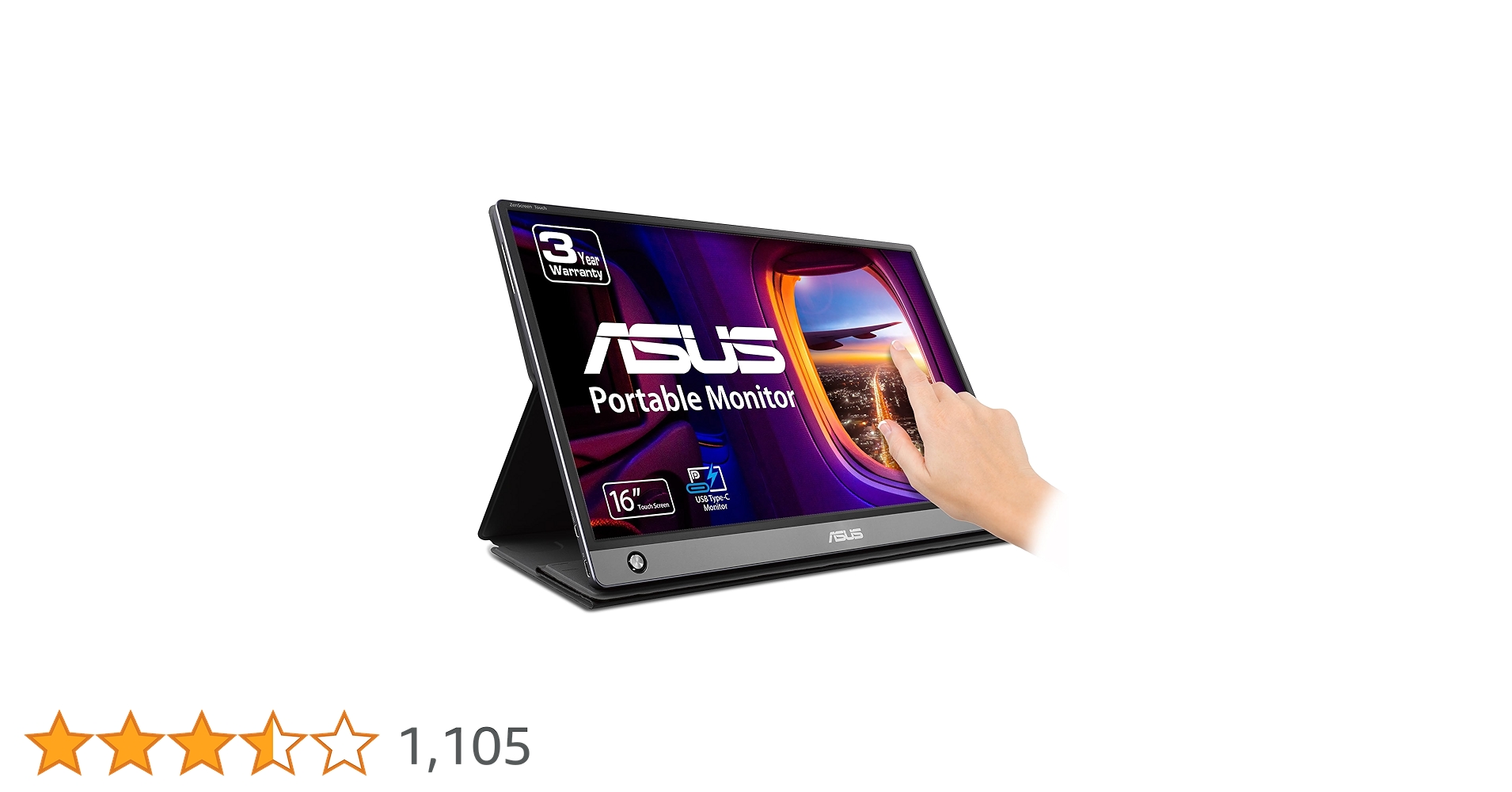
Asus MB16AMT Touch Screen Monitor 39.6 cm (15.6") 1920 x 1080 Pixels Grey
Large Screen Laptop From ZenScreen Touch MB16AMT
Large Screen Laptop From ZenScreen Touch MB16AMT
Large Screen Laptop From ZenScreen Touch MB16AMT
Large Screen Laptop From ZenScreen Touch MB16AMT
in 6 offers
The lowest price for Asus MB16AMT Touch Screen Monitor 39.6 cm (15.6") 1920 x 1080 Pixels Grey right now is $469.00 at Umart, compared across 6 retailers.
The all-time low was $469.00 on 1 Aug 2026. That's the lowest price we've ever tracked — a great time to buy.
Prices last updated 1 Aug 2026.
Last updated at 01/08/2026 21:53:47
Asus 15.6in FHD Portable USB-C 10-Point Touch Monitor (MB16AMT)
30-day returns
Asus ZenScreen MB16AMT Portable Monitor - Dark Grey
ASUS MB16AMT 15.6inch 10-Point Touch 60hz Portable IPS Office Monitor
14-day returns
ASUS MB16AMT 15.6" ZenScreen Touch USB Portable Monitor, IPS, Full HD, 10-point Touch, Built-in Battery 7800mAh, USB Type-C, Micro-HDMI, 0.9KG, 9mm
Delivery $18
ASUS ZenScreen Touch Screen 15.6” 1080P Portable USB - Full HD , IPS, Anti-Glare, Built-in Battery, Speakers, Eye Care, USB Type-C, Micro HDMI, Smart
Delivery $28.49
Asus ZenScreen MB16AMT 39.6 cm (15.6") LCD Touch screen Monitor
Free delivery between Mon – Thu
originally posted on bhphotovideo.com
Really good looking product. Worked great for me right out of the box on my Lenovo Yoga running Arch Linux. I thought I was going to have to fight to get the touch working. Hooked it up to my Samsung Note10 and was impressed how well it works on Samsung's Dex application. Dex turned the phone into a trackpad and the Touch screen into a desktop environment.I have only used it a couple hours, but felt compelled to share my thoughts. Especially for those looking to use it with Linux.
originally posted on microcenter.com
This monitor is super thin and perfect for a backpack or thin case. The 10-point touch screen works as expected, but I am a power user who likes a keyboard and a mouse, so it wasn’t super important to me to have touch. The only down side is finding a way to mount the monitor due to no mounting holes and its unusual size. I have not found a mount to fit it yet but I want it in my vehicle for mobile computing. The included lean-to stand/cover is solid if you position it the way it was designed. Strong magnets keep the monitor fast to the stand.This monitor will run off of USB-C power, but by default is not enabled. You have to turn it on via the menu. You will know it is charging when you look at the main menu and there is a yellow lightning bolt. The monitor comes ... MoreThis monitor is super thin and perfect for a backpack or thin case. The 10-point touch screen works as expected, but I am a power user who likes a keyboard and a mouse, so it wasn’t super important to me to have touch. The only down side is finding a way to mount the monitor due to no mounting holes and its unusual size. I have not found a mount to fit it yet but I want it in my vehicle for mobile computing. The included lean-to stand/cover is solid if you position it the way it was designed. Strong magnets keep the monitor fast to the stand.This monitor will run off of USB-C power, but by default is not enabled. You have to turn it on via the menu. You will know it is charging when you look at the main menu and there is a yellow lightning bolt. The monitor comes with a power adapter as well, but it can only be used for charging when not in use, unless you want to use HDMI while charging (which doesn’t carry touch screen data). Since the USB-C is a DP port, the charger is just an added convenience for times when not in use. Note that not all USB-C ports work. Look for the lightning bolt icon on your PC’s port. The type with a USB symbol and SS will not work (in my experience).For its intended purpose, it is probably the best portable touch monitor available.
originally posted on microcenter.com
Ok so quick review•The screen is awesome•If you have a Samsung phone dex works PERFECTLY with this•the touch screen works perfectlyDOWN SIDESI had weird problem where it went black and had to wait for the battery to die then it worked again.When you use it as a touch screen for PC you HAVE TO USE the USB-C some times it gets messed up like for me when touched my screen it was touching my main monitor you have to fix that it's not to hard to fix.ALSO if your using USB C for the touch screen function eventually the monitor will die the battery drains down slowly. I found a work around with a USB C thing I found online so I can get power and use the touch screen.
| General | |
| Display Type | LCD monitor / TFT active matrix |
| Energy Class | Class F |
| Diagonal Size | 15.6" |
| Built-in Devices | Lithium-polymer battery (7800 mAh) |
Asus 15.6in FHD Portable USB-C 10-Point Touch Monitor (MB16AMT)
30-day returns
Asus ZenScreen MB16AMT Portable Monitor - Dark Grey
ASUS MB16AMT 15.6inch 10-Point Touch 60hz Portable IPS Office Monitor
14-day returns
ASUS MB16AMT 15.6" ZenScreen Touch USB Portable Monitor, IPS, Full HD, 10-point Touch, Built-in Battery 7800mAh, USB Type-C, Micro-HDMI, 0.9KG, 9mm
Delivery $18
ASUS ZenScreen Touch Screen 15.6” 1080P Portable USB - Full HD , IPS, Anti-Glare, Built-in Battery, Speakers, Eye Care, USB Type-C, Micro HDMI, Smart
Delivery $28.49
Really good looking product. Worked great for me right out of the box on my Lenovo Yoga running Arch Linux. I thought I was going to have to fight to get the touch working. Hooked it up to my Samsung Note10 and was impressed how well it works on Samsung's Dex application. Dex turned the phone into a trackpad and the Touch screen into a desktop environment.I have only used it a couple hours, but felt compelled to share my thoughts. Especially for those looking to use it with Linux.
This monitor is super thin and perfect for a backpack or thin case. The 10-point touch screen works as expected, but I am a power user who likes a keyboard and a mouse, so it wasn’t super important to me to have touch. The only down side is finding a way to mount the monitor due to no mounting holes and its unusual size. I have not found a mount to fit it yet but I want it in my vehicle for mobile computing. The included lean-to stand/cover is solid if you position it the way it was designed. Strong magnets keep the monitor fast to the stand.This monitor will run off of USB-C power, but by default is not enabled. You have to turn it on via the menu. You will know it is charging when you look at the main menu and there is a yellow lightning bolt. The monitor comes ... MoreThis monitor is super thin and perfect for a backpack or thin case. The 10-point touch screen works as expected, but I am a power user who likes a keyboard and a mouse, so it wasn’t super important to me to have touch. The only down side is finding a way to mount the monitor due to no mounting holes and its unusual size. I have not found a mount to fit it yet but I want it in my vehicle for mobile computing. The included lean-to stand/cover is solid if you position it the way it was designed. Strong magnets keep the monitor fast to the stand.This monitor will run off of USB-C power, but by default is not enabled. You have to turn it on via the menu. You will know it is charging when you look at the main menu and there is a yellow lightning bolt. The monitor comes with a power adapter as well, but it can only be used for charging when not in use, unless you want to use HDMI while charging (which doesn’t carry touch screen data). Since the USB-C is a DP port, the charger is just an added convenience for times when not in use. Note that not all USB-C ports work. Look for the lightning bolt icon on your PC’s port. The type with a USB symbol and SS will not work (in my experience).For its intended purpose, it is probably the best portable touch monitor available.
Ok so quick review•The screen is awesome•If you have a Samsung phone dex works PERFECTLY with this•the touch screen works perfectlyDOWN SIDESI had weird problem where it went black and had to wait for the battery to die then it worked again.When you use it as a touch screen for PC you HAVE TO USE the USB-C some times it gets messed up like for me when touched my screen it was touching my main monitor you have to fix that it's not to hard to fix.ALSO if your using USB C for the touch screen function eventually the monitor will die the battery drains down slowly. I found a work around with a USB C thing I found online so I can get power and use the touch screen.
The monitor looks beautiful. It’s got a sleek design that’s very pleasing to look at.Pros:Matte screen prevents glare10pt multitouch (why? I don’t know, but you can use all your fingers if you need to operate this)Battery powered so you don’t drain your laptop battery.Thunderbolt capable so your laptop can charge it while using it as needed, and you only need the one USB C cable. (It comes with a shorter Thunderbolt capable cable so if you want a longer one make sure the cable is capable of power and data transfer not just one or the other.)Great quality resolution (1080p) This might not seem great but I upgraded from 720 on my old laptop. If you need a 4K monitor good luck, this isn’t for you. I have the LG Gram 17” which has a slightly higher than ... MoreThe monitor looks beautiful. It’s got a sleek design that’s very pleasing to look at.Pros:Matte screen prevents glare10pt multitouch (why? I don’t know, but you can use all your fingers if you need to operate this)Battery powered so you don’t drain your laptop battery.Thunderbolt capable so your laptop can charge it while using it as needed, and you only need the one USB C cable. (It comes with a shorter Thunderbolt capable cable so if you want a longer one make sure the cable is capable of power and data transfer not just one or the other.)Great quality resolution (1080p) This might not seem great but I upgraded from 720 on my old laptop. If you need a 4K monitor good luck, this isn’t for you. I have the LG Gram 17” which has a slightly higher than 1080p resolution but lower than 4K resolution and it still puts out a crisp clean image.Cons:The magnetic cover is not the best stand for a touchscreen monitor. It’s not terrible by any means, but you do have to be a little more on the gentle side. (Or maybe I’m just to ham fisted.)Comes with a stupid pen as a (secondary?) stand. I don’t understand the point and I think it’s dumb.The menu isn’t touch screen and is a little difficult to navigate. It has a small joystick button to open the menu for monitors settings, once opened you have to use the joystick to pick and choose your options. Not the best design but also not terrible.If you have a laptop that’s not a 15.6” 1080p res monitor then the transition between the two is a bit weird. Everything still works well and looks good but you do get some weird scaling between the two monitors.Overall I love this thing. I have yet to try it but my main reason for getting it was to use as a secondary monitor for drawing.I also use it as a lighting programmer. I can have one monitor that’s touchscreen for faster navigating while doing preprogramming for my shows.If you have any questions please feel free to ask. I know there’s not a lot of reviews for these and nowhere to really test them out. (Or at least not that I’ve found.)
Purchased this monitor as a second unit for travel. Due to COVID pandemic, travel was of course cancelled. ZenScreen worked for 4 months, then it would not power up. Requested RMA in 2020, and in 3 months, received the unit back in an extremely dirty box. I assumed that the unit was repaired.Finally traveled in late 2021 and tried to use the ZenScreen. It still will not power up -- same exact symptom. Basically, I charged up the ZenScreen for a day, then plugged in the HDMI cable to the Windows 10 laptop, and pressed the power button on the ZenScreen. Nothing. No power light indicator. USB-C to power adapter and HDMI to laptop HDMI port. There is no other testing process with the ZenScreen, either it powers up or not.Submitted a second RMA. Hopefully this second ... MorePurchased this monitor as a second unit for travel. Due to COVID pandemic, travel was of course cancelled. ZenScreen worked for 4 months, then it would not power up. Requested RMA in 2020, and in 3 months, received the unit back in an extremely dirty box. I assumed that the unit was repaired.Finally traveled in late 2021 and tried to use the ZenScreen. It still will not power up -- same exact symptom. Basically, I charged up the ZenScreen for a day, then plugged in the HDMI cable to the Windows 10 laptop, and pressed the power button on the ZenScreen. Nothing. No power light indicator. USB-C to power adapter and HDMI to laptop HDMI port. There is no other testing process with the ZenScreen, either it powers up or not.Submitted a second RMA. Hopefully this second RMA would be more successful.
I had the previous generation ZenScreen without the battery and absolutely loved it. Unfortunately, I lowered my standup desk onto it and broke it. Based on that, I thought I couldn't go wrong with another ZenScreen and I've been quite disappointed.The first issue is that I have yet to be able to get touch capabilities working on my Mac. The documentation on Asus's site is terrible for Mac users. After trying multiple solutions, I came across information on Reddit indicating that it likely is that the firmware needs updated. The problem is that the firmware updater does not have any Mac support, so I have to find a Windows computer to be able to update the firmware. It is ridiculous for Asus to advertise Mac support if they aren't going to continue to support Mac ... MoreI had the previous generation ZenScreen without the battery and absolutely loved it. Unfortunately, I lowered my standup desk onto it and broke it. Based on that, I thought I couldn't go wrong with another ZenScreen and I've been quite disappointed.The first issue is that I have yet to be able to get touch capabilities working on my Mac. The documentation on Asus's site is terrible for Mac users. After trying multiple solutions, I came across information on Reddit indicating that it likely is that the firmware needs updated. The problem is that the firmware updater does not have any Mac support, so I have to find a Windows computer to be able to update the firmware. It is ridiculous for Asus to advertise Mac support if they aren't going to continue to support Mac by providing firmware update tools for Mac. Unfortunately, it looks like I won't be using the touch capability anytime soon.The second issue is that the battery is really finicky. With the previous generation, I plugged it in and it just worked. With the new one, I have to manually turn it back on anytime I restart. Also, if the battery gets too low, you have to wait for the battery to charge some amount before it will turn back on. To not have to worry about power issues, I typically use a USB-C charger to power the monitor and hook it up to the computer with Micro-HDMI (which really doesn't matter since I can't get the touch feature to work anyway).The third issue is that even with brightness at 100 and contrast at 100, darker colors have very little contrast. In dark mode, many programs are very difficult to use on the monitor.Overall, I'm not very impressed with the monitor, especially given the high price tag (over $300). I would not recommend this monitor for Mac users.
Unit was return unrepaired or replaced since Asus could not duplicated the issue. I provided a detailed description with photos of the problem. When I was notified after the return, I explicitly requested for a phone call prior to the return shipment to compared testing notes. Asus apparently refused or unable to do so. Asus did provide a video recording of their test, but I could not figure out what they did differently to my tests. I tested with two different laptops with same results. Long story short, I'm recycling the monitor since I still have the issue, now intermittently. Very expensive paperweight to me.
Quite happy with it once I got over some initial issues with my MacBook Air. The documentation is a little hard to follow, got more info from an industry review about how to use the control button for the OnScreen Display settings. Still have not figured out Touch, though I understand it is limited for a Mac. Otherwise the screen is clear and easy to read. It comes with a cover which is supposed to double as a stand; I found it unstable and ended up buying a stand from Kabcon. Would recommend it nonetheless.
I had high hopes for this monitor. It is more expensive than a lot of capable tablets. The battery life is terrible, no built in Wifi, has a mediocre picture, and is extremely overpriced. The stand is also flimsy and worthless. It's a $500 paperweight. Save your money and buy a fully functional tablet instead.
CON:-Screen touch is not working while connected to adopter. Why?-Audio is average, not the best-Flexible stand with pen is not user friendly-Navigation button not the best at user friendly-Times out before laptopPRO:-Clear view-Not too bright-portableOver, overpriced for the features. great asset to have of portable second screen.
| General | |
| Display Type | LCD monitor / TFT active matrix |
| Energy Class | Class F |
| Diagonal Size | 15.6" |
| Built-in Devices | Lithium-polymer battery (7800 mAh) |

