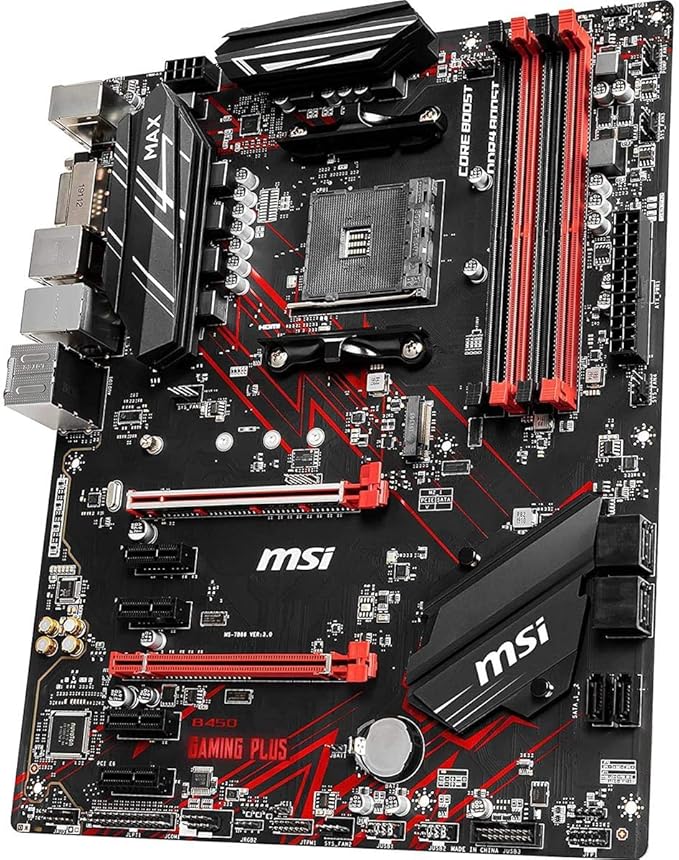
Asus TUF B450M-PRO Gaming AM4 AMD B450 Micro ATX Motherboard
TUF Gaming motherboards are specially designed and tested to survive and thrive in conditions where other boards would struggle. Engineered with highly durable components, these motherboards deliver unwavering stability for gaming sessions that last as long as you demand.
TUF Gaming motherboards are specially designed and tested to survive and thrive in conditions where other boards would struggle. Engineered with highly durable components, these motherboards deliver unwavering stability for gaming sessions that last as long as you demand.
TUF Gaming motherboards are specially designed and tested to survive and thrive in conditions where other boards would struggle. Engineered with highly durable components, these motherboards deliver unwavering stability for gaming sessions that last as long as you demand.
TUF Gaming motherboards are specially designed and tested to survive and thrive in conditions where other boards would struggle. Engineered with highly durable components, these motherboards deliver unwavering stability for gaming sessions that last as long as you demand.
in 14 offers
The lowest price for Asus TUF B450M-PRO Gaming AM4 AMD B450 Micro ATX Motherboard right now is $115.69 at AliExpress.com - AliExpress-226247430, compared across 4 retailers.
The all-time low was $105.19 on 3 Mar 2026 — today's price is 10% above the lowest ever. That's a little above the best price we've seen.
Prices last updated 2 Oct 2026.
Last updated at 02/10/2026 17:57:05
ASUS Motherboard TUF B450m-Pro GAMING MATX Motherboard Supports CPU 3700X/3600X/3600/2600
Free delivery
B450 Motherboard Fit for ASUS TUF B450M-PRO Gaming for AMD Socket AM4 with I/...
Free delivery
Affiliate Disclosure: We may receive a small commission for purchases made through this link at no extra cost to you. This helps support our site. Thank you!
Asus TUF B450M-Pro Mthbrd
Free delivery
Asus TUF B450M-PRO Gaming AMD B450 mATX Gaming Motherboard with Aura Sync RGB LED Lighting, DDR4 3533MHz Support, Dual M.2, and Native USB 3.1 Gen 2.
Delivery between 10–13 Oct $29
originally posted on cclonline.com
Great board. 2xM.2 slots. Plenty of storage connections. Rgb headers. Only gripe to watch is the onboard graphics will not activate with an unlocked Ryzen cpu. Eg 2700x Ryzen 7. The non X versions are ok with onboard. I know most will use an add-on gpu so no issues. 4 weeks up and running so far. No issues. Overclock adjustment is easy with software.Would recommend.
originally posted on scan.co.uk
This motherboard is great especially considering the additional m.2 slot that many mbs at this price do not seem to have or have it running at a slower speed for slot #2 with pcie slots in use.This made my girlfriends first pc build not only cheap and fast, but enjoyable for her to make given how nice the board looks
originally posted on neweggbusiness.com
Good feature list, smart-looking, can support 128GB RAM. But... if you install M.2 drives, then some of the SATA connectors can't be used. The rear USB 3.1 and 3.2 ports can only be used for storage devices (no hubs, say). (In fairness, these things are stated in the manual, but only there...)
| Memory | |
| Maximum internal memory | 64 GB |
| Supported memory clock speeds | 3533,2133,2400,2666,2800,3000,3200,3466 MHz |
| ECC | Y |
| Memory channels | Dual-channel |
ASUS Motherboard TUF B450m-Pro GAMING MATX Motherboard Supports CPU 3700X/3600X/3600/2600
Free delivery
B450 Motherboard Fit for ASUS TUF B450M-PRO Gaming for AMD Socket AM4 with I/...
Free delivery
Affiliate Disclosure: We may receive a small commission for purchases made through this link at no extra cost to you. This helps support our site. Thank you!
Asus TUF B450M-Pro Mthbrd
Free delivery
Asus TUF B450M-PRO Gaming AMD B450 mATX Gaming Motherboard with Aura Sync RGB LED Lighting, DDR4 3533MHz Support, Dual M.2, and Native USB 3.1 Gen 2.
Delivery between 10–13 Oct $29
Great board. 2xM.2 slots. Plenty of storage connections. Rgb headers. Only gripe to watch is the onboard graphics will not activate with an unlocked Ryzen cpu. Eg 2700x Ryzen 7. The non X versions are ok with onboard. I know most will use an add-on gpu so no issues. 4 weeks up and running so far. No issues. Overclock adjustment is easy with software.Would recommend.
This motherboard is great especially considering the additional m.2 slot that many mbs at this price do not seem to have or have it running at a slower speed for slot #2 with pcie slots in use.This made my girlfriends first pc build not only cheap and fast, but enjoyable for her to make given how nice the board looks
Good feature list, smart-looking, can support 128GB RAM. But... if you install M.2 drives, then some of the SATA connectors can't be used. The rear USB 3.1 and 3.2 ports can only be used for storage devices (no hubs, say). (In fairness, these things are stated in the manual, but only there...)
its a great M-atx board for the price. Kind of wish i had not gotten into Matx as upgrades and other exspansions are more difficult, but if you want to use Matx for a Ryzen build I would recommend this as a great budget/midrange option. I would not use this for any Ryzen build over a 3600x as you might want a larger Power Delivery set up and B550 would be the way to go.
Bios is not the most intuitive, and I really struggled to get the on-board graphics components working. You need a CPU with built in Graphics to start with and even then you have to do weird things like enforcing UEFI boot only before any of the graphics will start working at all. You also need to download all the correct drivers, which aren't the easies to find on the Asus web site. However finally got there in the end. By the way, Fan Expert 2 in Mgmt Utilities is totally crap (unless you like running all your fans at high speed all the time).
Has all the power I could want with a price tag that has me smiling. Has the B450 chipset which means no chipset fan which is a must for me. Supported my Ryzen 3700X out of the box without any upgrade. Top slot M2 drive has direct access to the CPU and writes at 2.1 GBs. Updating the memory to run at 3000 was two clicks in the bios. Asus Bios programmers are the best. Make sure to only get memory from their supported list, which unfortunately was pretty limited for the 32GBs I wanted, but the LPX is running like a champ on this board. Micro-ATX which is nice and small, without the itx premium price tag. The Build * ASUS TUF B450M-PRO GAMING * RYZEN 7 3700X 8-Core 3.6/4.4 GHz at 65W * SAMSUNG 970 PRO 512GB NVMe * CORSAIR Vengeance LPX 32GB (2x16GB) CMK32GX4M2B3000C15 ... MoreHas all the power I could want with a price tag that has me smiling. Has the B450 chipset which means no chipset fan which is a must for me. Supported my Ryzen 3700X out of the box without any upgrade. Top slot M2 drive has direct access to the CPU and writes at 2.1 GBs. Updating the memory to run at 3000 was two clicks in the bios. Asus Bios programmers are the best. Make sure to only get memory from their supported list, which unfortunately was pretty limited for the 32GBs I wanted, but the LPX is running like a champ on this board. Micro-ATX which is nice and small, without the itx premium price tag. The Build * ASUS TUF B450M-PRO GAMING * RYZEN 7 3700X 8-Core 3.6/4.4 GHz at 65W * SAMSUNG 970 PRO 512GB NVMe * CORSAIR Vengeance LPX 32GB (2x16GB) CMK32GX4M2B3000C15 * Seasonic 650W Titanium Power Supply * Fractal Define Mini C Silent Compact Micro ATX * Raden Pro 5100X 4 x 4K Video Card * Wifi-Card
I'm very happy with the build I created using this MB. AUSUS TUF B450-PRO GAMING RYZEN 5 3400G G.SKILL Ripjaws V Series 16GB (2 x 8GB) DDR4 2666 CAS 15 WD_Black SN750 250GB NVMe Internal Gaming SSD - Gen3 ASUS ROG-STRIX-550G 550W 80 PLUS GOLD Full Modular Power Supply Rosewill Micro-ATX Mini Tower LG Black Blu-ray Burner SATA WH16NS40 The BIOS did POST on first power up. I chose to update the BIOS right out of the box. NOTE: Win7 will NOT install onto the NVME without special tricks; despite what some sites/videos claim. NOTE: Ubuntu MATE is recommended to install in this order: 1. Install LIVE from USB. 2. Run GPARTED 3. Install to HD. (This sequence changes some base settings of the Vega11 graphics that are different from the LIVE install) Win 10 installs from USB ... MoreI'm very happy with the build I created using this MB. AUSUS TUF B450-PRO GAMING RYZEN 5 3400G G.SKILL Ripjaws V Series 16GB (2 x 8GB) DDR4 2666 CAS 15 WD_Black SN750 250GB NVMe Internal Gaming SSD - Gen3 ASUS ROG-STRIX-550G 550W 80 PLUS GOLD Full Modular Power Supply Rosewill Micro-ATX Mini Tower LG Black Blu-ray Burner SATA WH16NS40 The BIOS did POST on first power up. I chose to update the BIOS right out of the box. NOTE: Win7 will NOT install onto the NVME without special tricks; despite what some sites/videos claim. NOTE: Ubuntu MATE is recommended to install in this order: 1. Install LIVE from USB. 2. Run GPARTED 3. Install to HD. (This sequence changes some base settings of the Vega11 graphics that are different from the LIVE install) Win 10 installs from USB just fine if GPARTED is run ahead of time (I did not try without running GPARTED). It may be that the new BIOS does NOT work with WIN10 drivers on the provided optical disk. However, I unknowingly had a bad HDMI cable that worked just fine with Linux but not with WIN10. Downloading the newest board drivers from the ASUS website is something that I always do anyways; but I prefer to do the download from the machine that needs the drivers instead of playing the game of sneaker net. This board does NOT deserve the current star rating it has. It hands-down beats the performance of my older I7 machine, with a dedicated separate graphics card. It draws about 45Watts of power, including the GPU, and my I7 draws closer to 100Watts (the I7 GPU would not even come close the performance of the 3400G GPU). Due to COVID I was forced to upgrade to an upper tier power supply. This being a Micro ATX board, fitted into a Micro ATX case build, the fully modular power supply was nice during the build. There were no wires to get into the way of things. And, once when I changed my mind, it was easy to unplug things that were in the way and continue on. I don't care about RGB. There are some blinking things that are going to be covered with black side panels. I have no review on the RGB. The end result is that I have a very capable and solid/stable feeling machine for a very reasonable price point. At this time, I do not feel there is a weak link in the machine, while the power supply might be a bit overkill; I did not pay overkill dollars for it though. Future expansion is something to consider. If AMD will support next gen processors on the AM4 socket and B450 chipset, then things could be interesting in the near future. Careful selection of next generation CPU and adding a dedicated graphics card could put this machine near the top of reasonable expense gaming machines. TLDR: I'd buy it again.
Motherboard stopped working properly. Display to monitor wouldn't register over DVI or HDMI connections, both plugged directly into the motherboard and into the GPU. Tested the monitor with my laptop so I know that's not the problem. Tested every component individually and nothing is wrong with any of my other parts.
This motherboard i specifically wanted for a long time now had finally been purchased and was on its way then when i recieved it, i was full of excitement and when i installed it into my rig it was all working fine and looking-good and it looked so amazing, i love the support for dual M.2's and the way it has 2 more memory slots more than my old motherboard, and also RGB headers too, incredible. So overall i rate this product a "11/10" becuase of how good it is for its price, would recommend to anyone looking for a cheap, rgb supported, dual(2) channel memory support and dual M.2 slots to buy this one, absolutely great, Thanks.
I bought this board because I want a Microatx that offered quality and features . The main feature I was interested did not work like specified . Just say hey - if you use two nvme drives … one will operate at X4 and the other will operate at X2 . They do that with Pcie slots . I built another computer with an Asrock board and I'm thinking my next upgrade will be that same brand on the 570 platform . I have used Asus all of these years and now they are being beat out by the company that used to make the cheapest motherboards . I still don't know if this would have ran a 3600 out of the box , but I would have avoided all these issues if they had a clear and concise description of the product in the overview
| Memory | |
| Maximum internal memory | 64 GB |
| Supported memory clock speeds | 3533,2133,2400,2666,2800,3000,3200,3466 MHz |
| ECC | Y |
| Memory channels | Dual-channel |