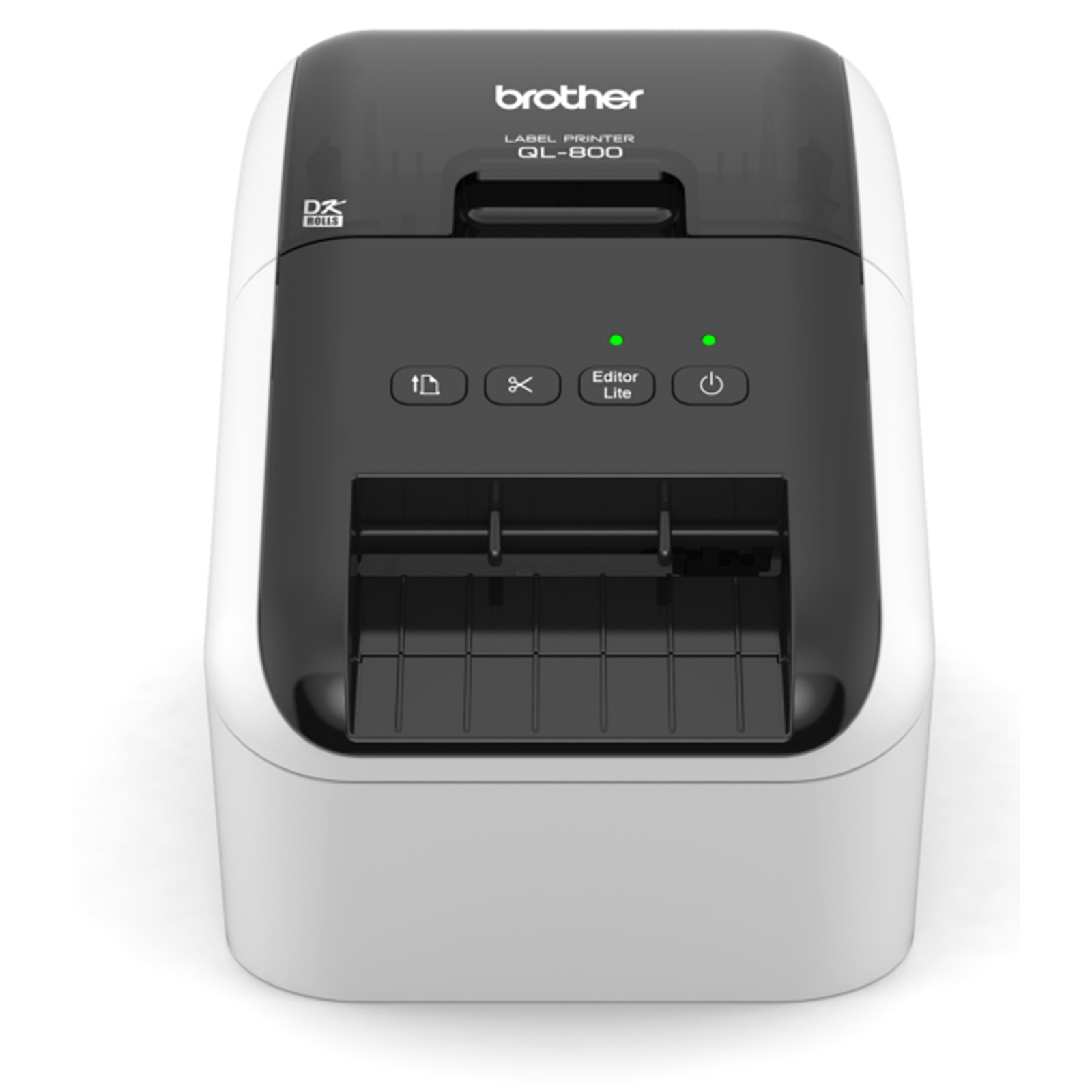
Brother QL-800 High-Speed Professional Label Printer
BRTQL800 - High-speed label printer helps you quickly tackle labeling tasks in your busy office without requiring any ink or toner. The super-fast print speed of up to 93 standard address labels per minute helps you save time on big projects. High-resolution printing (up to 300 x 600 dpi) delivers crisp text and graphics for impressive results. Whether you print one label or multiple labels at a time, the convenient automatic cutter keeps you working efficiently. Plug-and-Label software is built-in to quickly type and print labels without installing software. Or, install the included P-touch Editor software to create more elaborate labels. Printer is perfect for creating cost-effective labels for packages, envelopes, file folders, name badges, postage and more. Label printer is compatible with Microsoft Word, Excel and Outlook (sold separately).
BRTQL800 - High-speed label printer helps you quickly tackle labeling tasks in your busy office without requiring any ink or toner. The super-fast print speed of up to 93 standard address labels per minute helps you save time on big projects. High-resolution printing (up to 300 x 600 dpi) delivers crisp text and graphics for impressive results. Whether you print one label or multiple labels at a time, the convenient automatic cutter keeps you working efficiently. Plug-and-Label software is built-in to quickly type and print labels without installing software. Or, install the included P-touch Editor software to create more elaborate labels. Printer is perfect for creating cost-effective labels for packages, envelopes, file folders, name badges, postage and more. Label printer is compatible with Microsoft Word, Excel and Outlook (sold separately).
BRTQL800 - High-speed label printer helps you quickly tackle labeling tasks in your busy office without requiring any ink or toner. The super-fast print speed of up to 93 standard address labels per minute helps you save time on big projects. High-resolution printing (up to 300 x 600 dpi) delivers crisp text and graphics for impressive results. Whether you print one label or multiple labels at a time, the convenient automatic cutter keeps you working efficiently. Plug-and-Label software is built-in to quickly type and print labels without installing software. Or, install the included P-touch Editor software to create more elaborate labels. Printer is perfect for creating cost-effective labels for packages, envelopes, file folders, name badges, postage and more. Label printer is compatible with Microsoft Word, Excel and Outlook (sold separately).
BRTQL800 - High-speed label printer helps you quickly tackle labeling tasks in your busy office without requiring any ink or toner. The super-fast print speed of up to 93 standard address labels per minute helps you save time on big projects. High-resolution printing (up to 300 x 600 dpi) delivers crisp text and graphics for impressive results. Whether you print one label or multiple labels at a time, the convenient automatic cutter keeps you working efficiently. Plug-and-Label software is built-in to quickly type and print labels without installing software. Or, install the included P-touch Editor software to create more elaborate labels. Printer is perfect for creating cost-effective labels for packages, envelopes, file folders, name badges, postage and more. Label printer is compatible with Microsoft Word, Excel and Outlook (sold separately).
in 3 offers
The lowest price for Brother QL-800 High-Speed Professional Label Printer right now is $130.00 at Woolworths, compared across 3 retailers.
The all-time low was $29.59 on 24 Sept 2026 — today's price is 339% above the lowest ever. It has been notably cheaper before — worth setting a price alert.
Prices last updated 4 Oct 2026.
Last updated at 04/10/2026 07:21:38
Brother QL-800 Labeller - High-Speed USB Label Maker with Black & Red Printing
Delivery between 8–16 Oct $10
Professional Label Printer QL-800
Brother Ql-800 High Speed Professional Pc/mac Label Printer, Up To
Delivery $20
Affiliate Disclosure: We may receive a small commission for purchases made through this link at no extra cost to you. This helps support our site. Thank you!
originally posted on influenster.com
Nice compact label printer works as expected. Easy to set up and use. It does not come with labels so you better to purchase one. We been using this for making small tags stickers at home. This is very useful for small business owner or even for your own household use. Its fun to print stickers and decals that you never know you'll almost use all the rolls lol. The sticker roll is bit expensive but over all it is a great too for people who has small store or business.
originally posted on ebay.com
I bought the Brother QL-800 to replace my 13 year old QL-570. The QL-570 still works but I wanted the black/red printing capability of the QL-800 and faster print speeds. The QL-800 was very easy to setup and all the necessary software installed with just one click. It couldn't be any easier. I was up and printing in 15 minutes. Of course, it helped that I was already using the QL-570 which made installing the QL-800 easier for me. The print quality of the labels is excellent as is the print speed. This printer is well worth the investment.
originally posted on staples.com
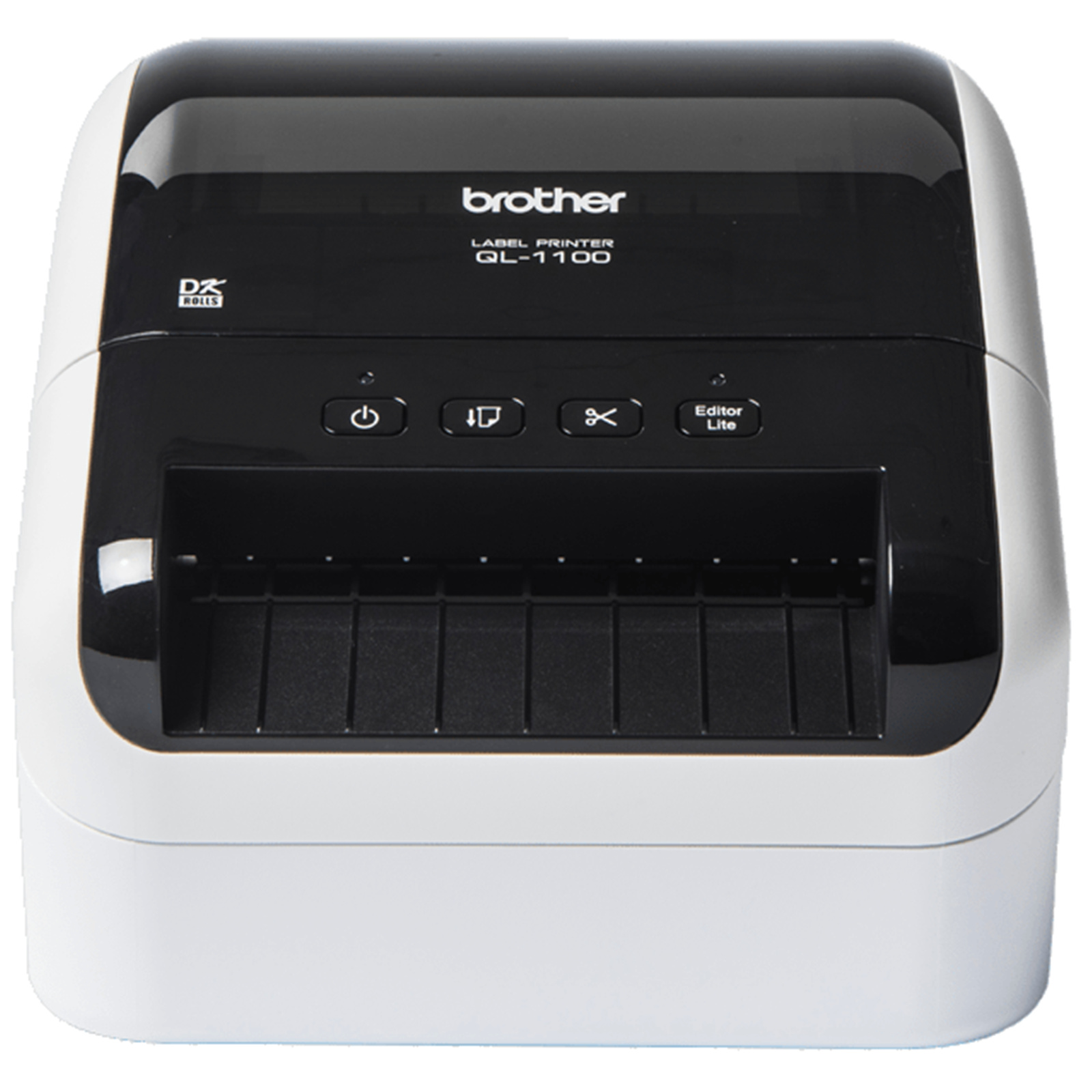
I actually bought this to print shipping labels but quickly found out that it is a tad small. It works, but there have been issues with items being scanned in properly at the post office. THIS IS NOT AT ALL a diss on the QL800, I'm only adding this note for anyone who is considering it for the same use. Do yourself a favor and go for the QL-1100 to print 4x6 shipping labels.That being said, I kept the QL800 for general use around the office. It's so fast and easy to pull up the software and paste something in or type up a custom label which I can save as a template or to reference back then later. The auto cut feature is nice too because I can print multiple labels at a time and have a nice little stack ready to go.This printer is very fast and was super easy to ... MoreI actually bought this to print shipping labels but quickly found out that it is a tad small. It works, but there have been issues with items being scanned in properly at the post office. THIS IS NOT AT ALL a diss on the QL800, I'm only adding this note for anyone who is considering it for the same use. Do yourself a favor and go for the QL-1100 to print 4x6 shipping labels.That being said, I kept the QL800 for general use around the office. It's so fast and easy to pull up the software and paste something in or type up a custom label which I can save as a template or to reference back then later. The auto cut feature is nice too because I can print multiple labels at a time and have a nice little stack ready to go.This printer is very fast and was super easy to setup/use. I highly recommend it! 2.4" is wide enough that you can print labels vertically or horizontally to adjust size depending on your specific use case.
| Recommended Use | Label Print |
| Print Color Capability | Monochrome |
| Maximum Mono Print Speed | 1.6 lps |
| Maximum Print Resolution (dpi) | 300 x 600 |
| Weight (Approximate) | 2.54 lb |
Brother QL-800 Labeller - High-Speed USB Label Maker with Black & Red Printing
Delivery between 8–16 Oct $10
Professional Label Printer QL-800
Brother Ql-800 High Speed Professional Pc/mac Label Printer, Up To
Delivery $20
Affiliate Disclosure: We may receive a small commission for purchases made through this link at no extra cost to you. This helps support our site. Thank you!
Nice compact label printer works as expected. Easy to set up and use. It does not come with labels so you better to purchase one. We been using this for making small tags stickers at home. This is very useful for small business owner or even for your own household use. Its fun to print stickers and decals that you never know you'll almost use all the rolls lol. The sticker roll is bit expensive but over all it is a great too for people who has small store or business.
I bought the Brother QL-800 to replace my 13 year old QL-570. The QL-570 still works but I wanted the black/red printing capability of the QL-800 and faster print speeds. The QL-800 was very easy to setup and all the necessary software installed with just one click. It couldn't be any easier. I was up and printing in 15 minutes. Of course, it helped that I was already using the QL-570 which made installing the QL-800 easier for me. The print quality of the labels is excellent as is the print speed. This printer is well worth the investment.
I actually bought this to print shipping labels but quickly found out that it is a tad small. It works, but there have been issues with items being scanned in properly at the post office. THIS IS NOT AT ALL a diss on the QL800, I'm only adding this note for anyone who is considering it for the same use. Do yourself a favor and go for the QL-1100 to print 4x6 shipping labels.That being said, I kept the QL800 for general use around the office. It's so fast and easy to pull up the software and paste something in or type up a custom label which I can save as a template or to reference back then later. The auto cut feature is nice too because I can print multiple labels at a time and have a nice little stack ready to go.This printer is very fast and was super easy to ... MoreI actually bought this to print shipping labels but quickly found out that it is a tad small. It works, but there have been issues with items being scanned in properly at the post office. THIS IS NOT AT ALL a diss on the QL800, I'm only adding this note for anyone who is considering it for the same use. Do yourself a favor and go for the QL-1100 to print 4x6 shipping labels.That being said, I kept the QL800 for general use around the office. It's so fast and easy to pull up the software and paste something in or type up a custom label which I can save as a template or to reference back then later. The auto cut feature is nice too because I can print multiple labels at a time and have a nice little stack ready to go.This printer is very fast and was super easy to setup/use. I highly recommend it! 2.4" is wide enough that you can print labels vertically or horizontally to adjust size depending on your specific use case.
Printer is fantastic, software is not the easiest to use. It is not as user friendly as other software especially when you are using multiple size labels to print. I use this to put price tags on all my products. You can only reduce a upc code to a limited size where I would prefer to be able to reduce it more to fit my .9x.9 labels. Using the database is a must and a bit of a learning curve. Thanks to youtube university for all the help. Brother customer service knows nothing when it comes to this printer.
I've finally managed to get the printer to do what I want to do but I still can't figure out how to turn a list of addresses in MS Word into a source of labels for all addresses. The software that runs the printer is HORRENDOUSLY complicated and not at all intuitive. Just want to print out 30 labels for your usual suspects in Word or Excel? Or a single-name label? Good luck.If there's an ultra-simple demo or instruction sheet on how to do the simplest thing I've yet to find it. If you want to create your own custom label that may or may not link to your addressee list then enjoy the hours of fiddling around to make this happen.Kludgy is the only word that adequately describes the software that comes with the printer.
I was keen to replace an existing label printer and was intrigued by the ability to print black and red labels. I didn't want or need the cost and expense of a full colour printer.The printer is a little bulkier than I'd expected - but then it can cope with some pretty large labels. Getting up and running was quick and easy and the P-Touch Editor software makes it easy to access the features. One of the things I love about the software is the ability to check the media in the printer. No longer do I need to open the printer up to check which label type is loaded. A small touch, but a very useful one.I've been impressed by the speed and print quality of this printer and would definitely recommend it.
This printer seems to work very well as a label printer and mailing labels (which was primarily why I bought it) come out perfectly. I've successfully mailed a couple packages so far using this device and was able to print out working QR codes as well.However the P-Touch editing software is pretty outdated. It constantly throws errors that it is out of memory despite me having 16GB of RAM and only 6GB in use total (the program sohpw hogging 1GB by itself). However for small and simple things like text and QR codes or barcodes it works well enough. Logo images seem to be the main problem for me.I also found it rather difficult to print from this thing at first but it turned out that the black/red tape it comes with is unacceptable as a default print option for ... MoreThis printer seems to work very well as a label printer and mailing labels (which was primarily why I bought it) come out perfectly. I've successfully mailed a couple packages so far using this device and was able to print out working QR codes as well.However the P-Touch editing software is pretty outdated. It constantly throws errors that it is out of memory despite me having 16GB of RAM and only 6GB in use total (the program sohpw hogging 1GB by itself). However for small and simple things like text and QR codes or barcodes it works well enough. Logo images seem to be the main problem for me.I also found it rather difficult to print from this thing at first but it turned out that the black/red tape it comes with is unacceptable as a default print option for mailing labels. I could screenshot the label and bring it into the editor to print on black/red, but needed to buy black monochrome label tape in order to just open a PDF of a label, hit print, and have it successfully print
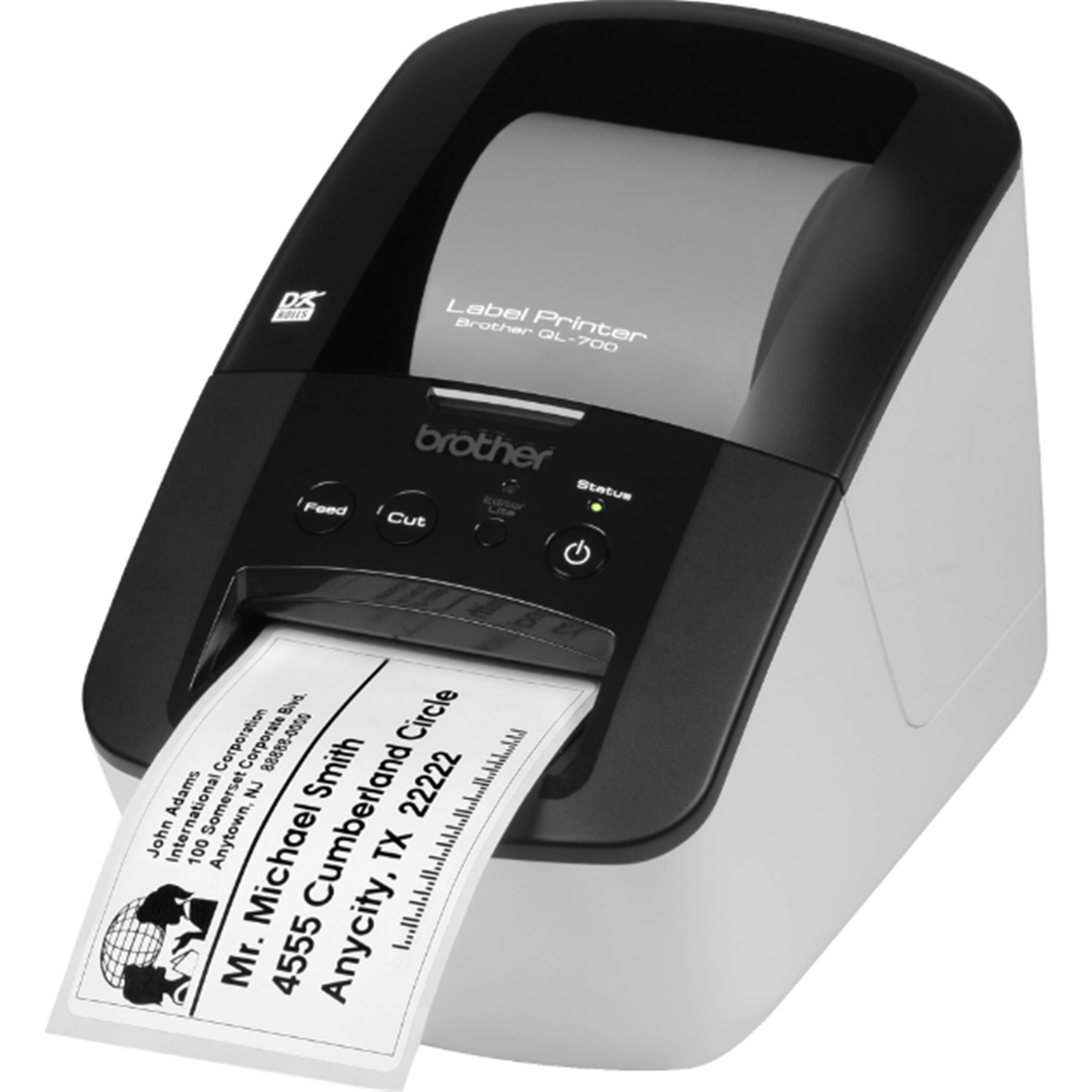
I use the QL-700 at work and was so impressed I decided to purchase one of my own. I then discovered that there is another model (QL-800) that also prints RED.. wow I didn't even know that was possible! As it turns out, the chemistry on the thermal paper turns black at a higher temperature and red at a lower temp. But what I have learnt is that the red capable labels have two downsides compared to the black only labels. Firstly you will notice that prints on this paper will be of a lesser contrast and sharpness, not much of an issue for large prints but for small labels it's a bit annoying. Secondly the colour labels have a tendency to fade and turn brown-orange with time. I haven't experienced this with the QL-700 black only labels at work. I've included a photo of ... MoreI use the QL-700 at work and was so impressed I decided to purchase one of my own. I then discovered that there is another model (QL-800) that also prints RED.. wow I didn't even know that was possible! As it turns out, the chemistry on the thermal paper turns black at a higher temperature and red at a lower temp. But what I have learnt is that the red capable labels have two downsides compared to the black only labels. Firstly you will notice that prints on this paper will be of a lesser contrast and sharpness, not much of an issue for large prints but for small labels it's a bit annoying. Secondly the colour labels have a tendency to fade and turn brown-orange with time. I haven't experienced this with the QL-700 black only labels at work. I've included a photo of two test prints when I first purchased the QL-800 for home three months ago with round labels printed on the same machine which are Black only.So in summary, the QL-800 is not worth the extra money over the QL-700. Unless of course you want to print with red, labels that are large and only temporary. But still it's quite a big price difference for that feature. I simply got excited about it for no good reason. Because of the drawbacks I rarely use the red feature!I am also embarrassed to admit that an additional selling point for me was that the QL-800 has a subtle design change of the housing shape that I liked more over the QL-700. Well it's better I guess to think about these things with your wallet than your heart.
The software is the worst most difficult software I have ever come across. The slightest thing and I get ‘error ‘ . The label is wrong, the size is wrong, the colour is wrong ….. it just goes on. I ticked the option to determine the correct label. When I have a red/black label but print in black only …you guessed it ‘error’ choose monochrome labels. I hate it. I am printing my labels in Word again and using my printer with label sheets.
Bought this product. Installed it on my computer. But the install did not put a short cut on my laptop. Contacted Brother USA at least 10 separate times. I am still waiting for a response. That was a month ago. not response from Brother USA and no help online either. I would never buy another brother product because of their lack of customer service.
| Recommended Use | Label Print |
| Print Color Capability | Monochrome |
| Maximum Mono Print Speed | 1.6 lps |
| Maximum Print Resolution (dpi) | 300 x 600 |
| Weight (Approximate) | 2.54 lb |