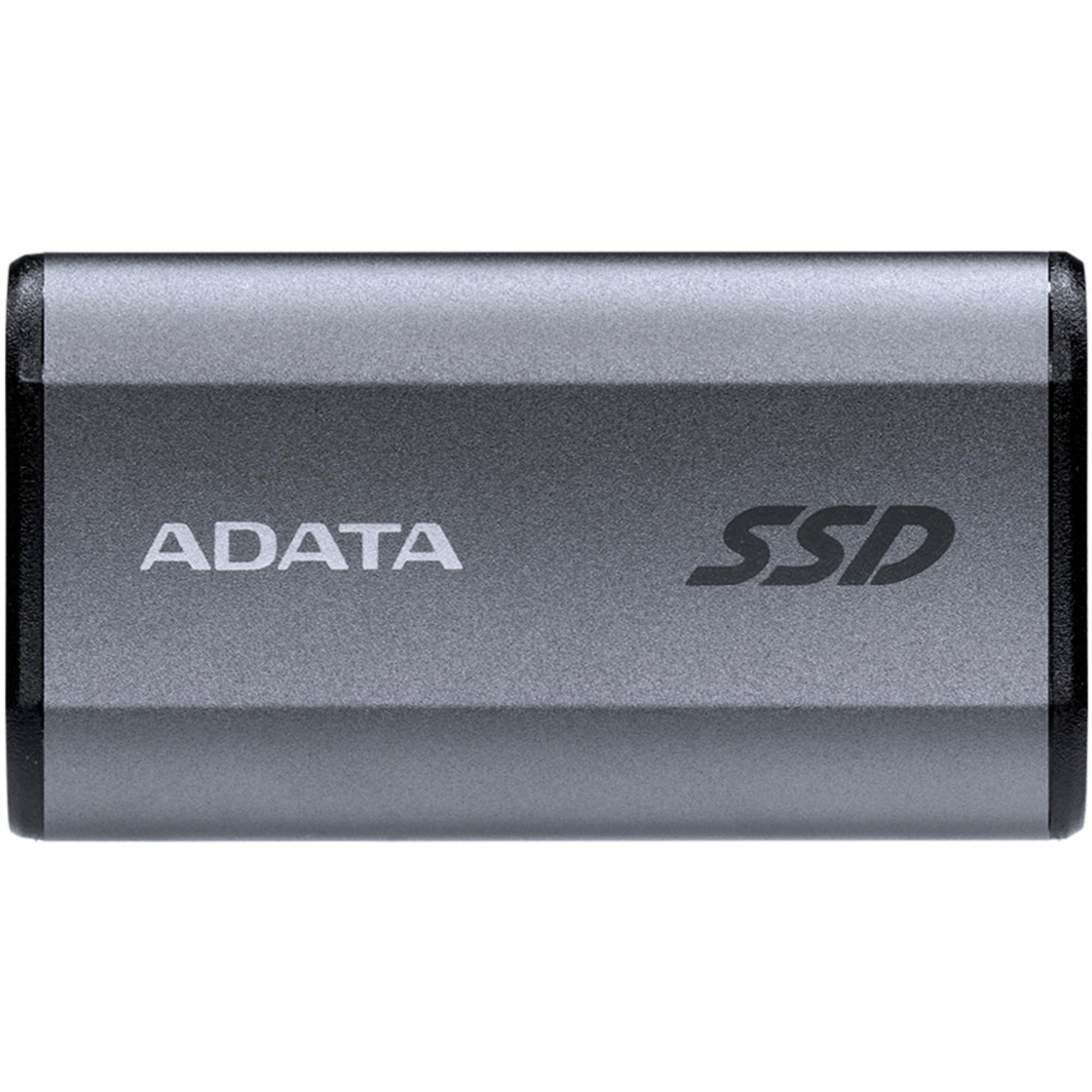
CT4000X10PROSSD9 Crucial X10 Pro 4TB External Portable SSD ~2100MB/s USB-C Usb3.0 USB-A Durable Rugged Shock Water Dush Sand Proof For PC Mac PS4 Xbox
You can store hundreds of photos, videos, and other files on the Crucial X10 Pro 4TB Portable SSD. This small and sturdy SSD has the IP55 certificate, because it's dust and splash proof, with extra protection from fall damage from up to 2m. Want to transfer many files in a short time? Thanks to the 2100MB/s read speed, you can open files in a couple of seconds. This means you can get started in no time, wherever you are. The SSD works with Windows, Mac, Android, and Linux devices without having to format them. Thanks to the 256-bit AES hardware encryption, you can store your files extra securely. This encryption is on a separate part in the SSD, so your privacy is ensured. This SSD includes 1 month of Adobe Creative Cloud for free. This way, you can store all your photos and videos and get started with editing right away.
You can store hundreds of photos, videos, and other files on the Crucial X10 Pro 4TB Portable SSD. This small and sturdy SSD has the IP55 certificate, because it's dust and splash proof, with extra protection from fall damage from up to 2m. Want to transfer many files in a short time? Thanks to the 2100MB/s read speed, you can open files in a couple of seconds. This means you can get started in no time, wherever you are. The SSD works with Windows, Mac, Android, and Linux devices without having to format them. Thanks to the 256-bit AES hardware encryption, you can store your files extra securely. This encryption is on a separate part in the SSD, so your privacy is ensured. This SSD includes 1 month of Adobe Creative Cloud for free. This way, you can store all your photos and videos and get started with editing right away.
You can store hundreds of photos, videos, and other files on the Crucial X10 Pro 4TB Portable SSD. This small and sturdy SSD has the IP55 certificate, because it's dust and splash proof, with extra protection from fall damage from up to 2m. Want to transfer many files in a short time? Thanks to the 2100MB/s read speed, you can open files in a couple of seconds. This means you can get started in no time, wherever you are. The SSD works with Windows, Mac, Android, and Linux devices without having to format them. Thanks to the 256-bit AES hardware encryption, you can store your files extra securely. This encryption is on a separate part in the SSD, so your privacy is ensured. This SSD includes 1 month of Adobe Creative Cloud for free. This way, you can store all your photos and videos and get started with editing right away.
You can store hundreds of photos, videos, and other files on the Crucial X10 Pro 4TB Portable SSD. This small and sturdy SSD has the IP55 certificate, because it's dust and splash proof, with extra protection from fall damage from up to 2m. Want to transfer many files in a short time? Thanks to the 2100MB/s read speed, you can open files in a couple of seconds. This means you can get started in no time, wherever you are. The SSD works with Windows, Mac, Android, and Linux devices without having to format them. Thanks to the 256-bit AES hardware encryption, you can store your files extra securely. This encryption is on a separate part in the SSD, so your privacy is ensured. This SSD includes 1 month of Adobe Creative Cloud for free. This way, you can store all your photos and videos and get started with editing right away.
in 3 offers
The lowest price for CT4000X10PROSSD9 Crucial X10 Pro 4TB External Portable SSD ~2100MB/s USB-C Usb3.0 USB-A Durable Rugged Shock Water Dush Sand Proof For PC Mac PS4 Xbox right now is $799.00 at Umart, compared across 3 retailers.
The all-time low was $326.46 on 1 Dec 2025 — today's price is 145% above the lowest ever. It has been notably cheaper before — worth setting a price alert.
Prices last updated 27 Aug 2026.
Last updated at 27/08/2026 14:56:11
Crucial X10 Pro 4TB Portable SSD CT4000X10PROSSD9 - External SSD Hard Drives
Delivery $19.30
Crucial X10 Pro 4TB Portable SSD CT4000X10PROSSD9 - External SSD Hard Drives
Delivery $12
Crucial X10 Pro 4TB External Portable SSD ~2100MB/s USB-C Durable Rugged Shock
Delivery between 30 Aug – 7 Sept $10
originally posted on bestbuy.com
In the box:• Crucial X10 Pro 2TB Portable Solid-State Drive• USC-C to C cable (10 inch)Notably missing from the box was a USB-A to USB-C adapter. However, I would not want to throttle this device with a USB-A port that would largely negate the reason for purchasing the X10 in the first place.Design:The Crucial X10 Pro 2TB Portable Solid-State Drive comes with a surprisingly small form factor (approximately 2.5 x 2.0 x 0.375 inches). There is a small key-ring hole in one corner that has an integrated LED activity indicator light (a nice design improvement).Setup:The X10 Pro mounted seamlessly on my Windows 11 laptop using a USB-C port. The X10 came formatted as exFAT. Benchmarks for mixed read/write case scenarios (see below) were modestly improved (5 to ... MoreIn the box:• Crucial X10 Pro 2TB Portable Solid-State Drive• USC-C to C cable (10 inch)Notably missing from the box was a USB-A to USB-C adapter. However, I would not want to throttle this device with a USB-A port that would largely negate the reason for purchasing the X10 in the first place.Design:The Crucial X10 Pro 2TB Portable Solid-State Drive comes with a surprisingly small form factor (approximately 2.5 x 2.0 x 0.375 inches). There is a small key-ring hole in one corner that has an integrated LED activity indicator light (a nice design improvement).Setup:The X10 Pro mounted seamlessly on my Windows 11 laptop using a USB-C port. The X10 came formatted as exFAT. Benchmarks for mixed read/write case scenarios (see below) were modestly improved (5 to 10%) after formatting to NTFS.Transfer rates:Transfer rates were evaluated using Crystal Disk Mark (v8.0.4, ©2007-2021 hiyohiyo) running on a Dell XPS 15 (9520) with 4 TB internal NVMe KXG70PN84T09 KIOXIA system disk and USB C connection. The system information indicates that USB devices are supported by the Intel(R) USB 3.20 and 3.10 eXtensible Host Controllers. The “Real World” profiles on Crystal Disk Mark were used to read and write files of 1 GB in read-only, write-only, and mixed read-write modes.Transfer rates for X10 Pro were about 40% of those for the internal NVMe drive, a remarkable feat for an external USB-C drive, and 5- to 16-times faster than my external USB-A HDD.Read/write speeds were approximately half of those claimed by Crucial. I tried all three USB-C ports on my laptop and had the same result, even when using the same benchmark software and test settings suggested by Crucial. I can only chalk this up to a difference in port capabilities. Nonetheless, I was mightily impressed by my personal usage scenario (see below).Usage Scenario:I use my computer to process a lot of large photos (60+ MB RAW format) in Lightroom. I copied one of my catalogs to the X10 and went through some typical usage scenarios. The experience was remarkably similar to using my internal NVMe drive. One of the most demanding tasks, building 1:1 previews, was only modestly slower performed against the catalog on the X10 compared to the NVMe drive.Overall:The small form factor is very convenient for travel and the 2 TB capacity makes the X10 great for temporary backup and storage. The X10 Pro is incredibly fast and is a suitable alternative to an internal NVMe drive for tasks requiring heavy I/O.
originally posted on bestbuy.com
The Crucial - X10 Pro 2TB USB-C External SSD - Black arrived in a tidy little box, and inside was a much smaller than I had expected external solid state drive (SSD) some documentation, and a 20gbs USB C cable... that is also very small...So I plugged the ridiculously short USB cable into the drive, then hung the drive from the cable off of the front of my PC because the cable is to short to reach the desktop... (About 8" long)The I followed the instructions provided, and formatted the drive NTFS as recommended and then downloaded some large files onto it from my PC. Everything went like butter, nice and smooth... until I hooked the drive up to my MAC M1.. My MAC could read the files saved from the windows machine, but it couldn't save any files to the ... MoreThe Crucial - X10 Pro 2TB USB-C External SSD - Black arrived in a tidy little box, and inside was a much smaller than I had expected external solid state drive (SSD) some documentation, and a 20gbs USB C cable... that is also very small...So I plugged the ridiculously short USB cable into the drive, then hung the drive from the cable off of the front of my PC because the cable is to short to reach the desktop... (About 8" long)The I followed the instructions provided, and formatted the drive NTFS as recommended and then downloaded some large files onto it from my PC. Everything went like butter, nice and smooth... until I hooked the drive up to my MAC M1.. My MAC could read the files saved from the windows machine, but it couldn't save any files to the drive.So now I'm online trying to troubleshoot. And what I'm finding out is that MAC can't use NTFS without a translation program... the good ones of course cost money. The free ones are slow... which defeats the reason behind this drive.So I reformatted the drive ExFat because the internet said that should work with both my Mac and my PC as well as Android and Linux as well. But it turned out the My Mac didn't like that formatting either. The drive wouldn't show up on my Mac at all unless I used Finder/Drive Utilities, and then I could see the drive, but everything I tried wouldn't let me copy files to or from the drive.SOOOO finally, I reformatted the drive a 3rd time... this time using the formatting tools on the Mac to format to exfat, and this time it took. Now my Mac can read and write the to drive, and so can my PC... My android phone can read the drive but only one file at a time. I'm not sure why yet, but I can't open a file then skip to the next one, say picture or music files for instance. I have to close the file I'm watching or listening to, then go back and open another file instead of just being able to skip to the next track etc...SO now that I finally have the drive working on all 3 of the platforms I need it to work on, I CAN verify, that it is very fast! If plugged into the correct port, using the provided cable, I was able to upload or download files as large as 25 GB in under a minute each from my Mac to my PC, and from my PC back to my Mac... Easily the fastest SSD I've ever used now that I have it all working correctly. Also one of the most frustrating devices I've used as far as making sure it works across my various platforms. The fit and finish, build quality, feel in the hand, small size, and high speed make this the new drive on the block to beat! I highly recommend it if you don't mind fiddling a bit to get it working top notch, once you've get it dialed in it's awesome.
originally posted on bestbuy.com
The Crucial X10 Pro Portable SSD is a solid-state, external hard drive which resides at the top of the product line by Micron Technology, the parent company of the Crucial brand of end-user memory and storage products. Crucial products have been in the marketplace since 1996, so I believe it is safe to assume they know a thing or two about this product category.The X10 Pro is aimed at professionals that desire fast write and read speeds combined with large capacity in a small form factor, but is also for us commoners such as myself with more modest requirements. The X10 comes in 4TB, 2TB, and 1TB capacities, with a claimed and documented (by Crucial) write speed of 2000 MB/s and read speed of 2100 MB/s. At roughly 2” by 2.5” by 3/8” and weighing 42 grams (about 1 ... MoreThe Crucial X10 Pro Portable SSD is a solid-state, external hard drive which resides at the top of the product line by Micron Technology, the parent company of the Crucial brand of end-user memory and storage products. Crucial products have been in the marketplace since 1996, so I believe it is safe to assume they know a thing or two about this product category.The X10 Pro is aimed at professionals that desire fast write and read speeds combined with large capacity in a small form factor, but is also for us commoners such as myself with more modest requirements. The X10 comes in 4TB, 2TB, and 1TB capacities, with a claimed and documented (by Crucial) write speed of 2000 MB/s and read speed of 2100 MB/s. At roughly 2” by 2.5” by 3/8” and weighing 42 grams (about 1 & 1/2 ounces), the X10 Pro is portable enough for use in the field such that it contains a slot to attach it to a key ring or lanyard. The drive’s activity light is integrated into this hole in the case. The backside of the X10 Pro is coated in a rubberized finish that helps minimize it sliding around on hard surfaces, and the other five sides are black-anodized with a slight texture that should help to prevent or mask scuffing and scratching. The X10 Pro boasts IP55 water and dust resistance and Crucial claims drop-proof durability up to 7.5 feet, but the product’s case does not contain any sort of cover or plug to protect the USB Type-C port from debris.The package contains in addition to the drive and a quick start guide, a 9 inch long USB-C to USB-C cord that curiously contains absolutely no markings alluding to the cable’s data transfer capabilities. A cable from a competitor’s drive is shown for comparison in one of my photos. Crucial recommends using the included cable to assure the fastest data transfer speeds, but we all know how many cables we accumulate over time and how so many of them look alike. Having some identifying info molded into the cable, even the name “Crucial” would be such a simple thing to do and make it easy to identify that we are using the right cable. The sticker on the drive’s plastic wrap contains a QR code which takes you to their web site and makes registration of the product quick and easy.My primary computer is a 2021 MacBook Pro with an M1 chip and Thunderbolt 4 ports, so I was expecting to see specs close to the claimed ones, but my simple, non-scientific testing showed only about half the claimed write and read speeds (see photo). Doing some internet searching on MacBook port speeds I discovered some reports about the Thunderbolt 4 port speeds not meeting the standard’s specifications, so I’m sorry to say I can give no first-hand, conclusive evidence of the validity Crucial’s claims. However, when I copied over my entire photo library of thousands of pictures, the time it took was very acceptable, and based on the manufacturer’s stellar reputation I have no reason to doubt the data they present in support of their product.The X10 Pro works with BitLocker To Go on Windows and FileVault on Macs, plus Crucial’s website states that there will be a release in September of 2023 (for download) of a portable SSD utility that will offer 256-bit AES (Advanced Encryption Standard) hardware encryption.The Crucial X10 Pro SSD has compatibility with Windows, Mac, Android, iPad, PC, and Linux, a five-year limited warranty, a variety of sizable capacities, tested and documented speed and durability, and pricing competitive with other brand names in the marketplace, so it should be on anyone’s short list when shopping for additional or local back-up storage.
| Melbourne | Sydney |
| North Sydney | Brisbane |
Crucial X10 Pro 4TB Portable SSD CT4000X10PROSSD9 - External SSD Hard Drives
Delivery $19.30
Crucial X10 Pro 4TB Portable SSD CT4000X10PROSSD9 - External SSD Hard Drives
Delivery $12
Crucial X10 Pro 4TB External Portable SSD ~2100MB/s USB-C Durable Rugged Shock
Delivery between 30 Aug – 7 Sept $10
In the box:• Crucial X10 Pro 2TB Portable Solid-State Drive• USC-C to C cable (10 inch)Notably missing from the box was a USB-A to USB-C adapter. However, I would not want to throttle this device with a USB-A port that would largely negate the reason for purchasing the X10 in the first place.Design:The Crucial X10 Pro 2TB Portable Solid-State Drive comes with a surprisingly small form factor (approximately 2.5 x 2.0 x 0.375 inches). There is a small key-ring hole in one corner that has an integrated LED activity indicator light (a nice design improvement).Setup:The X10 Pro mounted seamlessly on my Windows 11 laptop using a USB-C port. The X10 came formatted as exFAT. Benchmarks for mixed read/write case scenarios (see below) were modestly improved (5 to ... MoreIn the box:• Crucial X10 Pro 2TB Portable Solid-State Drive• USC-C to C cable (10 inch)Notably missing from the box was a USB-A to USB-C adapter. However, I would not want to throttle this device with a USB-A port that would largely negate the reason for purchasing the X10 in the first place.Design:The Crucial X10 Pro 2TB Portable Solid-State Drive comes with a surprisingly small form factor (approximately 2.5 x 2.0 x 0.375 inches). There is a small key-ring hole in one corner that has an integrated LED activity indicator light (a nice design improvement).Setup:The X10 Pro mounted seamlessly on my Windows 11 laptop using a USB-C port. The X10 came formatted as exFAT. Benchmarks for mixed read/write case scenarios (see below) were modestly improved (5 to 10%) after formatting to NTFS.Transfer rates:Transfer rates were evaluated using Crystal Disk Mark (v8.0.4, ©2007-2021 hiyohiyo) running on a Dell XPS 15 (9520) with 4 TB internal NVMe KXG70PN84T09 KIOXIA system disk and USB C connection. The system information indicates that USB devices are supported by the Intel(R) USB 3.20 and 3.10 eXtensible Host Controllers. The “Real World” profiles on Crystal Disk Mark were used to read and write files of 1 GB in read-only, write-only, and mixed read-write modes.Transfer rates for X10 Pro were about 40% of those for the internal NVMe drive, a remarkable feat for an external USB-C drive, and 5- to 16-times faster than my external USB-A HDD.Read/write speeds were approximately half of those claimed by Crucial. I tried all three USB-C ports on my laptop and had the same result, even when using the same benchmark software and test settings suggested by Crucial. I can only chalk this up to a difference in port capabilities. Nonetheless, I was mightily impressed by my personal usage scenario (see below).Usage Scenario:I use my computer to process a lot of large photos (60+ MB RAW format) in Lightroom. I copied one of my catalogs to the X10 and went through some typical usage scenarios. The experience was remarkably similar to using my internal NVMe drive. One of the most demanding tasks, building 1:1 previews, was only modestly slower performed against the catalog on the X10 compared to the NVMe drive.Overall:The small form factor is very convenient for travel and the 2 TB capacity makes the X10 great for temporary backup and storage. The X10 Pro is incredibly fast and is a suitable alternative to an internal NVMe drive for tasks requiring heavy I/O.
The Crucial - X10 Pro 2TB USB-C External SSD - Black arrived in a tidy little box, and inside was a much smaller than I had expected external solid state drive (SSD) some documentation, and a 20gbs USB C cable... that is also very small...So I plugged the ridiculously short USB cable into the drive, then hung the drive from the cable off of the front of my PC because the cable is to short to reach the desktop... (About 8" long)The I followed the instructions provided, and formatted the drive NTFS as recommended and then downloaded some large files onto it from my PC. Everything went like butter, nice and smooth... until I hooked the drive up to my MAC M1.. My MAC could read the files saved from the windows machine, but it couldn't save any files to the ... MoreThe Crucial - X10 Pro 2TB USB-C External SSD - Black arrived in a tidy little box, and inside was a much smaller than I had expected external solid state drive (SSD) some documentation, and a 20gbs USB C cable... that is also very small...So I plugged the ridiculously short USB cable into the drive, then hung the drive from the cable off of the front of my PC because the cable is to short to reach the desktop... (About 8" long)The I followed the instructions provided, and formatted the drive NTFS as recommended and then downloaded some large files onto it from my PC. Everything went like butter, nice and smooth... until I hooked the drive up to my MAC M1.. My MAC could read the files saved from the windows machine, but it couldn't save any files to the drive.So now I'm online trying to troubleshoot. And what I'm finding out is that MAC can't use NTFS without a translation program... the good ones of course cost money. The free ones are slow... which defeats the reason behind this drive.So I reformatted the drive ExFat because the internet said that should work with both my Mac and my PC as well as Android and Linux as well. But it turned out the My Mac didn't like that formatting either. The drive wouldn't show up on my Mac at all unless I used Finder/Drive Utilities, and then I could see the drive, but everything I tried wouldn't let me copy files to or from the drive.SOOOO finally, I reformatted the drive a 3rd time... this time using the formatting tools on the Mac to format to exfat, and this time it took. Now my Mac can read and write the to drive, and so can my PC... My android phone can read the drive but only one file at a time. I'm not sure why yet, but I can't open a file then skip to the next one, say picture or music files for instance. I have to close the file I'm watching or listening to, then go back and open another file instead of just being able to skip to the next track etc...SO now that I finally have the drive working on all 3 of the platforms I need it to work on, I CAN verify, that it is very fast! If plugged into the correct port, using the provided cable, I was able to upload or download files as large as 25 GB in under a minute each from my Mac to my PC, and from my PC back to my Mac... Easily the fastest SSD I've ever used now that I have it all working correctly. Also one of the most frustrating devices I've used as far as making sure it works across my various platforms. The fit and finish, build quality, feel in the hand, small size, and high speed make this the new drive on the block to beat! I highly recommend it if you don't mind fiddling a bit to get it working top notch, once you've get it dialed in it's awesome.
The Crucial X10 Pro Portable SSD is a solid-state, external hard drive which resides at the top of the product line by Micron Technology, the parent company of the Crucial brand of end-user memory and storage products. Crucial products have been in the marketplace since 1996, so I believe it is safe to assume they know a thing or two about this product category.The X10 Pro is aimed at professionals that desire fast write and read speeds combined with large capacity in a small form factor, but is also for us commoners such as myself with more modest requirements. The X10 comes in 4TB, 2TB, and 1TB capacities, with a claimed and documented (by Crucial) write speed of 2000 MB/s and read speed of 2100 MB/s. At roughly 2” by 2.5” by 3/8” and weighing 42 grams (about 1 ... MoreThe Crucial X10 Pro Portable SSD is a solid-state, external hard drive which resides at the top of the product line by Micron Technology, the parent company of the Crucial brand of end-user memory and storage products. Crucial products have been in the marketplace since 1996, so I believe it is safe to assume they know a thing or two about this product category.The X10 Pro is aimed at professionals that desire fast write and read speeds combined with large capacity in a small form factor, but is also for us commoners such as myself with more modest requirements. The X10 comes in 4TB, 2TB, and 1TB capacities, with a claimed and documented (by Crucial) write speed of 2000 MB/s and read speed of 2100 MB/s. At roughly 2” by 2.5” by 3/8” and weighing 42 grams (about 1 & 1/2 ounces), the X10 Pro is portable enough for use in the field such that it contains a slot to attach it to a key ring or lanyard. The drive’s activity light is integrated into this hole in the case. The backside of the X10 Pro is coated in a rubberized finish that helps minimize it sliding around on hard surfaces, and the other five sides are black-anodized with a slight texture that should help to prevent or mask scuffing and scratching. The X10 Pro boasts IP55 water and dust resistance and Crucial claims drop-proof durability up to 7.5 feet, but the product’s case does not contain any sort of cover or plug to protect the USB Type-C port from debris.The package contains in addition to the drive and a quick start guide, a 9 inch long USB-C to USB-C cord that curiously contains absolutely no markings alluding to the cable’s data transfer capabilities. A cable from a competitor’s drive is shown for comparison in one of my photos. Crucial recommends using the included cable to assure the fastest data transfer speeds, but we all know how many cables we accumulate over time and how so many of them look alike. Having some identifying info molded into the cable, even the name “Crucial” would be such a simple thing to do and make it easy to identify that we are using the right cable. The sticker on the drive’s plastic wrap contains a QR code which takes you to their web site and makes registration of the product quick and easy.My primary computer is a 2021 MacBook Pro with an M1 chip and Thunderbolt 4 ports, so I was expecting to see specs close to the claimed ones, but my simple, non-scientific testing showed only about half the claimed write and read speeds (see photo). Doing some internet searching on MacBook port speeds I discovered some reports about the Thunderbolt 4 port speeds not meeting the standard’s specifications, so I’m sorry to say I can give no first-hand, conclusive evidence of the validity Crucial’s claims. However, when I copied over my entire photo library of thousands of pictures, the time it took was very acceptable, and based on the manufacturer’s stellar reputation I have no reason to doubt the data they present in support of their product.The X10 Pro works with BitLocker To Go on Windows and FileVault on Macs, plus Crucial’s website states that there will be a release in September of 2023 (for download) of a portable SSD utility that will offer 256-bit AES (Advanced Encryption Standard) hardware encryption.The Crucial X10 Pro SSD has compatibility with Windows, Mac, Android, iPad, PC, and Linux, a five-year limited warranty, a variety of sizable capacities, tested and documented speed and durability, and pricing competitive with other brand names in the marketplace, so it should be on anyone’s short list when shopping for additional or local back-up storage.
Portable SSDs have come a long way since their advent. The two biggest way's they have changed over the years is; size and speed. The Crucial X10 provides vast improvements in both of those categories. After unboxing the product, I honestly could not believe how small this thing was! It is no bigger than a credit card, actually a little smaller, fits in the palm of your hand, and can easily be traveled with on the go. This is a great feature for a traveler who needs their files on the go, think a DJ, someone in multimedia who needs all their files, business, maybe you want to put some movies for a plane ride, etc. The speeds on this device are fantastic for a USB C device. I will warn you, to get the maximum speeds you are going to need at least a USB 3.2 header on ... MorePortable SSDs have come a long way since their advent. The two biggest way's they have changed over the years is; size and speed. The Crucial X10 provides vast improvements in both of those categories. After unboxing the product, I honestly could not believe how small this thing was! It is no bigger than a credit card, actually a little smaller, fits in the palm of your hand, and can easily be traveled with on the go. This is a great feature for a traveler who needs their files on the go, think a DJ, someone in multimedia who needs all their files, business, maybe you want to put some movies for a plane ride, etc. The speeds on this device are fantastic for a USB C device. I will warn you, to get the maximum speeds you are going to need at least a USB 3.2 header on your motherboard or device, otherwise, it will negotiate the speed down on a slower channel. I have tested on both USB3.2 and an older gen1 type-c connection. The speed is half (about 1100 mbs) on a gen1 connection while a newer connection will yield speeds over 2000mbs write/read.I was able to transfer about 100gb of video files from my onboard NVME SSD to this device in about 2 minutes on a older gen1 connection.If you are in the need for a large capacity portable SSD that will fit in your pocket and provide you with blazing fast speeds for an affordable price, you absolutely need to pick one of these up. Gone are the days of thumb drives, long rein the micro sized SSDs like the Crucial X10.
Storage space is quickly becoming a hot commodity, and as someone who is a video content creator, I can never have enough. In addition to the 1TB storage I have on my newer MacBook Pro, I have a 4TB external HDD plus 3 more external SSD drives for an additional 4TB. On top of that there's all my microSD cards used between all my various cameras and devices that are too many to count. So now we're adding one more external SSD to the mix, this Crucial 2TB X10 Pro, which is also my first Crucial storage product.First thing you notice when you get this drive is its size. It's easily the most compact drive I have. It's not as thin as my other external SSDs, but it's smaller in both length and width, making it easier to travel with. And although it's very lightweight, ... MoreStorage space is quickly becoming a hot commodity, and as someone who is a video content creator, I can never have enough. In addition to the 1TB storage I have on my newer MacBook Pro, I have a 4TB external HDD plus 3 more external SSD drives for an additional 4TB. On top of that there's all my microSD cards used between all my various cameras and devices that are too many to count. So now we're adding one more external SSD to the mix, this Crucial 2TB X10 Pro, which is also my first Crucial storage product.First thing you notice when you get this drive is its size. It's easily the most compact drive I have. It's not as thin as my other external SSDs, but it's smaller in both length and width, making it easier to travel with. And although it's very lightweight, it still feels solid with excellent quality. The added hole to attach a lanyard to is a nice addition as well, not to mention the unique way they integrated the device LED into it.. Given its small size it's also nice that they kept the packaging minimal to go along with it.Using the supplied cable, which I've learned a long time ago is very important as not all cables are created equal, I plugged it in to my MacBook Pro and it instantly showed up as "X10 Pro". Without installing any type of software or doing any kind of formatting, the drive worked right out of the box. Pre-loaded on the card is a pdf with some links and info, including a link to Crucial's Storage Executive software which helps optimize and update the drive. Unfortunately, this software is only available for Windows PCs, so if you're using this drive with a Mac like me, you're out of luck on that front, but at least it's not required to use the drive.With the X10 Pro plugged in and working, I decided to run some basic comparison tests against my other drives using files I typically work with. So I grabbed a folder containing 60 GB of mp4 video files and wrote them to the drives and then did the opposite, writing the files back to my MacBook from the drives. In these tests the Crucial X10 Pro came out on top, with its closest competition being another 2TB external drive that I just bought a couple months ago, and therefore is basically the same generation of tech.Here's the actual results I got:Writing 60 GB of files to the drive- Crucial X10 Pro finished in 1 minute and 9 seconds- Brand S finished in 1 minute 14 secondsReading 60 GB of files from the drive and writing to my MacBook- Crucial X10 Pro finished in 1 minute and 1 second- Brand S finished in 1 minute and 16 secondsKeep in mind this is with both drives being used as they came out of the box without any reformatting, and using the supplied cables for each while connected through a Thunderbolt 4 port, which actually allows for faster transfer rates than the recommended USB 3.2 Gen 2 port.This all comes into play with how I typically use an external drive. Often times, I'm filming content while on the road at weekend events. At these events I start filling up my camera cards fairly quick and need to transfer files. Problem is where these events are usually held, I have no access to power, so the time I can use my equipment and laptop is limited. With faster transfer rates I can be done quicker and save some battery life. Between the blazing fast transfer rates and compact size, this Crucial X10 Pro has now assumed primary responsibilities for that task now.Overall, I honestly can't find anything negative about this drive, aside from the lack of Mac support for the Storage Executive software. Crucial wasn't on my radar before as far as storage options go but it definitely is now.
I was really surprised when I received and opened the box for my new Crucial by Micron X10 Pro 2TB USB-C External SSD. I didn't expect it to be so petite. This 2TB drive is about 2 inches long by 1.5 inches wide and 1/4" thick. It actually has a hole in the corner designed to place the drive on a keyring or lanyard. It weighs less than an ounce and a half (42 grams)And it is designed sturdily enough to withstand the abuse it would take if it were placed on a keychain and taken out and used extensively in the field by nature photographers like me, who needs a high capacity, super fast solid state drive that can handle the file transfer of hundreds of stills in enormous RAW files and high frame-rate videos with huge file sizes. The X10 Pro is rated IP55 water and ... MoreI was really surprised when I received and opened the box for my new Crucial by Micron X10 Pro 2TB USB-C External SSD. I didn't expect it to be so petite. This 2TB drive is about 2 inches long by 1.5 inches wide and 1/4" thick. It actually has a hole in the corner designed to place the drive on a keyring or lanyard. It weighs less than an ounce and a half (42 grams)And it is designed sturdily enough to withstand the abuse it would take if it were placed on a keychain and taken out and used extensively in the field by nature photographers like me, who needs a high capacity, super fast solid state drive that can handle the file transfer of hundreds of stills in enormous RAW files and high frame-rate videos with huge file sizes. The X10 Pro is rated IP55 water and dust proof; drop proof up to 7.5 feet (2 meters); and shock, vibration and extreme-temperature proof. This is Aerospace level technology from a best in class manufacturer Micron. They are so sure of their product quality that they placed a 5-year limited warranty on this device.When it comes to performance the X10 Pro is touted to have tested Read speeds up to 2,100MB/s and Write speeds up to 2,000MB/s. Those speeds are best case scenario and totally dependent on your system type, CPU type, Operating System type and USB port type. The X10 Pro is designed to run on a USB 3.2 Gen2 2x2 Type-C port, which optimally runs at a 20Gb/s transfer rate using the specifically designed 9.5" USB C cable provided. Be aware that if you don't have a Type-C port that runs at that rate or better, all USB devices are backwards compatible and will run but at much lower speeds. (You can also get a USB type A cable from Crucial that will work with the X10, but the best transfer rate you can get with it is 10Gb/s.)I tested my 2TB X10 Pro SSD out on my laptop that has an AMD Ryzen 7 7736U Processor with Radeon Graphics 2.70 GHz; Installed RAM of 16.0 GB; running Windows 11 Home Version 22H2 OS build 22621.2134 and with the X10 Pro empty and formatted in NTSF. The laptop has a USB4 Type C port that runs at max speed of 40Gb/s and is backwards compatible with this 20Gb/s drive. This is a premium setup for a laptop, yet I was (only) able to achieve a Read rating of 1017.4 Mb/s and a Write rating of 941.8 Mb/s.I jest at the 'only'. These rates are super fast for file transfers to and from this drive and much better than I have seen other people post for their results. Obviously, conditions can be improved to gain a rate closer to the illusive 2100 Mb/s rating that the drive is capable of doing, but for my purposes this is blazing fast. I was able to transfer 26.5GB of video files to and from the drive in about a minute. That is awesome.So, if you have the need for lots of storage and lots of speed, then I highly suggest the Crucial by Micron X10 Pro USB-C External SSD.
I am reviewing the Crucial X10 Pro Portable SSD by Micron (CT2000X10PROSSD9 2 TB)In a nutshell, this is a superb portable SSD, with a tiny footprint (2 x 2.5"), tons of space, and excellent speed. I can recommend the hardware without reservation. The supporting software, however, was a mixed bag, some of it proving to be very useful and some not, as I will explain.This is such a new SSD that it was not listed at Crucial's website when I began trying it out several days ago. Fortunately, there was a QR code on the plastic wrapper containing the drive that took me to the page for the X10 Pro where I could complete the product registration. (The drive is now listed on Crucial's home page.)The drive is advertised as supporting read speeds up to 2,100MB/s and write ... MoreI am reviewing the Crucial X10 Pro Portable SSD by Micron (CT2000X10PROSSD9 2 TB)In a nutshell, this is a superb portable SSD, with a tiny footprint (2 x 2.5"), tons of space, and excellent speed. I can recommend the hardware without reservation. The supporting software, however, was a mixed bag, some of it proving to be very useful and some not, as I will explain.This is such a new SSD that it was not listed at Crucial's website when I began trying it out several days ago. Fortunately, there was a QR code on the plastic wrapper containing the drive that took me to the page for the X10 Pro where I could complete the product registration. (The drive is now listed on Crucial's home page.)The drive is advertised as supporting read speeds up to 2,100MB/s and write speeds up to 2,000MB/s, but only if your USB is 3.2 Gen 2 2x2. For USB 3.2 Gen 2 non-2x2, the advertised speed is half that, and USB 3.2, 3.1, and 3.0, real-world estimated transfer rate half that again, about 500MB/s. All of my laptops have USB 3.1, so I was delighted when CrystalDiskMark reported a sequential read speed of 1027MB/s and write speed of 896MB/s with the default settings. The built-in Windows WinSAT tool produced very similar results. In real-world terms, when I used the provided Acronis software to back up my entire laptop SSD (390GB), the program ran for 28 minutes to complete the backup, with displayed speeds generally around 1000 Gbps, occasionally peaking up to 2000 Gbps. That works out to 4.3 Gbps, very close to the advertised max transfer rate of up to 5 Gb/s for a USB 3.1 connection.The supporting software for the drive is supposed to be accessible from links on the drive. The links were listed as follows:acronis-back-softwareadobe-creative-cloudhedge-transfer-softwaremylio-photo-organizerx10-pro-support-websiteHowever, all of these links defaulted to Crucial's home page. To access the software, I had to login to my account and click support from the menu there. I already have Adobe Creative Cloud, so I did not request the 30-day free trial. I could not find the Hedge or Mylio apps. I did download an app called Storage Executive, but this app saw only my laptop's main SSD, not the Crucial SSD.The only software I found to be useful was the Acronis backup software. The free version that accompanies the Crucial SSD is great for making an emergency backup and a rescue USB. However, this will only help restore your system to the same computer. To be able to install the backup to a new computer (in the event of unfixable hardware damage), you will need the paid version of Acronis, which is a subscription. The paid version offers a host of excellent options to protect your data and is therefore worth considering, although Macrium has similar software for a fixed price. I think that the free Acronis software will be enough, and I appreciate its inclusion with the Crucial X10 Pro Portable SSD.
The Crucial X10 Pro 2TB USB Portable Solid State Drive (SSD) is a new model in the Crucial product line with large capacity, a compact and lightweight profile and a specification of up to 2,100 MB/s sequential read speed and 2,000 MB/s sequential write speed. The Crucial X10 Pro Portable SSDs are Crucial’s fastest external, USB drives. The other available capacities offered for the Crucial X10 Pro are 1TB and 4TB models.All of the X10 Pro drives have the same specifications, other than capacity. In addition to the very impressive read/write speeds claimed by Crucial, they all have a USB 3.2 Gen-2x2 interface (SS 20), rated for 20Gbps. USB 3.2 Gen-2x2 uses two lanes of 10 Gbps (standard USB 3.2 Gen-2) to achieve the 20 Gbps rate. The X10 Pro drives use 3D TLC NAND ... MoreThe Crucial X10 Pro 2TB USB Portable Solid State Drive (SSD) is a new model in the Crucial product line with large capacity, a compact and lightweight profile and a specification of up to 2,100 MB/s sequential read speed and 2,000 MB/s sequential write speed. The Crucial X10 Pro Portable SSDs are Crucial’s fastest external, USB drives. The other available capacities offered for the Crucial X10 Pro are 1TB and 4TB models.All of the X10 Pro drives have the same specifications, other than capacity. In addition to the very impressive read/write speeds claimed by Crucial, they all have a USB 3.2 Gen-2x2 interface (SS 20), rated for 20Gbps. USB 3.2 Gen-2x2 uses two lanes of 10 Gbps (standard USB 3.2 Gen-2) to achieve the 20 Gbps rate. The X10 Pro drives use 3D TLC NAND flash memory.Crucial, whose parent company is Micron, is a well-established and well-respected manufacturer of flash memory and SSD consumer products. I have purchased Crucial memory for several PCs through the years, and the factory installed SSD in one of my Dell laptops is a Crucial SSD. I have also been using Crucial X6 SSDs for a couple of years. Those older X6 drives provide me with great capacity and good read/write speeds, but the new X10 Pro is represented as being more than twice as fast, and when accessing or transferring large files, like RAW images or videos, the extremely fast read and write speeds of the Crucial X10 Pro coupled with the USB 3.2 Gen-2x2 20 Gbps interface make a world of difference.The Crucial X10 Pro case is fabricated of black, anodized aluminum with a rubberized coating on the bottom. The aluminum case has chamfered edges all around. There is an integral lanyard hole (although no lanyard or clip is included) and a white drive activity LED light in the lanyard hole. To my chagrin, some other external drives lack a drive activity light, and I really appreciate having one on the Crucial X10 Pro. The overall dimensions are a very compact 2.6” (65 mm) long x 2” (50 mm) wide x 0.4” (10 mm) thick. The only apparent opening for potential admittance of dust or liquid is the single USB-C connector port, and the device carries an IP 55 rating for water and dust resistance. A rating of IP 55 indicates that the unit is Dust Protected (but not Dust Tight, which is the highest rating), and protected from water jets (but not powerful water jets or any submersion in liquid). Crucial claims that the X-10 Pro can withstand a drop of up to 7.5 ft (2 m) on a carpeted floor without impact to data, but there is no listing of testing certifications or standards in support of that claim. The Crucial X10 Pro weighs only 1.4 oz (41 g). It is both lightweight and compact.Furnished in the box with the Crucial X10 Pro is an almost 9-1/2” (22.6 cm) long USB-C to USB-C cable. There is no USB-A cable or adaptor included. The multi-language printed insert which is also included provides nothing more than the terms of the Crucial Warranty, and the Crucial website URL for support. The Crucial X10 Pro carries a five (5) year warranty.Portable SSDs are extraordinarily convenient and useful for many purposes. Video content producers and photographers find them to be essential. Given their large capacity and high data transfer rates they are ideal for those purposes as well as data backup and storage, and notably, for use as a portable file store when using multiple computers, and particularly when travelling away from home or primary workplace.The Crucial X10 Pro is particularly well-suited for working with large files and applications. The fast read/write speeds greatly facilitate my transferring large image files and video files, and also allows me to edit and work with those files on the Crucial X10 Pro using Adobe Creative Cloud applications. The fast Crucial X10 Pro makes even video workflow tasks efficient. I work with multiple computers, lots of large files and numerous resource demanding applications. I am very reliant on external, USB SSDs for using my data files across multiple computers. Additionally, it is essential for me to have complete portability. I take the laptop or tablet that I need, accompanied by the external USB SSD, or multiple SSDs that I need for the day and have complete flexibility and portability.An important aspect of the selection criteria for portable drives can be data security. When I am on the go with a laptop and external SSD, it is absolutely crucial that my data remains secure if a drive should be lost, stolen or accessed without proper authority. The potential for compromised or exposed sensitive or private data, through loss or theft of the drive is a critically important consideration, particularly when travelling. The Crucial X10 Pro does not offer any physical security, such as a biometric fingerprint reader. The Crucial product webpage states, “Protect sensitive data in the studio, in the field, or while traveling with password protection and 256‐bit AES hardware encryption8”. The referenced footnote clarifies, “Works with Bitlocker To Go on Windows and FileVault on macOS. Crucial Portable SSD Utility application for Windows and macOS launching September 2023”. If you are using Windows 10 or 11 Home Editions, you probably are aware that Bitlocker / Bitlocker To Go are not available on the Home Edition OS versions. I am anxiously looking forward to seeing what the Crucial Portable SSD Utility application offers when it is released, particularly since it is expected to be OS agnostic.The Crucial X10 Pro is preformatted in exFAT, which is appropriate for Windows PCs, Chromebooks, Macs and many gaming systems. It can easily be quick formatted to NTFS if desired. The X10 Pro can be used with multiple platforms including Windows, Mac, Android, iPad, PC, Linux, Xbox and PlayStation gaming consoles.Crucial has a very useful drive management application named Storage Executive, which is available for download from the Crucial website for use on Windows 64 BIT systems, only. In fact, the dedicated Welcome page for the X10 Pro SSD on the Crucial website encourages you to “Manage Your X10 Pro” and provides the hyperlink to the download for Storage Executive software. After I dutifully downloaded and installed Crucial Storage Executive, I discovered that Storage Executive does not recognize the X10 Pro SSD! Imagine that! Ironically, it did however recognize the internal Kioxia SSD that Dell had factory installed in the laptop that I was using. My prior experience with Storage Executive was the same; it did not recognize my older Crucial external SSDs either.The 2,100 MB/s sequential read speed and 2,000 MB/s sequential write speed advertised for the Crucial X10 Pro is an excellent specification. In fact, I believe that is the fastest read/write speed of any USB SSD currently available. Of course, that range of high data transfer rates is only achievable when the attached computer is similarly equipped with a USB 3.2 Gen-2x2 (20 Gb/s) (aka SS 20) or faster interface. My primary laptop, which I used for benchmarking the X10 Pro, has Thunderbolt 4, 40 Gbps ports, therefore I hoped to see speeds approximating the advertised 2,100 MB/s sequential reads and 2,000 MB/s sequential writes. Data transfer rates were measured with Crystal DiskMark 7.0, with the best speeds measured at 1,072.61 Mb/s Sequential Reads and 990.84 Mb/s Sequential Writes. I benchmarked using both of my Thunderbolt 4 ports and I utilized the short USB 3.2 cable that Crucial supplied with the X10 Pro. Obviously, the data rates that I obtained are not slow, but they are only about 50% of the expected speeds based on Crucial’s specifications. Evidently the controller for the Thunderbolt 4 / USB 4 ports in my relatively new Dell laptop, while being backside compatible with USB 3 Gen 2, does not support Gen 2x2 (SS 20) and is only supporting 10 GB/s USB 3.2.The Crucial X10 Pro does become slightly warm when attached to a computer and generates heat in proportion to activity when it is actively in use. Large data transfers generate palpable, but not uncomfortable or concerning levels of heat. Typically, this type of drive employs a layer of PCM (Phase Change Material) to somewhat mitigate the heat generated by active use (presumably encapsulated paraffin wax).Overall, the Crucial X10 Pro 2 TB Portable SSD is excellent! It offers large capacity, extremely fast data transfer rates, if your computer supports USB 3.2 Gen 2x2, and a compact and lightweight profile. Even with 10 GB/s speeds attributable to my laptop’s USB interface, I find it to be an excellent drive for photography and videography. The Crucial X10 Pro 2TB Portable SSD is certainly worthy of serious consideration and I am comfortable with recommending it!
The Crucial X10 Pro is everything I’ve been looking for in an SSD in 2023. The X10 Pro is lightning fast and surprisingly small, and as an owner of an X6, Crucial has managed to make the X10 even smaller and faster.It’s designed to be practical, light and to take up the least amount of space possible. The included USB-C cable is short to avoid clutter in the back or on the side of your computer and supports transfer speeds of 20Gb/s.There’s a little light that comes on when the drive is plugged in and in use. There’s also a hole for a keychain or a lanyard where the light is. The device is dust, sand and water resistant (IP55), drop proof up to 7.5 feet and designed to handle extreme temperatures; making it the perfect drive for traveling. Plus, it comes with a ... MoreThe Crucial X10 Pro is everything I’ve been looking for in an SSD in 2023. The X10 Pro is lightning fast and surprisingly small, and as an owner of an X6, Crucial has managed to make the X10 even smaller and faster.It’s designed to be practical, light and to take up the least amount of space possible. The included USB-C cable is short to avoid clutter in the back or on the side of your computer and supports transfer speeds of 20Gb/s.There’s a little light that comes on when the drive is plugged in and in use. There’s also a hole for a keychain or a lanyard where the light is. The device is dust, sand and water resistant (IP55), drop proof up to 7.5 feet and designed to handle extreme temperatures; making it the perfect drive for traveling. Plus, it comes with a 5-year limited warranty.This drive offers write speeds up to 2000 MB/s and read speeds up to 2100 MB/s, which is far greater than any external drive that I currently own (my other SSDs are between 500 and a 1000 MB/s). The reason for the upgrade was that my previous drive (from a different manufacturer) would struggle a bit with huge HD video projects in Final Cut, so my first test was to simply copy everything from the old SSD to this one. Slightly less than half a terabyte was transferred from the old one to the X10 Pro, and it took about 25 mins on my Mac Studio, both formatted to APFS. Then I opened the same project on the X10 and wow, the little stutters are gone and everything was much smoother. I could tell the difference immediately. Very impressive!The device supports USB 3.2 Gen 2 2x2, which allows you to read and write 2TB in roughly 20 mins, if the drive is formatted to NTFS on a modern PC. The cable can be used with a USB Type-A adapter for devices that only support USB Type-A. The adapter is available separately. With USB-C, this drive is essentially compatible with every modern device you’ll want to connect it to, whether it’s a PC, Mac, Android, iPad or Linux. It ships formatted in exFAT, which makes it compatible with most devices right out of the box, but I do recommend formatting the drive to the file system that benefits you the most, for optimal speeds and stability.I highly recommend this drive to anyone who’s looking for a fast and conveniently sized SSD that’s dust, sand and water resistant. You can’t go wrong with the Crucial X10 Pro!
I am in LOVE with this high-performance portable SSD from Crucial! Performance wise it's amongst the best I've tried in the portable SSD space. The X10 Pro comes in a very compact form factor, it's super lightweight at only 42 grams, it's IP55 water & dust proof, drop proof (up to 2 meters), and is also shock and extreme temperature proof. With such robust and practical features, this has become my main travel drive that accompanies me and my laptop on any trips that require productivity work on the go.This drive is rated for 2100 MB/s read speeds and 2000 MB/s write speeds which is extremely impressive for a portable USB Type-C SSD. Please bear in mind that in order to achieve these top rated speeds, you'll want to make sure that your laptop or your desktop's ... MoreI am in LOVE with this high-performance portable SSD from Crucial! Performance wise it's amongst the best I've tried in the portable SSD space. The X10 Pro comes in a very compact form factor, it's super lightweight at only 42 grams, it's IP55 water & dust proof, drop proof (up to 2 meters), and is also shock and extreme temperature proof. With such robust and practical features, this has become my main travel drive that accompanies me and my laptop on any trips that require productivity work on the go.This drive is rated for 2100 MB/s read speeds and 2000 MB/s write speeds which is extremely impressive for a portable USB Type-C SSD. Please bear in mind that in order to achieve these top rated speeds, you'll want to make sure that your laptop or your desktop's motherboard is equipped with a USB-C port housing the latest and greatest standard: USB-C 3.2 Gen 2 2x2. If you bought your computer sometime after 2019, chances are that it already has either a USB-C 3.2 Gen 2x2 port or a USB-C 3.2 Gen 2 port. For reference, I have listed below the different speeds of the USB 3.2 standard that you should expect to obtain depending on what USB-C standard your laptop or desktop is equipped with:-USB 3.2 Gen 2 2x2: Max transfer rate speed of 20Gbps (2,500 MB/s), Real-world estimate: Up to 2,100 MB/s-USB 3.2 Gen 2: Max transfer rate speed of 10Gbps (1,250 MB/s), Real-world estimate: Up to 1,050 MB/s-USB 3.2 Gen 1: Max transfer rate speed of 5Gbps (625 MB/s), Real-world estimate: Up to 500 MB/s***Note: These are theoretical transfer rate speeds. Real-world estimated max transfer rate speeds will vary due to protocol overhead.I tested the X10 Pro on my Alienware laptop which was manufactured in 2021 and boasts a USB 3.2 Gen 2 port. This allows me to achieve a theoretical max transfer speed of 10Gbps. While I wasn't able to take full advantage of the the top tier 20 Gbps transfer speed, my results were still very impressive for an external portable SSD. I tested the X10 Pro with Crystal Disk Mark 8.0.4 (see screenshots) and I was able to achieve blazing fast speeds. While Crucial recommends formatting the drive to NTFS to achieve maximum performance, I tested both NTFS and exFAT. Both formats produced impressive results! I have listed them below:-NTFS USB 3.2 Gen2 USB-C port:SEQ1M Q8T1 Read: 1002 MB/s, Write: 859 MB/sSEQ1M Q1T1 Read: 899 MB/s, Write: 813 MB/s-exFAT USB 3.2 Gen2 USB-C port:SEQ1M Q8T1 Read: 995 MB/s, Write: 892 MB/sSEQ1M Q1T1 Read: 889 MB/s, Write: 849 MB/sThese speeds are exactly in line with Crucial's performance claims on a USB 3.2 Gen2 USB-C port. It's also reassuring knowing that I'm future-proofed with this drive considering that it will effectively double my speeds when I upgrade to USB-C 3.2 Gen 2 2x2. I was curious how games would run off the X10 Pro so I installed Stray and Doom Eternal on it. I was very pleasantly surprised. Both games ran buttery smooth with no hiccups and fairly quick load times. I'm certainly not saying that the X10 Pro is an equivalent replacement for a proper internal gaming NVMe SSD, but in a pinch, this X10 pro is awesome! Transferring a 16GB file from the internal PCIe SSD on my Alienware laptop to this X10 Pro completed in less than 30 seconds!Overall, the Crucial X10 Pro is the ideal and perfect travel companion for me. Whether it be for transferring large files, using it to edit and store content creation files, or running the occasional game off of it when on the go, I'm confident that this drive will handle all of my storage needs with ease. I love that it's small enough to fit in my pocket yet feels rugged and sturdy enough to take some abuse. If you're someone who demands the absolute highest storage performance on the go, the X10 Pro is the way to go.
| Melbourne | Sydney |
| North Sydney | Brisbane |