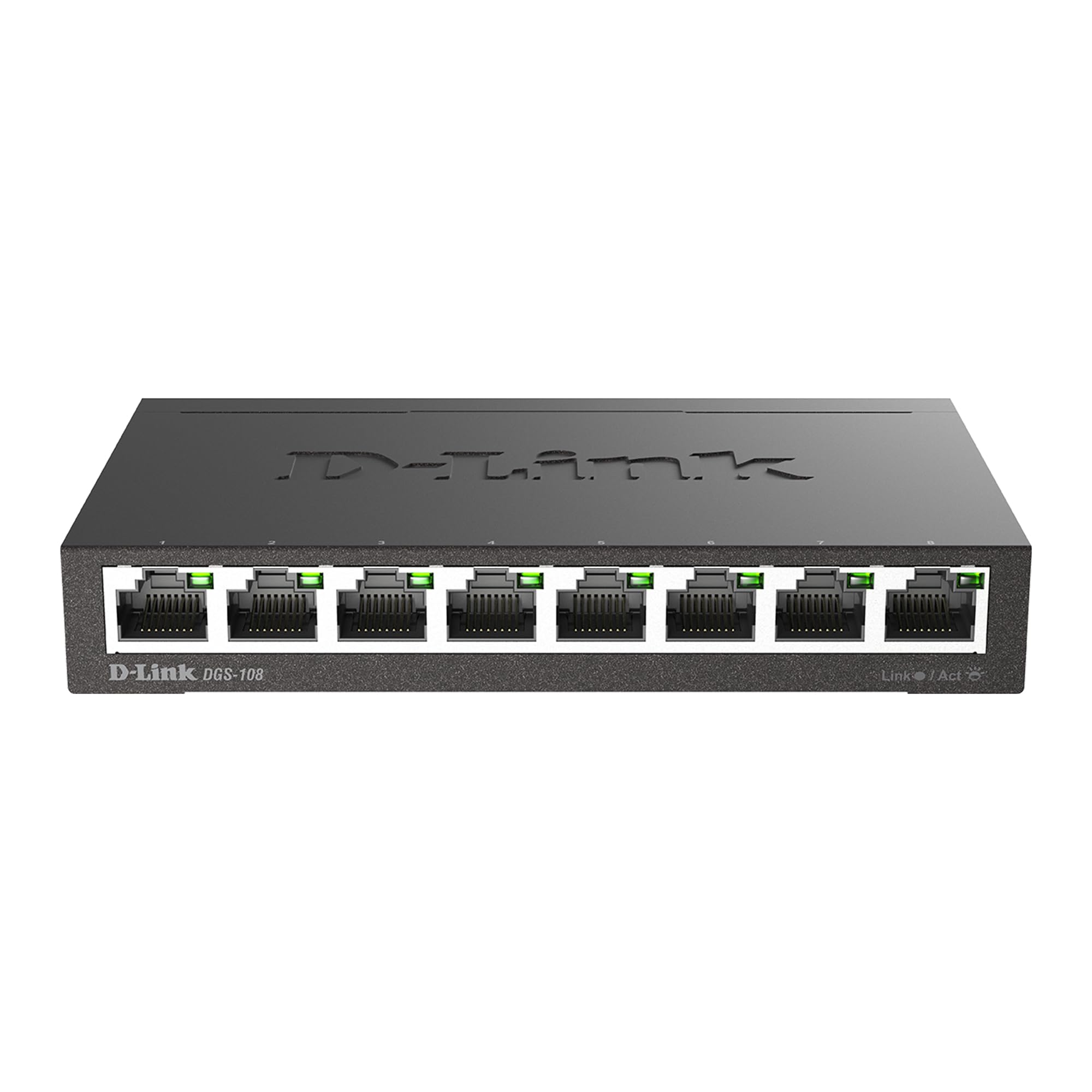
The D-Link GO-SW-5G/E 5-Port Gigabit Ethernet Switch is a high-performance networking solution designed for home and small office environments. With five 10/100/1000 Mbps ports, this switch offers seamless data transfer and efficient connectivity for your devices. Its compact white design complements any setup, while the plug-and-play operation ensures easy installation. Ideal for connecting multiple computers, printers, and other devices, this switch promises reliable performance and enhanced data handling capabilities.
The D-Link GO-SW-5G/E 5-Port Gigabit Ethernet Switch is a high-performance networking solution designed for home and small office environments. With five 10/100/1000 Mbps ports, this switch offers seamless data transfer and efficient connectivity for your devices. Its compact white design complements any setup, while the plug-and-play operation ensures easy installation. Ideal for connecting multiple computers, printers, and other devices, this switch promises reliable performance and enhanced data handling capabilities.
in 1 offers
The lowest price for D-Link GO-SW-5G 5-Port Gigabit Unmanaged Desktop Switch right now is $33.00 at Technotronics Business Systems.
The all-time low was $25.00 on 8 Feb 2025 — today's price is 32% above the lowest ever. It has been notably cheaper before — worth setting a price alert.
Prices last updated 15 May 2026.
D-Link GO-SW-5G 5-Port Gigabit Unmanaged Desktop Switch
The D-Link GO-SW-5G/E 5-Port Gigabit Ethernet Switch is a high-performance networking solution designed for home and small office environments. With five 10/100/1000 Mbps ports, this switch offers seamless data transfer and efficient connectivity for your devices. Its compact white design complements any setup, while the plug-and-play operation ensures easy installation. Ideal for connecting multiple computers, printers, and other devices, this switch promises reliable performance and enhanced data handling capabilities.
The D-Link GO-SW-5G/E 5-Port Gigabit Ethernet Switch is a high-performance networking solution designed for home and small office environments. With five 10/100/1000 Mbps ports, this switch offers seamless data transfer and efficient connectivity for your devices. Its compact white design complements any setup, while the plug-and-play operation ensures easy installation. Ideal for connecting multiple computers, printers, and other devices, this switch promises reliable performance and enhanced data handling capabilities.
Last updated at 15/05/2026 19:44:03
DLINK 5-Port Gigabit Desktop Switch
Delivery between Tue – Fri $20
originally posted on newegg.com
This is falls within better than acceptable limits, although it doesn’t fully meet my esthetic expectations. I wouldn’t dissuade you from buying this product based upon core quality or its capabilities. The thing which turned me off was the meager front panel display and consumer grade case. My perception was; it looked and felt cheap, although it serves its purpose. On-line or in a catalogue, it looks fine. Hands/eyes on, it appears more toy like than a piece of high-tech equipment. It’s referred to as a desktop switch; frankly, I’d hide it rather than display it on my desk; the LED indicators are pathetic. As far as switches go, I’d say (similar specifications) they’re more or less generic. I’d imagine the primary decision factor between buying this over its ... MoreThis is falls within better than acceptable limits, although it doesn’t fully meet my esthetic expectations. I wouldn’t dissuade you from buying this product based upon core quality or its capabilities. The thing which turned me off was the meager front panel display and consumer grade case. My perception was; it looked and felt cheap, although it serves its purpose. On-line or in a catalogue, it looks fine. Hands/eyes on, it appears more toy like than a piece of high-tech equipment. It’s referred to as a desktop switch; frankly, I’d hide it rather than display it on my desk; the LED indicators are pathetic. As far as switches go, I’d say (similar specifications) they’re more or less generic. I’d imagine the primary decision factor between buying this over its competition would be s brand loyalty - or - perhaps desiring to keep some semblance of continuity, i.e., coupling a D-Link router with a D-Link switch; unifying customer support if needed... Testing profile: The switch was evaluated as an intermediary between devices - and - TP-LINK Archer C7 AC1750 Wireless Dual Band Gigabit Router IEEE 802.11ac broadband download speed through the switch: 65.29 Mbps (not suggestive of switch capabilities), mentioned for reference purposes only. The version assessed was 3.00(NA) May 15, 2013.
originally posted on newegg.com
So far I've tested about 6 switches both this year and last year and I can say that this switch is about ON PAR with ALL the other GigaByte Switches I've tested. There are NO Bells and Whistles here to find, nothing to set this one apart from the others as far as performance goes. While it has some nice features, it still has it's CONS, at least as far as I'm concerned. The final choice on whether to purchase this is yours to make, I can ONLY give you my final opinions and recommendations. I just hope they help. ONE FINAL NOTE: There are going to be those "CERTAIN PEOPLE" out there who will have NO IDEA how to check (OR EVEN ACTIVATE) the Jumbo Frames Feature for this switch so I will TRY and explain it to you all... 1. Go to START. 2. Go to CONTROL PANEL. 3. Go to ... MoreSo far I've tested about 6 switches both this year and last year and I can say that this switch is about ON PAR with ALL the other GigaByte Switches I've tested. There are NO Bells and Whistles here to find, nothing to set this one apart from the others as far as performance goes. While it has some nice features, it still has it's CONS, at least as far as I'm concerned. The final choice on whether to purchase this is yours to make, I can ONLY give you my final opinions and recommendations. I just hope they help. ONE FINAL NOTE: There are going to be those "CERTAIN PEOPLE" out there who will have NO IDEA how to check (OR EVEN ACTIVATE) the Jumbo Frames Feature for this switch so I will TRY and explain it to you all... 1. Go to START. 2. Go to CONTROL PANEL. 3. Go to SYSTEM. 4. Go to DEVICE MANAGER. 5. DOUBLE-CLICK on NETWORK ADAPTERS. 6. Pick your NETWORK ADAPTER and RIGHT-CLICK on it and choose PROPERTIES. 7. Choose the ADVANCED TAB and Scroll Down until you see JUMBO FRAMES on the left. 8. Once you've found it, CLICK on JUMBO FRAMES and set the VALUE to 9KB MTU. 9. Click on OK then close everything and you're done... That's ALL there is to it. Hope this helps... Overall, I like this switch but because of the WALL WART Power Adapter AND the SIDE MOUNTED CONNECTION I CANNOT give this switch 5 EGGS. There are going to be certain users out there (because of their PC Setups) that will find this switch to be less "USER FRIENDLY" than others out there on the market. For myself, when I setup a PC Desk (for myself OR even a customer) I want ALL my wires to be hidden and unseen. I appreciate this and so do my customers. What can I say, I'm picky... It's too bad that the Engineers don't ask for input from the users BEFORE they design a product. They'd have a lot fewer duds IF they did...
originally posted on walmart.com
It is small. It works. It is obvious how to use it. The amber (rather than green) indicator on the port I used to connect to the cable company router meant exactly what I expected it to mean, but also was clearly documented in case I didn't know: The cable company router is max 100Mb. I bought this D-Link because I had one port too few on that router. But as a bonus the two (out of my 5) computers that exchange data with each other more than with the internet now have a 1Gb connection for that data.
DLINK 5-Port Gigabit Desktop Switch
Delivery between Tue – Fri $20
This is falls within better than acceptable limits, although it doesn’t fully meet my esthetic expectations. I wouldn’t dissuade you from buying this product based upon core quality or its capabilities. The thing which turned me off was the meager front panel display and consumer grade case. My perception was; it looked and felt cheap, although it serves its purpose. On-line or in a catalogue, it looks fine. Hands/eyes on, it appears more toy like than a piece of high-tech equipment. It’s referred to as a desktop switch; frankly, I’d hide it rather than display it on my desk; the LED indicators are pathetic. As far as switches go, I’d say (similar specifications) they’re more or less generic. I’d imagine the primary decision factor between buying this over its ... MoreThis is falls within better than acceptable limits, although it doesn’t fully meet my esthetic expectations. I wouldn’t dissuade you from buying this product based upon core quality or its capabilities. The thing which turned me off was the meager front panel display and consumer grade case. My perception was; it looked and felt cheap, although it serves its purpose. On-line or in a catalogue, it looks fine. Hands/eyes on, it appears more toy like than a piece of high-tech equipment. It’s referred to as a desktop switch; frankly, I’d hide it rather than display it on my desk; the LED indicators are pathetic. As far as switches go, I’d say (similar specifications) they’re more or less generic. I’d imagine the primary decision factor between buying this over its competition would be s brand loyalty - or - perhaps desiring to keep some semblance of continuity, i.e., coupling a D-Link router with a D-Link switch; unifying customer support if needed... Testing profile: The switch was evaluated as an intermediary between devices - and - TP-LINK Archer C7 AC1750 Wireless Dual Band Gigabit Router IEEE 802.11ac broadband download speed through the switch: 65.29 Mbps (not suggestive of switch capabilities), mentioned for reference purposes only. The version assessed was 3.00(NA) May 15, 2013.
So far I've tested about 6 switches both this year and last year and I can say that this switch is about ON PAR with ALL the other GigaByte Switches I've tested. There are NO Bells and Whistles here to find, nothing to set this one apart from the others as far as performance goes. While it has some nice features, it still has it's CONS, at least as far as I'm concerned. The final choice on whether to purchase this is yours to make, I can ONLY give you my final opinions and recommendations. I just hope they help. ONE FINAL NOTE: There are going to be those "CERTAIN PEOPLE" out there who will have NO IDEA how to check (OR EVEN ACTIVATE) the Jumbo Frames Feature for this switch so I will TRY and explain it to you all... 1. Go to START. 2. Go to CONTROL PANEL. 3. Go to ... MoreSo far I've tested about 6 switches both this year and last year and I can say that this switch is about ON PAR with ALL the other GigaByte Switches I've tested. There are NO Bells and Whistles here to find, nothing to set this one apart from the others as far as performance goes. While it has some nice features, it still has it's CONS, at least as far as I'm concerned. The final choice on whether to purchase this is yours to make, I can ONLY give you my final opinions and recommendations. I just hope they help. ONE FINAL NOTE: There are going to be those "CERTAIN PEOPLE" out there who will have NO IDEA how to check (OR EVEN ACTIVATE) the Jumbo Frames Feature for this switch so I will TRY and explain it to you all... 1. Go to START. 2. Go to CONTROL PANEL. 3. Go to SYSTEM. 4. Go to DEVICE MANAGER. 5. DOUBLE-CLICK on NETWORK ADAPTERS. 6. Pick your NETWORK ADAPTER and RIGHT-CLICK on it and choose PROPERTIES. 7. Choose the ADVANCED TAB and Scroll Down until you see JUMBO FRAMES on the left. 8. Once you've found it, CLICK on JUMBO FRAMES and set the VALUE to 9KB MTU. 9. Click on OK then close everything and you're done... That's ALL there is to it. Hope this helps... Overall, I like this switch but because of the WALL WART Power Adapter AND the SIDE MOUNTED CONNECTION I CANNOT give this switch 5 EGGS. There are going to be certain users out there (because of their PC Setups) that will find this switch to be less "USER FRIENDLY" than others out there on the market. For myself, when I setup a PC Desk (for myself OR even a customer) I want ALL my wires to be hidden and unseen. I appreciate this and so do my customers. What can I say, I'm picky... It's too bad that the Engineers don't ask for input from the users BEFORE they design a product. They'd have a lot fewer duds IF they did...
It is small. It works. It is obvious how to use it. The amber (rather than green) indicator on the port I used to connect to the cable company router meant exactly what I expected it to mean, but also was clearly documented in case I didn't know: The cable company router is max 100Mb. I bought this D-Link because I had one port too few on that router. But as a bonus the two (out of my 5) computers that exchange data with each other more than with the internet now have a 1Gb connection for that data.
Great addition to anyones wired network, especially with the auto-mdix feature. Yeah Im lazy, I just ran Ethernet cable round the house from our router and crimped rj45s at either end. The auto-mdix means you dont have to worry about crossover cables. Literally just plug and play. Oh, and its a lot smaller than youd expect, and totally silent.
My previous switch, 10/100 5 port, went bad and I checked Newegg's latest flyer and saw this one. I figured why not go Gigabit and 8 ports. After installation (just plugging everything in) I was able to transfer a 16 Gigabyte file (recorded college football game) between computers in 2 1/2 minutes instead of 24 minutes. Transfer rate went from 95Mbps to 950Mbps. 8 Ports is a nice convenience for someone with a small home network because as you add network devices that you don't use often you can still leave them plugged in. Status LEDs on front with ports in the rear are good for me because I can check my network status by glancing at an uncluttered front display. The switch I replaced was always hot to the touch, but this one is always cool, only a slight warmth to ... MoreMy previous switch, 10/100 5 port, went bad and I checked Newegg's latest flyer and saw this one. I figured why not go Gigabit and 8 ports. After installation (just plugging everything in) I was able to transfer a 16 Gigabyte file (recorded college football game) between computers in 2 1/2 minutes instead of 24 minutes. Transfer rate went from 95Mbps to 950Mbps. 8 Ports is a nice convenience for someone with a small home network because as you add network devices that you don't use often you can still leave them plugged in. Status LEDs on front with ports in the rear are good for me because I can check my network status by glancing at an uncluttered front display. The switch I replaced was always hot to the touch, but this one is always cool, only a slight warmth to it. Bear in mind I do not put a heavy load on it. I saw an earlier review noting a problem with speed when both Gigabit and non-gigabit devices were on the network, leading to low speeds even with the Gigabit devices. I turned on both my computers (gigabit) and my HD HomeRun and an IP security camera (both non Gigabit) and did a file transfer between the computers. That transfer completed at Gigabit speed. All my devices are wired and I have no problem getting Gigabit transfers between Gigabit devices even with non-Gigabit devices on the network. I can't comment on what happens if you add wireless devices to the network as I have none. I do like a device in a metal case. Some of my comments are just personal preferences, but the main points are that I do get Gigabit (at least close enough for me) transfer speeds and the box does stay fairly cool.
Connected it to a router outlet, then connected several PCs to it, and it simply worked - no need for drivers, it worked immediately. The led indicators on the front show which of the 5 sockets are receiving, all gigabit speed - it simply works! It's also reasonable sturdy and very compact - being very light, network cables tend to dictate where it sits, so I simply tied the cables together, loosely near the switch to keep all in place - no problem. After a few weeks' use, it still works perfectly, needs no attention and makes it much eaier to add devices/PCs to my home network. I certainly recommend this little gigabit network switch.
Bought in February because I had a few devices (desktop PC, Raspberry Pi, Ouya) that I wanted to use on wired ethernet and the router was on the other side of the room, so I only wanted to run one cable along the baseboard molding to the entertainment center. Took this out of the box, tested it to make sure it turned on, noticed that the lights came on and it made a very faint but noticeable high-pitched whine, but figured that once the PC was running I wouldn't notice. I then put it back in the box until I got the 3 new cat5 cables I needed to hook everything up. Fast forward ~70 days once my procastinating self acquired the short cat5 cables and of course it won't turn on. I tried other plugs to be sure but now it's just a tiny paperweight. Not sure how it could ... MoreBought in February because I had a few devices (desktop PC, Raspberry Pi, Ouya) that I wanted to use on wired ethernet and the router was on the other side of the room, so I only wanted to run one cable along the baseboard molding to the entertainment center. Took this out of the box, tested it to make sure it turned on, noticed that the lights came on and it made a very faint but noticeable high-pitched whine, but figured that once the PC was running I wouldn't notice. I then put it back in the box until I got the 3 new cat5 cables I needed to hook everything up. Fast forward ~70 days once my procastinating self acquired the short cat5 cables and of course it won't turn on. I tried other plugs to be sure but now it's just a tiny paperweight. Not sure how it could have died sitting in the box for 2 months unplugged, but I'd save myself the trouble and buy a switch that won't die when you breathe on it.