Last updated at 06/09/2026 15:14:32
Dell U-SERIES 49 inch (32:9) QHD 5K IPS Curve Led HDMI DP USB-C USB(5
Free delivery
Dell UltraSharp U4924DW 49 Inch Curved DQHD IPS Business Monitor USB C Hub 90W
Free delivery between 9–16 Sept
Dell UltraSharp U4924DW 49" 5K Dual QHD IPS Ultrawide Curved USB-C Hub Monitor
Delivery between 9–14 Sept $91.35
AG-MONU4924DW Dell U-Series 49" (32:9) Qhd 5K Ips Curve LED , HDMI, DP, USB-C, USB(5), H/Adj, Kvm, 3YR AG-MONU4924DW
Delivery between 10–14 Sept $27
DELL U-SERIES 49" (32:9) QHD 5K IPS CURVE LED HDMI DP USB-C USB(5) Height Adjustable KVM 3YR
Delivery $16.50
Dell U4924DW 49" 5K IPS 60Hz Curved Monitor
Dell UltraSharp 49 Curved QHD 5K USB-C Hub Monitor - U4924DW
Delivery between 9–15 Sept $40
Monitor DELL U4924DW 49" IPS Black 5K Dual QHD 5120x1440px 60Hz 5ms 2xHDMI KVM DP 6xUSB-C audio Ethernet zakrivljeni zvučnici
Delivery $8.05
Dell UltraSharp 49 Curved USB-C Hub Monitor - U4924DW - RMT2C
Free delivery
"Dell UltraSharp U4924DW 49"Class Dual Quad HD (DQHD) Curved Screen LCD Monitor - 32:9 - 49" Viewable - In-plane Switching (IPS) Black Technology - -"
Delivery $7.95
originally posted on dell.com
Excellent monitor with a very strong display and peripheral USB support. I am connecting to my XPS 13 with a single USB-C cable which means simple cable management and a clean desktop. Visual clarity is excellent, and the sound is crisp and clear although please note I only use the audio for video conference. I very much like the front facing drop down USB hub which has proven very convenient for my keyboard/mouse dongle. You might pay a little more for this monitor, but you really don't need a docking station like you would if you were driving two 27'' monitors. I'm using Win 11 PowerToys FancyZones tool to partition my windows, it works very well. I have not had a need for the KVM abilities, but I think it would be a powerful feature if you have the need. One ... MoreExcellent monitor with a very strong display and peripheral USB support. I am connecting to my XPS 13 with a single USB-C cable which means simple cable management and a clean desktop. Visual clarity is excellent, and the sound is crisp and clear although please note I only use the audio for video conference. I very much like the front facing drop down USB hub which has proven very convenient for my keyboard/mouse dongle. You might pay a little more for this monitor, but you really don't need a docking station like you would if you were driving two 27'' monitors. I'm using Win 11 PowerToys FancyZones tool to partition my windows, it works very well. I have not had a need for the KVM abilities, but I think it would be a powerful feature if you have the need. One negative/improvement I could suggest is I wish there was a USB-C port on the back that accepted input. The USB-C ports are output only and the USB-A's are input. I have a webcam that has a USB-C connection and I have to either have an adaptor or route it around to the front (but then you see the cable). Overall, I'm very happy with this monitor.
originally posted on dell.com
An excellent productivity monitor - the combination of lots of screen real estate, integrated MST hub, and IPS Black technology (with 10 bit color) mean that this monitor looks terrific through all productivity applications. I really appreciate the addition of USB-C with power delivery but wish that I could disable the "USB" functionality on that port so it just transfers DisplayPort and Power (you have the option of "High Data Rate" or "High Resolution" for the USB-C port. The "High Data Rate" option gives USB 3 speeds for the on-board USB hub at the cost of image quality - you still get the full resolution on most devices but the compression is noticeable. "High Resolution" gives you the full image quality but limits the USB ports to USB 2 - which means that many ... MoreAn excellent productivity monitor - the combination of lots of screen real estate, integrated MST hub, and IPS Black technology (with 10 bit color) mean that this monitor looks terrific through all productivity applications. I really appreciate the addition of USB-C with power delivery but wish that I could disable the "USB" functionality on that port so it just transfers DisplayPort and Power (you have the option of "High Data Rate" or "High Resolution" for the USB-C port. The "High Data Rate" option gives USB 3 speeds for the on-board USB hub at the cost of image quality - you still get the full resolution on most devices but the compression is noticeable. "High Resolution" gives you the full image quality but limits the USB ports to USB 2 - which means that many of the devices connected to the monitors USB hub function slowly or not at all - I'd like to see a third option where I could use the built-in KVM to just run DisplayPort and Power over the USB-C and use the other USB-C input on the monitor for data). This is a nitpick though since the monitor has lots of connectivity options that make it a great monitor for all of the different devices you use. I'd also like to mention the stand - although there is no swivel, there is height and tilt adjustment which, for my use case, is more than enough. Overall a very nice monitor that I would highly recommend for someone looking at a dual-display setup but wants the convenience (and minimalism) of a single, super ultrawide monitor.
originally posted on dell.com
It's a great monitor if you know what you are getting and are willing to pay the price. It does not have HDR, which I don't need, but HDR capable monitors are brighter and this one could use a boost. It does have a bunch of USB3 connectors, including the pop-out ones for the front, and that's not something you find on any of the gaming-focused offerings where you do get HDR. It has the KVM functionality that I like from Dell, but only supports 2 machines. I do not understand why that is because there are enough ports and I have had a Dell monitor that supported 3.The big letdown is despite the word 'Curved' appearing in the name, this thing is darn close to flat. I went from the Samsung EVO to this, and the curve was far more effective at keeping everything in ... MoreIt's a great monitor if you know what you are getting and are willing to pay the price. It does not have HDR, which I don't need, but HDR capable monitors are brighter and this one could use a boost. It does have a bunch of USB3 connectors, including the pop-out ones for the front, and that's not something you find on any of the gaming-focused offerings where you do get HDR. It has the KVM functionality that I like from Dell, but only supports 2 machines. I do not understand why that is because there are enough ports and I have had a Dell monitor that supported 3.The big letdown is despite the word 'Curved' appearing in the name, this thing is darn close to flat. I went from the Samsung EVO to this, and the curve was far more effective at keeping everything in focus than I knew. I can still see the whole screen without turning my head, but my eyes can't keep it all in focus. The other side of that, however, is I really don't need to see all of the screen at once. It may improve focus, for me, since I'm only seeing what I am working on.All things considered, this is the best 49" ultrawide on the market for me.
| Manufacturer part | RMT2C |
Dell U-SERIES 49 inch (32:9) QHD 5K IPS Curve Led HDMI DP USB-C USB(5
Free delivery
Dell UltraSharp U4924DW 49 Inch Curved DQHD IPS Business Monitor USB C Hub 90W
Free delivery between 9–16 Sept
Dell UltraSharp U4924DW 49" 5K Dual QHD IPS Ultrawide Curved USB-C Hub Monitor
Delivery between 9–14 Sept $91.35
AG-MONU4924DW Dell U-Series 49" (32:9) Qhd 5K Ips Curve LED , HDMI, DP, USB-C, USB(5), H/Adj, Kvm, 3YR AG-MONU4924DW
Delivery between 10–14 Sept $27
DELL U-SERIES 49" (32:9) QHD 5K IPS CURVE LED HDMI DP USB-C USB(5) Height Adjustable KVM 3YR
Delivery $16.50
Excellent monitor with a very strong display and peripheral USB support. I am connecting to my XPS 13 with a single USB-C cable which means simple cable management and a clean desktop. Visual clarity is excellent, and the sound is crisp and clear although please note I only use the audio for video conference. I very much like the front facing drop down USB hub which has proven very convenient for my keyboard/mouse dongle. You might pay a little more for this monitor, but you really don't need a docking station like you would if you were driving two 27'' monitors. I'm using Win 11 PowerToys FancyZones tool to partition my windows, it works very well. I have not had a need for the KVM abilities, but I think it would be a powerful feature if you have the need. One ... MoreExcellent monitor with a very strong display and peripheral USB support. I am connecting to my XPS 13 with a single USB-C cable which means simple cable management and a clean desktop. Visual clarity is excellent, and the sound is crisp and clear although please note I only use the audio for video conference. I very much like the front facing drop down USB hub which has proven very convenient for my keyboard/mouse dongle. You might pay a little more for this monitor, but you really don't need a docking station like you would if you were driving two 27'' monitors. I'm using Win 11 PowerToys FancyZones tool to partition my windows, it works very well. I have not had a need for the KVM abilities, but I think it would be a powerful feature if you have the need. One negative/improvement I could suggest is I wish there was a USB-C port on the back that accepted input. The USB-C ports are output only and the USB-A's are input. I have a webcam that has a USB-C connection and I have to either have an adaptor or route it around to the front (but then you see the cable). Overall, I'm very happy with this monitor.
An excellent productivity monitor - the combination of lots of screen real estate, integrated MST hub, and IPS Black technology (with 10 bit color) mean that this monitor looks terrific through all productivity applications. I really appreciate the addition of USB-C with power delivery but wish that I could disable the "USB" functionality on that port so it just transfers DisplayPort and Power (you have the option of "High Data Rate" or "High Resolution" for the USB-C port. The "High Data Rate" option gives USB 3 speeds for the on-board USB hub at the cost of image quality - you still get the full resolution on most devices but the compression is noticeable. "High Resolution" gives you the full image quality but limits the USB ports to USB 2 - which means that many ... MoreAn excellent productivity monitor - the combination of lots of screen real estate, integrated MST hub, and IPS Black technology (with 10 bit color) mean that this monitor looks terrific through all productivity applications. I really appreciate the addition of USB-C with power delivery but wish that I could disable the "USB" functionality on that port so it just transfers DisplayPort and Power (you have the option of "High Data Rate" or "High Resolution" for the USB-C port. The "High Data Rate" option gives USB 3 speeds for the on-board USB hub at the cost of image quality - you still get the full resolution on most devices but the compression is noticeable. "High Resolution" gives you the full image quality but limits the USB ports to USB 2 - which means that many of the devices connected to the monitors USB hub function slowly or not at all - I'd like to see a third option where I could use the built-in KVM to just run DisplayPort and Power over the USB-C and use the other USB-C input on the monitor for data). This is a nitpick though since the monitor has lots of connectivity options that make it a great monitor for all of the different devices you use. I'd also like to mention the stand - although there is no swivel, there is height and tilt adjustment which, for my use case, is more than enough. Overall a very nice monitor that I would highly recommend for someone looking at a dual-display setup but wants the convenience (and minimalism) of a single, super ultrawide monitor.
It's a great monitor if you know what you are getting and are willing to pay the price. It does not have HDR, which I don't need, but HDR capable monitors are brighter and this one could use a boost. It does have a bunch of USB3 connectors, including the pop-out ones for the front, and that's not something you find on any of the gaming-focused offerings where you do get HDR. It has the KVM functionality that I like from Dell, but only supports 2 machines. I do not understand why that is because there are enough ports and I have had a Dell monitor that supported 3.The big letdown is despite the word 'Curved' appearing in the name, this thing is darn close to flat. I went from the Samsung EVO to this, and the curve was far more effective at keeping everything in ... MoreIt's a great monitor if you know what you are getting and are willing to pay the price. It does not have HDR, which I don't need, but HDR capable monitors are brighter and this one could use a boost. It does have a bunch of USB3 connectors, including the pop-out ones for the front, and that's not something you find on any of the gaming-focused offerings where you do get HDR. It has the KVM functionality that I like from Dell, but only supports 2 machines. I do not understand why that is because there are enough ports and I have had a Dell monitor that supported 3.The big letdown is despite the word 'Curved' appearing in the name, this thing is darn close to flat. I went from the Samsung EVO to this, and the curve was far more effective at keeping everything in focus than I knew. I can still see the whole screen without turning my head, but my eyes can't keep it all in focus. The other side of that, however, is I really don't need to see all of the screen at once. It may improve focus, for me, since I'm only seeing what I am working on.All things considered, this is the best 49" ultrawide on the market for me.
Been watching the previous iteration of this monitor for some time but I wanted an all in one solution with a single cable connection to include speakers. This new design added the speakers I was wanting and purchased it when it was on sale. Sadly, when I connected my Dell XPS 15 (9550) I did not see any video. After some extensive searching, it appears that Dell won’t update the USB-C connection for video in my laptop and now this monitor doesn’t recognize it. So, the solution was to use a docking station with DP output. I already had a docking station but it too wasn’t capable of DP, so either I purchase a newer laptop (moving to a new laptop is a royal PITA) or get yet another docking station, which is what I reluctantly did. It’s still a single cable solution ... MoreBeen watching the previous iteration of this monitor for some time but I wanted an all in one solution with a single cable connection to include speakers. This new design added the speakers I was wanting and purchased it when it was on sale. Sadly, when I connected my Dell XPS 15 (9550) I did not see any video. After some extensive searching, it appears that Dell won’t update the USB-C connection for video in my laptop and now this monitor doesn’t recognize it. So, the solution was to use a docking station with DP output. I already had a docking station but it too wasn’t capable of DP, so either I purchase a newer laptop (moving to a new laptop is a royal PITA) or get yet another docking station, which is what I reluctantly did. It’s still a single cable solution but there is more behind the monitor than I would have liked. Other than Dell not providing an update to make my XPS 15 9550 work, the monitor is great…..so far.
Impressive monitor. Great display, especially for working on large spreadsheets for work flows. Numerous USB connections and KVM ability as well. Display manager provides multiple display options as well, where you can pre-select an option that will fit your needs. Still working to understand various options and also screen sharing with Teams to where it won't share the entire screen, just the portion that is sectioned off. Will have some instances where the background is blacked out though, unsure what is causing that but hasn't impacted functionality.
A truly remarkable monitor. I wish I had bought one earlier.The size is massive and superb definition, I can easily fit three screens and a home assistant panel at the same time.Functions brilliantly with a folded laptop and wireless mouse/keyboard combo.Switching to an alternative input device is easy and the power and control is easy to locate and use.Ethernet and backup storage plug into the monitor too so less faff when returning with the laptop.Would highly recommend.
I have wanted this monitor for a long time. I did not by the models before this one as they did not have speakers or USB C charging. Not that I love the speakers or needed the charging but I wanted to future proof this monitor. I own the 34 inch monitor and the 38 inch. I am upgrading another work location replacing the 34 with the 38 and using the 49 in my primary working location.I like the monitors extra drop down USB C and A expansion, but it seems cheap and flimsy, I expect it to not last forever unfortunately. I do not think that this monitor is curved enough. It could be my vision but I do have to move my head back and forth to see things clearly. It might just be that wide. I love the extra real estate. I am trying to like the DELL DISPLAY manager but I ... MoreI have wanted this monitor for a long time. I did not by the models before this one as they did not have speakers or USB C charging. Not that I love the speakers or needed the charging but I wanted to future proof this monitor. I own the 34 inch monitor and the 38 inch. I am upgrading another work location replacing the 34 with the 38 and using the 49 in my primary working location.I like the monitors extra drop down USB C and A expansion, but it seems cheap and flimsy, I expect it to not last forever unfortunately. I do not think that this monitor is curved enough. It could be my vision but I do have to move my head back and forth to see things clearly. It might just be that wide. I love the extra real estate. I am trying to like the DELL DISPLAY manager but I have yet to love it on any monitor.DELL did not ship this monitor with the expedited shipping as stated. They also used some shipping company that I never heard of and had to call them to make appointment for my delivery. My 2 day delivery took over 1 week to arrive. I called DELL and they did offer some compensation.Also, when I was purchasing the monitor it said I would get 82 in DELL credit but I only got 41, evidently you can't already be a Dell customer with an account or you had to pay with credit, the false advertising was tough to read in such small print or understand.This monitor for gaming is unplayable on my older graphics card. My computer can't hold another more recent card so I can't say if it is the monitors issue. Current card is a Nvidia GTX 960.The monitor was packaged nicely in a way that you can attach the stand without unwrapping the entire screen. This prevents scratching when hooking everything up. Like all of the other curved monitors making the connections is ridiculously hard once the screen is mounted on it's stand... There is just no room to raise it enough to see the ports.I wanted the monitor and needed the extra real estate. I like it enough to learn to love it.
Looks great and works great on DisplayPort on my PC and looks good in PBP mode on my Mac.BUT ... the firmware is really annoying.(1) In PBP mode, it won't sync to my Mac Pro's Mini DP/HDMI on the first try. I have to turn it off and back on again, then it's fine. On the first try, it falsely claims there is no signal.(2) Dell's design for hot keys to control the built-in KVM switch ignores the most common configuration, which is one machine on DP, and the second using both HDMI in PBP mode. You can't assign a mode that switches both at the same time as you switch machines.(3) The firmware is incapable of detecting button presses while it is displaying a message, wasting a lot of my time waiting for messages to time out so I can deal with problem (2) and ... MoreLooks great and works great on DisplayPort on my PC and looks good in PBP mode on my Mac.BUT ... the firmware is really annoying.(1) In PBP mode, it won't sync to my Mac Pro's Mini DP/HDMI on the first try. I have to turn it off and back on again, then it's fine. On the first try, it falsely claims there is no signal.(2) Dell's design for hot keys to control the built-in KVM switch ignores the most common configuration, which is one machine on DP, and the second using both HDMI in PBP mode. You can't assign a mode that switches both at the same time as you switch machines.(3) The firmware is incapable of detecting button presses while it is displaying a message, wasting a lot of my time waiting for messages to time out so I can deal with problem (2) and change the PBP mode after changing the input source.I was left regretting not giving the other brands more consideration, and wondering if their firmware designers might have been better than Dell's.
It is fantastic for financial software development, data analysis and wealth management. I found this monitor can dramatically improve work efficiency. I split the screen to three windows for coding / data analysis, data source / excel, and illustration graphs / outputs. This monitor can help me say goodbye to frequent window switching in the past. The biggest significance of it is to view ultra-long excel, data, K-line charts, etc. Compared with the original working method of ordinary screens or two monitors, the efficiency is more than doubled, and due to the reduction of time Axis scaling also reduces the possibility of making mistakes.Strongly recommend to use Dell Display Manager with this monitor. For different work, I use different pre-defined screen layout ... MoreIt is fantastic for financial software development, data analysis and wealth management. I found this monitor can dramatically improve work efficiency. I split the screen to three windows for coding / data analysis, data source / excel, and illustration graphs / outputs. This monitor can help me say goodbye to frequent window switching in the past. The biggest significance of it is to view ultra-long excel, data, K-line charts, etc. Compared with the original working method of ordinary screens or two monitors, the efficiency is more than doubled, and due to the reduction of time Axis scaling also reduces the possibility of making mistakes.Strongly recommend to use Dell Display Manager with this monitor. For different work, I use different pre-defined screen layout to maximize work efficiency by mouse clicking. To me, U4924DW is not just a monitor, it is a visual organizer because every task has its own window. You won't miss any task. When work on system management, I use 9 windows model. Dell Display Manager provides the options from 2 to 12 windows. Plus, it allows user to customize the window layout.
This a great monitor with great colors and good brightness. Internal speakers sound very good. I like the pop-out USB ports underneath the monitor and additional USB ports in the back. The "docking" feature for laptops works perfectly with any laptop that supports this and having an ethernet jack in the monitor for LAN access makes this feature even better. I only wish they had included a camera and microphone int the top center of the bezel to complete all the "docking" features one would wish for. One observation: this monitor is very heavy and very wide. But it's also very cool.
| Manufacturer part | RMT2C |
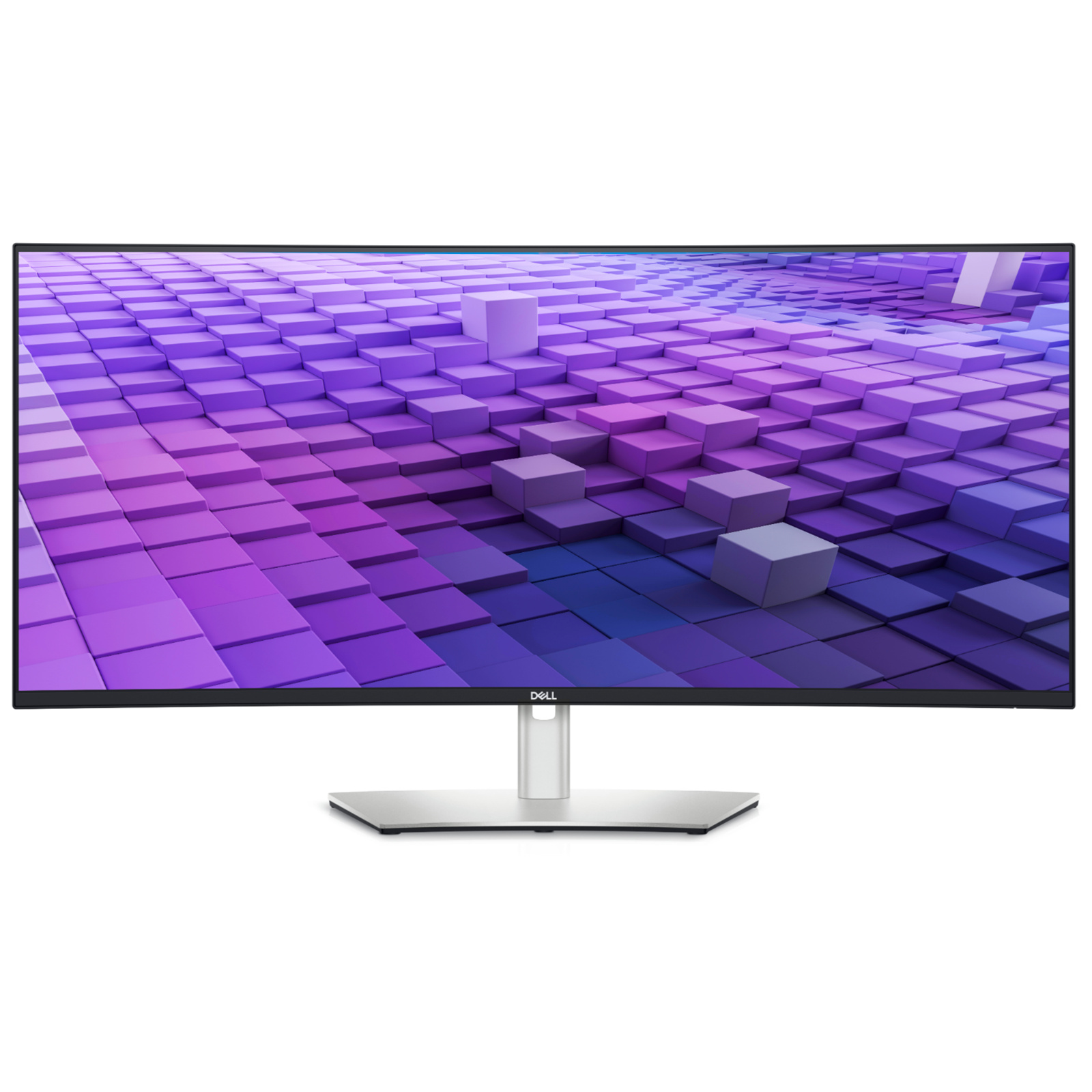
Dell UltraSharp 49 Curved USB-C Hub Monitor - - RMT2C
Experience uninterrupted productivity on a 49-inch dual QHD curved monitor with IPS Black panel technology that immerses you in a world of exceptional colour and contrast.
Experience uninterrupted productivity on a 49-inch dual QHD curved monitor with IPS Black panel technology that immerses you in a world of exceptional colour and contrast.
Experience uninterrupted productivity on a 49-inch dual QHD curved monitor with IPS Black panel technology that immerses you in a world of exceptional colour and contrast.
Experience uninterrupted productivity on a 49-inch dual QHD curved monitor with IPS Black panel technology that immerses you in a world of exceptional colour and contrast.
in 23 offers
The lowest price for Dell UltraSharp 49 Curved USB-C Hub Monitor - - RMT2C right now is $1,951.95 at itnest.com.au, compared across 21 retailers.
The all-time low was $1,951.95 on 28 July 2026. That's the lowest price we've ever tracked — a great time to buy.
Prices last updated 6 Sept 2026.

