Last updated at 05/09/2026 05:26:31
[UP2716D-EXG] Dell UltraSharp UP2716D 27" 2K QHD PremierColor IPS Monitor - 2560x1440, 16:9, 2x HDMI, DP, mini-DP, DP Out, Daisy Chain, 12 Mth Wty (
Dell S2721D 27" 2K QHD Monitor, IPS Ultra-Thin Bezel, AMD FreeSync, HDMI, DisplayPort, Speakers 210-AXGI
Save $10 for orders over $500
Excellent
30-day returns
Dell Ultrasharp Up2716d 27" Qhd Ips Premiercolor Monitor 1440p Adobe
Free delivery
Affiliate Disclosure: We may receive a small commission for purchases made through this link at no extra cost to you. This helps support our site. Thank you!
Dell UltraSharp UP2716D 27" QHD PremierColor Monitor 1440p, IPS, Adobe RGB, HDMI, DisplayPort, Daisy Chain, Height Adjustable Stand, Refurbished
Free delivery
Dell UltraSharp UP2716D 27" QHD PremierColor Monitor 1440p, IPS, Adobe RGB, HDMI, DisplayPort, Daisy Chain, Height Adjustable Stand, Refurbished
Free delivery
Dell UltraSharp UP2716D 27" QHD PremierColor Monitor 1440p, IPS, Adobe RGB, HDMI, DisplayPort, Daisy Chain, Height Adjustable Stand, Refurbished
Free delivery
DELL - UP2716D 27" (INCHES) ULTRASHARP LED MONITOR
Delivery $28.39
Dell 27in QHD 60Hz UltraSharp IPS Monitor with PremierColor (UP2716D)
30-day returns
originally posted on ebay.com
DELL disappoints me on UP2716D. Bought two and have problem since day one. Firstly, items listed is "BRAND NEW", but I found out serial number on monitor body does NOT match the box. That does NOT look good. Secondly, I created identification connections and configurations on both monitors but one monitor shows strong green cast on the left and purple cast on the right. Monitors are on Adobe RGB colour space and hilariously support told me to use other present modes to resolve it. I log a replacement request on the SAME day these monitor arrive. The screen is advertised for its "Professional-grade color" but reality is only when it works. Next day, Dell logistic team called me and wants to dispatch a REFURBISHED stock for my replacement request. No way I will accept ... MoreDELL disappoints me on UP2716D. Bought two and have problem since day one. Firstly, items listed is "BRAND NEW", but I found out serial number on monitor body does NOT match the box. That does NOT look good. Secondly, I created identification connections and configurations on both monitors but one monitor shows strong green cast on the left and purple cast on the right. Monitors are on Adobe RGB colour space and hilariously support told me to use other present modes to resolve it. I log a replacement request on the SAME day these monitor arrive. The screen is advertised for its "Professional-grade color" but reality is only when it works. Next day, Dell logistic team called me and wants to dispatch a REFURBISHED stock for my replacement request. No way I will accept this punishment and I rejected the dispatch and re-request brand new stock sent. After painful engagements, and one week passed. A "brand new" replacement monitor arrived. Guess what? The serial number of the body does NOT match the box again, feel strange. Colour uniformity on the new unit is BETTER, thankfully. BUT after I aligned it to my other new DELL UP2716D, The replacement is clearly warmer at IDENTICAL setup. Log support again and DELL first reply "both monitors are working properly" and "viewing angle caused the colour difference". DELL want me to make the room dark and turn screen to 100% brightness to troubleshoot. What an excuse!! I aligned the screens at same level, took photo from distance to avoid viewing angle difference. There is white/yellow contrast between the two monitors. DELL support just won't acknowledge it. Anyway, I adjusted my room and monitor as they said, the warmer colour temperature is even more noticeable. Then, DELL said I need a colour calibration tool to make them look identical. At this price range, customers expect more predictable colour consistency and better customer service. This is a complete disaster, support case number SR 948294878, if DELL management cares about your customer.
originally posted on newegg.com
The color is 99% Adobe RGB, and 100% sRGB, adjustment out of the box is helpful and you change color spaces at the hit of a button. You can also select the more common movie, game, computer setting. The screen is matte and I prefer it for anti-glare. You have input of 2 HDMI, Display Port and mini display port while also having display port output multi-stream transport out. You also have TWO USB3.0 A-B uplink input ports so TWO computers can be connected at the same time, when you switch video inputs the USB switches with them. 4 USB A ports (2 botton/2 left side), and audio output. Cable lock and VESA compliant. I have a mac mini and a PC now in one space with 1 keyboard, mouse, monitor, webcam.
originally posted on adorama.com
Purchased for photo editing and colors are very misleading. Tried adjustments and calibration and cannot for the life of me get the color to be a reliable source for editing photos. Constantly Over saturated and photos are much fuller then what the screen shows. Luckily it’s a second screen so the 2 stars are for the ability to use it as a Netflix monitor while I edit on an older smaller (reliable) screen.
| Display | |
| Screen shape | Flat |
| Backlight type | LED |
| Mobile High-Definition Link (MHL) | Y |
| DDC/CI | Y |
[UP2716D-EXG] Dell UltraSharp UP2716D 27" 2K QHD PremierColor IPS Monitor - 2560x1440, 16:9, 2x HDMI, DP, mini-DP, DP Out, Daisy Chain, 12 Mth Wty (
Dell S2721D 27" 2K QHD Monitor, IPS Ultra-Thin Bezel, AMD FreeSync, HDMI, DisplayPort, Speakers 210-AXGI
Save $10 for orders over $500
Excellent
30-day returns
Dell Ultrasharp Up2716d 27" Qhd Ips Premiercolor Monitor 1440p Adobe
Free delivery
Affiliate Disclosure: We may receive a small commission for purchases made through this link at no extra cost to you. This helps support our site. Thank you!
Dell UltraSharp UP2716D 27" QHD PremierColor Monitor 1440p, IPS, Adobe RGB, HDMI, DisplayPort, Daisy Chain, Height Adjustable Stand, Refurbished
Free delivery
DELL disappoints me on UP2716D. Bought two and have problem since day one. Firstly, items listed is "BRAND NEW", but I found out serial number on monitor body does NOT match the box. That does NOT look good. Secondly, I created identification connections and configurations on both monitors but one monitor shows strong green cast on the left and purple cast on the right. Monitors are on Adobe RGB colour space and hilariously support told me to use other present modes to resolve it. I log a replacement request on the SAME day these monitor arrive. The screen is advertised for its "Professional-grade color" but reality is only when it works. Next day, Dell logistic team called me and wants to dispatch a REFURBISHED stock for my replacement request. No way I will accept ... MoreDELL disappoints me on UP2716D. Bought two and have problem since day one. Firstly, items listed is "BRAND NEW", but I found out serial number on monitor body does NOT match the box. That does NOT look good. Secondly, I created identification connections and configurations on both monitors but one monitor shows strong green cast on the left and purple cast on the right. Monitors are on Adobe RGB colour space and hilariously support told me to use other present modes to resolve it. I log a replacement request on the SAME day these monitor arrive. The screen is advertised for its "Professional-grade color" but reality is only when it works. Next day, Dell logistic team called me and wants to dispatch a REFURBISHED stock for my replacement request. No way I will accept this punishment and I rejected the dispatch and re-request brand new stock sent. After painful engagements, and one week passed. A "brand new" replacement monitor arrived. Guess what? The serial number of the body does NOT match the box again, feel strange. Colour uniformity on the new unit is BETTER, thankfully. BUT after I aligned it to my other new DELL UP2716D, The replacement is clearly warmer at IDENTICAL setup. Log support again and DELL first reply "both monitors are working properly" and "viewing angle caused the colour difference". DELL want me to make the room dark and turn screen to 100% brightness to troubleshoot. What an excuse!! I aligned the screens at same level, took photo from distance to avoid viewing angle difference. There is white/yellow contrast between the two monitors. DELL support just won't acknowledge it. Anyway, I adjusted my room and monitor as they said, the warmer colour temperature is even more noticeable. Then, DELL said I need a colour calibration tool to make them look identical. At this price range, customers expect more predictable colour consistency and better customer service. This is a complete disaster, support case number SR 948294878, if DELL management cares about your customer.
The color is 99% Adobe RGB, and 100% sRGB, adjustment out of the box is helpful and you change color spaces at the hit of a button. You can also select the more common movie, game, computer setting. The screen is matte and I prefer it for anti-glare. You have input of 2 HDMI, Display Port and mini display port while also having display port output multi-stream transport out. You also have TWO USB3.0 A-B uplink input ports so TWO computers can be connected at the same time, when you switch video inputs the USB switches with them. 4 USB A ports (2 botton/2 left side), and audio output. Cable lock and VESA compliant. I have a mac mini and a PC now in one space with 1 keyboard, mouse, monitor, webcam.
Purchased for photo editing and colors are very misleading. Tried adjustments and calibration and cannot for the life of me get the color to be a reliable source for editing photos. Constantly Over saturated and photos are much fuller then what the screen shows. Luckily it’s a second screen so the 2 stars are for the ability to use it as a Netflix monitor while I edit on an older smaller (reliable) screen.
Although I haven't currently owned these monitors very long, I'm impressed enough with the picture quality to recommend them, however that depends on how the replacement of the faulty monitor goes. May change in the future. Update: RMA process was completed successfully and the new monitor works like a champ. I've had no other issues with either monitor I've ordered and would definitely recommend this.
After having a replacement unit sent because of back light non-uniformity on the first one, I was expecting much better. This is an $800 MSRP "professional grade" color display that comes with a factory color and luminance uniformity calibration report, but in both cases, the numbers didn't match up with what you actually see. The first unit had about a 2-3" radial hot spot in one corner, a 1-2" in another that extended along the bottom edge about 6-7". The replacement unit only has one 2" hot spot in the upper left corner, but it's a defect that shouldn't be there given Dell's claims for the market segment of this display. In any case, it's still suitable for photo editing because you aren't using the corners of the display very often in that use case. The colors ... MoreAfter having a replacement unit sent because of back light non-uniformity on the first one, I was expecting much better. This is an $800 MSRP "professional grade" color display that comes with a factory color and luminance uniformity calibration report, but in both cases, the numbers didn't match up with what you actually see. The first unit had about a 2-3" radial hot spot in one corner, a 1-2" in another that extended along the bottom edge about 6-7". The replacement unit only has one 2" hot spot in the upper left corner, but it's a defect that shouldn't be there given Dell's claims for the market segment of this display. In any case, it's still suitable for photo editing because you aren't using the corners of the display very often in that use case. The colors do adjust very easily to match the print output of the photo lab I use and in every other regard it's a quality monitor with lots of features, so I'll hang onto it. Dell's QC process needs some work though and their product should meet their product claims, which I'm not sure it does in this case. Newegg was excellent in getting a return setup and a replacement unit sent out and answered all my questions quickly in that process.
Good Points: I chose this monitor for editing photos after reading many reviews and hearing from other owners and agree that it is as good as you can get in this price band.Highly recommended.Improvement Points: It was more than I'd hoped to spend, but excellent value for money.Ifs that's the only negative I can find then you should understand how highly I rate it.
The display overall is good and sharp. With the "Uniformity Compensation" feature turned on, it does test fairly uniform with DisplayCAL software and an i1 Display Pro. The downside is that if you do hardware calibration with Custom Color mode, the Gain/Offset/Hue/Saturation controls are all disabled. Only the Brightness/Contrast can be adjusted. The CAL1/CAL2 modes automatically turn off Uniformity Compensation too. Why does the monitor have Uniformity Compensation if you can't use it with hardware calibration?Other downsides: Dell X-Rite software hasn't been updated since 2016. It is also not as accurate as DisplayCAL. It also has no BT.1886 Gamma 2.4 for video, only Rec.709.When adding a second UP2716D to my system, the Dell Calibration software now locks up ... MoreThe display overall is good and sharp. With the "Uniformity Compensation" feature turned on, it does test fairly uniform with DisplayCAL software and an i1 Display Pro. The downside is that if you do hardware calibration with Custom Color mode, the Gain/Offset/Hue/Saturation controls are all disabled. Only the Brightness/Contrast can be adjusted. The CAL1/CAL2 modes automatically turn off Uniformity Compensation too. Why does the monitor have Uniformity Compensation if you can't use it with hardware calibration?Other downsides: Dell X-Rite software hasn't been updated since 2016. It is also not as accurate as DisplayCAL. It also has no BT.1886 Gamma 2.4 for video, only Rec.709.When adding a second UP2716D to my system, the Dell Calibration software now locks up and is unusable. Dell has no solutions for it and I have to now use X-Rite or third party software like DisplayCAL.
This is a step up from our old display. Given the cost I will not get a second one. The back light bleed around the edges is noticeable and I thought it would be defective. After looking at reviews this not a defect but is a design flaw.
The Dell UP2716D has been around for about 6 years now and does not offer the same high resolution capabilities as the latest monitors, but the 2k image quality is plenty good for most graphics work and the color quality and accuracy is still excellent. If you are on a budget and dont need the latest technology, buying a used, high quality Dell UltraSharp monitor with PremierColor is a solid choice... you can have a great device and save many hundreds of dollars.
paid a high price for this and the quality is not good at all. the soft keys for adjustment don't work right out of the box. also, the sharpness is nowhere near some of it's competitors. sending this back for a refund. this should at best be half the price it's being offered at. very disappointing.
| Display | |
| Screen shape | Flat |
| Backlight type | LED |
| Mobile High-Definition Link (MHL) | Y |
| DDC/CI | Y |
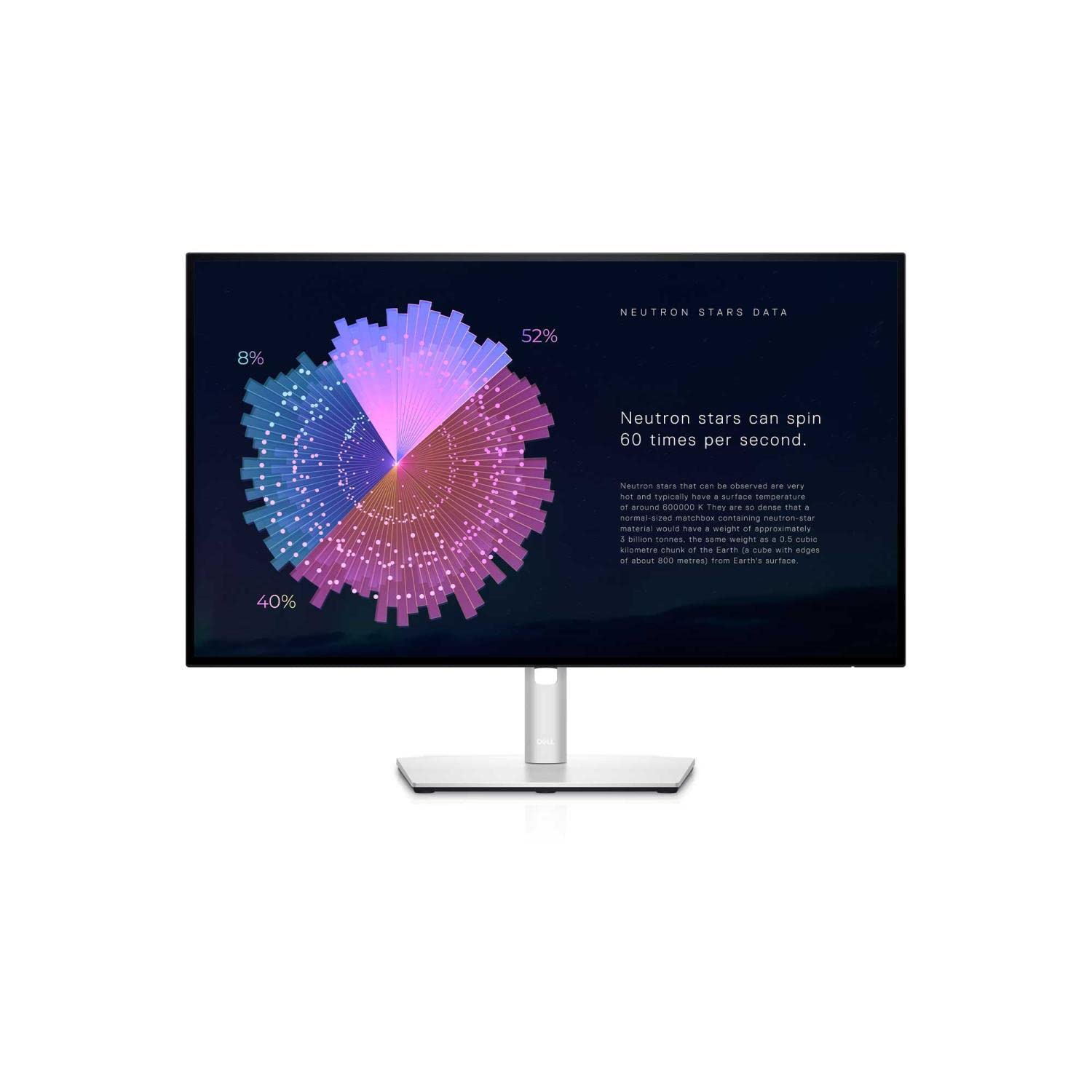
Dell UP2716D UltraSharp 27" IPS LED Monitor
Expect vivid, accurate color precision, ultra-thin bezels and wide colour coverage to suit your professional needs with the Dell U-Series 27” UP2716D monitor with PremierColor. QHD 2560 × 1440 resolution Multiple connectivity ports including HDMI, USB 3.0 and USB 2.0 Seamless connection to other peripherals Ultra-wide 178deg/178deg viewing angle Ultra-thin bezels Immerse yourself in an exceptional visual experience. Revolutionise your viewing experience with the Dell 27” UP2716D, which offers amazingly high colour depth with 1.07 billion colours and QHD resolution. Equipped with Dell’s thinnest bezel width to date, this monitor can be integrated seamlessly into a multi-monitor view.
Expect vivid, accurate color precision, ultra-thin bezels and wide colour coverage to suit your professional needs with the Dell U-Series 27” UP2716D monitor with PremierColor. QHD 2560 × 1440 resolution Multiple connectivity ports including HDMI, USB 3.0 and USB 2.0 Seamless connection to other peripherals Ultra-wide 178deg/178deg viewing angle Ultra-thin bezels Immerse yourself in an exceptional visual experience. Revolutionise your viewing experience with the Dell 27” UP2716D, which offers amazingly high colour depth with 1.07 billion colours and QHD resolution. Equipped with Dell’s thinnest bezel width to date, this monitor can be integrated seamlessly into a multi-monitor view.
Expect vivid, accurate color precision, ultra-thin bezels and wide colour coverage to suit your professional needs with the Dell U-Series 27” UP2716D monitor with PremierColor. QHD 2560 × 1440 resolution Multiple connectivity ports including HDMI, USB 3.0 and USB 2.0 Seamless connection to other peripherals Ultra-wide 178deg/178deg viewing angle Ultra-thin bezels Immerse yourself in an exceptional visual experience. Revolutionise your viewing experience with the Dell 27” UP2716D, which offers amazingly high colour depth with 1.07 billion colours and QHD resolution. Equipped with Dell’s thinnest bezel width to date, this monitor can be integrated seamlessly into a multi-monitor view.
Expect vivid, accurate color precision, ultra-thin bezels and wide colour coverage to suit your professional needs with the Dell U-Series 27” UP2716D monitor with PremierColor. QHD 2560 × 1440 resolution Multiple connectivity ports including HDMI, USB 3.0 and USB 2.0 Seamless connection to other peripherals Ultra-wide 178deg/178deg viewing angle Ultra-thin bezels Immerse yourself in an exceptional visual experience. Revolutionise your viewing experience with the Dell 27” UP2716D, which offers amazingly high colour depth with 1.07 billion colours and QHD resolution. Equipped with Dell’s thinnest bezel width to date, this monitor can be integrated seamlessly into a multi-monitor view.
in 10 offers
The lowest price for Dell UP2716D UltraSharp 27" IPS LED Monitor right now is $299.00 at MegaBuy, compared across 9 retailers.
The all-time low was $261.93 on 18 July 2026 — today's price is 14% above the lowest ever. That's a little above the best price we've seen.
Prices last updated 5 Sept 2026.

