Last updated at 24/08/2026 09:59:28
ASUS ROG Strix 27 QHD (2560x1440) HDR400 USB-C Gaming Monitor (XG27ACS) ROG Ergo Monitor Arm (AAS01)
Delivery between 28 Aug – 1 Sept $35.88
ASUS ROG Strix 27 Inch QHD IPS LED Gaming Monitor, 1MS, 180Hz
Delivery between 27 Aug – 1 Sept $15
Asus Xg27acs Displayer 27"/ 2k/180hz/g-sync/hdr400 / Delivery Fast
Free delivery
Affiliate Disclosure: We may receive a small commission for purchases made through this link at no extra cost to you. This helps support our site. Thank you!
originally posted on asus.com
For quite some time, I was looking for a reasonably sized 4K (3840x2160) OLED monitor to be used for both gaming and productivity. When ASUS announced the 32” ROG PG32UCDM Gaming Monitor, I immediately signed up to be notified when it became available in stock. Unfortunately, as soon as I got an e-mail notification and went to their site, it was already out of stock again. I decided to visit my favorite online retailer, Amazon.com, to see if they were available.I can confidently state without hyperbole that this is the best monitor I've ever used in my lifetime. The blacks are zero-nit infinite blacks, the highlights are brilliant and crisp, the connectivity and feature set are absolutely top notch, and the heft and build quality are really second to none. Used ... MoreFor quite some time, I was looking for a reasonably sized 4K (3840x2160) OLED monitor to be used for both gaming and productivity. When ASUS announced the 32” ROG PG32UCDM Gaming Monitor, I immediately signed up to be notified when it became available in stock. Unfortunately, as soon as I got an e-mail notification and went to their site, it was already out of stock again. I decided to visit my favorite online retailer, Amazon.com, to see if they were available.I can confidently state without hyperbole that this is the best monitor I've ever used in my lifetime. The blacks are zero-nit infinite blacks, the highlights are brilliant and crisp, the connectivity and feature set are absolutely top notch, and the heft and build quality are really second to none. Used for both FPS and MMORPG, as well as business applications (e-mail, web-based work, MS Office apps, etc.), I've never used a monitor with text and graphics that were easier to read with zero eyestrain. I was a bit concerned about the gloss finish of the monitor, having a window right behind me, but even with a black screen I can barely see any reflections from light behind me. It's witchcraft, I swear!I could gush on for a while, but I'll wrap up with a pleasant HDR Windows 11 surprise. Anyone who has enabled HDR on a Windows 10/11 PC has immediately noticed all contrast and colors become muted and dull. Firing up an UHD HDR video on YouTube in full screen looked fantastic, but "regular" Windows was bleached out and mostly unusable. Well, ASUS has a solution for that called "DisplayHDR 400 True Black". When enabled for HDR, almost all the contrast lost by enabling HDR in Windows is restored. Plus, you still get that jaw-dropping stunning "infinite depth" from 4k HDR videos. It's truly the best of both worlds.The ASUS PG32UCDM 32” 4K OLED Gaming Monitor gets my highest recommendations! Buy one now!
originally posted on asus.com
Absolutely, let's refine your review with minimal changes:I spend a lot of time on my PC for various reasons; typical collaborative and productivity work, design work, and of course, gaming. For obvious reasons, I love this monitor. It's bright, sharp, and the colors are amazing. I love the fact that it's got a built-in KVM, which was a deciding factor for me. I often do screen sharing as part of my collaboration work for training, and the ability to use the KVM to divide my screen in half means I can share half my screen as if it was a 27" monitor. No need to change the window I'm sharing.So, yes, spectacular for gaming and videos, but if you want something that is also good for everyday use, this is your beast. And if you’re worried about burn-in, ASUS's OLED ... MoreAbsolutely, let's refine your review with minimal changes:I spend a lot of time on my PC for various reasons; typical collaborative and productivity work, design work, and of course, gaming. For obvious reasons, I love this monitor. It's bright, sharp, and the colors are amazing. I love the fact that it's got a built-in KVM, which was a deciding factor for me. I often do screen sharing as part of my collaboration work for training, and the ability to use the KVM to divide my screen in half means I can share half my screen as if it was a 27" monitor. No need to change the window I'm sharing.So, yes, spectacular for gaming and videos, but if you want something that is also good for everyday use, this is your beast. And if you’re worried about burn-in, ASUS's OLED Care feature should mitigate that risk. Check it out.
originally posted on asus.com
The monitor has everything the reviewers gushed over--beautiful colors--crisp details--quick responses. It was worth the 6-month wait from "release" date. 5 stars so far.And then...I downloaded the user guide from ASUS. It had a lot of information but was missing two basic bits:1. Where are the controls (Close Button, 5-way Button, Power Button)? The user guide points to the power indicator. I pushed it every way I could; nada. I got frustrated and grabbed it between the back and front to push harder on the power indicator. Voila! The controls are BEHIND the power indicator.2. How do you access the various OSD (On-Screen Display) menus? Pressing the 5-way Button brings up the configuration menu. But the user guide is silent when it comes to instructions ... MoreThe monitor has everything the reviewers gushed over--beautiful colors--crisp details--quick responses. It was worth the 6-month wait from "release" date. 5 stars so far.And then...I downloaded the user guide from ASUS. It had a lot of information but was missing two basic bits:1. Where are the controls (Close Button, 5-way Button, Power Button)? The user guide points to the power indicator. I pushed it every way I could; nada. I got frustrated and grabbed it between the back and front to push harder on the power indicator. Voila! The controls are BEHIND the power indicator.2. How do you access the various OSD (On-Screen Display) menus? Pressing the 5-way Button brings up the configuration menu. But the user guide is silent when it comes to instructions about how to get to the other 7 menus. I'm still trying to figure that one out.For such basic information to be missing from the user guide, I suspect that most ASUS monitors operate the same way and the guide writers thought that all gamers were born with knowledge of how to access controls and menus.This is my first gaming monitor. I was definitely not born with operational knowledge. This is sophomoric failure on the part of the user guide writers and checkers. I'm disappointed.1 star for instructions.
| Resolution | 2K |
| Refresh Rate | >165 HZ |
ASUS ROG Strix 27 QHD (2560x1440) HDR400 USB-C Gaming Monitor (XG27ACS) ROG Ergo Monitor Arm (AAS01)
Delivery between 28 Aug – 1 Sept $35.88
ASUS ROG Strix 27 Inch QHD IPS LED Gaming Monitor, 1MS, 180Hz
Delivery between 27 Aug – 1 Sept $15
Asus Xg27acs Displayer 27"/ 2k/180hz/g-sync/hdr400 / Delivery Fast
Free delivery
Affiliate Disclosure: We may receive a small commission for purchases made through this link at no extra cost to you. This helps support our site. Thank you!
For quite some time, I was looking for a reasonably sized 4K (3840x2160) OLED monitor to be used for both gaming and productivity. When ASUS announced the 32” ROG PG32UCDM Gaming Monitor, I immediately signed up to be notified when it became available in stock. Unfortunately, as soon as I got an e-mail notification and went to their site, it was already out of stock again. I decided to visit my favorite online retailer, Amazon.com, to see if they were available.I can confidently state without hyperbole that this is the best monitor I've ever used in my lifetime. The blacks are zero-nit infinite blacks, the highlights are brilliant and crisp, the connectivity and feature set are absolutely top notch, and the heft and build quality are really second to none. Used ... MoreFor quite some time, I was looking for a reasonably sized 4K (3840x2160) OLED monitor to be used for both gaming and productivity. When ASUS announced the 32” ROG PG32UCDM Gaming Monitor, I immediately signed up to be notified when it became available in stock. Unfortunately, as soon as I got an e-mail notification and went to their site, it was already out of stock again. I decided to visit my favorite online retailer, Amazon.com, to see if they were available.I can confidently state without hyperbole that this is the best monitor I've ever used in my lifetime. The blacks are zero-nit infinite blacks, the highlights are brilliant and crisp, the connectivity and feature set are absolutely top notch, and the heft and build quality are really second to none. Used for both FPS and MMORPG, as well as business applications (e-mail, web-based work, MS Office apps, etc.), I've never used a monitor with text and graphics that were easier to read with zero eyestrain. I was a bit concerned about the gloss finish of the monitor, having a window right behind me, but even with a black screen I can barely see any reflections from light behind me. It's witchcraft, I swear!I could gush on for a while, but I'll wrap up with a pleasant HDR Windows 11 surprise. Anyone who has enabled HDR on a Windows 10/11 PC has immediately noticed all contrast and colors become muted and dull. Firing up an UHD HDR video on YouTube in full screen looked fantastic, but "regular" Windows was bleached out and mostly unusable. Well, ASUS has a solution for that called "DisplayHDR 400 True Black". When enabled for HDR, almost all the contrast lost by enabling HDR in Windows is restored. Plus, you still get that jaw-dropping stunning "infinite depth" from 4k HDR videos. It's truly the best of both worlds.The ASUS PG32UCDM 32” 4K OLED Gaming Monitor gets my highest recommendations! Buy one now!
Absolutely, let's refine your review with minimal changes:I spend a lot of time on my PC for various reasons; typical collaborative and productivity work, design work, and of course, gaming. For obvious reasons, I love this monitor. It's bright, sharp, and the colors are amazing. I love the fact that it's got a built-in KVM, which was a deciding factor for me. I often do screen sharing as part of my collaboration work for training, and the ability to use the KVM to divide my screen in half means I can share half my screen as if it was a 27" monitor. No need to change the window I'm sharing.So, yes, spectacular for gaming and videos, but if you want something that is also good for everyday use, this is your beast. And if you’re worried about burn-in, ASUS's OLED ... MoreAbsolutely, let's refine your review with minimal changes:I spend a lot of time on my PC for various reasons; typical collaborative and productivity work, design work, and of course, gaming. For obvious reasons, I love this monitor. It's bright, sharp, and the colors are amazing. I love the fact that it's got a built-in KVM, which was a deciding factor for me. I often do screen sharing as part of my collaboration work for training, and the ability to use the KVM to divide my screen in half means I can share half my screen as if it was a 27" monitor. No need to change the window I'm sharing.So, yes, spectacular for gaming and videos, but if you want something that is also good for everyday use, this is your beast. And if you’re worried about burn-in, ASUS's OLED Care feature should mitigate that risk. Check it out.
The monitor has everything the reviewers gushed over--beautiful colors--crisp details--quick responses. It was worth the 6-month wait from "release" date. 5 stars so far.And then...I downloaded the user guide from ASUS. It had a lot of information but was missing two basic bits:1. Where are the controls (Close Button, 5-way Button, Power Button)? The user guide points to the power indicator. I pushed it every way I could; nada. I got frustrated and grabbed it between the back and front to push harder on the power indicator. Voila! The controls are BEHIND the power indicator.2. How do you access the various OSD (On-Screen Display) menus? Pressing the 5-way Button brings up the configuration menu. But the user guide is silent when it comes to instructions ... MoreThe monitor has everything the reviewers gushed over--beautiful colors--crisp details--quick responses. It was worth the 6-month wait from "release" date. 5 stars so far.And then...I downloaded the user guide from ASUS. It had a lot of information but was missing two basic bits:1. Where are the controls (Close Button, 5-way Button, Power Button)? The user guide points to the power indicator. I pushed it every way I could; nada. I got frustrated and grabbed it between the back and front to push harder on the power indicator. Voila! The controls are BEHIND the power indicator.2. How do you access the various OSD (On-Screen Display) menus? Pressing the 5-way Button brings up the configuration menu. But the user guide is silent when it comes to instructions about how to get to the other 7 menus. I'm still trying to figure that one out.For such basic information to be missing from the user guide, I suspect that most ASUS monitors operate the same way and the guide writers thought that all gamers were born with knowledge of how to access controls and menus.This is my first gaming monitor. I was definitely not born with operational knowledge. This is sophomoric failure on the part of the user guide writers and checkers. I'm disappointed.1 star for instructions.
The Monitor looks great and Dolby Vision makes Movies look fantastic. The reason I'm only giving it three stars is due to the worry about Screen burn-in(Which is a real concern on QD-OLED monitors). Also, price is way too high, and the lack of detailed information on settings in the OSD. First, I had to change my whole windows layout and spent hours researching the best settings to avoid screen burn-in, because I would like to use this monitor for more than gaming. I set my windows background to Black and I also moved Icons off this screen to another screen so the icons don't cause burn-in - this is ridiculous. Basically, this monitor is good for gaming and watching movies, in a dark room and that's it. If you leave anything static on the screen for long periods of ... MoreThe Monitor looks great and Dolby Vision makes Movies look fantastic. The reason I'm only giving it three stars is due to the worry about Screen burn-in(Which is a real concern on QD-OLED monitors). Also, price is way too high, and the lack of detailed information on settings in the OSD. First, I had to change my whole windows layout and spent hours researching the best settings to avoid screen burn-in, because I would like to use this monitor for more than gaming. I set my windows background to Black and I also moved Icons off this screen to another screen so the icons don't cause burn-in - this is ridiculous. Basically, this monitor is good for gaming and watching movies, in a dark room and that's it. If you leave anything static on the screen for long periods of time it can ruin the screen. The Price I paid was $1,299. Not worth it for a monitor that can only be used for gaming and watching movies. As a result, If all you are doing is gaming and watching movies than this is the best monitor in the world. If you want to use it for more... then I suggest you buy an IPS monitor or wait until the technology has improved to the point of solving the burn-in issue. Either way, $1,299 is too high for this monitor even with a three year warranty - under $999 would be more reasonable -
When the ASUS monitor was unveiled at CES 2024, it sparked a wave of excitement that turned into a quest to secure one. The demand was so high that it felt like a part-time job trying to track it down, using notifications, Wishlist, and even bots. After diving deep into reviews, scouring ASUS's website, and combing through Reddit, I was convinced that this OLED monitor was the missing piece in my ASUS Gaming setup.A month later, I was greeted by a beautifully packaged monitor that lived up to ASUS's reputation for top-notch presentation. Opening the box felt like a Christmas morning ritual, complete with every cable imaginable: HDMI Highspeed (ROG branded), DisplayPort, USB A to B, and even Type-C Highspeed making it a breeze to set up without needing additional ... MoreWhen the ASUS monitor was unveiled at CES 2024, it sparked a wave of excitement that turned into a quest to secure one. The demand was so high that it felt like a part-time job trying to track it down, using notifications, Wishlist, and even bots. After diving deep into reviews, scouring ASUS's website, and combing through Reddit, I was convinced that this OLED monitor was the missing piece in my ASUS Gaming setup.A month later, I was greeted by a beautifully packaged monitor that lived up to ASUS's reputation for top-notch presentation. Opening the box felt like a Christmas morning ritual, complete with every cable imaginable: HDMI Highspeed (ROG branded), DisplayPort, USB A to B, and even Type-C Highspeed making it a breeze to set up without needing additional accessories. The inclusion of a ROG carrying bag added a touch of luxury.Now, onto the monitor itself. The color and resolution were stunning, almost to the point of needing to adjust the brightness. The QD-OLED technology truly shines, surpassing W-OLED in color vibrancy. Running it requires a powerful GPUI use a 4090 and achieve around 160fps on max settings in Fortnite, making the 240Hz refresh rate a comfortable fit for future GPU upgrades.Navigating the menu system was straightforward, although a comprehensive FAQ from ASUS on the settings would be a welcome addition for gamers looking to optimize their experience. Overall, I'm enamored with this monitor it's a true work of art in cutting-edge technology that enhances every aspect of gaming. I have to address some reasons why I couldn't give this monitor a perfect rating. These concerns are valid and worth noting. Firstly, the HDR performance is underwhelming. The colors appear washed out, which is disappointing considering the potential of this monitor. When using HDR, it's frustrating that you're restricted to Racing Mode in the color preset settings with no option to change it. Given that this monitor boasts capabilities like 1000 nits brightness and HDR 400, it's crucial for ASUS to clarify the settings' effects and improve color accuracy. Additionally, the absence of Dolby Vision, although acknowledged on the ASUS website as forthcoming, is a notable omission. Beyond that, there's a need for overall HDR color enhancement and clearer guidance on achieving optimal settings for various uses such as desktop work, gaming, or photo editing. These improvements would significantly elevate the monitor's performance and user experience. If Asus fixes this....5 Stars for sure.
I purchased this product with the intention of potentially replacing another light bar. Unfortunately, it falls short of my expectations. I was hoping it would perform at least 80% as well as the other model while adding RGB backlighting to match my other Aura Sync RGB devices.Pros:Aesthetics: While subjective, I find the design to be acceptable.Some Build Quality: The rotation of the lamp within its housing is smooth, and the unit has a reassuring weight, suggesting initial quality.Cable: The included USB Type A to C cable is satisfactory, featuring a braided fabric cover and sufficient length for even the largest monitors.Cons:Fitment Information: Asus does not provide detailed fitment specifications, making it difficult to determine compatibility. ... MoreI purchased this product with the intention of potentially replacing another light bar. Unfortunately, it falls short of my expectations. I was hoping it would perform at least 80% as well as the other model while adding RGB backlighting to match my other Aura Sync RGB devices.Pros:Aesthetics: While subjective, I find the design to be acceptable.Some Build Quality: The rotation of the lamp within its housing is smooth, and the unit has a reassuring weight, suggesting initial quality.Cable: The included USB Type A to C cable is satisfactory, featuring a braided fabric cover and sufficient length for even the largest monitors.Cons:Fitment Information: Asus does not provide detailed fitment specifications, making it difficult to determine compatibility. Despite claims that it “works with both flat and curved monitors of varying thicknesses,” it does not fit my relatively thin, large, curved monitor.Magnetic Buckle: The reversible magnetic buckle is intended to extend the lightbar beyond the curve of a monitor. However, this setup lacks the leverage needed for the counterweight to hold the lightbar in place, regardless of the counterweight dial position. I have included short videos demonstrating the two extreme dial positions.Stability: When the buckle is in the “flat” position, the counterweight can hold the lightbar level. However, the hardware controls (power/RGB on the far right side and brightness/color temperature near the same side) exert significant leverage on the lightbar, causing instability during adjustments. While the power/RGB control feels acceptable if the lightbar were stable, the brightness/color temperature wheel feels cheap, is noisy, and diminishes the overall experience. Additionally, while the wheel slides left and right it can not slide enough to be centered in its cut out, which does not seem intentional and further impacts the perceived quality.Software Issues:Control Software: Asus provides software to control the lightbar, potentially eliminating the need for hardware controls. However, depending on your setup, you may need to use two different pieces of software simultaneously: Armory Crate and DisplayWidget Center. This can be cumbersome.DisplayWidget Center: Although I do not have an Asus monitor, I must use DisplayWidget Center to control functions such as on/off, brightness, temperature, specific RGB controls, and modes. This software does not sync with the hardware controls, leading to abrupt changes when switching between software and hardware adjustments. For example, if you have a warmer color temperature and low brightness set in the software but adjust the brightness manually, the settings will revert to the last hardware configuration, which can be jarring.Armory Crate: This software overrides both hardware and software RGB controls, meaning you cannot use the hardware buttons to control the RGB if Armory Crate has Aura Sync set to on for the Lightbar. You cannot even turn the RGB on/off via hardware controls, with Aura Sync on, without resetting the lightbar. Armory Crate only enables Aura Sync and does not allow adjustments to other settings. Therefore, if you want to use Aura Sync, you must rely on the Armory Crate for RGB control and cannot use hardware controls for other functions like on/off. Additionally, while any hardware or software changes between DisplayWidget Center and the hardware controls will override each other, Armory Crate’s Aura Sync will always override both hardware and DisplayWidget Center controls when it’s enabled.Maybe this setup is acceptable for some users, but for me, it is quite inconvenient. I would prefer a single piece of software to control everything, with seamless integration between software and hardware. Adjusting brightness should not alter the color temperature just because it was different the last time I used that interface. Running two different pieces of software to get the most out of one product is not ideal.As I mentioned initially, I hoped this product would perform at least 80% as well as my old lightbar in terms of light output, brightness, cutoff, and smoothness. I wouldn’t even rate it at 65%.Color Temperature Range: The total range is comparable to the Halo, with extremes beyond what I would typically use.Light Smoothness: The light smoothness is about 50% of my old light bar. The light is not as smooth, especially at settings other than the most extreme ends of the color temperature spectrum. It is evident that the light is produced by LEDs of different colors rather than appearing as a single, uniform color. There are visible bands of different colors.Brightness: It is difficult to measure brightness accurately without proper equipment. It seems similar to my old light bar but different in distribution. It’s akin to comparing two flashlights with similar brightness but different beam patterns—one being a tight, concentrated beam and the other more diffuse and spread out. The Asus Lightbar may be close in brightness but differs in its light distribution. The light seemed uneven, creating more shadows and reducing the “effective” brightness. It felt like the Asus lightbar needed to be at 100% to achieve the same effectiveness that my old lightbar can at 50%, even if their total light output at 100% is similar.RGB Backlighting: I was particularly disappointed with the RGB backlighting. The controls in DisplayWidget Center are extremely limited compared to most RGB software. I expected the RGB to be 40-60% as bright as the rear (white variable color temp only) light bar, but it is not even 10%. The RGB brightness is abysmal, and you basically need to look directly at the lights to see them. The colors are barely visible in reflection, even off a white wall, unless the room is extremely dark. Additionally, the color changes were not smooth, and an unrelated color was introduced between cycles, matching poorly with my Aura Sync Effect.I expected this Asus Lightbar to be inferior to my old one, but I was willing to make some sacrifices for Aura Sync RGB. Unfortunately, the Asus Lightbar did not meet my expectations in terms of fit, build quality, software integration, or light output. I really wanted to like this Lightbar, but I don’t. It simply did not offset the sacrifices I was willing to make.
I’ll try to make this as short as simple as I can, I recently came from an ‘42inch LG C2 OLED and I had a Alienware 3423DWF QD-Oled as a monitor, after receiving the PG32UCDM I can state that the colors on this monitor are vivid, very color accurate, and matches every little detail that I’ve seen from other people who have purchased and reviewed this monitor. I have a RTX 4090 so I can’t speak to how this performs with other GPUs but it runs like a charm for me. NOW the downsides.HDR is a sack of potatoes that is holding this monitor down, absolutely horrid colors and brightness. I wouldn’t even bother turning it on. Not to say games don’t look good but it’s 10x better in SDR.My advice for people looking to buy this monitor, GO FOR IT. But if you have a LG C2 - ... MoreI’ll try to make this as short as simple as I can, I recently came from an ‘42inch LG C2 OLED and I had a Alienware 3423DWF QD-Oled as a monitor, after receiving the PG32UCDM I can state that the colors on this monitor are vivid, very color accurate, and matches every little detail that I’ve seen from other people who have purchased and reviewed this monitor. I have a RTX 4090 so I can’t speak to how this performs with other GPUs but it runs like a charm for me. NOW the downsides.HDR is a sack of potatoes that is holding this monitor down, absolutely horrid colors and brightness. I wouldn’t even bother turning it on. Not to say games don’t look good but it’s 10x better in SDR.My advice for people looking to buy this monitor, GO FOR IT. But if you have a LG C2 - C3 or a new C4 then just keep what you got, your not getting nothing that’s gonna wow you and personally I do prefer the C2 just because the HDR was mind blowing when playing single player games and COD. Other than that, I love the details and quality on this monitor and 240hz is a major advantage if you got the hardware to run it.
I wanted a larger screen from the ASUS TUF Gaming VG259QR 25" (24.5" Viewable) IPS Monitor, 1080P FHD 165Hz which was great on my ROG Crosshair VIII Dark Hero, AMD Ryzen 9 5950X setup.I took a chance on this ASUS ROG Strix ROG Strix XG32AQ 32” QHD Fast IPS, 175Hz (OC) Gaming Monitor specs and I wasn't disappointed.This thing is as beautiful yet faster and huge in comparison! The stand has a convenient cable hiding pass-through and is pretty hefty, (it alone weighs more than some of my entire older monitors}. The monitor has a 100 x 100 VESA Compatible for wall or stand mountable setup.It has a USB 3.0 to PC with 2 USB 3.0 outputs which make it easy to connect other peripherals and comes complete with Power adapter, Power cord, Display Port cable, HDMI cable, ... MoreI wanted a larger screen from the ASUS TUF Gaming VG259QR 25" (24.5" Viewable) IPS Monitor, 1080P FHD 165Hz which was great on my ROG Crosshair VIII Dark Hero, AMD Ryzen 9 5950X setup.I took a chance on this ASUS ROG Strix ROG Strix XG32AQ 32” QHD Fast IPS, 175Hz (OC) Gaming Monitor specs and I wasn't disappointed.This thing is as beautiful yet faster and huge in comparison! The stand has a convenient cable hiding pass-through and is pretty hefty, (it alone weighs more than some of my entire older monitors}. The monitor has a 100 x 100 VESA Compatible for wall or stand mountable setup.It has a USB 3.0 to PC with 2 USB 3.0 outputs which make it easy to connect other peripherals and comes complete with Power adapter, Power cord, Display Port cable, HDMI cable, USB cable, Warranty Card, QSG, Calibration report, ROG sticker, ROG pouch, and Wall-Mount Spacer Screws.The QSD control buttons and joystick on the lower right-hand corner are very easy to reach and simple to use.This is a feature rich, “Game Visual” screen setting monster, the best I’ve ever owned!I definitely recommend this monitor; try it you’ll like it too!
Absolutely loving it - really easy to set up, initial settings look great (and better still after using Nvidia settings), working perfectly for both gaming and productivity. The OSD is excellent and easy to use with the remote. A tip - I had to install the Asus drivers to get my PC to recognise that the monitor has HDR capability.Negatives? Well, there are some very minor ones, none remotely deal breakers though. The sound quality clearly assumes you have some other speakers, as it's not great. But I do have other speakers, so I'm happy not to have paid extra for speakers I had no intention of using.I'm having to find a workaround to get it on my existing Vesa arm-mount, as the screws that fit the monitor are too wide for my mount (I have some thread inserts on ... MoreAbsolutely loving it - really easy to set up, initial settings look great (and better still after using Nvidia settings), working perfectly for both gaming and productivity. The OSD is excellent and easy to use with the remote. A tip - I had to install the Asus drivers to get my PC to recognise that the monitor has HDR capability.Negatives? Well, there are some very minor ones, none remotely deal breakers though. The sound quality clearly assumes you have some other speakers, as it's not great. But I do have other speakers, so I'm happy not to have paid extra for speakers I had no intention of using.I'm having to find a workaround to get it on my existing Vesa arm-mount, as the screws that fit the monitor are too wide for my mount (I have some thread inserts on the way). And finally, while the continental kettle plug is right angled, the UK one is straight, which means the lead when plugged in is clearly visible to the left of the screen, so I've ordered a 'left angled' kettle plug.None of which detracts from my enjoyment of a superb monitor that I don't expect to be replacing for many years. If you are thinking of buying, do.
I've owned the XG27ACS over 2 weeks and I am very satisfied with the it. No dead pixels, no noticeable backlight bleed.The sRGB mode looks very accurate and vibrant without being oversaturated. But you can switch to a variety of differentmodes for super brilliant looking colors that are perfect for gaming.I tested it on the Lagom and Eizo test pages. It did great, I couldn't improve it. It really has been factory calibrated.It has high brightness, so I turned it down to 15. It's perfect at night with bias lighting behind it.I've been going on Wallhaven.cc and I literally spent hours downloading over 500+ 1440p wallpapers. I set them toa one minute shuffle for my screensaver, so I'm constantly being surprised by this screen's beauty.I have 20/20 vision ... MoreI've owned the XG27ACS over 2 weeks and I am very satisfied with the it. No dead pixels, no noticeable backlight bleed.The sRGB mode looks very accurate and vibrant without being oversaturated. But you can switch to a variety of differentmodes for super brilliant looking colors that are perfect for gaming.I tested it on the Lagom and Eizo test pages. It did great, I couldn't improve it. It really has been factory calibrated.It has high brightness, so I turned it down to 15. It's perfect at night with bias lighting behind it.I've been going on Wallhaven.cc and I literally spent hours downloading over 500+ 1440p wallpapers. I set them toa one minute shuffle for my screensaver, so I'm constantly being surprised by this screen's beauty.I have 20/20 vision and I sit 2 1/2 feet from the monitor, text looks clear. I've had no eye strain.The build quality is very good, the hydraulic stand let's me make small adjustments. It's stable and doesn't shake. The buttons and joystick feel good with precise clicks.I researched a lot of 1440p monitors, and for $300 it can't be beat. Also the 3 year warranty tells me ASUS expects it to last.
| Resolution | 2K |
| Refresh Rate | >165 HZ |
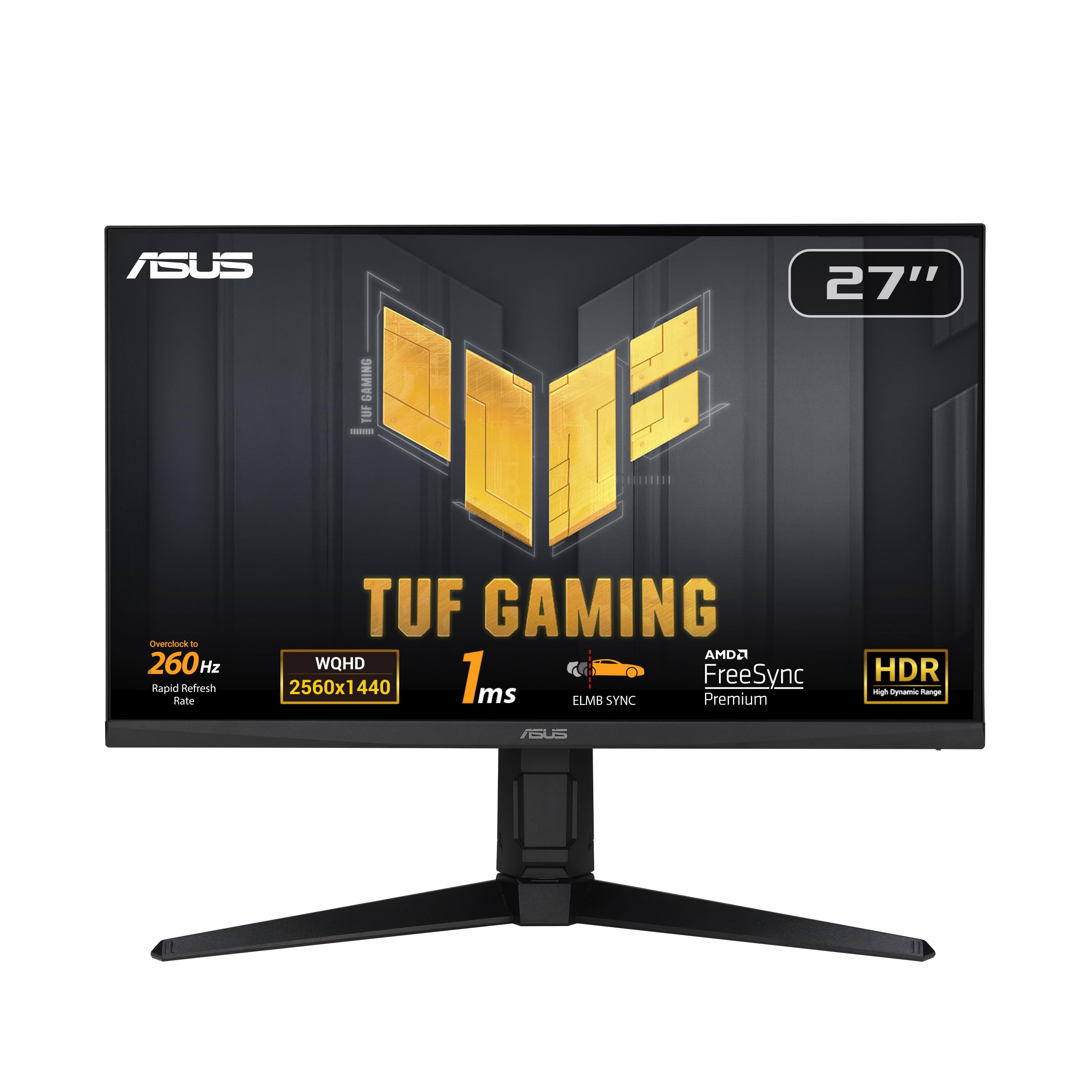
Gaming Monitor Asus ROG Strix XG27ACS 27" 180 Hz Quad HD
ASUS Fast IPS technology enables a 1ms response time (GTG) for sharp gaming visuals with high frame rates. ASUS Extreme Low Motion Blur Sync (ELMB SYNC) technology enables ELMB together with variable refresh rate, eliminating ghosting and tearing for sharp gaming visuals with high frame rates. DisplayWidget Center enables easy OSD access and monitor settings adjustments with a mouse. USB Type-C hub supports video transmission in DisplayPort signal; can serve as a USB hub, meaning that you can connect your device to your wired peripherals with clutter-free set-up.
ASUS Fast IPS technology enables a 1ms response time (GTG) for sharp gaming visuals with high frame rates. ASUS Extreme Low Motion Blur Sync (ELMB SYNC) technology enables ELMB together with variable refresh rate, eliminating ghosting and tearing for sharp gaming visuals with high frame rates. DisplayWidget Center enables easy OSD access and monitor settings adjustments with a mouse. USB Type-C hub supports video transmission in DisplayPort signal; can serve as a USB hub, meaning that you can connect your device to your wired peripherals with clutter-free set-up.
ASUS Fast IPS technology enables a 1ms response time (GTG) for sharp gaming visuals with high frame rates. ASUS Extreme Low Motion Blur Sync (ELMB SYNC) technology enables ELMB together with variable refresh rate, eliminating ghosting and tearing for sharp gaming visuals with high frame rates. DisplayWidget Center enables easy OSD access and monitor settings adjustments with a mouse. USB Type-C hub supports video transmission in DisplayPort signal; can serve as a USB hub, meaning that you can connect your device to your wired peripherals with clutter-free set-up.
ASUS Fast IPS technology enables a 1ms response time (GTG) for sharp gaming visuals with high frame rates. ASUS Extreme Low Motion Blur Sync (ELMB SYNC) technology enables ELMB together with variable refresh rate, eliminating ghosting and tearing for sharp gaming visuals with high frame rates. DisplayWidget Center enables easy OSD access and monitor settings adjustments with a mouse. USB Type-C hub supports video transmission in DisplayPort signal; can serve as a USB hub, meaning that you can connect your device to your wired peripherals with clutter-free set-up.
in 4 offers
The lowest price for Gaming Monitor Asus ROG Strix XG27ACS 27" 180 Hz Quad HD right now is $407.00 at Ubuy Australia, compared across 3 retailers.
The all-time low was $290.50 on 21 Mar 2026 — today's price is 40% above the lowest ever. It has been notably cheaper before — worth setting a price alert.
Prices last updated 24 Aug 2026.

