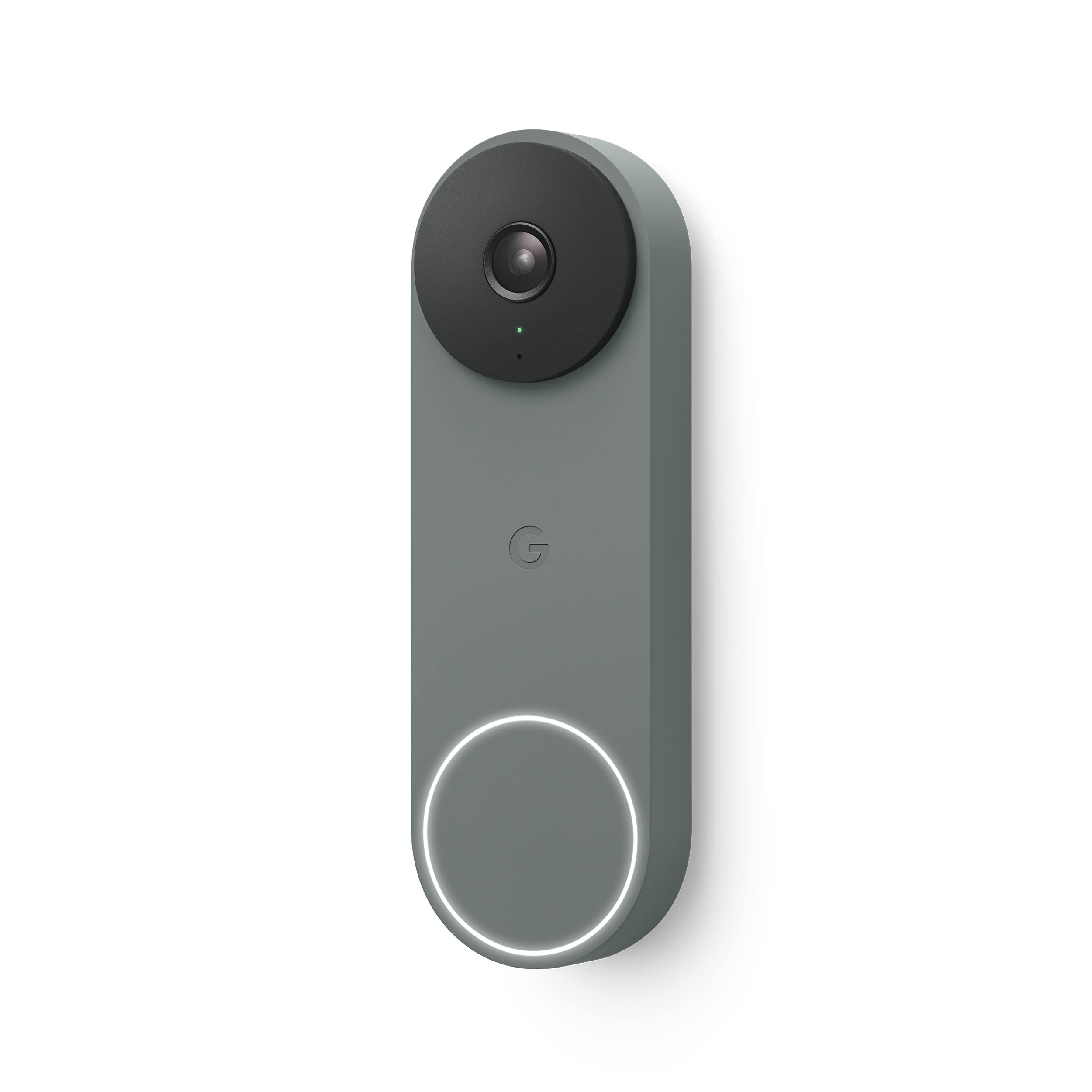
Google Nest Doorbell
Smart motion detection See who's at your door any time of day with the Google Nest Doorbell. Capable of 24/7 streaming, it sends an alert to your smart devices when someone presses the doorbell. HD video streaming Thanks to HD video with HDR and night vision, the Nest Doorbell delivers bright, crisp images to your smartphone. Using the Google Home app, you can see whoever is at your door from head to toe. Two-way audio You can communicate easily with anybody at your door from wherever you are. Two-way audio makes it possible to have a conversation, or you can simply choose from a list of quick responses in the app to play a pre-recorded message to the visitor. Battery powered The Nest Doorbell's battery-powered design makes it ideal for almost every home. If you want an audible chime you have the choice of pairing it with the Nest Mini, or connecting it to your existing wired doorbell. Google Assistant 'Hey Google, show me the front door camera.' The Nest Doorbell is works with Google Home devices, so you can view your camera on your smart display or Chromecast-enabled TV.
Smart motion detection See who's at your door any time of day with the Google Nest Doorbell. Capable of 24/7 streaming, it sends an alert to your smart devices when someone presses the doorbell. HD video streaming Thanks to HD video with HDR and night vision, the Nest Doorbell delivers bright, crisp images to your smartphone. Using the Google Home app, you can see whoever is at your door from head to toe. Two-way audio You can communicate easily with anybody at your door from wherever you are. Two-way audio makes it possible to have a conversation, or you can simply choose from a list of quick responses in the app to play a pre-recorded message to the visitor. Battery powered The Nest Doorbell's battery-powered design makes it ideal for almost every home. If you want an audible chime you have the choice of pairing it with the Nest Mini, or connecting it to your existing wired doorbell. Google Assistant 'Hey Google, show me the front door camera.' The Nest Doorbell is works with Google Home devices, so you can view your camera on your smart display or Chromecast-enabled TV.
Smart motion detection See who's at your door any time of day with the Google Nest Doorbell. Capable of 24/7 streaming, it sends an alert to your smart devices when someone presses the doorbell. HD video streaming Thanks to HD video with HDR and night vision, the Nest Doorbell delivers bright, crisp images to your smartphone. Using the Google Home app, you can see whoever is at your door from head to toe. Two-way audio You can communicate easily with anybody at your door from wherever you are. Two-way audio makes it possible to have a conversation, or you can simply choose from a list of quick responses in the app to play a pre-recorded message to the visitor. Battery powered The Nest Doorbell's battery-powered design makes it ideal for almost every home. If you want an audible chime you have the choice of pairing it with the Nest Mini, or connecting it to your existing wired doorbell. Google Assistant 'Hey Google, show me the front door camera.' The Nest Doorbell is works with Google Home devices, so you can view your camera on your smart display or Chromecast-enabled TV.
Smart motion detection See who's at your door any time of day with the Google Nest Doorbell. Capable of 24/7 streaming, it sends an alert to your smart devices when someone presses the doorbell. HD video streaming Thanks to HD video with HDR and night vision, the Nest Doorbell delivers bright, crisp images to your smartphone. Using the Google Home app, you can see whoever is at your door from head to toe. Two-way audio You can communicate easily with anybody at your door from wherever you are. Two-way audio makes it possible to have a conversation, or you can simply choose from a list of quick responses in the app to play a pre-recorded message to the visitor. Battery powered The Nest Doorbell's battery-powered design makes it ideal for almost every home. If you want an audible chime you have the choice of pairing it with the Nest Mini, or connecting it to your existing wired doorbell. Google Assistant 'Hey Google, show me the front door camera.' The Nest Doorbell is works with Google Home devices, so you can view your camera on your smart display or Chromecast-enabled TV.
in 3 offers
The lowest price for Google Nest Doorbell right now is $247.00 at Turf Group Australia, compared across 3 retailers.
The all-time low was $75.27 on 24 May 2026 — today's price is 228% above the lowest ever. It has been notably cheaper before — worth setting a price alert.
Prices last updated 21 Sept 2026.
Last updated at 21/09/2026 22:19:09
Google GWX3T Nest Doorbell Battery Video, Snow
Affiliate Disclosure: We may receive a small commission for purchases made through this link at no extra cost to you. This helps support our site. Thank you!
Smart Accessories Google Nest Doorbell
Google Nest Doorbell [Reward Point Redemption Only]
Delivery between 28–30 Sept $9.95
originally posted on bestbuy.com
Google battery operated doorbell is a wonderful upgrade from its leading competitive brand and to its successor model of Nest hello. New slim design is very attractive with more color options and multiple installation options (hardwire, battery) for many use case scenarios. It does have 3 hours of cloud storage for free without the need to subscribe to Nest aware. There are few cons compared to its previous wired Nest hello model.What is the box: Google doorbell, USB C cable, hardware kit (2 wedge screws, 2 wall screws, 2 wall anchors, wire connectors, eject release tool), doorbell bracket and angle wedge.Setup and Installation: Very simple setup like previous gen but this one only works with Google home app and doesn’t support Nest native app. I have couple of ... MoreGoogle battery operated doorbell is a wonderful upgrade from its leading competitive brand and to its successor model of Nest hello. New slim design is very attractive with more color options and multiple installation options (hardwire, battery) for many use case scenarios. It does have 3 hours of cloud storage for free without the need to subscribe to Nest aware. There are few cons compared to its previous wired Nest hello model.What is the box: Google doorbell, USB C cable, hardware kit (2 wedge screws, 2 wall screws, 2 wall anchors, wire connectors, eject release tool), doorbell bracket and angle wedge.Setup and Installation: Very simple setup like previous gen but this one only works with Google home app and doesn’t support Nest native app. I have couple of nest cameras, 9 nest protect (smoke detector), Yale lock and have not migrated yet to google home since it doesn’t support the nest protect and now, I need 2 applications to monitor.Just download the google home app, charge the doorbell by connecting to power source using the included cable and just follow the instructions on the app to complete the setup. Since I had nest connect it automatically connected to my network without the need of entering any passwords.Once the setup is complete, you have the option to choose your installation method. This doorbell supports hardwire (using your existing doorbell wiring and transformer), rechargeable battery powered or connecting to indoor power adapter. If you don’t plan to hardwire using your existing doorbell wiring, you would need Nest smart display or Nest Speaker for Chime sound when someone rings the doorbell.Video and Audio Quality: This doorbell records in 960 X 1280 resolution that captures up to 30 frames per second with 3:4 aspect ratio compared to Nest Hello that records at 1080P and more digital zoom. Field of view is only 145 degrees compared to 160 degrees on Nest hello. Audio is very clear and have no trouble even when installed with battery. Speaker and microphone are great on two-way audio and is very clear and crisp with no major delays.It works great with the new smart displays (Nest hub max & 2nd gen Nest hub). When someone rings the doorbell, it automatically shows the live view of the door, and the communication starts without any lag on battery and announces or chimes right away. Very impressive for battery powered compared to battery powered on competitive devices.It does have the same activity zones setup where you can setup for motion monitoring and recording. You need to select and highlight areas of your choice where you need the motion to be picked, notified, and recorded. This way you can save battery from unnecessary motion recordings. Like previous Nest hello this does support the AI (artificial intelligence) based object recognition to detect if the motion is due to people, dogs, cat, packages, vehicles and so on.One of the major advantages compared to previous gen is, without any subscriptions you get free three-hour cloud storage of video feeds. It does come with a free 30-day trial for Nest aware to try for free if it’s worth subscribing to and make informed decision. Also, this doorbell records and stores up to 1 hour of video feeds locally in the event of internet outage or power failure and upload once the power or internet is restored.Pros: Versatile design, AI-based recognition, multiple installation options, responsive live feeds (on battery powered), Free 3-hour cloud storage, Easy installation, Local storage when WIFI lost, Familiar face alerts, multiple colors to choose from (Snow, Ivy, Ash, Linen)Cons: No 24/7 recording even if hardwired, big form factor (6.3-inch x 1.8 inch), Works only with google home app and not Nest app, No support to other smart home ecosystems (echo devices or apple devices).Bottom-line: If you are looking for affordable battery powered(recharge) doorbell with multiple installation option for future use and AI smart notifications that integrates well with your smart displays then this is the device without any second thought.
originally posted on bestbuy.com
I love this battery doorbell. For one, I love that it doesn’t record 24/7…yes I’m the oddball who sees that s as a benefit. I actually prefer this because of the amount of bandwidth that 24 hour recording and uploading to the cloud takes. At one point I had 4 Nest flood light cams and the Nest wired doorbell version. Long story short, between my old WiFi based smart lights (Lifx) and the security cameras, my WiFi literally slowed to a snail’s pace. So I ended up getting rid of everything-including the wired doorbell and switched to this one. I switched to new smart lighting (you know the expensive one that requires a hub and uses the Zigbee protocol?).Just like the wired version-it has been very reliable-and I get very few false alarms.I use the Starling hub and ... MoreI love this battery doorbell. For one, I love that it doesn’t record 24/7…yes I’m the oddball who sees that s as a benefit. I actually prefer this because of the amount of bandwidth that 24 hour recording and uploading to the cloud takes. At one point I had 4 Nest flood light cams and the Nest wired doorbell version. Long story short, between my old WiFi based smart lights (Lifx) and the security cameras, my WiFi literally slowed to a snail’s pace. So I ended up getting rid of everything-including the wired doorbell and switched to this one. I switched to new smart lighting (you know the expensive one that requires a hub and uses the Zigbee protocol?).Just like the wired version-it has been very reliable-and I get very few false alarms.I use the Starling hub and can seamlessly access the doorbell using HomeKit with a few limitations. Maybe one day it’ll be Matter certified . So now between my HomePods and my google hubs, my doorbell rings all over the house!I replaced my security cameras with another brand that requires a home base, but has a built in solar panel.My only drawback with Google nest doorbells are that they still uses WiFi, but I’m getting blazing speeds since trashing a lot of old WiFi hogs in my house.
originally posted on bestbuy.com
The doorbell works well, the camera quality is on par with most, the ability to detect animals, packages, people, etc. is wonderful. It is sleek and stylish. My ONLY major gripe is that I bought the battery version thinking it would be useful to have a battery backup in case of a power outage (which happens frequently in my neighborhood). I was so wrong. I knew going into buying this that it will need to use the battery in order to operate. While it does let you hardwire the doorbell, the wiring only charges the battery and still uses battery power to operate. But it will not charge if temps are below freezing. And if temps are low (but not freezing) it will charge very, very slowly. I figured it would be no problem because in Connecticut I dont mind having to take ... MoreThe doorbell works well, the camera quality is on par with most, the ability to detect animals, packages, people, etc. is wonderful. It is sleek and stylish. My ONLY major gripe is that I bought the battery version thinking it would be useful to have a battery backup in case of a power outage (which happens frequently in my neighborhood). I was so wrong. I knew going into buying this that it will need to use the battery in order to operate. While it does let you hardwire the doorbell, the wiring only charges the battery and still uses battery power to operate. But it will not charge if temps are below freezing. And if temps are low (but not freezing) it will charge very, very slowly. I figured it would be no problem because in Connecticut I dont mind having to take the doorbell off to charge it once during the Winter. But my doorbell died within the first few weeks and after I tried to charge it, the hard woring stopped working entirely and now my doorbell is idle in perpetuity. Very frustrating experience. I wish I could return this product and buy the wired version instead. Everything else about this doorbell is easy and works as advertised.

Google GWX3T Nest Doorbell Battery Video, Snow
Affiliate Disclosure: We may receive a small commission for purchases made through this link at no extra cost to you. This helps support our site. Thank you!
Smart Accessories Google Nest Doorbell
Google Nest Doorbell [Reward Point Redemption Only]
Delivery between 28–30 Sept $9.95
Google battery operated doorbell is a wonderful upgrade from its leading competitive brand and to its successor model of Nest hello. New slim design is very attractive with more color options and multiple installation options (hardwire, battery) for many use case scenarios. It does have 3 hours of cloud storage for free without the need to subscribe to Nest aware. There are few cons compared to its previous wired Nest hello model.What is the box: Google doorbell, USB C cable, hardware kit (2 wedge screws, 2 wall screws, 2 wall anchors, wire connectors, eject release tool), doorbell bracket and angle wedge.Setup and Installation: Very simple setup like previous gen but this one only works with Google home app and doesn’t support Nest native app. I have couple of ... MoreGoogle battery operated doorbell is a wonderful upgrade from its leading competitive brand and to its successor model of Nest hello. New slim design is very attractive with more color options and multiple installation options (hardwire, battery) for many use case scenarios. It does have 3 hours of cloud storage for free without the need to subscribe to Nest aware. There are few cons compared to its previous wired Nest hello model.What is the box: Google doorbell, USB C cable, hardware kit (2 wedge screws, 2 wall screws, 2 wall anchors, wire connectors, eject release tool), doorbell bracket and angle wedge.Setup and Installation: Very simple setup like previous gen but this one only works with Google home app and doesn’t support Nest native app. I have couple of nest cameras, 9 nest protect (smoke detector), Yale lock and have not migrated yet to google home since it doesn’t support the nest protect and now, I need 2 applications to monitor.Just download the google home app, charge the doorbell by connecting to power source using the included cable and just follow the instructions on the app to complete the setup. Since I had nest connect it automatically connected to my network without the need of entering any passwords.Once the setup is complete, you have the option to choose your installation method. This doorbell supports hardwire (using your existing doorbell wiring and transformer), rechargeable battery powered or connecting to indoor power adapter. If you don’t plan to hardwire using your existing doorbell wiring, you would need Nest smart display or Nest Speaker for Chime sound when someone rings the doorbell.Video and Audio Quality: This doorbell records in 960 X 1280 resolution that captures up to 30 frames per second with 3:4 aspect ratio compared to Nest Hello that records at 1080P and more digital zoom. Field of view is only 145 degrees compared to 160 degrees on Nest hello. Audio is very clear and have no trouble even when installed with battery. Speaker and microphone are great on two-way audio and is very clear and crisp with no major delays.It works great with the new smart displays (Nest hub max & 2nd gen Nest hub). When someone rings the doorbell, it automatically shows the live view of the door, and the communication starts without any lag on battery and announces or chimes right away. Very impressive for battery powered compared to battery powered on competitive devices.It does have the same activity zones setup where you can setup for motion monitoring and recording. You need to select and highlight areas of your choice where you need the motion to be picked, notified, and recorded. This way you can save battery from unnecessary motion recordings. Like previous Nest hello this does support the AI (artificial intelligence) based object recognition to detect if the motion is due to people, dogs, cat, packages, vehicles and so on.One of the major advantages compared to previous gen is, without any subscriptions you get free three-hour cloud storage of video feeds. It does come with a free 30-day trial for Nest aware to try for free if it’s worth subscribing to and make informed decision. Also, this doorbell records and stores up to 1 hour of video feeds locally in the event of internet outage or power failure and upload once the power or internet is restored.Pros: Versatile design, AI-based recognition, multiple installation options, responsive live feeds (on battery powered), Free 3-hour cloud storage, Easy installation, Local storage when WIFI lost, Familiar face alerts, multiple colors to choose from (Snow, Ivy, Ash, Linen)Cons: No 24/7 recording even if hardwired, big form factor (6.3-inch x 1.8 inch), Works only with google home app and not Nest app, No support to other smart home ecosystems (echo devices or apple devices).Bottom-line: If you are looking for affordable battery powered(recharge) doorbell with multiple installation option for future use and AI smart notifications that integrates well with your smart displays then this is the device without any second thought.
I love this battery doorbell. For one, I love that it doesn’t record 24/7…yes I’m the oddball who sees that s as a benefit. I actually prefer this because of the amount of bandwidth that 24 hour recording and uploading to the cloud takes. At one point I had 4 Nest flood light cams and the Nest wired doorbell version. Long story short, between my old WiFi based smart lights (Lifx) and the security cameras, my WiFi literally slowed to a snail’s pace. So I ended up getting rid of everything-including the wired doorbell and switched to this one. I switched to new smart lighting (you know the expensive one that requires a hub and uses the Zigbee protocol?).Just like the wired version-it has been very reliable-and I get very few false alarms.I use the Starling hub and ... MoreI love this battery doorbell. For one, I love that it doesn’t record 24/7…yes I’m the oddball who sees that s as a benefit. I actually prefer this because of the amount of bandwidth that 24 hour recording and uploading to the cloud takes. At one point I had 4 Nest flood light cams and the Nest wired doorbell version. Long story short, between my old WiFi based smart lights (Lifx) and the security cameras, my WiFi literally slowed to a snail’s pace. So I ended up getting rid of everything-including the wired doorbell and switched to this one. I switched to new smart lighting (you know the expensive one that requires a hub and uses the Zigbee protocol?).Just like the wired version-it has been very reliable-and I get very few false alarms.I use the Starling hub and can seamlessly access the doorbell using HomeKit with a few limitations. Maybe one day it’ll be Matter certified . So now between my HomePods and my google hubs, my doorbell rings all over the house!I replaced my security cameras with another brand that requires a home base, but has a built in solar panel.My only drawback with Google nest doorbells are that they still uses WiFi, but I’m getting blazing speeds since trashing a lot of old WiFi hogs in my house.
The doorbell works well, the camera quality is on par with most, the ability to detect animals, packages, people, etc. is wonderful. It is sleek and stylish. My ONLY major gripe is that I bought the battery version thinking it would be useful to have a battery backup in case of a power outage (which happens frequently in my neighborhood). I was so wrong. I knew going into buying this that it will need to use the battery in order to operate. While it does let you hardwire the doorbell, the wiring only charges the battery and still uses battery power to operate. But it will not charge if temps are below freezing. And if temps are low (but not freezing) it will charge very, very slowly. I figured it would be no problem because in Connecticut I dont mind having to take ... MoreThe doorbell works well, the camera quality is on par with most, the ability to detect animals, packages, people, etc. is wonderful. It is sleek and stylish. My ONLY major gripe is that I bought the battery version thinking it would be useful to have a battery backup in case of a power outage (which happens frequently in my neighborhood). I was so wrong. I knew going into buying this that it will need to use the battery in order to operate. While it does let you hardwire the doorbell, the wiring only charges the battery and still uses battery power to operate. But it will not charge if temps are below freezing. And if temps are low (but not freezing) it will charge very, very slowly. I figured it would be no problem because in Connecticut I dont mind having to take the doorbell off to charge it once during the Winter. But my doorbell died within the first few weeks and after I tried to charge it, the hard woring stopped working entirely and now my doorbell is idle in perpetuity. Very frustrating experience. I wish I could return this product and buy the wired version instead. Everything else about this doorbell is easy and works as advertised.
Like many people over the last couple of years, I've found that I've been ordering a lot more stuff online than I used to. Thing is that getting to my front door isn't always the easiest thing to do, particularly with large items. As such I've been experimenting with having packages delivered to my garage instead, which is located at street level and has smart features that allow it to be opened up and closed for deliveries... provided I know that someone's there. With only one delivery service having a system set up to open the door on their own putting a doorbell down there has been on my todo list for a while, but never ended up happening because it would require running a lot of new wire that I really did not want to run.The Nest battery powered doorbell was ... MoreLike many people over the last couple of years, I've found that I've been ordering a lot more stuff online than I used to. Thing is that getting to my front door isn't always the easiest thing to do, particularly with large items. As such I've been experimenting with having packages delivered to my garage instead, which is located at street level and has smart features that allow it to be opened up and closed for deliveries... provided I know that someone's there. With only one delivery service having a system set up to open the door on their own putting a doorbell down there has been on my todo list for a while, but never ended up happening because it would require running a lot of new wire that I really did not want to run.The Nest battery powered doorbell was the perfect solution to my general laziness and dislike of masonry drills. It took me about five minutes and four screws to have it perfectly mounted by the garage door so cleanly you'd think it was always there. Using the included 20 degree wedge I get a great view of the approach to the garage and the driveway, notifications of deliveries (that can even spot packages left on the ground if the delivery person doesn't give me a chance to open the door!) and a pretty decent two way intercom to let them know to leave the box inside. Best part is that if I do ever decide that I'm getting tired of taking it down to recharge the battery, the option to wire it in to a conventional doorbell system is still there!Integration with the Google Home ecosystem was about as painless as you would expect, and I've found it works great with both Google's own smart speakers/displays and third party ones from Lenovo and Sony. The AI responsible for recognizing faces and boxes is pretty sharp, almost to an excessive degree in fact. The first day I had it up it sent out a few alerts for people it spotted in cars driving past in the street, though fortunately this was easily fixed by adding an activity zone to narrow its scope a bit. The only thing I'd mark it down for is that if you want to unlock the full smarts off the AI which includes things like telling you the name of the person who just showed up at the door or acting as a basic home security system you'll need to pay extra for it. I did sign up for a 30-day trial just to see how well those advanced features work and found that he friendly face recognition works very reliably once it's dialed in, though it seems to take quite a few exposures before it prompts you to identify someone. I'd half expected it to use the same library of familiar faces it's generated for my Google Photos account, but I guess that Nest is trying to keep the data it gathers a bit more segregated than that. I can definitely see myself missing the premium offerings a little once my trial expires, mostly just because it's kind of fun making my friends think I have ESP by having the door open on their approach while the doorbell welcomes them Wizard of Oz style, but the basic features seem adequate for me.Ultimately there are really only two possible issues I'd call out, neither of which I'm entirely sure about. The first thing is battery consumption. I charged it up to full before installing it and after about three days it had lost around 10% of its capacity. I'm sure that a good chunk of that was burned by the setup process, the hair trigger it was on in regards to alerts, and a lot of me playing it. But it does still suggest that you might need to recharge this thing more often than some of Google's other Nest security products. The second is durability. The instructions go out of their way to point out that the doorbell isn't fully waterproof, which to be fair is somewhat typical of products in this market, and when going over it checking for build quality I definitely noticed a few small panel gaps and a bit of play in the casing around the camera where water could get in. As such it's probably best if you keep in mind that it'll need at least a bit of protection from the elements. I think it would do fine beneath the typical roof overhang you get near most doors - I doubt it would do so well if you were to do what some people with smart doorbells have done and stick it on a pole at the end of a long driveway.All in all though, Google's produced a great doorbell here. I have no difficulties recommending it to anyone looking for an easy home upgrade.
Don't buy this if you have cold winters and want to use it as a wired model - get the 2nd gen wired model instead. I bought it before the 2nd gen wired model came out, and I wish I hadn't.I live in Vermont, and the battery will not charge below 32F, even if the doorbell is hard-wired in to keep it charged 24/7. Reddit is full of people from other northern states and Canada with the same complaint. Google advertises this as being able to work wired OR on battery, but if the battery is too cold to charge or the battery drops below 20% or so, it will stop responding to motion/faces/packages/cars/animals, etc. and all you can do is bring it inside to charge to get that functionality back. Even above freezing, wiring this device in only kept the battery around 30% or ... MoreDon't buy this if you have cold winters and want to use it as a wired model - get the 2nd gen wired model instead. I bought it before the 2nd gen wired model came out, and I wish I hadn't.I live in Vermont, and the battery will not charge below 32F, even if the doorbell is hard-wired in to keep it charged 24/7. Reddit is full of people from other northern states and Canada with the same complaint. Google advertises this as being able to work wired OR on battery, but if the battery is too cold to charge or the battery drops below 20% or so, it will stop responding to motion/faces/packages/cars/animals, etc. and all you can do is bring it inside to charge to get that functionality back. Even above freezing, wiring this device in only kept the battery around 30% or so. If most functionality stops around 20%, why keep it that low? Wiring this in is a a useless "option" with way too many drawbacks.I couldn't be happier with the device's operation when powered properly, it just doesn't work as a wired doorbell in northern latitudes. I used it in a Homekit setup with the Starling hub, and it functions well. I'm also very happy with my 2nd gen wired model so far.
The Nest Doorbell (battery) is our first smart video doorbell, but not our only product from Nest, as we also have their Learning Thermostat. Since we already have multi-room smart speakers throughout the house and security system hubs with screens, we were hoping to have the doorbell play a chime through them or display its video feed on our existing screens, when the doorbell button was pressed, however, the Nest Doorbell is only able to do this with Google branded speakers, hubs, or screens. Since we don't own other products in the Google IOT ecosphere, we can only get push notifications from the doorbell and view its video on our mobile devices through the Google Home app. Thankfully, a hard-wire kit is included with the doorbell, so we could at least use our ... MoreThe Nest Doorbell (battery) is our first smart video doorbell, but not our only product from Nest, as we also have their Learning Thermostat. Since we already have multi-room smart speakers throughout the house and security system hubs with screens, we were hoping to have the doorbell play a chime through them or display its video feed on our existing screens, when the doorbell button was pressed, however, the Nest Doorbell is only able to do this with Google branded speakers, hubs, or screens. Since we don't own other products in the Google IOT ecosphere, we can only get push notifications from the doorbell and view its video on our mobile devices through the Google Home app. Thankfully, a hard-wire kit is included with the doorbell, so we could at least use our wired electric doorbell chime for an audible notification throughout the house, and it would be permanently powered as an added bonus.The doorbell camera itself is quite large as it contains a fairly sizeable battery. The battery is rated to last 1.5 to 6 months depending on the frequency of usage eg. average number of daily events it records and other battery saver settings like video/audio quality and minimum event recording length. When the battery power is low, it will enter into a "low power" mode to conserve more battery until you charge the unit; to charge it, you'll need to take down the unit and plug it in via the included USB-C cable for about 5 hours. The other option is to direct-wire it to a compatible doorbell transformer. As for installation instructions, a link to a video demonstrating the battery operated installation is included in the box, but no written instructions. If you want to perform a wired installation, you'll have to search for those directions on your own, but it's easy to find the video for that process as well. However, one thing that was unclear during my installation was whether or not I needed to install the diode that came with my chime on the wire contacts of the Nest Doorbell; while my chime appeared to be compatible, since I wasn't able to find any information from Google/Nest specifically mentioning installing a diode one way or the other, I did not install it. Other than that, the installation process was pretty straightforward and took about 15 minutes. There’s also an angled wedge included if you need to change the direction the camera faces by 20°.For the most part, the doorbell works pretty much as advertised. When I ring the bell, a notification pops up on my phone through the Google Home app, and I can view the doorbell's live video and audio feed and use the mic to communicate with someone in front of it. The external chime that I wired to the doorbell also starts ringing right away and kind of works, but my problem is that the “length of ring” setting in the app for electronic chimes can only be set in whole second increments, which either cuts off the chime before the melody is done playing (6 secs) or allows the chime to start repeating before getting cut off (7 secs). With my normal mechanical doorbell, I never had a problem with the chime playing the melody all the way through exactly once.The app experience is just okay. During setup, I was a bit disappointed to find that the Nest Doorbell (battery) could not be added to the existing Nest app that is used to control the Nest Learning Thermostat and can only be added to the Google Home app. Doing this took me a few tries too because the Home app wanted to use my existing Nest product to "assist" the setup by passing along my WiFi network name and password, but it kept failing. I ended up needing to remove the Nest thermostat from my account first, enter my WiFi network info manually, and then re-add the thermostat through the Nest app which was then pulled into the Google Home app. After setup, navigating the app is somewhat clunky and it took me a while to figure out how to download a saved event video clip (you have to go into the "event details"). Changing and customizing the settings for the doorbell was pretty easy though.I was also surprised to find that the free 3-hour event recording history is not a cumulative measure of time. Instead, it is a 3-hour lookback period, which means you can view any events that happened in the past 3 hours, but no earlier, even if the amount of recorded footage during this period amounts to only a few minutes. So if I viewed something in the event history yesterday that I wanted to re-watch today, I wouldn’t be able to do so, unless I downloaded the clip during the 3-hour period when it was available to view or had a Nest Aware subscription. The monthly Nest Aware subscription adds benefits like a longer event history period, familiar faces recognition, allowing the unit to announce your frequent visitors' names, sound detection like glass breaking or smoke alarms, and emergency calling to 911. Note that there is no way to enable 24/7 recording (to capture non-event footage), even if you choose to hardwire the unit and get a Nest Aware subscription. The camera itself has local onboard storage for 1 hour's worth of footage, which is helpful if it gets disconnected from the internet and can’t upload it to the cloud right away.I will say that the video footage is clear and crisp with plenty of detail at 960x1280p, and the viewing angle is wide at 160° field of view (FOV) in a 4:3 ratio. The audio picked up from the doorbell is also quite good with decent volume. However, when speaking through the mic in the app, the speaker on the doorbell itself isn't very loud, so sometimes it's hard for your visitor/guest to hear you. You can opt, instead, to respond to doorbell rings with a pre-scripted message that is recited in Google's text-to-speech voice. I also liked that you can select intelligent motion detection options for specific types of events like people, vehicles, animals, or packages versus all motion, and you can also define multiple detection zones within the view for specific event activity and customize the alert settings for each one separately.Overall, I do like having the features of the doorbell, from the high quality video and audio capture, to the intelligent event recording and notifications, which was fairly accurate, though we did find that door-less mail and delivery vehicles often came up as “person” events because the camera picked up the driver inside. You have the flexibility for a wired or battery operation installation, and if you’re already using Google speakers and screens, this doorbell would work seamlessly with them. If you’re like me, and don’t though, you may still be able to hook it up to your existing doorbell chime as a low-tech workaround. The biggest drawbacks for me are the lack of 24/7 and non-event recording, the fact that my wired chime doesn't play through exactly once, and the relatively short "free" event history review period without a monthly subscription.
Battery-powered outdoor cameras and doorbells seem to be all the rage lately, and for good reason: they make adding additional security outside as easy as possible, with no wires to run and no professional installation or expensive security system necessary. Google's newest entry, the Nest Doorbell (battery), joins the Nest Cam (battery) as one of the company's two wire-free monitoring options.As a renter with no existing doorbell or outdoor power source I am limited to battery-operated options only. I was not initially planning on adding outdoor cams (I have two indoor "pet" cams already), but after some package and bike thefts being reported in the area I figured it might be worth investigating. With a number of Google/Nest products already it was a no-brainer ... MoreBattery-powered outdoor cameras and doorbells seem to be all the rage lately, and for good reason: they make adding additional security outside as easy as possible, with no wires to run and no professional installation or expensive security system necessary. Google's newest entry, the Nest Doorbell (battery), joins the Nest Cam (battery) as one of the company's two wire-free monitoring options.As a renter with no existing doorbell or outdoor power source I am limited to battery-operated options only. I was not initially planning on adding outdoor cams (I have two indoor "pet" cams already), but after some package and bike thefts being reported in the area I figured it might be worth investigating. With a number of Google/Nest products already it was a no-brainer to stick with that product family for compatibility.The Nest Doorbell (battery) comes in typically high-end Google packaging, with everything clearly labeled. The doorbell itself is quite a bit larger than it looks in pictures, with a large white button on the bottom and large black camera/sensor array up top. It comes with everything needed for installation into wood and/or concrete/stucco, provided you have the correct tools -- namely, a drill and drill bits. It also includes a wedge to angle the camera 20 degrees one way or the other, to help you get a better view of your front door area.Installation is pretty straightforward, with everything handled through the Google Home app. The process walks you through step-by-step, including an overview video at the beginning and plenty of help options. I was up and running pretty quickly, with the hardest part being drilling through the thick wooden molding around my front door. Google helpfully gives you a live preview of the camera's vision during the setup process to help you position the unit; I ended up needing the wedge to get the best view, as my apartment has a thick stone wall. I also decided to mount the unit opposite the door handle so that the view would include more of my front porch area rather than the stairs leading to the walkway outside my door. With no wires to run you are free to position the doorbell almost anywhere, which is great.After mounting everything the doorbell requires you to charge it fully before use. This can take up to five hours, according to the app, but my doorbell arrived with about 80% on the battery so I only had to charge for an hour or so using USB-C. Over a week of use the app estimates I'll go seven weeks between charges, which is great considering the long charge time.The end of the doorbell setup process in the Google Home app offers you a free 30-day trial of Google's Nest Aware service, which is not very clearly described as a free trial until after you've signed up. Nest Aware enables additional features like 24 hours of event history and alerts for sounds like breaking glass and fire alarms (available on Google/Nest Home speakers and hubs) for $6 + tax a month. Without Nest Aware you only get 3 hours of event history, which is pretty paltry for a doorbell at this price, especially since events happening while you're asleep may already be inaccessible when you wake up -- but your usage may vary. I will likely stick with Nest Aware and consider adding more Nest products to my setup in the future.After a full charge the Nest doorbell simply clicks right onto its mounting bracket and gets to work. All settings and video streams run through the Google Home app, with the option to view the stream on compatible Google/Nest hubs. I asked Google to show me the front door on my 1st-gen Google Home Hub and she did so in under 10 seconds, which isn't too shabby. Whenever anyone presses the doorbell button all the Google Assistant devices in my apartment ring (even my Sonos speakers) and I get an alert on my iPhone.In practice, the doorbell sits dormant most of the time, only recording when it detects motion. Even without a Nest Aware subscription you can set up activity zones in the Google Home app, which I highly recommend, especially for apartment-dwellers like me. I was able to define an activity zone that includes my doormat and porch area but not the stairs and walkway visible from the camera, which has cut down on the number of notifications I get for my neighbors simply walking by. I like that you can turn off notifications outside your activity zone but still have the camera record an event, so in case something happens outside the zone that you later want to review, you'll have some footage.A Nest Aware subscription enables facial recognition, which is very neat. The doorbell does a great job of picking up on faces and will ask you if you know them, giving you the option to name familiar faces and get custom alerts when friends and family are spotted. I do wish you could save faces and then disable notifications for them, though, so that I could save my neighbors' faces and stop getting alerts when they pass through my activity zone. In addition to faces the camera will recognize animals and packages, which has been mostly accurate (but not perfect) in my testing.Audio and video quality are perfectly acceptable. The video stream isn't as high-def as the 2K cameras in my house, but they are acceptably clear during the day and at night (though they are black-and-white in the dark). This is a compromise to enable a long battery life and one I'm willing to live with to avoid running wires. In practice, I have no complaints about the audio/video stream, although keep in mind there's almost always a lag when starting a stream or opening an event notification.Overall, after a week of testing I'm pleased with the Google Nest Doorbell (battery). Setup and installation was a breeze, audio/video quality is good, and battery life is excellent. My only real complaints are with the Google Home app -- if you've used the Home app at all, you'll be familiar with how messy it can be. There are just so many options and settings and pages and whatnot that simple tasks can be a bit cumbersome, but this is really a critique of the Google Home app and not the doorbell itself. At least (for me) the Google Home app is mostly reliable, if a bit annoying to use.If you're invested in the Google/Nest ecosystem and want to avoid wires, you can't go wrong with the Nest Doorbell (battery). However, if you don't use other Google/Nest products, you're definitely going to want to look elsewhere, as the doorbell doesn't work with Alexa or Siri. Finally, if you have doorbell wires available I would recommend reading through the installation instructions first, as you can wire this doorbell with the included adapter, provided your specific setup supports it. Also, Google recently announced a new Nest Doorbell (wired) will be coming in 2022, so it may be worth waiting to see how that device compares.
I really like the idea of the Google doorbell, but it fails at just about everything.The good:It integrates with all your other google devices, so if you have smart displays (inc google TV and nest displays) the doorbell will chime on those devices to let you know when someone has pushed the button.It also allows you to save faces with names and it will tell you who has pressed the button, which is very useful (though this is through a subscription). It also records footage and stores it for up to 60 days (again this needs a subscription).The battery life is what I expected, we get a reasonable 3-4 weeks out of it (we use it quite a bit). Charging is also super easy and fast (we usually take it off during the evening and its charged a few hrs later, ready ... MoreI really like the idea of the Google doorbell, but it fails at just about everything.The good:It integrates with all your other google devices, so if you have smart displays (inc google TV and nest displays) the doorbell will chime on those devices to let you know when someone has pushed the button.It also allows you to save faces with names and it will tell you who has pressed the button, which is very useful (though this is through a subscription). It also records footage and stores it for up to 60 days (again this needs a subscription).The battery life is what I expected, we get a reasonable 3-4 weeks out of it (we use it quite a bit). Charging is also super easy and fast (we usually take it off during the evening and its charged a few hrs later, ready for the next day).The night vision is excellent on the camera, with images displayed in black and white and excellent distance views. The aspect ratio is also great, I can see from the head to their feet of each person visiting.The resolution is passable, when it is streaming properly and set to maximum quality, details can be made out fairly well. I’m not sure you’d be able to get license plates from the feed at a distance, but for recognising people, its fine.The bad:The doorbell has major lag issues – across all devices (we have 100Mbps download and 30 Mbps upload). When out of the house and using your phone (on mobile network), by the time someone has pushed the button and you have received notification, opened the app and pressed the respond button, they will most likely be gone. Even then, the lag on talk function makes it useless (around a 5 second delay). The lag also carries across to local devices (such as smart displays) although the lag is much more reasonable.It also only seems to work on smart displays and google TV (nest speakers do not chime) and there does not seem to be the ability to choose which devices chime when the button has been pushed. The chime is also determined by the volume set on the device it is chiming on, so if you have the volume low on your nest hub display, the chime will also be very low, quite often I’ll miss the chime as my nest display volume is too low.I’ve had many instances, where I’ve needed to view the live feed and I’ve received the error ‘live feed not available’, this seems to happen when I really need to see what’s happening. So, reliability is also terrible.As an actual doorbell, it’s absolutely useless (you’re better off getting a standard wireless doorbell).As a recording device, it does an OK job (but there are better devices out there).
The drawbacks of technology...My analog original doorbell did its job flawlessly for 24 years. From the day I bought my house until the day I wanted to upgrade it. After very little research (I am a Google enthusiast and ecosystem believer) I bought this doorbell, the Next Battery Doorbell, and installed it where I wanted it installed. The original doorbell location, where the power is, is not a good location for a doorbell/camera combination. Fast forward 14 months, I get a low battery alert and the Next quits working. I bring it in and attempt to charge it and I get a red exclamation point saying "Device offline because of a battery issue. Contact Google Help". I contact Google help and "Douglas" is my support person. I asked him if he was human or AI ... MoreThe drawbacks of technology...My analog original doorbell did its job flawlessly for 24 years. From the day I bought my house until the day I wanted to upgrade it. After very little research (I am a Google enthusiast and ecosystem believer) I bought this doorbell, the Next Battery Doorbell, and installed it where I wanted it installed. The original doorbell location, where the power is, is not a good location for a doorbell/camera combination. Fast forward 14 months, I get a low battery alert and the Next quits working. I bring it in and attempt to charge it and I get a red exclamation point saying "Device offline because of a battery issue. Contact Google Help". I contact Google help and "Douglas" is my support person. I asked him if he was human or AI and he responded that he was a "human assistant". The chatbot helped me troubleshoot and attempt a master reset. To no avail. Then he stated that since my device was purchased in Dec of 2021 and it is now Feb of 2023 it is out of warranty and asked if he could assist me with anything else. A warranty is a warranty. 12 months is 12 months. The chatbot basically told me to f*ck off and shell out another $180. There is nothing else to do. I asked to escalate to a human I asked for any additional options, none were provided. I was preparing to replace my Canary Indoor cams with Google products (by the way, my Canary has been working flawlessly for 6+ years), not a chance of that happening now. Time to find a better hardware solution that will integrate with the Google ecosystem. Stay away from this faulty hardware. They use cheap batteries that do no last and are so cheap they will not warranty them past 12 months. DO NOT BUY THIS PRODUCT!
NOTE FOR APPLE USERS: Google's Nest products don't integrate with Apple HomeKit well. For example, with this Nest Doorbell, you don't be able to see images/videos/streaming from the camera using your MacOS/iOS/iPadOS HOME app. You're forced to use Google's native Home app, which is honestly one extra, unnecessary step.That being said, the camera works perfectly well for its intended purpose. I use it inside an apartment complex to keep an eye out for packages while I travel for work/personal trips.Installation is pretty self explanatory. The item comes with a rubber wedge that you can install prior to mounting the doorbell to give it an angle. Installation is a breeze and I'd recommend having a Google Account ready to go through the process.Battery life purely ... MoreNOTE FOR APPLE USERS: Google's Nest products don't integrate with Apple HomeKit well. For example, with this Nest Doorbell, you don't be able to see images/videos/streaming from the camera using your MacOS/iOS/iPadOS HOME app. You're forced to use Google's native Home app, which is honestly one extra, unnecessary step.That being said, the camera works perfectly well for its intended purpose. I use it inside an apartment complex to keep an eye out for packages while I travel for work/personal trips.Installation is pretty self explanatory. The item comes with a rubber wedge that you can install prior to mounting the doorbell to give it an angle. Installation is a breeze and I'd recommend having a Google Account ready to go through the process.Battery life purely depends on how often it's being used. Mine goes off multiple times a day for packages and neighbors passing by my door but I can still get a solid 3-4 months (estimate) out of it before having to recharge the device.Camera is equipped a wide-angle (vertical) lens. Picture quality is highly dependent on lighting. Because mine is set in a building hallway with clinically bright lighting, the image quality looks great. Locations with lots of shade (awning/porch cover/poor lighting) may cause some image quality degradation.The AI is smart enough to recognize if it's a person, animal, person with a package, etc. A LOT of features are locked behind the Google subscription paywall. Specifically all-day recording. The standard system can do Live Video streams whenever you like. The video RECORDINGS, on the other hand, are short clips that last for however long the moving object is there. If it doesn't sense anything, nothing is recorded. Full history video recordings of clips only go back 24 hours. The subscription will allow for significantly more (you're paying for server space and access to the videos, essentially).Honestly, I have more gripes about the SOFTWARE more than the HARDWARE. The ONLY issue I have with the hardware is that the way to unmount the camera to bring it in for charging is a thin metal "key." It's quite literally a flat metal piece so anyone can just plop the camera off your mount if they had something like a metal nail file on hand.