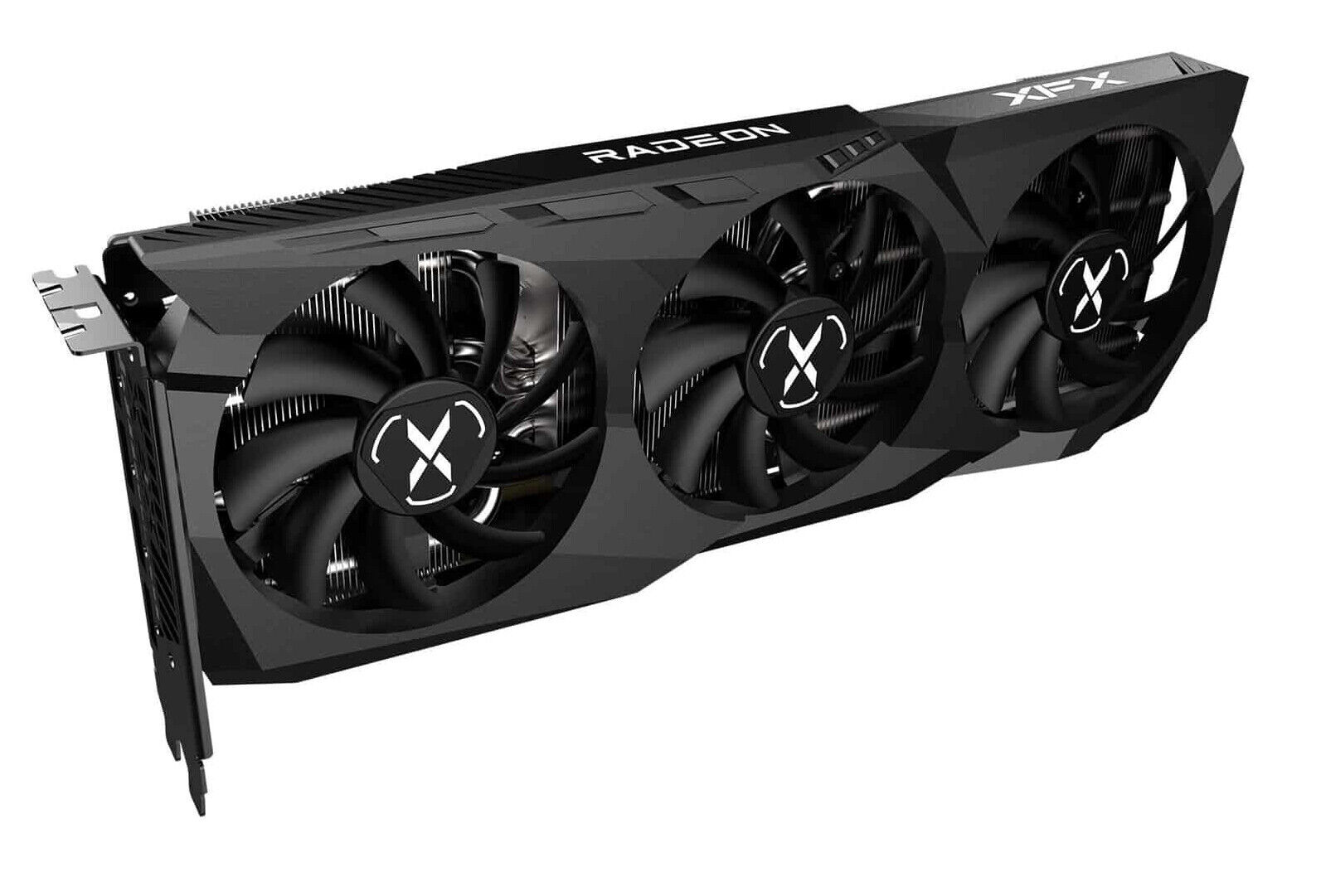
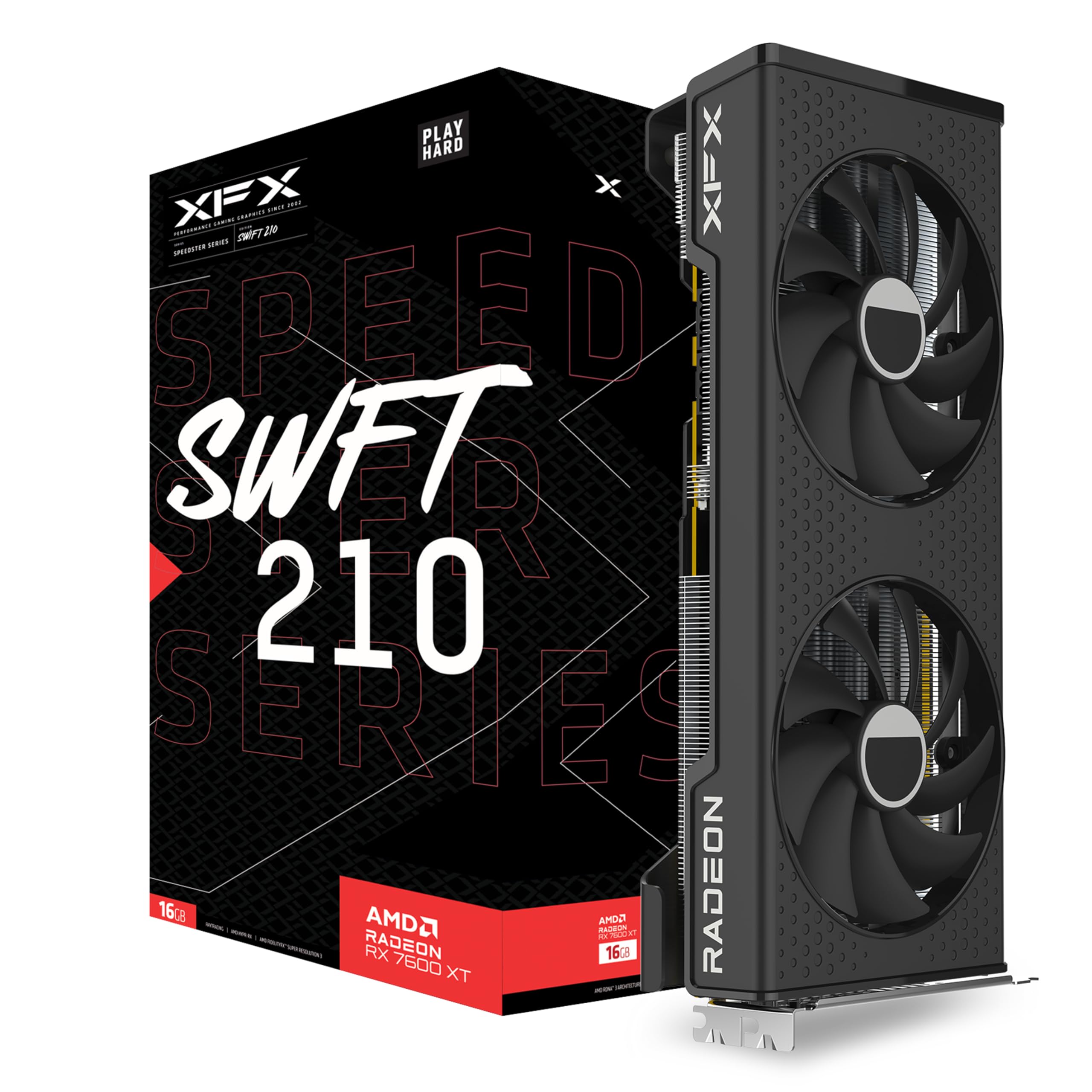
Built on the groundbreaking AMD RDNA 3 architecture with chiplet technology, AMD Radeon RX 7900 XT graphics deliver next-generation performance, visuals, and efficiency at 4K and beyond.
Built on the groundbreaking AMD RDNA 3 architecture with chiplet technology, AMD Radeon RX 7900 XT graphics deliver next-generation performance, visuals, and efficiency at 4K and beyond.
in 2 offers
The lowest price for Graphics Card XFX RX-79TMERCU9 20 GB GDDR6 right now is $1,051.00 at Clove Technology, compared across 2 retailers.
The all-time low was $325.50 on 17 July 2023 — today's price is 223% above the lowest ever. It has been notably cheaper before — worth setting a price alert.
Prices last updated 3 Oct 2026.
Graphics Card XFX RX-79TMERCU9 20 GB GDDR6
Built on the groundbreaking AMD RDNA 3 architecture with chiplet technology, AMD Radeon RX 7900 XT graphics deliver next-generation performance, visuals, and efficiency at 4K and beyond.
Built on the groundbreaking AMD RDNA 3 architecture with chiplet technology, AMD Radeon RX 7900 XT graphics deliver next-generation performance, visuals, and efficiency at 4K and beyond.
Last updated at 03/10/2026 23:03:57
XFX MERC 310 - AMD 20 GB GDDR6 Radeon RX 7900 XT graphics card
XFX Speedster MERC310 AMD Radeon RX 7900XT Ultra Gaming Graphics Card with 20GB GDDR6, AMD RDNA 3 RX-79TMERCU9
Delivery between 9–13 Oct $41
originally posted on bestbuy.com
The price is the biggest reason I docked one star but all the new GPUs are overpriced imo.I bought this card because of all the coil whine and temperature issues people were reporting about the reference cards for RDNA3. So far, this XFX card runs so quietly that I can't hear it above my actual case fans and CPU fans. I couldn't really hear any coil whine from my specific sample either. I'm using an HX1200i for my PSU with individual cables for each GPU power and I've heard that higher quality PSUs and using individual cables can help with the coil whine. I dunno how true that really is but I'm doing it anyways. Temps seem to hover around 60-70 and my GPU fan speeds are around ~1000 rpm. Everything is just "auto" settings. I play most games on a 1440p 144hz ... MoreThe price is the biggest reason I docked one star but all the new GPUs are overpriced imo.I bought this card because of all the coil whine and temperature issues people were reporting about the reference cards for RDNA3. So far, this XFX card runs so quietly that I can't hear it above my actual case fans and CPU fans. I couldn't really hear any coil whine from my specific sample either. I'm using an HX1200i for my PSU with individual cables for each GPU power and I've heard that higher quality PSUs and using individual cables can help with the coil whine. I dunno how true that really is but I'm doing it anyways. Temps seem to hover around 60-70 and my GPU fan speeds are around ~1000 rpm. Everything is just "auto" settings. I play most games on a 1440p 144hz monitor and usually medium settings.This GPU is absolutely huge especially if you're using the Z support bar. I'm using a Thermaltake View 71 case which is a gigantic case by today's standards. However one cool thing that happened to me with this case is the fact that the Z support bar is exactly where my HDD cage sits so the HDD cage kinda gives extra support. You can see this in the pictures I've attached. You can see that my HDD cage is blocking a bit of the airflow to my GPU but yet my temps are still "not too bad" and the GPU fans don't really ramp up too much. I'm sure a better airflow case would give even better temps.To sum it up, GPU runs cool and quiet imo, Is extremely long if you use the Z support bar, and the value could be a bit better.
originally posted on bestbuy.com
This gpu is an absolute beast. So far I have tried it out in 1080p (on a 240hz monitor) and 4k (on a 60hz TV). It can obviously run any game with maxed out settings and get over 60fps in 1080p. But I couldnt believe just how well this card runs games in 1080p. I havent seen a game hit below 100fps on my monitor. I average 168 fps in Red Dead Redemption 2 with maxed out settings, and 101 fps in Cyberpunk 2077 with maxed out graphics settings and raytracing. Performance in 4k is phenomenal too. RDR2 runs over 100fps (unlocked from 60hz on my TV) maxed out in 4k, and Cyberpunk 2077 is so close to hitting 60fps with max settings and medium raytracing in 4k. I got it to hit 55fps in the city. Every other game ive tried has hit a smooth and solid 60fps in 4k. The card is ... MoreThis gpu is an absolute beast. So far I have tried it out in 1080p (on a 240hz monitor) and 4k (on a 60hz TV). It can obviously run any game with maxed out settings and get over 60fps in 1080p. But I couldnt believe just how well this card runs games in 1080p. I havent seen a game hit below 100fps on my monitor. I average 168 fps in Red Dead Redemption 2 with maxed out settings, and 101 fps in Cyberpunk 2077 with maxed out graphics settings and raytracing. Performance in 4k is phenomenal too. RDR2 runs over 100fps (unlocked from 60hz on my TV) maxed out in 4k, and Cyberpunk 2077 is so close to hitting 60fps with max settings and medium raytracing in 4k. I got it to hit 55fps in the city. Every other game ive tried has hit a smooth and solid 60fps in 4k. The card is already a powerhouse, but with some more driver updates this will for sure be the best bang for your buck gpu. AMD is notorious for drastically improving the performance of their gpus in the first year of release. If you want a new high end card and dont want to feed into Nvidia’s ridiculous new pricing, this is definitely the way to go.
originally posted on bestbuy.com
Pros:I got this card for about $800 or $823 after tax and Best Buy Reward points. Over priced? Maybe, I paid $700 my AMD 6700 XT and $680 for my old RTX 2070 OC edition. This card for $100 more is twice as fast than both of my old cards. Is it 4K60? Most games yeah but with little headroom above 60. You still might have to turn shadows to medium, or volumetric to high at 4K. Now this card can overlock like nobodies business. You can hit RTX 4080 base close performance at 1440P with this card OC. I can hit 3.15GHZ on the core, 2700 GHZ on memory while using 1057 MAH and power limit 14. Your card will draw about 400 watts, or more like 380-400 at these settings so make sure your PSW can handle it.Cons: Ray Tracing performance slots between RTX 3080, and RTX 3080 ... MorePros:I got this card for about $800 or $823 after tax and Best Buy Reward points. Over priced? Maybe, I paid $700 my AMD 6700 XT and $680 for my old RTX 2070 OC edition. This card for $100 more is twice as fast than both of my old cards. Is it 4K60? Most games yeah but with little headroom above 60. You still might have to turn shadows to medium, or volumetric to high at 4K. Now this card can overlock like nobodies business. You can hit RTX 4080 base close performance at 1440P with this card OC. I can hit 3.15GHZ on the core, 2700 GHZ on memory while using 1057 MAH and power limit 14. Your card will draw about 400 watts, or more like 380-400 at these settings so make sure your PSW can handle it.Cons: Ray Tracing performance slots between RTX 3080, and RTX 3080 TI. This is a mismatch because rasterization performance is on par or faster than the RTX 3090 and 4070 TI. You can do 4k60 with RT or or something close with those cards. The 7900XT is more like 3072X1728P with RT on if the game does not support FSR2. 2nd issue is the noise. Make sure you set your fan curve to about 62%. Default settings when the card spins up is unbearable. The tradeoff is your junction temperature raises to 80C rather than 74C or so.Conclusion:Solid card when consider the prices of the GPUS the last two year. Now pre Covid, it's bad value, but considering slower cards like the 6950 XT, 4070 TI, RTX 3090 can cost as much as this card new, I think it's reasonable. Still some AMD issues with RT, but considering it's just a notch below the RTX 3080 TI which was considered to have decent RT, it's a win.
| Style | Graphics Cards |
| Graphics processor family | AMD |
| Graphics processor | Radeon RX 7900 XT |
| Maximum resolution | 3840 x 2160 pixels |
| CUDA | Y |
XFX MERC 310 - AMD 20 GB GDDR6 Radeon RX 7900 XT graphics card
XFX Speedster MERC310 AMD Radeon RX 7900XT Ultra Gaming Graphics Card with 20GB GDDR6, AMD RDNA 3 RX-79TMERCU9
Delivery between 9–13 Oct $41
The price is the biggest reason I docked one star but all the new GPUs are overpriced imo.I bought this card because of all the coil whine and temperature issues people were reporting about the reference cards for RDNA3. So far, this XFX card runs so quietly that I can't hear it above my actual case fans and CPU fans. I couldn't really hear any coil whine from my specific sample either. I'm using an HX1200i for my PSU with individual cables for each GPU power and I've heard that higher quality PSUs and using individual cables can help with the coil whine. I dunno how true that really is but I'm doing it anyways. Temps seem to hover around 60-70 and my GPU fan speeds are around ~1000 rpm. Everything is just "auto" settings. I play most games on a 1440p 144hz ... MoreThe price is the biggest reason I docked one star but all the new GPUs are overpriced imo.I bought this card because of all the coil whine and temperature issues people were reporting about the reference cards for RDNA3. So far, this XFX card runs so quietly that I can't hear it above my actual case fans and CPU fans. I couldn't really hear any coil whine from my specific sample either. I'm using an HX1200i for my PSU with individual cables for each GPU power and I've heard that higher quality PSUs and using individual cables can help with the coil whine. I dunno how true that really is but I'm doing it anyways. Temps seem to hover around 60-70 and my GPU fan speeds are around ~1000 rpm. Everything is just "auto" settings. I play most games on a 1440p 144hz monitor and usually medium settings.This GPU is absolutely huge especially if you're using the Z support bar. I'm using a Thermaltake View 71 case which is a gigantic case by today's standards. However one cool thing that happened to me with this case is the fact that the Z support bar is exactly where my HDD cage sits so the HDD cage kinda gives extra support. You can see this in the pictures I've attached. You can see that my HDD cage is blocking a bit of the airflow to my GPU but yet my temps are still "not too bad" and the GPU fans don't really ramp up too much. I'm sure a better airflow case would give even better temps.To sum it up, GPU runs cool and quiet imo, Is extremely long if you use the Z support bar, and the value could be a bit better.
This gpu is an absolute beast. So far I have tried it out in 1080p (on a 240hz monitor) and 4k (on a 60hz TV). It can obviously run any game with maxed out settings and get over 60fps in 1080p. But I couldnt believe just how well this card runs games in 1080p. I havent seen a game hit below 100fps on my monitor. I average 168 fps in Red Dead Redemption 2 with maxed out settings, and 101 fps in Cyberpunk 2077 with maxed out graphics settings and raytracing. Performance in 4k is phenomenal too. RDR2 runs over 100fps (unlocked from 60hz on my TV) maxed out in 4k, and Cyberpunk 2077 is so close to hitting 60fps with max settings and medium raytracing in 4k. I got it to hit 55fps in the city. Every other game ive tried has hit a smooth and solid 60fps in 4k. The card is ... MoreThis gpu is an absolute beast. So far I have tried it out in 1080p (on a 240hz monitor) and 4k (on a 60hz TV). It can obviously run any game with maxed out settings and get over 60fps in 1080p. But I couldnt believe just how well this card runs games in 1080p. I havent seen a game hit below 100fps on my monitor. I average 168 fps in Red Dead Redemption 2 with maxed out settings, and 101 fps in Cyberpunk 2077 with maxed out graphics settings and raytracing. Performance in 4k is phenomenal too. RDR2 runs over 100fps (unlocked from 60hz on my TV) maxed out in 4k, and Cyberpunk 2077 is so close to hitting 60fps with max settings and medium raytracing in 4k. I got it to hit 55fps in the city. Every other game ive tried has hit a smooth and solid 60fps in 4k. The card is already a powerhouse, but with some more driver updates this will for sure be the best bang for your buck gpu. AMD is notorious for drastically improving the performance of their gpus in the first year of release. If you want a new high end card and dont want to feed into Nvidia’s ridiculous new pricing, this is definitely the way to go.
Pros:I got this card for about $800 or $823 after tax and Best Buy Reward points. Over priced? Maybe, I paid $700 my AMD 6700 XT and $680 for my old RTX 2070 OC edition. This card for $100 more is twice as fast than both of my old cards. Is it 4K60? Most games yeah but with little headroom above 60. You still might have to turn shadows to medium, or volumetric to high at 4K. Now this card can overlock like nobodies business. You can hit RTX 4080 base close performance at 1440P with this card OC. I can hit 3.15GHZ on the core, 2700 GHZ on memory while using 1057 MAH and power limit 14. Your card will draw about 400 watts, or more like 380-400 at these settings so make sure your PSW can handle it.Cons: Ray Tracing performance slots between RTX 3080, and RTX 3080 ... MorePros:I got this card for about $800 or $823 after tax and Best Buy Reward points. Over priced? Maybe, I paid $700 my AMD 6700 XT and $680 for my old RTX 2070 OC edition. This card for $100 more is twice as fast than both of my old cards. Is it 4K60? Most games yeah but with little headroom above 60. You still might have to turn shadows to medium, or volumetric to high at 4K. Now this card can overlock like nobodies business. You can hit RTX 4080 base close performance at 1440P with this card OC. I can hit 3.15GHZ on the core, 2700 GHZ on memory while using 1057 MAH and power limit 14. Your card will draw about 400 watts, or more like 380-400 at these settings so make sure your PSW can handle it.Cons: Ray Tracing performance slots between RTX 3080, and RTX 3080 TI. This is a mismatch because rasterization performance is on par or faster than the RTX 3090 and 4070 TI. You can do 4k60 with RT or or something close with those cards. The 7900XT is more like 3072X1728P with RT on if the game does not support FSR2. 2nd issue is the noise. Make sure you set your fan curve to about 62%. Default settings when the card spins up is unbearable. The tradeoff is your junction temperature raises to 80C rather than 74C or so.Conclusion:Solid card when consider the prices of the GPUS the last two year. Now pre Covid, it's bad value, but considering slower cards like the 6950 XT, 4070 TI, RTX 3090 can cost as much as this card new, I think it's reasonable. Still some AMD issues with RT, but considering it's just a notch below the RTX 3080 TI which was considered to have decent RT, it's a win.
Performance is top notch. If you have an HDR monitor or TV you will not be disappointed. Ray tracing is a bit hampered but I'm more interested in vivid color and great performance and not so interested in if a scene is lit dynamically or not. Most games have great static world lighting. Also, RT will improve with drivers. When viewed in that "light" I am very satisfied with the performance to price ratio. Granted all video card prices went to a whole new planet this round. But I'm hoping this will keep me happy for a couple years and then get repurposed to a secondary PC for another bunch of years. Handling AAA games with 100 or better FPS.
I had to upgrade my power supply to a Corsair 850, 750 is whats recommended. The box was damaged so I debated if the power supply was bad? Processor is a Ryzen 7 5700G with originally an NVidia 3060. Software was easy to use. Played COD MW2 and about every 5th game I would get the blue screen of death. FPS was about 120-130 on a 240 HZ monitor with maximum settings turned on. We also downloaded Corsair Icue to see if we were taxing the video card, was running at about 80% while gaming. I went in to the critical fault errors and it was logging power failure on the video card. Changed the video card back to the original 3060 and no issues, just much lower FPS. Still using the 3060 now for about a week and no blue screen at all. When I wasn't gaming no issues at all ... MoreI had to upgrade my power supply to a Corsair 850, 750 is whats recommended. The box was damaged so I debated if the power supply was bad? Processor is a Ryzen 7 5700G with originally an NVidia 3060. Software was easy to use. Played COD MW2 and about every 5th game I would get the blue screen of death. FPS was about 120-130 on a 240 HZ monitor with maximum settings turned on. We also downloaded Corsair Icue to see if we were taxing the video card, was running at about 80% while gaming. I went in to the critical fault errors and it was logging power failure on the video card. Changed the video card back to the original 3060 and no issues, just much lower FPS. Still using the 3060 now for about a week and no blue screen at all. When I wasn't gaming no issues at all with the video card, just when it was being taxed. I returned the 7900 at day 12.
Great GPU overall. Pricing WILL eventually get better so if you don't need this level of performance keep waiting. If you do, you can definitely do worse than a 7900XT. This XFX model in particular is VERY long so make sure your case can accommodate... I could fit my card but not the anti-sag bracket so I made my own improvised GPU support since I couldn't use the included one without hitting my radiator.Definitely set your own custom fan curve... the GPU runs cool so no reason to suffer loudness at the overly aggressive stock profile. I have mine max out at 50% and temps basically stay under 70C hotspot.I game at 1440p 240Hz so for me optimal settings mean for some games I enable Radeon Chill to target 120-240 FPS. This means I stay well within the VRR of my ... MoreGreat GPU overall. Pricing WILL eventually get better so if you don't need this level of performance keep waiting. If you do, you can definitely do worse than a 7900XT. This XFX model in particular is VERY long so make sure your case can accommodate... I could fit my card but not the anti-sag bracket so I made my own improvised GPU support since I couldn't use the included one without hitting my radiator.Definitely set your own custom fan curve... the GPU runs cool so no reason to suffer loudness at the overly aggressive stock profile. I have mine max out at 50% and temps basically stay under 70C hotspot.I game at 1440p 240Hz so for me optimal settings mean for some games I enable Radeon Chill to target 120-240 FPS. This means I stay well within the VRR of my monitor and enjoy buttery smooth gameplay while running very efficiently as some games average around 120W power consumption to hit this FPS target.Speaking of power consumption... idle power consumption can be a problem with some monitor configurations. I originally had two high refresh rate monitors hooked up and noticed idle power draw north of 50W. YMMV. My fix was lowering the refresh rate on the secondary monitor (which isn't used for gaming anyways) to 60Hz. I also tried running it off iGPU which made little to no difference. True idle is now closer to 20W despite the 240Hz 1440p primary display.
Great graphics card for 4K definitely recommend if you can get it for 800 or less, the 20gb of gddr6 should future proof games way better then the ngreedia 4070ti that only comes with 12gb for the same price more or less. Many new game releases are arleady maxing out 12gb at 4K high/ultra settings. FSSR3.0 should be getting released soon so theirs that too. This card runs cooler than the Asrock Phantom 7900xt and has higher boost clocks aswell.Keep in mind this is a chunky card. I had to buy a single 15mm slim fan for my 360 AIO so it could fit in the front of my Corsair 4000X case, not to mention the included gpu support bracket would not even come close to fitting inside but you can easily buy a cooler master rgb gpu support like i did. One more thing is I wish ... MoreGreat graphics card for 4K definitely recommend if you can get it for 800 or less, the 20gb of gddr6 should future proof games way better then the ngreedia 4070ti that only comes with 12gb for the same price more or less. Many new game releases are arleady maxing out 12gb at 4K high/ultra settings. FSSR3.0 should be getting released soon so theirs that too. This card runs cooler than the Asrock Phantom 7900xt and has higher boost clocks aswell.Keep in mind this is a chunky card. I had to buy a single 15mm slim fan for my 360 AIO so it could fit in the front of my Corsair 4000X case, not to mention the included gpu support bracket would not even come close to fitting inside but you can easily buy a cooler master rgb gpu support like i did. One more thing is I wish this card looked more pleasing than it does but still decent looking and performance matters more than aesthetics for me overall.
For starters, the page is wrong about RDNA2. This is RDNA3.Coming from an RX580 by XFX which was a warranty replacement for an old R9 390, this 7900XT is not just night and day different...it's night vs the best day of your life different. Everything runs smooth as butter now and I feel confident this will deliver solid performance for years ahead.This is my first high end GPU bought at the start of a cycle. I generally go the $300-$500 price segment late in cycles when prices drop. Decided to splurge for once. Probably a bad idea but, the more I just looked at all the options, the more I didn't like what either side offered.nVidia has the performance but their VRAM allotments are always good for this gen and next, not good for later. 3000 series to me is also ... MoreFor starters, the page is wrong about RDNA2. This is RDNA3.Coming from an RX580 by XFX which was a warranty replacement for an old R9 390, this 7900XT is not just night and day different...it's night vs the best day of your life different. Everything runs smooth as butter now and I feel confident this will deliver solid performance for years ahead.This is my first high end GPU bought at the start of a cycle. I generally go the $300-$500 price segment late in cycles when prices drop. Decided to splurge for once. Probably a bad idea but, the more I just looked at all the options, the more I didn't like what either side offered.nVidia has the performance but their VRAM allotments are always good for this gen and next, not good for later. 3000 series to me is also overpriced for what it is. 4000 series even more. AMD's 6000 series I pondered a lot about but, the prices on it are also too high for a card exiting the stage. Couldn't rationalize the expense, especially for anything high end when the 7000 series was not much more.My last nVidia was a Fermi and it was a fantastic card till it's poor VRAM allotment caught up. After going AMD on the 390, I saw how well it aged. The RX580, carried well too. Still very capable. This 7900XT, I suspect will be similar. I honestly would have gone the XTX too had it been available. Not because I run 4K but for longevity. Run this on a 2560x1080 ultrawide.The only real issue with this is mounting. It comes with a support bar but XFX fails hard at how it mounts. The support connection goes into the end of the card and then it has another part that sticks out an extra inch or so past the card. This makes it far too long. I had to remove two screws on my SSD cage so it could bend enough aside to even get this big thing in. Another bar extension...no way.If you do some searches for GPU supports, you'll find options much better than what XFX provides. Right now I'm using an adjustable screwdriver to prop this up until a support post arrives from order.That really is the only major blotch on this. The only other thing to note depends on how XFX handles warranty repairs on this. The rumors of the 7900 hardware being gimped from the production line are out there and if so, AMD will likely have to issue replacements which means XFX likely will have to do a recall.I've done warranty before through XFX via the 390. That was a lifetime warranty and XFX has transferred that warranty to the 580 I have. Which is awesome of them. But the process to get it and their warranty site leaves much to be desired. The fact that they sent me a bad 580 before replacing that with a new 580, didn't really give me confidence. Even more when I later figured out that the reason the 580 was bad was because someone loaded a mining bios on it which crippled it for anything 3D. XFX didn't even test it to see.XFX isn't my first choice for GPUs. I had them back in their founding days when they sold nVidia. Generally cost effective cards. That reputation hasn't changed much in my eyes. But, they do work and are solid.Just, save those receipts or for sure buy though Best Buy here which saves them for you. My warranty 580 replacement wouldn't have been possible without Best Buy saving the old receipts.
I shopped around the past few months for a new graphics card, intent on taking advantage of holiday sales. I've only ever had Nvidia cards, upgrading from a 1060 3GB, so I was originally going to upgrade to a 3080 or a 3080 Ti. As time went on I found Nvidia's pricing to be quite daunting, but the 3000 series had a decent ray tracing and DLSS advantage over the AMD 6000's so I was torn.I never found a sale I liked on the higher end RTX cards, and the sales on AMD's cards were mounting up. I almost bought a 6900 XT, but I didn't want to have to buy another card for many years, or something like 3-4 new generations. Then the 7900 XT came along with improved ray tracing and a DLSS equivalent and it seemed perfect! It's still a little pricey for me, but I'm hoping it ... MoreI shopped around the past few months for a new graphics card, intent on taking advantage of holiday sales. I've only ever had Nvidia cards, upgrading from a 1060 3GB, so I was originally going to upgrade to a 3080 or a 3080 Ti. As time went on I found Nvidia's pricing to be quite daunting, but the 3000 series had a decent ray tracing and DLSS advantage over the AMD 6000's so I was torn.I never found a sale I liked on the higher end RTX cards, and the sales on AMD's cards were mounting up. I almost bought a 6900 XT, but I didn't want to have to buy another card for many years, or something like 3-4 new generations. Then the 7900 XT came along with improved ray tracing and a DLSS equivalent and it seemed perfect! It's still a little pricey for me, but I'm hoping it will last.Pros:Fast, very fast, Ultra 1440p 144 fps tyvm. Completely new experience compared to the 1060 3GB, bless its soul.It's long, but if you have room, the Z bracket it comes with seems like it would do a good job; better than any other. Unfortunately, it takes another inch or so to install and I think there are a lot of cases that this long boy struggles to fit in already. I purchased a little adjustable GPU brace delivering ASAP because the card does sag significantly. without support.Seems sturdy and good quality. Time will tell.I've been pleasantly surprised by AMD's Adrenaline software. I prefer it over the GeForce Experience that I was running before, but it may come down to personal preference. Adrenaline gives nice detailed graphs and overlays if you want them, but I'm not sure what software Nvidia offers on their newer cards so I can't compare that.Nice packaging, though the outer shell came slightly ripped :'( They got it to me in 2 days so I can't really complain.Cons:I imagine most people will need to buy a different support brace, the sag is not good, and as mentioned, the additional length of the Z bracket is a bit too much.I've heard rumors of manufacturing issues using A0 silicon that has stepping issues. Hoping that's not the case, don't want to buy a walker for it on top of the new brace.I just installed the card tonight. I'm hoping it will continue to amaze me as much as it has already for many years to come. I had to sprinkle some dust on it to make it fit in with the rest of my build, it was looking too sleek. So far I'm very happy with my decision.
Previously had a 1080ti and decided to upgrade. The card is massive... I had to take out one of my chassis fans to make room for it and even then the air filter I have no longer sits flush on my case. I use a Corsair CC-9011030-WW Carbide Series Air 540 High Airflow ATX Cube Case which does have a good amount of space in it.To test it out I fired up 7 Days to Die. After getting to the menu my 850VA UPS started alarming. The total board power had jumped right up to just over 300 watts. I had to shut down and plug my PC into the surge protector only outlet because of the power draw. Running the game completely maxed out on settings without doing any sort of tweaks gave me between 375-415fps in a vanilla game. I haven't tried playing into a massive horde yet but ... MorePreviously had a 1080ti and decided to upgrade. The card is massive... I had to take out one of my chassis fans to make room for it and even then the air filter I have no longer sits flush on my case. I use a Corsair CC-9011030-WW Carbide Series Air 540 High Airflow ATX Cube Case which does have a good amount of space in it.To test it out I fired up 7 Days to Die. After getting to the menu my 850VA UPS started alarming. The total board power had jumped right up to just over 300 watts. I had to shut down and plug my PC into the surge protector only outlet because of the power draw. Running the game completely maxed out on settings without doing any sort of tweaks gave me between 375-415fps in a vanilla game. I haven't tried playing into a massive horde yet but there's no doubt that this will work out a lot better than my old 1080ti.
| Style | Graphics Cards |
| Graphics processor family | AMD |
| Graphics processor | Radeon RX 7900 XT |
| Maximum resolution | 3840 x 2160 pixels |
| CUDA | Y |