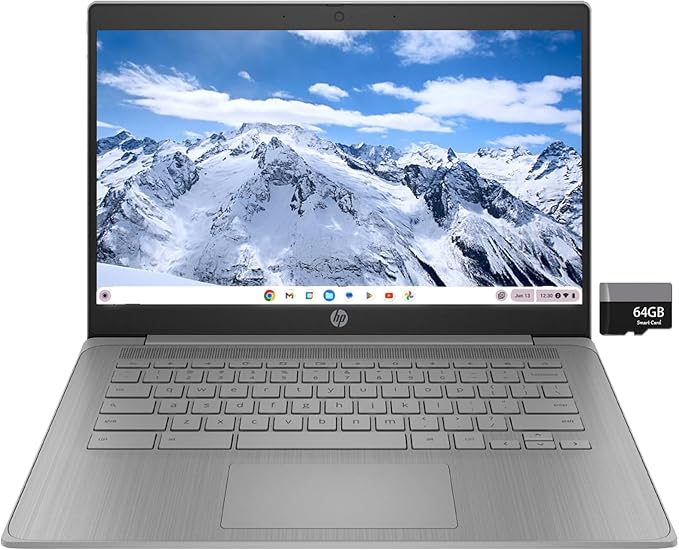
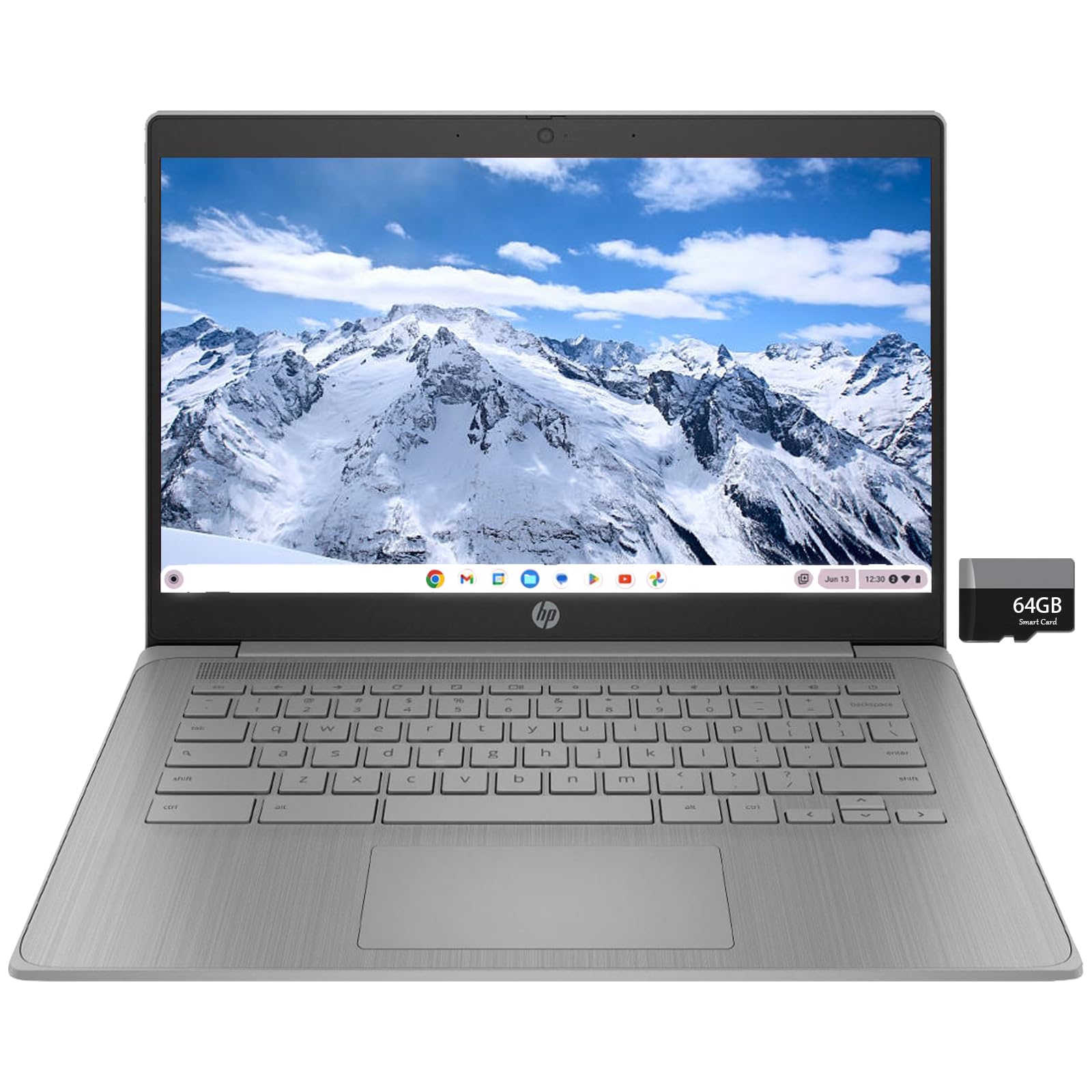
This HP Chromebook has all the performance you need to take on the day. It's designed with worry-free security and fortified with layers of built-in protection to help keep viruses out. The high-quality camera helps you chat or collaborate and comes with a privacy shutter for additional peace of mind, meanwhile the 14" display and dual stereo speakers are ready to help you dive into your favourite shows and movies when you need to unwind.
This HP Chromebook has all the performance you need to take on the day. It's designed with worry-free security and fortified with layers of built-in protection to help keep viruses out. The high-quality camera helps you chat or collaborate and comes with a privacy shutter for additional peace of mind, meanwhile the 14" display and dual stereo speakers are ready to help you dive into your favourite shows and movies when you need to unwind.
in 3 offers
The lowest price for HP Chromebook 14-inch HD Laptop, Intel Celeron N4000, 4 GB RAM, 32 GB eMMC, Chrome (14a-na0010nr, Mineral Silver) right now is $356.68 at Snapklik AU, compared across 3 retailers.
The all-time low was $270.00 on 7 June 2026 — today's price is 32% above the lowest ever. It has been notably cheaper before — worth setting a price alert.
Prices last updated 25 Aug 2026.
HP Chromebook 14-inch HD Laptop, Intel Celeron N4000, 4 GB RAM, 32 GB eMMC, Chrome (14a-na0010nr, Mineral Silver)
This HP Chromebook has all the performance you need to take on the day. It's designed with worry-free security and fortified with layers of built-in protection to help keep viruses out. The high-quality camera helps you chat or collaborate and comes with a privacy shutter for additional peace of mind, meanwhile the 14" display and dual stereo speakers are ready to help you dive into your favourite shows and movies when you need to unwind.
This HP Chromebook has all the performance you need to take on the day. It's designed with worry-free security and fortified with layers of built-in protection to help keep viruses out. The high-quality camera helps you chat or collaborate and comes with a privacy shutter for additional peace of mind, meanwhile the 14" display and dual stereo speakers are ready to help you dive into your favourite shows and movies when you need to unwind.
Last updated at 25/08/2026 06:25:21
HP Chromebook 14-inch HD Laptop, Intel Celeron N4000, 4 GB RAM, 32 GB eMMC, Chrome (14a-na0010nr, Mineral Silver)
Affiliate Disclosure: We may receive a small commission for purchases made through this link at no extra cost to you. This helps support our site. Thank you!
HP Chromebook 14-inch HD Laptop, Intel Celeron N4000, 4 GB RAM, 32 GB eMMC, Chrome
Delivery $27.96
Chromebook 14-inch HD Laptop, Intel Celeron N4000, 4 GB RAM, 32 GB eMMC, Chrome (14a-na0010nr, Mineral Silver)
Delivery between 31 Aug – 3 Sept $29
originally posted on ebay.com
This Hp Chromebook 14 is a great choice. Blue in Color highlights this computers exterior design. Setup very easy for I had a Chromebook before this. So transferring data easy. I am use to a touchscreen but this computer is fast so I so not using the mouse on it. The computer is well made and battery time lasts longer than my last Chromebook. I feel for the Price I paid I got a Great deal. I studied Computers in College and have worked on many pcs of all brand names This Hp is what I was looking for Great Price for A Great Computer.
originally posted on bestbuy.com
Pro’s: lightweight, fast charging, very easy set up (came with instructions and it did not take long to set-up (like 5-10 minutes). You just need a google email address (it’s free to set up)/password & you are logged onto the chromebook), bright screen, fast connection to internet, can download apps from Google PlaystoreCon’s: camera quality (not the best but I was not expecting anything fancy or top of the line), sound quality (it is decent enough but could be better but you can always connect speakers to it and that can fix that issue), no backlit keyboard or touchscreen (I knew this prior to buying so not a con as in a reason not to buy the product but it would be more beneficial if this (& other affordable chromebooks already came with these features)I would ... MorePro’s: lightweight, fast charging, very easy set up (came with instructions and it did not take long to set-up (like 5-10 minutes). You just need a google email address (it’s free to set up)/password & you are logged onto the chromebook), bright screen, fast connection to internet, can download apps from Google PlaystoreCon’s: camera quality (not the best but I was not expecting anything fancy or top of the line), sound quality (it is decent enough but could be better but you can always connect speakers to it and that can fix that issue), no backlit keyboard or touchscreen (I knew this prior to buying so not a con as in a reason not to buy the product but it would be more beneficial if this (& other affordable chromebooks already came with these features)I would recommend this product to anyone who is looking for the very basic usage: streaming movies/tv shows, paying bills, shopping online, learning how to use this device or becoming familiar with technology in general. This is like using a phone (using the same/if not similar systems) but with a keyboard and bigger screen; it doesn’t have all the extra unneeded apps/programs taking up most the internal space (like laptops) and you cannot use Microsoft Office on this device (no worries; you have access to google features similar if not the same as Microsoft but for free: google docs, slides, powerpoint, etc…for free so let that sink in). I believe this would be ok for virtual learning to serve the purpose it is supposed to. I purchased this as a gift for my mom due to the fact she needed an “upgrade” (in this scenario: bigger screen, keyboard & something very basic) from a tablet she had, this fit the budget and current needs and I’m sure she’ll like it once she plays around with it some more so I’d give it a try. If you need or want something to do more heavy duty things such as gaming, editing, burning CD's/DVD's, working from home (depending on what programs & such are used) I’d highly recommend a laptop or Apple product because you’d have more flexibility, quality: specs/graphics/picture/sound quality etc…but if you just need something to get by, past the time without breaking the bank this is good.
originally posted on bestbuy.com
Loving this Chromebook!! I bought it open-box - almost returned it because it turned off during hibernation but research showed this is a common issue with HP Chromebooks (and an easy fix when it happens - which isn't often). When I first turned it on it was stuck on developer mode - took a bit for it to load - but then after setting it up I did a powerwash and set it up again and it has been smooth sailing ever since.I am visually impaired - so the white keyboard is what sold me (much easier to see than black keys - and you don't need the backlit keyboard on unless it is really dark in the room). The resolution was the other selling point for me - the display is easy to look at and doesn't wash out like with lower resolutions.I have always used a 15.6" display ... MoreLoving this Chromebook!! I bought it open-box - almost returned it because it turned off during hibernation but research showed this is a common issue with HP Chromebooks (and an easy fix when it happens - which isn't often). When I first turned it on it was stuck on developer mode - took a bit for it to load - but then after setting it up I did a powerwash and set it up again and it has been smooth sailing ever since.I am visually impaired - so the white keyboard is what sold me (much easier to see than black keys - and you don't need the backlit keyboard on unless it is really dark in the room). The resolution was the other selling point for me - the display is easy to look at and doesn't wash out like with lower resolutions.I have always used a 15.6" display - so you can imagine my joy being able to actually use a 14" display and not have any eye strain.I've had no issues in terms of the processor. Videos and games work just fine. I like to play Candy Crush and it plays flawlessly.
| Screen size | 14 Inches |
| Hard disk size | 32 GB |
| CPU model | Celeron |
| RAM memory installed size | 4 GB |
| Operating system | Chrome OS |
HP Chromebook 14-inch HD Laptop, Intel Celeron N4000, 4 GB RAM, 32 GB eMMC, Chrome (14a-na0010nr, Mineral Silver)
Affiliate Disclosure: We may receive a small commission for purchases made through this link at no extra cost to you. This helps support our site. Thank you!
HP Chromebook 14-inch HD Laptop, Intel Celeron N4000, 4 GB RAM, 32 GB eMMC, Chrome
Delivery $27.96
Chromebook 14-inch HD Laptop, Intel Celeron N4000, 4 GB RAM, 32 GB eMMC, Chrome (14a-na0010nr, Mineral Silver)
Delivery between 31 Aug – 3 Sept $29
This Hp Chromebook 14 is a great choice. Blue in Color highlights this computers exterior design. Setup very easy for I had a Chromebook before this. So transferring data easy. I am use to a touchscreen but this computer is fast so I so not using the mouse on it. The computer is well made and battery time lasts longer than my last Chromebook. I feel for the Price I paid I got a Great deal. I studied Computers in College and have worked on many pcs of all brand names This Hp is what I was looking for Great Price for A Great Computer.
Pro’s: lightweight, fast charging, very easy set up (came with instructions and it did not take long to set-up (like 5-10 minutes). You just need a google email address (it’s free to set up)/password & you are logged onto the chromebook), bright screen, fast connection to internet, can download apps from Google PlaystoreCon’s: camera quality (not the best but I was not expecting anything fancy or top of the line), sound quality (it is decent enough but could be better but you can always connect speakers to it and that can fix that issue), no backlit keyboard or touchscreen (I knew this prior to buying so not a con as in a reason not to buy the product but it would be more beneficial if this (& other affordable chromebooks already came with these features)I would ... MorePro’s: lightweight, fast charging, very easy set up (came with instructions and it did not take long to set-up (like 5-10 minutes). You just need a google email address (it’s free to set up)/password & you are logged onto the chromebook), bright screen, fast connection to internet, can download apps from Google PlaystoreCon’s: camera quality (not the best but I was not expecting anything fancy or top of the line), sound quality (it is decent enough but could be better but you can always connect speakers to it and that can fix that issue), no backlit keyboard or touchscreen (I knew this prior to buying so not a con as in a reason not to buy the product but it would be more beneficial if this (& other affordable chromebooks already came with these features)I would recommend this product to anyone who is looking for the very basic usage: streaming movies/tv shows, paying bills, shopping online, learning how to use this device or becoming familiar with technology in general. This is like using a phone (using the same/if not similar systems) but with a keyboard and bigger screen; it doesn’t have all the extra unneeded apps/programs taking up most the internal space (like laptops) and you cannot use Microsoft Office on this device (no worries; you have access to google features similar if not the same as Microsoft but for free: google docs, slides, powerpoint, etc…for free so let that sink in). I believe this would be ok for virtual learning to serve the purpose it is supposed to. I purchased this as a gift for my mom due to the fact she needed an “upgrade” (in this scenario: bigger screen, keyboard & something very basic) from a tablet she had, this fit the budget and current needs and I’m sure she’ll like it once she plays around with it some more so I’d give it a try. If you need or want something to do more heavy duty things such as gaming, editing, burning CD's/DVD's, working from home (depending on what programs & such are used) I’d highly recommend a laptop or Apple product because you’d have more flexibility, quality: specs/graphics/picture/sound quality etc…but if you just need something to get by, past the time without breaking the bank this is good.
Loving this Chromebook!! I bought it open-box - almost returned it because it turned off during hibernation but research showed this is a common issue with HP Chromebooks (and an easy fix when it happens - which isn't often). When I first turned it on it was stuck on developer mode - took a bit for it to load - but then after setting it up I did a powerwash and set it up again and it has been smooth sailing ever since.I am visually impaired - so the white keyboard is what sold me (much easier to see than black keys - and you don't need the backlit keyboard on unless it is really dark in the room). The resolution was the other selling point for me - the display is easy to look at and doesn't wash out like with lower resolutions.I have always used a 15.6" display ... MoreLoving this Chromebook!! I bought it open-box - almost returned it because it turned off during hibernation but research showed this is a common issue with HP Chromebooks (and an easy fix when it happens - which isn't often). When I first turned it on it was stuck on developer mode - took a bit for it to load - but then after setting it up I did a powerwash and set it up again and it has been smooth sailing ever since.I am visually impaired - so the white keyboard is what sold me (much easier to see than black keys - and you don't need the backlit keyboard on unless it is really dark in the room). The resolution was the other selling point for me - the display is easy to look at and doesn't wash out like with lower resolutions.I have always used a 15.6" display - so you can imagine my joy being able to actually use a 14" display and not have any eye strain.I've had no issues in terms of the processor. Videos and games work just fine. I like to play Candy Crush and it plays flawlessly.
Having only owned this for a couple days, I think for the price on sale of $219-$239 it's absolutely worth it.Pros:- Display! Even at the regular $289 everyday price, you will NOT find a 1080p, IPS panel looking this good on a device until you hit around maybe $499 before any sale prices kick in. HP rates this at 250 nits, and indoors for those working for home, you will comfortably have it around 70% of that. It does come out of the box at around 1536 x 864, but you can change resolution to be Native 1080p, or max it out at 2194 x 1234. Thin bezels on the left and right side too. Great for watching movies!- Keyboard - Comfortable key spacing and travel to me for typing quite well on it. I will say it's overall positive, but the keycaps do feel a little cheap. ... MoreHaving only owned this for a couple days, I think for the price on sale of $219-$239 it's absolutely worth it.Pros:- Display! Even at the regular $289 everyday price, you will NOT find a 1080p, IPS panel looking this good on a device until you hit around maybe $499 before any sale prices kick in. HP rates this at 250 nits, and indoors for those working for home, you will comfortably have it around 70% of that. It does come out of the box at around 1536 x 864, but you can change resolution to be Native 1080p, or max it out at 2194 x 1234. Thin bezels on the left and right side too. Great for watching movies!- Keyboard - Comfortable key spacing and travel to me for typing quite well on it. I will say it's overall positive, but the keycaps do feel a little cheap. Again, typing is very comfortable on it so I think it's something that is good overall.- Performance - Snappy web browsing performance, and even though the site here lists the Intel Celeron N4000 and an HP rep confirms this... my box said it has the newer Intel Celeron N4020, but even with that, it will stop auto updates at June 2026, not 2028 like other N4020 machines.- Battery - Mostly web surfing, watching an episode or two of One Piece, and some clips on YouTube, getting over 8.5 hours and that's with brightness over 80% just because I tend to like it a little brighter. Solid battery life.- Camera - Webcam looks good in the camera app, maybe a little too bright like over exposing, but not a bad look. 720p. I have seen Chromebooks and WIndows devices cost 2-3 times more with much worse webcams, or none at all. For Zoom, Microsoft Teams, Skype, etc, I think it's a passable look.Cons:- Build. Plastic all over, and it's a kind of cheap feeling one. I don't mean that in a deal breaker way, and funny enough it makes the laptop feel lighter than it looks, but my wrists and forearms on the keyboard deck as I type feel... off? I'm coming from an Acer Spin 713 or other aluminum keyboard decks, and this feels not as well built. On a positive, there is very little to no keyboard flex, so the keyboard deck definitely feels reinforced. Again, not a deal breaker, but upon touching it I can feel this is where they get good performance and a great display for under $300.Note that this laptop is still a Chromebook, so it does NOT run Microsoft Windows. The OS, I mean. Microsoft Office apps it CAN run, but it's the Google Play Store apps or the Office Online version. For personal use, I think most people may be fine switching considering that Google Docs is free and for basic, personal use is fine and cloud connects to our ANdroid phones natively, or can sync to iPhones by downloading those apps form the App Store. For students needing Office, if you're primarily writing APA/MLA format essays, absolute basics in Excel or smaller Powerpoints, those Office apps should be fine to use with your student login or your own 365 license, but it ONLY works with 365. Office Home licenses CANNOT work on ChromeOS.If you're primarily using it for home use (banking, YouTube, social media, online browsing), I see no reason to buy a Windows device in the same price range. Chromebooks are much snappier for these tasks at this price point, and updates are seamless and non-intrusive.If you're needing programs made for Windows, or are an "expert user" of Microsoft Office apps, or need Publisher or Access, stick to Windows, but absolutely get an SSD for better speed, and ideally 8GB RAM and a Core i3/AMD Ryzen 3 for a good experience.Elementary/Middle school kids learning remotely, this device is perfect for. You can use Canvas, Zoom, Office if needed through the Play Store, and for parents you can use Family Link to lock it down or set time limits with a supervised Gmail account that is compatible with Chromebooks. If my niece didn't prefer smaller devices with a touch screen, I would gift this to her and have no issues. For now, my sister has an older 2015 model Chromebook that will get updates until 2021, but at this price and this holiday season, I will probably gift this to her as an upgrade and not have to stress it for at least 5-6 years.
I would have given it excellent rating but the screen bezel has a crack, I wish I had seen it earlier and got the item replaced. Pros and Cons listed below.Pros:Intel celeron 4020 does make a huge difference in performance compared to the older ones. I have quite a few chromebooks - 7 in total over the last few years and I do see a huge performance increase compared to my other chromebooks with same RAM but older processors.Really good screen, and decent speakersBacklighted keyboard is such a game changer, I wish even lower end chromebook manufacturers start providing it. I actually bought this chromebook for keyboard backlight to use at nightGood battery lifeI am a huge fan of chromebooks, and this chromebook is another good device for basic computing, ... MoreI would have given it excellent rating but the screen bezel has a crack, I wish I had seen it earlier and got the item replaced. Pros and Cons listed below.Pros:Intel celeron 4020 does make a huge difference in performance compared to the older ones. I have quite a few chromebooks - 7 in total over the last few years and I do see a huge performance increase compared to my other chromebooks with same RAM but older processors.Really good screen, and decent speakersBacklighted keyboard is such a game changer, I wish even lower end chromebook manufacturers start providing it. I actually bought this chromebook for keyboard backlight to use at nightGood battery lifeI am a huge fan of chromebooks, and this chromebook is another good device for basic computing, actually nowadays you can do more than basic computing with chromebooks. I have convinced multiple family members/friends to switch to chromebooks over the years and they all love it.Cons:The only con is the broken bezel, I take good care of all my devices so having a broken bezel on a brand new device does bother me, I wish HP and BestBuy had quality checks to catch broken bezels before they are sold to customers. Being a brand new item I never thought it could have a broken part, else would have checked it on day 1 and exchanged it.With the broken bezel I am a little worried about how long this chromebook will last. My other chromebooks have lasted well beyond chrome os update expiration dates .
On sale I love this thing. As long as you realize you're getting a chromebook, not a windows laptop, it's awesome.I love that it has power/display ports on both sides so you can plug in the charger on either side, and I like the 14" screen, larger than an 11" tablet.A few minor things why I only gave it 4 stars: I would have liked a second usb port, the display pinches my legs if I open it on my legs, and I find the contrast between the case colour and the key label colour to be pretty low, so it's sometimes hard to see what the keys are. To be fair, my wife keeps telling me I shouldn't be looking at the keys when I type anyway :)If you're planning to use the Linux subsystem you may want to look for a 64GB model.If you need microsoft office, you can use the ... MoreOn sale I love this thing. As long as you realize you're getting a chromebook, not a windows laptop, it's awesome.I love that it has power/display ports on both sides so you can plug in the charger on either side, and I like the 14" screen, larger than an 11" tablet.A few minor things why I only gave it 4 stars: I would have liked a second usb port, the display pinches my legs if I open it on my legs, and I find the contrast between the case colour and the key label colour to be pretty low, so it's sometimes hard to see what the keys are. To be fair, my wife keeps telling me I shouldn't be looking at the keys when I type anyway :)If you're planning to use the Linux subsystem you may want to look for a 64GB model.If you need microsoft office, you can use the online web version. There's even a free version. I'm not sure what features are missing from the free version of office.
As someone who has worked in IT for may years, I've been pleasently surprised by this Chromebook. Certainly it is limited in comparison to mainstream Windows or Apple laptops, but for the price it's a very good, light alternative to the heavyweights. This HP is fast (comparitively), has a screen that is better than I anticipated, and has surprisingly good sound reproduction; music and YouTube videos work well. I was a bit taken aback at the lack of a Delete key, but there's a workaround for that.The operating system is also better than I imagined, and it interfaces with my Google phone seamlessly. I didn't buy the Chromebook for that reason, indeed it didn't figure in my choice, but it has an Apple-like quality as it works with the other device.Sure, you're a ... MoreAs someone who has worked in IT for may years, I've been pleasently surprised by this Chromebook. Certainly it is limited in comparison to mainstream Windows or Apple laptops, but for the price it's a very good, light alternative to the heavyweights. This HP is fast (comparitively), has a screen that is better than I anticipated, and has surprisingly good sound reproduction; music and YouTube videos work well. I was a bit taken aback at the lack of a Delete key, but there's a workaround for that.The operating system is also better than I imagined, and it interfaces with my Google phone seamlessly. I didn't buy the Chromebook for that reason, indeed it didn't figure in my choice, but it has an Apple-like quality as it works with the other device.Sure, you're a bit limited in what you can do, but for working online and on the move, it's hard to beat, especially for the money.
Good Points: I took a punt on this thing but I'm glad I did. It looks and feels like a quality product and boots in no time. I found the screen good, bright and clear. The sound is excellent and the keyboard is very comfortable to use. I love the lightweight feel of the product and unlike previous reviews I did not think it's fragile and flimsy. It's bezeless and very thin, love that about it. ChromeOS is actually very good for the most part coupled with the Google play store. This means I can have all the apps I want from Netflix to office so there is no restrictions like the original ChromeOS. If you turn on Dev mode you can install apks . You will have to remap the caps key which can be done in settings. I device is quite quick because ChromeOS is really ... MoreGood Points: I took a punt on this thing but I'm glad I did. It looks and feels like a quality product and boots in no time. I found the screen good, bright and clear. The sound is excellent and the keyboard is very comfortable to use. I love the lightweight feel of the product and unlike previous reviews I did not think it's fragile and flimsy. It's bezeless and very thin, love that about it. ChromeOS is actually very good for the most part coupled with the Google play store. This means I can have all the apps I want from Netflix to office so there is no restrictions like the original ChromeOS. If you turn on Dev mode you can install apks . You will have to remap the caps key which can be done in settings. I device is quite quick because ChromeOS is really lightweight so does not need huge processor or ram. It uses dynamic memory so there is strong memory management. The ROM is big enough at 64 gigs because after all my apps installed, it totalled 20 GB 0lus you can plug in a usb drive if you want more space. I didn't. Contrary to popular belief you can have apps offline and your documents just like windows. Chrome OS is no longer an online operating system. In fact comparing windows 11 and Chrome OS, I found that Microsoft copied ChromeOS in alot of ways. If your an average user, great device to have. If your into gaming, cad, Photoshop, stay clear. These are minority cases so it will suit most people. I also love that I can have my Google home to control the house devices and the Google assistant at hand. Can also choose to have an app or use a browser in most cases. A very clever integrated device and will definitely buy another one when it's time. This device will get updates until 2027 which is great too. The price is the real winner here for what you can do on it and it integrates with all my Google devices so I can check all my Google cameras as well in the one place or turn the dryer on turn the bathroom light on or whatever. Way more intuitive than windows all day long. A great companion to a Google home or Alexa home.Improvement Points: There seems to be a bug when your listening to Deezer and Spotify while browsing the web, the song will skip a bit. Probably a memory management issue. A shortcut for the screen grab too would be awesome too instead of keyboard shortcuts but you can just install an app on the play store for that. These are Chrome OS gripes and not hp gripes really but a great device other than that.
Good Points: Keyboard is clear and easy to use.The screen is very good. I can watch tv/films very well.Bluetooth connection to earphones is easy to use.Overall value for money is good.Improvement Points: I can't save documents to a memory card. There is no "save" or "save as" on the menu. Documents are automatically saved, which has advantages....but it's very annoying that I can't save the document to the place that I want to save it.
Did not like anything about this computer. I've used computers for yearsboth in a workplace and on my private computer. Using all the function keys to go to different places is mind blowing. Whoever put this chrome junktogether should be shot. Listening to the person explain how to use the function keys has a BAD speaking voice, talks slurred and talks 50 miles an hour. Went back 6 different times to try to get the explanation of how to use this piece of junk and finally gave up after 4 hours of trying to make sense of this program. I want a computer that when you fire-up it up you go to a main menu page. Decided that a return was the only answer to this thing. Upon checking to see if I could find a REGULAR computer to buy, found only CHROMEBOOKS. Guess what ----- ... MoreDid not like anything about this computer. I've used computers for yearsboth in a workplace and on my private computer. Using all the function keys to go to different places is mind blowing. Whoever put this chrome junktogether should be shot. Listening to the person explain how to use the function keys has a BAD speaking voice, talks slurred and talks 50 miles an hour. Went back 6 different times to try to get the explanation of how to use this piece of junk and finally gave up after 4 hours of trying to make sense of this program. I want a computer that when you fire-up it up you go to a main menu page. Decided that a return was the only answer to this thing. Upon checking to see if I could find a REGULAR computer to buy, found only CHROMEBOOKS. Guess what ----- no one wants these things.If I could have rated the thing below 1 star it would have been a - 5.
| Screen size | 14 Inches |
| Hard disk size | 32 GB |
| CPU model | Celeron |
| RAM memory installed size | 4 GB |
| Operating system | Chrome OS |