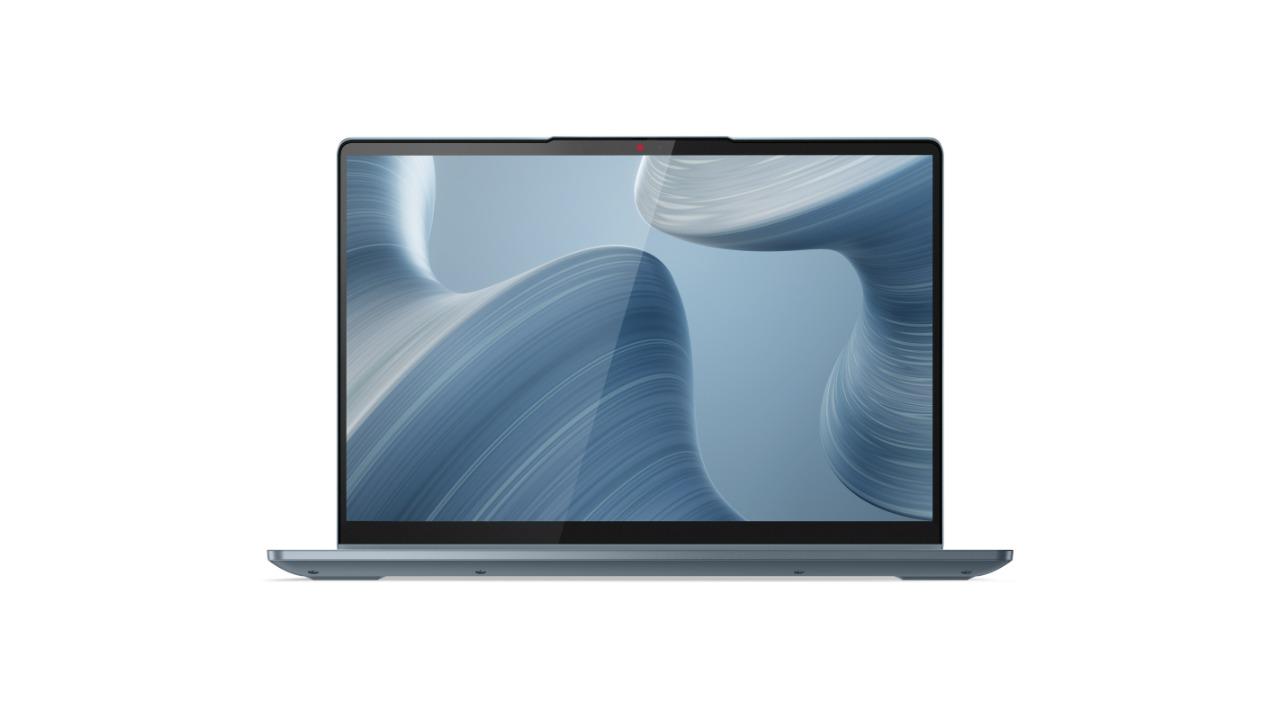
This Lenovo IdeaPad laptop has a 2 GHz Intel Pentium dual-core processor, so you can run many tasks quickly at the same time. Its 8 GB of memory allows you to notice improved computing performance. You can appreciate every nuance with the Lenovo IdeaPad 82HS00QAAU laptop's 14-inch display with 1920 x 1080 resolution. It has a 256 GB solid state drive, allowing you to store your entire family's important applications and digital archives. The laptop's 2-in-1 configuration enables you to take full advantage of a laptop and a tablet design. Also, you can Skype with friends and family with its camera. This laptop comes with a Windows 11 Home operating system. It has a 10-hour battery life, so you can keep on running applications and playing games all day long. Plus, the laptop's 1 HDMI port and 1 USB-C port enables you to network at light speed. You can untether your computer with its 802.11ax wireless and Bluetooth connectivity. Access computing power without spending too much with help from this Lenovo laptop.
This Lenovo IdeaPad laptop has a 2 GHz Intel Pentium dual-core processor, so you can run many tasks quickly at the same time. Its 8 GB of memory allows you to notice improved computing performance. You can appreciate every nuance with the Lenovo IdeaPad 82HS00QAAU laptop's 14-inch display with 1920 x 1080 resolution. It has a 256 GB solid state drive, allowing you to store your entire family's important applications and digital archives. The laptop's 2-in-1 configuration enables you to take full advantage of a laptop and a tablet design. Also, you can Skype with friends and family with its camera. This laptop comes with a Windows 11 Home operating system. It has a 10-hour battery life, so you can keep on running applications and playing games all day long. Plus, the laptop's 1 HDMI port and 1 USB-C port enables you to network at light speed. You can untether your computer with its 802.11ax wireless and Bluetooth connectivity. Access computing power without spending too much with help from this Lenovo laptop.
in 2 offers
The lowest price for Lenovo IdeaPad Flex 5 14" Pentium Gold 8GB 256GB Win 11 2-in-1 Laptop Graphite Grey right now is $129.00 at eBay.com.au, compared across 2 retailers.
The all-time low was $129.00 on 14 Aug 2026. That's the lowest price we've ever tracked — a great time to buy.
Prices last updated 28 Sept 2026.
Lenovo IdeaPad Flex 5 14" Pentium Gold 8GB 256GB Win 11 2-in-1 Laptop Graphite Grey
This Lenovo IdeaPad laptop has a 2 GHz Intel Pentium dual-core processor, so you can run many tasks quickly at the same time. Its 8 GB of memory allows you to notice improved computing performance. You can appreciate every nuance with the Lenovo IdeaPad 82HS00QAAU laptop's 14-inch display with 1920 x 1080 resolution. It has a 256 GB solid state drive, allowing you to store your entire family's important applications and digital archives. The laptop's 2-in-1 configuration enables you to take full advantage of a laptop and a tablet design. Also, you can Skype with friends and family with its camera. This laptop comes with a Windows 11 Home operating system. It has a 10-hour battery life, so you can keep on running applications and playing games all day long. Plus, the laptop's 1 HDMI port and 1 USB-C port enables you to network at light speed. You can untether your computer with its 802.11ax wireless and Bluetooth connectivity. Access computing power without spending too much with help from this Lenovo laptop.
This Lenovo IdeaPad laptop has a 2 GHz Intel Pentium dual-core processor, so you can run many tasks quickly at the same time. Its 8 GB of memory allows you to notice improved computing performance. You can appreciate every nuance with the Lenovo IdeaPad 82HS00QAAU laptop's 14-inch display with 1920 x 1080 resolution. It has a 256 GB solid state drive, allowing you to store your entire family's important applications and digital archives. The laptop's 2-in-1 configuration enables you to take full advantage of a laptop and a tablet design. Also, you can Skype with friends and family with its camera. This laptop comes with a Windows 11 Home operating system. It has a 10-hour battery life, so you can keep on running applications and playing games all day long. Plus, the laptop's 1 HDMI port and 1 USB-C port enables you to network at light speed. You can untether your computer with its 802.11ax wireless and Bluetooth connectivity. Access computing power without spending too much with help from this Lenovo laptop.
Last updated at 28/09/2026 21:09:04
Lenovo Ideapad Flex 5 Pentium Gold 750s 8gb Ram 256gb Ssd 14" Fhd
Delivery $30
Affiliate Disclosure: We may receive a small commission for purchases made through this link at no extra cost to you. This helps support our site. Thank you!
Lenovo Flex 5 14ITL05 14" Touch 2-in-1 | Pentium Gold 7505 | 8GB RAM | 256GB SSD | Windows 11
Delivery $15
originally posted on lenovo.com
I have always loved Lenovo products. Our church bought this laptop new for use in our children's ministry, directly from Lenovo. During the first week the hinges started making an odd sound. At 3 months, the hinges locked up and I was barely able to get the laptop open. This put pressure on the corners of the screen. At 4 months, the hinges locked completely and the bottom right corner of the screen broke where the hinge pushed through the screen upon opening, disabling the touch screen, and causing the lid to be almost completely detached from the base. After spending several hours speaking to 5 different representatives....and despite the laptop being under warranty (including a premium care upgrade) Lenovo will not cover the cost of the damage. It is considered ... MoreI have always loved Lenovo products. Our church bought this laptop new for use in our children's ministry, directly from Lenovo. During the first week the hinges started making an odd sound. At 3 months, the hinges locked up and I was barely able to get the laptop open. This put pressure on the corners of the screen. At 4 months, the hinges locked completely and the bottom right corner of the screen broke where the hinge pushed through the screen upon opening, disabling the touch screen, and causing the lid to be almost completely detached from the base. After spending several hours speaking to 5 different representatives....and despite the laptop being under warranty (including a premium care upgrade) Lenovo will not cover the cost of the damage. It is considered "accidental damage." Because I opened the laptop. The only accident was purchasing this product from a company that will not stand behind it. Be sure to look at the Lenovo forums for this model and similar models. It is, unfortunately, a very common complaint. Other than this hardware issue, it was a great computer.
originally posted on lenovo.com
I never write reviews but want to try to prevent anyone else from having my experience. I received my laptop 8 days ago and have already had numerous headaches. The main reason I purchased this laptop was to be able to use as a tablet and laptop. Within the first week the touch screen stopped working when it was in tablet form and a few days later it stopped working altogether. When I contacted support it took multiple days to receive a response and when I was finally called the technician kept telling me that this laptop isn't meant to be touchscreen even though that is entirely untrue and the touchscreen capabilities were working days before. He told me to return my device to the seller and when I told him I bought directly from lenovo he continued to give me the ... MoreI never write reviews but want to try to prevent anyone else from having my experience. I received my laptop 8 days ago and have already had numerous headaches. The main reason I purchased this laptop was to be able to use as a tablet and laptop. Within the first week the touch screen stopped working when it was in tablet form and a few days later it stopped working altogether. When I contacted support it took multiple days to receive a response and when I was finally called the technician kept telling me that this laptop isn't meant to be touchscreen even though that is entirely untrue and the touchscreen capabilities were working days before. He told me to return my device to the seller and when I told him I bought directly from lenovo he continued to give me the same response. Now, trying to return and cancel the order for my pen that is arriving a month later I am faced with multiple hoops to jump through and obstacles to overcome. Overall, awful experience- the only positive is that it is happening within the first month so that I can return it and receive a full refund.
originally posted on microcenter.com
AMD has been on top of their game with their Ryzen processors. Paired that with Lenovo's thin and light chassis with a touch screen and dual channel LPDSR4X RAM. You have a great recipe for a premium product at an affordable price point. A lot of people concerned about the hinges should rest easy because Lenovo definitely put a lot of engineering in the hinges so that frequent folding and unfolding still keeps it steady. You can always buy a Lenovo pen (priced at $40) and dabble in to your creative sides. The light weight and the clear screen is perfect for talking it on the go making it perfect for a lot of students that does not wish to spend macbook level money on a high performance machine. You also get a fingerprint scanner with and a webcam with a shutter for ... MoreAMD has been on top of their game with their Ryzen processors. Paired that with Lenovo's thin and light chassis with a touch screen and dual channel LPDSR4X RAM. You have a great recipe for a premium product at an affordable price point. A lot of people concerned about the hinges should rest easy because Lenovo definitely put a lot of engineering in the hinges so that frequent folding and unfolding still keeps it steady. You can always buy a Lenovo pen (priced at $40) and dabble in to your creative sides. The light weight and the clear screen is perfect for talking it on the go making it perfect for a lot of students that does not wish to spend macbook level money on a high performance machine. You also get a fingerprint scanner with and a webcam with a shutter for security and privacy. Also you can take it out of the S mode after logging in with your windows account so that you can customize your apps and programs from non-microsoft sources. That is up to you for your usage preferences.
| Operating System | Windows 11 Home in S mode |
| Display Resolution | 1920 x 1080 |
| Processor | Intel Pentium |
| RAM Size | 8GB |
| Storage Size | 256GB |
Lenovo Ideapad Flex 5 Pentium Gold 750s 8gb Ram 256gb Ssd 14" Fhd
Delivery $30
Affiliate Disclosure: We may receive a small commission for purchases made through this link at no extra cost to you. This helps support our site. Thank you!
Lenovo Flex 5 14ITL05 14" Touch 2-in-1 | Pentium Gold 7505 | 8GB RAM | 256GB SSD | Windows 11
Delivery $15
I have always loved Lenovo products. Our church bought this laptop new for use in our children's ministry, directly from Lenovo. During the first week the hinges started making an odd sound. At 3 months, the hinges locked up and I was barely able to get the laptop open. This put pressure on the corners of the screen. At 4 months, the hinges locked completely and the bottom right corner of the screen broke where the hinge pushed through the screen upon opening, disabling the touch screen, and causing the lid to be almost completely detached from the base. After spending several hours speaking to 5 different representatives....and despite the laptop being under warranty (including a premium care upgrade) Lenovo will not cover the cost of the damage. It is considered ... MoreI have always loved Lenovo products. Our church bought this laptop new for use in our children's ministry, directly from Lenovo. During the first week the hinges started making an odd sound. At 3 months, the hinges locked up and I was barely able to get the laptop open. This put pressure on the corners of the screen. At 4 months, the hinges locked completely and the bottom right corner of the screen broke where the hinge pushed through the screen upon opening, disabling the touch screen, and causing the lid to be almost completely detached from the base. After spending several hours speaking to 5 different representatives....and despite the laptop being under warranty (including a premium care upgrade) Lenovo will not cover the cost of the damage. It is considered "accidental damage." Because I opened the laptop. The only accident was purchasing this product from a company that will not stand behind it. Be sure to look at the Lenovo forums for this model and similar models. It is, unfortunately, a very common complaint. Other than this hardware issue, it was a great computer.
I never write reviews but want to try to prevent anyone else from having my experience. I received my laptop 8 days ago and have already had numerous headaches. The main reason I purchased this laptop was to be able to use as a tablet and laptop. Within the first week the touch screen stopped working when it was in tablet form and a few days later it stopped working altogether. When I contacted support it took multiple days to receive a response and when I was finally called the technician kept telling me that this laptop isn't meant to be touchscreen even though that is entirely untrue and the touchscreen capabilities were working days before. He told me to return my device to the seller and when I told him I bought directly from lenovo he continued to give me the ... MoreI never write reviews but want to try to prevent anyone else from having my experience. I received my laptop 8 days ago and have already had numerous headaches. The main reason I purchased this laptop was to be able to use as a tablet and laptop. Within the first week the touch screen stopped working when it was in tablet form and a few days later it stopped working altogether. When I contacted support it took multiple days to receive a response and when I was finally called the technician kept telling me that this laptop isn't meant to be touchscreen even though that is entirely untrue and the touchscreen capabilities were working days before. He told me to return my device to the seller and when I told him I bought directly from lenovo he continued to give me the same response. Now, trying to return and cancel the order for my pen that is arriving a month later I am faced with multiple hoops to jump through and obstacles to overcome. Overall, awful experience- the only positive is that it is happening within the first month so that I can return it and receive a full refund.
AMD has been on top of their game with their Ryzen processors. Paired that with Lenovo's thin and light chassis with a touch screen and dual channel LPDSR4X RAM. You have a great recipe for a premium product at an affordable price point. A lot of people concerned about the hinges should rest easy because Lenovo definitely put a lot of engineering in the hinges so that frequent folding and unfolding still keeps it steady. You can always buy a Lenovo pen (priced at $40) and dabble in to your creative sides. The light weight and the clear screen is perfect for talking it on the go making it perfect for a lot of students that does not wish to spend macbook level money on a high performance machine. You also get a fingerprint scanner with and a webcam with a shutter for ... MoreAMD has been on top of their game with their Ryzen processors. Paired that with Lenovo's thin and light chassis with a touch screen and dual channel LPDSR4X RAM. You have a great recipe for a premium product at an affordable price point. A lot of people concerned about the hinges should rest easy because Lenovo definitely put a lot of engineering in the hinges so that frequent folding and unfolding still keeps it steady. You can always buy a Lenovo pen (priced at $40) and dabble in to your creative sides. The light weight and the clear screen is perfect for talking it on the go making it perfect for a lot of students that does not wish to spend macbook level money on a high performance machine. You also get a fingerprint scanner with and a webcam with a shutter for security and privacy. Also you can take it out of the S mode after logging in with your windows account so that you can customize your apps and programs from non-microsoft sources. That is up to you for your usage preferences.
Track pad is not smooth at all, pointer lags on screen and can jump across. Is heavier than other 2-in-1 laptops, heats up a bit quickly and fan can be loud. When starting up from sleeping it makes these squeaky noises as it wakes up and loads in, like gears turning (just an example). The first time I used it in tablet mode, after I folded it back into a laptop, the teach pad and keyboard did not respond at all. Couldn’t find any troubleshooting help through the browser on my phone. Just resorted to restarting it and luckily it worked. The screen also doesn’t automatically flip when you turn it upside down in tablet mode, you have to figure it out in the settings. The stylus works nicely with it. I think the keyboard layout could be more standard but it’s ok, the ... MoreTrack pad is not smooth at all, pointer lags on screen and can jump across. Is heavier than other 2-in-1 laptops, heats up a bit quickly and fan can be loud. When starting up from sleeping it makes these squeaky noises as it wakes up and loads in, like gears turning (just an example). The first time I used it in tablet mode, after I folded it back into a laptop, the teach pad and keyboard did not respond at all. Couldn’t find any troubleshooting help through the browser on my phone. Just resorted to restarting it and luckily it worked. The screen also doesn’t automatically flip when you turn it upside down in tablet mode, you have to figure it out in the settings. The stylus works nicely with it. I think the keyboard layout could be more standard but it’s ok, the backlight is nice. Charges fast, speakers are good sound quality with Dolby audio, nice screen resolution. Had trouble connection to wireless printer? My office jet 4620 would not register, I tried all the avenues, had to plug it in. All in all it’s a good 2-in-1 option for a reasonable processor and competitive characteristics, but I think it needs some shaping up with fine detail things that add up. It’s heavy to carry around campus because I’m a student, the mouse not working accurately is really bothersome, the fan can be annoying in lectures, etc.
I've been using the Lenovo ideapad Flex 5 for around 6 months. I use it for business, usually running 3-4 different software programs, often in PowerPoint working with images. Compared to my 4-year old Dell XPS, I thought I'd have a much better experience with the Lenovo. I liked my Dell a lot, but the trackpad became very difficult to use (do they wear out?). On the Dell, it was very difficult to see the arrow on the screen as I tried to move it around, and I often resorted to just touching the touch screen to click buttons or place my cursor where I wanted it. The Lenovo is better on that score. But it has another nit that I absolutely hate. The clickable are on the trackpad is tiny. You have to click in just the right spot on the very lower left corner to get it ... MoreI've been using the Lenovo ideapad Flex 5 for around 6 months. I use it for business, usually running 3-4 different software programs, often in PowerPoint working with images. Compared to my 4-year old Dell XPS, I thought I'd have a much better experience with the Lenovo. I liked my Dell a lot, but the trackpad became very difficult to use (do they wear out?). On the Dell, it was very difficult to see the arrow on the screen as I tried to move it around, and I often resorted to just touching the touch screen to click buttons or place my cursor where I wanted it. The Lenovo is better on that score. But it has another nit that I absolutely hate. The clickable are on the trackpad is tiny. You have to click in just the right spot on the very lower left corner to get it to register as a "click." If you click and it doesn't take, which is often, then the editing drop down appears in the middle of the screen, and you have to click out of that, usually by touch, to continue typing. This trackpad situation is almost bad enough to get rid of this laptop and get something else. I am a pretty fast typist, and it seems when I type quickly, the sticky key window pops up and I can't proceed until I close the window. Maybe there's a way to disable this, but doesn't seem it should do that in the first place. Also really annoying. As I said, I use PowerPoint a lot. I don't know if it's the laptop or what, but working in images is slower than I'd like, and even when using a wireless mouse the response between mouse and laptop is slow. Maybe a hardware/software issue causing the response delay, but I would think a relatively powerful little PC laptop should be able to handle a wireless mouse (with new battery) without a lag. I do really like the numbers n the keyboard and the keyboard features. Very intuitive.
Overall solid Chromebook in first month so far. Fortunate enough to be able to afford and big fan of using a relatively low cost capable computer to use everyday, everywhere for basics: web browsing, Google docs and cooking recipes and higher end computer for other applications. Got 6+ years out of my old low cost laptop Samsung XE500C13, hopefully I'll get 6+ out of this machine. Pro: Metal construction, backlit keyboard, built in slidable camera cover, touchscreen, and fully folding hinges with automatic keyboard lock for tablet mode, solid internals. Fan of abyss blue color as well. Con: Computer seems to crash or just restart on its own fairly frequently. Have not investigated forums for trouble shooting or possible solutions yet. If this continues I'd probably ... MoreOverall solid Chromebook in first month so far. Fortunate enough to be able to afford and big fan of using a relatively low cost capable computer to use everyday, everywhere for basics: web browsing, Google docs and cooking recipes and higher end computer for other applications. Got 6+ years out of my old low cost laptop Samsung XE500C13, hopefully I'll get 6+ out of this machine. Pro: Metal construction, backlit keyboard, built in slidable camera cover, touchscreen, and fully folding hinges with automatic keyboard lock for tablet mode, solid internals. Fan of abyss blue color as well. Con: Computer seems to crash or just restart on its own fairly frequently. Have not investigated forums for trouble shooting or possible solutions yet. If this continues I'd probably downgrade to 3 stars. Battery life maybe shorter compared to other machines, sound is better than last last computer I owned but can still be low at times.
I currently use this laptop for some personal home office/college use. I'll start off with the only two negatives I currently have. I know I chose the 15.6" because I use the heck out of a 10-key, but the size makes it pretty heavy in tablet mode, which I also wanted.....Therefore, if you can forgo the 10-key, I would recommend the smaller laptop if you will use tablet mode often. Also, like other reviews have stated, the lip around the edge of the screen is very flat when closed, which kind of makes it difficult to lift to open. Otherwise, I like everything else about the laptop. I bought it during the March spring sale and I feel you get a lot of bang for your buck. Plus Lenovo also gives additional discounts for First Responders/Teachers/Nurses, etc., which is ... MoreI currently use this laptop for some personal home office/college use. I'll start off with the only two negatives I currently have. I know I chose the 15.6" because I use the heck out of a 10-key, but the size makes it pretty heavy in tablet mode, which I also wanted.....Therefore, if you can forgo the 10-key, I would recommend the smaller laptop if you will use tablet mode often. Also, like other reviews have stated, the lip around the edge of the screen is very flat when closed, which kind of makes it difficult to lift to open. Otherwise, I like everything else about the laptop. I bought it during the March spring sale and I feel you get a lot of bang for your buck. Plus Lenovo also gives additional discounts for First Responders/Teachers/Nurses, etc., which is awesome and can be used with other discounts! Set up was very intuitive. Screen quality/pixels are nice and crisp in my opinion. Sound/volume is fine for my needs. I like the track pad. My old laptop didn't have a track pad with integrated mouse buttons, so that's nice! Windows 11 is interesting but as usual it's fairly user-friendly. So far the 8gb ram is fine and nothing lags, but I don't do any sort of gaming. I bought the Lenovo Active Pen 2 separately (~$50) and it pairs very easily and works well. The pen also has an erase button which is very nice. You do have to have your hand off the screen to use properly, which is hard, but easily solved by a bit of fabric under my writing hand. The pen also doesn't slide as easily as I thought it should. Overall, I would buy the laptop again and would recommend it and Lenovo to anyone.
Many reviews I see for this great machine (here and other sites) are on things that could be understood if researching a computer prior to buying Pros * 14” screen is a great travel size and * 2 forms of power available * good sound for price Cons * has the occasional hiccup when moving between traditional operation and tablet mode * usb type c is not display port ready (only date, but I knew it when I bought it) The usb pen holder is universal to hold thinner pens but doesn’t allow the active stylus to stand vertically. The pen gets in the way of the other usb and it limited to the lid and base’s closing magnets to be semi out of the way * Stylus for flex uses an AAAA battery which is hard to find immediately if it dies you are not going to Walmart and picking up a ... MoreMany reviews I see for this great machine (here and other sites) are on things that could be understood if researching a computer prior to buying Pros * 14” screen is a great travel size and * 2 forms of power available * good sound for price Cons * has the occasional hiccup when moving between traditional operation and tablet mode * usb type c is not display port ready (only date, but I knew it when I bought it) The usb pen holder is universal to hold thinner pens but doesn’t allow the active stylus to stand vertically. The pen gets in the way of the other usb and it limited to the lid and base’s closing magnets to be semi out of the way * Stylus for flex uses an AAAA battery which is hard to find immediately if it dies you are not going to Walmart and picking up a new battery. (Lenovo) please consider a rechargeable solution. I personally bought a mini dock with more x4 usb 3.1 and usb type c with charging on it and found everything I needed The lack of display is the biggest downfall for a broader spectrum of utility, because of this external GPU capabilities are not there and onboard IO for have leaving two screens is limited. The fixes to these problems for the manufacturer and consumers: (Lenovo) add display to the usb type c or one of the usb 3’s (Consumer) buy a hdmi Y-splitter to have two screens. I suggest also buying touchscreen displays so you don’t loss that utility on extra screens This machine does great and deserves great reviews, I have no issues with it that is worth not giving it a five star. My model also came with 16g of ram and these really should only come in 8g and 16g, the option for 4g at this point shouldn’t exist (Lenovo’s problem to fix) the min they should put in these should be 6g if they are going to be soldered but I really do think it should be lowest 8g, it’s literally only $40-50 for 8g stick of ram and $80-90 for 16g so it isn’t worth the cost of labor and manufacturing to still install/solder 4g sticks
I had this laptop for about 8-9 months before it started having problems. Before then, it was a joy to use. Fast processing, good memory, sensitive touchscreen. It was my daily driver for work and school and performed beautifully. After a few weeks, however, I started noticing a loud click whenever I opened the laptop. There weren't any signs that something was wrong, so I continued using it as normal. This continued for several months until, finally, I opened the laptop like I had many dozens of times previously only to find that the screen had popped out of its enclosure, exposing the internal wires and other hardware (see pictures). Since that time, the laptop can no longer be opened without the same thing happening. And, unfortunately, the screen can't simply be ... MoreI had this laptop for about 8-9 months before it started having problems. Before then, it was a joy to use. Fast processing, good memory, sensitive touchscreen. It was my daily driver for work and school and performed beautifully. After a few weeks, however, I started noticing a loud click whenever I opened the laptop. There weren't any signs that something was wrong, so I continued using it as normal. This continued for several months until, finally, I opened the laptop like I had many dozens of times previously only to find that the screen had popped out of its enclosure, exposing the internal wires and other hardware (see pictures). Since that time, the laptop can no longer be opened without the same thing happening. And, unfortunately, the screen can't simply be popped back into place. Also, there is clear picture distortion on the screen when this happens. Imagine having a laptop that works fine until you try to open it, at which point it literally comes apart. Frustrating. I can no longer take this computer anywhere because it busts open a little more each time I try to use it. To be clear, the laptop has never been dropped or received any impact beyond being placed gently on a table surface, as evidenced by the lack of any kind of scratches, dents, or scuff marks to the computer. Rather, this issue was caused simply by opening the laptop for normal use. Therefore, this problem appears to be due to a manufacturing defect. Perhaps some internal screw or piece of metal frame has broken under the "stress" of being opened. You might think that this is exactly the sort of thing that Lenovo's 1-year warranty is for. Unfortunately, you'd be wrong. When I contacted Lenovo's customer support, complete with photos, here is the response I received: "Upon checking on your issue, this kind of damage is something that we can consider as physical damage or an accidental damage on the computer. The current warranty entitlement of the machine registered appears to be a standard warranty only, which means it only covers the hardware failures on the machine. When a warranty is identified to be standard, it means it does not actually cover any kind of physical or accidental damage." If Lenovo considers opening their laptop a cause of "physical damage or accidental damage" to the computer, this speaks very poorly of its manufacturing quality. I have owned 4 previous laptops before this one (none from Lenovo), and all of those lasted at least 5-10 years, only being replaced due to their aging specs. I absolutely cannot recommend a laptop that breaks apart after being used for a few months. Recently, I checked the reviews of this laptop on website of the online retailer where I purchased it. They are filled with people saying they are having the exact same issue with the hinges. This is a known issue and Lenovo is apparently hanging its customers out to dry.
Have the laptop for almost a month now and I have some peeves about it. For starters, my S key and 0 key were getting stuck whenever I use them. Mind you, this is 3 days after purchasing this model, and when one of the agents from GeekSquad help me out, he found a small random plastic tube in the S key. I have yet to get my 0 key fixed (it wasn't as bad as the S key) but I'm going to assume the same. The agent does not know what could be it, as the random object was not supposed to be in the laptop at all, so that's on the production department of Lenovo. It was fixed, but it's kind of an inconvenience to have this issue with the keyboard. Overall the laptop is amazing! The included pen is amazing and responsive; palm rejection is great as well (careful with OneNote ... MoreHave the laptop for almost a month now and I have some peeves about it. For starters, my S key and 0 key were getting stuck whenever I use them. Mind you, this is 3 days after purchasing this model, and when one of the agents from GeekSquad help me out, he found a small random plastic tube in the S key. I have yet to get my 0 key fixed (it wasn't as bad as the S key) but I'm going to assume the same. The agent does not know what could be it, as the random object was not supposed to be in the laptop at all, so that's on the production department of Lenovo. It was fixed, but it's kind of an inconvenience to have this issue with the keyboard. Overall the laptop is amazing! The included pen is amazing and responsive; palm rejection is great as well (careful with OneNote though, the app makes the pen glitchy). It's a bit heavy to carry around in a shoulder bag, but not too heavy for a backpack (FYI I am also very petite so that could affect my strength). The backlit keyboard took me a while to figure out LOL but press Fn and Spacebar to turn the light on and adjust the level by repeating those steps (I had to look this up on the internet as they don't provide instructions for this). I do know that in an outdoor setting my screen would be dark, so if you would like to do work in the sun, the nits are not enough for that, you won't be able to see anything. The fingerprint reader has difficulty recognizing my finger, but signing in is not that hard. For the price and as a consumer who had no products to compare to, I would still say that the specs in this thing relative to its price, are AMAZING. 16GB of Ram and 512 SSD is plenty (even more) if you are a student. the included pen will make your life easier with note-taking, annotating, and productivity in general once you're in college. I would recommend this if you are looking for an alternative for the HP Envy x360 13", as that was originally what I was gonna get but the screen ratio was too small for me. Although this laptop is much more pricier (as of now), it actually has a larger capacity than that model in comparison to price. overall, I'm satisfied with my purchase and hopefully this impression will continue for the next 2 years.
| Operating System | Windows 11 Home in S mode |
| Display Resolution | 1920 x 1080 |
| Processor | Intel Pentium |
| RAM Size | 8GB |
| Storage Size | 256GB |