Return postage is paid by the customer. The product has been modified using unauthorised methods. The item has been serviced by another party other than madelectronics Consequential loss including but not limited to data, programs, software or other information stored on storage products, computer or laptop systems. Software Our goods come with guarantees that cannot be excluded under the Australian Consumer Law. You are entitled to a replacement or refund for a major failure and compensation for any other reasonably foreseeable loss or damage. You are also entitled to have the goods repaired or replaced if the goods fail to be of acceptable quality and the failure does not amount to a major failure.
Return postage is paid by the customer. The product has been modified using unauthorised methods. The item has been serviced by another party other than madelectronics Consequential loss including but not limited to data, programs, software or other information stored on storage products, computer or laptop systems. Software Our goods come with guarantees that cannot be excluded under the Australian Consumer Law. You are entitled to a replacement or refund for a major failure and compensation for any other reasonably foreseeable loss or damage. You are also entitled to have the goods repaired or replaced if the goods fail to be of acceptable quality and the failure does not amount to a major failure.
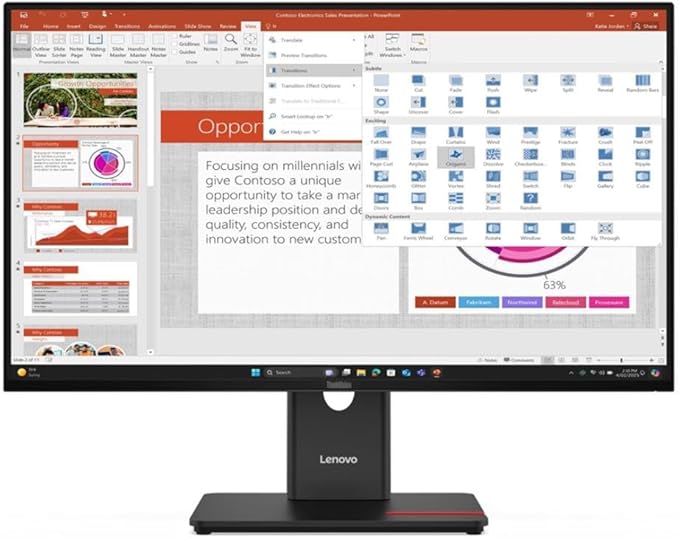
Lenovo ThinkVision P27u-20 27-inch UHD Monitor
Return postage is paid by the customer. The product has been modified using unauthorised methods. The item has been serviced by another party other than madelectronics Consequential loss including but not limited to data, programs, software or other information stored on storage products, computer or laptop systems. Software Our goods come with guarantees that cannot be excluded under the Australian Consumer Law. You are entitled to a replacement or refund for a major failure and compensation for any other reasonably foreseeable loss or damage. You are also entitled to have the goods repaired or replaced if the goods fail to be of acceptable quality and the failure does not amount to a major failure.
Return postage is paid by the customer. The product has been modified using unauthorised methods. The item has been serviced by another party other than madelectronics Consequential loss including but not limited to data, programs, software or other information stored on storage products, computer or laptop systems. Software Our goods come with guarantees that cannot be excluded under the Australian Consumer Law. You are entitled to a replacement or refund for a major failure and compensation for any other reasonably foreseeable loss or damage. You are also entitled to have the goods repaired or replaced if the goods fail to be of acceptable quality and the failure does not amount to a major failure.
in 27 offers
The lowest price for Lenovo ThinkVision P27u-20 27-inch UHD Monitor right now is $747.95 at Mwave Australia, compared across 22 retailers.
The all-time low was $485.75 on 6 July 2025 — today's price is 54% above the lowest ever. It has been notably cheaper before — worth setting a price alert.
Prices last updated 3 Aug 2026.
Last updated at 03/08/2026 06:35:40
Lenovo ThinkVision P27u-20 - LED Monitor - 68.6 cm (27 Inches) (27 Inches Visible) - 3840 x 2160 4K @ 60 Hz - IPS - 450 cd/m² - 1000:1-4 ms -
Affiliate Disclosure: We may receive a small commission for purchases made through this link at no extra cost to you. This helps support our site. Thank you!
Lenovo ThinkVision P27u-20 27" 4K UHD IPS Studio Business Monitor (100W USB-C)
Free delivery between 6–13 Aug
Lenovo Thinkvision P27u-20 27" 60Hz UHD IPS Monitor 4K 3840 x 2160 16:9 4ms IPS Height Adjustable Tilt Pivot Swivel HDMI DP RJ45 USB VESA 3yr Warranty
Delivery between Wed – Fri $15
LENOVO ThinkVision P27U-20 27" 60Hz UHD IPS Monitor 4K 3840 x 2160 16:9 4ms IPS Height Adjustable Tilt Pivot Swivel HDMI DP RJ45 USB VESA 3yr wty
Lenovo ThinkVision P27u-20 68.6 cm (27") 3840 x 2160 pixels 4K Ultra HD LED Black
Free delivery
Lenovo ThinkVision P27u-20 Monitor, 27" IPS Display, 4K UHD Resolution, 60Hz Refresh Rate, 4ms (Extreme Mode) Response Time, Built-In 3w x2 Speakers,
Delivery between 6–12 Aug $127.48
[62CBRAR6AU] Lenovo ThinkVision P27U-20 27" 60Hz UHD IPS Monitor
Delivery between 6–10 Aug $10
Lenovo ThinkVision P27U-20 27" 60Hz UHD IPS Monitor [62CBRAR6AU]
Delivery between 6–10 Aug $10
Lenovo Thinkvision P27U 20 27 Inches 60Hz Uhd Ips Monitor
Free delivery between 6–10 Aug
Lenovo ThinkVision P27u-20 27" Class 4K UHD LCD Monitor - 16:9 - 27" Viewable - In-plane Switching (IPS) Technology - WLED Backlight - 3840 x 2160 -
Free delivery between 6–10 Aug
originally posted on lenovo.com
I like this monitor overall. I have a very similar monitor at work, which inspired me to buy this model for home. The screen size is great for working on big spreadsheets, and for general home use as well. My only complaint is that I wish I could turn the brightness up higher. My workstation is up against a window, and so it is backlit. The monitor can't achieve the same brightness as my laptop screen, but it's a different brand. Overall, I'm happy with this purchase.
originally posted on lenovo.com
This is a very nice monitor. I bought it to pair with a Mac. The Thunderbolt 4 does not work with legacy Macs that have Thunderbolt 1 or 2. I tried Thunderbolt using Apple's Thunderbolt 2 to 3 adapter with a 2013 Mac Pro and a 2012 MacBook Pro and it does not work. Neither the display or the built-in dock. It does work with an M1 Mac mini that has Thunderbolt 3. Both the display and dock work. So Thunderbolt 1 & 2 Macs not working is probably a software limitation on Apple's end. Of course the display can still be connected to older Macs using DisplayPort and HDMI.I also have the ThinkVision P27u-10 that this monitor replaces. The older monitor is excellent and the display might be better on that one to be honest. The first P27u-20 Lenovo sent me was defective ... MoreThis is a very nice monitor. I bought it to pair with a Mac. The Thunderbolt 4 does not work with legacy Macs that have Thunderbolt 1 or 2. I tried Thunderbolt using Apple's Thunderbolt 2 to 3 adapter with a 2013 Mac Pro and a 2012 MacBook Pro and it does not work. Neither the display or the built-in dock. It does work with an M1 Mac mini that has Thunderbolt 3. Both the display and dock work. So Thunderbolt 1 & 2 Macs not working is probably a software limitation on Apple's end. Of course the display can still be connected to older Macs using DisplayPort and HDMI.I also have the ThinkVision P27u-10 that this monitor replaces. The older monitor is excellent and the display might be better on that one to be honest. The first P27u-20 Lenovo sent me was defective with lines all through the bottom half of the screen and it made a loud buzzing sound. I don't know if it slipped through quality control and was defective before it left the warehouse or if it became damaged during shipping. The shipping box was not damaged. I submitted a warranty claim and Lenovo sent me a replacement from a 3rd party, but it appears to have been a customer return and had lots of dead pixels. So I returned both of them and the sales department helped me order a new one. The 3rd monitor is good. There are a couple defective pixels, but they are so small they are hard to see; so I'm not going to worry about it.When I bought the older P27u-10 the first one they sent me had dead pixels too and the 2nd one is great with zero dead pixels. So I suppose monitors in general are hit or miss. I think you'll be happy once you get a good one. I checked out Apple's Studio Display at the Apple Store today and I wasn't impressed with it. It was very thick also. This Lenovo display is a much better value, especially with the built-in Thunderbolt 4 dock!
originally posted on lenovo.com
VERY GOOD MONITOR in terms of color reproduction. Thin bevel on edge. Good looking. Mostly plastic construction. easy to assemble. Tilt mechanism ok but wd be better if it cd tilt forward more--it only sits at 180 degrees facing forward and the bottom of monitor can be tilted further toward the base. Controls not entirely intuitive but aside from this the basic functions on this monitor are very good. Connection options are also very good.
Lenovo ThinkVision P27u-20 - LED Monitor - 68.6 cm (27 Inches) (27 Inches Visible) - 3840 x 2160 4K @ 60 Hz - IPS - 450 cd/m² - 1000:1-4 ms -
Affiliate Disclosure: We may receive a small commission for purchases made through this link at no extra cost to you. This helps support our site. Thank you!
Lenovo ThinkVision P27u-20 27" 4K UHD IPS Studio Business Monitor (100W USB-C)
Free delivery between 6–13 Aug
Lenovo Thinkvision P27u-20 27" 60Hz UHD IPS Monitor 4K 3840 x 2160 16:9 4ms IPS Height Adjustable Tilt Pivot Swivel HDMI DP RJ45 USB VESA 3yr Warranty
Delivery between Wed – Fri $15
LENOVO ThinkVision P27U-20 27" 60Hz UHD IPS Monitor 4K 3840 x 2160 16:9 4ms IPS Height Adjustable Tilt Pivot Swivel HDMI DP RJ45 USB VESA 3yr wty
Lenovo ThinkVision P27u-20 68.6 cm (27") 3840 x 2160 pixels 4K Ultra HD LED Black
Free delivery
I like this monitor overall. I have a very similar monitor at work, which inspired me to buy this model for home. The screen size is great for working on big spreadsheets, and for general home use as well. My only complaint is that I wish I could turn the brightness up higher. My workstation is up against a window, and so it is backlit. The monitor can't achieve the same brightness as my laptop screen, but it's a different brand. Overall, I'm happy with this purchase.
This is a very nice monitor. I bought it to pair with a Mac. The Thunderbolt 4 does not work with legacy Macs that have Thunderbolt 1 or 2. I tried Thunderbolt using Apple's Thunderbolt 2 to 3 adapter with a 2013 Mac Pro and a 2012 MacBook Pro and it does not work. Neither the display or the built-in dock. It does work with an M1 Mac mini that has Thunderbolt 3. Both the display and dock work. So Thunderbolt 1 & 2 Macs not working is probably a software limitation on Apple's end. Of course the display can still be connected to older Macs using DisplayPort and HDMI.I also have the ThinkVision P27u-10 that this monitor replaces. The older monitor is excellent and the display might be better on that one to be honest. The first P27u-20 Lenovo sent me was defective ... MoreThis is a very nice monitor. I bought it to pair with a Mac. The Thunderbolt 4 does not work with legacy Macs that have Thunderbolt 1 or 2. I tried Thunderbolt using Apple's Thunderbolt 2 to 3 adapter with a 2013 Mac Pro and a 2012 MacBook Pro and it does not work. Neither the display or the built-in dock. It does work with an M1 Mac mini that has Thunderbolt 3. Both the display and dock work. So Thunderbolt 1 & 2 Macs not working is probably a software limitation on Apple's end. Of course the display can still be connected to older Macs using DisplayPort and HDMI.I also have the ThinkVision P27u-10 that this monitor replaces. The older monitor is excellent and the display might be better on that one to be honest. The first P27u-20 Lenovo sent me was defective with lines all through the bottom half of the screen and it made a loud buzzing sound. I don't know if it slipped through quality control and was defective before it left the warehouse or if it became damaged during shipping. The shipping box was not damaged. I submitted a warranty claim and Lenovo sent me a replacement from a 3rd party, but it appears to have been a customer return and had lots of dead pixels. So I returned both of them and the sales department helped me order a new one. The 3rd monitor is good. There are a couple defective pixels, but they are so small they are hard to see; so I'm not going to worry about it.When I bought the older P27u-10 the first one they sent me had dead pixels too and the 2nd one is great with zero dead pixels. So I suppose monitors in general are hit or miss. I think you'll be happy once you get a good one. I checked out Apple's Studio Display at the Apple Store today and I wasn't impressed with it. It was very thick also. This Lenovo display is a much better value, especially with the built-in Thunderbolt 4 dock!
VERY GOOD MONITOR in terms of color reproduction. Thin bevel on edge. Good looking. Mostly plastic construction. easy to assemble. Tilt mechanism ok but wd be better if it cd tilt forward more--it only sits at 180 degrees facing forward and the bottom of monitor can be tilted further toward the base. Controls not entirely intuitive but aside from this the basic functions on this monitor are very good. Connection options are also very good.
This monitor has the same color reproduction capabilities (near-full AdobeRGB and DCI-P3 coverage) and features (e.g. KVM switch, Thunderbolt 3/4 support with daisy chaining) typically found in the $900+ equivalents.Unfortunately, the quality control and the customer service backing the product is quite poor. While decently quiet and steady when active, my original unit produces an excessively loud and pulsating coil whine on sleep/standby. I had to call in 4-5 times during the past 6 months I've owned it to get a replacement (since apparently monitors can't be handled via the web portal or email), each time resulting in support saying a monitor would be sent but nothing actually sent for a month. When they finally sent a replacement, the unit had marginally ... MoreThis monitor has the same color reproduction capabilities (near-full AdobeRGB and DCI-P3 coverage) and features (e.g. KVM switch, Thunderbolt 3/4 support with daisy chaining) typically found in the $900+ equivalents.Unfortunately, the quality control and the customer service backing the product is quite poor. While decently quiet and steady when active, my original unit produces an excessively loud and pulsating coil whine on sleep/standby. I had to call in 4-5 times during the past 6 months I've owned it to get a replacement (since apparently monitors can't be handled via the web portal or email), each time resulting in support saying a monitor would be sent but nothing actually sent for a month. When they finally sent a replacement, the unit had marginally better but still excessive coil whine. The bottom bezel also doesn't sit flush against the panel in several sections on both units.If you're willing to play the quality control lottery, this is still a good value when it comes to performance and features. If not, I'd look at other monitors using variants of the same BOE quantum dot panel like the ViewSonic VP2786-4K (~$1000, similar color reproduction performance and KVM but drops Thunderbolt 3/4 support for a built-in colorimeter + control puck and magnetic monitor hood), Philips 279E2FQE (~$500-600 USD equivalent in TWD/NT) if you're in Asia Pacific. No KVM), or Xiaomi Mi 4K Professional Display XMMNT27NU (~$550 USD equivalent in CNY) if you're in Asia Pacific. No KVM). Outside of those, most other monitors with similar performance and features are in the $1000-1500+ range like the ones based off variants of a 2304 zone MiniLED panel from BOE, a high refresh 576 zone MiniLED panel from AUO, or OLED panels. If this model's an indicator of its successor, the Lenovo ThinkVision P27pz-30, I'd be cautious of that one as well.
Great Monitor but terrible instructions. Took hours to get it working. For example, the mouse was jerky, and the network kept dropping out. Nowhere did it tell me that the USB cable back to the computer had to be connected to a high-speed USB port. I connected a SSD to the USB-C port to be able to transfer files between computers. It is slower than when it was connected directly to the computer, but works as a drive that switches between computers. Also it took me a while to get my speakers working. I had to go into the menu and turn the internal speakers off. Now I have better sound. With the keyboard, mouse, power for the speakers and SSD all the USB ports are used up. I don't have a Thunderbolt 4 drive so I couldn't check to see if it switched properly between ... MoreGreat Monitor but terrible instructions. Took hours to get it working. For example, the mouse was jerky, and the network kept dropping out. Nowhere did it tell me that the USB cable back to the computer had to be connected to a high-speed USB port. I connected a SSD to the USB-C port to be able to transfer files between computers. It is slower than when it was connected directly to the computer, but works as a drive that switches between computers. Also it took me a while to get my speakers working. I had to go into the menu and turn the internal speakers off. Now I have better sound. With the keyboard, mouse, power for the speakers and SSD all the USB ports are used up. I don't have a Thunderbolt 4 drive so I couldn't check to see if it switched properly between computers.
I purchased this monitor for work. I was hoping the built-in speakers would allow me to get rid of my external desktop speakers for a cleaner desk. Unfortunately, the sound is very weak and tinny. I could not stand it and plugged my desktop speakers back on. I was not expecting dolby atmos.. jut decent enough sound depth given the monitor size and bottom bezel.Other than that, the display is great, the connectors are great, it does everything it says on the box - only the speakers are disappointing, which is not a deal breaker for me when I buy a monitor.
This is a very nice monitor. I was tracking it at $750 and was considering purchasing, but when it dropped to $550, I jumped on it. It is not as nice as the 5k on my iMac pro, but VERY close. It is a matte finish screen and has pretty small bezels and is very adjustable. I also like the slot on the base that I can stick my cell phone in as a stand. Very nice touch! I didn't like the calibration out of the box (it did include a report on the calibration, but it felt a little too warm to me) and I'm not using this for any hyper critical color work, so I played with the settings a bunch and got it to match pretty closely to my iMac's monitor and that works for me just nice. brightness is supposedly less than the iMac Pro monitor, but I have my iMac at about 40% ... MoreThis is a very nice monitor. I was tracking it at $750 and was considering purchasing, but when it dropped to $550, I jumped on it. It is not as nice as the 5k on my iMac pro, but VERY close. It is a matte finish screen and has pretty small bezels and is very adjustable. I also like the slot on the base that I can stick my cell phone in as a stand. Very nice touch! I didn't like the calibration out of the box (it did include a report on the calibration, but it felt a little too warm to me) and I'm not using this for any hyper critical color work, so I played with the settings a bunch and got it to match pretty closely to my iMac's monitor and that works for me just nice. brightness is supposedly less than the iMac Pro monitor, but I have my iMac at about 40% brightness (Apple uses dots, not numbers, so I'm not sure what the exact percentage is) for my dark office and I set this one at 25% to feel similar to the iMac.... so go figure on that one... I do some photo work and some video work. Video looks good on this monitor, but it's not a gaming monitor. It plays the games I play fine (Minecraft and some vintage games) but I don't know how it would hold up to high frame rate games that need a super high refresh rate.... maybe it would be ok though... I just like the crispness of the monitor for text and graphics. Very nice and well worth even the $750 I was considering spending on it. Oh, I did play around with rotating this when I was first setting it up just to see what that was like and I felt like it wouldn't lock in at exactly 90 degrees when I put it in portrait mode (it seemed to want to be very slightly crooked and I felt that it would need some modification to get it to exactly 90 degrees for portrait mode) and that was the only negative thing about it for me, but I'm planning to keep it in horizontal mode all the time, so not a deal breaker, but I'm mentioning it just in case it helps someone.
I originally bought this monitor for my son who is studying photography. After testing it out, I think I might be stealing it from him. To test it a thunderbolt 2 raid is plugged into the monitor with an Apple adapter. When I turn on my MacBook Pro 16 everything starts up together. I also have other external usb drives, a scanner and my time machine drive all hooked up at the same time.A note on the display. Great colour for the price. Adobe RGB for under $1k…amazing when working with photos.Contrary to some reviews I read, I find the menu simple to navigate…and I had the monitor assembled and running with all or my devices in 15 minutes. I even plugged my studio monitors directly in to see if he could do the same.I thought the shape of the bezel would bother ... MoreI originally bought this monitor for my son who is studying photography. After testing it out, I think I might be stealing it from him. To test it a thunderbolt 2 raid is plugged into the monitor with an Apple adapter. When I turn on my MacBook Pro 16 everything starts up together. I also have other external usb drives, a scanner and my time machine drive all hooked up at the same time.A note on the display. Great colour for the price. Adobe RGB for under $1k…amazing when working with photos.Contrary to some reviews I read, I find the menu simple to navigate…and I had the monitor assembled and running with all or my devices in 15 minutes. I even plugged my studio monitors directly in to see if he could do the same.I thought the shape of the bezel would bother me (I prefer symmetrical all the way around) but it doesn’t…even though I would prefer that.I will be buying him a hood, but was told that it is unavailable through Lenovo, which is slightly disappointing.
Monitor image quality is good, monitor design is nice, but these things are LOUD. The electric whirring and buzzing is very noticeable. Especially when monitors are powered off, and especially when they’re connected to a computer on sleep mode, like a Mac via Thunderbolt cables. (A Google search will reveal others with the same issue) I decided to just put up with it because I bought two and didn’t want to go through the trouble. I attempted to alleviate it by covering one corner of the vents with a back strip of neoprene, which helped some. This might not be great for heat ventilation, but there are so many vents I decided to take the risk to reduce the buzzing.If Lenovo thinks people won’t care and will just “put headphones on” like their article about electric ... MoreMonitor image quality is good, monitor design is nice, but these things are LOUD. The electric whirring and buzzing is very noticeable. Especially when monitors are powered off, and especially when they’re connected to a computer on sleep mode, like a Mac via Thunderbolt cables. (A Google search will reveal others with the same issue) I decided to just put up with it because I bought two and didn’t want to go through the trouble. I attempted to alleviate it by covering one corner of the vents with a back strip of neoprene, which helped some. This might not be great for heat ventilation, but there are so many vents I decided to take the risk to reduce the buzzing.If Lenovo thinks people won’t care and will just “put headphones on” like their article about electric whirring says, they’re dead wrong. Everyone I’ve shown it too hates the sounds.
I am delighted with this monitor. I spent a long time looking at various docks and monitors when I seen this which seemed to have a dock built in and it has proven to be excellent! It works flawlessly with my old MacBook Pro (2012) via display port and also perfectly with a newer M1 MacBook Pro via Thunderbolt which charges the laptop and transfers all signals >including internet so I can turn off the Wi-Fi and have wired internet. Considering what some of the docks I looked at could have cost I think this is both tidier and better value.