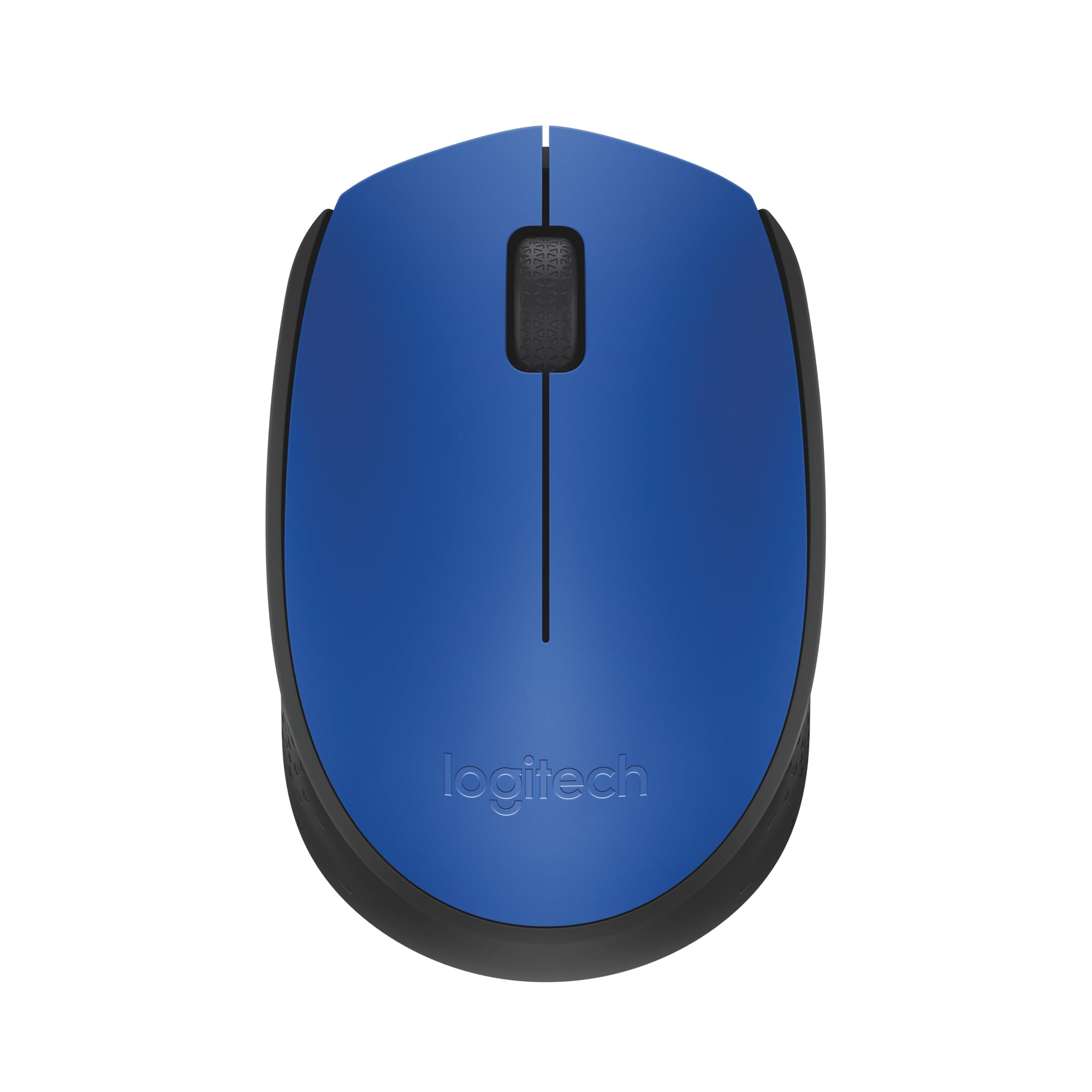
Logitech M171 Wireless Mouse (Blue)
This Logitech M171 Wireless Mouse delivers reliable wireless connections via the Logitech nano receiver which simply plugs into your computer's USB port. It makes operating your computer simple and easy thanks to the inbuilt scroll wheel and optical tracker. Key Features Strong, consistent wireless connection from distances up to 10-meters away. With virtually no delays or dropouts, you’ll work and play with confidence. Work for up to a year between battery changes. To extend the battery life, use the On/Off switch power off when not in use. The M171 Wireless Mouse is truly plug and play. Just insert the receiver into a USB port on your computer and begin using it right away. There is no need to pair the mouse or to download software in order to begin using it. The shape of the mouse supports your hand for hours of comfortable use. The ambidextrous shape and the ability to reassign right and left button functions make M171 the ideal mice for the right or left hand.
This Logitech M171 Wireless Mouse delivers reliable wireless connections via the Logitech nano receiver which simply plugs into your computer's USB port. It makes operating your computer simple and easy thanks to the inbuilt scroll wheel and optical tracker. Key Features Strong, consistent wireless connection from distances up to 10-meters away. With virtually no delays or dropouts, you’ll work and play with confidence. Work for up to a year between battery changes. To extend the battery life, use the On/Off switch power off when not in use. The M171 Wireless Mouse is truly plug and play. Just insert the receiver into a USB port on your computer and begin using it right away. There is no need to pair the mouse or to download software in order to begin using it. The shape of the mouse supports your hand for hours of comfortable use. The ambidextrous shape and the ability to reassign right and left button functions make M171 the ideal mice for the right or left hand.
This Logitech M171 Wireless Mouse delivers reliable wireless connections via the Logitech nano receiver which simply plugs into your computer's USB port. It makes operating your computer simple and easy thanks to the inbuilt scroll wheel and optical tracker. Key Features Strong, consistent wireless connection from distances up to 10-meters away. With virtually no delays or dropouts, you’ll work and play with confidence. Work for up to a year between battery changes. To extend the battery life, use the On/Off switch power off when not in use. The M171 Wireless Mouse is truly plug and play. Just insert the receiver into a USB port on your computer and begin using it right away. There is no need to pair the mouse or to download software in order to begin using it. The shape of the mouse supports your hand for hours of comfortable use. The ambidextrous shape and the ability to reassign right and left button functions make M171 the ideal mice for the right or left hand.
This Logitech M171 Wireless Mouse delivers reliable wireless connections via the Logitech nano receiver which simply plugs into your computer's USB port. It makes operating your computer simple and easy thanks to the inbuilt scroll wheel and optical tracker. Key Features Strong, consistent wireless connection from distances up to 10-meters away. With virtually no delays or dropouts, you’ll work and play with confidence. Work for up to a year between battery changes. To extend the battery life, use the On/Off switch power off when not in use. The M171 Wireless Mouse is truly plug and play. Just insert the receiver into a USB port on your computer and begin using it right away. There is no need to pair the mouse or to download software in order to begin using it. The shape of the mouse supports your hand for hours of comfortable use. The ambidextrous shape and the ability to reassign right and left button functions make M171 the ideal mice for the right or left hand.
in 43 offers
The lowest price for Logitech M171 Wireless Mouse (Blue) right now is $8.00 at CeX, compared across 35 retailers.
The all-time low was $8.00 on 13 Oct 2026. That's the lowest price we've ever tracked — a great time to buy.
Prices last updated 23 Oct 2026.
Last updated at 23/10/2026 20:19:35
Logitech M170 Wireless Mouse for PC, Mac, Laptop, 2.4 GHz with USB Mini Receiver, Optical Tracking, 12-Months Battery Life, Ambidextrous, Blue
Affiliate Disclosure: We may receive a small commission for purchases made through this link at no extra cost to you. This helps support our site. Thank you!
Logitech M171 Wireless Mouse - Blue, B
Delivery $4
Miš LOGITECH M171, optički, bežični, plavi
Logitech M171 Wireless Mouse - Blue/Black
Free delivery
Logitech M171 Wireless Mouse - Blue/Black
Free delivery between Tue – Fri
Logitech M171 Wireless Mouse (Blue)
14-day returns
Logitech M171 - Mouse - right and left-handed - optical - wireless - 2.4 GHz - USB wireless receiver - black blue
Delivery $16.50
Logitech M171 Compact Wireless Mouse Blue | Best Online Computer Store
Delivery between 29 Oct – 6 Nov $9.90
Logitech M171 Wireless Mouse (Blue)
Free delivery between 27 Oct – 3 Nov
LOGITECH 910-004656 M171 Wireless Mouse Blue
Delivery between 28 Oct – 2 Nov $14.50
originally posted on jbhifi.com.au
The mouse has smooth tracking and is of a good quality for the price. My only concern is that it is way. Too. Small. It isn't ergonomic in the slightest, yet if you have tiny hands it might be ok. I looked at the specs and it is only two cm shorter than a *I can't mention competitors*, a mouse made for large hands, but it ended up being much smaller than I predicted. The actual design, looks and performance are pretty good.
originally posted on bestbuy.com
I bought this online - and couldn't make it work at all when I got it - no light, no arrow, no movement, nothing. I took it back to the store and got a replacement. When I got home - same thing - nothing. I took it back to the store and the lady took it in the back, then came out and said it worked and it wasn't supposed to have a light. She showed me on a laptop that the arrow moved. I took it home only to find out the left button didn't work. I threw it away and ordered something different elsewhere, I got 2 for the price of the 1 from Best Buy and both work, and the light on the bottom comes on so I know it is turned on.
originally posted on bestbuy.com
At first it was weird because I had to get used to a smaller mouse. After that it was a great little thing!Now, 4 months later...it stopped working! Thought maybe I needed to replace the battery. Tried a couple of different ones. Still didn't work. Removed the little thing that you place in the USB port to connect the mouse and put it back in a couple of times, waited a couple of minutes too a few times, even put it into a different port...still didn't work. I put it back into the port it's normally in, then removed it, and out came this incredibly tiny little rectangle. Probably wouldn't have noticed it if it wasn't for the fact I'm at work and have a white workstation. There's something printed on the one side of the metal piece that I can't even make out on my ... MoreAt first it was weird because I had to get used to a smaller mouse. After that it was a great little thing!Now, 4 months later...it stopped working! Thought maybe I needed to replace the battery. Tried a couple of different ones. Still didn't work. Removed the little thing that you place in the USB port to connect the mouse and put it back in a couple of times, waited a couple of minutes too a few times, even put it into a different port...still didn't work. I put it back into the port it's normally in, then removed it, and out came this incredibly tiny little rectangle. Probably wouldn't have noticed it if it wasn't for the fact I'm at work and have a white workstation. There's something printed on the one side of the metal piece that I can't even make out on my own, and the camera won't pick it up with how close you need to be to see it. My guess this is the reason for it not working. There's absolutely no way for this part to be fixed (not a tech person, but for a $10 mouse it's likely not worth the hassle anyway). Just sucks as this was a good little mouse.Only saying no to recommending to a friend per my experience. I wish there was an "I don't know/not sure" option for the recommendation.
| Number of Buttons | 3 |
| Programmable Buttons | Ability to reassign right and left buttons |
| Scroll Type | Wheel, Scroll wheel |
| Functionality Highlights | Plug and play |
| Sensor Type | Optical |

Logitech M170 Wireless Mouse for PC, Mac, Laptop, 2.4 GHz with USB Mini Receiver, Optical Tracking, 12-Months Battery Life, Ambidextrous, Blue
Affiliate Disclosure: We may receive a small commission for purchases made through this link at no extra cost to you. This helps support our site. Thank you!
Logitech M171 Wireless Mouse - Blue, B
Delivery $4
Miš LOGITECH M171, optički, bežični, plavi
Logitech M171 Wireless Mouse - Blue/Black
Free delivery
Logitech M171 Wireless Mouse - Blue/Black
Free delivery between Tue – Fri
The mouse has smooth tracking and is of a good quality for the price. My only concern is that it is way. Too. Small. It isn't ergonomic in the slightest, yet if you have tiny hands it might be ok. I looked at the specs and it is only two cm shorter than a *I can't mention competitors*, a mouse made for large hands, but it ended up being much smaller than I predicted. The actual design, looks and performance are pretty good.
I bought this online - and couldn't make it work at all when I got it - no light, no arrow, no movement, nothing. I took it back to the store and got a replacement. When I got home - same thing - nothing. I took it back to the store and the lady took it in the back, then came out and said it worked and it wasn't supposed to have a light. She showed me on a laptop that the arrow moved. I took it home only to find out the left button didn't work. I threw it away and ordered something different elsewhere, I got 2 for the price of the 1 from Best Buy and both work, and the light on the bottom comes on so I know it is turned on.
At first it was weird because I had to get used to a smaller mouse. After that it was a great little thing!Now, 4 months later...it stopped working! Thought maybe I needed to replace the battery. Tried a couple of different ones. Still didn't work. Removed the little thing that you place in the USB port to connect the mouse and put it back in a couple of times, waited a couple of minutes too a few times, even put it into a different port...still didn't work. I put it back into the port it's normally in, then removed it, and out came this incredibly tiny little rectangle. Probably wouldn't have noticed it if it wasn't for the fact I'm at work and have a white workstation. There's something printed on the one side of the metal piece that I can't even make out on my ... MoreAt first it was weird because I had to get used to a smaller mouse. After that it was a great little thing!Now, 4 months later...it stopped working! Thought maybe I needed to replace the battery. Tried a couple of different ones. Still didn't work. Removed the little thing that you place in the USB port to connect the mouse and put it back in a couple of times, waited a couple of minutes too a few times, even put it into a different port...still didn't work. I put it back into the port it's normally in, then removed it, and out came this incredibly tiny little rectangle. Probably wouldn't have noticed it if it wasn't for the fact I'm at work and have a white workstation. There's something printed on the one side of the metal piece that I can't even make out on my own, and the camera won't pick it up with how close you need to be to see it. My guess this is the reason for it not working. There's absolutely no way for this part to be fixed (not a tech person, but for a $10 mouse it's likely not worth the hassle anyway). Just sucks as this was a good little mouse.Only saying no to recommending to a friend per my experience. I wish there was an "I don't know/not sure" option for the recommendation.
My 6-yr old Logitech wireless mouse needed a burial, but I was skeptical about getting another one because I am computer illiterate and the old mouse/keyboard/computer was installed by a computer tech. Didn't want to spend a lot of money because I don't need a "smart" mouse. I read a lot of the reviews, which were very helpful, especially the ones that gave instructions where to find the dohickey thingy in the battery compartment. I ordered it for home delivery and it arrived sooner than scheduled. My computer is Windows 8.1 and, I was still nervous about installing the new mouse. PIECE OF CAKE!! Took the dohickey thingy out of the battery compartment, plugged it into the port in the computer, inserted a battery and IT WORKED! So, THANK YOU to everyone who posted a ... MoreMy 6-yr old Logitech wireless mouse needed a burial, but I was skeptical about getting another one because I am computer illiterate and the old mouse/keyboard/computer was installed by a computer tech. Didn't want to spend a lot of money because I don't need a "smart" mouse. I read a lot of the reviews, which were very helpful, especially the ones that gave instructions where to find the dohickey thingy in the battery compartment. I ordered it for home delivery and it arrived sooner than scheduled. My computer is Windows 8.1 and, I was still nervous about installing the new mouse. PIECE OF CAKE!! Took the dohickey thingy out of the battery compartment, plugged it into the port in the computer, inserted a battery and IT WORKED! So, THANK YOU to everyone who posted a review and gave instructions. This is a bit smaller than my old mouse, but I have small hands so it works very well. Hope this one lasts as long as the other one did. Stay safe and well.
Purchased this mouse back in August 2021. Does not have much features like other high end mouses but this budget mouse gets the job done. The feel to this mouse and the quality build of this mouse is great and overall it is great for everyday use and easy to travel with on the go. I personally use this for my iMac since I run Windows 11 on it currently and I have to say all I had to do was plug the receiver into the computer and battery into the mouse. I have to say the setup process was very easy and fast with no software required. I have to say overall that this mouse is small but it gets the job done and fits well for what I do on a everyday basis.
I bought this Logitech because I have never had an issue with any of the Logitech products I've used over the years. My last Logitech infrared optic mouse lasted almost 15 years. That's how good these products are. However, 'if man made it, eventually it will break' and after all those years I finally needed to buy a new mouse. Hint, the plug & play chip is inside the battery compartment of the mouse. I feel really out of the loop with that because I had bought one, couldn't get it to work, and I couldn't figure out why. I'm pretty tech savvy but the hidden chip threw me. OK I got a replacement and figured it out so I guess I'll keep the first and just pay for it. The TV computer needs a new mouse anyhow lol...Great value!!
This is the M170 wireless mouse. It's works as well as my old Logitech mouse, which had a touch sensitive center scroller. Logitech doesn't seem to make that kind of mouse anymore. The old mouse still works fine, but the battery cover is broken, which is why I bought a new one for my new computer. This works almost exactly the same, but has a center roller for scrolling. Apparently, Logitech doesn't make a touch sensitive wireless mouse anymore. As much as I liked it and miss it, I understand why.This does allow settings that can mimic how the old mouse works. Thankfully, you can't mimic the sideswiping feature from my old mouse. This is a very nice mouse. If I have one misgiving, it's that it doesn't feel as durable as my old mouse. It doesn't have as much heft ... MoreThis is the M170 wireless mouse. It's works as well as my old Logitech mouse, which had a touch sensitive center scroller. Logitech doesn't seem to make that kind of mouse anymore. The old mouse still works fine, but the battery cover is broken, which is why I bought a new one for my new computer. This works almost exactly the same, but has a center roller for scrolling. Apparently, Logitech doesn't make a touch sensitive wireless mouse anymore. As much as I liked it and miss it, I understand why.This does allow settings that can mimic how the old mouse works. Thankfully, you can't mimic the sideswiping feature from my old mouse. This is a very nice mouse. If I have one misgiving, it's that it doesn't feel as durable as my old mouse. It doesn't have as much heft to it. It feels like it's made out of lighter plastic. It's a pretty minor complaint. Just pointing out that this mouse is lighter than their older mice, and I do prefer that heavier mouse.It's a good shape. It forms to the hand very nicely. Very comfortable to hold. The dimpled plastic on the side makes a very reassuring grip and even though it's hard, the dimpling makes it feel soft like rubber. The battery cover feels a lot more durable, and I think this has better glides than the old mouse.Interestingly, it came out of the pack in the on position with the battery installed, and yet the battery wasn't drained, and is still going strong. Nice, low battery usage. I can't check it's power level, but that's a Windows 10 problem; not a mouse problem.I do highly recommend this mouse and I think most people would be very happy with it.
While setting up a TV for media streaming, I needed a wireless keyboard and pointing capability of some kind. Though the wireless keyboard had a built-in touch pad, I felt more comfortable using a mouse. I decided to try this Logitech wireless mouse, and I was not disappointed. It is quite small in size and fits comfortably in the hand. The buttons click nicely without too much force required, and the scroll wheel works smoothly. Once I had it set up in Linux Lite, I was very happy with the pointing precision of the mouse. The cursor moves smoothly on the screen and precisely where it needs to be. It is exactly what I was looking for.
Normally, I have had excellent results when using Logitech products. And, even though the mouse is small and uncomfortable to hold/use, at first it worked fine. However, after a few weeks the mouse pointer began moving erratically and repeatedly freezing up during use. This problem occurred with normal use and while gaming. I reviewed the mouse settings in Control Panel, moved the dongle to different USB ports and replaced the mouse battery but none of this helped. I'm not sure if the mouse is defective or if there is some other factor causing the problems but I have gone back to using a corded mouse at this time. Very disappointed with this product.
I had this just a little over a year and it died. Batteries were changed but the mouse still did not rise from the dead. Really disappointed with the life span!I had another logitech mouse (same model) that died a few weeks later. I've never had any complaints about Logitech products before but I sure do now.
| Number of Buttons | 3 |
| Programmable Buttons | Ability to reassign right and left buttons |
| Scroll Type | Wheel, Scroll wheel |
| Functionality Highlights | Plug and play |
| Sensor Type | Optical |


