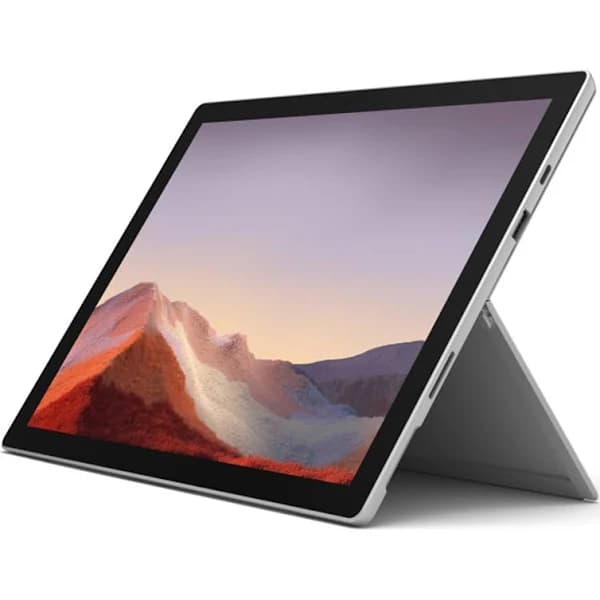
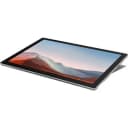



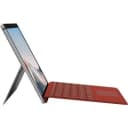
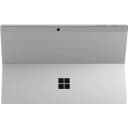
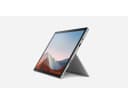
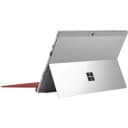
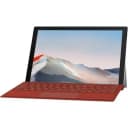
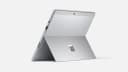
Microsoft Surface Pro 7+ i5 8GB 256GB Commercial Platinum (1na-00007)
Surface Pro 7+ for Business Our classic, ultra-light 2-in-1 for business is faster than ever and keeps you productive with improved all-day battery life. Now, with optional LTE Advanced. Get it done your way With performance by your side, nothing stops you from getting it all done wherever you work. Do it your way with professional-grade software and the essential apps you rely on. From laptop to tablet to studio, work your way in video calls, face-to-face meetings, and inking to sketch or annotate. Ready to get to work Crystal-clear video calls in secure Microsoft Teams meetings. A touchscreen display that lets you navigate naturally. The next-gen ports you need. Our ultra-light and versatile 2-in-1 business laptop adapts to the ways you work.
Surface Pro 7+ for Business Our classic, ultra-light 2-in-1 for business is faster than ever and keeps you productive with improved all-day battery life. Now, with optional LTE Advanced. Get it done your way With performance by your side, nothing stops you from getting it all done wherever you work. Do it your way with professional-grade software and the essential apps you rely on. From laptop to tablet to studio, work your way in video calls, face-to-face meetings, and inking to sketch or annotate. Ready to get to work Crystal-clear video calls in secure Microsoft Teams meetings. A touchscreen display that lets you navigate naturally. The next-gen ports you need. Our ultra-light and versatile 2-in-1 business laptop adapts to the ways you work.
Surface Pro 7+ for Business Our classic, ultra-light 2-in-1 for business is faster than ever and keeps you productive with improved all-day battery life. Now, with optional LTE Advanced. Get it done your way With performance by your side, nothing stops you from getting it all done wherever you work. Do it your way with professional-grade software and the essential apps you rely on. From laptop to tablet to studio, work your way in video calls, face-to-face meetings, and inking to sketch or annotate. Ready to get to work Crystal-clear video calls in secure Microsoft Teams meetings. A touchscreen display that lets you navigate naturally. The next-gen ports you need. Our ultra-light and versatile 2-in-1 business laptop adapts to the ways you work.
Surface Pro 7+ for Business Our classic, ultra-light 2-in-1 for business is faster than ever and keeps you productive with improved all-day battery life. Now, with optional LTE Advanced. Get it done your way With performance by your side, nothing stops you from getting it all done wherever you work. Do it your way with professional-grade software and the essential apps you rely on. From laptop to tablet to studio, work your way in video calls, face-to-face meetings, and inking to sketch or annotate. Ready to get to work Crystal-clear video calls in secure Microsoft Teams meetings. A touchscreen display that lets you navigate naturally. The next-gen ports you need. Our ultra-light and versatile 2-in-1 business laptop adapts to the ways you work.
in 9 offers
The lowest price for Microsoft Surface Pro 7+ i5 8GB 256GB Commercial Platinum (1na-00007) right now is $400.00 at CeX, compared across 9 retailers.
The all-time low was $400.00 on 21 Sept 2026. That's the lowest price we've ever tracked — a great time to buy.
Prices last updated 24 Sept 2026.
Last updated at 24/09/2026 23:26:36
Microsoft Surface Pro 7 Platinum 256GB (i5) 8GB, B
Free delivery
Microsoft Surface Pro 7+ I5-1135g7 8gb 256gb Ssd Wifi Usb-c Qhd 12.3"
Free delivery
Affiliate Disclosure: We may receive a small commission for purchases made through this link at no extra cost to you. This helps support our site. Thank you!
Microsoft Surface Pro 7+ 12.3-inch i5 11th Gen 8GB 256GB @2.40GHz
Delivery between 28 Sept – 2 Oct $20.17
Microsoft Surface Pro 7+ 1960 12.3" i5-1135G7, 16GB RAM 256GB SSD
Microsoft Surface Pro 7+ 12.3” 2-in-1 Tablet | Core i5-1135G7 | 8GB RAM | 128GB/256GB SSD | Windows 11 8GB / 256GB SSD
Delivery $15
Microsoft Surface Pro 7 + 12.3" Touchscreen Intel i7-1165G7 16GB 512GB SSD WIN10 Pro 11th Gen Intel Iris Xe WIFI6 BT5.1 2xUSB Camera 2YR WTY Platinum
Microsoft Surface Pro 7+ 12.3' TOUCH Intel i5-1135G7 16GB 256GB SSD WIN 11 DG 10 Pro USB-C WIFI6 BT5.1 Camera 784g 15hrs Platinum 2YR WTY
Free delivery
12.3" Surface Pro 7 2-in-1 Touchscreen Tablet, Intel Core i7-1065G7 1.3GHz, 16GB RAM, 256GB SSD, Windows 10 Pro, Free Upgrade to Windows 11, Platinum
Free delivery
Microsoft Surface Pro 7+ LTE Advanced - Intel Core i5 11th Gen, 8GB RAM, 128GB SSD - Platinum
Free delivery
originally posted on bestbuy.com
It's the basic model of the Surface Pro 7+ line, without any single upgrade or enhancement. It heats up pretty quickly, with as little as 1 hour of use. It may be my fault that I am putting more workload on it than it can take. A metal tablet stand with a fan is suggested to keep it cool. The battery life sucks. Less than two hours of internet surfing brought the battery from full charge to 25%. There is no i3 option with a 1TB SSD and 16GB RAM. RAM is ok, you will get by, however, the storage will suck being limited to 128GB. Really hate the fact that you have to pay $200 for every single upgrade or enhancement on Surface Pro lines. Thankfully there is a microSD card slot, so you can put a 1TB microSD card in it. But be warned that even the best SD cards are ... MoreIt's the basic model of the Surface Pro 7+ line, without any single upgrade or enhancement. It heats up pretty quickly, with as little as 1 hour of use. It may be my fault that I am putting more workload on it than it can take. A metal tablet stand with a fan is suggested to keep it cool. The battery life sucks. Less than two hours of internet surfing brought the battery from full charge to 25%. There is no i3 option with a 1TB SSD and 16GB RAM. RAM is ok, you will get by, however, the storage will suck being limited to 128GB. Really hate the fact that you have to pay $200 for every single upgrade or enhancement on Surface Pro lines. Thankfully there is a microSD card slot, so you can put a 1TB microSD card in it. But be warned that even the best SD cards are limited to a max 90 Mbps speed, with average real-world speeds being only 10-12 Mbps. So it definitely cannot compete with your internal SSD. You will be however able to play STEAM games installed on the SD card though, or use the SD card for storing files. Hopefully, in the future, Microsoft will start shipping Surfaces with an SDUC card slot, instead of the current SDXC standard. SDUC cards reach up to levels of 900 Mbps (ten times more than the current standard), which is almost comparable to SSDs speeds. The other alternative is to use an external SSD card, but it is kind of a hassle to lug it everywhere. I like the Surface Pro 8 better, but it is very expensive. I got this for $600 so I can't complain much. The geekbench score is twice (and sometimes thrice in random tests) compared to my previous full-sized laptop (5 years older). Not bad at all. Lucky for me, I have a desktop too so that I don't have to completely rely on the Surface for my productivity. The touch screen is not comparable to Androids by any means. Thankfully Andriod apps are coming to Windows, and hopefully, Microsoft will improve the touchscreen experience for those apps, finally. In the case of Surface Pro, the price and limitations are not justified for a PC that is trying to be a tablet but fails to be any of them. If you don't have any use for Windows OS, definitely get an Android tablet.
originally posted on bestbuy.com
We got this for two reasons - needed a family Surface to access all of our Microsoft accounts on the go (and did not want a laptop) and the bundle was discounted at BestBuy. Things we like: -8GB of RAM makes it snappy enough for everyone to use. -Additional microSD slot allows for all of our music, movies, pictures and Kindle books for each user. Super awesome with the GoPro exchange. -USB-C charging (so we travel with common charger). -Removable rSSD and will be upgraded in the future as the family uses the device more (or not if they don't) Dislikes: -So many updates from Windows. -Long boot time (compared to iPad) -Dated design -Annoying exposed silver surface in speaker port on the right side. Every time I look at the screen, I see an incomplete border and just ... MoreWe got this for two reasons - needed a family Surface to access all of our Microsoft accounts on the go (and did not want a laptop) and the bundle was discounted at BestBuy. Things we like: -8GB of RAM makes it snappy enough for everyone to use. -Additional microSD slot allows for all of our music, movies, pictures and Kindle books for each user. Super awesome with the GoPro exchange. -USB-C charging (so we travel with common charger). -Removable rSSD and will be upgraded in the future as the family uses the device more (or not if they don't) Dislikes: -So many updates from Windows. -Long boot time (compared to iPad) -Dated design -Annoying exposed silver surface in speaker port on the right side. Every time I look at the screen, I see an incomplete border and just reminded that this is an aged design. -Loud click on track pad... it can be heard across the room like a snap.
originally posted on bestbuy.com
I purchased my Surface to help alleviate an issue I had when being tasked to work in the field. I needed to be able to review and work on design documents and using my phone was not going to handle the issue. I had planned on getting an Android tablet but when I looked at the value the Surface Pro 7 Plus had with the full Windows compatibly and the small and light form factor. I couldn't choose another tablet. I can remote into my work computer with ease and I have found myself using it more often to handle light tasks for myself when away from my home PC. The option for MicroSD and replaceable NVME is key here as well. It is a solid and fast PC. I had my concerns with the keyboard and they were completely unfounded. Hands down an amazing PC.
| Pixel density | 267 ppi |
| Graphics adapter family | Intel |
| Graphics adapter | Iris Xe Graphics |
| Number of built-in speakers | 2 |
| Number of microphones | 2 |
Microsoft Surface Pro 7 Platinum 256GB (i5) 8GB, B
Free delivery
Microsoft Surface Pro 7+ I5-1135g7 8gb 256gb Ssd Wifi Usb-c Qhd 12.3"
Free delivery
Affiliate Disclosure: We may receive a small commission for purchases made through this link at no extra cost to you. This helps support our site. Thank you!
Microsoft Surface Pro 7+ 12.3-inch i5 11th Gen 8GB 256GB @2.40GHz
Delivery between 28 Sept – 2 Oct $20.17
Microsoft Surface Pro 7+ 1960 12.3" i5-1135G7, 16GB RAM 256GB SSD
Microsoft Surface Pro 7+ 12.3” 2-in-1 Tablet | Core i5-1135G7 | 8GB RAM | 128GB/256GB SSD | Windows 11 8GB / 256GB SSD
Delivery $15
It's the basic model of the Surface Pro 7+ line, without any single upgrade or enhancement. It heats up pretty quickly, with as little as 1 hour of use. It may be my fault that I am putting more workload on it than it can take. A metal tablet stand with a fan is suggested to keep it cool. The battery life sucks. Less than two hours of internet surfing brought the battery from full charge to 25%. There is no i3 option with a 1TB SSD and 16GB RAM. RAM is ok, you will get by, however, the storage will suck being limited to 128GB. Really hate the fact that you have to pay $200 for every single upgrade or enhancement on Surface Pro lines. Thankfully there is a microSD card slot, so you can put a 1TB microSD card in it. But be warned that even the best SD cards are ... MoreIt's the basic model of the Surface Pro 7+ line, without any single upgrade or enhancement. It heats up pretty quickly, with as little as 1 hour of use. It may be my fault that I am putting more workload on it than it can take. A metal tablet stand with a fan is suggested to keep it cool. The battery life sucks. Less than two hours of internet surfing brought the battery from full charge to 25%. There is no i3 option with a 1TB SSD and 16GB RAM. RAM is ok, you will get by, however, the storage will suck being limited to 128GB. Really hate the fact that you have to pay $200 for every single upgrade or enhancement on Surface Pro lines. Thankfully there is a microSD card slot, so you can put a 1TB microSD card in it. But be warned that even the best SD cards are limited to a max 90 Mbps speed, with average real-world speeds being only 10-12 Mbps. So it definitely cannot compete with your internal SSD. You will be however able to play STEAM games installed on the SD card though, or use the SD card for storing files. Hopefully, in the future, Microsoft will start shipping Surfaces with an SDUC card slot, instead of the current SDXC standard. SDUC cards reach up to levels of 900 Mbps (ten times more than the current standard), which is almost comparable to SSDs speeds. The other alternative is to use an external SSD card, but it is kind of a hassle to lug it everywhere. I like the Surface Pro 8 better, but it is very expensive. I got this for $600 so I can't complain much. The geekbench score is twice (and sometimes thrice in random tests) compared to my previous full-sized laptop (5 years older). Not bad at all. Lucky for me, I have a desktop too so that I don't have to completely rely on the Surface for my productivity. The touch screen is not comparable to Androids by any means. Thankfully Andriod apps are coming to Windows, and hopefully, Microsoft will improve the touchscreen experience for those apps, finally. In the case of Surface Pro, the price and limitations are not justified for a PC that is trying to be a tablet but fails to be any of them. If you don't have any use for Windows OS, definitely get an Android tablet.
We got this for two reasons - needed a family Surface to access all of our Microsoft accounts on the go (and did not want a laptop) and the bundle was discounted at BestBuy. Things we like: -8GB of RAM makes it snappy enough for everyone to use. -Additional microSD slot allows for all of our music, movies, pictures and Kindle books for each user. Super awesome with the GoPro exchange. -USB-C charging (so we travel with common charger). -Removable rSSD and will be upgraded in the future as the family uses the device more (or not if they don't) Dislikes: -So many updates from Windows. -Long boot time (compared to iPad) -Dated design -Annoying exposed silver surface in speaker port on the right side. Every time I look at the screen, I see an incomplete border and just ... MoreWe got this for two reasons - needed a family Surface to access all of our Microsoft accounts on the go (and did not want a laptop) and the bundle was discounted at BestBuy. Things we like: -8GB of RAM makes it snappy enough for everyone to use. -Additional microSD slot allows for all of our music, movies, pictures and Kindle books for each user. Super awesome with the GoPro exchange. -USB-C charging (so we travel with common charger). -Removable rSSD and will be upgraded in the future as the family uses the device more (or not if they don't) Dislikes: -So many updates from Windows. -Long boot time (compared to iPad) -Dated design -Annoying exposed silver surface in speaker port on the right side. Every time I look at the screen, I see an incomplete border and just reminded that this is an aged design. -Loud click on track pad... it can be heard across the room like a snap.
I purchased my Surface to help alleviate an issue I had when being tasked to work in the field. I needed to be able to review and work on design documents and using my phone was not going to handle the issue. I had planned on getting an Android tablet but when I looked at the value the Surface Pro 7 Plus had with the full Windows compatibly and the small and light form factor. I couldn't choose another tablet. I can remote into my work computer with ease and I have found myself using it more often to handle light tasks for myself when away from my home PC. The option for MicroSD and replaceable NVME is key here as well. It is a solid and fast PC. I had my concerns with the keyboard and they were completely unfounded. Hands down an amazing PC.
Surface devices have always struck me as overpriced and lagging behind in tech features versus other Windows 2-in-1s, not to mention Android or iOS tablets. I would never have considered this device were it not deeply discounted. I even tried using a Surface Go at one point, and the Pentium chip in it was a huge let-down. This one has been an entirely different experience. The 11th gen i3 has not skipped a beat. Everything is smooth and snappy. I have a big heavy gaming laptop for games and work, but I'm now convinced that this could be my everyday workhorse. Just plug in a USB-C hub at your desk and you're good to go. You could even do a little casual gaming here - despite some confusion in the product info, this does have the new Iris Xe graphics (confirmed in ... MoreSurface devices have always struck me as overpriced and lagging behind in tech features versus other Windows 2-in-1s, not to mention Android or iOS tablets. I would never have considered this device were it not deeply discounted. I even tried using a Surface Go at one point, and the Pentium chip in it was a huge let-down. This one has been an entirely different experience. The 11th gen i3 has not skipped a beat. Everything is smooth and snappy. I have a big heavy gaming laptop for games and work, but I'm now convinced that this could be my everyday workhorse. Just plug in a USB-C hub at your desk and you're good to go. You could even do a little casual gaming here - despite some confusion in the product info, this does have the new Iris Xe graphics (confirmed in Device Manager), not the useless old Intel HD stuff. The display is crisp and bright. It may not be 120 Hz or OLED, but you won't feel like you're missing much once you start using it. This version also has a replaceable SSD in case you find yourself running low on space. The Surface Pen (not included but can be found affordably as open-box or refurb) is also a top-notch writing experience. The iPad has definitely caught up in recent years software-wise, but the Surface pen just feels so much better touching and moving across the screen, and the eraser tip on the other end is a nice touch. OneNote is still king for free note-taking apps. I always enjoyed Windows 10 well enough, and I'll miss the live tiles, but 11 really does bring a lot of nice little changes for touch-based use. The new widgets are probably more useful than the live tiles anyway. You'll probably find everything you need comes with Windows or is available in the Windows Store at this point, but if not, Windows 11 now supports Android apps, so once the Amazon app store is fully populated you'll have options there in case something you love on your phone isn't available for Windows. You also get the full flexibility of installing whatever you need from the massive amount of Windows software out there. If you're feeling adventurous, you can even install the Google Play store. I hate to say it, but I think Microsoft has me convinced, and I might stick around for awhile. Between the integration with Android phones, the built-in Android app support, Windows Ink, Microsoft 365, and all the flexibility and legacy of Windows software, I finally feel like I have an alternative to being locked in to Apple where I'm not missing out, both for personal and professional use. If, like me, you grew up using Microsoft software, but were drawn away as they fell behind Apple and Google in the mobile-first era, I think you'll find enough to love here to come back and give them another shot.
Great purchase for money spent. I bought the base Surface Pro model on sale over a month ago for $599 with the free Keyboard included. The build quality is great and industrial. No bloatware. I had a chance to activate Trend Micro for free for 90 days I believe, but I passed on it as I knew it would slow down my computer. Windows firewall is usually sufficient if you are not blind surfing on the browser. My other BIG MAIN concern was about performance, buying an I3 processor Surface Pro. But glad to report that the performance has been very satisfactory so far for every day use opening emails, browsing, using Office 365 applications, Trading View desktop app, Xbox Desktop app, Zoom, WebEx, and a couple of other desktop apps. No issues and no complaints so far. Would ... MoreGreat purchase for money spent. I bought the base Surface Pro model on sale over a month ago for $599 with the free Keyboard included. The build quality is great and industrial. No bloatware. I had a chance to activate Trend Micro for free for 90 days I believe, but I passed on it as I knew it would slow down my computer. Windows firewall is usually sufficient if you are not blind surfing on the browser. My other BIG MAIN concern was about performance, buying an I3 processor Surface Pro. But glad to report that the performance has been very satisfactory so far for every day use opening emails, browsing, using Office 365 applications, Trading View desktop app, Xbox Desktop app, Zoom, WebEx, and a couple of other desktop apps. No issues and no complaints so far. Would recommend the base model Surface Pro to anyone who is looking for a quality value purchase without overspending!
Very thin about the thickness of a small paper notebook which is impressive considering how powerful this laptop tablet is. High quality, great packaging, but I do have 2 small complaints. The trade-off for it being so thin is the limited number of USB ports (only 1) and no HDMI forcing you to buy an expensive docking adapter. Also, the Windows 11 OS and limited hard drive space forces you to put pretty much every file on the cloud. I found it difficult to save anything locally, this laptop really tries to keep you from doing that. If you don't have a solid internet connection at all times the laptop is pretty much useless. I love it so far, but sometimes wish I had an old school laptop that kept all my files local on the HD. For the price $699 after discounts, its ... MoreVery thin about the thickness of a small paper notebook which is impressive considering how powerful this laptop tablet is. High quality, great packaging, but I do have 2 small complaints. The trade-off for it being so thin is the limited number of USB ports (only 1) and no HDMI forcing you to buy an expensive docking adapter. Also, the Windows 11 OS and limited hard drive space forces you to put pretty much every file on the cloud. I found it difficult to save anything locally, this laptop really tries to keep you from doing that. If you don't have a solid internet connection at all times the laptop is pretty much useless. I love it so far, but sometimes wish I had an old school laptop that kept all my files local on the HD. For the price $699 after discounts, its a really good deal. Buying some extra USB thumb drives for backing up files locally wouldn't be a bad idea.
I needed a replacement for an older Windows tablet and was glad to find the MS Surface Pro 7+ bundle 8gb RAM 128GB SSD at a great price. I use it primarily for music reading with Mobile Sheets software and a general computing when traveling. It is lightweight and easy to pack. It works well with my Bluetooth accessories and was easy to set up on the networks I use. The 12.3 inch screen is perfect size for reading music scores, yet it is still compact enough to be easily carried. I haven't done a full test of battery life, but I think it will be short of the 15 hours I have seen advertised, it used less than half of it's capacity during a recent 5 hour session. The bundle came with the keyboard/cover and charger. Pen is NOT included, but the pen from my old system ... MoreI needed a replacement for an older Windows tablet and was glad to find the MS Surface Pro 7+ bundle 8gb RAM 128GB SSD at a great price. I use it primarily for music reading with Mobile Sheets software and a general computing when traveling. It is lightweight and easy to pack. It works well with my Bluetooth accessories and was easy to set up on the networks I use. The 12.3 inch screen is perfect size for reading music scores, yet it is still compact enough to be easily carried. I haven't done a full test of battery life, but I think it will be short of the 15 hours I have seen advertised, it used less than half of it's capacity during a recent 5 hour session. The bundle came with the keyboard/cover and charger. Pen is NOT included, but the pen from my old system works fine, so it appears to be easy to find a compatible pen. It's not the most powerful device on the market, but is a good balance between power and price for general usage. Shipment was prompt and the seller communications were excellent.
The computer itself is great, when it works. I purchased this in August of last year and noticed issues with the screen dimming on its' own. Thought maybe it was just the auto brightness and figured it was just supposed to be like that. Then the touch screen stopped working randomly, and I would have to shut everything down and restart the computer for it to start working again. I reached out to Microsoft regarding both issues and asked for help. We factory-reset the computer, and the problems are still present. They advised we needed to replace it through their warranty program. I work from this computer 7 days a week, so the representative promised advance replacement but that I would get a refurbished device. I explained to the rep, that a month prior my Surface ... MoreThe computer itself is great, when it works. I purchased this in August of last year and noticed issues with the screen dimming on its' own. Thought maybe it was just the auto brightness and figured it was just supposed to be like that. Then the touch screen stopped working randomly, and I would have to shut everything down and restart the computer for it to start working again. I reached out to Microsoft regarding both issues and asked for help. We factory-reset the computer, and the problems are still present. They advised we needed to replace it through their warranty program. I work from this computer 7 days a week, so the representative promised advance replacement but that I would get a refurbished device. I explained to the rep, that a month prior my Surface Pen stopped working after a few weeks of owning it. When microsoft replaced that one, they sent me a refurbished (aka severly USED) pen, that had dirt around the top which clearly showed someone has been using this for quite a while, and then the protective coating on the little button down on the pen, is scratched off indicating lots of usage. So understandably, I don't have high expectations when it comes to refurbished devices. At this point, Microsoft is denying me advanced replacement saying that my device and my account no longer qualifies, but I have not been given a reason. When I purchased this computer, I was sure I would be a microsoft customer for life because I truly enjoyed the computer and how lightweight and portable it is. However, their absolute disgrace of customer service is just unacceptable. I look forward to get this issue resolved with a NEW device and ADVANCE replacement. I should not be inconvenienced any further because Microsoft can't make devices that actually work.
This item is great if the person has light work or casual use such as streaming Netflix. However, it is not the ideal product for you if you plan to use it for gaming, college/uni documents or online school, and digital art/illustrations. The laptop does lag and glitches often, which can be a hindrance when doing schoolwork. It does not handle pressure well, such as opening multiple tabs, streaming tv shows and zoom meetings all at once. The laptop sometimes restarts on its own during your work on the web and when starting the computer, it suddenly opens its background software programming and the screen flickers during your work. Taking lecture notes or notes in general, the best application for this is Office Notes as Good Notes do not support Windows and ... MoreThis item is great if the person has light work or casual use such as streaming Netflix. However, it is not the ideal product for you if you plan to use it for gaming, college/uni documents or online school, and digital art/illustrations. The laptop does lag and glitches often, which can be a hindrance when doing schoolwork. It does not handle pressure well, such as opening multiple tabs, streaming tv shows and zoom meetings all at once. The laptop sometimes restarts on its own during your work on the web and when starting the computer, it suddenly opens its background software programming and the screen flickers during your work. Taking lecture notes or notes in general, the best application for this is Office Notes as Good Notes do not support Windows and Microsoft Whiteboard is also affected by the glitches. When using an iPad, the computer glitches and slows down, especially when rearranging tabs on the screen and the screen keyboard takes up half the space of the screen as well. Battery life wise, it lasts about 5 hours only. Some pro this laptop offers is the convenience of switching between the keyboard to tablet option [once purchased the keyboard and surface pen separately]. Microsoft Edge offers free editing tools for pdf documents, which is great. Overall, it is best for casual usage, do not recommend it for heavy-duty use or you will be disappointed. [Based on my 1-year use of the product for school]
it was very easy to get in and set up to use, I am still adding stuff from my old laptop, but this is awesome. No more lugging around that old laptop. I did worry about the size of the screen, but it's plenty big and I have no problem seeing everything. This came with the attachable keyboard and the pen. Don't know how often I'll use the pen, but the keyboard is pretty cool, however if you choose to go without I don't think its a big deal, you can pull up a 'keyboard' at the bottom of the screen when you need it. There is still a lot I want to explore with this and wish it had some kind of booklet for those new to surface pro so you can explore all the things it can do. I do like that Microsoft gives you a month free with 365 and its an easy set up. You can easily ... Moreit was very easy to get in and set up to use, I am still adding stuff from my old laptop, but this is awesome. No more lugging around that old laptop. I did worry about the size of the screen, but it's plenty big and I have no problem seeing everything. This came with the attachable keyboard and the pen. Don't know how often I'll use the pen, but the keyboard is pretty cool, however if you choose to go without I don't think its a big deal, you can pull up a 'keyboard' at the bottom of the screen when you need it. There is still a lot I want to explore with this and wish it had some kind of booklet for those new to surface pro so you can explore all the things it can do. I do like that Microsoft gives you a month free with 365 and its an easy set up. You can easily sinc all your personal stuff over if you have a microsoft account and a google account, very easy to do and it will take you thru the steps. Overall its awesome and I can't wait to get all my stuff set up in here. I do highly recommend it.
| Pixel density | 267 ppi |
| Graphics adapter family | Intel |
| Graphics adapter | Iris Xe Graphics |
| Number of built-in speakers | 2 |
| Number of microphones | 2 |


