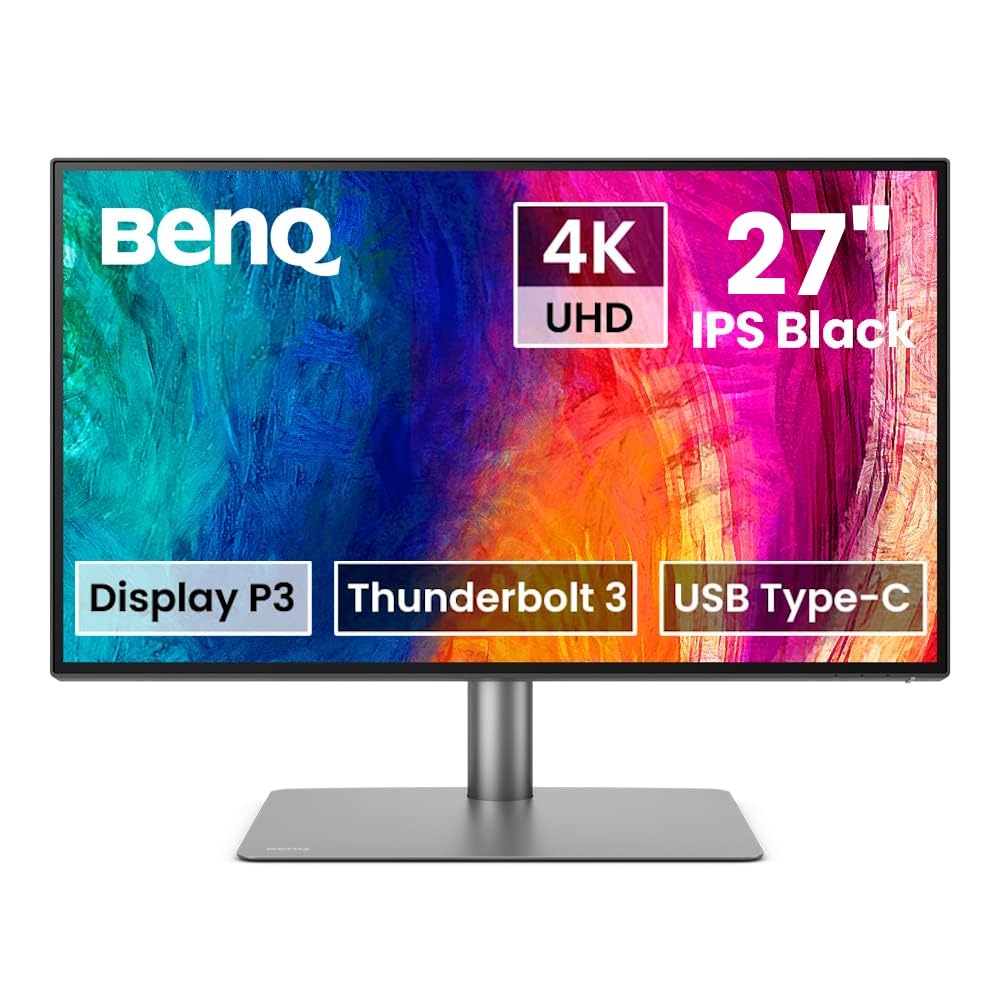
[Mini LED] 27 4K UHD Nitro Gaming Monitor - XV275K P3
Nitro XV5 MiniLED - XV275K P3 Tech Specs | Gaming LED Monitor
Nitro XV5 MiniLED - XV275K P3 Tech Specs | Gaming LED Monitor
Nitro XV5 MiniLED - XV275K P3 Tech Specs | Gaming LED Monitor
Nitro XV5 MiniLED - XV275K P3 Tech Specs | Gaming LED Monitor
in 5 offers
The lowest price for [Mini LED] 27 4K UHD Nitro Gaming Monitor - XV275K P3 right now is $629.00 at PCByte AU, compared across 4 retailers.
The all-time low was $399.00 on 28 June 2026 — today's price is 58% above the lowest ever. It has been notably cheaper before — worth setting a price alert.
Prices last updated 20 Aug 2026.
Last updated at 20/08/2026 00:03:46
Acer Nitro P3 27in UHD 160Hz IPS LCD Gaming Monitor (XV275KP3(UM.HXXSA.302-RY0))
Acer Nitro XV275K P3 27" UHD 160Hz Mini LED Gaming Monitor,Mini LED,3840x2160,1ms [XV275KP3]
Delivery between Sat – Wed $10
Acer XV275KP3biipru Nitro Gaming Monitor, 27 inch, 4K UHD IPS Mini-LED, Matte, 160Hz, 1ms DeltaE<2, USB Type-C, 90W Power Supply, HDMI 2.1,
Delivery between 24–28 Aug $35.88
Acer Nitro XV275KP3 Gaming Monitor 27 Inch (69 cm Screen) 4K (UHD) MiniLED 160Hz DP/Type-C 144Hz HDMI 1ms (GTG) 2xHDMI 2.1 DP 1.4 Height-Adjustable
Delivery between 24–28 Aug $35.88
Acer Nitro XV275K P3 27" Mini LED 4K UHD 160Hz 1ms IPS Monitor | TechCrazy
Delivery between 21–27 Aug $20.82
originally posted on bhphotovideo.com
If you wanna experience true HDR this is the monitor to get. Peak brightness is around 1500 nits. It's the brightest most colorful display I've ever used. You do get the full inky blacks of an OLED but since this is an IPS with only 384 dimming zones you do get a noticeable bloom around bright white text on a black background. For gameplay/movies it isn't noticeable to me. I exclusively run all games/movies using RTX HDR now to make full use of the HDR on this monitor. SDR brightness is limited to ~600 nits so you'll want to force apps to run in HDR if possible. Still a bright SDR display with most monitors being 200-300 nits in SDR but if you can run HDR or use RTX HDR I'd use that to get the full use of the brightness of this monitor.
originally posted on bhphotovideo.com
This is a great monitor for viewing HDR, with 1000 nits brightness, wide color gamut, great native high contrast, and some help from local dimming. When the HDR is turned on from the windows OS, and in the monitor OSD menu, HDR video really shine (like watch movies in theaters in typical environment lighting). With discount on this monitor, it beats HDR monitors several times more expensive, and even OLED monitors for HDR.However, for displaying the SDR content, the color is overly saturated, especially in the red channel. It needs calibration for color accurate work. It is fine for general usage. The native contrast is great.A major flaw in the design of the monitor is the buttons to change OSD settings. They feel stiff and slow to change settings. Another ... MoreThis is a great monitor for viewing HDR, with 1000 nits brightness, wide color gamut, great native high contrast, and some help from local dimming. When the HDR is turned on from the windows OS, and in the monitor OSD menu, HDR video really shine (like watch movies in theaters in typical environment lighting). With discount on this monitor, it beats HDR monitors several times more expensive, and even OLED monitors for HDR.However, for displaying the SDR content, the color is overly saturated, especially in the red channel. It needs calibration for color accurate work. It is fine for general usage. The native contrast is great.A major flaw in the design of the monitor is the buttons to change OSD settings. They feel stiff and slow to change settings. Another downside is there's no proper manuals for the monitor even on the official product page. The OSD menu is lack of clarity, why some items are disabled in certain settings are not clear. I have to do my guess.Given the low price of the monitor and surprisingly good HDR performance, it is well worth the money even just for HDR usage. If the design flaws can be tolerated, this monitor is one of the best bang for the bucks with discount.
originally posted on bestbuy.com
Auto HDR doesn't work properly on this monitor and is the same as the 'Acer x32FP' monitor (which the latest firmware update addressed).Also, "Adaptive Dimming" needs to be separated for HDR and SDR usage. It is currently a global setting which is unacceptable. Using dark mode in windows/apps will cause white text on a dark background to dim SIGNIFICANTLY. I keep adaptive dimming OFF for regular desktop usage due to this.Currently, if I want to enable HDR, I would need to put both windows and the monitor into HDR mode manually and then turn on adaptive dimming. After I'm done, I would need to turn it all off manually again!I understand that this monitor is new but it shares the same problems as the 'Acer x32FP' monitor (which the latest firmware updates have ... MoreAuto HDR doesn't work properly on this monitor and is the same as the 'Acer x32FP' monitor (which the latest firmware update addressed).Also, "Adaptive Dimming" needs to be separated for HDR and SDR usage. It is currently a global setting which is unacceptable. Using dark mode in windows/apps will cause white text on a dark background to dim SIGNIFICANTLY. I keep adaptive dimming OFF for regular desktop usage due to this.Currently, if I want to enable HDR, I would need to put both windows and the monitor into HDR mode manually and then turn on adaptive dimming. After I'm done, I would need to turn it all off manually again!I understand that this monitor is new but it shares the same problems as the 'Acer x32FP' monitor (which the latest firmware updates have addressed).HOWEVER, adaptive dimming not being a separate setting for HDR and SDR is still a concern that has not been addressed on the 'Acer x32FP' monitor.There are currently no firmware updates out for this 'Acer XV275K P3' monitor. I hope to see the same fixes that the 'Acer x32FP' received come out for this monitor too.I also hope to see the adaptive dimming setting issue addressed. It was not yet addressed on the 'Acer x32FP' which concerns me on whether or not it will be addressed on THIS monitor.
| Number of Screens | 1 |
| Horizontal Viewing Angle | 178° |
| Vertical Viewing Angle | 178° |
| Mount Type | Wall Mountable |
| Panel Technology | In-plane Switching (IPS) Technology |
Acer Nitro P3 27in UHD 160Hz IPS LCD Gaming Monitor (XV275KP3(UM.HXXSA.302-RY0))
Acer Nitro XV275K P3 27" UHD 160Hz Mini LED Gaming Monitor,Mini LED,3840x2160,1ms [XV275KP3]
Delivery between Sat – Wed $10
Acer XV275KP3biipru Nitro Gaming Monitor, 27 inch, 4K UHD IPS Mini-LED, Matte, 160Hz, 1ms DeltaE<2, USB Type-C, 90W Power Supply, HDMI 2.1,
Delivery between 24–28 Aug $35.88
Acer Nitro XV275KP3 Gaming Monitor 27 Inch (69 cm Screen) 4K (UHD) MiniLED 160Hz DP/Type-C 144Hz HDMI 1ms (GTG) 2xHDMI 2.1 DP 1.4 Height-Adjustable
Delivery between 24–28 Aug $35.88
Acer Nitro XV275K P3 27" Mini LED 4K UHD 160Hz 1ms IPS Monitor | TechCrazy
Delivery between 21–27 Aug $20.82
If you wanna experience true HDR this is the monitor to get. Peak brightness is around 1500 nits. It's the brightest most colorful display I've ever used. You do get the full inky blacks of an OLED but since this is an IPS with only 384 dimming zones you do get a noticeable bloom around bright white text on a black background. For gameplay/movies it isn't noticeable to me. I exclusively run all games/movies using RTX HDR now to make full use of the HDR on this monitor. SDR brightness is limited to ~600 nits so you'll want to force apps to run in HDR if possible. Still a bright SDR display with most monitors being 200-300 nits in SDR but if you can run HDR or use RTX HDR I'd use that to get the full use of the brightness of this monitor.
This is a great monitor for viewing HDR, with 1000 nits brightness, wide color gamut, great native high contrast, and some help from local dimming. When the HDR is turned on from the windows OS, and in the monitor OSD menu, HDR video really shine (like watch movies in theaters in typical environment lighting). With discount on this monitor, it beats HDR monitors several times more expensive, and even OLED monitors for HDR.However, for displaying the SDR content, the color is overly saturated, especially in the red channel. It needs calibration for color accurate work. It is fine for general usage. The native contrast is great.A major flaw in the design of the monitor is the buttons to change OSD settings. They feel stiff and slow to change settings. Another ... MoreThis is a great monitor for viewing HDR, with 1000 nits brightness, wide color gamut, great native high contrast, and some help from local dimming. When the HDR is turned on from the windows OS, and in the monitor OSD menu, HDR video really shine (like watch movies in theaters in typical environment lighting). With discount on this monitor, it beats HDR monitors several times more expensive, and even OLED monitors for HDR.However, for displaying the SDR content, the color is overly saturated, especially in the red channel. It needs calibration for color accurate work. It is fine for general usage. The native contrast is great.A major flaw in the design of the monitor is the buttons to change OSD settings. They feel stiff and slow to change settings. Another downside is there's no proper manuals for the monitor even on the official product page. The OSD menu is lack of clarity, why some items are disabled in certain settings are not clear. I have to do my guess.Given the low price of the monitor and surprisingly good HDR performance, it is well worth the money even just for HDR usage. If the design flaws can be tolerated, this monitor is one of the best bang for the bucks with discount.
Auto HDR doesn't work properly on this monitor and is the same as the 'Acer x32FP' monitor (which the latest firmware update addressed).Also, "Adaptive Dimming" needs to be separated for HDR and SDR usage. It is currently a global setting which is unacceptable. Using dark mode in windows/apps will cause white text on a dark background to dim SIGNIFICANTLY. I keep adaptive dimming OFF for regular desktop usage due to this.Currently, if I want to enable HDR, I would need to put both windows and the monitor into HDR mode manually and then turn on adaptive dimming. After I'm done, I would need to turn it all off manually again!I understand that this monitor is new but it shares the same problems as the 'Acer x32FP' monitor (which the latest firmware updates have ... MoreAuto HDR doesn't work properly on this monitor and is the same as the 'Acer x32FP' monitor (which the latest firmware update addressed).Also, "Adaptive Dimming" needs to be separated for HDR and SDR usage. It is currently a global setting which is unacceptable. Using dark mode in windows/apps will cause white text on a dark background to dim SIGNIFICANTLY. I keep adaptive dimming OFF for regular desktop usage due to this.Currently, if I want to enable HDR, I would need to put both windows and the monitor into HDR mode manually and then turn on adaptive dimming. After I'm done, I would need to turn it all off manually again!I understand that this monitor is new but it shares the same problems as the 'Acer x32FP' monitor (which the latest firmware updates have addressed).HOWEVER, adaptive dimming not being a separate setting for HDR and SDR is still a concern that has not been addressed on the 'Acer x32FP' monitor.There are currently no firmware updates out for this 'Acer XV275K P3' monitor. I hope to see the same fixes that the 'Acer x32FP' received come out for this monitor too.I also hope to see the adaptive dimming setting issue addressed. It was not yet addressed on the 'Acer x32FP' which concerns me on whether or not it will be addressed on THIS monitor.
The only thing missing is Windows 11 HDR certification. all it needs is a firmware update and notification to Windows OS. However, "Good News" there is an easy work-a-round. Download the Acer Display widget Acer_4.0.2.0_W10x86W10x64W11x64_A from their website and enjoy easy monitor calibration - no joystick needed, then, from within their Application wizard, select HDR display and presto you have Windows HDR turned on. Windows also has a Windows HDR calibration color app that you can install for fine-tuning HDR brightness within Windows. Games run at 160MHz 4k in HDR - it will WOW you. If your graphics card can keep up, you will not see any slowdown in response time at lower frame rates. I have an RTX2070 card and frame rates stay above 100Hz. HDR with full array ... MoreThe only thing missing is Windows 11 HDR certification. all it needs is a firmware update and notification to Windows OS. However, "Good News" there is an easy work-a-round. Download the Acer Display widget Acer_4.0.2.0_W10x86W10x64W11x64_A from their website and enjoy easy monitor calibration - no joystick needed, then, from within their Application wizard, select HDR display and presto you have Windows HDR turned on. Windows also has a Windows HDR calibration color app that you can install for fine-tuning HDR brightness within Windows. Games run at 160MHz 4k in HDR - it will WOW you. If your graphics card can keep up, you will not see any slowdown in response time at lower frame rates. I have an RTX2070 card and frame rates stay above 100Hz. HDR with full array backlighting looks like it's an OLED display at 1/3 the cost. No other issues for me.
My previous monitor stopped working just in time for this one to be on sale and for less than $300 you cannot beat a mini-led high refresh monitor. As a MacBook and PC user I can say it looks great on windows with good color, lighting and brightness even when next to a bright window. The macOS performance is not as as good, sadly. No matter the settings I mess with both using the OSD and macOS display calibrator the colors either looked a washed out or over sharpened. There is also a lot more blooming issues which are not nearly as noticeable in Windows. Luckily, when playing HDR content in full screen the colors and brightness are accurate and enjoyable. I think my macOS issues are due to having an older (non-usb-c) intel MacBook Pro that refuses to die so I can ... MoreMy previous monitor stopped working just in time for this one to be on sale and for less than $300 you cannot beat a mini-led high refresh monitor. As a MacBook and PC user I can say it looks great on windows with good color, lighting and brightness even when next to a bright window. The macOS performance is not as as good, sadly. No matter the settings I mess with both using the OSD and macOS display calibrator the colors either looked a washed out or over sharpened. There is also a lot more blooming issues which are not nearly as noticeable in Windows. Luckily, when playing HDR content in full screen the colors and brightness are accurate and enjoyable. I think my macOS issues are due to having an older (non-usb-c) intel MacBook Pro that refuses to die so I can upgrade. Overall pretty happy with it, especially for the price.
Not a bad monitor for gaming or just doing productive stuff but be warned the controla are horrible. The button placement is like the old tv's and is very frustrating to set something and yes you will get used to it in time. Always seem to find light colors going to the where the dark sides are which is not too bad but but it's noticable to me. I still give it a 4 star because after playing with it after awhile you get really great brightness. The brightness should be set right out of the box but some reason they have it set horribly and maybe there is a reason for it I just don;t understand yet. I like it after spending time with it for awhile and the contrast is great as well making text look good. you pay this much money you should have better controls like a ... MoreNot a bad monitor for gaming or just doing productive stuff but be warned the controla are horrible. The button placement is like the old tv's and is very frustrating to set something and yes you will get used to it in time. Always seem to find light colors going to the where the dark sides are which is not too bad but but it's noticable to me. I still give it a 4 star because after playing with it after awhile you get really great brightness. The brightness should be set right out of the box but some reason they have it set horribly and maybe there is a reason for it I just don;t understand yet. I like it after spending time with it for awhile and the contrast is great as well making text look good. you pay this much money you should have better controls like a joystick or something on it but still a good monitor.
First things first ill keep it short and simple ive been spoiled by oled. I have a LG CX oled and a qd-alienware oled for reference. Ive owned the CX for a while now om gonna be 4 generations behind soon and i only have 6k hours used on the tv. Ive never really used a mini led monitor so I really wanted to try them out since ive also had a hisense mini led tv the u8 it was a really good tv but it bricked // for this monitor thr hdr is great during daylight scenes however once I popped on RE4 Remake to test out the dark scenes in hdr it was a blooming mess . However once i started running games like genshin impact (pc)/ghost of tsushima on ps5 this monitor looked fantastic my only gripe is this is a IPS display it does well in reducing backlight bleed I may be in the ... MoreFirst things first ill keep it short and simple ive been spoiled by oled. I have a LG CX oled and a qd-alienware oled for reference. Ive owned the CX for a while now om gonna be 4 generations behind soon and i only have 6k hours used on the tv. Ive never really used a mini led monitor so I really wanted to try them out since ive also had a hisense mini led tv the u8 it was a really good tv but it bricked // for this monitor thr hdr is great during daylight scenes however once I popped on RE4 Remake to test out the dark scenes in hdr it was a blooming mess . However once i started running games like genshin impact (pc)/ghost of tsushima on ps5 this monitor looked fantastic my only gripe is this is a IPS display it does well in reducing backlight bleed I may be in the minority but I would suggest if your interested in a mini led display go VA better blacks and i would say colors
These are a few of the issues I noticed. I honestly cannot recommend this to anyone who watches YouTube/Movies regularly.- The Reds.... omg the reds on this monitor are terrible and bleed out into a pink hue. When watching YouTube, light skinned people always had a pink hue and even dark skinned people would show this hue. Everything on the red spectrum was seemingly just over saturated. This unfortunately couldn't be fixed with any color profile offered in the monitors settings.- The menu... Many people have mentioned it and I read about it before buying this monitor but didn't think it would be that bad... It is that bad. Very cumbersome to navigate.
Went straight for this monitor as rtings.com chose it as the best 27 inch 4k monitor for gaming for people with interested in a competent HDR monitor.However some people might experience buyer's remorse real quick after the honeymoon period wears off.Pros:- Easy to adjust monitor stand that allows you to adjust it as you see fit- LED blooming is decent if you want to watch content in the dark- Games in HDR mode has no issues and works great in terms of how it looks with graphical fidelity- Accurate colorsCons:- Horrible OSD panel. Clunky & slow to navigate. HDR mode is NOT automatic. You always have to enable or disable HDR if you alternate between HDR gaming often- Way too expensive for what it offers. If this was priced around $350-$450? That's the ... MoreWent straight for this monitor as rtings.com chose it as the best 27 inch 4k monitor for gaming for people with interested in a competent HDR monitor.However some people might experience buyer's remorse real quick after the honeymoon period wears off.Pros:- Easy to adjust monitor stand that allows you to adjust it as you see fit- LED blooming is decent if you want to watch content in the dark- Games in HDR mode has no issues and works great in terms of how it looks with graphical fidelity- Accurate colorsCons:- Horrible OSD panel. Clunky & slow to navigate. HDR mode is NOT automatic. You always have to enable or disable HDR if you alternate between HDR gaming often- Way too expensive for what it offers. If this was priced around $350-$450? That's the real price on where it should be at- Imbalance with brightness levels wit HDR vs SDR mode.I'm most likely returning this monitor mostly due to it being overpriced.
This display (Acer Nitro XV275U P3) was purchased this for 189.99 (USD, before taxes). I also haven't been able to properly test HDR mode because of operating system limitations, so the following review is based on SDR mode.TLDR: Overall this purchase was a great value for the mini-led backlighting, 1440p resolution, and 170hz (though 160-165 seems to be the sweet spot). For the regular price (around 400 USD), it might be better to consider other displays (like a good IPS or the AOC Q27G3XMN).The Great-Excellent clarity, bright and vivid colors, amazing contrast.-Text is sharp without looking over-processed.-I'd almost think I was looking at an OLED with how dark the screen gets and how radiant fire effects get.-The high refresh rate makes mouse movement ... MoreThis display (Acer Nitro XV275U P3) was purchased this for 189.99 (USD, before taxes). I also haven't been able to properly test HDR mode because of operating system limitations, so the following review is based on SDR mode.TLDR: Overall this purchase was a great value for the mini-led backlighting, 1440p resolution, and 170hz (though 160-165 seems to be the sweet spot). For the regular price (around 400 USD), it might be better to consider other displays (like a good IPS or the AOC Q27G3XMN).The Great-Excellent clarity, bright and vivid colors, amazing contrast.-Text is sharp without looking over-processed.-I'd almost think I was looking at an OLED with how dark the screen gets and how radiant fire effects get.-The high refresh rate makes mouse movement feel very smooth.-I haven’t noticed any color ghosting (no red / blue outlines on moving objects)The Good-It seems to put out less heat than my other (backlit) VA panel.-Good adjustability and a solid stand.-Comes with both HDMI and DisplayPort cables.The Bad-Motion rendering is not great in first person games. That is, smearing is noticeable, but it isn’t quite bad enough to usually bother me.-Ghosting is noticeable on the mouse pointer.-There is a very slight reddish tone to the display that I can’t quite get rid of. White colors look very slightly red and faces / skin tones look slightly flushed.-Local dimming is quite bad on the operating system (working with web browsers and documents), though it works decently well with videos and games.The Ugly-The OSD / menu is pretty clunky. This could have easily been better.-There is no way to quickly change local dimming settings-Variable refresh rate (Freesync) and pixel overvolting (Overdrive) cannot be enabled at the same time.-HDR and SRGB modes can’t be tuned (as far as I can tell). The color settings are set in stone.-Making any change in settings switches you to and overwrites the “User” profile (which should have been called “Current” or “Active”). So if you want to keep your settings you have to overwrite already existing profiles (Action, Racing, or Sports).
| Number of Screens | 1 |
| Horizontal Viewing Angle | 178° |
| Vertical Viewing Angle | 178° |
| Mount Type | Wall Mountable |
| Panel Technology | In-plane Switching (IPS) Technology |