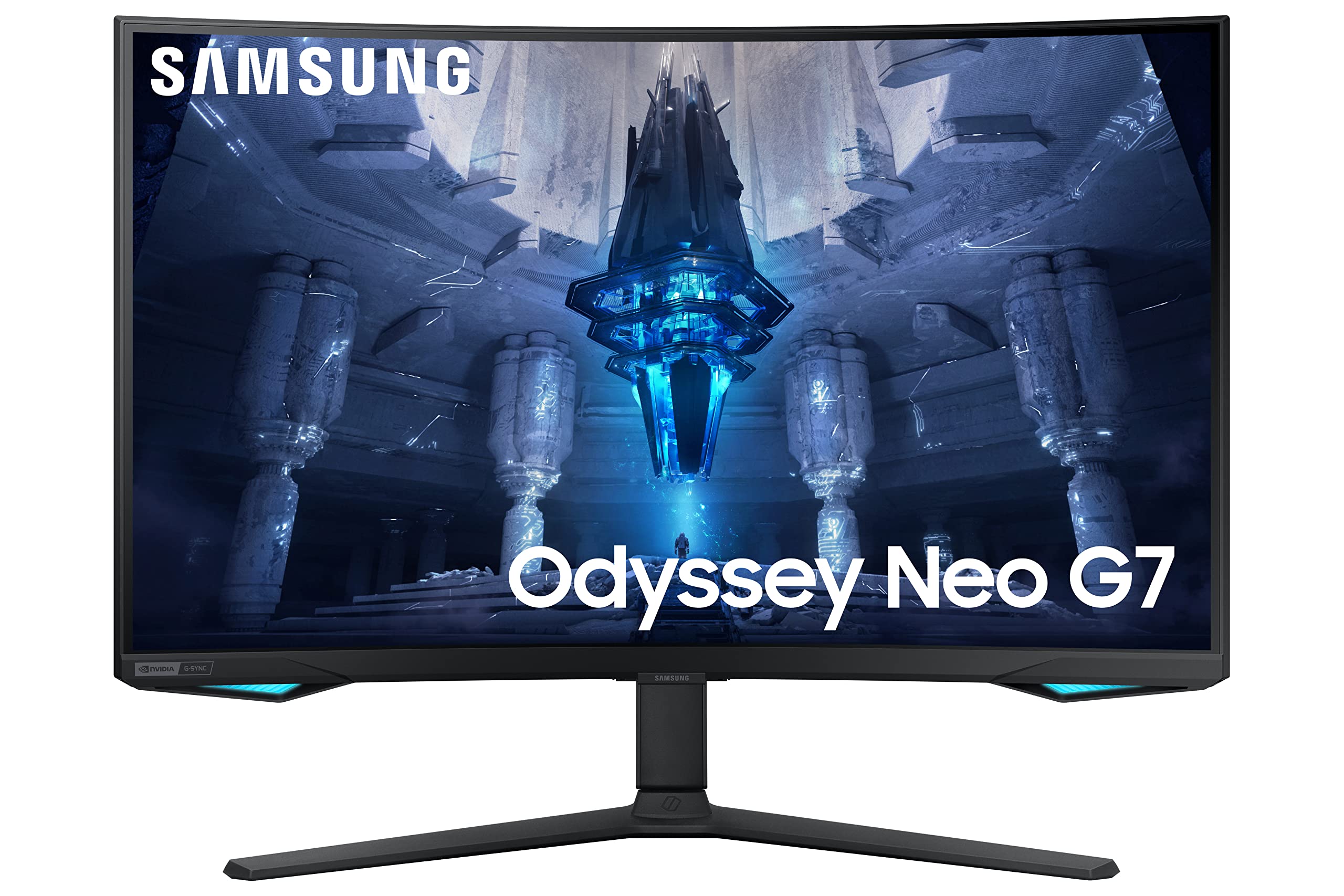
Monitor Samsung Odissey Curvo 32" Quad HD 165 Hz
QHD resolution Your game world is now more realistic than before. This is due to a matrix enriched with 170% more pixels than Full HD. QHD reproduces every image with incredible accuracy and you discover the full pleasure of entertainment. 1000R curvature Expressive scenes that literally take place around you. The 1000R display completely fills your field of view, putting you right in the middle of the action. Dare to experience full immersion and exciting gameplay 165Hz refresh rate and 1ms response time (MPRT) Are you ready for victory? Without struggling with stuttering and blurry images? The ultra-high refresh rate of 165Hz is perfect even for extremely dynamic scenes and super-fast action. Thanks to the 1 ms (MPRT) response time, your every move will be extremely precise. AMD FreeSync AMD Radeon FreeSync adaptive synchronization technology reduces image stuttering and reduces input lag. Each scene will play extremely smoothly. HDR10 Enjoy breathtaking graphics with HDR10. The full range of shades brings individual scenes to life in an unprecedented way. Discover the secrets hidden in the shadows with deep blacks, brilliant whites and exceptionally high resolution. Eye Saver Mode and Flicker Free Mode for rested eyes Take care of your eyesight. Eye Saver Mode reduces harmful blue light radiation to a minimum. Additionally, the Flicker free function eliminates annoying minimal image shakes. As a result, G5 Odyssey allows you to stay focused during hours of gameplay.
QHD resolution Your game world is now more realistic than before. This is due to a matrix enriched with 170% more pixels than Full HD. QHD reproduces every image with incredible accuracy and you discover the full pleasure of entertainment. 1000R curvature Expressive scenes that literally take place around you. The 1000R display completely fills your field of view, putting you right in the middle of the action. Dare to experience full immersion and exciting gameplay 165Hz refresh rate and 1ms response time (MPRT) Are you ready for victory? Without struggling with stuttering and blurry images? The ultra-high refresh rate of 165Hz is perfect even for extremely dynamic scenes and super-fast action. Thanks to the 1 ms (MPRT) response time, your every move will be extremely precise. AMD FreeSync AMD Radeon FreeSync adaptive synchronization technology reduces image stuttering and reduces input lag. Each scene will play extremely smoothly. HDR10 Enjoy breathtaking graphics with HDR10. The full range of shades brings individual scenes to life in an unprecedented way. Discover the secrets hidden in the shadows with deep blacks, brilliant whites and exceptionally high resolution. Eye Saver Mode and Flicker Free Mode for rested eyes Take care of your eyesight. Eye Saver Mode reduces harmful blue light radiation to a minimum. Additionally, the Flicker free function eliminates annoying minimal image shakes. As a result, G5 Odyssey allows you to stay focused during hours of gameplay.
QHD resolution Your game world is now more realistic than before. This is due to a matrix enriched with 170% more pixels than Full HD. QHD reproduces every image with incredible accuracy and you discover the full pleasure of entertainment. 1000R curvature Expressive scenes that literally take place around you. The 1000R display completely fills your field of view, putting you right in the middle of the action. Dare to experience full immersion and exciting gameplay 165Hz refresh rate and 1ms response time (MPRT) Are you ready for victory? Without struggling with stuttering and blurry images? The ultra-high refresh rate of 165Hz is perfect even for extremely dynamic scenes and super-fast action. Thanks to the 1 ms (MPRT) response time, your every move will be extremely precise. AMD FreeSync AMD Radeon FreeSync adaptive synchronization technology reduces image stuttering and reduces input lag. Each scene will play extremely smoothly. HDR10 Enjoy breathtaking graphics with HDR10. The full range of shades brings individual scenes to life in an unprecedented way. Discover the secrets hidden in the shadows with deep blacks, brilliant whites and exceptionally high resolution. Eye Saver Mode and Flicker Free Mode for rested eyes Take care of your eyesight. Eye Saver Mode reduces harmful blue light radiation to a minimum. Additionally, the Flicker free function eliminates annoying minimal image shakes. As a result, G5 Odyssey allows you to stay focused during hours of gameplay.
QHD resolution Your game world is now more realistic than before. This is due to a matrix enriched with 170% more pixels than Full HD. QHD reproduces every image with incredible accuracy and you discover the full pleasure of entertainment. 1000R curvature Expressive scenes that literally take place around you. The 1000R display completely fills your field of view, putting you right in the middle of the action. Dare to experience full immersion and exciting gameplay 165Hz refresh rate and 1ms response time (MPRT) Are you ready for victory? Without struggling with stuttering and blurry images? The ultra-high refresh rate of 165Hz is perfect even for extremely dynamic scenes and super-fast action. Thanks to the 1 ms (MPRT) response time, your every move will be extremely precise. AMD FreeSync AMD Radeon FreeSync adaptive synchronization technology reduces image stuttering and reduces input lag. Each scene will play extremely smoothly. HDR10 Enjoy breathtaking graphics with HDR10. The full range of shades brings individual scenes to life in an unprecedented way. Discover the secrets hidden in the shadows with deep blacks, brilliant whites and exceptionally high resolution. Eye Saver Mode and Flicker Free Mode for rested eyes Take care of your eyesight. Eye Saver Mode reduces harmful blue light radiation to a minimum. Additionally, the Flicker free function eliminates annoying minimal image shakes. As a result, G5 Odyssey allows you to stay focused during hours of gameplay.
in 4 offers
The lowest price for Monitor Samsung Odissey Curvo 32" Quad HD 165 Hz right now is $307.19 at Playthek.com, compared across 4 retailers.
The all-time low was $189.00 on 19 Aug 2026 — today's price is 63% above the lowest ever. It has been notably cheaper before — worth setting a price alert.
Prices last updated 29 Sept 2026.
Last updated at 29/09/2026 07:07:54
Samsung Odyssey S32CG552EU computer monitor 81.3 cm (32") 2560 x 1440 pixels Quad HD LED Black
Free delivery
Samsung 32” Odyssey G55C QHD Curved Gaming Monitor [LS32CG552EEXXY]
Samsung LS32CG552EEXXY
Delivery between 2–12 Oct $17.50
Samsung Odyssey C27G54TQBU - 27" Gaming Monitor, Quad HD, LED, Black
Delivery $187.66
originally posted on samsung.com
Samsungs 27” Odyssey OLED G6 is an impressive piece of technology I mean this monitor raises the bar to next level. Samsung’s QD-OLED stands out in this display, with vibrant and true to life colors. Not to mention the deep blacks and amazing contrasts with HDR makes gaming look incredibly realistic. One other thing to chime in is the display is Glare Free, with even the darkest scenes in horror or action games are clear and detailed, without any annoying glare or reflections.May I say this monitor steals the show with 360Hz refresh rate combined with an OLED-enabled .03ms response time. This is monitor pumps out ultra-smooth gameplay with no motion blur, I even noticed I was performing better when playing FPS games like Valorant and CounterStrike:GO. Also ... MoreSamsungs 27” Odyssey OLED G6 is an impressive piece of technology I mean this monitor raises the bar to next level. Samsung’s QD-OLED stands out in this display, with vibrant and true to life colors. Not to mention the deep blacks and amazing contrasts with HDR makes gaming look incredibly realistic. One other thing to chime in is the display is Glare Free, with even the darkest scenes in horror or action games are clear and detailed, without any annoying glare or reflections.May I say this monitor steals the show with 360Hz refresh rate combined with an OLED-enabled .03ms response time. This is monitor pumps out ultra-smooth gameplay with no motion blur, I even noticed I was performing better when playing FPS games like Valorant and CounterStrike:GO. Also throwing FreeSync Premium Pro into the mix has been great when playing Cyberpunk 2077, It fully eliminated screen tearing and provided a seamless visual experience.Aesthetically, the monitor is sleek, having slim silver metal design and Hexa Plate Stand. This really shows how stylish and minimalistic my gaming setup looks now. The Arena Lighting enhances the immersive experience, creating an atmospheric gaming environment that reacts to the on-screen action.Playing Helldivers 2 on this monitor was an absolute treat. The game’s HDR visuals makes it come to life with stunning clarity and detail. The deep blacks and vibrant colors made the alien environments and explosive effects pop, thus creating an enjoy full experience that pulled me right into the action. The high refresh rate and quick response time were particularly noticeable during intense firefights, where every movement and shot felt incredibly fluid and responsive. The FreeSync Premium Pro helped so that there were no interruptions or screen tearing, even during the most chaotic moments. I like the fact that The Virtual Aim Point is in this monitor giving a slight edge in precision, Overall, my gaming sessions with Helldivers 2 on the Odyssey OLED G6 have been some of the most visually captivating and smooth experiences I’ve had.
originally posted on samsung.com
Senior Technical IT Professional here with 25+ years experience, it is very rare for me to write or post any online reviews but I felt it was warranted in this case.I Purchased the monitor on the 28th August and received it two days later, I wont be going too deep into any technical aspects here as I want to keep this accessible to the broadest range of potential buyers and all the technical specifications can be found on the website.The monitor is excellent value for money at the currently reduced price in the UK, the stand is reassuringly solid and heavy enough to securely anchor the panel to the tabletop, an important detail when you consider just how large and heavy these flat panels can be.The picture generated is clear and bright, the Colour and Gamma ... MoreSenior Technical IT Professional here with 25+ years experience, it is very rare for me to write or post any online reviews but I felt it was warranted in this case.I Purchased the monitor on the 28th August and received it two days later, I wont be going too deep into any technical aspects here as I want to keep this accessible to the broadest range of potential buyers and all the technical specifications can be found on the website.The monitor is excellent value for money at the currently reduced price in the UK, the stand is reassuringly solid and heavy enough to securely anchor the panel to the tabletop, an important detail when you consider just how large and heavy these flat panels can be.The picture generated is clear and bright, the Colour and Gamma levels were spot on straight out of the box although you may need to adjust the brightness and/or contrast depending on the ambient light in the room you are in which is pretty standard these days with most panels, especially OLED's.The big advantage of VA type LCD panels such as this one is that there is no chance of burn in when viewing a lot of static images which is a major stumbling block for OLED panels and something you cant really avoid if you use a PC, if you only use consoles or watch TV/Stream and DVD/Blu-ray then the risk is still there but it is reduced unless you spend a lot of time in static menus, login screens or the panels built in digital programme guides.As always with monitors you have to run it at the maximum or native resolution of the monitor to get the best results, in this case it is 4k 3840x2160 otherwise the screen may appear harsh and glaring due to how the monitor shows lower resolutions and refresh rates by doubling up pixels which is what causes the glare especially with anything coloured white (I have always used dark mode when browsing to avoid large areas of white), this is especially noticeable when web browsing due to just how bright these panels can be but it is not an issue when playing games or watching films, be aware that even some recent graphics cards may struggle to run a monitor like this optimally so do your homework before you buy or accept that you may need to reduce the resolution and/or refresh rate accordingly when playing some recent games.As with all big screen TV's and monitors it is a good idea to invest in some speakers, a soundbar or headphones as these panels are so thin there really isn't any room for powerful built in speakers, I had already purchased a suitable soundbar in advance as I knew one would be needed.That is about it really, this monitor is suitable for the majority of uses including video and photo editing due to the wide colour gamut, gaming on both PC and consoles due to the 144Hz refresh rate, watching films online or via DVD/Blu-ray due to the deep blacks it can produce, general web browsing and YouTube.Professional Esports enthusiasts should probably be looking for an IPS panel rather than a VA panel like this one but they will already know that, the max refresh rate is 144Hz which is very good for a large VA panel like this one and more than enough for most people including me.I have been using the monitor for two weeks and I have no complaints, I hope this is helpful to someone.
originally posted on samsung.com
My gaming experience is breathtaking with this stunning 27" QHD display, the performance an incredible 360Hz refresh rate. Designed to compete in the gaming field, the slim metal design of the Odyssey OLED G6 models seamlessly blends style with performance. Plus, with the new Core Lighting feature, your gaming setup becomes an immersive spectacle of color and light. every frame is flawless, playing mw3 with the new amd FRS 3.0 can archived 350-360 frames with amazing performance detail crystal clear, menú is easy to navigate and easy to use. Samsung always make increíble displays and so far this one is the best.The overall design of the Samsung OLED Odyssey G6 monitor is both sophisticated and functional, representing a significant advancement in gaming monitor ... MoreMy gaming experience is breathtaking with this stunning 27" QHD display, the performance an incredible 360Hz refresh rate. Designed to compete in the gaming field, the slim metal design of the Odyssey OLED G6 models seamlessly blends style with performance. Plus, with the new Core Lighting feature, your gaming setup becomes an immersive spectacle of color and light. every frame is flawless, playing mw3 with the new amd FRS 3.0 can archived 350-360 frames with amazing performance detail crystal clear, menú is easy to navigate and easy to use. Samsung always make increíble displays and so far this one is the best.The overall design of the Samsung OLED Odyssey G6 monitor is both sophisticated and functional, representing a significant advancement in gaming monitor aesthetics and performance. Here are some key points highlighting the design and equipment:1. Slim Metal Design: The Odyssey G6 features a sleek, slim metal design that not only looks premium but also ensures durability. Its modern and minimalist aesthetic makes it a perfect fit for any gaming setup or professional workspace.2. 27" OLED Display: The 27-inch OLED panel delivers vibrant colors, deep blacks, and exceptional contrast ratios. This ensures a visually stunning experience whether you're gaming, watching movies, or working.3. QHD Resolution and 360Hz Refresh Rate: the QHD and the 360Hz refresh rate sets a new standard for smooth, high-definition gaming. The high refresh rate eliminates motion blur and provides a competitive edge in fast-paced games.4. 16:9 Aspect Ratio: The classic 16:9 aspect ratio is ideal for gaming and multimedia consumption, providing a broad and immersive viewing experience.5. Core Lighting: The innovative Core Lighting feature adds a dynamic visual element to your setup. It enhances the ambiance of your gaming environment, making every session more engaging and immersive.6. Ergonomic Considerations: The design likely includes ergonomic features such as height adjustment, tilt, and swivel capabilities, ensuring comfortable use during extended gaming sessions.Overall, the Samsung OLED Odyssey G6 stands out with its high-end materials, cutting-edge display technology, and thoughtful design features. It's a monitor that not only meets the demands of modern gamers but also appeals to those who appreciate sleek,
Samsung Odyssey S32CG552EU computer monitor 81.3 cm (32") 2560 x 1440 pixels Quad HD LED Black
Free delivery
Samsung 32” Odyssey G55C QHD Curved Gaming Monitor [LS32CG552EEXXY]
Samsung LS32CG552EEXXY
Delivery between 2–12 Oct $17.50
Samsung Odyssey C27G54TQBU - 27" Gaming Monitor, Quad HD, LED, Black
Delivery $187.66
Samsungs 27” Odyssey OLED G6 is an impressive piece of technology I mean this monitor raises the bar to next level. Samsung’s QD-OLED stands out in this display, with vibrant and true to life colors. Not to mention the deep blacks and amazing contrasts with HDR makes gaming look incredibly realistic. One other thing to chime in is the display is Glare Free, with even the darkest scenes in horror or action games are clear and detailed, without any annoying glare or reflections.May I say this monitor steals the show with 360Hz refresh rate combined with an OLED-enabled .03ms response time. This is monitor pumps out ultra-smooth gameplay with no motion blur, I even noticed I was performing better when playing FPS games like Valorant and CounterStrike:GO. Also ... MoreSamsungs 27” Odyssey OLED G6 is an impressive piece of technology I mean this monitor raises the bar to next level. Samsung’s QD-OLED stands out in this display, with vibrant and true to life colors. Not to mention the deep blacks and amazing contrasts with HDR makes gaming look incredibly realistic. One other thing to chime in is the display is Glare Free, with even the darkest scenes in horror or action games are clear and detailed, without any annoying glare or reflections.May I say this monitor steals the show with 360Hz refresh rate combined with an OLED-enabled .03ms response time. This is monitor pumps out ultra-smooth gameplay with no motion blur, I even noticed I was performing better when playing FPS games like Valorant and CounterStrike:GO. Also throwing FreeSync Premium Pro into the mix has been great when playing Cyberpunk 2077, It fully eliminated screen tearing and provided a seamless visual experience.Aesthetically, the monitor is sleek, having slim silver metal design and Hexa Plate Stand. This really shows how stylish and minimalistic my gaming setup looks now. The Arena Lighting enhances the immersive experience, creating an atmospheric gaming environment that reacts to the on-screen action.Playing Helldivers 2 on this monitor was an absolute treat. The game’s HDR visuals makes it come to life with stunning clarity and detail. The deep blacks and vibrant colors made the alien environments and explosive effects pop, thus creating an enjoy full experience that pulled me right into the action. The high refresh rate and quick response time were particularly noticeable during intense firefights, where every movement and shot felt incredibly fluid and responsive. The FreeSync Premium Pro helped so that there were no interruptions or screen tearing, even during the most chaotic moments. I like the fact that The Virtual Aim Point is in this monitor giving a slight edge in precision, Overall, my gaming sessions with Helldivers 2 on the Odyssey OLED G6 have been some of the most visually captivating and smooth experiences I’ve had.
Senior Technical IT Professional here with 25+ years experience, it is very rare for me to write or post any online reviews but I felt it was warranted in this case.I Purchased the monitor on the 28th August and received it two days later, I wont be going too deep into any technical aspects here as I want to keep this accessible to the broadest range of potential buyers and all the technical specifications can be found on the website.The monitor is excellent value for money at the currently reduced price in the UK, the stand is reassuringly solid and heavy enough to securely anchor the panel to the tabletop, an important detail when you consider just how large and heavy these flat panels can be.The picture generated is clear and bright, the Colour and Gamma ... MoreSenior Technical IT Professional here with 25+ years experience, it is very rare for me to write or post any online reviews but I felt it was warranted in this case.I Purchased the monitor on the 28th August and received it two days later, I wont be going too deep into any technical aspects here as I want to keep this accessible to the broadest range of potential buyers and all the technical specifications can be found on the website.The monitor is excellent value for money at the currently reduced price in the UK, the stand is reassuringly solid and heavy enough to securely anchor the panel to the tabletop, an important detail when you consider just how large and heavy these flat panels can be.The picture generated is clear and bright, the Colour and Gamma levels were spot on straight out of the box although you may need to adjust the brightness and/or contrast depending on the ambient light in the room you are in which is pretty standard these days with most panels, especially OLED's.The big advantage of VA type LCD panels such as this one is that there is no chance of burn in when viewing a lot of static images which is a major stumbling block for OLED panels and something you cant really avoid if you use a PC, if you only use consoles or watch TV/Stream and DVD/Blu-ray then the risk is still there but it is reduced unless you spend a lot of time in static menus, login screens or the panels built in digital programme guides.As always with monitors you have to run it at the maximum or native resolution of the monitor to get the best results, in this case it is 4k 3840x2160 otherwise the screen may appear harsh and glaring due to how the monitor shows lower resolutions and refresh rates by doubling up pixels which is what causes the glare especially with anything coloured white (I have always used dark mode when browsing to avoid large areas of white), this is especially noticeable when web browsing due to just how bright these panels can be but it is not an issue when playing games or watching films, be aware that even some recent graphics cards may struggle to run a monitor like this optimally so do your homework before you buy or accept that you may need to reduce the resolution and/or refresh rate accordingly when playing some recent games.As with all big screen TV's and monitors it is a good idea to invest in some speakers, a soundbar or headphones as these panels are so thin there really isn't any room for powerful built in speakers, I had already purchased a suitable soundbar in advance as I knew one would be needed.That is about it really, this monitor is suitable for the majority of uses including video and photo editing due to the wide colour gamut, gaming on both PC and consoles due to the 144Hz refresh rate, watching films online or via DVD/Blu-ray due to the deep blacks it can produce, general web browsing and YouTube.Professional Esports enthusiasts should probably be looking for an IPS panel rather than a VA panel like this one but they will already know that, the max refresh rate is 144Hz which is very good for a large VA panel like this one and more than enough for most people including me.I have been using the monitor for two weeks and I have no complaints, I hope this is helpful to someone.
My gaming experience is breathtaking with this stunning 27" QHD display, the performance an incredible 360Hz refresh rate. Designed to compete in the gaming field, the slim metal design of the Odyssey OLED G6 models seamlessly blends style with performance. Plus, with the new Core Lighting feature, your gaming setup becomes an immersive spectacle of color and light. every frame is flawless, playing mw3 with the new amd FRS 3.0 can archived 350-360 frames with amazing performance detail crystal clear, menú is easy to navigate and easy to use. Samsung always make increíble displays and so far this one is the best.The overall design of the Samsung OLED Odyssey G6 monitor is both sophisticated and functional, representing a significant advancement in gaming monitor ... MoreMy gaming experience is breathtaking with this stunning 27" QHD display, the performance an incredible 360Hz refresh rate. Designed to compete in the gaming field, the slim metal design of the Odyssey OLED G6 models seamlessly blends style with performance. Plus, with the new Core Lighting feature, your gaming setup becomes an immersive spectacle of color and light. every frame is flawless, playing mw3 with the new amd FRS 3.0 can archived 350-360 frames with amazing performance detail crystal clear, menú is easy to navigate and easy to use. Samsung always make increíble displays and so far this one is the best.The overall design of the Samsung OLED Odyssey G6 monitor is both sophisticated and functional, representing a significant advancement in gaming monitor aesthetics and performance. Here are some key points highlighting the design and equipment:1. Slim Metal Design: The Odyssey G6 features a sleek, slim metal design that not only looks premium but also ensures durability. Its modern and minimalist aesthetic makes it a perfect fit for any gaming setup or professional workspace.2. 27" OLED Display: The 27-inch OLED panel delivers vibrant colors, deep blacks, and exceptional contrast ratios. This ensures a visually stunning experience whether you're gaming, watching movies, or working.3. QHD Resolution and 360Hz Refresh Rate: the QHD and the 360Hz refresh rate sets a new standard for smooth, high-definition gaming. The high refresh rate eliminates motion blur and provides a competitive edge in fast-paced games.4. 16:9 Aspect Ratio: The classic 16:9 aspect ratio is ideal for gaming and multimedia consumption, providing a broad and immersive viewing experience.5. Core Lighting: The innovative Core Lighting feature adds a dynamic visual element to your setup. It enhances the ambiance of your gaming environment, making every session more engaging and immersive.6. Ergonomic Considerations: The design likely includes ergonomic features such as height adjustment, tilt, and swivel capabilities, ensuring comfortable use during extended gaming sessions.Overall, the Samsung OLED Odyssey G6 stands out with its high-end materials, cutting-edge display technology, and thoughtful design features. It's a monitor that not only meets the demands of modern gamers but also appeals to those who appreciate sleek,
I bought this last year. The screen quality is not on par with OLED displays, but I am not simply comfortable using those for work over burn-in concerns and using a screen like this is probably as good as it gets. I am happy with the hardware, even if the zones on the backlighting can be quite visible in dark scenes.The software side of things, however, is where things fall very short of what is expected of a premium device. The monitor does not support using DDC/CI, a protocol that allows you to control parameters such as screen brightness from your operating system. It's a very handy feature, found on even very affordable monitors. This is not a very affordable monitor. You wouldn't expect corner-cutting on basic functionality like this, yet here we are.This ... MoreI bought this last year. The screen quality is not on par with OLED displays, but I am not simply comfortable using those for work over burn-in concerns and using a screen like this is probably as good as it gets. I am happy with the hardware, even if the zones on the backlighting can be quite visible in dark scenes.The software side of things, however, is where things fall very short of what is expected of a premium device. The monitor does not support using DDC/CI, a protocol that allows you to control parameters such as screen brightness from your operating system. It's a very handy feature, found on even very affordable monitors. This is not a very affordable monitor. You wouldn't expect corner-cutting on basic functionality like this, yet here we are.This would be less of a pain point if the user interface of the device were better designed. I change the brightness everytime I go to sleep and everytime I take a nap, to do that, I have to get up, reach for the hidden button at the bottom, press the correct part of it, then physically hold it down. It takes ten seconds to switch it between from full and lowest brightness settings. That's with using the shortcut feature the display's controls offer. Everything else in the interface is like this or worse. There are legitimately interesting and good features, such as picture in picture for separate inputs, that are a hassle to setup and access.It could be solved with a firmware update that would enable the DDC/CI protocol on the monitor. It is not a difficult implementation to relay incoming instructions to your controller. There are existing applications that people who need this functionality can use. I asked customer support service about my issue, they never heard of DCC/CI, was told I would be contacted later by a person with more technical information, then simply never heard from them again.It's a shame both about the lack of functionality and lack of support.
I have had the new 57inch Neo G9 for about 3 wks now, after upgrading my 49 inch Odyssey before it. I've been waiting for the higher resolution on this one, and the new Qled, so was excited to also see the size had been increased also.One of the best parts of this monitor vs the 49 inch, is because it's slightly taller and wider, even with the same 1000R curve, it's not as pronounced, to the point where I don't notice any curve at all now, and pages don't seem curved, even though my eyes grew used to it on the 49 inch. It still wraps around your peripheral nicely, has the same easy access ports with the neat white cover to hide them, and still is massive on a desk. The RGB lighting is good, albeit a bit weak, and I mounted mine on a monitor mount that could handle ... MoreI have had the new 57inch Neo G9 for about 3 wks now, after upgrading my 49 inch Odyssey before it. I've been waiting for the higher resolution on this one, and the new Qled, so was excited to also see the size had been increased also.One of the best parts of this monitor vs the 49 inch, is because it's slightly taller and wider, even with the same 1000R curve, it's not as pronounced, to the point where I don't notice any curve at all now, and pages don't seem curved, even though my eyes grew used to it on the 49 inch. It still wraps around your peripheral nicely, has the same easy access ports with the neat white cover to hide them, and still is massive on a desk. The RGB lighting is good, albeit a bit weak, and I mounted mine on a monitor mount that could handle the nearly 20kgs minus stand this weighs, but the stand it comes with is sturdy. The colour of the VA panel is really impressive. By setting the menu just right, you can combine the brightness to a lower level while the contrast is set mid level at 50% to get excellent tonal range. I calibrated mine with an Xrite colormunki and was able to achieve almost 100% SrGB, and perfect Delta values. The adaptive sync works well as does G-Sync. There is refresh rate adjustments in the OSD as before along with a plethora of settings for input, virtual aim point for games, picture modes, (7 of them ) custom settings you can save and more. Picture in picture works flawlessly, I'm running a surfacebook on 1 side in 4k, with work remote desktop on, and Call of Duty on the other. You can split the screen into any size you want as well very neat. The greatest picture quality settings have to be the local dimming, which you can set from low to high or off. This produces excellent black levels and rich contrast. You also have a contrast enhancer which goes further and with the local dimming matches the best look for content in any particular area of the screen at the same time. There is a keyboard USB hub, sound settings for the input jack, off timers, pc/av mode and you can choose the USB mode. Design wise it's very attractive with the white back and lovely clean black bezel. Build quality is superb. at 240hz the gameplay is incredible. Please note however at full resolution only the AMD 7900XTX card will drive the screen at this time, (April 2024). 1440 game play at this size is almost ideal, especially racing sims, this is the ultimate display. The edge of the car in F1 wraps around you as does dirt rally. In FPS like COD or CS the action is centred but you can see around buildings in your left and right without having to turn your head, and with the right graphics card, it's buttery smooth.An easy shopping experience on Samsung website, traded my old monitor and bought during a promo, what an excellent upgrade. Couldn't be happier with this monitor and exceptional gaming monitor, awesome productivity monitor too as I run massive spreadsheets for work, no more scrolling sideways, and everyday with HDR tone mapping along with custom view settings is great for videos, movies and general pc work. I highly recommend this product to anyone wanting the best future proof monitor with excellent colour and speed, for gaming or everyday.
NOTE: Samsung seem to not like when someone has something negative to say about their products and deleted my previous review… reposting it with 1 less star because of this!Sadly my monitor had horrendous coil whine, tried the troubleshooting steps I seen online of disabling the RGB lighting and plugging USB devices in as the USB hub could potentially be the culprit but to no avail. I reached out to Samsung and they were telling me that as coil whine doesn't affect performance then they wouldn't be willing to replace the monitor. Thankfully I must've been within my return period (monitor hadn't even been plugged in for 24 hours!) - so they have thankfully been willing to let me return for a refund. Sadly that also involved being transferred between 5 different ... MoreNOTE: Samsung seem to not like when someone has something negative to say about their products and deleted my previous review… reposting it with 1 less star because of this!Sadly my monitor had horrendous coil whine, tried the troubleshooting steps I seen online of disabling the RGB lighting and plugging USB devices in as the USB hub could potentially be the culprit but to no avail. I reached out to Samsung and they were telling me that as coil whine doesn't affect performance then they wouldn't be willing to replace the monitor. Thankfully I must've been within my return period (monitor hadn't even been plugged in for 24 hours!) - so they have thankfully been willing to let me return for a refund. Sadly that also involved being transferred between 5 different live chat agents! I also owned a curved Samsung VA panel years ago that also had coil whine so unsure if they maybe just emit a frequency that I'm sensitive to. Now that I have all the bad stuff out of the way - the monitor itself is actually really nice! I really appreciate the sleek silver look with the robust metal base. Makes it feel like less of a 'gamer' oriented monitor. Colours were incredibly vivid (maybe a tad bit over-saturated for my liking), with the likes of your greens and reds popping incredibly nicely. The 360Hz refresh rate is something that has to be seen to be believed - I switched to this from the AW3423DW (Alienware ultrawide), so this is just over double the refresh rate. With the fact it is OLED you have absolutely zero ghosting so motion clarity is phenomenal. I bit the bullet and ordered this monitor ahead of any reviews going live, so my best advice would be to hold off and wait until these come out. I have read a lot of varying opinions on this monitor, with a few hoping that some reviews will push Samsung to release some firmware updates to fix some issues they've been having. Please keep in mind this is my opinions from under 24 hours of use - coil whine in any product is enough to have me return an item and that is strictly down to personal preference. The deal you get on this monitor for the money off as well as the free external SSD is a bargain overall compared to similar monitors so if you're willing to take the gamble and be an early adopter, then it may well just be worth it and pay off for you!
This 2nd gen Odyssey Ark Gaming Screen is a seriously large screen. I like the width of it, but it is seriously tall. It is truly an ergonomic nightmare and would give an Ergonomist nightmares. It's very hard to place this gaming screen in a position that would not cause neck troubles. I'm considering finding a wall to mount this to so that I can mount the bottom of the screen to be lower than my desk so that I don't have to tilt my head up to look at the top of the monitor. That or stand up and and find something tall to rest my keyboard and mouse on top of. Although that would create other issues when trying to game, but would be an effective solution when using this screen for working.They did upgrade this 2nd gen gaming screen and improved upon some of the ... MoreThis 2nd gen Odyssey Ark Gaming Screen is a seriously large screen. I like the width of it, but it is seriously tall. It is truly an ergonomic nightmare and would give an Ergonomist nightmares. It's very hard to place this gaming screen in a position that would not cause neck troubles. I'm considering finding a wall to mount this to so that I can mount the bottom of the screen to be lower than my desk so that I don't have to tilt my head up to look at the top of the monitor. That or stand up and and find something tall to rest my keyboard and mouse on top of. Although that would create other issues when trying to game, but would be an effective solution when using this screen for working.They did upgrade this 2nd gen gaming screen and improved upon some of the critisms from the 1st gen which is a very welcome surprised. Some of the upgrades you'll find is that the One Connect now has 1 DisplayPort connection and 3 HDMI connections instead of just 4 HDMI connections. When you do multi-view, you can now multi-view from the other source inputs instead of just 1 source like the 1st gen gaming screen. Another improvement is that the One Connect now works like a KVM switch, you can use one KB and Mouse to control the active PC. These are all great improvements to this gaming screen and I'm already utilizing all the new features in this 2nd gen gaming screen.This gaming screen is HEAVY. The screen plus stand is 91.5 lbs... 46 lbs for the screen, the rest is the stand. I use a glass desk and was worried this would shatter my desk so I built a support beam to sit under the glass desk right where the gaming screen rests. This way my support beam is taking all the weight of the gaming screen and not my glass desk. If I mount this on the wall though, then half that weight will be gone, so another reason for me to wall mount it versus leaving it on my desk.I like that the ark dial AND The remote for this Odyssey Ark are solar rechargable. Now I won't have to always think about plugging it in to charge the remotes up, it will lost longer between manual charging thanks to the solar panels on it.There are a lot of control options with this gaming screen so it will take some time learning everything and being able to fully utilize the gaming screen to it's full potential. So far though, my favorite feature is the KVM upgrade of the One Connect, only having 1 kb & mouse to control my multiple computers on my desk is a very much desired space saver.
Simply put, this monitor quite literally outshines any other I have seen before. Its brightness is awestriking. The smoothness of the frames, too, is something you notice almost immediately.OLED monitors allow for incredibly thin panels, which could be a benefit to those trying to maximize their desk space. Additionally, this monitor comes with Arena lighting, which provides a slight, enjoyable ambiance of backlighting. The stand that comes with it looks to be very good quality, though we personally use a monitor arm to mount it.This monitor's most impressive features include a 360 Hz refresh rate and a 0.03ms GTG response time. Those are potentially the best specs that you can get, commercially, today.If you are a big Gamer, this monitor will improve the both ... MoreSimply put, this monitor quite literally outshines any other I have seen before. Its brightness is awestriking. The smoothness of the frames, too, is something you notice almost immediately.OLED monitors allow for incredibly thin panels, which could be a benefit to those trying to maximize their desk space. Additionally, this monitor comes with Arena lighting, which provides a slight, enjoyable ambiance of backlighting. The stand that comes with it looks to be very good quality, though we personally use a monitor arm to mount it.This monitor's most impressive features include a 360 Hz refresh rate and a 0.03ms GTG response time. Those are potentially the best specs that you can get, commercially, today.If you are a big Gamer, this monitor will improve the both the look AND the feel of almost anything you play. The color possibilities with OLED technology will make your games come to life.My only issue with the monitor is its use of those multi-directional, behind the monitor buttons to power it on/off as well as toggle between the settings. It doesn't make for the most comfortable user experience. Especially with the brightness of OLED monitors, you likely will want to be sure you turn this off when not using it, versus allowing a screensaver to run. Also, if you're a stickler for details, be aware that the border of this monitor is silver, not black, so it can stand out a bit compared to what your other equipment looks like.Ultimately, though, this is an incredible product. My family and I have already enjoyed hours of gaming and movie-watching on it. It is also a phenominal option for your daily 'productivity' or work-based monitor.
I've been on the ultrawide train for a while, and trust me, once you're used to ultrawides it's difficult to stomach 16:9 screens anymore, they just feel cramped. And this is very much standard issue ultrawide, 34" and capped at only 1440p, I do wish monitor manufacturers would bump up to 5120 x 2160, it's been long enough.That aside, there are some things which make this display stand out. First off, it's QD-OLED. As an owner of a few W-OLED TVs the difference is aparent right away, QD OLED really does deliver a more saturated image, honestly too saturated out of the box. Of course you get those perfect OLED blacks as well, and thankfully this is a glossy screen so there's no fuzzy matte coating there to ruin your day and wash everything out. Peak brightness ... MoreI've been on the ultrawide train for a while, and trust me, once you're used to ultrawides it's difficult to stomach 16:9 screens anymore, they just feel cramped. And this is very much standard issue ultrawide, 34" and capped at only 1440p, I do wish monitor manufacturers would bump up to 5120 x 2160, it's been long enough.That aside, there are some things which make this display stand out. First off, it's QD-OLED. As an owner of a few W-OLED TVs the difference is aparent right away, QD OLED really does deliver a more saturated image, honestly too saturated out of the box. Of course you get those perfect OLED blacks as well, and thankfully this is a glossy screen so there's no fuzzy matte coating there to ruin your day and wash everything out. Peak brightness however is honestly quite poor. Samsung's QD-OLED TVs can surpass 1000 nits, but these monitors are capped at 400nits. There is a mode where it can theoretically hit 1000 nits on a tiny, tiny window, but this darkens the screen in normal use so I wouldn't recommend it. Because of this HDR performance is only okay-ish in a dark room, but non existent in a light room.Other things of note, there's no G-Sync. It does have FreeSync and after updating the firmware (a process which involved using a USB stick (as the wi-fi updates never work) and hours spent in Reddit forums trying to persuade it to actually update) I got it to work as a G-Sync compatible screen. (out of the box the G-Sync compatability was horribly broken and a juddery mess) And it works, mostly anyway. Compared to real G-Sync Ultimate it has a smaller VRR range and there are some wobbles and stutters from time to time, but it's acceptable for the most part. Please Samsung, real G-Sync next tim, stop pinching pennies.The refresh is 175hz which is okay, albeit a touch dated. I always prefer to keep it divisible by 60 to avoid issues with frame pacing on video, so 240hz would have been much better. Still, it's not a deal breaker.Tthis is also a good lookng display physically, if you ignore the bizarre looking back then you're left with a clean metal leg and minimalist surround. Also of note for reasons I doubt even Samsung understand it uses mini Display port and mini HDMI.One final gripe, the software in this thing is ripped straight from a smart TV, as is the remote control. It makes zero sense for a monitor and is 100% super laggy bloatware covered in adverts. The remote is also one of the flimsiest and cheapest feeling remotes I've ever come across, and whilst is has those tacky sponsored advert buttons for Netflix etc it doesn't have an input switch button. Just bizarre.This is a honestly a mixed bag. The picture quality is fine if dim, but the negatives are impossible to ignore. Hopefully a V2 will come along at some point which ditches the smart TV OS and remote, has real G-Sync, and can deliver more impactful HDR.
monitor is worst ever build by sumsung, actually its mischaracterized too as its really a smart TV which makes it terrible. it took me 3 month to figure out that supplied DP cable its junk it affected resolution blurines of pixes (even though reported resolution to Win11 was correct) perhaps some sort of RF noise caysed pix data to be blurry?? but its digital link... whatever switched to certified HDMI, lost frequency but picture fixed to acceptable level. BUT it only works in Game Mode... if i switch to any other modes picture back to terrible, actually lately when game mode is off resolution forced to low low low one no option to change (maybe reset monitor) If im in DP link, evey time i reboot PC or turn off monitor will not come online,,, i need to replug DP ... Moremonitor is worst ever build by sumsung, actually its mischaracterized too as its really a smart TV which makes it terrible. it took me 3 month to figure out that supplied DP cable its junk it affected resolution blurines of pixes (even though reported resolution to Win11 was correct) perhaps some sort of RF noise caysed pix data to be blurry?? but its digital link... whatever switched to certified HDMI, lost frequency but picture fixed to acceptable level. BUT it only works in Game Mode... if i switch to any other modes picture back to terrible, actually lately when game mode is off resolution forced to low low low one no option to change (maybe reset monitor) If im in DP link, evey time i reboot PC or turn off monitor will not come online,,, i need to replug DP cable phisically. Also in DP any monitor settings will wipe out on power loss. Monitor color calibration not ecen close to acceptable. delta on red is so off thta my spectrometer thought its device malfunction (i means spectrometer) but spectrometer is ok, i have certified xright monitor as reference and its also oled and colors are incredible, in this samsung however colors are like they manyally set approximately like green looks green,,, good enough lets put it in production. Red intencity super high, i can load custom ICC but again power loss and i go crazy caz brightnes and contrast not stored so all gone... oh low brightness u see pix flikering (use phone cameras u see. High brightens well it blast that light at u, ok as sunnu day and night too bright. Reading text on white documents impossible... ex PDF read one page u will have headache, ,,, I have same odisay form 2019 but LCD model (NOT Oled) and that one was exceptioal, no artifact no problems aside form bent glare.. this model is jutnk and i have not even go to end of the list.That smart TV formware should start with TV and no monitors! Why do i need Netflix on monitor that is connected to PC or YouTube? I can open app on Win (or whatever OS u run) and watch it there... but new firmware pushes integrated apps as its a main thing in a monitors, whole UI made for those apps, whole remote is centered around Netflix, Disney and Prime ... but wow they forgot to have Settings button on remote so yea eevery time you start OS you get annoying 2 screen reminder saying press and hold HOME button and thtas is your settings button. Not only thta.... it seasm as HDMI is foreced to a game mode, and if u in game mode and reboot start OS or wake up form sleep you will see Game Hub, or whatever they call it, blue menu recaping monitor settings thats on for 10 sec or so and really drives me nuts as i need to wait for that 10 sec then home button reminder 10 sec then andother home button reminder 10 sec so u get 30 sec of useless windows overlaying OS screen so i need to wait... if my OS set to sleep too often 5 min timeout, i get to see annoying windows 3-5 times per hour at best. No way to disable them!!!Finally, there more... do you ever need to get to BIOS? Well not on this monitors! As monitor boots it oven Linux / Unix its looses few sec on boot up, thats where you usually see BIOS screenaskeing for F1, F2 DEL F8 or other combinations, so if you need to get there you need to guess proper key as you will not see bios boot menu, thats adds extra layer of annoyance, also same for dual boot. By time monitor outputs picture u alredy at windows loging screen and my PC is mad slow caz im running 198 GB of ram so it takes like 1 min to boot up. This would be my last samsung product ever in my live. Monitors should be monitors and not TVs especially when its high end once.