Last updated at 01/10/2026 17:12:47
Samsung Odyssey Neo G8 S32BG850NP 81.3 cm (32") 3840 x 2160 pixels 4K Ultra HD LED White
Free delivery
Samsung Odyssey 32in UHD VA 240Hz FreeSync Curved Gaming Monitor (LS32BG852NEXXY)
Samsung Odyssey Neo G8 S32BG850NP - 32" Monitor, 4K Ultra HD, LED, White
Delivery $214.42
Samsung Odyssey Neo G8 S32bg850np 81.3 Cm (32") 3840 X 2160 Pixels 4k
Delivery $40
Affiliate Disclosure: We may receive a small commission for purchases made through this link at no extra cost to you. This helps support our site. Thank you!
Odyssey Neo Quantum Mini LED G85NB LS32BG850NPXXU 32" Curved 4K Ultra HD Gaming Monitor Matte Screen - 240Hz, 1ms, 3840x2160, HDR2000, HDMI 2.1, 1000R
Free delivery between 13–16 Oct
originally posted on overclockers.co.uk
This monitor ticks all of the boxes for me, and is used for a mixture of both work and play. Being used to flat screens, I was initially concerned that the curve might be offputting, but having gotten used to it I now greatly prefer it, and find it reduces eye strain hugely.My first order was sent back under RMA as it had the dreaded "dirty screen effect", where at low luminance, solid colours would reveal irregularities on the screen.This is NOT the fault of Overclockers, but rather the manufacturer, who managed to let a premium screen of this type through their quality control with that kind of an issue.Overclockers were awesome, and offered an immediate exchange. The new monitor did NOT show these issues, and I've elected to keep it.As far as the panel ... MoreThis monitor ticks all of the boxes for me, and is used for a mixture of both work and play. Being used to flat screens, I was initially concerned that the curve might be offputting, but having gotten used to it I now greatly prefer it, and find it reduces eye strain hugely.My first order was sent back under RMA as it had the dreaded "dirty screen effect", where at low luminance, solid colours would reveal irregularities on the screen.This is NOT the fault of Overclockers, but rather the manufacturer, who managed to let a premium screen of this type through their quality control with that kind of an issue.Overclockers were awesome, and offered an immediate exchange. The new monitor did NOT show these issues, and I've elected to keep it.As far as the panel itself goes, the picture quality is striking, especially if you adjust your desktop to 4:4:4, 8 or 10 bit colour.HDR mode is where this monitor really shines, especially if you adjust your windows HDR/SDR balance so the SDR is at a "normal" brightness level, giving plenty of headroom for the HDR to "pop".It's highly recommended, and whilst its key selling point is the 240Hz refresh rate, for me I clamp it to 60Hz. Yes, just 60Hz, but for that I have a superb picture clarity, colour purity and accuracy, and fabulous, intense highlights for super-bright visuals when needed. For me, these are the things - moreso than frame rate - which matter most.Thanks Overclockers, and thanks Samsung (but sort your QA out, ok?).
originally posted on overclockers.co.uk
I started off by looking at the price of this monitor and wondering if it was worth it.I can report that the answer is 'yes'.True deep blacks that are very, very close to the total blacks you see from high-end OLED panels, with brilliant whites and vibrant colours (once calibrated and set correctly), along with 240Hz refresh, 4k resolution and the best HDR support I've seen so far in a monitor means you get a jaw-droppingly excellent picture on PC (provided your machine is powerful enough to do that at a high framerate). Hooking it up to a PS5/Xbox Series X also gives the full 4k 120Hz connection with VRR and HDR, making it the best picture for those as well.The only minor niggle I have is that Samsung have seen fit to put two USB ports on this monitor, and ... MoreI started off by looking at the price of this monitor and wondering if it was worth it.I can report that the answer is 'yes'.True deep blacks that are very, very close to the total blacks you see from high-end OLED panels, with brilliant whites and vibrant colours (once calibrated and set correctly), along with 240Hz refresh, 4k resolution and the best HDR support I've seen so far in a monitor means you get a jaw-droppingly excellent picture on PC (provided your machine is powerful enough to do that at a high framerate). Hooking it up to a PS5/Xbox Series X also gives the full 4k 120Hz connection with VRR and HDR, making it the best picture for those as well.The only minor niggle I have is that Samsung have seen fit to put two USB ports on this monitor, and even put in a port that allows you to run a cable from your monitor to a USB port on your PC to hook them into your system, but have not seen fit to include the cable you need to do that in the box. Luckily, I had one from my old monitor, which had the same setup, but not everyone would. What you're looking for is a USB 3.0 Type-A to Type-B cable, such as this:https://www.overclockers.co.uk/akasa-usb-3.0-superspeed-5gbps-type-a-to-b-black-printer-cable-150cm-ak-cbub01-15bk-cb-052-ak.html
originally posted on digitec.ch
Wow this display is a beast. Enable HDR in windows settings of course, otherwise it will get dark, you might even have the black crush digitec writes about (did they not enable HDR in the windows settings? :'D). But from then on... Just WOW!There's no black crush problems as digitec writes, none at all. The contrast is excellent even in dark spots. When I test it via a color gradient in photoshop, I can see many different black variations even if the gradient goes from completely black with hsv-value 0 to not even 1. This already leads to multiple black values, amazing, never seen this before. I just tested that as well in a game, went into a VERY dark room and I saw so much detail, the black doesn't eat any of it up. The monitor for it's size is very stable. Runs ... MoreWow this display is a beast. Enable HDR in windows settings of course, otherwise it will get dark, you might even have the black crush digitec writes about (did they not enable HDR in the windows settings? :'D). But from then on... Just WOW!There's no black crush problems as digitec writes, none at all. The contrast is excellent even in dark spots. When I test it via a color gradient in photoshop, I can see many different black variations even if the gradient goes from completely black with hsv-value 0 to not even 1. This already leads to multiple black values, amazing, never seen this before. I just tested that as well in a game, went into a VERY dark room and I saw so much detail, the black doesn't eat any of it up. The monitor for it's size is very stable. Runs on full resolution 4k @ 240Hz via Display Port..I did have quite problems with HDMI, mb my cable is broken, but display port works flawlessly.The frame-rate of course has to be set inside the monitors own settings first of course, i think it's on 120Hz by default, so this has to be set to 240Hz if needed. If you change from HDMI to Display Port or back, you need to set the framerate AGAIN! Seriously, the space by the 32" display running on 4K is just silly. I have so much space for my 3D and video processing apps it's really the best investment of the year after the new graphics card. And regarding gaming, I'd say this monitor size is perfect, yet at the limit of size. I think it's the perfect size, for gaming you'd be also content with a bit smaller size, but you still have everything in your view.. enemy heads for sure are bigger now ;)I can only recommend this display! I think it was worth every penny.
| Style | Monitors |
| Width (without stand) | 71.3 cm |
| Width (with stand) | 713 mm |
| Weight (without stand) | 7 kg |
| Weight (with stand) | 8.9 kg |
Samsung Odyssey Neo G8 S32BG850NP 81.3 cm (32") 3840 x 2160 pixels 4K Ultra HD LED White
Free delivery
Samsung Odyssey 32in UHD VA 240Hz FreeSync Curved Gaming Monitor (LS32BG852NEXXY)
Samsung Odyssey Neo G8 S32BG850NP - 32" Monitor, 4K Ultra HD, LED, White
Delivery $214.42
Samsung Odyssey Neo G8 S32bg850np 81.3 Cm (32") 3840 X 2160 Pixels 4k
Delivery $40
Affiliate Disclosure: We may receive a small commission for purchases made through this link at no extra cost to you. This helps support our site. Thank you!
Odyssey Neo Quantum Mini LED G85NB LS32BG850NPXXU 32" Curved 4K Ultra HD Gaming Monitor Matte Screen - 240Hz, 1ms, 3840x2160, HDR2000, HDMI 2.1, 1000R
Free delivery between 13–16 Oct
This monitor ticks all of the boxes for me, and is used for a mixture of both work and play. Being used to flat screens, I was initially concerned that the curve might be offputting, but having gotten used to it I now greatly prefer it, and find it reduces eye strain hugely.My first order was sent back under RMA as it had the dreaded "dirty screen effect", where at low luminance, solid colours would reveal irregularities on the screen.This is NOT the fault of Overclockers, but rather the manufacturer, who managed to let a premium screen of this type through their quality control with that kind of an issue.Overclockers were awesome, and offered an immediate exchange. The new monitor did NOT show these issues, and I've elected to keep it.As far as the panel ... MoreThis monitor ticks all of the boxes for me, and is used for a mixture of both work and play. Being used to flat screens, I was initially concerned that the curve might be offputting, but having gotten used to it I now greatly prefer it, and find it reduces eye strain hugely.My first order was sent back under RMA as it had the dreaded "dirty screen effect", where at low luminance, solid colours would reveal irregularities on the screen.This is NOT the fault of Overclockers, but rather the manufacturer, who managed to let a premium screen of this type through their quality control with that kind of an issue.Overclockers were awesome, and offered an immediate exchange. The new monitor did NOT show these issues, and I've elected to keep it.As far as the panel itself goes, the picture quality is striking, especially if you adjust your desktop to 4:4:4, 8 or 10 bit colour.HDR mode is where this monitor really shines, especially if you adjust your windows HDR/SDR balance so the SDR is at a "normal" brightness level, giving plenty of headroom for the HDR to "pop".It's highly recommended, and whilst its key selling point is the 240Hz refresh rate, for me I clamp it to 60Hz. Yes, just 60Hz, but for that I have a superb picture clarity, colour purity and accuracy, and fabulous, intense highlights for super-bright visuals when needed. For me, these are the things - moreso than frame rate - which matter most.Thanks Overclockers, and thanks Samsung (but sort your QA out, ok?).
I started off by looking at the price of this monitor and wondering if it was worth it.I can report that the answer is 'yes'.True deep blacks that are very, very close to the total blacks you see from high-end OLED panels, with brilliant whites and vibrant colours (once calibrated and set correctly), along with 240Hz refresh, 4k resolution and the best HDR support I've seen so far in a monitor means you get a jaw-droppingly excellent picture on PC (provided your machine is powerful enough to do that at a high framerate). Hooking it up to a PS5/Xbox Series X also gives the full 4k 120Hz connection with VRR and HDR, making it the best picture for those as well.The only minor niggle I have is that Samsung have seen fit to put two USB ports on this monitor, and ... MoreI started off by looking at the price of this monitor and wondering if it was worth it.I can report that the answer is 'yes'.True deep blacks that are very, very close to the total blacks you see from high-end OLED panels, with brilliant whites and vibrant colours (once calibrated and set correctly), along with 240Hz refresh, 4k resolution and the best HDR support I've seen so far in a monitor means you get a jaw-droppingly excellent picture on PC (provided your machine is powerful enough to do that at a high framerate). Hooking it up to a PS5/Xbox Series X also gives the full 4k 120Hz connection with VRR and HDR, making it the best picture for those as well.The only minor niggle I have is that Samsung have seen fit to put two USB ports on this monitor, and even put in a port that allows you to run a cable from your monitor to a USB port on your PC to hook them into your system, but have not seen fit to include the cable you need to do that in the box. Luckily, I had one from my old monitor, which had the same setup, but not everyone would. What you're looking for is a USB 3.0 Type-A to Type-B cable, such as this:https://www.overclockers.co.uk/akasa-usb-3.0-superspeed-5gbps-type-a-to-b-black-printer-cable-150cm-ak-cbub01-15bk-cb-052-ak.html
Wow this display is a beast. Enable HDR in windows settings of course, otherwise it will get dark, you might even have the black crush digitec writes about (did they not enable HDR in the windows settings? :'D). But from then on... Just WOW!There's no black crush problems as digitec writes, none at all. The contrast is excellent even in dark spots. When I test it via a color gradient in photoshop, I can see many different black variations even if the gradient goes from completely black with hsv-value 0 to not even 1. This already leads to multiple black values, amazing, never seen this before. I just tested that as well in a game, went into a VERY dark room and I saw so much detail, the black doesn't eat any of it up. The monitor for it's size is very stable. Runs ... MoreWow this display is a beast. Enable HDR in windows settings of course, otherwise it will get dark, you might even have the black crush digitec writes about (did they not enable HDR in the windows settings? :'D). But from then on... Just WOW!There's no black crush problems as digitec writes, none at all. The contrast is excellent even in dark spots. When I test it via a color gradient in photoshop, I can see many different black variations even if the gradient goes from completely black with hsv-value 0 to not even 1. This already leads to multiple black values, amazing, never seen this before. I just tested that as well in a game, went into a VERY dark room and I saw so much detail, the black doesn't eat any of it up. The monitor for it's size is very stable. Runs on full resolution 4k @ 240Hz via Display Port..I did have quite problems with HDMI, mb my cable is broken, but display port works flawlessly.The frame-rate of course has to be set inside the monitors own settings first of course, i think it's on 120Hz by default, so this has to be set to 240Hz if needed. If you change from HDMI to Display Port or back, you need to set the framerate AGAIN! Seriously, the space by the 32" display running on 4K is just silly. I have so much space for my 3D and video processing apps it's really the best investment of the year after the new graphics card. And regarding gaming, I'd say this monitor size is perfect, yet at the limit of size. I think it's the perfect size, for gaming you'd be also content with a bit smaller size, but you still have everything in your view.. enemy heads for sure are bigger now ;)I can only recommend this display! I think it was worth every penny.
Got this monitor about a week ago and it's immense !4K at 240Hz with proper HDR and nearly 1200 lighting zones, Colours pop, Brights get REALLY bright and blacks get near total black, 0.0020 of a nit which is impressive for a non OLED panel.Response times are great especially at 240Hz, While I have read reports and reviews of the scan lines issue at 240Hz this monitor doesn't seem to have them luckily, From what I have read so far it seems to be rare, Samsung sell a LOT of monitors worldwide so a few getting through the cracks with issues is a shame but expected when you sell this many monitors.If you like your space games like Elite Dangerous or even Star Citizen then this monitor will make those games shine, Enable auto HDR in Windows to get those mini LED's ... MoreGot this monitor about a week ago and it's immense !4K at 240Hz with proper HDR and nearly 1200 lighting zones, Colours pop, Brights get REALLY bright and blacks get near total black, 0.0020 of a nit which is impressive for a non OLED panel.Response times are great especially at 240Hz, While I have read reports and reviews of the scan lines issue at 240Hz this monitor doesn't seem to have them luckily, From what I have read so far it seems to be rare, Samsung sell a LOT of monitors worldwide so a few getting through the cracks with issues is a shame but expected when you sell this many monitors.If you like your space games like Elite Dangerous or even Star Citizen then this monitor will make those games shine, Enable auto HDR in Windows to get those mini LED's going and space is BLACK, Not dark grey with backlight glowing through but actually black, Looks amazing.Games like Cyberpunk 2077, Resident Evil 7 + Village, Metro Exodus etc... also shine on this monitor due to having native HDR support but most games will need a ReShade fix due to not having the correct lower black range levels, A fix from nexus mods called "HDR FIX (HDR monitors ONLY)" really comes in handy in most games for setting the correct black level, It's the difference between dark grey and black.All in all a truly beastly monitor well worth the price and if you plan on keeping this monitor long term, As you should, OCUK finance is a very good option to spread the cost over 12 months.Brilliant service from OCUK as always.
Originally returned the alienware qdoled as transitioning from a 4k to ultrawide appeared uncomfortably blurry for me.This has, so far and as a layman, been a superior monitor for productivity/gaming (console+pc) over its competition. Hdr quality is great and to my eyes, at least, appears comparable to that on the aw3423dw (inky blacks etc). I've had no issues with scan lines at 240hz and despite some initial reservations, I actually quite like the curve. All in all, I'm very happy with this purchase and from personal experience, I can say ive had no issues (at this stage) regarding quality control.Recommended, especially if like me, you wanted 32 inch 4k upgrade for true hdr performance and smoothness but can't tolerate either an ultrawide or basically a ... MoreOriginally returned the alienware qdoled as transitioning from a 4k to ultrawide appeared uncomfortably blurry for me.This has, so far and as a layman, been a superior monitor for productivity/gaming (console+pc) over its competition. Hdr quality is great and to my eyes, at least, appears comparable to that on the aw3423dw (inky blacks etc). I've had no issues with scan lines at 240hz and despite some initial reservations, I actually quite like the curve. All in all, I'm very happy with this purchase and from personal experience, I can say ive had no issues (at this stage) regarding quality control.Recommended, especially if like me, you wanted 32 inch 4k upgrade for true hdr performance and smoothness but can't tolerate either an ultrawide or basically a repurposed oled TV.
Great looking monitor with a couple technical issues. I am not able to get this monitor working in 240hz mode with any other monitors running at the same time on a RTX 3080 Ti. When in 240hz mode, if any other monitors are plugged in, this monitor turns off and video routes only to the newly plugged in monitor. Video signal returns only after unplugging any additional monitors from the video card. Everything works fine with multiple monitors in 120hz mode however. That is my biggest complaint about this monitor. This may be something that firmware could fix, but tracking down updates has proven to be a nightmare.
This screen is the future, feels like having a lot of fun and It's nice on the eyes and felt as never had before.This monitor can adapts to different situations.But you have to find the right settings, then the screen looks great.1000R perfect for the eyesHappyAddictive-----------------------------------------------------------------------------------------------------------Here some good settings for Samsung Odyssey Neo G8.Local Dimming High or AutoSometime better use with High and sometime better use with Auto.Depend on.Brightness 100Saturation 50Gamma Mode 1Sharpness 60Contrast 75Contrast Enhancer On or OffDepend on too with Contrast Enhancer.Black Equalizer 13 or 9 to 16SDR or ... MoreThis screen is the future, feels like having a lot of fun and It's nice on the eyes and felt as never had before.This monitor can adapts to different situations.But you have to find the right settings, then the screen looks great.1000R perfect for the eyesHappyAddictive-----------------------------------------------------------------------------------------------------------Here some good settings for Samsung Odyssey Neo G8.Local Dimming High or AutoSometime better use with High and sometime better use with Auto.Depend on.Brightness 100Saturation 50Gamma Mode 1Sharpness 60Contrast 75Contrast Enhancer On or OffDepend on too with Contrast Enhancer.Black Equalizer 13 or 9 to 16SDR or HDR-----------------------------------------------------------------------------------------------------------Good too settings.Local Dimming High or AutoSometime better use with High and sometime better use with Auto.Depend on.Brightness 100Saturation 58 or 50Gamma Mode 2Sharpness 56 to 60Contrast 80Contrast Enhancer On or OffDepend on too with Contrast Enhancer.Black Equalizer 13 or 9 to 16SDR or HDR-----------------------------------------------------------------------------------------------------------Use both settings Picture Mode in Custom and FPS or other.But you have to find the right settings, then the screen looks great.But if you got Samsung Odyssey Neo G7 then just try see if that good for you...Make sure set on output color depth 10-bit with SDR in PC-----------------------------------------------------------------------------------------------------------Like Viktor say:You have to know how to work the options on the monitor itself to be able to get these visuals!ByViktors RealityName Youtube video:ODYSSEY NEO G8 4K 240hz CoreSync XBOX Cyberpunk 2077
Seen lots of people complaining of screen tearing but, touch wood, I've not seen any of that. I went from the first version of the Alienware ultrawide to this one and it was really hard to let that screen go as it's a great monitor. That said, after around 4 or 5 months, I'm really enjoying the G8 Neo. I'm driving it with a 4090 - not sure if that's alleviating the issues others may be getting. It's not as bright as I was used to with the Alienware but that's a very high bar to set and I'm comparing two different technologies. I also miss the ultra-wide format as it was really good for working with 2 full size windows open (again, not a good, direct comparison).I find screens to be very much a personal choice/preference so all I can give is my own opinion. With ... MoreSeen lots of people complaining of screen tearing but, touch wood, I've not seen any of that. I went from the first version of the Alienware ultrawide to this one and it was really hard to let that screen go as it's a great monitor. That said, after around 4 or 5 months, I'm really enjoying the G8 Neo. I'm driving it with a 4090 - not sure if that's alleviating the issues others may be getting. It's not as bright as I was used to with the Alienware but that's a very high bar to set and I'm comparing two different technologies. I also miss the ultra-wide format as it was really good for working with 2 full size windows open (again, not a good, direct comparison).I find screens to be very much a personal choice/preference so all I can give is my own opinion. With that in mind, apart from the two (picky?) points above, it really feels like a significant upgrade. Cyberpunk's often used as the benchmark and it's simply stunning (again, bear in mind I'm using a 4090).
The screen could be great if firmware was available the latest are seemly on version 4 but noting on the web site to update to try (where are these as seemed to be available previously)After 3 screens all on V 3001 upon boot nothing but a black screen, can hear the os loading (visual on m/board oled screen and sound of loading) but nothing shows on screen, takes a few reboots to get back into a picture, also cannot get into my bios4090 i9 1200k ASUS extreme , screen goes into standby mode and can take up to 10 mins to kick inbelieve this is firmware and not the screen as when in great pictureWhat I was also concerned about was the serial numbers of replacements, number 1 was an earlier number number 2 was a later number and number 3 was a number in-between, so ... MoreThe screen could be great if firmware was available the latest are seemly on version 4 but noting on the web site to update to try (where are these as seemed to be available previously)After 3 screens all on V 3001 upon boot nothing but a black screen, can hear the os loading (visual on m/board oled screen and sound of loading) but nothing shows on screen, takes a few reboots to get back into a picture, also cannot get into my bios4090 i9 1200k ASUS extreme , screen goes into standby mode and can take up to 10 mins to kick inbelieve this is firmware and not the screen as when in great pictureWhat I was also concerned about was the serial numbers of replacements, number 1 was an earlier number number 2 was a later number and number 3 was a number in-between, so are these recycled with returns ?Sadly have now given up, and going to a competitor who manufacturer screens from Samsung!!!I will continue to use their phones as these are top notch, but screens are a different matter, so sorry, had high hopes for this
My unit came with horizontal scanlines that show up with certain shades of colours (orange, blue, green). Support says this is normal under product specifications for LCD display tech. Now, this is unacceptable for a panel that cost this much. Returning the unit doesn't guarantee to solve the issue, so do consider this before purchasing this screen. Response time performance is top, contrast and colours in general when playing games are also TOP, very few monitors would get near this one. I like this monitor but the scanlines issue makes this monitor a very difficult purchase. I am in process of returning mine.
| Style | Monitors |
| Width (without stand) | 71.3 cm |
| Width (with stand) | 713 mm |
| Weight (without stand) | 7 kg |
| Weight (with stand) | 8.9 kg |
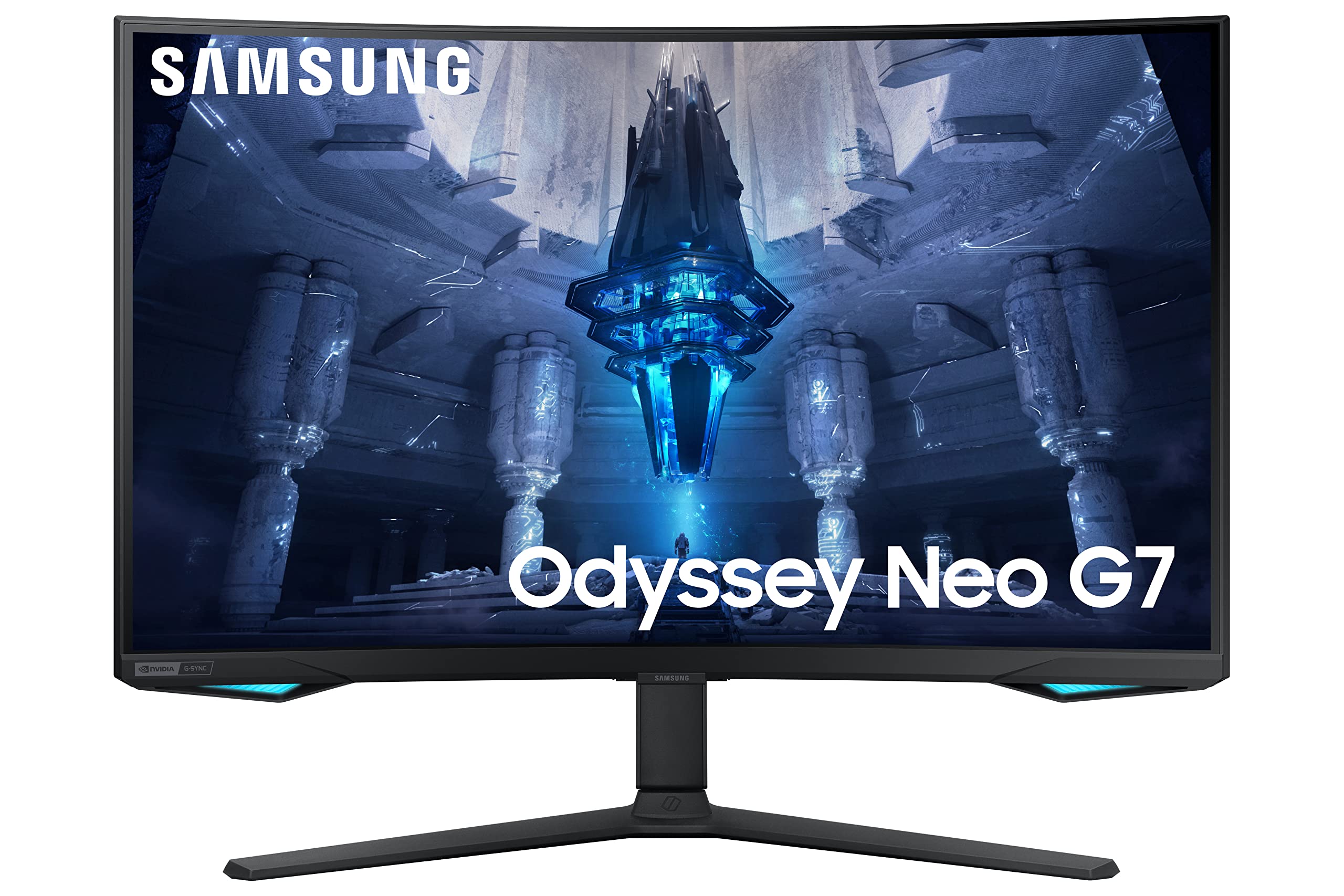


Monitor Samsung S32BG850NP 32" LED VA Flicker Free 240 Hz
Immerse yourself in the action with the Odyssey Neo G8 32" 4K 240 Hz Curved Gaming Monitor in white from Samsung. Designed for lifelike gameplay, this 4K monitor boasts a 32" Vertical Alignment (VA) panel with a 1000R curved design. AMD FreeSync Premium Pro and NVIDIA G-SYNC compatibility, a 1 ms (GtG) response time, and 240 Hz refresh rate ensure responsive performance. HDR10+ compatible, this display features a typical brightness of 350 nits or a peak HDR brightness of 1000 nits. Plus, get accurate colors with support for 1.07 billion colors and 95% DCI-P3 coverage. Connect to a host via HDMI or DisplayPort and use the included USB cable to enable an integrated hub comprised of two USB 3.1 Gen 1 ports. Tilt, swivel, and adjust the height of the monitor to find your perfect viewing angle or use the 100 x 100mm VESA mounting pattern to attach the Odyssey Neo G8 to a compatible third-party mount or stand.
Immerse yourself in the action with the Odyssey Neo G8 32" 4K 240 Hz Curved Gaming Monitor in white from Samsung. Designed for lifelike gameplay, this 4K monitor boasts a 32" Vertical Alignment (VA) panel with a 1000R curved design. AMD FreeSync Premium Pro and NVIDIA G-SYNC compatibility, a 1 ms (GtG) response time, and 240 Hz refresh rate ensure responsive performance. HDR10+ compatible, this display features a typical brightness of 350 nits or a peak HDR brightness of 1000 nits. Plus, get accurate colors with support for 1.07 billion colors and 95% DCI-P3 coverage. Connect to a host via HDMI or DisplayPort and use the included USB cable to enable an integrated hub comprised of two USB 3.1 Gen 1 ports. Tilt, swivel, and adjust the height of the monitor to find your perfect viewing angle or use the 100 x 100mm VESA mounting pattern to attach the Odyssey Neo G8 to a compatible third-party mount or stand.
Immerse yourself in the action with the Odyssey Neo G8 32" 4K 240 Hz Curved Gaming Monitor in white from Samsung. Designed for lifelike gameplay, this 4K monitor boasts a 32" Vertical Alignment (VA) panel with a 1000R curved design. AMD FreeSync Premium Pro and NVIDIA G-SYNC compatibility, a 1 ms (GtG) response time, and 240 Hz refresh rate ensure responsive performance. HDR10+ compatible, this display features a typical brightness of 350 nits or a peak HDR brightness of 1000 nits. Plus, get accurate colors with support for 1.07 billion colors and 95% DCI-P3 coverage. Connect to a host via HDMI or DisplayPort and use the included USB cable to enable an integrated hub comprised of two USB 3.1 Gen 1 ports. Tilt, swivel, and adjust the height of the monitor to find your perfect viewing angle or use the 100 x 100mm VESA mounting pattern to attach the Odyssey Neo G8 to a compatible third-party mount or stand.
Immerse yourself in the action with the Odyssey Neo G8 32" 4K 240 Hz Curved Gaming Monitor in white from Samsung. Designed for lifelike gameplay, this 4K monitor boasts a 32" Vertical Alignment (VA) panel with a 1000R curved design. AMD FreeSync Premium Pro and NVIDIA G-SYNC compatibility, a 1 ms (GtG) response time, and 240 Hz refresh rate ensure responsive performance. HDR10+ compatible, this display features a typical brightness of 350 nits or a peak HDR brightness of 1000 nits. Plus, get accurate colors with support for 1.07 billion colors and 95% DCI-P3 coverage. Connect to a host via HDMI or DisplayPort and use the included USB cable to enable an integrated hub comprised of two USB 3.1 Gen 1 ports. Tilt, swivel, and adjust the height of the monitor to find your perfect viewing angle or use the 100 x 100mm VESA mounting pattern to attach the Odyssey Neo G8 to a compatible third-party mount or stand.
in 5 offers
The lowest price for Monitor Samsung S32BG850NP 32" LED VA Flicker Free 240 Hz right now is $1,078.24 at Playthek.com, compared across 5 retailers.
The all-time low was $907.00 on 31 May 2026 — today's price is 19% above the lowest ever. That's a little above the best price we've seen.
Prices last updated 1 Oct 2026.

