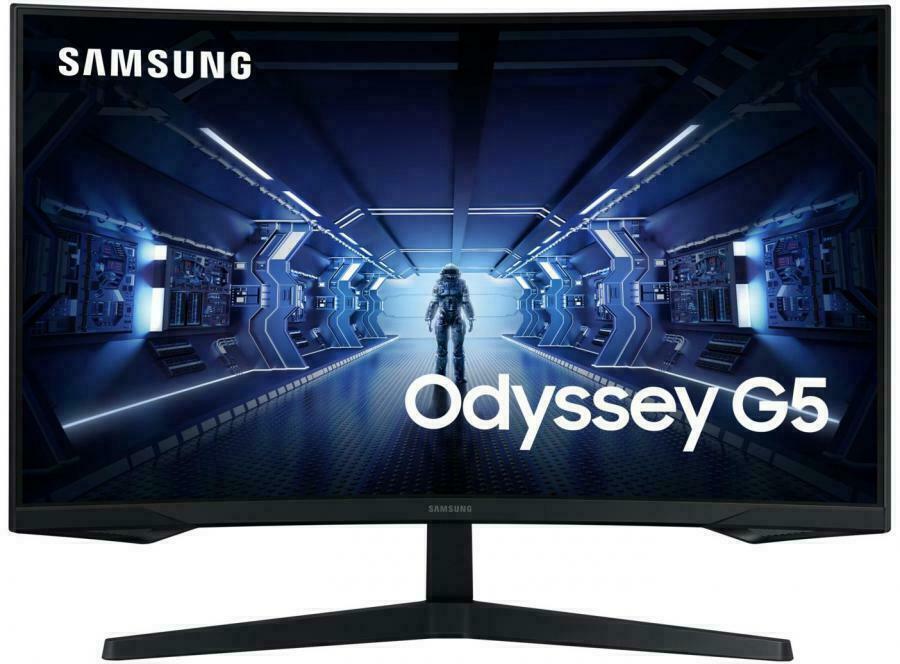
Immerse yourself in the Samsung 27" FHD S39C Curved Monitor (LS27C390EAEXXY) Experience a new level of viewing pleasure with the Samsung 27" FHD S39C Curved Monitor. Designed to draw you into the action, this sleek monitor boasts an immersive curved screen that enhances your focus and provides a wider field of view. Enjoy crisp, vibrant visuals with Full HD resolution, perfect for everything from everyday computing to enjoying multimedia content. This Samsung curved monitor features a slim profile and minimalist design, making it a stylish addition to any desk setup. Seamlessly switch between work and entertainment with the versatile connectivity options. Upgrade your viewing experience today with the Samsung 27" FHD S39C Curved Monitor.
Immerse yourself in the Samsung 27" FHD S39C Curved Monitor (LS27C390EAEXXY) Experience a new level of viewing pleasure with the Samsung 27" FHD S39C Curved Monitor. Designed to draw you into the action, this sleek monitor boasts an immersive curved screen that enhances your focus and provides a wider field of view. Enjoy crisp, vibrant visuals with Full HD resolution, perfect for everything from everyday computing to enjoying multimedia content. This Samsung curved monitor features a slim profile and minimalist design, making it a stylish addition to any desk setup. Seamlessly switch between work and entertainment with the versatile connectivity options. Upgrade your viewing experience today with the Samsung 27" FHD S39C Curved Monitor.
in 1 offers
The lowest price for Samsung 27" S39C Curved Monitor right now is $299.00 at Domayne.
The all-time low was $147.00 on 23 Feb 2026 — today's price is 103% above the lowest ever. It has been notably cheaper before — worth setting a price alert.
Prices last updated 14 July 2026.
Samsung 27" S39C Curved Monitor
Immerse yourself in the Samsung 27" FHD S39C Curved Monitor (LS27C390EAEXXY) Experience a new level of viewing pleasure with the Samsung 27" FHD S39C Curved Monitor. Designed to draw you into the action, this sleek monitor boasts an immersive curved screen that enhances your focus and provides a wider field of view. Enjoy crisp, vibrant visuals with Full HD resolution, perfect for everything from everyday computing to enjoying multimedia content. This Samsung curved monitor features a slim profile and minimalist design, making it a stylish addition to any desk setup. Seamlessly switch between work and entertainment with the versatile connectivity options. Upgrade your viewing experience today with the Samsung 27" FHD S39C Curved Monitor.
Immerse yourself in the Samsung 27" FHD S39C Curved Monitor (LS27C390EAEXXY) Experience a new level of viewing pleasure with the Samsung 27" FHD S39C Curved Monitor. Designed to draw you into the action, this sleek monitor boasts an immersive curved screen that enhances your focus and provides a wider field of view. Enjoy crisp, vibrant visuals with Full HD resolution, perfect for everything from everyday computing to enjoying multimedia content. This Samsung curved monitor features a slim profile and minimalist design, making it a stylish addition to any desk setup. Seamlessly switch between work and entertainment with the versatile connectivity options. Upgrade your viewing experience today with the Samsung 27" FHD S39C Curved Monitor.
Last updated at 14/07/2026 14:09:05
Samsung 27-inch S39C FHD Curved Monitor
originally posted on bestbuy.com
Samsung makes a variety of monitors to serve most any need. This 27” monitor is versatile enough for use in your home office, or for gaming after knocking out some productivity tasks on your PC. In the box, you’ll find the Monitor, stand, a rear cover, the power cable, and some manuals/warranty information.The Monitor has 2 HDMI connects, a headphone jack, and a display port for use with most PC’s. There was no driver required for installation, and the monitor was detected with 1080P resolution out of the box. For those looking for a great budget gaming monitor, this does support a 75hz refresh rate, which in can be enabled using the display settings on your Windows PC (defaulted to 60hz). What this monitor does have over others, are speakers. This is great for ... MoreSamsung makes a variety of monitors to serve most any need. This 27” monitor is versatile enough for use in your home office, or for gaming after knocking out some productivity tasks on your PC. In the box, you’ll find the Monitor, stand, a rear cover, the power cable, and some manuals/warranty information.The Monitor has 2 HDMI connects, a headphone jack, and a display port for use with most PC’s. There was no driver required for installation, and the monitor was detected with 1080P resolution out of the box. For those looking for a great budget gaming monitor, this does support a 75hz refresh rate, which in can be enabled using the display settings on your Windows PC (defaulted to 60hz). What this monitor does have over others, are speakers. This is great for those looking for a general purpose home office monitor, or those with limited desk space.The monitor is edge lit, which in darker settings meant some light bleeding from the backlight. While this was visible during darker scenes in games and video playback, it wasn’t too overwhelming. If you’re budget minded, this monitor is a solid choice for those looking to build a great 1080P gaming machine without the need for 144hz+ refresh rates or higher resolutions. The 27” screen does make it easier to view documents and some finer details in games.I found this monitor to be a great addition to my home office, using this mostly with my PC for productivity tasks, and some light gaming after work. I play a lot of MMOs, with Star Trek online being my favorite. Paired with a bit of a workhorse GPU, I found this to be a bit underwhelming for my gaming rig, but would be great for those looking for an entry level gaming monitor.Overall, given the built in speakers, 75hz refresh rate, and max 1080P resolution I’d recommend this for those looking for the best value for the money. It’s great for home office use, college students who want a versatile monitor, or those that don’t want to break the bank buying a larger monitor.
originally posted on bestbuy.com
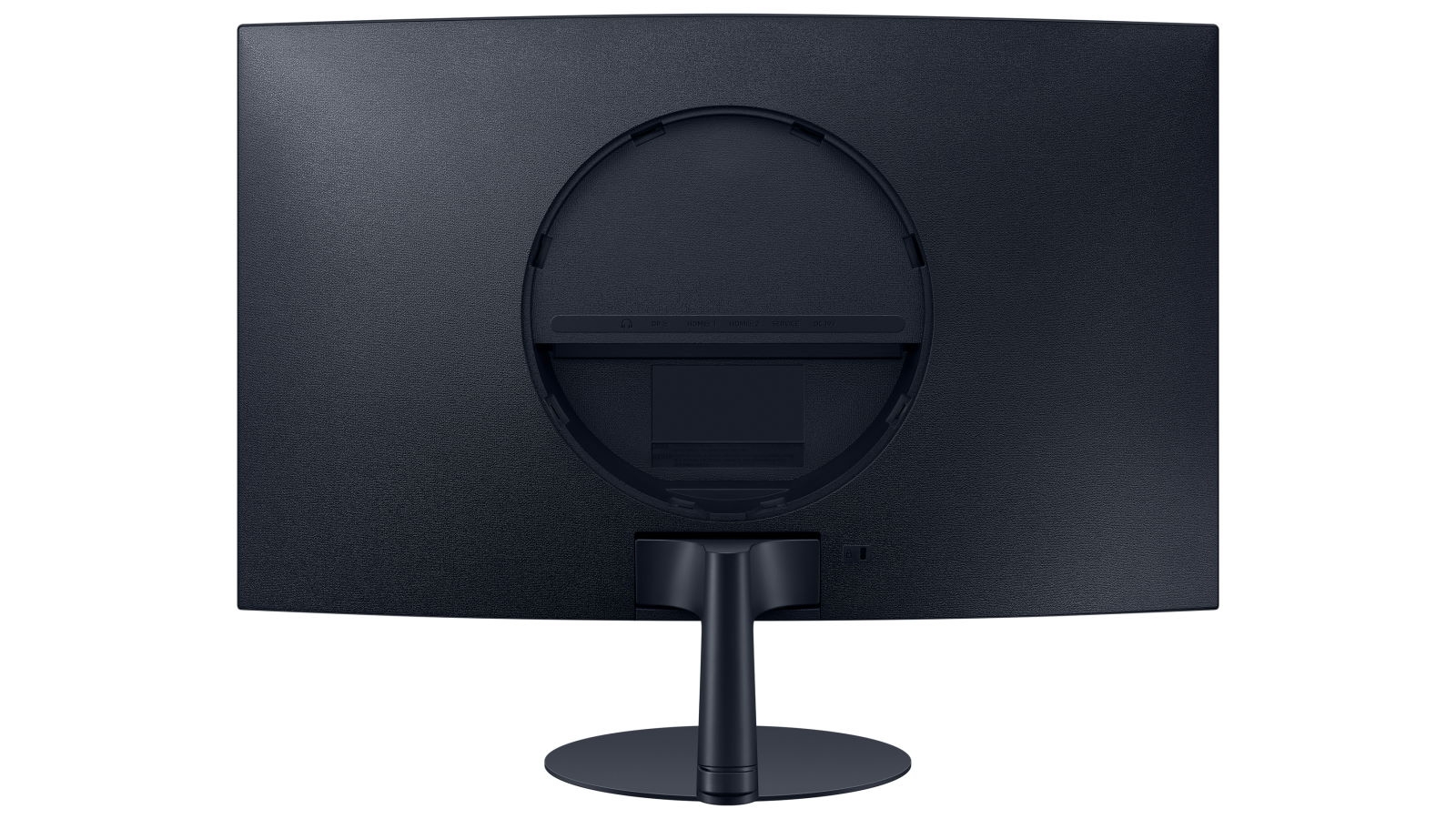
The Samsung S39C occupies what feels like a odd space in the monitor market, being a sort of "jack of all trades" in features, while not particularly excelling at any of them.To start with, let's look at the specifications. We've got a 27" curved display offering FHD resolution (1920x1080) at a 75hz refresh rate. It also features a low-latency game mode and AMD Freesync support. It does not appear to support any form of HDR, if that matters to you.A 1000R curve is somewhat sharp for a screen this size. More often you'll find screens with softer 1500R or 1800R curves. This will likely help to reduce eye fatigue somewhat, but that's hard to quantify. Combined with the blue-light reduction feature, you may find this screen easier to stare at for hours on end. I ... MoreThe Samsung S39C occupies what feels like a odd space in the monitor market, being a sort of "jack of all trades" in features, while not particularly excelling at any of them.To start with, let's look at the specifications. We've got a 27" curved display offering FHD resolution (1920x1080) at a 75hz refresh rate. It also features a low-latency game mode and AMD Freesync support. It does not appear to support any form of HDR, if that matters to you.A 1000R curve is somewhat sharp for a screen this size. More often you'll find screens with softer 1500R or 1800R curves. This will likely help to reduce eye fatigue somewhat, but that's hard to quantify. Combined with the blue-light reduction feature, you may find this screen easier to stare at for hours on end. I haven't really noticed a difference yet.The stand is nicely flat, allowing for placement on your desk without interfering much with things you might put over it, and a single clip at the base helps to keep your cables organized. However, absolutely no adjustment is possible. You can't raise the height or adjust the angle, and there are no VESA mounts. The construction of the monitor is your standard black plastic. The back plastic is textured, and the product page proudly points to this as a feature in an effort to make it feel premium. It doesn't.The back side of the monitor features two HDMI ports and a single displayport, along with a headphone jack for audio passthrough and an input for the power cord. There's a basic cable management clip on the back to keep things tied to the stand. If you're the kind of person who likes to hook other inputs up to your PC display (like a console) there's likely enough inputs to serve your needs.It has a pair of built-in speakers that serve their purpose. Not glorious, but not terrible either.In my testing, I found that AdaptiveSync paired with an AMD GPU worked a bit better than Nvidia G-sync on this screen, which you can enable even though it isn't validated as compatible. While the display has a "Game Mode" that you can enable for lower latency, I couldn't tell the difference.For productivity, I found 1080p to be just a bit too low a resolution for a 27" display. Windows text is slightly blurred from the low pixel density of the screen. It's passable, but not something I'd want to look at for hours on end while working. The picture looks at lot better for gaming. If you're a PC gamer who has a video card meant for 1080p gaming, like an RTX 3060 or Radeon 6600XT, and you primarily play cinematic AAA titles (e.g, God of War, Spider-man, Star Wars, Hogwart's Legacy), the S39C will serve you that immersive curved-screen experience with a smoother framerate AdaptiveSync.So if that's you, then it's worth giving this monitor a look. But if you've got more powerful hardware, you're looking for something for office work, or your setup requires different mounting options or adjustment, look elsewhere.
originally posted on bestbuy.com
Are you looking for a monitor that gives you an engaging visual experience and cares for your eye comfort? Look no further than the Samsung S39C 27" FHD Curved Monitor. This gorgeous monitor is an excellent blend of advanced eye comfort technology and minimalist design, making it a perfect addition to any interior. Gaming enthusiasts, extended computer users, and everyday users looking for an alternative to traditional flat screens will find this monitor an eye-catching solution.The design and build of this Samsung monitor are a perfect blend of aesthetics and utility. The monitor has a modern and premium feel with its sleek borderless display and fabric-textured backside. The slender metal stand emphasizes the device's minimalist design, pushing much of the focus ... MoreAre you looking for a monitor that gives you an engaging visual experience and cares for your eye comfort? Look no further than the Samsung S39C 27" FHD Curved Monitor. This gorgeous monitor is an excellent blend of advanced eye comfort technology and minimalist design, making it a perfect addition to any interior. Gaming enthusiasts, extended computer users, and everyday users looking for an alternative to traditional flat screens will find this monitor an eye-catching solution.The design and build of this Samsung monitor are a perfect blend of aesthetics and utility. The monitor has a modern and premium feel with its sleek borderless display and fabric-textured backside. The slender metal stand emphasizes the device's minimalist design, pushing much of the focus on the beautiful 27-inch curved screen. It's attractive design and slim form factor make it a perfect addition to different interior styles.The Samsung S39C 27" FHD Curved Monitor is a solid choice for gamers who need a screen for work and play. Its Gaming Mode and 75Hz refresh rate provide smooth and enjoyable gaming experiences. The monitor supports AMD FreeSync, allowing seamless synchronization with compatible devices and reducing screen tearing and stuttering. With two HDMI and one DisplayPort inputs, it's easy to connect the monitor to multiple things, including gaming consoles and computers. There are also built-in 5 Watt speakers to enhance the overall experience, providing an enjoyable audio and video multimedia enhancement.The Samsung S39C 27" FHD Curved Monitor's eye comfort technology is its most significant selling point, apart from its striking aesthetics and gaming features. An undersung hero in the monitor's performance is the 1000R curve, which follows your eye's natural movement, reducing eye fatigue and allowing for extended computing tasks. Several clinical studies support this, making the device perfect for people with long work-from-home schedules or using computers for extended periods.While the Samsung S39C 27" FHD Curved Monitor's performance may not be top-tier or excellent for intense gaming, it delivers an overall smooth and enjoyable experience. The device efficiently handles everyday tasks such as document processing, video and photo editing, and more, all while providing pleasing visual experiences. For day-to-day productivity computing and casual gaming, it meets all your requirements.In conclusion, The Samsung S39C 27" FHD Curved Monitor is an outstanding display option for anyone looking for eye comfort, excellent aesthetics, and essential gaming features. It is perfect for gamers, extended computer users, and people who need a device for everyday computing tasks. Its minimalistic design, exceptional eye comfort technology, and ideal performance make it an excellent value for the money. Upgrade your visual experience today and welcome the difference it makes to your display.
| Screen Size | 27 inches |
| Display Resolution | 1920 x 1080 |
| Contrast Ratio | 3 000-1(Typ.) |
| Brightness | 250 cd/ |
| Connections | DP HDMI |
Samsung 27-inch S39C FHD Curved Monitor
Samsung makes a variety of monitors to serve most any need. This 27” monitor is versatile enough for use in your home office, or for gaming after knocking out some productivity tasks on your PC. In the box, you’ll find the Monitor, stand, a rear cover, the power cable, and some manuals/warranty information.The Monitor has 2 HDMI connects, a headphone jack, and a display port for use with most PC’s. There was no driver required for installation, and the monitor was detected with 1080P resolution out of the box. For those looking for a great budget gaming monitor, this does support a 75hz refresh rate, which in can be enabled using the display settings on your Windows PC (defaulted to 60hz). What this monitor does have over others, are speakers. This is great for ... MoreSamsung makes a variety of monitors to serve most any need. This 27” monitor is versatile enough for use in your home office, or for gaming after knocking out some productivity tasks on your PC. In the box, you’ll find the Monitor, stand, a rear cover, the power cable, and some manuals/warranty information.The Monitor has 2 HDMI connects, a headphone jack, and a display port for use with most PC’s. There was no driver required for installation, and the monitor was detected with 1080P resolution out of the box. For those looking for a great budget gaming monitor, this does support a 75hz refresh rate, which in can be enabled using the display settings on your Windows PC (defaulted to 60hz). What this monitor does have over others, are speakers. This is great for those looking for a general purpose home office monitor, or those with limited desk space.The monitor is edge lit, which in darker settings meant some light bleeding from the backlight. While this was visible during darker scenes in games and video playback, it wasn’t too overwhelming. If you’re budget minded, this monitor is a solid choice for those looking to build a great 1080P gaming machine without the need for 144hz+ refresh rates or higher resolutions. The 27” screen does make it easier to view documents and some finer details in games.I found this monitor to be a great addition to my home office, using this mostly with my PC for productivity tasks, and some light gaming after work. I play a lot of MMOs, with Star Trek online being my favorite. Paired with a bit of a workhorse GPU, I found this to be a bit underwhelming for my gaming rig, but would be great for those looking for an entry level gaming monitor.Overall, given the built in speakers, 75hz refresh rate, and max 1080P resolution I’d recommend this for those looking for the best value for the money. It’s great for home office use, college students who want a versatile monitor, or those that don’t want to break the bank buying a larger monitor.
The Samsung S39C occupies what feels like a odd space in the monitor market, being a sort of "jack of all trades" in features, while not particularly excelling at any of them.To start with, let's look at the specifications. We've got a 27" curved display offering FHD resolution (1920x1080) at a 75hz refresh rate. It also features a low-latency game mode and AMD Freesync support. It does not appear to support any form of HDR, if that matters to you.A 1000R curve is somewhat sharp for a screen this size. More often you'll find screens with softer 1500R or 1800R curves. This will likely help to reduce eye fatigue somewhat, but that's hard to quantify. Combined with the blue-light reduction feature, you may find this screen easier to stare at for hours on end. I ... MoreThe Samsung S39C occupies what feels like a odd space in the monitor market, being a sort of "jack of all trades" in features, while not particularly excelling at any of them.To start with, let's look at the specifications. We've got a 27" curved display offering FHD resolution (1920x1080) at a 75hz refresh rate. It also features a low-latency game mode and AMD Freesync support. It does not appear to support any form of HDR, if that matters to you.A 1000R curve is somewhat sharp for a screen this size. More often you'll find screens with softer 1500R or 1800R curves. This will likely help to reduce eye fatigue somewhat, but that's hard to quantify. Combined with the blue-light reduction feature, you may find this screen easier to stare at for hours on end. I haven't really noticed a difference yet.The stand is nicely flat, allowing for placement on your desk without interfering much with things you might put over it, and a single clip at the base helps to keep your cables organized. However, absolutely no adjustment is possible. You can't raise the height or adjust the angle, and there are no VESA mounts. The construction of the monitor is your standard black plastic. The back plastic is textured, and the product page proudly points to this as a feature in an effort to make it feel premium. It doesn't.The back side of the monitor features two HDMI ports and a single displayport, along with a headphone jack for audio passthrough and an input for the power cord. There's a basic cable management clip on the back to keep things tied to the stand. If you're the kind of person who likes to hook other inputs up to your PC display (like a console) there's likely enough inputs to serve your needs.It has a pair of built-in speakers that serve their purpose. Not glorious, but not terrible either.In my testing, I found that AdaptiveSync paired with an AMD GPU worked a bit better than Nvidia G-sync on this screen, which you can enable even though it isn't validated as compatible. While the display has a "Game Mode" that you can enable for lower latency, I couldn't tell the difference.For productivity, I found 1080p to be just a bit too low a resolution for a 27" display. Windows text is slightly blurred from the low pixel density of the screen. It's passable, but not something I'd want to look at for hours on end while working. The picture looks at lot better for gaming. If you're a PC gamer who has a video card meant for 1080p gaming, like an RTX 3060 or Radeon 6600XT, and you primarily play cinematic AAA titles (e.g, God of War, Spider-man, Star Wars, Hogwart's Legacy), the S39C will serve you that immersive curved-screen experience with a smoother framerate AdaptiveSync.So if that's you, then it's worth giving this monitor a look. But if you've got more powerful hardware, you're looking for something for office work, or your setup requires different mounting options or adjustment, look elsewhere.
Are you looking for a monitor that gives you an engaging visual experience and cares for your eye comfort? Look no further than the Samsung S39C 27" FHD Curved Monitor. This gorgeous monitor is an excellent blend of advanced eye comfort technology and minimalist design, making it a perfect addition to any interior. Gaming enthusiasts, extended computer users, and everyday users looking for an alternative to traditional flat screens will find this monitor an eye-catching solution.The design and build of this Samsung monitor are a perfect blend of aesthetics and utility. The monitor has a modern and premium feel with its sleek borderless display and fabric-textured backside. The slender metal stand emphasizes the device's minimalist design, pushing much of the focus ... MoreAre you looking for a monitor that gives you an engaging visual experience and cares for your eye comfort? Look no further than the Samsung S39C 27" FHD Curved Monitor. This gorgeous monitor is an excellent blend of advanced eye comfort technology and minimalist design, making it a perfect addition to any interior. Gaming enthusiasts, extended computer users, and everyday users looking for an alternative to traditional flat screens will find this monitor an eye-catching solution.The design and build of this Samsung monitor are a perfect blend of aesthetics and utility. The monitor has a modern and premium feel with its sleek borderless display and fabric-textured backside. The slender metal stand emphasizes the device's minimalist design, pushing much of the focus on the beautiful 27-inch curved screen. It's attractive design and slim form factor make it a perfect addition to different interior styles.The Samsung S39C 27" FHD Curved Monitor is a solid choice for gamers who need a screen for work and play. Its Gaming Mode and 75Hz refresh rate provide smooth and enjoyable gaming experiences. The monitor supports AMD FreeSync, allowing seamless synchronization with compatible devices and reducing screen tearing and stuttering. With two HDMI and one DisplayPort inputs, it's easy to connect the monitor to multiple things, including gaming consoles and computers. There are also built-in 5 Watt speakers to enhance the overall experience, providing an enjoyable audio and video multimedia enhancement.The Samsung S39C 27" FHD Curved Monitor's eye comfort technology is its most significant selling point, apart from its striking aesthetics and gaming features. An undersung hero in the monitor's performance is the 1000R curve, which follows your eye's natural movement, reducing eye fatigue and allowing for extended computing tasks. Several clinical studies support this, making the device perfect for people with long work-from-home schedules or using computers for extended periods.While the Samsung S39C 27" FHD Curved Monitor's performance may not be top-tier or excellent for intense gaming, it delivers an overall smooth and enjoyable experience. The device efficiently handles everyday tasks such as document processing, video and photo editing, and more, all while providing pleasing visual experiences. For day-to-day productivity computing and casual gaming, it meets all your requirements.In conclusion, The Samsung S39C 27" FHD Curved Monitor is an outstanding display option for anyone looking for eye comfort, excellent aesthetics, and essential gaming features. It is perfect for gamers, extended computer users, and people who need a device for everyday computing tasks. Its minimalistic design, exceptional eye comfort technology, and ideal performance make it an excellent value for the money. Upgrade your visual experience today and welcome the difference it makes to your display.
The Samsung S39C is a nice wide screen with a 1000R curve for better gaming. I set this up next to my Samsung UW 1000R screen to compare amd setup to see if I could make it work for Sim Racing.Samsung states it is a 75hz monitor for gaming performance on a budget. That was the first issue right off the bat. After almost an hour, I was able to customize my 4090 to finally see it as a 75hz monitor. There is an issue with the way the monitor sends signal back to the GPU as only 60hz maximum. I do not know why this is happening and I went through all the normal routes to fix this issue and no matter what, the screen would promptly chamge my resolution and refresh rate right after settihg it to 75hz and/or both 75hz and 2560x1440 forced resolution to match the UW ... MoreThe Samsung S39C is a nice wide screen with a 1000R curve for better gaming. I set this up next to my Samsung UW 1000R screen to compare amd setup to see if I could make it work for Sim Racing.Samsung states it is a 75hz monitor for gaming performance on a budget. That was the first issue right off the bat. After almost an hour, I was able to customize my 4090 to finally see it as a 75hz monitor. There is an issue with the way the monitor sends signal back to the GPU as only 60hz maximum. I do not know why this is happening and I went through all the normal routes to fix this issue and no matter what, the screen would promptly chamge my resolution and refresh rate right after settihg it to 75hz and/or both 75hz and 2560x1440 forced resolution to match the UW monitor for sim racing.Once the monitor was set, on to racing and I must say, i was slightly disappointed in both native resolution and forced, forced was actually better. The screen is subpar for gaming, colors are way off before calibration and there is a lot of bleed and ghosting. I expected a little issues but at this price point, my $149 1440 screen from Best Buy(another brand) was much better quality im construction and picture, only difference was the 1000R and the Samsung is less native resolution.BUT!!!! There is a silver lining! Are you just looking for a curved monitor for easier eye strain all day? Then this monitor is why it moved from 2 to 4 stars for me. The monitor set to its Native 1080 and 60hz, the picture is gorgeous for daily work and even light picture editing. I would not use it for final picture editing due to color differences.For work using Solidworks and Mastercam, this monitor does great, actually, much better than the expensive ones at work, it blew my mind how well it could handle the massive amount of colors for modeling on the screen.It seems the gaming aspect Samsung is trying to sell the mobitor on should have been kept to the bottom of the panphlet and it should be marketed as a high performing work monitor.And last, the matetials used, especially the back of the monitor is 1990s US car maker quality plastic, they could have used smooth for much eaier dusting. The package was great, coming with HDMI and DVI cables, making it nice to utilize the screen between my 2 computers having multiple inputs.If you are looking at this for work buy it, if for gaming, I recommend it for games like Minecraft and slow moving games.
So I have to admit, I had to look up what “FHD” meant when I was researching this monitor. Why would you want a full high definition monitor when you can have 4k UHD? Well, unless your graphics card can support 4k graphics at a high frame rate, then there’s no need to pay extra for resolution you can’t use. This monitor at 1920 x 1080 provides a great quality view and accurate color rendering with a good amount of square footage without breaking the bank. The 1000R curve gives me an immersive experience with a flicker free 75 hz refresh rate. The refresh rate is at the lower end of the acceptable range for gaming though. I am enjoying using this monitor for playing games and watching videos as well as working. Well, maybe I don’t enjoy the working so much but the ... MoreSo I have to admit, I had to look up what “FHD” meant when I was researching this monitor. Why would you want a full high definition monitor when you can have 4k UHD? Well, unless your graphics card can support 4k graphics at a high frame rate, then there’s no need to pay extra for resolution you can’t use. This monitor at 1920 x 1080 provides a great quality view and accurate color rendering with a good amount of square footage without breaking the bank. The 1000R curve gives me an immersive experience with a flicker free 75 hz refresh rate. The refresh rate is at the lower end of the acceptable range for gaming though. I am enjoying using this monitor for playing games and watching videos as well as working. Well, maybe I don’t enjoy the working so much but the larger screen size does allows me to spread out my apps for easy access at least! It does have a basic set of built in speakers but you’re not going to rock the house with them.The minimalist stand looks sturdy and allows the monitor to tilt but does not have a height adjustment that I can find. I was surprised that there’s no VESA mounting provision on the back.I do like that the screen has a thin bezel which gives it a nice look in my opinion and the back is detailed with a texture and a snap on cover over the ports. The backs of my monitors face a wall but this would look nice if it faced out into a room.I have this connected to my PC and also to a docking station for my wife’s work laptop. It has plenty of ports to connect our devices but it doesn’t automatically switch inputs like our other monitors. Easy enough to change inputs, the power button is actually a little joystick that lets you navigate and select through the different menus.
After using it for a few days I can say without reservation that I really love this Samsung curved monitor. Despite a few minor flaws that I will elaborate on later in my review, I find the look and performance to be superb.I personally like the curved design because I like the immersion it creates. I also like that when used as part of a multi monitor display, that the curve slightly narrows my field of view so I can see more without having to shift my eyes as much. Because the benefits of a curved screen are very dependent on personal preference, I recommend that if this would be your first curved screen, that you go to your local Best Buy and see it in person. My significant other told me that she really likes it, but a friend told me that he preferred a ... MoreAfter using it for a few days I can say without reservation that I really love this Samsung curved monitor. Despite a few minor flaws that I will elaborate on later in my review, I find the look and performance to be superb.I personally like the curved design because I like the immersion it creates. I also like that when used as part of a multi monitor display, that the curve slightly narrows my field of view so I can see more without having to shift my eyes as much. Because the benefits of a curved screen are very dependent on personal preference, I recommend that if this would be your first curved screen, that you go to your local Best Buy and see it in person. My significant other told me that she really likes it, but a friend told me that he preferred a traditional non-curved monitor after he saw it.The unpacking and setup were typical, except for the quirky method that the stand attaches to the monitor. The stand has to be initially inverted before the screw is attached, and then rotated around to the correct orientation before the screw can be finally tightened so it is secure. Like I said, somewhat quirky but the steps are illustrated in the setup sheet. I think this is something that should be changed in the future because if someone doesn't check the instruction before they try to attach the stand, in what appears to be the correct orientation, could result in the screw being strippedIncluded in the box are an HDMI cable, DisplayPort cable, and the power adapter.The color and picture quality are excellent. I am using it in cinema mode and find the color temperature to be pleasantly warm without too much red shift. It is a full HD monitor so it is capable of rendering content in the 1080P resolution. The 75Hz refresh rate makes this monitor suitable for gaming. I tested it with Fortnite and was very pleased with the experience.I was pleasantly surprised by the sound quality of the 2 internal 5 watt speakers. They sound much better than most other monitor speakers. I personally use headphones so as to not disturb others, but I would rate them as being suitable for basic listening which is something that I have not been able to say about monitor speakers in a long time.The monitor height is not adjustable and I consider this to be a minor flaw. I will probably compensate for this at some point by using a stand to raise the height. The tilt is thankfully adjustableThis is my second Samsung monitor and I love this one as much as I love the first one. Samsung makes great displays and this monitor lives up to that expectation. It looks great and has amazing picture quality. This curved display is perfect for watching movies and gaming, and I strongly recommend that you give it a look.
I like the stand on this monitor - I think it's weighted properly for a monitor this size. I was trying to turn the base into its socket at a 45 degree angle instead of a 180 degree angle & wound up scratching the port. Not sure why the turn ratio is needed as it doesn't serve secure the base snugly anyway, without the screw. Then I noticed a lock icon next to the stand insert and I thought a screwdriver would be needed to insert into the lock port, to release the stand. Not so - I wound up scratching the metal on the interior of the lock port. I then found a video tutorial that explained the stand can be removed with a firm tug - and no release needed. Fortunately I didn't break the monitor itself while trying to figure out the stand assembly and disassembly. As it ... MoreI like the stand on this monitor - I think it's weighted properly for a monitor this size. I was trying to turn the base into its socket at a 45 degree angle instead of a 180 degree angle & wound up scratching the port. Not sure why the turn ratio is needed as it doesn't serve secure the base snugly anyway, without the screw. Then I noticed a lock icon next to the stand insert and I thought a screwdriver would be needed to insert into the lock port, to release the stand. Not so - I wound up scratching the metal on the interior of the lock port. I then found a video tutorial that explained the stand can be removed with a firm tug - and no release needed. Fortunately I didn't break the monitor itself while trying to figure out the stand assembly and disassembly. As it turns out the stand is very well-designed and does not require a release mechanism for release.The monitor itself isn't quite as bright as the ViewSonic but the color spectrum is a bit more vibrant. It does throw a little more heat than the ViewSonic.The color settings interface has been simplified to allow only two primary settings - custom and cinema. The host of others, along with SRGB, are not included on the menu. Also the dynamic contrast remains optional. I love the straightforward simplification of the color settings as those that were removed were of little benefit for general use. The dynamic contrast is a Samsung exclusive feature that automatically changes the brightness of the screen based on the color dispersion on-screen. I think that feature can be a little annoying and appreciate consistency of brightness. I did not notice a problem with the display port as with the predecessor, which buzzed slightly with varying brightness when using an HDMI adaptor on a display port.The screen vibrancy is beautiful to behold. Form and function are outstanding - though I think the white shade could be a bit brighter, as with the ViewSonic.All that said, the monitor stand is easy to set up once the recipient understands how it is done, and the menu navigation is quite straightforward without a lot of unnecessary color options that make it difficult to determine which works best. I think Samsung's simplifications to the settings make the monitor easier to configure.I would like to see it throw less heat - the ViewSonic competitor stays cool to the touch. Also mimic the ViewSonic stand without the turn requirement to connect the base. Great that the stand readily disconnects, and the weighted base is a step up from the ViewSonic competitor. I recently broke a ViewSonic monitor that fell backwards when I was moving a desk around. Careless error on my part, but the weighted stand with a forward lean will likely prevent tip-overs.A solid monitor overall, with design improvements that make sense for the end-user.
Great monitor but lacking a higher refresh rate. It's the 27 inch Curved Monitor with a 1000R Curvature and advanced eye comfort technology. If you compare my ASUS - TUF Gaming 34"LCD Curved WQHD FreeSync Monitor in the picture you can see the samsung using the eye comfort technology seems to make the brights not so over bright. The colors on the samsung seem to pop out a little more than my asus. Now given the samsung i have not tinkered with the setting on the color were as with my asus i have tweaked them a little bit but not enough to make a big difference. The setting on the samsung are out of the box and i must say i'm pretty impressed with the out of the box settings. The samsung and my asus both come with built in speakers and they are nothing spectacular ... MoreGreat monitor but lacking a higher refresh rate. It's the 27 inch Curved Monitor with a 1000R Curvature and advanced eye comfort technology. If you compare my ASUS - TUF Gaming 34"LCD Curved WQHD FreeSync Monitor in the picture you can see the samsung using the eye comfort technology seems to make the brights not so over bright. The colors on the samsung seem to pop out a little more than my asus. Now given the samsung i have not tinkered with the setting on the color were as with my asus i have tweaked them a little bit but not enough to make a big difference. The setting on the samsung are out of the box and i must say i'm pretty impressed with the out of the box settings. The samsung and my asus both come with built in speakers and they are nothing spectacular but if you don't want clutter around your monitor by having more speakers they are good enough to use. This samsung monitor has a 1000R for less eye strain vs the 1500R curvature on my asus but to be honest the Samsung looks like it actually has more of a curve than 1000R. I'm not sure if it's because it's a 27 inc and the Asus is a 34 inch and that's why the samsung looks like it has more of a curve. The only downside to the samsung is it only has a 75 HZ refresh rate compared to my Asus with its 165 HZ But to be honest with you i have not noticed any screen tearing, motion blur,ghosting or choppy frame rates. It's actually very smooth for only a 75HZ refresh rate. The max resolution is 1920 x 1080 but that's pretty much todays standard for gaming. I do use my Asus for all my higher end gaming because it goes up to 3440 x 1440. Both of these monitors i have and i'm comparing them to each other are both available at best buy. So if you like one over the other you can get your hands on either one of them. The samsung is cheaper price wise than the asus but the asus is also a 34 inch vs the samsung being a 27 inch. The samsung for the price is very well worth the money, your not going to break the bank to get the samsung and the picture quality is actually very good. All in all im very happy with the Samsung and i can honestly recommend getting it if your looking for a new monitor.
The Samsung S39C performs decently but really doesn't stand out in any particular area. It offers respectable sharpness and the colors are pretty accurate.The monitor is designed to provide an immersive viewing experience with a curved screen that is claimed to be more immersive as it is optimized for the human eye. The monitor offers a sleek, modern look that should complement just about any setup. With its matte black finish and slim profile, it fits in easily to any workplace, especially with the included speakers, which surprised for it's reasonable audio quality despite the limitations of being built-in to the monitor.The rest of the monitor's specifications are pretty basic, and with its 75 Hz refresh rate it's better suited for basic productivity and ... MoreThe Samsung S39C performs decently but really doesn't stand out in any particular area. It offers respectable sharpness and the colors are pretty accurate.The monitor is designed to provide an immersive viewing experience with a curved screen that is claimed to be more immersive as it is optimized for the human eye. The monitor offers a sleek, modern look that should complement just about any setup. With its matte black finish and slim profile, it fits in easily to any workplace, especially with the included speakers, which surprised for it's reasonable audio quality despite the limitations of being built-in to the monitor.The rest of the monitor's specifications are pretty basic, and with its 75 Hz refresh rate it's better suited for basic productivity and light gaming. The FHD resolution (1920x1080) makes it suitable to pair with budget/medium performance graphics cards, and while it offers Freesync support, the lower 75 Hz refresh rate, while acceptable for RTS games or MOBAs, holds it back from being suitable for more serious gaming. Many monitors at or just above the S39C's price range offer 144-165 Hz refresh rates that are better suited for esports type games.If you're looking for a budget, general purpose curved screen monitor, the Samsung - S39C series is a solid choice, but if you do a lot of gaming, you might consider something with a higher refresh rate.
I work from home for 3 out of the 5 days of the week so I was looking for an additional monitor that I can use for work and for gaming and videos after work. This Samsung 27" LED Curved monitor seems to fit that bill fairly well. As soon as you take it out of the box, the first thing that will catch your eye is the design. The curved design allows you to be more immersed in gaming or streaming movies. It also allows you to save some space if it is already tight like my office desk. It has a fairly thin bezel so the monitor itself is fairly lightweight and can easily be moved to adjust to your needs in your set up. There isn't anything special that you need to do with the setup, just adjusting the settings to your preference. I like that it comes with 2 HDMI 1.2 ... MoreI work from home for 3 out of the 5 days of the week so I was looking for an additional monitor that I can use for work and for gaming and videos after work. This Samsung 27" LED Curved monitor seems to fit that bill fairly well. As soon as you take it out of the box, the first thing that will catch your eye is the design. The curved design allows you to be more immersed in gaming or streaming movies. It also allows you to save some space if it is already tight like my office desk. It has a fairly thin bezel so the monitor itself is fairly lightweight and can easily be moved to adjust to your needs in your set up. There isn't anything special that you need to do with the setup, just adjusting the settings to your preference. I like that it comes with 2 HDMI 1.2 ports, a 3.5mm audio port and a digital input.As I mentioned earlier, I work from home part of the time, so one of the reasons why I got this monitor is because of the advanced eye comfort technology which is supposed to reduce eye strain. I have been using this monitor for 2 weeks and I can notice less eye fatigue. Once I turned it on and made my adjustments, the first thing I noticed was the picture quality and the brightness, which are two things that Samsung monitors are traditionally known for. It is a full HD screen and the refresh rate will have to be adjusted as I noticed that the default was 60 hz.Once I am done with work I can continue to enjoy this monitor to either stream videos or game a little. This monitor does come with FreeSync which makes it compatible with both NVDIA and AMD graphic cards. I am able to enjoy videos with good picture quality. If you are a serious gamer, this definitely wouldn't be your main gaming monitor, but it will suffice if you are into casual gaming, which is what I do.Overall, I really like this Samsung 27" LED curved monitor because of its versatility. It can serve many purposes at a decent quality.
| Screen Size | 27 inches |
| Display Resolution | 1920 x 1080 |
| Contrast Ratio | 3 000-1(Typ.) |
| Brightness | 250 cd/ |
| Connections | DP HDMI |