Last updated at 05/09/2026 12:09:46
Samsung UJ590 32\
Affiliate Disclosure: We may receive a small commission for purchases made through this link at no extra cost to you. This helps support our site. Thank you!
Samsung 31.5'/32' UJ59 4K UHD FreeSync 60Hz Gaming Monitor 3840x2160 4ms 16:9 DP 2xHDMI PBP VESA Game Mode Slim Bezel Flicker Free 3YR WTY
Delivery by 15 Sept $15
SAMSUNG 32" (16:9) UHD VA MONITOR DP HDMI HDR10 VESA 3YR
Free delivery between Tue – Wed
Samsung 32" (16:9) UHD Va Monitor Dp Hdmi HDR10 Vesa 3YR
14-day returns
Samsung 32" 4K UHD 3840x2160 Computer Monitor, Eye Saver, AMD FreeSync for Gaming, HDMI,
Delivery $434.60
32-inch 4K UHD Computer Monitor | VA Panel, AMD FreeSync, Eye Saver Mode, PIP/PBP | HDMI, DisplayPort | for Home Office, Gaming, Streaming | W/HDMI
Delivery between 11–14 Sept $29
originally posted on shop.bt.com
Pros: The price was good and the picture is reasonable - though not sure it is quite 4K as it is supposed to beCons: The toggle switch thing on the back is ridiculous. It is so awkward to use and hard to access settings. It need three separate presses just to turn the monitor off. Who came up with the stupid idea of the LED on the front which lights up when the monitor is turned off and goes off when the monitor is turned on - yes you can change it but so awkward to do it and took many attempts.It is impossible to switch between inputs - seems to have a mind of its own. The only way to switch is that you have to turn the monitor and input device off then unplug which ever input cables you don't want to use then turn the input device and the monitor back on again - ... MorePros: The price was good and the picture is reasonable - though not sure it is quite 4K as it is supposed to beCons: The toggle switch thing on the back is ridiculous. It is so awkward to use and hard to access settings. It need three separate presses just to turn the monitor off. Who came up with the stupid idea of the LED on the front which lights up when the monitor is turned off and goes off when the monitor is turned on - yes you can change it but so awkward to do it and took many attempts.It is impossible to switch between inputs - seems to have a mind of its own. The only way to switch is that you have to turn the monitor and input device off then unplug which ever input cables you don't want to use then turn the input device and the monitor back on again - pretty useless really. I would not have bought it if I had realised how badly designed it is. Not impressed with the build quality either.
originally posted on jbhifi.com.au
Very easy and straight forward set up. I would check if your laptop/computer/other device has a HDMI port because otherwise you will also need to purchase an adaptor for this monitor to connect to it.The screen is the perfect size for my desk. It also isn't very heavy so easy to move around if needed.I only have two things which are little negatives. The first is tilting the screen. It is very stiff and I needed someone to hold the base so that I could tilt the screen (tilt the screen from the top of the screen). The second is the 'menu' for the monitor. The power button is also a little controller which can move up, down, left and right. I am still not 100% sure what each direction does but it isn't too major as I'm only using one HDMI port.Would definitely ... MoreVery easy and straight forward set up. I would check if your laptop/computer/other device has a HDMI port because otherwise you will also need to purchase an adaptor for this monitor to connect to it.The screen is the perfect size for my desk. It also isn't very heavy so easy to move around if needed.I only have two things which are little negatives. The first is tilting the screen. It is very stiff and I needed someone to hold the base so that I could tilt the screen (tilt the screen from the top of the screen). The second is the 'menu' for the monitor. The power button is also a little controller which can move up, down, left and right. I am still not 100% sure what each direction does but it isn't too major as I'm only using one HDMI port.Would definitely recommend.
originally posted on jbhifi.com.au
Fantastic monitor at great price. I originally looked at the monitor in shop and wasn't really impressed, but decided to purchase it anyway for my new desktop setup for M1 MacBook Pro. It was the right choice because as soon as I plugged it in at home the 4K quality came to life. So far I've used it for general computer work, graphics editing and watching videos and the display is crystal clear with great colours (it's not a direct colour match to the MacBook Pro screen, but they do look great sitting side-by-side each other).I'm very happy with the purchase & would recommend.
| Display | |
| Screen shape | Flat |
| Backlight type | LED |
| Display diagonal (metric) | 80.1 cm |
| NTSC coverage (typical) | 97% |
Samsung UJ590 32\
Affiliate Disclosure: We may receive a small commission for purchases made through this link at no extra cost to you. This helps support our site. Thank you!
Samsung 31.5'/32' UJ59 4K UHD FreeSync 60Hz Gaming Monitor 3840x2160 4ms 16:9 DP 2xHDMI PBP VESA Game Mode Slim Bezel Flicker Free 3YR WTY
Delivery by 15 Sept $15
SAMSUNG 32" (16:9) UHD VA MONITOR DP HDMI HDR10 VESA 3YR
Free delivery between Tue – Wed
Samsung 32" (16:9) UHD Va Monitor Dp Hdmi HDR10 Vesa 3YR
14-day returns
Samsung 32" 4K UHD 3840x2160 Computer Monitor, Eye Saver, AMD FreeSync for Gaming, HDMI,
Delivery $434.60
Pros: The price was good and the picture is reasonable - though not sure it is quite 4K as it is supposed to beCons: The toggle switch thing on the back is ridiculous. It is so awkward to use and hard to access settings. It need three separate presses just to turn the monitor off. Who came up with the stupid idea of the LED on the front which lights up when the monitor is turned off and goes off when the monitor is turned on - yes you can change it but so awkward to do it and took many attempts.It is impossible to switch between inputs - seems to have a mind of its own. The only way to switch is that you have to turn the monitor and input device off then unplug which ever input cables you don't want to use then turn the input device and the monitor back on again - ... MorePros: The price was good and the picture is reasonable - though not sure it is quite 4K as it is supposed to beCons: The toggle switch thing on the back is ridiculous. It is so awkward to use and hard to access settings. It need three separate presses just to turn the monitor off. Who came up with the stupid idea of the LED on the front which lights up when the monitor is turned off and goes off when the monitor is turned on - yes you can change it but so awkward to do it and took many attempts.It is impossible to switch between inputs - seems to have a mind of its own. The only way to switch is that you have to turn the monitor and input device off then unplug which ever input cables you don't want to use then turn the input device and the monitor back on again - pretty useless really. I would not have bought it if I had realised how badly designed it is. Not impressed with the build quality either.
Very easy and straight forward set up. I would check if your laptop/computer/other device has a HDMI port because otherwise you will also need to purchase an adaptor for this monitor to connect to it.The screen is the perfect size for my desk. It also isn't very heavy so easy to move around if needed.I only have two things which are little negatives. The first is tilting the screen. It is very stiff and I needed someone to hold the base so that I could tilt the screen (tilt the screen from the top of the screen). The second is the 'menu' for the monitor. The power button is also a little controller which can move up, down, left and right. I am still not 100% sure what each direction does but it isn't too major as I'm only using one HDMI port.Would definitely ... MoreVery easy and straight forward set up. I would check if your laptop/computer/other device has a HDMI port because otherwise you will also need to purchase an adaptor for this monitor to connect to it.The screen is the perfect size for my desk. It also isn't very heavy so easy to move around if needed.I only have two things which are little negatives. The first is tilting the screen. It is very stiff and I needed someone to hold the base so that I could tilt the screen (tilt the screen from the top of the screen). The second is the 'menu' for the monitor. The power button is also a little controller which can move up, down, left and right. I am still not 100% sure what each direction does but it isn't too major as I'm only using one HDMI port.Would definitely recommend.
Fantastic monitor at great price. I originally looked at the monitor in shop and wasn't really impressed, but decided to purchase it anyway for my new desktop setup for M1 MacBook Pro. It was the right choice because as soon as I plugged it in at home the 4K quality came to life. So far I've used it for general computer work, graphics editing and watching videos and the display is crystal clear with great colours (it's not a direct colour match to the MacBook Pro screen, but they do look great sitting side-by-side each other).I'm very happy with the purchase & would recommend.
As someone who only purchases VA and QLED Monitors, I was reluctant to purchase an IPS display. IPS Glow has been a pet hate of mine for years.Well, this little gem impressed me! IPS Glow is completely non-existent. This is incredibly rare for IPS Panels. Colour reproduction is perfect, the OSD options are brilliant. 10-bit RGB w/ HDR Support.The only downside may be if you wanted to VESA mount it, an engineering oversight saw the back not flush, so it can be a bit awkward for the top two screws, they won't go completely in either (use washers).As someone who wanted a 16:9 4K Panel to hold me over until more QLED or MicroLED enter the market at better prices, this display ticks all the boxes.Perfect for Gaming at 4K60FPS w/ RTX 3080 or PS5.
Every Samsung display I have used … this is the third one .. has great colour and brightness. This one replaced a Dell USB C monitor that did not have display port for daisy chaining. This one can be used a second monitor in daisy chain. The vesa mount is 75 hence it no good but not important for me. If you put the monitor to eye saver mode it makes a slight noise like old CRT monitors but never found it in normal operation. The stand is the worst design I have seen in my life. I have kept my laptop on the stand to save desk space. Dell makes them so much better but this is the only gripe. It just has one toggle button to control everything so menu is top class. I do work in audio mixing and this size is just perfect for me. Got it a a good bargain, maybe outgoing ... MoreEvery Samsung display I have used … this is the third one .. has great colour and brightness. This one replaced a Dell USB C monitor that did not have display port for daisy chaining. This one can be used a second monitor in daisy chain. The vesa mount is 75 hence it no good but not important for me. If you put the monitor to eye saver mode it makes a slight noise like old CRT monitors but never found it in normal operation. The stand is the worst design I have seen in my life. I have kept my laptop on the stand to save desk space. Dell makes them so much better but this is the only gripe. It just has one toggle button to control everything so menu is top class. I do work in audio mixing and this size is just perfect for me. Got it a a good bargain, maybe outgoing model so that was even better
Great monitor - easy assembly & set up and the screen performance is great. No problem connecting and using it. The stand is stable & sturdy.The only negative is the top of my screen tips towards me. The angle cannot be adjusted at all. (Knew the stand could not be adjusted when ordering but didn't think about the screen angle). Rechecked assembly . . .all ok except this odd angle. Will now get a monitor to see if it helps.
Was looking for high quality 4k monitor with good black contrast for graphics homework & at same time reasonable speed/delay capacity for basic occasional gaming - and this one definitely fits the bill.... I bought two, one for each of my secondary school kids. Gorgeous true colours & deep black contrast compared to my previous "grey haze" Samsung 4K monitors. Do your homework though on the right connecting cables - for our Microsoft PCs, high-bandwidth USB-C to DisplayPort 1.4 was needed to handle 4K @ 60Hz. The i7 internal graphics works smoothly with most games, but the i5 can be a bit laggy on detailed games like Phasmophobia. Great value if on sale
I used to use a monitor with 5 separate buttons round the back,and the single JOG button controlling everything is a pure joy to use. Admittedly it took me a short time to get my head around how to best use it, but it is a good idea for a monitor that does not have buttons on the front.BUT I sem to have great trouble getting my computers (2 desktop PCs and various Raspberry Pi SBCs all connected via a switch box) to always work with it. Sometimes the only way to get one of the PCs to display anything is to turn off the monitor by disconnecting the power, then turning it back on again. Also there are some combinations of graphics card and GRUB2 resolutions that simply do not display anything but used to work on the Viewsonic VX3211-2k-MHD that was replaced. All ... MoreI used to use a monitor with 5 separate buttons round the back,and the single JOG button controlling everything is a pure joy to use. Admittedly it took me a short time to get my head around how to best use it, but it is a good idea for a monitor that does not have buttons on the front.BUT I sem to have great trouble getting my computers (2 desktop PCs and various Raspberry Pi SBCs all connected via a switch box) to always work with it. Sometimes the only way to get one of the PCs to display anything is to turn off the monitor by disconnecting the power, then turning it back on again. Also there are some combinations of graphics card and GRUB2 resolutions that simply do not display anything but used to work on the Viewsonic VX3211-2k-MHD that was replaced. All these problems occur using the same 2560x1440 resolution that I used to use with no problems.There are two HDMI inputs and one DP input, BUT one the HDMI1 input will not handle 4k @60Hz as it will only go to 30Hz at this resolution.The picture in picture option is fun and sometimes very useful when I need to monitor my RPi based Minecraft server while using a desktop PC.When in use the 4k@60Hz picture is awesome for gaming. :-)So overall it had the potential to be a great monitor, but it falls short by being too quirky for me to recommend it to anyone. (Sorry Samsung as I normally really like your products.)
I was looking for an budget 4k monitor for gaming on my ps4 pro, my game of choice is assertto corsa competizione. The monitor is spot on. Clear picture with great graphics, important for high speed driving games and the 32" is just the right size. The monitor has easy to use controls for adjustment and its a great looking bit of kit. Im a bit of a fussy when it comes to what I use for racing and this does not dissapoint! I had to call samsung support due to my lack of tech knowledge and they had me up and running in no time, great service. Thanks Raymart I would recommend this monitor to any gamer, not just because of the value for money, but because it is a really good product. Better by far than expected. Get a samsung I say and hit every apex.
JOG button is used for power on/off and input selection. Had they used 2 dumb switches for this it would have been an excellent monitor. The JOB button has been made "intelligent" and seems to have a mind of its own. When I power up the monitor I expect it to receive the input from my PC. Instead it comes up blank and I have literally spent 20 minutes on each of 2 days getting it to accept a signal. Selecting the correct source is not enough. It seems I have to power cycle my PC after the monitor is on for it to detect the signal.
| Display | |
| Screen shape | Flat |
| Backlight type | LED |
| Display diagonal (metric) | 80.1 cm |
| NTSC coverage (typical) | 97% |
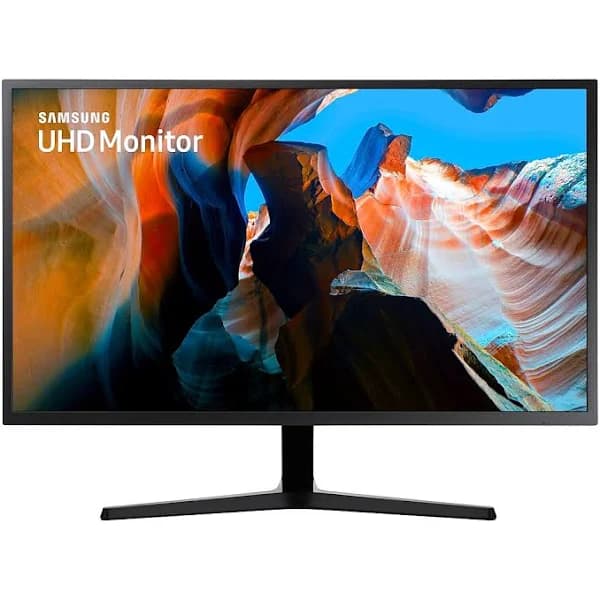
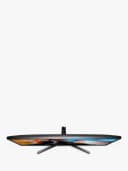
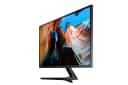
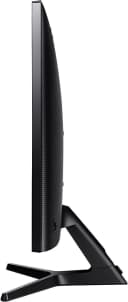
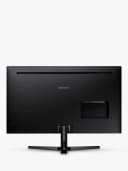
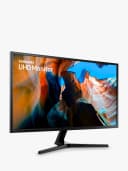
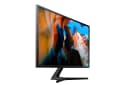
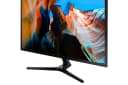
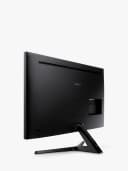
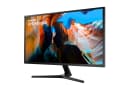
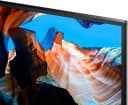

Samsung U32J590UQR 4K UHD 31.5" 3840 x 2160 4 MS HDMI DP VA LCD Monitor (LU32J590UQRXXU)
Widescreen UHD With 4x the pixels of Full HD, the 31.5” UJ59 delivers more screen space and amazingly life-like UHD images. That means you can view documents and webpages with less scrolling, work more comfortably with multiple windows and toolbars and enjoy photos, videos and games in stunning 4K quality. A billion shades of colour Supporting a billion shades of colour, the UJ59 delivers incredibly vivid and realistic images. Its greater accuracy means colours appear more natural and true to life, making the UJ59 ideal for photo, video and graphics applications. Widescreen 4K gaming Discover 4K gaming in true widescreen on the 31.5” UJ59 monitor. With 8.3 million pixels supporting a wider range of colours and resolving every image with simply astonishing clarity, 4K gaming is a truly thrilling and immersive experience. Smoother gameplay AMD FreeSync synchronises the refresh rate of your graphics card and monitor to reduce image tear and stutter. And Low Input Lag minimises the delay between mouse, keyboard or joystick input and on-screen response for a seamlessly smooth gaming experience. Low Input Lag is so low that no sooner than when you turn your screen on will the action appear, giving you full control of your game in no time.
Widescreen UHD With 4x the pixels of Full HD, the 31.5” UJ59 delivers more screen space and amazingly life-like UHD images. That means you can view documents and webpages with less scrolling, work more comfortably with multiple windows and toolbars and enjoy photos, videos and games in stunning 4K quality. A billion shades of colour Supporting a billion shades of colour, the UJ59 delivers incredibly vivid and realistic images. Its greater accuracy means colours appear more natural and true to life, making the UJ59 ideal for photo, video and graphics applications. Widescreen 4K gaming Discover 4K gaming in true widescreen on the 31.5” UJ59 monitor. With 8.3 million pixels supporting a wider range of colours and resolving every image with simply astonishing clarity, 4K gaming is a truly thrilling and immersive experience. Smoother gameplay AMD FreeSync synchronises the refresh rate of your graphics card and monitor to reduce image tear and stutter. And Low Input Lag minimises the delay between mouse, keyboard or joystick input and on-screen response for a seamlessly smooth gaming experience. Low Input Lag is so low that no sooner than when you turn your screen on will the action appear, giving you full control of your game in no time.
Widescreen UHD With 4x the pixels of Full HD, the 31.5” UJ59 delivers more screen space and amazingly life-like UHD images. That means you can view documents and webpages with less scrolling, work more comfortably with multiple windows and toolbars and enjoy photos, videos and games in stunning 4K quality. A billion shades of colour Supporting a billion shades of colour, the UJ59 delivers incredibly vivid and realistic images. Its greater accuracy means colours appear more natural and true to life, making the UJ59 ideal for photo, video and graphics applications. Widescreen 4K gaming Discover 4K gaming in true widescreen on the 31.5” UJ59 monitor. With 8.3 million pixels supporting a wider range of colours and resolving every image with simply astonishing clarity, 4K gaming is a truly thrilling and immersive experience. Smoother gameplay AMD FreeSync synchronises the refresh rate of your graphics card and monitor to reduce image tear and stutter. And Low Input Lag minimises the delay between mouse, keyboard or joystick input and on-screen response for a seamlessly smooth gaming experience. Low Input Lag is so low that no sooner than when you turn your screen on will the action appear, giving you full control of your game in no time.
Widescreen UHD With 4x the pixels of Full HD, the 31.5” UJ59 delivers more screen space and amazingly life-like UHD images. That means you can view documents and webpages with less scrolling, work more comfortably with multiple windows and toolbars and enjoy photos, videos and games in stunning 4K quality. A billion shades of colour Supporting a billion shades of colour, the UJ59 delivers incredibly vivid and realistic images. Its greater accuracy means colours appear more natural and true to life, making the UJ59 ideal for photo, video and graphics applications. Widescreen 4K gaming Discover 4K gaming in true widescreen on the 31.5” UJ59 monitor. With 8.3 million pixels supporting a wider range of colours and resolving every image with simply astonishing clarity, 4K gaming is a truly thrilling and immersive experience. Smoother gameplay AMD FreeSync synchronises the refresh rate of your graphics card and monitor to reduce image tear and stutter. And Low Input Lag minimises the delay between mouse, keyboard or joystick input and on-screen response for a seamlessly smooth gaming experience. Low Input Lag is so low that no sooner than when you turn your screen on will the action appear, giving you full control of your game in no time.
in 6 offers
The lowest price for Samsung U32J590UQR 4K UHD 31.5" 3840 x 2160 4 MS HDMI DP VA LCD Monitor (LU32J590UQRXXU) right now is $336.09 at eBay.com.au, compared across 6 retailers.
The all-time low was $336.09 on 5 Sept 2026. That's the lowest price we've ever tracked — a great time to buy.
Prices last updated 5 Sept 2026.

