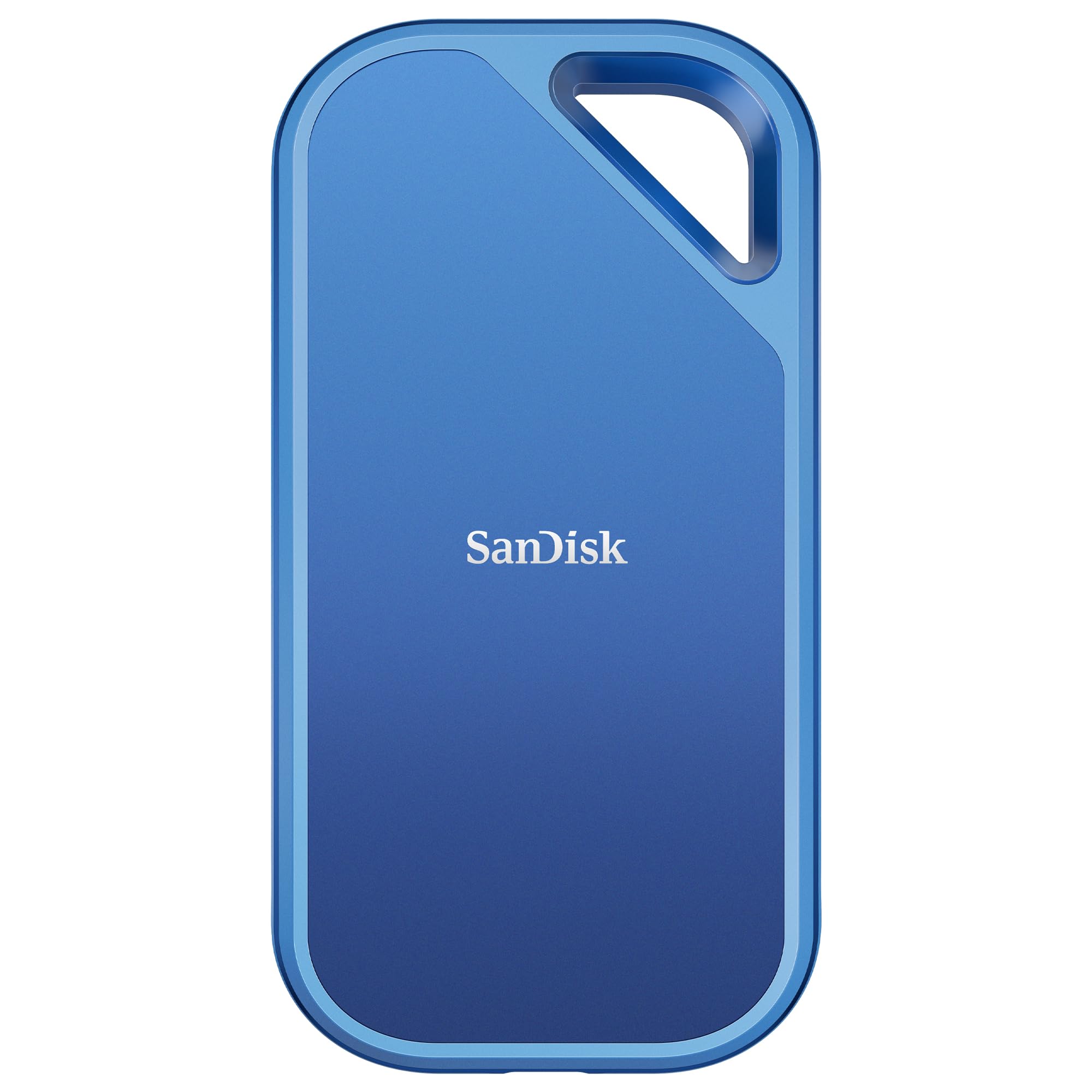
SanDisk 4TB Extreme Portable SSD V2 (SDSSDE61-4T00-G25)
The SanDisk Extreme Portable SSD is a high-performance external storage device that is designed to meet the needs of professionals and enthusiasts alike. It is a compact and rugged device that can withstand harsh conditions, making it ideal for use in the field. The SSD is available in a sleek black color that looks great with any setup. Performance The SanDisk Extreme Portable SSD is built with NVMe technology that delivers fast read speeds of up to 1050 MB/s. This fully saturates its USB 3.1 Gen 2 interface, making it one of the fastest portable SSDs on the market. The drive is also compatible with USB Type-C and Type-A connectors, making it easy to connect to a wide range of devices. Capacity The SanDisk Extreme Portable SSD is available in a range of capacities, including 1TB, 2TB, and 4TB. This makes it easy to find a drive that meets your storage needs. The drive is also compact and lightweight, making it easy to take with you wherever you go. Compatibility The SanDisk Extreme Portable SSD is compatible with both Windows and Mac operating systems. It also works with USB Type-C and Type-A connectors, making it easy to connect to a wide range of devices. The drive comes with a USB Type-C to Type-C cable and a Type-C to Type-A adapter, making it easy to connect to your computer or other devices.
The SanDisk Extreme Portable SSD is a high-performance external storage device that is designed to meet the needs of professionals and enthusiasts alike. It is a compact and rugged device that can withstand harsh conditions, making it ideal for use in the field. The SSD is available in a sleek black color that looks great with any setup. Performance The SanDisk Extreme Portable SSD is built with NVMe technology that delivers fast read speeds of up to 1050 MB/s. This fully saturates its USB 3.1 Gen 2 interface, making it one of the fastest portable SSDs on the market. The drive is also compatible with USB Type-C and Type-A connectors, making it easy to connect to a wide range of devices. Capacity The SanDisk Extreme Portable SSD is available in a range of capacities, including 1TB, 2TB, and 4TB. This makes it easy to find a drive that meets your storage needs. The drive is also compact and lightweight, making it easy to take with you wherever you go. Compatibility The SanDisk Extreme Portable SSD is compatible with both Windows and Mac operating systems. It also works with USB Type-C and Type-A connectors, making it easy to connect to a wide range of devices. The drive comes with a USB Type-C to Type-C cable and a Type-C to Type-A adapter, making it easy to connect to your computer or other devices.
The SanDisk Extreme Portable SSD is a high-performance external storage device that is designed to meet the needs of professionals and enthusiasts alike. It is a compact and rugged device that can withstand harsh conditions, making it ideal for use in the field. The SSD is available in a sleek black color that looks great with any setup. Performance The SanDisk Extreme Portable SSD is built with NVMe technology that delivers fast read speeds of up to 1050 MB/s. This fully saturates its USB 3.1 Gen 2 interface, making it one of the fastest portable SSDs on the market. The drive is also compatible with USB Type-C and Type-A connectors, making it easy to connect to a wide range of devices. Capacity The SanDisk Extreme Portable SSD is available in a range of capacities, including 1TB, 2TB, and 4TB. This makes it easy to find a drive that meets your storage needs. The drive is also compact and lightweight, making it easy to take with you wherever you go. Compatibility The SanDisk Extreme Portable SSD is compatible with both Windows and Mac operating systems. It also works with USB Type-C and Type-A connectors, making it easy to connect to a wide range of devices. The drive comes with a USB Type-C to Type-C cable and a Type-C to Type-A adapter, making it easy to connect to your computer or other devices.
The SanDisk Extreme Portable SSD is a high-performance external storage device that is designed to meet the needs of professionals and enthusiasts alike. It is a compact and rugged device that can withstand harsh conditions, making it ideal for use in the field. The SSD is available in a sleek black color that looks great with any setup. Performance The SanDisk Extreme Portable SSD is built with NVMe technology that delivers fast read speeds of up to 1050 MB/s. This fully saturates its USB 3.1 Gen 2 interface, making it one of the fastest portable SSDs on the market. The drive is also compatible with USB Type-C and Type-A connectors, making it easy to connect to a wide range of devices. Capacity The SanDisk Extreme Portable SSD is available in a range of capacities, including 1TB, 2TB, and 4TB. This makes it easy to find a drive that meets your storage needs. The drive is also compact and lightweight, making it easy to take with you wherever you go. Compatibility The SanDisk Extreme Portable SSD is compatible with both Windows and Mac operating systems. It also works with USB Type-C and Type-A connectors, making it easy to connect to a wide range of devices. The drive comes with a USB Type-C to Type-C cable and a Type-C to Type-A adapter, making it easy to connect to your computer or other devices.
in 55 offers
The lowest price for SanDisk 4TB Extreme Portable SSD V2 (SDSSDE61-4T00-G25) right now is $339.00 at Bunnings Warehouse, compared across 34 retailers.
The all-time low was $225.69 on 25 July 2026 — today's price is 50% above the lowest ever. It has been notably cheaper before — worth setting a price alert.
Prices last updated 18 Oct 2026.
Last updated at 18/10/2026 06:44:36
SanDisk 4TB Extreme Portable SSD - Up to 1050MB/s - USB-C, USB 3.2 Gen 2 - External Solid State Drive - SDSSDE61-4T00-G25
Affiliate Disclosure: We may receive a small commission for purchases made through this link at no extra cost to you. This helps support our site. Thank you!
SanDisk Extreme Portable SSD 1TB USB 3.2 Gen 2 - Sky Blue
Delivery $9.95
SanDisk Extreme 1TB Type-C Portable SSD - Monterey
Free delivery between Tue – Fri
SanDisk 2TB Extreme Portable USB-C External SSD
Delivery $14
SanDisk 2TB Extreme Portable SSD Black
Free delivery between 20–29 Oct
SanDisk 2TB Extreme Portable SSD Sky Blue
Free delivery between Mon – Tue
SanDisk Extreme Portable SSD 1TB USB 3.2 Gen 2 (Monterey)
Free delivery
Sandisk Extreme E61 2TB Portable SSD
Delivery between 21–26 Oct $7.95
SanDisk E61 Extreme Portable SSD Drive (2TB)
Delivery $8.99
SanDisk Extreme Portable SSD V2 (4TB, SDSSDE61-4T00-G25)
Delivery $50
originally posted on westerndigital.com
Whoever thought it was a good idea to ship a 6" USB-C cable with an external SSD such that it is impossible to have the drive well-supported without a shelf or bolting it to the PC case - I hope you made that money saving $0.50 per shipment.Incredibly poor decision to ship this with the shortest ever manufactured USB-C cable. On top of that, the drive just loves to disconnect a few seconds into any kind of data transfer. How wonderful.If anyone responds to this - do not even think about mentioning driver updates. I swear.Save your money. Buy something that works.
originally posted on bhphotovideo.com
The drive corrupted for the first time after a week of use. Formatting the drive fixed it that time, but formatting isn't a long-term solution as I needed this drive for video editing... which you can't exactly do if your drive stops mounting!It happened a second time yesterday after working perfectly fine in the morning. I was always extra careful to close all apps using it (Final Cut, Resolve) and to eject the drive before unplugging it. And it still corrupted (greyed out in Disk Utility). I tried every suggested troubleshooting tip at least three times, nothing worked. Now I have a $400 paperweight that was at least on a generous discount from B&H.And don't get me started on Sandisk customer support. That whole company is a joke. They make horrible SSDs, ... MoreThe drive corrupted for the first time after a week of use. Formatting the drive fixed it that time, but formatting isn't a long-term solution as I needed this drive for video editing... which you can't exactly do if your drive stops mounting!It happened a second time yesterday after working perfectly fine in the morning. I was always extra careful to close all apps using it (Final Cut, Resolve) and to eject the drive before unplugging it. And it still corrupted (greyed out in Disk Utility). I tried every suggested troubleshooting tip at least three times, nothing worked. Now I have a $400 paperweight that was at least on a generous discount from B&H.And don't get me started on Sandisk customer support. That whole company is a joke. They make horrible SSDs, market them as tough storage made for life and will waste your time when you call them to try to fix the issue.
originally posted on bhphotovideo.com
Bought this three weeks ago and it has corrupted anything that been put on it. I've lost weeks of work thinking it was the programs I was running, my operating system, etc that was causing the problem. I came back here to look at the bad reviews and I am having THE EXACT ISSUE. Also, You can't even register this device on the Sandisk website. They only have SDSSDE61. No response from them. You can see on their website that people are complaining about this particular device and lack of service. Not only am I going to have to return this to BH, I have to shell out $100 for recovery of the 10,000+ edited files from 2 weeks of work I still have to deliver to clients. Such a mess. Working on a MacBook Pro.
| General | |
| Device Type | Solid state drive - external (portable) |
| Capacity | 4 TB |
| Encryption Algorithm | 256-bit AES |
| Interface | USB 3.2 Gen 2 |

SanDisk 4TB Extreme Portable SSD - Up to 1050MB/s - USB-C, USB 3.2 Gen 2 - External Solid State Drive - SDSSDE61-4T00-G25
Affiliate Disclosure: We may receive a small commission for purchases made through this link at no extra cost to you. This helps support our site. Thank you!
SanDisk Extreme Portable SSD 1TB USB 3.2 Gen 2 - Sky Blue
Delivery $9.95
SanDisk Extreme 1TB Type-C Portable SSD - Monterey
Free delivery between Tue – Fri
SanDisk 2TB Extreme Portable USB-C External SSD
Delivery $14
SanDisk 2TB Extreme Portable SSD Black
Free delivery between 20–29 Oct
Whoever thought it was a good idea to ship a 6" USB-C cable with an external SSD such that it is impossible to have the drive well-supported without a shelf or bolting it to the PC case - I hope you made that money saving $0.50 per shipment.Incredibly poor decision to ship this with the shortest ever manufactured USB-C cable. On top of that, the drive just loves to disconnect a few seconds into any kind of data transfer. How wonderful.If anyone responds to this - do not even think about mentioning driver updates. I swear.Save your money. Buy something that works.
The drive corrupted for the first time after a week of use. Formatting the drive fixed it that time, but formatting isn't a long-term solution as I needed this drive for video editing... which you can't exactly do if your drive stops mounting!It happened a second time yesterday after working perfectly fine in the morning. I was always extra careful to close all apps using it (Final Cut, Resolve) and to eject the drive before unplugging it. And it still corrupted (greyed out in Disk Utility). I tried every suggested troubleshooting tip at least three times, nothing worked. Now I have a $400 paperweight that was at least on a generous discount from B&H.And don't get me started on Sandisk customer support. That whole company is a joke. They make horrible SSDs, ... MoreThe drive corrupted for the first time after a week of use. Formatting the drive fixed it that time, but formatting isn't a long-term solution as I needed this drive for video editing... which you can't exactly do if your drive stops mounting!It happened a second time yesterday after working perfectly fine in the morning. I was always extra careful to close all apps using it (Final Cut, Resolve) and to eject the drive before unplugging it. And it still corrupted (greyed out in Disk Utility). I tried every suggested troubleshooting tip at least three times, nothing worked. Now I have a $400 paperweight that was at least on a generous discount from B&H.And don't get me started on Sandisk customer support. That whole company is a joke. They make horrible SSDs, market them as tough storage made for life and will waste your time when you call them to try to fix the issue.
Bought this three weeks ago and it has corrupted anything that been put on it. I've lost weeks of work thinking it was the programs I was running, my operating system, etc that was causing the problem. I came back here to look at the bad reviews and I am having THE EXACT ISSUE. Also, You can't even register this device on the Sandisk website. They only have SDSSDE61. No response from them. You can see on their website that people are complaining about this particular device and lack of service. Not only am I going to have to return this to BH, I have to shell out $100 for recovery of the 10,000+ edited files from 2 weeks of work I still have to deliver to clients. Such a mess. Working on a MacBook Pro.
This drive failed during a color session within the first hour of use. I had previously purchased multiple 4TB drives and they worked great, but it turns out there was a bad batch of V2's going around. While the drive failure is extremely frustrating, I can not stress enough how terrible my experience with SanDisk customer service has been. This has been THE WORST customer service experience of my life. It has now been over two months with no refund and no replacement drive. I have emailed and I have called, nothing. I was told weeks ago that "a manger would be contacting me" and big surprise that did not happen. At this point it feels like SanDisk has stolen $400 from me. As someone who works in the film industry and uses these drives often, I will be telling all ... MoreThis drive failed during a color session within the first hour of use. I had previously purchased multiple 4TB drives and they worked great, but it turns out there was a bad batch of V2's going around. While the drive failure is extremely frustrating, I can not stress enough how terrible my experience with SanDisk customer service has been. This has been THE WORST customer service experience of my life. It has now been over two months with no refund and no replacement drive. I have emailed and I have called, nothing. I was told weeks ago that "a manger would be contacting me" and big surprise that did not happen. At this point it feels like SanDisk has stolen $400 from me. As someone who works in the film industry and uses these drives often, I will be telling all my colleagues that they are not worth the hassle. The way SanDisk has handled this is completely unacceptable. Do yourself and favor and buy a Samsung or OWC.
I've used the Sandisk Extreme SSD drives for a good while now, mainly the 2tb versions, but for this project i needed more space and went for the 4TB version.Just a few days after copying all my files to the SSD, and formatting my memory cards, the drive stops working.Mac OS is telling me to either eject, ignore or format.I tried everything from repairing with disk utility to whatever other tips i could find online about it.When digging deeper, and looking through reviews on Amazon, it seems like i am not the only one with this problem.Especially with the 4TB version.A lot of people have just like me been very happy with their 2TB versions, but the 4TB ones have been a disaster.There's no way I'll trust it to work properly again after formatting it 4 ... MoreI've used the Sandisk Extreme SSD drives for a good while now, mainly the 2tb versions, but for this project i needed more space and went for the 4TB version.Just a few days after copying all my files to the SSD, and formatting my memory cards, the drive stops working.Mac OS is telling me to either eject, ignore or format.I tried everything from repairing with disk utility to whatever other tips i could find online about it.When digging deeper, and looking through reviews on Amazon, it seems like i am not the only one with this problem.Especially with the 4TB version.A lot of people have just like me been very happy with their 2TB versions, but the 4TB ones have been a disaster.There's no way I'll trust it to work properly again after formatting it 4 times and would like to have it exchanged for a new one.Or is there anything that i should know about the 4TB versions that have surfaced so you would recommend me getting 2x 2TB instead?Would appreciate i could get an honest reply to this.And if there's anything that i can do to avoid getting all my files corrupted in the future when using the 4TB version, please let me know.Cheers
Bought the 4TB version. It came with exFAT, so changed to NTFS first thing to be able to trim it and for better fault tolerance. Have copied ~600GB to it twice (12GB/file on average) and didn't notice it getting particularly hot. Throughput was steady at around 300MB/s. Used a 1m USB cable, the one provided with the drive stayed in the box. Sandisk should have more consideration for the environment and skip this item altogether. It would be a good idea to specify the max. current consumption of this drive. A lot of mishaps experienced by users can likely be related to USB ports with insufficient power output. Using SSDs with PLP (power loss protection) instead of WD blue would probably make more sense in a portable device.
I currently own two of these 1000MB/s R/W screamers (both version 1)!I trust them to be the working repository of my digital photography as I work with 45-60MB RAW files and my finished images are often 300MB TIFFs, so it's important to that I have "complete" trust in the drives. Of course, I have two backup systems (a 48TB NAS and less portable SSDs that are not kept online) because there's no guarantee that I won't leave one of these small, light drives somewhere, that some kind of physical damage could occur or that files could be corrupted or infected even though I'm pretty careful about any of those situations.The size and weight of the drives is about the smallest available on the market. I carry a lot of gear (both computer and photography) and don't need ... MoreI currently own two of these 1000MB/s R/W screamers (both version 1)!I trust them to be the working repository of my digital photography as I work with 45-60MB RAW files and my finished images are often 300MB TIFFs, so it's important to that I have "complete" trust in the drives. Of course, I have two backup systems (a 48TB NAS and less portable SSDs that are not kept online) because there's no guarantee that I won't leave one of these small, light drives somewhere, that some kind of physical damage could occur or that files could be corrupted or infected even though I'm pretty careful about any of those situations.The size and weight of the drives is about the smallest available on the market. I carry a lot of gear (both computer and photography) and don't need to add to either. These drives could only be improved upon in capacity, so I'm buying the 2GB unit next (there IS a 4TB unit in both this line and the PRO version but at $700 and $900 respectively, they're a bit out of my price range at this point).The one concern you might have is the lack of thermal ventilation but looking at results from DriveDx, the best SSD diagnostic software, I am not even close to the thermal limit of this drive after using it for an hour of Photoshop editing and saving. I'm guessing that the rubberized external coating, while providing good tactile feel and better gripability, is relatively thin (while still likely to absorb energy of a fall; also because it is so lightweight, the potential for damage is low anyway), allowing for dissipation of heat energy from nearly 100% of the device's surface.Also, if you're concerned about the lifetime of an SSD, DriveDx tells me that after 2.4TB of writes and 86.8TB of reads, approximately 100% of one of the drives' life remains. I've owned these for nearly 2 years, using them on a nearly daily basis (2130 hrs and 764 powercycle counts for unit 1 and 871 hrs and 364 powercycle counts for unit 2), so neither unit is demonstrating significant electronic "wear and tear".Bottom line, as a user, computer consultant, and photographer, I unequivocally trust these drives. I'm ready to order my 2TB SanDisk Extreme SSD V2 now.
The SanDisk is supposed to attain up to 2000MB/s with a USB 3.2 Gen 2x2 port.My MacBook Air M1 has Thunderbolt/USB4 ports (40BS/s), but they downshift to USB3.1 (10GB/s) with this drive. (This happens with other USB3.2 drives, too, so it's an Apple thing, not SanDisk.)With the Mac seeing it as USB3.1, it achieves read/write speeds of about 750/680MB/s. (Yes, a bit faster writing than reading.) That seems slow, but I got essentially the same results with a 2000MB/s Intel SSD in an Acacis case, so the Mac may just be slow when dealing with these more-than-3.1-but-less-than-4.0 drives. Disappointing, indeed, but there may be good technical reasons for it.Speed aside, it is not much bigger than a fat credit card, and gets only mildly warm with normal use.It ... MoreThe SanDisk is supposed to attain up to 2000MB/s with a USB 3.2 Gen 2x2 port.My MacBook Air M1 has Thunderbolt/USB4 ports (40BS/s), but they downshift to USB3.1 (10GB/s) with this drive. (This happens with other USB3.2 drives, too, so it's an Apple thing, not SanDisk.)With the Mac seeing it as USB3.1, it achieves read/write speeds of about 750/680MB/s. (Yes, a bit faster writing than reading.) That seems slow, but I got essentially the same results with a 2000MB/s Intel SSD in an Acacis case, so the Mac may just be slow when dealing with these more-than-3.1-but-less-than-4.0 drives. Disappointing, indeed, but there may be good technical reasons for it.Speed aside, it is not much bigger than a fat credit card, and gets only mildly warm with normal use.It comes with an unusual one-orientation only C-to-A adapter and a 6inch C-to-C cable. I use the 'finger hole' in the drive case to suspend it with a piece of wire from a hole in the protective case I have on the Mac. That takes at least some of the stress off the C connection.
I was very excited to have a 4TB external SSD. I connected it to my Mac Mini (2018 version) and formatted the drive as HFS+. I started copying my files over, and everything worked perfectly at first. After about half a day of organizing and transferring data, roughly 1.5TB, the drive unmounted itself. It had become corrupt and could not be mounted or repaired with Disk Utility / First Aid. I returned the drive for a replacement, thinking it was a random bad piece of hardware.When the replacement drive arrived, I decided to format it as APFS just in case the latest Apply filesystem was somehow better at handling large external SSDs. Unfortunately, while copying files for a similar amount of time, the replacement drive started acting flakey and also unmounted ... MoreI was very excited to have a 4TB external SSD. I connected it to my Mac Mini (2018 version) and formatted the drive as HFS+. I started copying my files over, and everything worked perfectly at first. After about half a day of organizing and transferring data, roughly 1.5TB, the drive unmounted itself. It had become corrupt and could not be mounted or repaired with Disk Utility / First Aid. I returned the drive for a replacement, thinking it was a random bad piece of hardware.When the replacement drive arrived, I decided to format it as APFS just in case the latest Apply filesystem was somehow better at handling large external SSDs. Unfortunately, while copying files for a similar amount of time, the replacement drive started acting flakey and also unmounted itself. Again, there was no way to mount or repair the drive.I reformatted the drive (again as APFS) and tried a third time. This time, I went slowly and carefully with the data transfer and stopped every so often to unmount the drive and allow the system to clean itself up. I go further this time with >2TB of data transferred, but ultimately the same failure. Several days over the course of the week were completely wasted, and now I'm shopping for a new 4T SSD from another vendor.
Just a little history...Back when the MacBook was a little, white laptop encased in plastic...[I owned a little, black back-up drive by Western Digital.]Then, as MacBook Pro evolved and became Silver Aluminum...[I owned the little, white back-up Drive by G-Technology.]On Small Business Saturday, I made the nervous decision to buythe little, grey SanDisk Portable SSD with 1 TB.Given my strange history with Western Digital, where 1 Device failed immediately...The 2nd Device lasted forever. [It still works--despite, being completely full.]This was still a difficult decision. However, SanDisk works smoothly!While it may not be the fastest SSD out there, it's fast enough for my MacBook needs.Unfortunately, I'm not into games, but I have an extensive ... MoreJust a little history...Back when the MacBook was a little, white laptop encased in plastic...[I owned a little, black back-up drive by Western Digital.]Then, as MacBook Pro evolved and became Silver Aluminum...[I owned the little, white back-up Drive by G-Technology.]On Small Business Saturday, I made the nervous decision to buythe little, grey SanDisk Portable SSD with 1 TB.Given my strange history with Western Digital, where 1 Device failed immediately...The 2nd Device lasted forever. [It still works--despite, being completely full.]This was still a difficult decision. However, SanDisk works smoothly!While it may not be the fastest SSD out there, it's fast enough for my MacBook needs.Unfortunately, I'm not into games, but I have an extensive iPhoto Library & Music Library. While I do have some iTunes films, it's definitely not the crucial library here...I'd also like to teach myself how to backup my dvd collection to this drive.However, it requires an optical drive or burner [that] I don't have...So, I love it. However, like so many reviewers here... I wish the device includeda stronger, longer connection. It is quite awkward. However, because I couldn'tupgrade to next level up SanDisk...[I believe it looks similar... It has that much more space for your money.]I knew I would have to give a little. It's a nice device--even with a super short cord!
| General | |
| Device Type | Solid state drive - external (portable) |
| Capacity | 4 TB |
| Encryption Algorithm | 256-bit AES |
| Interface | USB 3.2 Gen 2 |