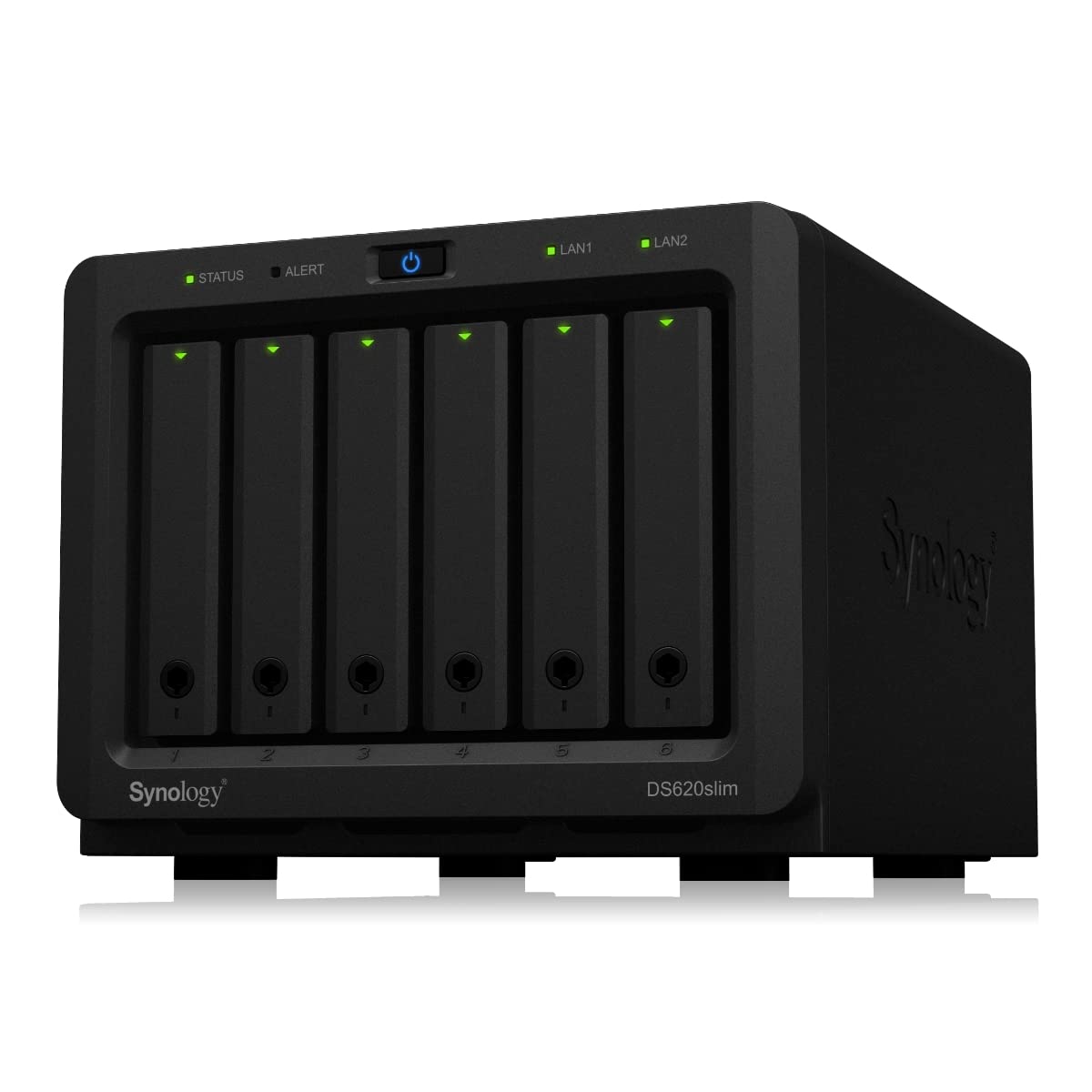
Synology DS118 DiskStation 1 Bay NAS
Versatile powerful and compact storage server Synology DS118 comes with a new 64-bit quad-core processor delivering excellent data transfer speed and 10-bit 4K H.265 video transcoding on the fly. Ultimate file management and sharing File Station is a web-based fast and secure management tool built to allow easy drag-and-drop operation without requiring any complex setup on Mac or PC. Advanced search and filtering tools allow for easy organization and sharing of files with just a link. Supports SMB FTP AFP NFS WebDAV compatible with any environment. Synchronize files across your devices Cloud Station Suite provides real-time data synchronization across all your devices such as computers mobile devices and other Synology NAS whenever a file is modified. "Intelliversioning" keeps the most important file versions to better utilize storage space. Easy file access with QuickConnect Access files on your Synology NAS over the Internet without the hassle of setting up port forwarding rules DDNS or other complicated network settings. 4K Multimedia Server Access and stream your favorite 4K content anywhere anytime. DS118 supports 10-bit 4K H.265 online transcoding via Video Station and DS video allowing 4K videos to be converted and played on your computers mobile devices or other media players that don't support Ultra HD formats.
Versatile powerful and compact storage server Synology DS118 comes with a new 64-bit quad-core processor delivering excellent data transfer speed and 10-bit 4K H.265 video transcoding on the fly. Ultimate file management and sharing File Station is a web-based fast and secure management tool built to allow easy drag-and-drop operation without requiring any complex setup on Mac or PC. Advanced search and filtering tools allow for easy organization and sharing of files with just a link. Supports SMB FTP AFP NFS WebDAV compatible with any environment. Synchronize files across your devices Cloud Station Suite provides real-time data synchronization across all your devices such as computers mobile devices and other Synology NAS whenever a file is modified. "Intelliversioning" keeps the most important file versions to better utilize storage space. Easy file access with QuickConnect Access files on your Synology NAS over the Internet without the hassle of setting up port forwarding rules DDNS or other complicated network settings. 4K Multimedia Server Access and stream your favorite 4K content anywhere anytime. DS118 supports 10-bit 4K H.265 online transcoding via Video Station and DS video allowing 4K videos to be converted and played on your computers mobile devices or other media players that don't support Ultra HD formats.
Versatile powerful and compact storage server Synology DS118 comes with a new 64-bit quad-core processor delivering excellent data transfer speed and 10-bit 4K H.265 video transcoding on the fly. Ultimate file management and sharing File Station is a web-based fast and secure management tool built to allow easy drag-and-drop operation without requiring any complex setup on Mac or PC. Advanced search and filtering tools allow for easy organization and sharing of files with just a link. Supports SMB FTP AFP NFS WebDAV compatible with any environment. Synchronize files across your devices Cloud Station Suite provides real-time data synchronization across all your devices such as computers mobile devices and other Synology NAS whenever a file is modified. "Intelliversioning" keeps the most important file versions to better utilize storage space. Easy file access with QuickConnect Access files on your Synology NAS over the Internet without the hassle of setting up port forwarding rules DDNS or other complicated network settings. 4K Multimedia Server Access and stream your favorite 4K content anywhere anytime. DS118 supports 10-bit 4K H.265 online transcoding via Video Station and DS video allowing 4K videos to be converted and played on your computers mobile devices or other media players that don't support Ultra HD formats.
Versatile powerful and compact storage server Synology DS118 comes with a new 64-bit quad-core processor delivering excellent data transfer speed and 10-bit 4K H.265 video transcoding on the fly. Ultimate file management and sharing File Station is a web-based fast and secure management tool built to allow easy drag-and-drop operation without requiring any complex setup on Mac or PC. Advanced search and filtering tools allow for easy organization and sharing of files with just a link. Supports SMB FTP AFP NFS WebDAV compatible with any environment. Synchronize files across your devices Cloud Station Suite provides real-time data synchronization across all your devices such as computers mobile devices and other Synology NAS whenever a file is modified. "Intelliversioning" keeps the most important file versions to better utilize storage space. Easy file access with QuickConnect Access files on your Synology NAS over the Internet without the hassle of setting up port forwarding rules DDNS or other complicated network settings. 4K Multimedia Server Access and stream your favorite 4K content anywhere anytime. DS118 supports 10-bit 4K H.265 online transcoding via Video Station and DS video allowing 4K videos to be converted and played on your computers mobile devices or other media players that don't support Ultra HD formats.
in 6 offers
The lowest price for Synology DS118 DiskStation 1 Bay NAS right now is $120.00 at CeX, compared across 6 retailers.
The all-time low was $96.99 on 24 Jan 2024 — today's price is 24% above the lowest ever. It has been notably cheaper before — worth setting a price alert.
Prices last updated 8 Oct 2026.
Last updated at 08/10/2026 01:33:09
Synology Disk Station DS118 NAS (Diskless)
Free delivery
Synology DiskStation DS118 1 Bay Diskless NAS Quad Core CPU 1GB RAM
Delivery $11.99
Synology 1 Bay Nas Diskstation Ds118 (diskless) Server Brand
Delivery $80.96
Affiliate Disclosure: We may receive a small commission for purchases made through this link at no extra cost to you. This helps support our site. Thank you!
Synology Diskstation 1-Bay NAS (DS118)
30-day returns
Synology DiskStation DS118 NAS Server
SYNOLOGY DISKSTATION DS118 1 Bay 3.5 Inch Diskless 1xGbE NAS Tower Black
Delivery between 14–16 Oct $9.95
originally posted on homeessentialsdirect.com
A very good mid-range NAS. Specifications... - Quad Core 64bit CPU running at 1.4GHz - 1GB DDR4 RAM memory - 112 MB/sec data transfer (reading & writing) - Confirmed IRL - HD & 4K Video Hardware Transcoding on-the-fly - 2 x USB3 Sockets on the back. - DSM 6 (Disk Station Manager) Cautions - - Space for 1 hard drive only. No redundancy, so shouldn't be used as the one-and-only backup. - Internal Hard Drive is EXT4 only. No btrfs. There is not much else to say, other than it works flawlessly, is very fast & responsive, and transfers data at the upper limit of what is possible on a gigabit network. Finally, DSM 6.2 is just the best software interface I've come across for checking & altering network settings. DSM allows you to install apps of various sorts to increase ... MoreA very good mid-range NAS. Specifications... - Quad Core 64bit CPU running at 1.4GHz - 1GB DDR4 RAM memory - 112 MB/sec data transfer (reading & writing) - Confirmed IRL - HD & 4K Video Hardware Transcoding on-the-fly - 2 x USB3 Sockets on the back. - DSM 6 (Disk Station Manager) Cautions - - Space for 1 hard drive only. No redundancy, so shouldn't be used as the one-and-only backup. - Internal Hard Drive is EXT4 only. No btrfs. There is not much else to say, other than it works flawlessly, is very fast & responsive, and transfers data at the upper limit of what is possible on a gigabit network. Finally, DSM 6.2 is just the best software interface I've come across for checking & altering network settings. DSM allows you to install apps of various sorts to increase the NAS functionality in multimedia or backup. Definitely recommended.
originally posted on ebay.com
I like Synology over comparable QNAP models, mainly because Synology supports BtrFS. When I had drives fail, although I still had data loss, at least my DS3617xs was able to tell me exactly which files were affected. On my QNAP TS-1685, it only let me know which drives were failing, based on SMART data. QNAP typically has better hardware for the price, but for me, stability and resiliency is essential, and why I love Synology products. My only complaints about the Synology, specific to BtrFS, is that data loss can still occur, despite the marketing hype. Also, the DS3617xs does not support dedicated graphics cards for the virtual machines. In this regard, QNAP may be a better option for some people, depending on one's needs. I also highly, highly recommend Seagate ... MoreI like Synology over comparable QNAP models, mainly because Synology supports BtrFS. When I had drives fail, although I still had data loss, at least my DS3617xs was able to tell me exactly which files were affected. On my QNAP TS-1685, it only let me know which drives were failing, based on SMART data. QNAP typically has better hardware for the price, but for me, stability and resiliency is essential, and why I love Synology products. My only complaints about the Synology, specific to BtrFS, is that data loss can still occur, despite the marketing hype. Also, the DS3617xs does not support dedicated graphics cards for the virtual machines. In this regard, QNAP may be a better option for some people, depending on one's needs. I also highly, highly recommend Seagate IronWolf PRO drives. I originally had their much slower Barracuda desktop drives, and it makes a world of difference. The extra cost is worth it, and it also pays to stick with supported equipment if you have to speak with technical support. Once you have to speak with technical support, they may go a little wobbly if you're not using approved hardware.
originally posted on homeessentialsdirect.com
First time NAS user. When it comes to technology I like to keep things simple, so I was a bit apprehensive about this purchase. Fortunately it turned out to be very straight forward, just put the hard drive inside and plug it into the router, then you're taken through a simple formatting set-up procedure. Pretty sure anyone could set this thing up. Interface is easy to navigate although most of the settings are of no interest to me as all I'm using it for is a Plex media server, again very easy to set up and all working perfectly. Only issue I'm having is actually copying movies across which is very slow for me, but this is more down to my wifi network, so what I'm doing is just plugging a USB stick straight into the back and transfering this way instead. It's ... MoreFirst time NAS user. When it comes to technology I like to keep things simple, so I was a bit apprehensive about this purchase. Fortunately it turned out to be very straight forward, just put the hard drive inside and plug it into the router, then you're taken through a simple formatting set-up procedure. Pretty sure anyone could set this thing up. Interface is easy to navigate although most of the settings are of no interest to me as all I'm using it for is a Plex media server, again very easy to set up and all working perfectly. Only issue I'm having is actually copying movies across which is very slow for me, but this is more down to my wifi network, so what I'm doing is just plugging a USB stick straight into the back and transfering this way instead. It's really quiet and low power, I've worked out it's only costing me £1 a month to have it running 24/7. Overall happy with this purchase and hopefully it will prove to be reliable in the long term.
| General | |
| Device Type | NAS server |
| Host Connectivity | Gigabit Ethernet |
| Total Storage Capacity | 0 TB |
| Max Supported Capacity | 12 TB |
Synology Disk Station DS118 NAS (Diskless)
Free delivery
Synology DiskStation DS118 1 Bay Diskless NAS Quad Core CPU 1GB RAM
Delivery $11.99
Synology 1 Bay Nas Diskstation Ds118 (diskless) Server Brand
Delivery $80.96
Affiliate Disclosure: We may receive a small commission for purchases made through this link at no extra cost to you. This helps support our site. Thank you!
Synology Diskstation 1-Bay NAS (DS118)
30-day returns
Synology DiskStation DS118 NAS Server
A very good mid-range NAS. Specifications... - Quad Core 64bit CPU running at 1.4GHz - 1GB DDR4 RAM memory - 112 MB/sec data transfer (reading & writing) - Confirmed IRL - HD & 4K Video Hardware Transcoding on-the-fly - 2 x USB3 Sockets on the back. - DSM 6 (Disk Station Manager) Cautions - - Space for 1 hard drive only. No redundancy, so shouldn't be used as the one-and-only backup. - Internal Hard Drive is EXT4 only. No btrfs. There is not much else to say, other than it works flawlessly, is very fast & responsive, and transfers data at the upper limit of what is possible on a gigabit network. Finally, DSM 6.2 is just the best software interface I've come across for checking & altering network settings. DSM allows you to install apps of various sorts to increase ... MoreA very good mid-range NAS. Specifications... - Quad Core 64bit CPU running at 1.4GHz - 1GB DDR4 RAM memory - 112 MB/sec data transfer (reading & writing) - Confirmed IRL - HD & 4K Video Hardware Transcoding on-the-fly - 2 x USB3 Sockets on the back. - DSM 6 (Disk Station Manager) Cautions - - Space for 1 hard drive only. No redundancy, so shouldn't be used as the one-and-only backup. - Internal Hard Drive is EXT4 only. No btrfs. There is not much else to say, other than it works flawlessly, is very fast & responsive, and transfers data at the upper limit of what is possible on a gigabit network. Finally, DSM 6.2 is just the best software interface I've come across for checking & altering network settings. DSM allows you to install apps of various sorts to increase the NAS functionality in multimedia or backup. Definitely recommended.
I like Synology over comparable QNAP models, mainly because Synology supports BtrFS. When I had drives fail, although I still had data loss, at least my DS3617xs was able to tell me exactly which files were affected. On my QNAP TS-1685, it only let me know which drives were failing, based on SMART data. QNAP typically has better hardware for the price, but for me, stability and resiliency is essential, and why I love Synology products. My only complaints about the Synology, specific to BtrFS, is that data loss can still occur, despite the marketing hype. Also, the DS3617xs does not support dedicated graphics cards for the virtual machines. In this regard, QNAP may be a better option for some people, depending on one's needs. I also highly, highly recommend Seagate ... MoreI like Synology over comparable QNAP models, mainly because Synology supports BtrFS. When I had drives fail, although I still had data loss, at least my DS3617xs was able to tell me exactly which files were affected. On my QNAP TS-1685, it only let me know which drives were failing, based on SMART data. QNAP typically has better hardware for the price, but for me, stability and resiliency is essential, and why I love Synology products. My only complaints about the Synology, specific to BtrFS, is that data loss can still occur, despite the marketing hype. Also, the DS3617xs does not support dedicated graphics cards for the virtual machines. In this regard, QNAP may be a better option for some people, depending on one's needs. I also highly, highly recommend Seagate IronWolf PRO drives. I originally had their much slower Barracuda desktop drives, and it makes a world of difference. The extra cost is worth it, and it also pays to stick with supported equipment if you have to speak with technical support. Once you have to speak with technical support, they may go a little wobbly if you're not using approved hardware.
First time NAS user. When it comes to technology I like to keep things simple, so I was a bit apprehensive about this purchase. Fortunately it turned out to be very straight forward, just put the hard drive inside and plug it into the router, then you're taken through a simple formatting set-up procedure. Pretty sure anyone could set this thing up. Interface is easy to navigate although most of the settings are of no interest to me as all I'm using it for is a Plex media server, again very easy to set up and all working perfectly. Only issue I'm having is actually copying movies across which is very slow for me, but this is more down to my wifi network, so what I'm doing is just plugging a USB stick straight into the back and transfering this way instead. It's ... MoreFirst time NAS user. When it comes to technology I like to keep things simple, so I was a bit apprehensive about this purchase. Fortunately it turned out to be very straight forward, just put the hard drive inside and plug it into the router, then you're taken through a simple formatting set-up procedure. Pretty sure anyone could set this thing up. Interface is easy to navigate although most of the settings are of no interest to me as all I'm using it for is a Plex media server, again very easy to set up and all working perfectly. Only issue I'm having is actually copying movies across which is very slow for me, but this is more down to my wifi network, so what I'm doing is just plugging a USB stick straight into the back and transfering this way instead. It's really quiet and low power, I've worked out it's only costing me £1 a month to have it running 24/7. Overall happy with this purchase and hopefully it will prove to be reliable in the long term.
I bought this second Synology Diskstation as a backup to my first unit of the exact same model. I am impressed by this product and it does not cease to amaze me at every new feature that I discover. I do have some technical IT knowledge, mostly due to the number of years on which I've been playing with computer, but had ZERO experience with NAS and this particular Brand, so I started from scratch by reading a lot of articles and watching dozens of Youtube videos (just like everybody else). In addition to that I read the main features of this model at the Synology Webpage and made several comparisons with the other models. So far, 4.5 Months into full time use, I had no issues whatsoever and the Synology applications available for free with the unit seem to cover ... MoreI bought this second Synology Diskstation as a backup to my first unit of the exact same model. I am impressed by this product and it does not cease to amaze me at every new feature that I discover. I do have some technical IT knowledge, mostly due to the number of years on which I've been playing with computer, but had ZERO experience with NAS and this particular Brand, so I started from scratch by reading a lot of articles and watching dozens of Youtube videos (just like everybody else). In addition to that I read the main features of this model at the Synology Webpage and made several comparisons with the other models. So far, 4.5 Months into full time use, I had no issues whatsoever and the Synology applications available for free with the unit seem to cover absolutely all basis for me. Would definitely recommend this one.
I'm a software developer and I've been testing a few different brands to make sure my software works properly. It's connecting to a NAS box's built-in MySQL Server (in this case mariaDB). Brands like WD are actually more solid - they seem better built but inside even the more recent WD boxes is quite an old processor so I had to do quite a bit of tweaking to my software to make it work with the low powered WD devices. But this Synology flies. It's got a fast, recent, 64 bit processor and a ton of memory. If you're looking for a solid door stop or a step to reach a top shelf then get the WD. But if you want a fast device and you don't mind putting it somewhere safe so it doesn't get kicked or stood on then get this synology.
I've been a Synology fan for many years so I didn't hesitate to upgrade to the DS3622xs+ and throw 12 Seagate IronWolf Pro drives in it to keep my photos safe. After all, it has some pretty great specs including 10GbE. But to my surprise, the NAS complained that the drives were "unverified" and needed to be replaced. While I was able to create a RAID 10 volume, the volume was in a permanent "critical" state and refused to use SMART data. I tested pulling a drive to see if it would automatically rebuild using a hot spare, and it didn't seem to work either. Upon further research, I learned that Synology has changed their NASes starting with this model to only support their own Synology branded hard drives, which apparently are rebadged Toshiba drives. There's a lot of ... MoreI've been a Synology fan for many years so I didn't hesitate to upgrade to the DS3622xs+ and throw 12 Seagate IronWolf Pro drives in it to keep my photos safe. After all, it has some pretty great specs including 10GbE. But to my surprise, the NAS complained that the drives were "unverified" and needed to be replaced. While I was able to create a RAID 10 volume, the volume was in a permanent "critical" state and refused to use SMART data. I tested pulling a drive to see if it would automatically rebuild using a hot spare, and it didn't seem to work either. Upon further research, I learned that Synology has changed their NASes starting with this model to only support their own Synology branded hard drives, which apparently are rebadged Toshiba drives. There's a lot of outrage online about this.This vendor lock-in, which I didn't know prior to purchasing it, was just gutting to hear about. It adds substantial overall cost to the NAS and makes this model not worth it. I'm really sad that my decade-long love for Synology came to an end this way.
Wow, I cannot believe how many features this thing has. I am using it for an Emby media server and it works flawlessly. I connected the share to my Linux machine and transferring to it is very easy. Definitely recommend.Pros:Easy setupFast transfersCan manage from anywhereMade me want to buy the next higher model.Cons:Single drive bay. I use it for movies, so I'm not worried about losing files. If I used it for a backup drive, I would have purchased a dual bay for Raid capabilities. Not really a con, just worth mentioning.
Although many small NAS units allow for file and print sharing both locally and via the internet, Synology is SOOO MUCH more. It's a media server, backup system, web server, mail server, camera surveillance system, VPN, Torrent downloader, etc. It can be used to store contacts, calendars, and files as well as chat between desktops, laptops, phones, and tablets. These devices can also make use of your DiskStation via multiple apps.....play your music, videos, and view pictures anywhere (the Videostation is almost like running your own Netflix). All this usually comes with complex setups but Synology makes it as easy as it can be without sacrificing functionality. This unit has features I didn't know I wanted but can no longer live without. Once you add a hard disk ... MoreAlthough many small NAS units allow for file and print sharing both locally and via the internet, Synology is SOOO MUCH more. It's a media server, backup system, web server, mail server, camera surveillance system, VPN, Torrent downloader, etc. It can be used to store contacts, calendars, and files as well as chat between desktops, laptops, phones, and tablets. These devices can also make use of your DiskStation via multiple apps.....play your music, videos, and view pictures anywhere (the Videostation is almost like running your own Netflix). All this usually comes with complex setups but Synology makes it as easy as it can be without sacrificing functionality. This unit has features I didn't know I wanted but can no longer live without. Once you add a hard disk and USB drive for backup it becomes a bit pricier than other NAS systems but, for what it offers, it's worth every dollar and more.
I've had this now for almost 3 years. Been through a few issues bonding the NICs that ended up with me having to reset the DSM. I didn't lose any data from those experiences. It worked seamlessly with windows AD. I use the two backup software that came with the NAS box, hyper backup and Active Backup for Business. Hyper Backup backs up files with versioning to help protect against ransomware. The Active Backup for Business back up my virtual guest machines. Both applications were fairly easy to set up and navigate. If you have a small to medium business it is worth the money for storage.
This is a fantastic NAS with plenty of performance to spare. I see a lot of people asking about Plex transcoding capabilities, and I can tell you that it does fine with a single stream. I transcoded a 4K movie down to 720p WHILE watching it without a single dropped frame. CPU utilization was hanging around 76%. I doubt it could handle multiple streams, but for my usage, that will never be a problem. I chose Synology after a long relationship with QNAP devices because of their simplified ecosystem, and I'm pleased I did. I just wish this model (DS3617xs) had a more modern Xeon processor, but the one it comes with does the job and more.
| General | |
| Device Type | NAS server |
| Host Connectivity | Gigabit Ethernet |
| Total Storage Capacity | 0 TB |
| Max Supported Capacity | 12 TB |