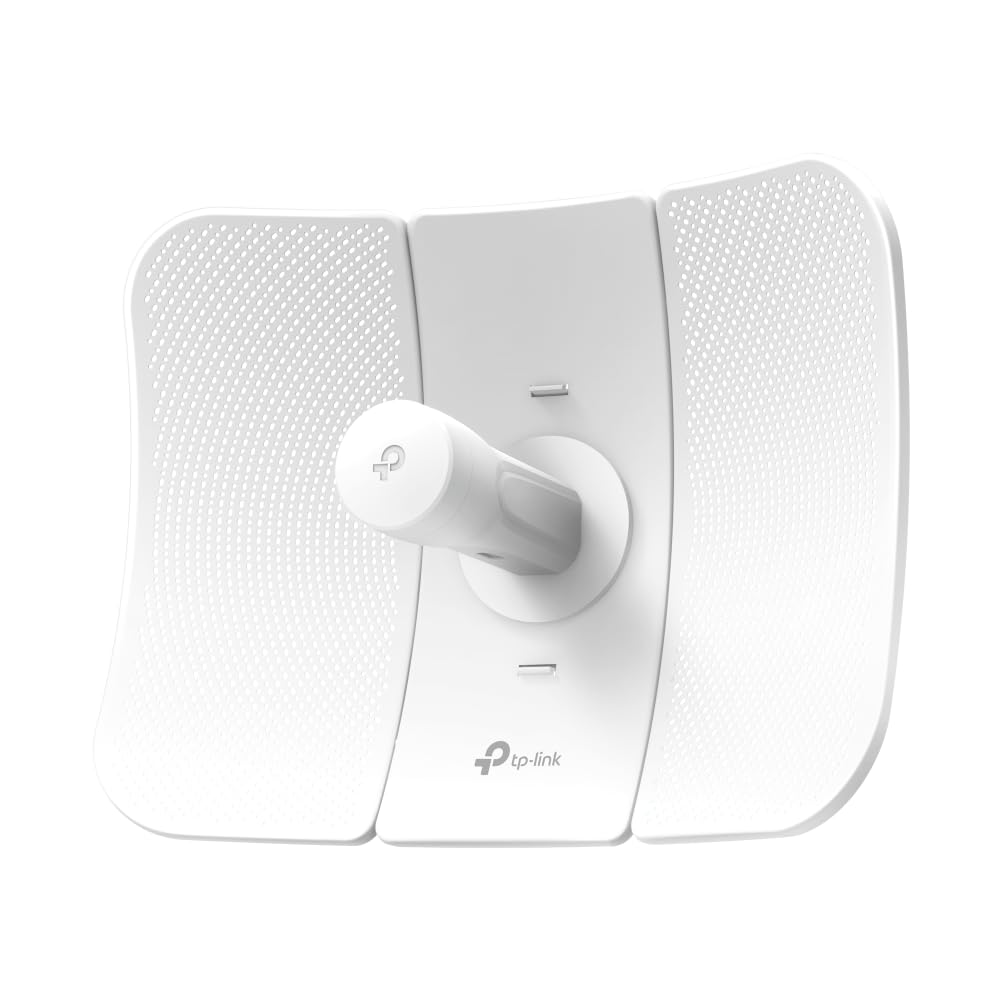
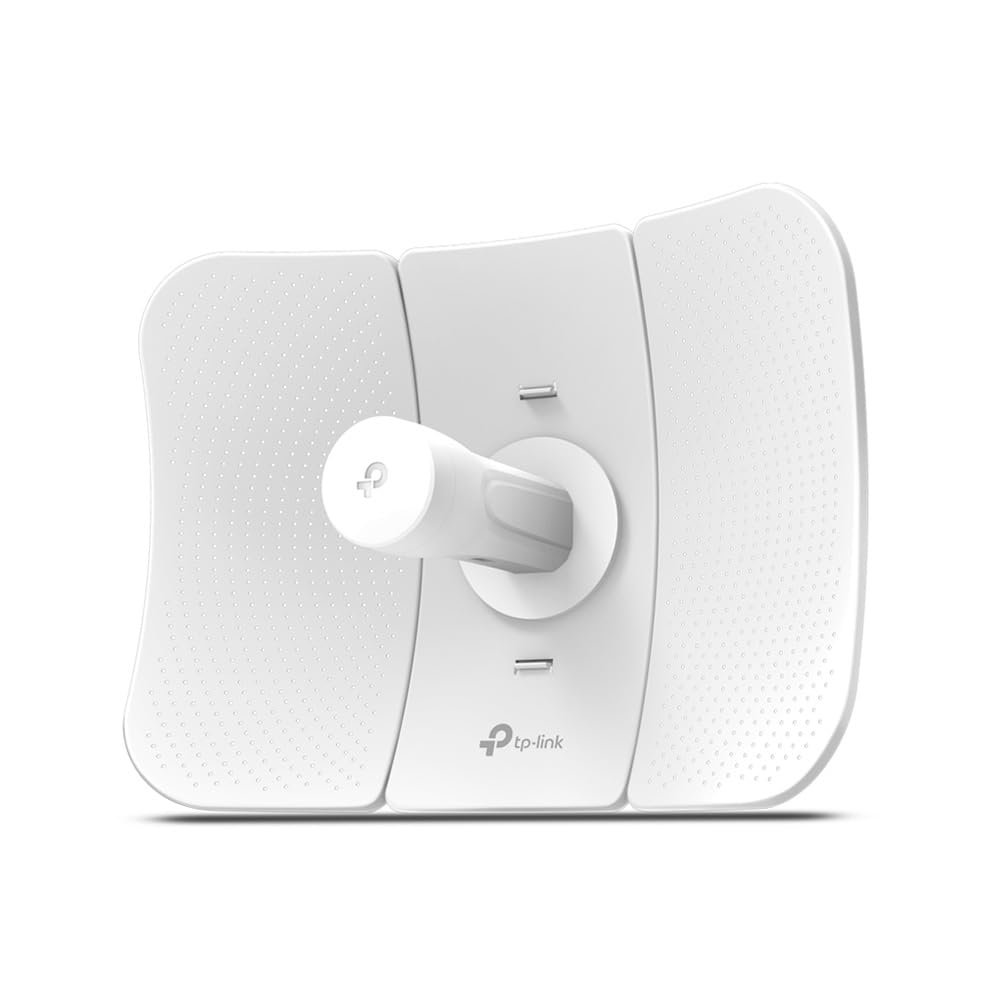
TP-Link 2.4GHz 300Mbps 9dBi Outdoor Cpe (CPE210)
TP-Link's 2.4GHz 300Mbps 9dBi Outdoor CPE, the CPE210 is dedicated to cost effective solutions for outdoor wireless networking applications. With its centralized management application, it is ideal for point-to-point, point-to-multipoint and outdoor Wi-Fi coverage applications. Professional performance, coupled with user-friendly design, makes CPE210 an ideal choice for both business and home users. With Qualcomm Atheros enterprise level chipsets, high gain antennas and high quality material, specially designed enclosure, and PoE power supply, CPE210 is specially designed for outdoor use and can operate flawlessly in almost any climate. Built-in High Gain Dual-Polarized Antenna and dedicated metal reflection ensures higher gain and lower noise interference. In advanced, high power Tx (up to 27dBm/500mw) and high sensitivity Rx (up to -95dBm) radio front-end design breaks down the barriers of traditional Wi-Fi transmission range, making CPE210 an ideal product for outdoor wireless networking applications. CPE210 is designed to work in harsh environments, even in some of the world's most hostile climate conditions. With its outdoor weatherproof enclosure and industrial-level hardware design, CPE210 can continue operating in various weather conditions, such as sunshine, rainfall, wind, snow or extremely low/high temperature environment. Double Protection against ESD Attacks Besides its grounding terminal, CPE210 offers another way to eliminate ESD attacks via the PoE adapter and Ethernet cable with grounding wire. The CPE210's additional security measures provide up to 15KV ESD and 6000V lightning protection for more reliable operation. As network scale increases, wireless competition and collisions among CPEs and base stations will be so enormous that the real throughput of the network will drop, resulting in a serious impact on end-user experience, to mitigate these effects, the CPE210 uses MAXtream TDMA Technology. Specially designed for outdoor uses.
TP-Link's 2.4GHz 300Mbps 9dBi Outdoor CPE, the CPE210 is dedicated to cost effective solutions for outdoor wireless networking applications. With its centralized management application, it is ideal for point-to-point, point-to-multipoint and outdoor Wi-Fi coverage applications. Professional performance, coupled with user-friendly design, makes CPE210 an ideal choice for both business and home users. With Qualcomm Atheros enterprise level chipsets, high gain antennas and high quality material, specially designed enclosure, and PoE power supply, CPE210 is specially designed for outdoor use and can operate flawlessly in almost any climate. Built-in High Gain Dual-Polarized Antenna and dedicated metal reflection ensures higher gain and lower noise interference. In advanced, high power Tx (up to 27dBm/500mw) and high sensitivity Rx (up to -95dBm) radio front-end design breaks down the barriers of traditional Wi-Fi transmission range, making CPE210 an ideal product for outdoor wireless networking applications. CPE210 is designed to work in harsh environments, even in some of the world's most hostile climate conditions. With its outdoor weatherproof enclosure and industrial-level hardware design, CPE210 can continue operating in various weather conditions, such as sunshine, rainfall, wind, snow or extremely low/high temperature environment. Double Protection against ESD Attacks Besides its grounding terminal, CPE210 offers another way to eliminate ESD attacks via the PoE adapter and Ethernet cable with grounding wire. The CPE210's additional security measures provide up to 15KV ESD and 6000V lightning protection for more reliable operation. As network scale increases, wireless competition and collisions among CPEs and base stations will be so enormous that the real throughput of the network will drop, resulting in a serious impact on end-user experience, to mitigate these effects, the CPE210 uses MAXtream TDMA Technology. Specially designed for outdoor uses.
TP-Link's 2.4GHz 300Mbps 9dBi Outdoor CPE, the CPE210 is dedicated to cost effective solutions for outdoor wireless networking applications. With its centralized management application, it is ideal for point-to-point, point-to-multipoint and outdoor Wi-Fi coverage applications. Professional performance, coupled with user-friendly design, makes CPE210 an ideal choice for both business and home users. With Qualcomm Atheros enterprise level chipsets, high gain antennas and high quality material, specially designed enclosure, and PoE power supply, CPE210 is specially designed for outdoor use and can operate flawlessly in almost any climate. Built-in High Gain Dual-Polarized Antenna and dedicated metal reflection ensures higher gain and lower noise interference. In advanced, high power Tx (up to 27dBm/500mw) and high sensitivity Rx (up to -95dBm) radio front-end design breaks down the barriers of traditional Wi-Fi transmission range, making CPE210 an ideal product for outdoor wireless networking applications. CPE210 is designed to work in harsh environments, even in some of the world's most hostile climate conditions. With its outdoor weatherproof enclosure and industrial-level hardware design, CPE210 can continue operating in various weather conditions, such as sunshine, rainfall, wind, snow or extremely low/high temperature environment. Double Protection against ESD Attacks Besides its grounding terminal, CPE210 offers another way to eliminate ESD attacks via the PoE adapter and Ethernet cable with grounding wire. The CPE210's additional security measures provide up to 15KV ESD and 6000V lightning protection for more reliable operation. As network scale increases, wireless competition and collisions among CPEs and base stations will be so enormous that the real throughput of the network will drop, resulting in a serious impact on end-user experience, to mitigate these effects, the CPE210 uses MAXtream TDMA Technology. Specially designed for outdoor uses.
TP-Link's 2.4GHz 300Mbps 9dBi Outdoor CPE, the CPE210 is dedicated to cost effective solutions for outdoor wireless networking applications. With its centralized management application, it is ideal for point-to-point, point-to-multipoint and outdoor Wi-Fi coverage applications. Professional performance, coupled with user-friendly design, makes CPE210 an ideal choice for both business and home users. With Qualcomm Atheros enterprise level chipsets, high gain antennas and high quality material, specially designed enclosure, and PoE power supply, CPE210 is specially designed for outdoor use and can operate flawlessly in almost any climate. Built-in High Gain Dual-Polarized Antenna and dedicated metal reflection ensures higher gain and lower noise interference. In advanced, high power Tx (up to 27dBm/500mw) and high sensitivity Rx (up to -95dBm) radio front-end design breaks down the barriers of traditional Wi-Fi transmission range, making CPE210 an ideal product for outdoor wireless networking applications. CPE210 is designed to work in harsh environments, even in some of the world's most hostile climate conditions. With its outdoor weatherproof enclosure and industrial-level hardware design, CPE210 can continue operating in various weather conditions, such as sunshine, rainfall, wind, snow or extremely low/high temperature environment. Double Protection against ESD Attacks Besides its grounding terminal, CPE210 offers another way to eliminate ESD attacks via the PoE adapter and Ethernet cable with grounding wire. The CPE210's additional security measures provide up to 15KV ESD and 6000V lightning protection for more reliable operation. As network scale increases, wireless competition and collisions among CPEs and base stations will be so enormous that the real throughput of the network will drop, resulting in a serious impact on end-user experience, to mitigate these effects, the CPE210 uses MAXtream TDMA Technology. Specially designed for outdoor uses.
in 31 offers
The lowest price for TP-Link 2.4GHz 300Mbps 9dBi Outdoor Cpe (CPE210) right now is $59.99 at Techinn.com, compared across 28 retailers.
The all-time low was $37.40 on 9 Jan 2025 — today's price is 60% above the lowest ever. It has been notably cheaper before — worth setting a price alert.
Prices last updated 21 Sept 2026.
Last updated at 21/09/2026 12:12:38
Tp-link Cpe210 Outdoor Station 2.4ghz 300mbps Wifi Access Point White EU Plug 220V
Delivery $24.49
TP-Link CPE210 2.4GHz 300Mbps 9dBi Outdoor CPE Access Point 27dBm 5km Passive PoE MIMO antenna
Delivery $11.99
TP-Link 2.4 GHz 300 Mbps 9 dBi Outdoor CPE, 6KV Lightning Protection, 2.4Ghz Frequency, 27dBm/500mw Transmission Power, White | CPE210
Delivery between 24 Sept – 1 Oct $35.82
TP-Link CPE210 2.4GHz 300Mbps 9dBi Outdoor CPE Access Point for 5km+ Wireless Data Transmission
Delivery between Wed – Fri $10
TP-Link TL-CPE210, 2.4GHz, 300Mbps, 9Dbi Outdoor CPE, 3 Years
Delivery between 24–29 Sept $15
TP-Link CPE210 TP-Link Pharos 2.4 GHz outdoor access point
Free delivery between Tue – Wed
TP-Link CPE210 2.4GHz 300Mbps 9dBi Outdoor CPE Access Point 27dBm 5km Passive PoE MIMO antenna
Free delivery between Wed – Thu
TP-Link Pharos CPE210 9dBi Antenna
30-day returns
TP-LINK CPE210 2.4GHz 300Mbps 9dBi Outdoor CPE
Delivery between 23–28 Sept $14.50
TP Link 2 4GHz 300Mbps 9dBi Outdoor CPE Dual Polarized Directional Antenna CPE210 - Antennas
Delivery $13.74
originally posted on lazada.co.th
VERY HAPPY! This was easy to set up (though follow instructions!) and works incredibly well! I set it up in two different formats using two of these (one either side) and have great throughput! I do not think it is well sealed for outdoor usage especially in wet climates - for the price I would have though a rubber boot or something to the effect would have been used! Instead it is just, basically, open to the space under a slide on cap that has holes in it for the cables. Otherwise, would recommend without question! Oh - we mounted them in a window even though had planned on putting them outside but I am just not convinced of the ability for water being kept out!
originally posted on ebay.com
I needed to extend wireless to a shop behind house. I tried ethernet cable but I would have to bury 200feet of it. So I got two of these units. One I mounted on the home tv antenna mast outside, the other on a utility pole at the shop. The one at the house is about 35ft in the air and the one at the shop is about 25ft in the air. You are supposed to mount them at same height, but I thought I would try it anyway. It works wonderfully. Inside the attic I have the power supply. It has two jacks, one for the home LAN, the other jack is POE, or power over ethernet and combines the LAN signal with power for the device. Connected a 50ft cable from the power supply out the attic onto the antenna mast and plugeed into the CPE unit. The unit itself attaches with zip ties and ... MoreI needed to extend wireless to a shop behind house. I tried ethernet cable but I would have to bury 200feet of it. So I got two of these units. One I mounted on the home tv antenna mast outside, the other on a utility pole at the shop. The one at the house is about 35ft in the air and the one at the shop is about 25ft in the air. You are supposed to mount them at same height, but I thought I would try it anyway. It works wonderfully. Inside the attic I have the power supply. It has two jacks, one for the home LAN, the other jack is POE, or power over ethernet and combines the LAN signal with power for the device. Connected a 50ft cable from the power supply out the attic onto the antenna mast and plugeed into the CPE unit. The unit itself attaches with zip ties and only weighs about 2-3 lbs so not a lot needed. On laptop I set the device to AP mode and gave it the SSID, password I wanted to use. At the shop the same install process and I set the device to client mode , then had it scan for the other device and clicked join. Now all my devices in the shop have a trasnparent link to the home. Before this I tried ddwrt and routers but it is not a transparent link and you get odd things happening like mac address not working correctly. Netflix wouldn't work in the shop because of this double nat, now everything works. The units also can use tplinks maxstream to boost trhoughput. Only downside I can see is that the interface is only 100Mbit. I get 12MBytes/sec over the link so it is using all that 100Mbit can provide.
originally posted on bhphotovideo.com
I needed to connect a Polar King freezer to a WIFI network on the other side of a pole barn about 80 yards to another building. Placed one CPE210 unit on a pole behind the pole barn and the other unit at the main building. Followed the instructions to setup one as AP and the other as Client, hardwired the freezer to the client CPE210 and tada the freezer is now on the network and can send notifications across the internet.
| Variant | |
| title | Default Title |
Tp-link Cpe210 Outdoor Station 2.4ghz 300mbps Wifi Access Point White EU Plug 220V
Delivery $24.49
TP-Link CPE210 2.4GHz 300Mbps 9dBi Outdoor CPE Access Point 27dBm 5km Passive PoE MIMO antenna
Delivery $11.99
TP-Link 2.4 GHz 300 Mbps 9 dBi Outdoor CPE, 6KV Lightning Protection, 2.4Ghz Frequency, 27dBm/500mw Transmission Power, White | CPE210
Delivery between 24 Sept – 1 Oct $35.82
TP-Link CPE210 2.4GHz 300Mbps 9dBi Outdoor CPE Access Point for 5km+ Wireless Data Transmission
Delivery between Wed – Fri $10
TP-Link TL-CPE210, 2.4GHz, 300Mbps, 9Dbi Outdoor CPE, 3 Years
Delivery between 24–29 Sept $15
VERY HAPPY! This was easy to set up (though follow instructions!) and works incredibly well! I set it up in two different formats using two of these (one either side) and have great throughput! I do not think it is well sealed for outdoor usage especially in wet climates - for the price I would have though a rubber boot or something to the effect would have been used! Instead it is just, basically, open to the space under a slide on cap that has holes in it for the cables. Otherwise, would recommend without question! Oh - we mounted them in a window even though had planned on putting them outside but I am just not convinced of the ability for water being kept out!
I needed to extend wireless to a shop behind house. I tried ethernet cable but I would have to bury 200feet of it. So I got two of these units. One I mounted on the home tv antenna mast outside, the other on a utility pole at the shop. The one at the house is about 35ft in the air and the one at the shop is about 25ft in the air. You are supposed to mount them at same height, but I thought I would try it anyway. It works wonderfully. Inside the attic I have the power supply. It has two jacks, one for the home LAN, the other jack is POE, or power over ethernet and combines the LAN signal with power for the device. Connected a 50ft cable from the power supply out the attic onto the antenna mast and plugeed into the CPE unit. The unit itself attaches with zip ties and ... MoreI needed to extend wireless to a shop behind house. I tried ethernet cable but I would have to bury 200feet of it. So I got two of these units. One I mounted on the home tv antenna mast outside, the other on a utility pole at the shop. The one at the house is about 35ft in the air and the one at the shop is about 25ft in the air. You are supposed to mount them at same height, but I thought I would try it anyway. It works wonderfully. Inside the attic I have the power supply. It has two jacks, one for the home LAN, the other jack is POE, or power over ethernet and combines the LAN signal with power for the device. Connected a 50ft cable from the power supply out the attic onto the antenna mast and plugeed into the CPE unit. The unit itself attaches with zip ties and only weighs about 2-3 lbs so not a lot needed. On laptop I set the device to AP mode and gave it the SSID, password I wanted to use. At the shop the same install process and I set the device to client mode , then had it scan for the other device and clicked join. Now all my devices in the shop have a trasnparent link to the home. Before this I tried ddwrt and routers but it is not a transparent link and you get odd things happening like mac address not working correctly. Netflix wouldn't work in the shop because of this double nat, now everything works. The units also can use tplinks maxstream to boost trhoughput. Only downside I can see is that the interface is only 100Mbit. I get 12MBytes/sec over the link so it is using all that 100Mbit can provide.
I needed to connect a Polar King freezer to a WIFI network on the other side of a pole barn about 80 yards to another building. Placed one CPE210 unit on a pole behind the pole barn and the other unit at the main building. Followed the instructions to setup one as AP and the other as Client, hardwired the freezer to the client CPE210 and tada the freezer is now on the network and can send notifications across the internet.
First, I live in a rural area and the only internet available is either satellite or a local wisp provider. Satellite is faster but the wisp is unlimited data with no cap. If you use the internet very much you will hit the data cap on satellite well before the end of the month and the reset period. In order to get line of sight to connect to the wisp providers radio, my connection is 450 feet from my home. It is too far to connect with cat5 cable as it will only work up to about 330 feet. I have had one of the CPE210 v1 radios hooked up for over 2 years with an excellent signal strength up to at least 1000 feet away from the radio. Each desktop has a USB wireless N adapter (Powerlink PL-H5DN-3070) which is also a 1/2 watt radio. Most of the time laptops will connect ... MoreFirst, I live in a rural area and the only internet available is either satellite or a local wisp provider. Satellite is faster but the wisp is unlimited data with no cap. If you use the internet very much you will hit the data cap on satellite well before the end of the month and the reset period. In order to get line of sight to connect to the wisp providers radio, my connection is 450 feet from my home. It is too far to connect with cat5 cable as it will only work up to about 330 feet. I have had one of the CPE210 v1 radios hooked up for over 2 years with an excellent signal strength up to at least 1000 feet away from the radio. Each desktop has a USB wireless N adapter (Powerlink PL-H5DN-3070) which is also a 1/2 watt radio. Most of the time laptops will connect alright but a USB adapter like on the desktops helps at long distance. Some tablets have a hard time connecting or staying connected. Remember, the CPE210 is 450 feet away. I hope how I have explained my system helps some of you out if you have a longer range connection problem with internet. If you are looking to use one as a repeater, see the "con's" above. Once again, if you have problems setting this radio up, follow the directions exactly. You must wait for your computer to connect with the radio or it will continue to fail to login. Your password must be more than 8 letters or numbers or it will fail. You need wireless connection and wired connection to the radio to set it up or I had to. I think I covered everything except setting your computers ip address as required in the instructions. Any questions on how to do any of the setup, do an internet search.
Excellent device with many, many features. I love the configurability of this thing. You can set it up in so many different ways and even control how much power it puts out. It easily has 5 times the range of any "cheapo" extender I have ever used but at a reasonable price. My usage was to connect a WiFi camera at the end of my driveway about 500 feet away. I first tried a cheaper extender and it barely works but it loses connection often. This TP-Link unit showed much stronger signal (per my cell phone app) at the camera and now I have a very reliable connection. I plugged it into my DSL router via Ethernet cable and put it in AP mode. I used a clear channel that has no devices within 2 channels either side. Using the MAC filter I can allow only my camera to ... MoreExcellent device with many, many features. I love the configurability of this thing. You can set it up in so many different ways and even control how much power it puts out. It easily has 5 times the range of any "cheapo" extender I have ever used but at a reasonable price. My usage was to connect a WiFi camera at the end of my driveway about 500 feet away. I first tried a cheaper extender and it barely works but it loses connection often. This TP-Link unit showed much stronger signal (per my cell phone app) at the camera and now I have a very reliable connection. I plugged it into my DSL router via Ethernet cable and put it in AP mode. I used a clear channel that has no devices within 2 channels either side. Using the MAC filter I can allow only my camera to connect so no chance of anyone stealing internet access. WPA2 is very good but I'm sure a hacker can break in if they wanted to. The MAC filter is just another roadblock for them. The specs on this thing are remarkable: 20 mile range possible when properly set up with another CPE210 using their proprietary stream technology. I can't say enough good things about it!
First off, you will need your own Cat-45 network cables as this unit does NOT provide them. 5 Stars for WiFi signal once you get this thing up and running (it is connected to the secondary SSID I setup and has a Smart TV, Xbox, iMac, iPhone and iPad connected with full bars) ...currently relaying a secondary SSID WiFi signal to a remote building half an acre away The biggest problem people have is that this unit uses an IP range of 192.168.0.xxx Many routers use 192.168.1.xxx So you will need to setup the TP-Link to have an IP address that is in the range for your ROUTER for it to broadcast a secondary SSID This is done manually via another desktop/laptop physically (cat-45 cable) connected to the unit. I used my laptop DON'T be afraid to call over your nearest "IT" ... MoreFirst off, you will need your own Cat-45 network cables as this unit does NOT provide them. 5 Stars for WiFi signal once you get this thing up and running (it is connected to the secondary SSID I setup and has a Smart TV, Xbox, iMac, iPhone and iPad connected with full bars) ...currently relaying a secondary SSID WiFi signal to a remote building half an acre away The biggest problem people have is that this unit uses an IP range of 192.168.0.xxx Many routers use 192.168.1.xxx So you will need to setup the TP-Link to have an IP address that is in the range for your ROUTER for it to broadcast a secondary SSID This is done manually via another desktop/laptop physically (cat-45 cable) connected to the unit. I used my laptop DON'T be afraid to call over your nearest "IT" friend, neighbor or family member to help. If you can setup a router for your home network, you CAN do this. As I stated before, the problem is the different IP ranges, so once you setup the unit to be on YOUR network first, you'll be ok. Overall - 4 stars as the included instructions NEED to be overhauled because the different setup options (access Point, Client, Bridge, etc.) should show examples for non-IT folks.
The product is great, it does everything I needed it to do for my wireless signal. The issue I had, as well as others, was in the directions for setting the product up. I wanted this as a repeater (pick up my wireless signal and rebroadcast in my back yard), but wasn't clear on the ethernet connectivity. Also, setting this up online was not clear as well. After much experimentation, I got this to accept and rebroadcast, without ethernet. I am usually able to figure things out, especially for my age (65+). But this was written with an "already knowing" set of directions, instead of adequately explaining the three methods for hooking up, benefits of each and then finally execution of those instructions. More clear directions for the non-technical customer would be ... MoreThe product is great, it does everything I needed it to do for my wireless signal. The issue I had, as well as others, was in the directions for setting the product up. I wanted this as a repeater (pick up my wireless signal and rebroadcast in my back yard), but wasn't clear on the ethernet connectivity. Also, setting this up online was not clear as well. After much experimentation, I got this to accept and rebroadcast, without ethernet. I am usually able to figure things out, especially for my age (65+). But this was written with an "already knowing" set of directions, instead of adequately explaining the three methods for hooking up, benefits of each and then finally execution of those instructions. More clear directions for the non-technical customer would be helpful.
UPDATE: I am gone back provided all the proper earth grounding and insured the firmware was the latest. Unfortunately this didn't make a bit of difference 24 hours later its back to factory reset pretty frustrating it's a shame I really like these antennas they do work really good unfortunately this is not serving me very well. If anyone can assist with the root cause of this factory reset issue I would be really grateful. Ok.. I'm giving this 3 stars based on a couple of months of feedback and usage. On day 1 would have given it 5 stars and the week later I would ive it 1 star (or zero if could) this factory reset issue is a bummer. Now. why am I giving it 3 stars now? Well honestly I'm not sure I installed with all the precautions (grounding and clean power) as ... MoreUPDATE: I am gone back provided all the proper earth grounding and insured the firmware was the latest. Unfortunately this didn't make a bit of difference 24 hours later its back to factory reset pretty frustrating it's a shame I really like these antennas they do work really good unfortunately this is not serving me very well. If anyone can assist with the root cause of this factory reset issue I would be really grateful. Ok.. I'm giving this 3 stars based on a couple of months of feedback and usage. On day 1 would have given it 5 stars and the week later I would ive it 1 star (or zero if could) this factory reset issue is a bummer. Now. why am I giving it 3 stars now? Well honestly I'm not sure I installed with all the precautions (grounding and clean power) as you can see I have installed this in a remote location in solar and battery power with an dc / ac inverter. I DID NOT ground the antenna and worse I connected it to a plastic PVC and I can imagine the static. Now.. with all that said the performance is really good. In the photos I am beaming a hotspot (in black box) connected to this antenna to another antenna as a bridge to the white barn below through the trees. I have actually connected cameras at the barn to the Hot spot (1 way) to the hot spot which was amazing. So although very good the mountain antenna now for the second time gone into never never land and I cannot connect to the barn any longer. Somehome these units have a sensitivity to something that resets this to factory default or just kills it (I will find out soon enough) once I can get back out there to trouble shoot this issue (again) I suspect that I neglected to earth ground this antenna and running on a true floating system as done this in. I will follow up in a month after I connect with a shielded and grounded CAT 5 and ground this antenna to earth (the pole it is mounted on) and do a follow up review and post my findings. Stand by...
I purchased this to relay the signal from a remote security camera. Some of the setup details weren't clear, at least to me, but the technical support was outstanding. Once I had a better understanding of the system the documentation and support videos are perfect for reviewing how to set up the system.
| Variant | |
| title | Default Title |