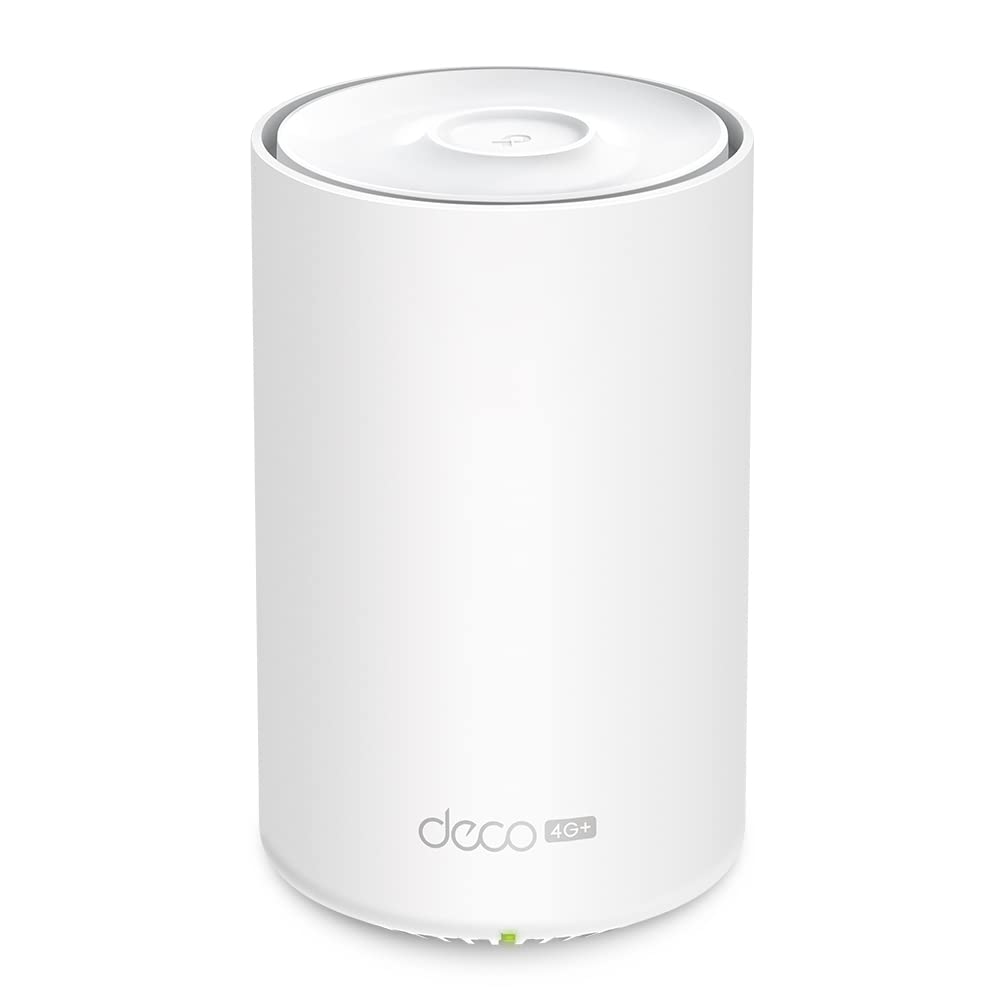
TP-Link Deco X20-4G 4G+ AX1800 Whole Home Mesh Wifi 6 Gateway, Ethernet + 3G/4G Failover, OFDMA, Remote Management
TP-Link Deco X20-4G 4G+ AX1800 Whole Home Mesh WiFi 6 Gateway, Ethernet + 3G/4G Failover, OFDMA, Remote Management TP-Link Deco X20-4G 4G+ AX1800 Whole Home Mesh WiFi 6 Gateway, Ethernet + 3G/4G Failover, OFDMA, Remote Management - Internet Everywhere with 4G+ Speed - Provides WiFi 6 Mesh coverage through 4G+ CAT6 access - Superior WiFi 6 speeds up to 1.8 Gbps - 1201 Mbps (5 GHz) and 574 Mbps (2.4 GHz) dual band WiFi with WiFi 6 technology - Fully Gigabit Ethernet - 3x Gigabit WAN/LAN Ethernet ports provide flexible internet access at warp speed - TP-Link Home - Shield - Real-time Io - T and network protection, robust Parental Controls, and comprehensive reports - 3G/4G Failover - Flexible access from Ethernet to 3G/4G to prevent data loss - Hardware CPU: 1.5 GHz Quad-Core CPU· Ethernet Port: 3 Gigabit ports (WAN/LAN auto-sensing)· Button: 1 RESET button on the underside· Antenna: 2 LTE antennas, 2 Wi-Fi antennas· Power Consumption (without power adapter): 14.7W max· Dimensions (W × D × H): 4.13 × 4.13 × 6.57 in (105 × 105 × 167mm)· Power Adapter Input: 100-240V~50-60Hz 0.6A· Power Adapter Output: 12V 1.5AWireless 4G:FDD-LTE:B1/B3/B5/B7/B8/B20/B28(2100/1800/850/2600/900/800/700 MHz) TDD-LTE: B38/B40/B41(2600/2300/2500 MHz)· 3G: DC-HSPA+/HSPA/UMTS B1/B5/B8 (2100/850/900 MHz)· Wireless Standards: IEEE 802.11a/n/ac/ax 5GHz,IEEE 802.11b/g/n/ax 2.4GHz· Mesh Protocol: 802.11k/v/r‡· Frequency: 2.4GHz and 5GHz· Signal Rate: 574 Mbps on 2.4GHz, 1201 Mbps on 5GHz†· Transmit Power: CE: ≤20 d - Bm (2.4GHz), ≤23 d - Bm (5GHz)· Wireless Security: WPA/WPA2-PSK/WPA3 encryptions - Software· Working Mode: 3G/4G, Router, Access Point· WAN Type: Dynamic IP/Static IP/PPPo - E/L2TP/PPTP· Protocols: Supports IPv4 and IPv6· Guest Network: 2.4GHz Guest Network×1, 5GHz Guest Network×1· Features: Parental Controls, Qo - S (Quality of Service), Anti-virus,Address Reservation, Port Forwarding, TP-Link DDNS, IPTV, IPv6,LED Control, Smart Connect, Optional Ethernetbackhaul,1024-QAM , MU-MIMO , OFDMA , BSS Color
TP-Link Deco X20-4G 4G+ AX1800 Whole Home Mesh WiFi 6 Gateway, Ethernet + 3G/4G Failover, OFDMA, Remote Management TP-Link Deco X20-4G 4G+ AX1800 Whole Home Mesh WiFi 6 Gateway, Ethernet + 3G/4G Failover, OFDMA, Remote Management - Internet Everywhere with 4G+ Speed - Provides WiFi 6 Mesh coverage through 4G+ CAT6 access - Superior WiFi 6 speeds up to 1.8 Gbps - 1201 Mbps (5 GHz) and 574 Mbps (2.4 GHz) dual band WiFi with WiFi 6 technology - Fully Gigabit Ethernet - 3x Gigabit WAN/LAN Ethernet ports provide flexible internet access at warp speed - TP-Link Home - Shield - Real-time Io - T and network protection, robust Parental Controls, and comprehensive reports - 3G/4G Failover - Flexible access from Ethernet to 3G/4G to prevent data loss - Hardware CPU: 1.5 GHz Quad-Core CPU· Ethernet Port: 3 Gigabit ports (WAN/LAN auto-sensing)· Button: 1 RESET button on the underside· Antenna: 2 LTE antennas, 2 Wi-Fi antennas· Power Consumption (without power adapter): 14.7W max· Dimensions (W × D × H): 4.13 × 4.13 × 6.57 in (105 × 105 × 167mm)· Power Adapter Input: 100-240V~50-60Hz 0.6A· Power Adapter Output: 12V 1.5AWireless 4G:FDD-LTE:B1/B3/B5/B7/B8/B20/B28(2100/1800/850/2600/900/800/700 MHz) TDD-LTE: B38/B40/B41(2600/2300/2500 MHz)· 3G: DC-HSPA+/HSPA/UMTS B1/B5/B8 (2100/850/900 MHz)· Wireless Standards: IEEE 802.11a/n/ac/ax 5GHz,IEEE 802.11b/g/n/ax 2.4GHz· Mesh Protocol: 802.11k/v/r‡· Frequency: 2.4GHz and 5GHz· Signal Rate: 574 Mbps on 2.4GHz, 1201 Mbps on 5GHz†· Transmit Power: CE: ≤20 d - Bm (2.4GHz), ≤23 d - Bm (5GHz)· Wireless Security: WPA/WPA2-PSK/WPA3 encryptions - Software· Working Mode: 3G/4G, Router, Access Point· WAN Type: Dynamic IP/Static IP/PPPo - E/L2TP/PPTP· Protocols: Supports IPv4 and IPv6· Guest Network: 2.4GHz Guest Network×1, 5GHz Guest Network×1· Features: Parental Controls, Qo - S (Quality of Service), Anti-virus,Address Reservation, Port Forwarding, TP-Link DDNS, IPTV, IPv6,LED Control, Smart Connect, Optional Ethernetbackhaul,1024-QAM , MU-MIMO , OFDMA , BSS Color
TP-Link Deco X20-4G 4G+ AX1800 Whole Home Mesh WiFi 6 Gateway, Ethernet + 3G/4G Failover, OFDMA, Remote Management TP-Link Deco X20-4G 4G+ AX1800 Whole Home Mesh WiFi 6 Gateway, Ethernet + 3G/4G Failover, OFDMA, Remote Management - Internet Everywhere with 4G+ Speed - Provides WiFi 6 Mesh coverage through 4G+ CAT6 access - Superior WiFi 6 speeds up to 1.8 Gbps - 1201 Mbps (5 GHz) and 574 Mbps (2.4 GHz) dual band WiFi with WiFi 6 technology - Fully Gigabit Ethernet - 3x Gigabit WAN/LAN Ethernet ports provide flexible internet access at warp speed - TP-Link Home - Shield - Real-time Io - T and network protection, robust Parental Controls, and comprehensive reports - 3G/4G Failover - Flexible access from Ethernet to 3G/4G to prevent data loss - Hardware CPU: 1.5 GHz Quad-Core CPU· Ethernet Port: 3 Gigabit ports (WAN/LAN auto-sensing)· Button: 1 RESET button on the underside· Antenna: 2 LTE antennas, 2 Wi-Fi antennas· Power Consumption (without power adapter): 14.7W max· Dimensions (W × D × H): 4.13 × 4.13 × 6.57 in (105 × 105 × 167mm)· Power Adapter Input: 100-240V~50-60Hz 0.6A· Power Adapter Output: 12V 1.5AWireless 4G:FDD-LTE:B1/B3/B5/B7/B8/B20/B28(2100/1800/850/2600/900/800/700 MHz) TDD-LTE: B38/B40/B41(2600/2300/2500 MHz)· 3G: DC-HSPA+/HSPA/UMTS B1/B5/B8 (2100/850/900 MHz)· Wireless Standards: IEEE 802.11a/n/ac/ax 5GHz,IEEE 802.11b/g/n/ax 2.4GHz· Mesh Protocol: 802.11k/v/r‡· Frequency: 2.4GHz and 5GHz· Signal Rate: 574 Mbps on 2.4GHz, 1201 Mbps on 5GHz†· Transmit Power: CE: ≤20 d - Bm (2.4GHz), ≤23 d - Bm (5GHz)· Wireless Security: WPA/WPA2-PSK/WPA3 encryptions - Software· Working Mode: 3G/4G, Router, Access Point· WAN Type: Dynamic IP/Static IP/PPPo - E/L2TP/PPTP· Protocols: Supports IPv4 and IPv6· Guest Network: 2.4GHz Guest Network×1, 5GHz Guest Network×1· Features: Parental Controls, Qo - S (Quality of Service), Anti-virus,Address Reservation, Port Forwarding, TP-Link DDNS, IPTV, IPv6,LED Control, Smart Connect, Optional Ethernetbackhaul,1024-QAM , MU-MIMO , OFDMA , BSS Color
TP-Link Deco X20-4G 4G+ AX1800 Whole Home Mesh WiFi 6 Gateway, Ethernet + 3G/4G Failover, OFDMA, Remote Management TP-Link Deco X20-4G 4G+ AX1800 Whole Home Mesh WiFi 6 Gateway, Ethernet + 3G/4G Failover, OFDMA, Remote Management - Internet Everywhere with 4G+ Speed - Provides WiFi 6 Mesh coverage through 4G+ CAT6 access - Superior WiFi 6 speeds up to 1.8 Gbps - 1201 Mbps (5 GHz) and 574 Mbps (2.4 GHz) dual band WiFi with WiFi 6 technology - Fully Gigabit Ethernet - 3x Gigabit WAN/LAN Ethernet ports provide flexible internet access at warp speed - TP-Link Home - Shield - Real-time Io - T and network protection, robust Parental Controls, and comprehensive reports - 3G/4G Failover - Flexible access from Ethernet to 3G/4G to prevent data loss - Hardware CPU: 1.5 GHz Quad-Core CPU· Ethernet Port: 3 Gigabit ports (WAN/LAN auto-sensing)· Button: 1 RESET button on the underside· Antenna: 2 LTE antennas, 2 Wi-Fi antennas· Power Consumption (without power adapter): 14.7W max· Dimensions (W × D × H): 4.13 × 4.13 × 6.57 in (105 × 105 × 167mm)· Power Adapter Input: 100-240V~50-60Hz 0.6A· Power Adapter Output: 12V 1.5AWireless 4G:FDD-LTE:B1/B3/B5/B7/B8/B20/B28(2100/1800/850/2600/900/800/700 MHz) TDD-LTE: B38/B40/B41(2600/2300/2500 MHz)· 3G: DC-HSPA+/HSPA/UMTS B1/B5/B8 (2100/850/900 MHz)· Wireless Standards: IEEE 802.11a/n/ac/ax 5GHz,IEEE 802.11b/g/n/ax 2.4GHz· Mesh Protocol: 802.11k/v/r‡· Frequency: 2.4GHz and 5GHz· Signal Rate: 574 Mbps on 2.4GHz, 1201 Mbps on 5GHz†· Transmit Power: CE: ≤20 d - Bm (2.4GHz), ≤23 d - Bm (5GHz)· Wireless Security: WPA/WPA2-PSK/WPA3 encryptions - Software· Working Mode: 3G/4G, Router, Access Point· WAN Type: Dynamic IP/Static IP/PPPo - E/L2TP/PPTP· Protocols: Supports IPv4 and IPv6· Guest Network: 2.4GHz Guest Network×1, 5GHz Guest Network×1· Features: Parental Controls, Qo - S (Quality of Service), Anti-virus,Address Reservation, Port Forwarding, TP-Link DDNS, IPTV, IPv6,LED Control, Smart Connect, Optional Ethernetbackhaul,1024-QAM , MU-MIMO , OFDMA , BSS Color
in 1 offers
The lowest price for TP-Link Deco X20-4G 4G+ AX1800 Whole Home Mesh Wifi 6 Gateway, Ethernet + 3G/4G Failover, OFDMA, Remote Management right now is $265.70 at eBay.com.au.
The all-time low was $94.48 on 5 June 2026 — today's price is 181% above the lowest ever. It has been notably cheaper before — worth setting a price alert.
Prices last updated 25 Aug 2026.
Last updated at 25/08/2026 00:05:23
Tp-link Deco X20-4g Ax1800 4g+ Whole Home Mesh Wifi 6 Gateway
Delivery $18.25
Affiliate Disclosure: We may receive a small commission for purchases made through this link at no extra cost to you. This helps support our site. Thank you!
originally posted on bestbuy.com
I move around a lot which is relevant to this review because most homes I have lived in, (~ 15 homes), had a few areas where the 2.4 GHz Wi-Fi bandwidth had difficulty reaching. I wanted to see if TP-Link’s AX1800 mesh network would help with this challenge and if I am super lucky, completely resolve it. The setup I choose was a dual-station package with one station connected with an included data cable to the router and the other station placed in an area with weak signal. It is worth noting that my internet is fiber optic with up to 1 Gbps up and 1 Gbps down. Due to the speed, I do not have a modem and my router is one I purchased and not the one that the ISP typically leases to you. Setup for the Deco mesh network system very simple. There is an app you download ... MoreI move around a lot which is relevant to this review because most homes I have lived in, (~ 15 homes), had a few areas where the 2.4 GHz Wi-Fi bandwidth had difficulty reaching. I wanted to see if TP-Link’s AX1800 mesh network would help with this challenge and if I am super lucky, completely resolve it. The setup I choose was a dual-station package with one station connected with an included data cable to the router and the other station placed in an area with weak signal. It is worth noting that my internet is fiber optic with up to 1 Gbps up and 1 Gbps down. Due to the speed, I do not have a modem and my router is one I purchased and not the one that the ISP typically leases to you. Setup for the Deco mesh network system very simple. There is an app you download that goes through every step. I tend to be on the slow side when it comes to installing new equipment, but the total time for install was around 15 - 20 minutes. My speed test prior to setup of the mesh network in the weak signal area was around 24 Mbps down which is very frustrating when you are paying for up to 1 Gbps. You’ll see in one photo after the installation of the mesh network, the speed is now mind blowing. It is also worth noting that my home has a smart panel with all the internet equipment. This smart panel is made of metal and really impacts the internet speed. However, after the mesh network was setup and running, I didn’t notice any drop in speed due to the metal smart panel box. If you have areas in your home that have weak Wi-Fi signal, especially on 2.4 GHz bandwidth, you will be very happy once you have the TP-Link AX1800 mesh network system up and running.
originally posted on Target
This is one of those YMMV reviews. The devices themselves were easy to set up. They emit a bright green light when they’re working so you want to make sure they’re in a place where the light won’t bother you. They have those narrow sideways plugs which are nice. I’m not savvy enough to be able to give you performance stats on how this worked. Things seem better in our home. I’m glad we have them. The app is fine, but I’ve used better apps That said, when you install these, you’re going to want to do your homework and figure out how they’re going to fit into your current situation. You’re going to be creating a whole new network in your home. So it is entirely possible for these things to be hooked up and fully functioning but not actually doing anything for you ... MoreThis is one of those YMMV reviews. The devices themselves were easy to set up. They emit a bright green light when they’re working so you want to make sure they’re in a place where the light won’t bother you. They have those narrow sideways plugs which are nice. I’m not savvy enough to be able to give you performance stats on how this worked. Things seem better in our home. I’m glad we have them. The app is fine, but I’ve used better apps That said, when you install these, you’re going to want to do your homework and figure out how they’re going to fit into your current situation. You’re going to be creating a whole new network in your home. So it is entirely possible for these things to be hooked up and fully functioning but not actually doing anything for you unless you hook your devices up to this new network. I can see this being frustrating for some people.
originally posted on Target
Very happy with this purchase. I hate installing stuff like this but it was so easy with the Deco app. Took almost no time. I have had problems with wi-fi in my sunroom and in the basement, and this mesh set up really did the trick. I have a strong signal everywhere in our house now. (Our home is 2900 square foot, single story w/basement.) There are three pieces, the main receiver that attaches to your modem and then you decide where to put the other two -- they plug into the wall. They are unobtrusive.
| Frequency | 2.4GHz and 5GHz |
Tp-link Deco X20-4g Ax1800 4g+ Whole Home Mesh Wifi 6 Gateway
Delivery $18.25
Affiliate Disclosure: We may receive a small commission for purchases made through this link at no extra cost to you. This helps support our site. Thank you!
I move around a lot which is relevant to this review because most homes I have lived in, (~ 15 homes), had a few areas where the 2.4 GHz Wi-Fi bandwidth had difficulty reaching. I wanted to see if TP-Link’s AX1800 mesh network would help with this challenge and if I am super lucky, completely resolve it. The setup I choose was a dual-station package with one station connected with an included data cable to the router and the other station placed in an area with weak signal. It is worth noting that my internet is fiber optic with up to 1 Gbps up and 1 Gbps down. Due to the speed, I do not have a modem and my router is one I purchased and not the one that the ISP typically leases to you. Setup for the Deco mesh network system very simple. There is an app you download ... MoreI move around a lot which is relevant to this review because most homes I have lived in, (~ 15 homes), had a few areas where the 2.4 GHz Wi-Fi bandwidth had difficulty reaching. I wanted to see if TP-Link’s AX1800 mesh network would help with this challenge and if I am super lucky, completely resolve it. The setup I choose was a dual-station package with one station connected with an included data cable to the router and the other station placed in an area with weak signal. It is worth noting that my internet is fiber optic with up to 1 Gbps up and 1 Gbps down. Due to the speed, I do not have a modem and my router is one I purchased and not the one that the ISP typically leases to you. Setup for the Deco mesh network system very simple. There is an app you download that goes through every step. I tend to be on the slow side when it comes to installing new equipment, but the total time for install was around 15 - 20 minutes. My speed test prior to setup of the mesh network in the weak signal area was around 24 Mbps down which is very frustrating when you are paying for up to 1 Gbps. You’ll see in one photo after the installation of the mesh network, the speed is now mind blowing. It is also worth noting that my home has a smart panel with all the internet equipment. This smart panel is made of metal and really impacts the internet speed. However, after the mesh network was setup and running, I didn’t notice any drop in speed due to the metal smart panel box. If you have areas in your home that have weak Wi-Fi signal, especially on 2.4 GHz bandwidth, you will be very happy once you have the TP-Link AX1800 mesh network system up and running.
This is one of those YMMV reviews. The devices themselves were easy to set up. They emit a bright green light when they’re working so you want to make sure they’re in a place where the light won’t bother you. They have those narrow sideways plugs which are nice. I’m not savvy enough to be able to give you performance stats on how this worked. Things seem better in our home. I’m glad we have them. The app is fine, but I’ve used better apps That said, when you install these, you’re going to want to do your homework and figure out how they’re going to fit into your current situation. You’re going to be creating a whole new network in your home. So it is entirely possible for these things to be hooked up and fully functioning but not actually doing anything for you ... MoreThis is one of those YMMV reviews. The devices themselves were easy to set up. They emit a bright green light when they’re working so you want to make sure they’re in a place where the light won’t bother you. They have those narrow sideways plugs which are nice. I’m not savvy enough to be able to give you performance stats on how this worked. Things seem better in our home. I’m glad we have them. The app is fine, but I’ve used better apps That said, when you install these, you’re going to want to do your homework and figure out how they’re going to fit into your current situation. You’re going to be creating a whole new network in your home. So it is entirely possible for these things to be hooked up and fully functioning but not actually doing anything for you unless you hook your devices up to this new network. I can see this being frustrating for some people.
Very happy with this purchase. I hate installing stuff like this but it was so easy with the Deco app. Took almost no time. I have had problems with wi-fi in my sunroom and in the basement, and this mesh set up really did the trick. I have a strong signal everywhere in our house now. (Our home is 2900 square foot, single story w/basement.) There are three pieces, the main receiver that attaches to your modem and then you decide where to put the other two -- they plug into the wall. They are unobtrusive.
Mesh Wi-Fi is superior to a traditional Wi-Fi router with extender setup. This product promises faster Wi-Fi6 speeds, dead-zone killing, connection to over 150 devices, and seamless roaming. The box contains three Deco X25's each with a 12V 1.2A power supply and 1 cable to connect to a modem. Setup is relatively straightforward. Begin by downloading the app from the appropriate app store; I use the Apple App Store. You will have to register for an account to use the app and progress with the installation. Afterward, follow the simple steps diagramed on the inner box. Begin by unplugging power from your modem. Connect up one Deco to the modem with the supplied cable. Plug power back into the modem. Plug power into the Deco. Once the Deco shows a blue flashing light, ... MoreMesh Wi-Fi is superior to a traditional Wi-Fi router with extender setup. This product promises faster Wi-Fi6 speeds, dead-zone killing, connection to over 150 devices, and seamless roaming. The box contains three Deco X25's each with a 12V 1.2A power supply and 1 cable to connect to a modem. Setup is relatively straightforward. Begin by downloading the app from the appropriate app store; I use the Apple App Store. You will have to register for an account to use the app and progress with the installation. Afterward, follow the simple steps diagramed on the inner box. Begin by unplugging power from your modem. Connect up one Deco to the modem with the supplied cable. Plug power back into the modem. Plug power into the Deco. Once the Deco shows a blue flashing light, continue with the setup on the app. For the app setup, follow the instructions provided. Once completed, find another area of your home to setup another device. Again, use the app to connect this Deco to your network. This is where I ran into some issues. During this part of the setup process, the light on the Deco would turn green but the app would report an issue connecting to the network. The way around this is to cancel the setup. When you do, the app will then show that the device is added to the network. Perhaps this is a bug with the firmware. Connecting devices to the new network is routine. We have many devices connected including multiple phones, computers, streaming devices, etc. In the week of testing, there have been no significant issues with connection to the internet or streaming services. The three Decos provide great coverage for our approximate 3500 square foot home with an upstairs media room. My overall impression is that this is a good product. Aside from the issue described above, it was easy to install and set up. In our limited time with the product, it has fulfilled its promises. We have had no issue connecting all of our devices (less than 150). Roaming the house did not reveal any connectivity issues. The bottleneck in speed comes from the internet modem and its connection. If the technical specifications of this product meet your needs, don't hesitate to purchase one.
I’m using the Deco AX1800 to replace a 7-year old, single unit, WiFi router. The user experience of opening the package was excellent as it was simple, yet provided everything I needed to know. The instructions on the inside of the box were only 4 steps! I downloaded the app by searching for “Deco App” in the app store. Next I removed the 3 units and the accessories from the packaging - each accessory was individually packaged as well. The system was very easy to set up and I didn’t need to open the installation manual that was included with the network cable. Kudos to tp-link for including wires that are flat, as it makes tucking them away much easier after installation. I followed the instructions on the app and setup was easy. There's no guessing on what's ... MoreI’m using the Deco AX1800 to replace a 7-year old, single unit, WiFi router. The user experience of opening the package was excellent as it was simple, yet provided everything I needed to know. The instructions on the inside of the box were only 4 steps! I downloaded the app by searching for “Deco App” in the app store. Next I removed the 3 units and the accessories from the packaging - each accessory was individually packaged as well. The system was very easy to set up and I didn’t need to open the installation manual that was included with the network cable. Kudos to tp-link for including wires that are flat, as it makes tucking them away much easier after installation. I followed the instructions on the app and setup was easy. There's no guessing on what's happening during the setup as the app keeps you updated and the Yellow/Blue/Green/Red light system makes process identification simple. Once the first unit is connected, simply plug each additional unit into power and they locate and identify each other. Not sure how it could be any easier. My previous router was maxing out around 115Mbps, the AX1800 is providing wireless download speeds of 237 Mbps. Remarkably fast! The navigation of the app and its features is very intuitive and the parental controls are fantastic. After about 15 minutes, I had all 3 units working and the WiFi in my home has never been better. I highly recommend this product to anyone wanting to upgrade their wireless network.
I have a 3200 sq. foot home. A few rooms have wired ethernet, but there were some low wifi signal spots in the house. The old setup was 2 different wireless routers that did a decent job of covering the house, but used different SSIDs. The wireless devices would switch networks when I moved around the house.With the TP-Link Deco X25 the whole house is covered and my wireless devices seamlessly connect to the mesh node that has the strongest signal. Each of the X25 nodes is connected to the wired network so their internal traffic is kept off the airwaves. Previously, the family room TV was always in a low-signal zone, but not sees a really strong signal because one of the node is in the basement game room below the living room.Setup was super easy with the ... MoreI have a 3200 sq. foot home. A few rooms have wired ethernet, but there were some low wifi signal spots in the house. The old setup was 2 different wireless routers that did a decent job of covering the house, but used different SSIDs. The wireless devices would switch networks when I moved around the house.With the TP-Link Deco X25 the whole house is covered and my wireless devices seamlessly connect to the mesh node that has the strongest signal. Each of the X25 nodes is connected to the wired network so their internal traffic is kept off the airwaves. Previously, the family room TV was always in a low-signal zone, but not sees a really strong signal because one of the node is in the basement game room below the living room.Setup was super easy with the TP-Link app on my tablet/phone. The app even reminds you to check for firmware updates and turn run security audits. I couldn't be happier.
I am pleasantly surprised with these! I kept thinking that I wouldn’t actually need them, but I am amazed about how much of a difference they made to my already fast network. These are the best network extenders I have ever used, by a long shot. Their incredible design fits into my style well, and I appreciate how only one of them needs to be connected to ethernet, as I don’t have ethernet throughout my home. The Decos are the easiest networking device I have ever setup. All I did was download the app, and it walks you through every step. Any other networking devices I’ve ever had to use has had hours of excruciating setup, across my many devices. The Decos setup all through the app on my iPhone, and they were ready to use within minutes. I can tell that a lot of ... MoreI am pleasantly surprised with these! I kept thinking that I wouldn’t actually need them, but I am amazed about how much of a difference they made to my already fast network. These are the best network extenders I have ever used, by a long shot. Their incredible design fits into my style well, and I appreciate how only one of them needs to be connected to ethernet, as I don’t have ethernet throughout my home. The Decos are the easiest networking device I have ever setup. All I did was download the app, and it walks you through every step. Any other networking devices I’ve ever had to use has had hours of excruciating setup, across my many devices. The Decos setup all through the app on my iPhone, and they were ready to use within minutes. I can tell that a lot of care went into these, which I really appreciate. The only negative thing I have experienced so far is that the automatic switching feature does NOT work as advertised. When my devices are switching between a Deco to get a signal from, I can notice. The connection completely drops for a second or two, which can be problematic if you’re on a video call, viewing livestreaming content, or streaming other kinds of content. Of course, from day to day use, you won’t notice the temporary disconnection, but it’s something to be aware of. The best way to test any internet equipment is with a speed test. Below using an app called Wi-Fi Sweetspots, on my iPhone 13 Pro (with Wi-Fi 6, taking full advantage of the Deco’s technology). These tests were taken back to back, in the same 8-10 spots. The first test from my router’s direct network was noticeably slower, and disconnected as I stepped outside. The Deco’s network (titled luceros2) was more consistent, and stayed connected as I walked outdoors, on top of similar to better speeds. As you can see the Decos had an incredibly strong effect on my network. If this is the difference it made for me, I can’t imagine how useful it can be for others. I can absolutely recommend this if you’re looking for better network performance, in any shape or form.
I was having a lot of dropped internet signals with my old setup (which was atleast four year old) and this completely fixed it. these work great to help keep wifi signal going strong in the house. Unfortunately I can't make use of the backhaul feature yet with needing some moca adapters to utilize the coax cable in my house but other wise the speed and coverage is great! Though I will say at least for me I notice there's a slight notable switching between the nodes, but it's nothing that would alter regular wifi usage. I only have 2 setup up as opposed to the three so that could play a bit of a role in it as well as me needing a new modem. Otherwise it perfectly suits my needs with area coverage in my two floor town home one upstairs and the other downstairs. The ... MoreI was having a lot of dropped internet signals with my old setup (which was atleast four year old) and this completely fixed it. these work great to help keep wifi signal going strong in the house. Unfortunately I can't make use of the backhaul feature yet with needing some moca adapters to utilize the coax cable in my house but other wise the speed and coverage is great! Though I will say at least for me I notice there's a slight notable switching between the nodes, but it's nothing that would alter regular wifi usage. I only have 2 setup up as opposed to the three so that could play a bit of a role in it as well as me needing a new modem. Otherwise it perfectly suits my needs with area coverage in my two floor town home one upstairs and the other downstairs. The app is really nice to have as well though I wish there was an option to turn off wifi at night, unless I'm just completely oblivious to it lol.
Simplicity meets performance. From the setup to the configuration the prices is simple. Plug in any of the units to your router and it becomes the main unit. Adding the other units is a breeze. Setting up parental control and time limits for your children is easy. The WAN speed is great and the bandwidth on the LAN is super. The one drawback, app only configuration. You can review settings and reboot the unit from the web interface but all the setup has to be done in the app. On the positive side the app is clean and intuitive. I was able to quickly change my internal LAN IP scheme and setup port forwarding rules to allow VPN access while I am away from home. I have not tried the trial of Homesheild Pro or plus (forgot exact name) because the free version is working ... MoreSimplicity meets performance. From the setup to the configuration the prices is simple. Plug in any of the units to your router and it becomes the main unit. Adding the other units is a breeze. Setting up parental control and time limits for your children is easy. The WAN speed is great and the bandwidth on the LAN is super. The one drawback, app only configuration. You can review settings and reboot the unit from the web interface but all the setup has to be done in the app. On the positive side the app is clean and intuitive. I was able to quickly change my internal LAN IP scheme and setup port forwarding rules to allow VPN access while I am away from home. I have not tried the trial of Homesheild Pro or plus (forgot exact name) because the free version is working right now but I will add it soon. I went from a Netgear Nighthawk mesh setup with two extenders and it was OK. This setup increased my wireless LAN throughput and WAN speed! I did not know we had gotten an upgrade from Spectrum,I think it is an amazing deal for what you get.
I was so hopeful with this wifi system! I'm so excited it actually helped bring wifi throughout my house! The whole system works perfectly together, I had absolutely no trouble getting it setup and connected. We live in a very rural area and the internet is hit or miss and its spotty where you do get it! We also have a video doorbell that wasnt getting great service until now! Not only does our stuff connect faster the streaming services come in clearer and are so much faster! I was not getting anything from the kids rooms and my husbands and I or our garage until hooking this up! The garage still has a little bit of struggle but in all reality its a good distance from the house so to get anything at all is just amazing! I love the look its not a eye sore and can ... MoreI was so hopeful with this wifi system! I'm so excited it actually helped bring wifi throughout my house! The whole system works perfectly together, I had absolutely no trouble getting it setup and connected. We live in a very rural area and the internet is hit or miss and its spotty where you do get it! We also have a video doorbell that wasnt getting great service until now! Not only does our stuff connect faster the streaming services come in clearer and are so much faster! I was not getting anything from the kids rooms and my husbands and I or our garage until hooking this up! The garage still has a little bit of struggle but in all reality its a good distance from the house so to get anything at all is just amazing! I love the look its not a eye sore and can blend in nicely with your already existed decor! My husband and I are so impressed in our 3 bedroom house!
| Frequency | 2.4GHz and 5GHz |