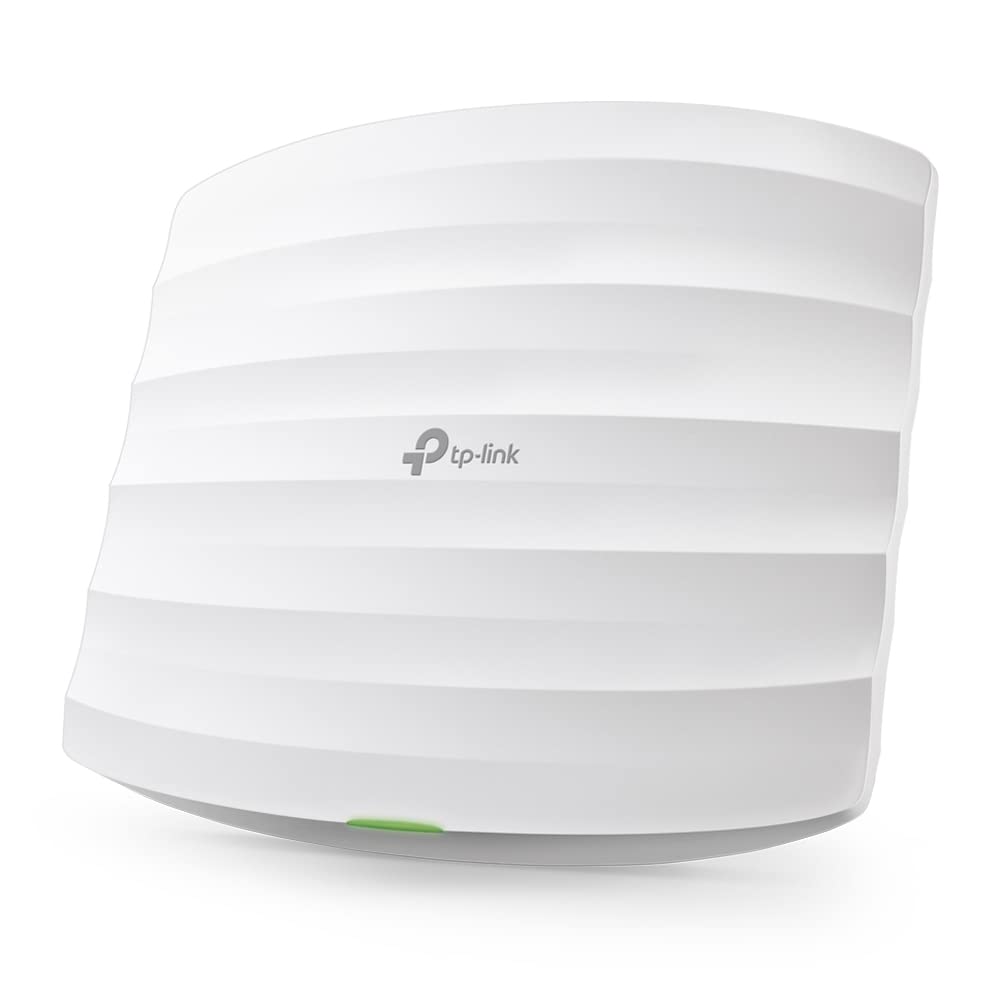
TP-Link EAP110 300Mbps Wireless N300 Ceiling Mount Access Point
Flexible Placement Easy mounting design & Po E The EAP’s elegant appearance and easy mounting design with chassis make it easy to be integrated seamlessly into any wall or ceiling surface to blend in with most interior decorations. EAP110 supports Passive Po E to make deployment effortless and flexible. Cloud Centralized Management - Anytime, Anywhere Omada Hardware Controller OC200 and Omada Software Controller make it easy to manage and monitor the whole Omada network in real-time, while cloud service enables remote and secure access no matter where you find yourself. Efficient Guest Authentication with Facebook and SMS Support Captive portal helps maintain only authorized guests to use the network, presenting devices with a convenient, user-friendly authentication method to grant Wi-Fi access. The addition of SMS and Facebook authentication simplifies the captive portal even further to simplify connectivity and boost your business. Easy Management with the Omada App Follow configuration instructions on the free Omada app to get set up in minutes. Omada lets you configure settings, monitor the network status and manage clients, all from the convenience of a smart phone or tablet. Meet Our New Hero Product! The OC200 Omada Hardware Controller is dedicated to providing centralized management for the whole Omada network.
Flexible Placement Easy mounting design & Po E The EAP’s elegant appearance and easy mounting design with chassis make it easy to be integrated seamlessly into any wall or ceiling surface to blend in with most interior decorations. EAP110 supports Passive Po E to make deployment effortless and flexible. Cloud Centralized Management - Anytime, Anywhere Omada Hardware Controller OC200 and Omada Software Controller make it easy to manage and monitor the whole Omada network in real-time, while cloud service enables remote and secure access no matter where you find yourself. Efficient Guest Authentication with Facebook and SMS Support Captive portal helps maintain only authorized guests to use the network, presenting devices with a convenient, user-friendly authentication method to grant Wi-Fi access. The addition of SMS and Facebook authentication simplifies the captive portal even further to simplify connectivity and boost your business. Easy Management with the Omada App Follow configuration instructions on the free Omada app to get set up in minutes. Omada lets you configure settings, monitor the network status and manage clients, all from the convenience of a smart phone or tablet. Meet Our New Hero Product! The OC200 Omada Hardware Controller is dedicated to providing centralized management for the whole Omada network.
Flexible Placement Easy mounting design & Po E The EAP’s elegant appearance and easy mounting design with chassis make it easy to be integrated seamlessly into any wall or ceiling surface to blend in with most interior decorations. EAP110 supports Passive Po E to make deployment effortless and flexible. Cloud Centralized Management - Anytime, Anywhere Omada Hardware Controller OC200 and Omada Software Controller make it easy to manage and monitor the whole Omada network in real-time, while cloud service enables remote and secure access no matter where you find yourself. Efficient Guest Authentication with Facebook and SMS Support Captive portal helps maintain only authorized guests to use the network, presenting devices with a convenient, user-friendly authentication method to grant Wi-Fi access. The addition of SMS and Facebook authentication simplifies the captive portal even further to simplify connectivity and boost your business. Easy Management with the Omada App Follow configuration instructions on the free Omada app to get set up in minutes. Omada lets you configure settings, monitor the network status and manage clients, all from the convenience of a smart phone or tablet. Meet Our New Hero Product! The OC200 Omada Hardware Controller is dedicated to providing centralized management for the whole Omada network.
Flexible Placement Easy mounting design & Po E The EAP’s elegant appearance and easy mounting design with chassis make it easy to be integrated seamlessly into any wall or ceiling surface to blend in with most interior decorations. EAP110 supports Passive Po E to make deployment effortless and flexible. Cloud Centralized Management - Anytime, Anywhere Omada Hardware Controller OC200 and Omada Software Controller make it easy to manage and monitor the whole Omada network in real-time, while cloud service enables remote and secure access no matter where you find yourself. Efficient Guest Authentication with Facebook and SMS Support Captive portal helps maintain only authorized guests to use the network, presenting devices with a convenient, user-friendly authentication method to grant Wi-Fi access. The addition of SMS and Facebook authentication simplifies the captive portal even further to simplify connectivity and boost your business. Easy Management with the Omada App Follow configuration instructions on the free Omada app to get set up in minutes. Omada lets you configure settings, monitor the network status and manage clients, all from the convenience of a smart phone or tablet. Meet Our New Hero Product! The OC200 Omada Hardware Controller is dedicated to providing centralized management for the whole Omada network.
in 14 offers
The lowest price for TP-Link EAP110 300Mbps Wireless N300 Ceiling Mount Access Point right now is $44.10 at arcomputer.com.au, compared across 10 retailers.
The all-time low was $17.76 on 14 May 2026 — today's price is 148% above the lowest ever. It has been notably cheaper before — worth setting a price alert.
Prices last updated 4 Sept 2026.
Last updated at 04/09/2026 22:18:37
TP-Link EAP110 300Mbps Wireless N Ceiling Mount Access Point
Delivery between 9–17 Sept $10
Tp-link Eap110 300mbps Wifi Access Point White EU Plug 220V
Delivery $29.49
TP-Link EAP110 Access point Omada by TP-Link
Free delivery between Tue – Wed
TP-LINK WIRELESS ACCESS POINT, 300MBPS, PASSIVE 10/100 POE, CEILING MOUNT, 5YR WTY - EAP110
Delivery between 9–14 Sept $15
TP-Link EAP110 300Mbps Wireless N300 Ceiling Mount Access Point with 1x1Gbps RJ45 PoE, 1x Console Port, 2x4dBi Omni Internal Antenna, Omada
Delivery between Tue – Thu $10
TP-Link EAP110 Omada 300Mbps Wireless N300 Ceiling Mount Access Point 1x1Gbps RJ45 PoE 1x Console Port 2x4dBi Omni Internal Antenna,Omada
Delivery $7.95
TP-Link EAP110 300Mbps Wireless N Ceiling Mount Access Point WIFI
Delivery between Tue – Fri $10
TP-Link EAP110 Omada 300Mbps Wireless N300 Ceiling Mount Access Point 1x1Gbps RJ45 PoE 1x Console Port 2x4dBi Omni Internal Antenna,Omada
Free delivery between Tue – Fri
TP Link N300 2.4Ghz Wireless Ceiling Mount Access Point 3dBi w/Internal 2 Atenna
Free delivery between Tue – Fri
TP-Link EAP110 300Mbps Wireless N300 Ceiling Mount Access Point
Free delivery
originally posted on ebuyer.com
The literature says its PoE compatible which may be true but as far as i can tell it isnt compatible to any of the current PoE standards you are likely to have from most current PoE switches. This doesnt work with HP, Aruba and Netgear PoE switche, all of which are less than 2 yrs old so you must use the PoE injector provided, which requires a dedicated power source. Less than ideal when there are other compatible devices to chose from.
originally posted on shopee.ph
Product Quality:mehPerformance:slow. it's an old AP only 2.5 gHz. my fault i didn't double checked. needs POE power adapter. would not power on a TP Link POE switch. won't even work with the TP link app because it's not supported. had to configure thru browser.great seller fast shipping to Iloilo!
originally posted on ebay.com
II bought this access point from Ebuyer Express to use for getting my wifi to stretch to a shed at the bottom of my garden. I originally tried using a mains-powered repeater in my garage but that didn't work so I then purchased this as there would be nothing in the way to lower the signal. It feel really well made and the main body using is about the size of a TV remote. I first set it up using the wifi interface on temporary connections before fitting it to the wall. Setting up is straightforward and you don't need any software on your computer or drivers as it is done via a web browser. It therefore works under any OS (I used Ubuntu Linux with no issues). It's pretty much plug and play, it finds the available networks. You simply change the default passwords/user ... MoreII bought this access point from Ebuyer Express to use for getting my wifi to stretch to a shed at the bottom of my garden. I originally tried using a mains-powered repeater in my garage but that didn't work so I then purchased this as there would be nothing in the way to lower the signal. It feel really well made and the main body using is about the size of a TV remote. I first set it up using the wifi interface on temporary connections before fitting it to the wall. Setting up is straightforward and you don't need any software on your computer or drivers as it is done via a web browser. It therefore works under any OS (I used Ubuntu Linux with no issues). It's pretty much plug and play, it finds the available networks. You simply change the default passwords/user name from Admin, put in the password for the chosen network and then configure the access points name and password (it can be the same as your main one to make access easier or different if needed). Fitting was a typical DIY job. The unit comes with a mounting plate that uses either two screws or can be strapped to an existing pole using a zip tie (all included). In my case, as I live in a bungalow, I ran an Ethernet cable in to the attic from router and then out through a drilled hole, to the main unit, which hasa slide-removable cover for the connector area and a sealing rubber. It's about 8ft up. At the inside end there is a PoE (Power over Ethernet) adaptor (also included) which you use between the router and the main unit. If for any reason you need to remove the main unit (e.g. to reprogram it) it slides off the mounting plate. No cables come with this so you will need two Ethernet cables- a short one for between your router/modem and the PoE power supply (1m or less?) and a longer one from the PoE power supply to the main unit. You'll probably want to put the PoE power supply near the modem/router but it can actually be anywhere in the link in case you don't have a mains supply near your router, just must be indoors. Now installed, it's working perfectly and gives full bars on my laptop in the shed (about 10m away) where before it wouldn't connect.
| Variant | |
| title | Default Title |
TP-Link EAP110 300Mbps Wireless N Ceiling Mount Access Point
Delivery between 9–17 Sept $10
Tp-link Eap110 300mbps Wifi Access Point White EU Plug 220V
Delivery $29.49
TP-Link EAP110 Access point Omada by TP-Link
Free delivery between Tue – Wed
TP-LINK WIRELESS ACCESS POINT, 300MBPS, PASSIVE 10/100 POE, CEILING MOUNT, 5YR WTY - EAP110
Delivery between 9–14 Sept $15
TP-Link EAP110 300Mbps Wireless N300 Ceiling Mount Access Point with 1x1Gbps RJ45 PoE, 1x Console Port, 2x4dBi Omni Internal Antenna, Omada
Delivery between Tue – Thu $10
The literature says its PoE compatible which may be true but as far as i can tell it isnt compatible to any of the current PoE standards you are likely to have from most current PoE switches. This doesnt work with HP, Aruba and Netgear PoE switche, all of which are less than 2 yrs old so you must use the PoE injector provided, which requires a dedicated power source. Less than ideal when there are other compatible devices to chose from.
Product Quality:mehPerformance:slow. it's an old AP only 2.5 gHz. my fault i didn't double checked. needs POE power adapter. would not power on a TP Link POE switch. won't even work with the TP link app because it's not supported. had to configure thru browser.great seller fast shipping to Iloilo!
II bought this access point from Ebuyer Express to use for getting my wifi to stretch to a shed at the bottom of my garden. I originally tried using a mains-powered repeater in my garage but that didn't work so I then purchased this as there would be nothing in the way to lower the signal. It feel really well made and the main body using is about the size of a TV remote. I first set it up using the wifi interface on temporary connections before fitting it to the wall. Setting up is straightforward and you don't need any software on your computer or drivers as it is done via a web browser. It therefore works under any OS (I used Ubuntu Linux with no issues). It's pretty much plug and play, it finds the available networks. You simply change the default passwords/user ... MoreII bought this access point from Ebuyer Express to use for getting my wifi to stretch to a shed at the bottom of my garden. I originally tried using a mains-powered repeater in my garage but that didn't work so I then purchased this as there would be nothing in the way to lower the signal. It feel really well made and the main body using is about the size of a TV remote. I first set it up using the wifi interface on temporary connections before fitting it to the wall. Setting up is straightforward and you don't need any software on your computer or drivers as it is done via a web browser. It therefore works under any OS (I used Ubuntu Linux with no issues). It's pretty much plug and play, it finds the available networks. You simply change the default passwords/user name from Admin, put in the password for the chosen network and then configure the access points name and password (it can be the same as your main one to make access easier or different if needed). Fitting was a typical DIY job. The unit comes with a mounting plate that uses either two screws or can be strapped to an existing pole using a zip tie (all included). In my case, as I live in a bungalow, I ran an Ethernet cable in to the attic from router and then out through a drilled hole, to the main unit, which hasa slide-removable cover for the connector area and a sealing rubber. It's about 8ft up. At the inside end there is a PoE (Power over Ethernet) adaptor (also included) which you use between the router and the main unit. If for any reason you need to remove the main unit (e.g. to reprogram it) it slides off the mounting plate. No cables come with this so you will need two Ethernet cables- a short one for between your router/modem and the PoE power supply (1m or less?) and a longer one from the PoE power supply to the main unit. You'll probably want to put the PoE power supply near the modem/router but it can actually be anywhere in the link in case you don't have a mains supply near your router, just must be indoors. Now installed, it's working perfectly and gives full bars on my laptop in the shed (about 10m away) where before it wouldn't connect.
Good Points: Looks reasonably waterproof and the adjustable antennas are useful to get all-round coverage.Improvement Points: Not really designed for home use. I bought this to extend wifi to the garden, but gave up in the end, and I'm pretty good at routers and wifi networking. The problem is that this is a business product really designed to be controlled with a cluster of others using TP-links own proprietary hardware or cloud-based buisiness admin suite.For home use you only get an 'Omada' phone app to configure it with and this is a bit poor, and extremely limited in what you can change. You cannot change it between bridging or AP modes for example. And as you have so little control, if it doesn't work with your home network out of the box there's little you ... MoreGood Points: Looks reasonably waterproof and the adjustable antennas are useful to get all-round coverage.Improvement Points: Not really designed for home use. I bought this to extend wifi to the garden, but gave up in the end, and I'm pretty good at routers and wifi networking. The problem is that this is a business product really designed to be controlled with a cluster of others using TP-links own proprietary hardware or cloud-based buisiness admin suite.For home use you only get an 'Omada' phone app to configure it with and this is a bit poor, and extremely limited in what you can change. You cannot change it between bridging or AP modes for example. And as you have so little control, if it doesn't work with your home network out of the box there's little you can do. The problem is that there's no administrative web-page to log onto as you might expect with a router or access point. All you can do is make very basic changes with the app - IF you can get it to talk to your phone...Maybe mine was faulty, but after two days frustration fighting this thing, I bought a D-Link outdoors access point instead, logged on to its configuration web-page and had it working in about 12 minutes. OK, so that cost about £20 more but really worth it!
I purchased this item to connect to my front gate wifi door bell. Product arrive on time and without hassle, positive feedback to the EBayer. I have TP-Link nest in my home and this works perfect. Now this unit is around 40-50m away from the doorbell, but the reception over this distance is very limited. The doorbell notes it around 10-20% and it is direct line of sight, plus it drops out a lot. I adjust the antennas today to try to see if that makes any difference, but it made it worse in most cases. I tried with my Iphone from 15m away and it had a download speed of 15-18meg based on a my 55meg connection. If I walk inside my home, the connection completely drops out. Basically to me, based on the above, my internal modem would do better.
| Variant | |
| title | Default Title |


