Last updated at 06/06/2026 20:26:00
Ubiquiti Unifi Security Gateway Pro Usg-pro-4 Dual Core 1 Ghz Cpu
Free delivery
Affiliate Disclosure: We may receive a small commission for purchases made through this link at no extra cost to you. This helps support our site. Thank you!
Ubiquiti Networks Unifi Security Gateway, USG-PRO-4
Free delivery between 13–17 June
UXG-PRO UBIQUITI UniFi GATEWAY PRO, 3.5 Gbps, RACK-MOUNT, FOR USE WITH UCK-G2-PLUS, 1YR UXG-PRO
Delivery between 11–15 June $19
originally posted on bhphotovideo.com
The USG-PRO-4 is an integral part of a well-planned and deployed small business network. The system is based on a fork of the Vyatta OS, a well developed and proven *Nix system specially made for routing and network management. The USG is more than just a capable Layer 3 router. You'll find features that most competitors charge premiums for. The product shines in the open source nature of its OS. If you do an Internet search for EdgeOS feature backends, you'll find a page summarizing some of the factory-fresh technologies in use. The best part, it's basically a souped up form of Debian. The hardware is reliable and bandwidth throughput directly scales with client demand. A Warning: This product is not for the faint of heart. Do not expect to click a button and ... MoreThe USG-PRO-4 is an integral part of a well-planned and deployed small business network. The system is based on a fork of the Vyatta OS, a well developed and proven *Nix system specially made for routing and network management. The USG is more than just a capable Layer 3 router. You'll find features that most competitors charge premiums for. The product shines in the open source nature of its OS. If you do an Internet search for EdgeOS feature backends, you'll find a page summarizing some of the factory-fresh technologies in use. The best part, it's basically a souped up form of Debian. The hardware is reliable and bandwidth throughput directly scales with client demand. A Warning: This product is not for the faint of heart. Do not expect to click a button and automatically have a firewall or working router, despite whatever the quick start guide says. I took over an hour despite having a several years experience with similar technologies. the USG's strength may be considered a weakness to some individuals as it requires familiarity with network topology; You will have to use the command line to maximize the value of this product. However, have no fear... the freely accessible knowledge base has tons of information. I highly recommend this product. Ubiquiti's strength lies in its highly knowledgeable user base. You will readily find answers for many questions, and a user base more than willing to work with you to solve any problems. The knowledge base and forums alone merit this products integration. I purchased one USG-Pro, and am looking into a smaller Ubiquiti Edgemax device (similar to this) for Site-to-Site VPN. Note: This product is being used in a small environment. If you need a bigger pipe (more than 10 Gbps), then this is not it. If a feature rich deployment and management system is what you need in a 1 Gbps network, then this is what you want!
originally posted on bhphotovideo.com
The design of the USG-PRO-4, to be done properly, needs to be adopted to start the configuration. The act of adopting allows the unifi.ubnt.com website to show the device and, in my case, all configs to be pushed from the cloudkey to the USG. There is no standard way to adopt the USG but I chose via the LAN1 port. Before that I tried the WAN port, then the LAN1 port, then back to LAN1 port which proved fruitless. I had to disconnect WAN port, set the LAN1 port to a static IP on the admin network, then adopt. Once I got it adopted then upgrade phase became a problem b/c it set the LAN1 config from the static IP to a network subnet like the standard default would have. I wrestled with it, researched the issue, and finally just kept resetting it to static while upgrade ... MoreThe design of the USG-PRO-4, to be done properly, needs to be adopted to start the configuration. The act of adopting allows the unifi.ubnt.com website to show the device and, in my case, all configs to be pushed from the cloudkey to the USG. There is no standard way to adopt the USG but I chose via the LAN1 port. Before that I tried the WAN port, then the LAN1 port, then back to LAN1 port which proved fruitless. I had to disconnect WAN port, set the LAN1 port to a static IP on the admin network, then adopt. Once I got it adopted then upgrade phase became a problem b/c it set the LAN1 config from the static IP to a network subnet like the standard default would have. I wrestled with it, researched the issue, and finally just kept resetting it to static while upgrade was going on to keep it at that. This is NOT a good solution. This device needs a MGMT console ethernet port to avoid this headache. Ive done this act 3 times on 3 versions of the USG and it never has gone easy. Be prepared to fight.
originally posted on ebay.com
Had some Ubiquity gear from a deceased tech family member. Rebuilt my own home network and, exploring the Unifi ecosystem, I decided to invest in the USG Pro 4 since the other gear would work well with it and give me the IDS/IPS, Insight, and stats I would like to get. Being an IT guy nearing 40 years I've always had the luxury of a great home LAN and this product just helped me get to the 'next level' being a "prosumer" with this product. Does well for me and while I may have gone in another direction, I'm pleased I was able to come into this existing hardware and expand from there. Unifi system is great and while not the most 'thorough' ecosystem for granular stats and data; it does well enough for my home LAN and lab setup that I find the purchase well worth the ... MoreHad some Ubiquity gear from a deceased tech family member. Rebuilt my own home network and, exploring the Unifi ecosystem, I decided to invest in the USG Pro 4 since the other gear would work well with it and give me the IDS/IPS, Insight, and stats I would like to get. Being an IT guy nearing 40 years I've always had the luxury of a great home LAN and this product just helped me get to the 'next level' being a "prosumer" with this product. Does well for me and while I may have gone in another direction, I'm pleased I was able to come into this existing hardware and expand from there. Unifi system is great and while not the most 'thorough' ecosystem for granular stats and data; it does well enough for my home LAN and lab setup that I find the purchase well worth the investment.
| Dimensions | 484 x 44 x 164 mm (19.06 x 1.73 x 6.46") |
| Max. Power Consumption | 40W |
| Power Supply | Internal AC/DC Power Adapter, 60W (24V, 2.5A) |
| Power Input | 110 - 240VAC |
| LEDs | Status and Speed/Link/Activity |
Ubiquiti Unifi Security Gateway Pro Usg-pro-4 Dual Core 1 Ghz Cpu
Free delivery
Affiliate Disclosure: We may receive a small commission for purchases made through this link at no extra cost to you. This helps support our site. Thank you!
Ubiquiti Networks Unifi Security Gateway, USG-PRO-4
Free delivery between 13–17 June
UXG-PRO UBIQUITI UniFi GATEWAY PRO, 3.5 Gbps, RACK-MOUNT, FOR USE WITH UCK-G2-PLUS, 1YR UXG-PRO
Delivery between 11–15 June $19
The USG-PRO-4 is an integral part of a well-planned and deployed small business network. The system is based on a fork of the Vyatta OS, a well developed and proven *Nix system specially made for routing and network management. The USG is more than just a capable Layer 3 router. You'll find features that most competitors charge premiums for. The product shines in the open source nature of its OS. If you do an Internet search for EdgeOS feature backends, you'll find a page summarizing some of the factory-fresh technologies in use. The best part, it's basically a souped up form of Debian. The hardware is reliable and bandwidth throughput directly scales with client demand. A Warning: This product is not for the faint of heart. Do not expect to click a button and ... MoreThe USG-PRO-4 is an integral part of a well-planned and deployed small business network. The system is based on a fork of the Vyatta OS, a well developed and proven *Nix system specially made for routing and network management. The USG is more than just a capable Layer 3 router. You'll find features that most competitors charge premiums for. The product shines in the open source nature of its OS. If you do an Internet search for EdgeOS feature backends, you'll find a page summarizing some of the factory-fresh technologies in use. The best part, it's basically a souped up form of Debian. The hardware is reliable and bandwidth throughput directly scales with client demand. A Warning: This product is not for the faint of heart. Do not expect to click a button and automatically have a firewall or working router, despite whatever the quick start guide says. I took over an hour despite having a several years experience with similar technologies. the USG's strength may be considered a weakness to some individuals as it requires familiarity with network topology; You will have to use the command line to maximize the value of this product. However, have no fear... the freely accessible knowledge base has tons of information. I highly recommend this product. Ubiquiti's strength lies in its highly knowledgeable user base. You will readily find answers for many questions, and a user base more than willing to work with you to solve any problems. The knowledge base and forums alone merit this products integration. I purchased one USG-Pro, and am looking into a smaller Ubiquiti Edgemax device (similar to this) for Site-to-Site VPN. Note: This product is being used in a small environment. If you need a bigger pipe (more than 10 Gbps), then this is not it. If a feature rich deployment and management system is what you need in a 1 Gbps network, then this is what you want!
The design of the USG-PRO-4, to be done properly, needs to be adopted to start the configuration. The act of adopting allows the unifi.ubnt.com website to show the device and, in my case, all configs to be pushed from the cloudkey to the USG. There is no standard way to adopt the USG but I chose via the LAN1 port. Before that I tried the WAN port, then the LAN1 port, then back to LAN1 port which proved fruitless. I had to disconnect WAN port, set the LAN1 port to a static IP on the admin network, then adopt. Once I got it adopted then upgrade phase became a problem b/c it set the LAN1 config from the static IP to a network subnet like the standard default would have. I wrestled with it, researched the issue, and finally just kept resetting it to static while upgrade ... MoreThe design of the USG-PRO-4, to be done properly, needs to be adopted to start the configuration. The act of adopting allows the unifi.ubnt.com website to show the device and, in my case, all configs to be pushed from the cloudkey to the USG. There is no standard way to adopt the USG but I chose via the LAN1 port. Before that I tried the WAN port, then the LAN1 port, then back to LAN1 port which proved fruitless. I had to disconnect WAN port, set the LAN1 port to a static IP on the admin network, then adopt. Once I got it adopted then upgrade phase became a problem b/c it set the LAN1 config from the static IP to a network subnet like the standard default would have. I wrestled with it, researched the issue, and finally just kept resetting it to static while upgrade was going on to keep it at that. This is NOT a good solution. This device needs a MGMT console ethernet port to avoid this headache. Ive done this act 3 times on 3 versions of the USG and it never has gone easy. Be prepared to fight.
Had some Ubiquity gear from a deceased tech family member. Rebuilt my own home network and, exploring the Unifi ecosystem, I decided to invest in the USG Pro 4 since the other gear would work well with it and give me the IDS/IPS, Insight, and stats I would like to get. Being an IT guy nearing 40 years I've always had the luxury of a great home LAN and this product just helped me get to the 'next level' being a "prosumer" with this product. Does well for me and while I may have gone in another direction, I'm pleased I was able to come into this existing hardware and expand from there. Unifi system is great and while not the most 'thorough' ecosystem for granular stats and data; it does well enough for my home LAN and lab setup that I find the purchase well worth the ... MoreHad some Ubiquity gear from a deceased tech family member. Rebuilt my own home network and, exploring the Unifi ecosystem, I decided to invest in the USG Pro 4 since the other gear would work well with it and give me the IDS/IPS, Insight, and stats I would like to get. Being an IT guy nearing 40 years I've always had the luxury of a great home LAN and this product just helped me get to the 'next level' being a "prosumer" with this product. Does well for me and while I may have gone in another direction, I'm pleased I was able to come into this existing hardware and expand from there. Unifi system is great and while not the most 'thorough' ecosystem for granular stats and data; it does well enough for my home LAN and lab setup that I find the purchase well worth the investment.
The Unifi USG Pro is an excellent piece of kit let down by one major flaw and one minor one.The major one is the fans. Yes, I hear all the arguments about intended to be used in a rack in a server room but it still does not need to be so noisy. It's not so much the volume of the noise it's the type of noise.The fans which are AVC DS0402B produce so much unpleasant noise they were immediately replaced (as many do, a 5 minute job) by the equivalent Noctua fans and volume dropped by about 8dB and it is a pleasant fan noise not a scream. They shift exactly the same volume of air. Cost difference between the 2 fans is a total of £6. Why Unifi do you not use quieter fans and stop people having to probably void their warranty. Note Noctua 12v not 5v fans.The other ... MoreThe Unifi USG Pro is an excellent piece of kit let down by one major flaw and one minor one.The major one is the fans. Yes, I hear all the arguments about intended to be used in a rack in a server room but it still does not need to be so noisy. It's not so much the volume of the noise it's the type of noise.The fans which are AVC DS0402B produce so much unpleasant noise they were immediately replaced (as many do, a 5 minute job) by the equivalent Noctua fans and volume dropped by about 8dB and it is a pleasant fan noise not a scream. They shift exactly the same volume of air. Cost difference between the 2 fans is a total of £6. Why Unifi do you not use quieter fans and stop people having to probably void their warranty. Note Noctua 12v not 5v fans.The other grip is the use of a cloverleaf power connector (C5) when all their other units use standard C13/14. Again cost saving?
I have always been a fan of the Unifi ecosystem. The centralized management via a web browsers is very intuitive and excellently presented. As an enthusiast level and power home user I placed my families security nehind this firewall. It is a fast firewall that is able to intervlan route at wire speed, unless you activate IDS/IPS services, then it slows to around 600Mbps layer 3 routing performance. However, home users have almost zero need for IDS/IPS to be running.There are two fiber ports which I used one to downlink to my Unifi Switch 8 POE+ 150w which controls and powers my cameras on my home.Great Product. No qualms really at all.
When I was purchasing my 24 port 250W switch, Cloud key, 6RU Comms Box, Cat6 cable roll, 24xpatch panel and wall ports, for my relative (registed cabler) to cable and help setup my home network, I saw this router and decided that the cheaper USG would fill the void until the bigger one would price drop. With the help of the arrival of the Ubiquity Dream Machine, prices started to come down and were watched carefully by me. Two+ years later, after sterling work it was time to replace the router when that drop paused. I decided that with excellent 100x20 NBN, up from my 50x20, I needed this router to max the connection.When I saw PCCG had reduced their price too, and know how wonderfully they bubble wrap their electronics, I was very happy to buy this router from ... MoreWhen I was purchasing my 24 port 250W switch, Cloud key, 6RU Comms Box, Cat6 cable roll, 24xpatch panel and wall ports, for my relative (registed cabler) to cable and help setup my home network, I saw this router and decided that the cheaper USG would fill the void until the bigger one would price drop. With the help of the arrival of the Ubiquity Dream Machine, prices started to come down and were watched carefully by me. Two+ years later, after sterling work it was time to replace the router when that drop paused. I decided that with excellent 100x20 NBN, up from my 50x20, I needed this router to max the connection.When I saw PCCG had reduced their price too, and know how wonderfully they bubble wrap their electronics, I was very happy to buy this router from PCCG.I also purchased 4 Noctua A4x20 40mm Fans, 2 for the router, and 2 for the PoE switch. They did reduce the noise they made, even without lowering the speed.Very happy with my purchases, and PCCG's ease of use of their website and superb packaging.
Had an existing USG-PRO-4 that wouldn't firmware-reset so my team bought an identical replacement. The controller adopted the device easily. We have broadband coming into the WAN and have our private network on the LAN. The problem is that DNS requests from the private network are not passed to the internet (even if we put a hole in the firewall to allow DNS to pass in and out) when the LAN is serving DHCP. After two days of effort, we arrived at a solution to set static IPs and specify the external DNS servers on each machine. Now things just work.Which brings up another point. Ubiquiti could have at least pre-defined common services and ports. ISPs like AT&T do this on at least one of their modems so it does make me wonder why a networking company does not.Not ... MoreHad an existing USG-PRO-4 that wouldn't firmware-reset so my team bought an identical replacement. The controller adopted the device easily. We have broadband coming into the WAN and have our private network on the LAN. The problem is that DNS requests from the private network are not passed to the internet (even if we put a hole in the firewall to allow DNS to pass in and out) when the LAN is serving DHCP. After two days of effort, we arrived at a solution to set static IPs and specify the external DNS servers on each machine. Now things just work.Which brings up another point. Ubiquiti could have at least pre-defined common services and ports. ISPs like AT&T do this on at least one of their modems so it does make me wonder why a networking company does not.Not particularly impressed. Would not recommend.
I think that the promise of this device is a long, long way from the reality of using it in an actual network. If you like diagnosing network issues, and can afford your network to be down randomly and spending hours diagnosing random reboots, then this device is for you. If, on the other hand, you simply need your network to reliably service your business workstations and servers, then this may not be a good idea. First, the Ubiquiti website bills this as a security appliance, which it most definitely is not. There are no firewall settings at all (unless you join their Beta program and use their experimental firmware, which the website never mentions in the product description). The DPI (Deep Packet Inspection) is also a Beta feature, and even at that it isn't a ... MoreI think that the promise of this device is a long, long way from the reality of using it in an actual network. If you like diagnosing network issues, and can afford your network to be down randomly and spending hours diagnosing random reboots, then this device is for you. If, on the other hand, you simply need your network to reliably service your business workstations and servers, then this may not be a good idea. First, the Ubiquiti website bills this as a security appliance, which it most definitely is not. There are no firewall settings at all (unless you join their Beta program and use their experimental firmware, which the website never mentions in the product description). The DPI (Deep Packet Inspection) is also a Beta feature, and even at that it isn't a TOR scanner or anything that would help determine if you have malware or other bad software on your system communicating with the outside world. It seems to simply see what network protocols and sites a workstation visits and report the type of usage, gaming (XBox and Playstation) websites, etc. Even this would be useful except the device reboots randomly, losing any statistics that would make it ultimately useful as a general network traffic monitor. I bought it to replace a device that every three or four months would require a reboot, but that was actually heaven compared to the random reboots several times per day. If I were younger and had nothing to do I might not mind spending hours each day poring over syslog events and constantly using SSH to communicate with the device to find out why it keeps rebooting. It appears to not handle traffic well, as it reboots when we are very busy. This is an extremely, extremely disappointing device and just about everything on the websites description and datasheet is untrue or otherwise requires an asterisk to explain that the features are not available now but might be in some future firmware release. When it works, it works well, but it is not reliable.
This may be an older Unifi product, but it still gets firmware updates, it is a mature product and it is rock solid stable. For small to medium size business and home use, the USG-Pro still provides a good experience, even upto Gigabit WAN connections. It integrates nicely with the entire Unifi ecosystem also. Obviously, do your research and be aware this is an older Unifi product, but it still has a place in the ecosystem and still performs very well in small to medium size installs.
We have the USG-Pro in an office of about 20 people with a Unifi Switch (the 24 port 250W model), and 2 UAP wireless access points. The integration is by far the strongest argument in favor of adding the router to our other equipment. We are not using the Unifi voice-over-Internet devices, so I cannot speak to their quality over this router as opposed to another. Unfortunately, the router still behaves very much like a 1.0 product. Out of the box, port forwarding did not work until the first firmware update. After the first update, forwarding works, but it would restart every 30-60 hours for no apparent reason. The UBNT forums (which are very good) pointed me to a pre-release firmware that seems to have solved the reboot issue (4.3.12.4858351, for the curious). The ... MoreWe have the USG-Pro in an office of about 20 people with a Unifi Switch (the 24 port 250W model), and 2 UAP wireless access points. The integration is by far the strongest argument in favor of adding the router to our other equipment. We are not using the Unifi voice-over-Internet devices, so I cannot speak to their quality over this router as opposed to another. Unfortunately, the router still behaves very much like a 1.0 product. Out of the box, port forwarding did not work until the first firmware update. After the first update, forwarding works, but it would restart every 30-60 hours for no apparent reason. The UBNT forums (which are very good) pointed me to a pre-release firmware that seems to have solved the reboot issue (4.3.12.4858351, for the curious). The biggest downside for us is that Google Apps will occasionally drop its connection to my users. There is a quick CLI command to resolve the issue, but it continues to occur, and there is no fix on the horizon. If Apps are part of your business (Gmail, Drive, Docs, etc.), this router is not ready for a production environment. All other websites perform well, with no issues. The 2nd complaint--which may or may not apply--is that the controller interface exposes only a small portion of the functions that the router is capable of providing. If all you need is basic fast routing, configurable DHCP, and port forwarding, then you won't have an issue. If your needs are more complex, look to the EdgeRouter products if you want to stay with UBNT, or to pfSense, ZyXEL USG, etc. The ZyXELs are an opposite example, they are nigh-infinitely configurable, but not intuitive in the slightest. Once the Apps issues is resolved, the router is fast, easy to configure within a new or existing Unifi Controller site, and priced as disruptively as their other products. I hope to bump the rating in the near future.
| Dimensions | 484 x 44 x 164 mm (19.06 x 1.73 x 6.46") |
| Max. Power Consumption | 40W |
| Power Supply | Internal AC/DC Power Adapter, 60W (24V, 2.5A) |
| Power Input | 110 - 240VAC |
| LEDs | Status and Speed/Link/Activity |
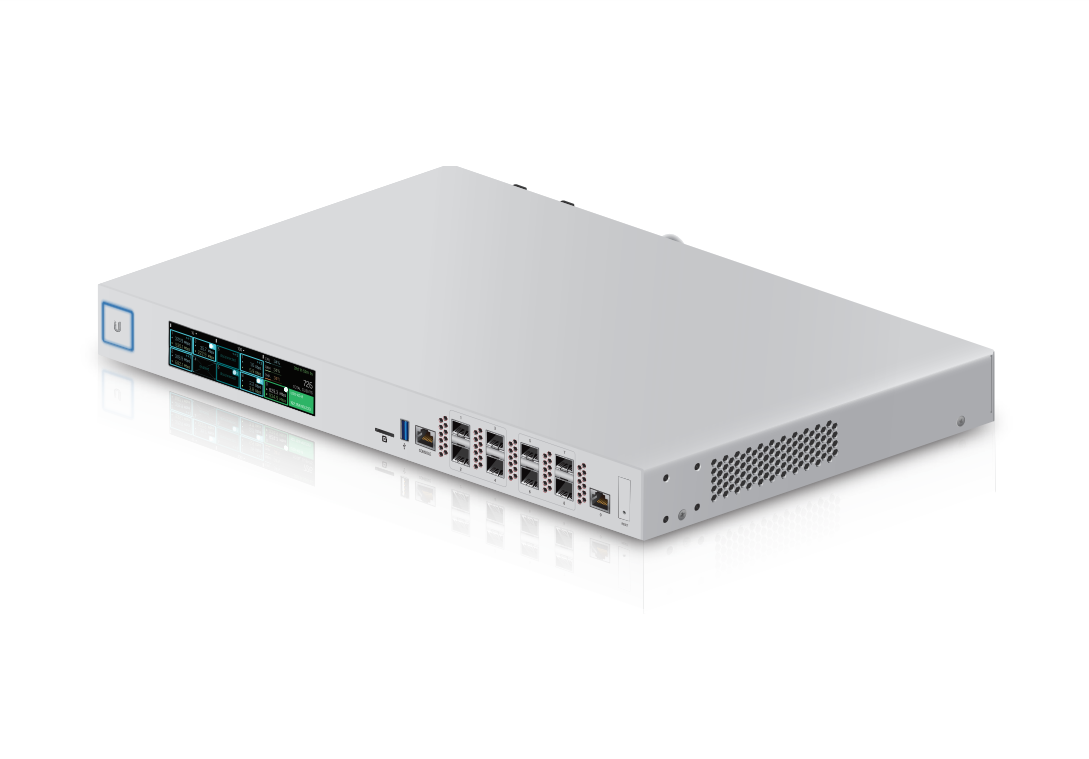
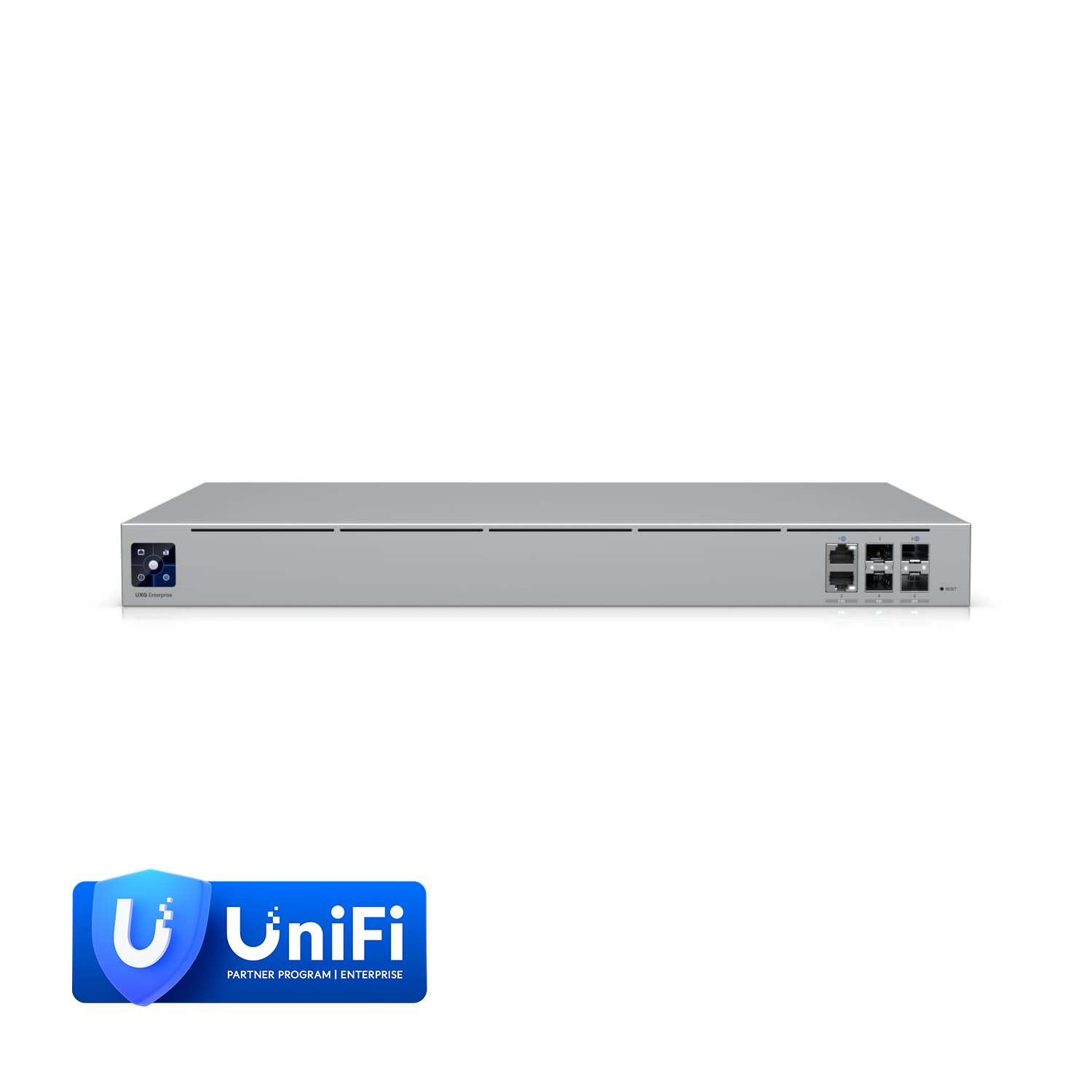
The Ubiquiti UniFi Security Gateway Pro (USG-PRO-4) extends the UniFi Enterprise System to provide cost-effective, reliable routing and advanced security for your network. It offers two optional SFP ports for fiber connectivity to support backhaul applications and is housed in a durable, rackmount chassis.
The Ubiquiti UniFi Security Gateway Pro (USG-PRO-4) extends the UniFi Enterprise System to provide cost-effective, reliable routing and advanced security for your network. It offers two optional SFP ports for fiber connectivity to support backhaul applications and is housed in a durable, rackmount chassis.
in 3 offers
The lowest price for Ubiquiti UniFi Enterprise Security Gateway Pro Router right now is $114.00 at eBay.com.au, compared across 3 retailers.
The all-time low was $114.00 on 6 June 2026. That's the lowest price we've ever tracked — a great time to buy.
Prices last updated 6 June 2026.
Ubiquiti UniFi Enterprise Security Gateway Pro Router
The Ubiquiti UniFi Security Gateway Pro (USG-PRO-4) extends the UniFi Enterprise System to provide cost-effective, reliable routing and advanced security for your network. It offers two optional SFP ports for fiber connectivity to support backhaul applications and is housed in a durable, rackmount chassis.
The Ubiquiti UniFi Security Gateway Pro (USG-PRO-4) extends the UniFi Enterprise System to provide cost-effective, reliable routing and advanced security for your network. It offers two optional SFP ports for fiber connectivity to support backhaul applications and is housed in a durable, rackmount chassis.