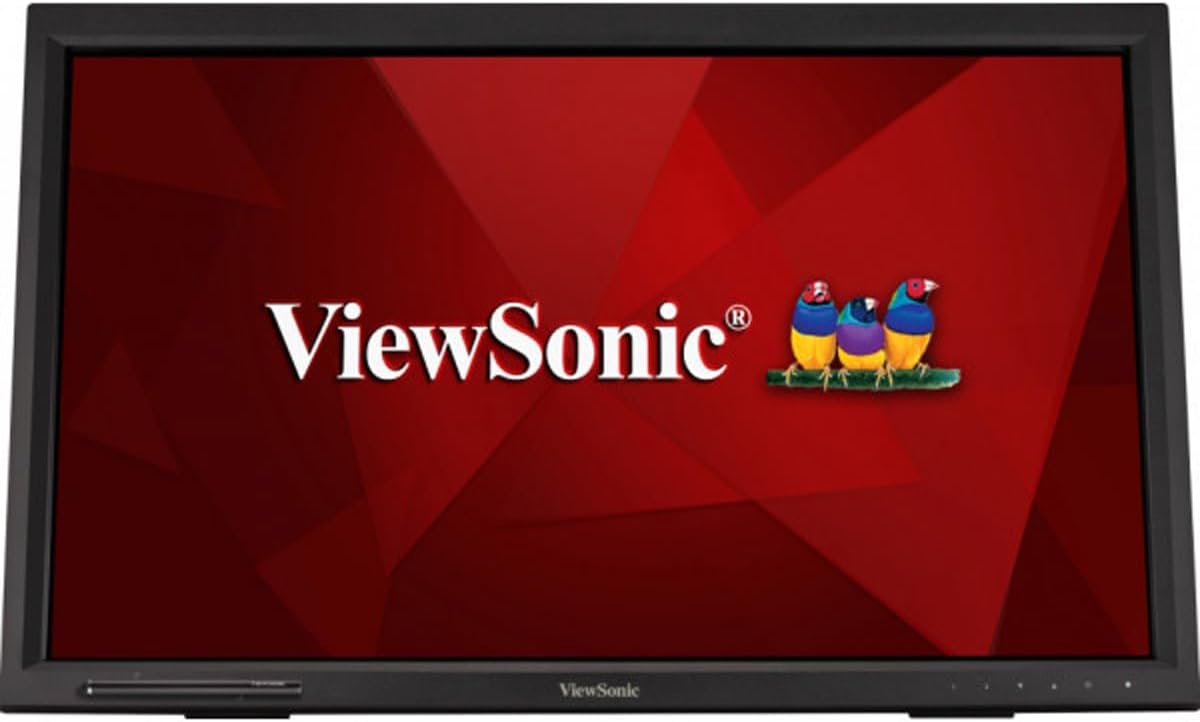
ViewSonic TD2430 24" 10-Point Touch Screen Monitor
Laid flat or angled for customized comfort, this display delivers touchscreen versatility to the max. Offering fantastic flexibility for retail, education, or business settings, the ViewSonic TD2430 is a 24” (23.6” viewable) Full HD display with 10-point multi-touch functionality. Delivering adjustable positioning, wide-angle viewing, and a durable design, the TD2430 has everything to accommodate your unique needs. Adding even more convenience, cross-compatibility with a wide range of operating systems includes Windows 10, and certain Android and Linux versions. * With a sleek edge-to-edge screen and frameless bezel, this intuitive touchscreen performs like your favorite tablet or smartphone to deliver a highly accurate, ultra-responsive touch experience ideal for interactivity in public environments, kiosk and wayfinding applications, classroom settings, and more. *Supports Windows 7/8/10, Linux 2.6.38 or later, and Android 4.0 or later.
Laid flat or angled for customized comfort, this display delivers touchscreen versatility to the max. Offering fantastic flexibility for retail, education, or business settings, the ViewSonic TD2430 is a 24” (23.6” viewable) Full HD display with 10-point multi-touch functionality. Delivering adjustable positioning, wide-angle viewing, and a durable design, the TD2430 has everything to accommodate your unique needs. Adding even more convenience, cross-compatibility with a wide range of operating systems includes Windows 10, and certain Android and Linux versions. * With a sleek edge-to-edge screen and frameless bezel, this intuitive touchscreen performs like your favorite tablet or smartphone to deliver a highly accurate, ultra-responsive touch experience ideal for interactivity in public environments, kiosk and wayfinding applications, classroom settings, and more. *Supports Windows 7/8/10, Linux 2.6.38 or later, and Android 4.0 or later.
Laid flat or angled for customized comfort, this display delivers touchscreen versatility to the max. Offering fantastic flexibility for retail, education, or business settings, the ViewSonic TD2430 is a 24” (23.6” viewable) Full HD display with 10-point multi-touch functionality. Delivering adjustable positioning, wide-angle viewing, and a durable design, the TD2430 has everything to accommodate your unique needs. Adding even more convenience, cross-compatibility with a wide range of operating systems includes Windows 10, and certain Android and Linux versions. * With a sleek edge-to-edge screen and frameless bezel, this intuitive touchscreen performs like your favorite tablet or smartphone to deliver a highly accurate, ultra-responsive touch experience ideal for interactivity in public environments, kiosk and wayfinding applications, classroom settings, and more. *Supports Windows 7/8/10, Linux 2.6.38 or later, and Android 4.0 or later.
Laid flat or angled for customized comfort, this display delivers touchscreen versatility to the max. Offering fantastic flexibility for retail, education, or business settings, the ViewSonic TD2430 is a 24” (23.6” viewable) Full HD display with 10-point multi-touch functionality. Delivering adjustable positioning, wide-angle viewing, and a durable design, the TD2430 has everything to accommodate your unique needs. Adding even more convenience, cross-compatibility with a wide range of operating systems includes Windows 10, and certain Android and Linux versions. * With a sleek edge-to-edge screen and frameless bezel, this intuitive touchscreen performs like your favorite tablet or smartphone to deliver a highly accurate, ultra-responsive touch experience ideal for interactivity in public environments, kiosk and wayfinding applications, classroom settings, and more. *Supports Windows 7/8/10, Linux 2.6.38 or later, and Android 4.0 or later.
in 5 offers
The lowest price for ViewSonic TD2430 24" 10-Point Touch Screen Monitor right now is $148.00 at UN Tech, compared across 5 retailers.
The all-time low was $148.00 on 29 Apr 2026. That's the lowest price we've ever tracked — a great time to buy.
Prices last updated 24 Sept 2026.
Last updated at 24/09/2026 07:44:24
ViewSonic TD2430 24" Full HD Touch Monitor
Free delivery
Viewsonic Td2430 24 Full Hd Lc Touch Monitor Black EU Plug 220V
Delivery $166.99
Viewsonic TD2430 touch screen monitor 59.9 cm (23.6") 1920 x 1080 pixels Black Multi-touch Kiosk
30-day returns
ViewSonic TD2430 24 Inch 1080p 10-Point Multi Touch Screen Monitor with HDMI and DisplayPort
Delivery $210
ViewSonic TD2430 24 Inch 1080p Touch Screen Monitor, 10-Point, HDMI
Delivery between 30 Sept – 3 Oct $29
originally posted on bhphotovideo.com
I searched for a specific size touch screen monitor as found this one. I was not familiar with the brand but while searching I found that viewsonic had the best ratings 2 of the past 3 years. It did come with minimal instructions in the box but B&H photo had some better instructions to download. So here is a couple of helpfull . Turn your computer off, plug in the included hdmi cable( connection under left cover panel at the underside topwhen facing the rear of monitor), plug in the included cord for the touch screen ( left side panel when facing rear of monitor. Plug in the included power cord. IMPORTANT: turn monitor on first and then turn on the computer. I had no issues on start up. This is used with a windows 10 system. This is a great product ,no issues. B&H ... MoreI searched for a specific size touch screen monitor as found this one. I was not familiar with the brand but while searching I found that viewsonic had the best ratings 2 of the past 3 years. It did come with minimal instructions in the box but B&H photo had some better instructions to download. So here is a couple of helpfull . Turn your computer off, plug in the included hdmi cable( connection under left cover panel at the underside topwhen facing the rear of monitor), plug in the included cord for the touch screen ( left side panel when facing rear of monitor. Plug in the included power cord. IMPORTANT: turn monitor on first and then turn on the computer. I had no issues on start up. This is used with a windows 10 system. This is a great product ,no issues. B&H also had the best price of anywhere I searched
originally posted on homeessentialsdirect.com
I bought this monitor for a trade show to demo an app (had it flipped 90 degrees to appear as a phone/tablet). The monitor looks really good for general display purposes and I felt the touch was accurate and had good sensitivity. The only reason I didn't give this monitor 5 stars (keep in mind it's relative to price) is due to glare. This is more glare with this monitor than pretty much any other monitor I have; however, unless you have a window with direct sunlight in the wrong place, this probably won't be that much of an issue. As a side note, I used this in conjunction with a Raspberry Pi, and there were no issues with the touch screen interface. I didn't have to load anything extra, it was just plug and play. If you are considering using this monitor for ... MoreI bought this monitor for a trade show to demo an app (had it flipped 90 degrees to appear as a phone/tablet). The monitor looks really good for general display purposes and I felt the touch was accurate and had good sensitivity. The only reason I didn't give this monitor 5 stars (keep in mind it's relative to price) is due to glare. This is more glare with this monitor than pretty much any other monitor I have; however, unless you have a window with direct sunlight in the wrong place, this probably won't be that much of an issue. As a side note, I used this in conjunction with a Raspberry Pi, and there were no issues with the touch screen interface. I didn't have to load anything extra, it was just plug and play. If you are considering using this monitor for demoing apps, a control station or a kiosk, this should meet your needs at a good price. I'd definitely purchase it again.
originally posted on homeessentialsdirect.com
I really want to like this product, but various design choices leave me feeling that this is the product you make when you don't care too much. Let's get what works out of the way first: 1. The panel itself is good quality and the OSD works fine. Text is clear, colors are good, and no blue glare right out of the box, or in other words, the image is comfy. Brightness was set to 100% out of the box. I dropped it to 50%. 2. The low 7.9 lbs weight makes it portable, which is what you want if you move it around the house or take to clients. The thin bezels give it a modern look with a high screen-to-body ratio. 3. It also has an edge-to-edge glass cover with a claimed Moh's hardness level of 7 - which I don't believe at all, as glass scratches at level 5.5, and hardened ... MoreI really want to like this product, but various design choices leave me feeling that this is the product you make when you don't care too much. Let's get what works out of the way first: 1. The panel itself is good quality and the OSD works fine. Text is clear, colors are good, and no blue glare right out of the box, or in other words, the image is comfy. Brightness was set to 100% out of the box. I dropped it to 50%. 2. The low 7.9 lbs weight makes it portable, which is what you want if you move it around the house or take to clients. The thin bezels give it a modern look with a high screen-to-body ratio. 3. It also has an edge-to-edge glass cover with a claimed Moh's hardness level of 7 - which I don't believe at all, as glass scratches at level 5.5, and hardened glass at around level 6. I can only hope this screen will resist scuffing (in a protective case) while exposed to the NVH of my trunk. 4. The integrated USB 3.0 hub (version 1) is better than competing products that only have USB 2 or just an upstream link for the touchscreen. 5. Touchscreen works well - no problems. Now, let's get to the issues: 1. The port covers on both sides of the display are not only difficult to remove but one tab already broke on the same day I got the display. That was on my 3rd attempt to remove one of the covers, and I was careful. How is this supposed to last I have no idea. 2. The built-in speakers are just atrocious. I really can't say a single good thing about them, other than maybe that there is something instead of nothing. Imagine a transistor radio from the 70's. No, not a new transistor radio, but a 50 year old one. That's how bad the speakers are. It's like an engineer just found a cavity big enough inside the case and said "There!" 3. The power supply is positively tiny, so why is it that it wasn't integrated into the display to begin with? And there would be plenty of space if you consider my next point... 4. As others have noted, all ports are on one side except the the HDMI port, which is on the other side, at the top of the cavity. Why? What kind of corporate laziness caused this decision to seem ok? If they moved the HDMI port to the other side, there would plenty of space for a built in power supply. As it is now, if you need to use HDMI, you will have cables coming out from both sides of the display, so forget bundling your cables together for a cleaner look. Plus, since the HDMI port is at the top of the cavity, you most likely need to lay the monitor face down to plug it in, something none of the other ports need since they are side facing. Did ViewSonic do any usability testing at all with this display? Seems like nobody gave a frack. 5. The rubber on the stand is stickier and has a larger contact patch than the rubber feet on the bottom of the panel. When trying to recline the display, it's preference is to slide forward as opposed to backwards. This is bad as your keyboard is most likely right in-front of the panel. If you want to recline it properly, you have to reach back and adjust from the stand. Again, did anyone at ViewSonic do a simple usability test on this? Either the answer is no or, as the sum of the defects suggests, they simply didn't give a frack.
| Panel Type | VA LCD |
| Touchscreen | Yes |
| Resolution | 1920 x 1080 |
| Aspect Ratio | 16-9 |
| Hardness Rating | 7H |
ViewSonic TD2430 24" Full HD Touch Monitor
Free delivery
Viewsonic Td2430 24 Full Hd Lc Touch Monitor Black EU Plug 220V
Delivery $166.99
Viewsonic TD2430 touch screen monitor 59.9 cm (23.6") 1920 x 1080 pixels Black Multi-touch Kiosk
30-day returns
ViewSonic TD2430 24 Inch 1080p 10-Point Multi Touch Screen Monitor with HDMI and DisplayPort
Delivery $210
ViewSonic TD2430 24 Inch 1080p Touch Screen Monitor, 10-Point, HDMI
Delivery between 30 Sept – 3 Oct $29
I searched for a specific size touch screen monitor as found this one. I was not familiar with the brand but while searching I found that viewsonic had the best ratings 2 of the past 3 years. It did come with minimal instructions in the box but B&H photo had some better instructions to download. So here is a couple of helpfull . Turn your computer off, plug in the included hdmi cable( connection under left cover panel at the underside topwhen facing the rear of monitor), plug in the included cord for the touch screen ( left side panel when facing rear of monitor. Plug in the included power cord. IMPORTANT: turn monitor on first and then turn on the computer. I had no issues on start up. This is used with a windows 10 system. This is a great product ,no issues. B&H ... MoreI searched for a specific size touch screen monitor as found this one. I was not familiar with the brand but while searching I found that viewsonic had the best ratings 2 of the past 3 years. It did come with minimal instructions in the box but B&H photo had some better instructions to download. So here is a couple of helpfull . Turn your computer off, plug in the included hdmi cable( connection under left cover panel at the underside topwhen facing the rear of monitor), plug in the included cord for the touch screen ( left side panel when facing rear of monitor. Plug in the included power cord. IMPORTANT: turn monitor on first and then turn on the computer. I had no issues on start up. This is used with a windows 10 system. This is a great product ,no issues. B&H also had the best price of anywhere I searched
I bought this monitor for a trade show to demo an app (had it flipped 90 degrees to appear as a phone/tablet). The monitor looks really good for general display purposes and I felt the touch was accurate and had good sensitivity. The only reason I didn't give this monitor 5 stars (keep in mind it's relative to price) is due to glare. This is more glare with this monitor than pretty much any other monitor I have; however, unless you have a window with direct sunlight in the wrong place, this probably won't be that much of an issue. As a side note, I used this in conjunction with a Raspberry Pi, and there were no issues with the touch screen interface. I didn't have to load anything extra, it was just plug and play. If you are considering using this monitor for ... MoreI bought this monitor for a trade show to demo an app (had it flipped 90 degrees to appear as a phone/tablet). The monitor looks really good for general display purposes and I felt the touch was accurate and had good sensitivity. The only reason I didn't give this monitor 5 stars (keep in mind it's relative to price) is due to glare. This is more glare with this monitor than pretty much any other monitor I have; however, unless you have a window with direct sunlight in the wrong place, this probably won't be that much of an issue. As a side note, I used this in conjunction with a Raspberry Pi, and there were no issues with the touch screen interface. I didn't have to load anything extra, it was just plug and play. If you are considering using this monitor for demoing apps, a control station or a kiosk, this should meet your needs at a good price. I'd definitely purchase it again.
I really want to like this product, but various design choices leave me feeling that this is the product you make when you don't care too much. Let's get what works out of the way first: 1. The panel itself is good quality and the OSD works fine. Text is clear, colors are good, and no blue glare right out of the box, or in other words, the image is comfy. Brightness was set to 100% out of the box. I dropped it to 50%. 2. The low 7.9 lbs weight makes it portable, which is what you want if you move it around the house or take to clients. The thin bezels give it a modern look with a high screen-to-body ratio. 3. It also has an edge-to-edge glass cover with a claimed Moh's hardness level of 7 - which I don't believe at all, as glass scratches at level 5.5, and hardened ... MoreI really want to like this product, but various design choices leave me feeling that this is the product you make when you don't care too much. Let's get what works out of the way first: 1. The panel itself is good quality and the OSD works fine. Text is clear, colors are good, and no blue glare right out of the box, or in other words, the image is comfy. Brightness was set to 100% out of the box. I dropped it to 50%. 2. The low 7.9 lbs weight makes it portable, which is what you want if you move it around the house or take to clients. The thin bezels give it a modern look with a high screen-to-body ratio. 3. It also has an edge-to-edge glass cover with a claimed Moh's hardness level of 7 - which I don't believe at all, as glass scratches at level 5.5, and hardened glass at around level 6. I can only hope this screen will resist scuffing (in a protective case) while exposed to the NVH of my trunk. 4. The integrated USB 3.0 hub (version 1) is better than competing products that only have USB 2 or just an upstream link for the touchscreen. 5. Touchscreen works well - no problems. Now, let's get to the issues: 1. The port covers on both sides of the display are not only difficult to remove but one tab already broke on the same day I got the display. That was on my 3rd attempt to remove one of the covers, and I was careful. How is this supposed to last I have no idea. 2. The built-in speakers are just atrocious. I really can't say a single good thing about them, other than maybe that there is something instead of nothing. Imagine a transistor radio from the 70's. No, not a new transistor radio, but a 50 year old one. That's how bad the speakers are. It's like an engineer just found a cavity big enough inside the case and said "There!" 3. The power supply is positively tiny, so why is it that it wasn't integrated into the display to begin with? And there would be plenty of space if you consider my next point... 4. As others have noted, all ports are on one side except the the HDMI port, which is on the other side, at the top of the cavity. Why? What kind of corporate laziness caused this decision to seem ok? If they moved the HDMI port to the other side, there would plenty of space for a built in power supply. As it is now, if you need to use HDMI, you will have cables coming out from both sides of the display, so forget bundling your cables together for a cleaner look. Plus, since the HDMI port is at the top of the cavity, you most likely need to lay the monitor face down to plug it in, something none of the other ports need since they are side facing. Did ViewSonic do any usability testing at all with this display? Seems like nobody gave a frack. 5. The rubber on the stand is stickier and has a larger contact patch than the rubber feet on the bottom of the panel. When trying to recline the display, it's preference is to slide forward as opposed to backwards. This is bad as your keyboard is most likely right in-front of the panel. If you want to recline it properly, you have to reach back and adjust from the stand. Again, did anyone at ViewSonic do a simple usability test on this? Either the answer is no or, as the sum of the defects suggests, they simply didn't give a frack.
I received this today and am in absolute love. I have a disability and can not use a mouse for more than a few minutes. I have this hooked up to my Surface Pro 3 and it has been nothing shy of amazing. I have been on my computer for hours with zero pain, and this monitor has stayed cool and very responsive the entire time. I will be purchasing this again in the 27" version. UPDATE: I purchased the 27" version as well for home use. I also went online and found screen protectors for these two monster monitors. I could NOT be happier with my purchases. I use one in my classroom and it runs 9 hours a day every day. It never gets warm and the touch screen is very accurate and sensitive.
Image quality is very sensitive to vertical viewing angle of the screen. It's OK if your face is perpendicular to the screen, but move your head up or down a little, and the image gets washed out to dull muddy colors very quickly. I was hoping to use it in the reclined position like a control panel or audio mixer board, and pushed back from the front of the desk about 8 inches, but it looks terrible. You have to lean directly over the screen to see a decent image. Lean back at all while it is reclined, and it's washed out and hard to read. Since the stand can be fully reclined, I was expecting a nice image at that angle - not even close. I was very disappointed. I'll hang it on the wall in the kitchen and try to find a better one for the desk.
My only compliant (hence 4 star) is that nowhere in any of the documentation, either included included in the box or online (like ViewSonic's own User Guide for this monitor), even mentions the touchscreen, which to me seems really odd. With that said, when I initially plugged it in, I just connect the HDMI and power. There was no mention that I had to plug the USB cable too. I only realised this after a couple of hours of troubleshooting on my own when it made perfect sense that the touchscreen is basically a big mouse on top of the monitor, hence the need for the usb cable (I also remembered that HDMI data is (for most data) is one way. Other than that, I have only had this monitor for a few days, it has been great. Currently using it with a Chromebook as an ... MoreMy only compliant (hence 4 star) is that nowhere in any of the documentation, either included included in the box or online (like ViewSonic's own User Guide for this monitor), even mentions the touchscreen, which to me seems really odd. With that said, when I initially plugged it in, I just connect the HDMI and power. There was no mention that I had to plug the USB cable too. I only realised this after a couple of hours of troubleshooting on my own when it made perfect sense that the touchscreen is basically a big mouse on top of the monitor, hence the need for the usb cable (I also remembered that HDMI data is (for most data) is one way. Other than that, I have only had this monitor for a few days, it has been great. Currently using it with a Chromebook as an external monitor (that screen is touch as well). The stand in the back has worked well for my needs. I did test the max angle (I think it is 70, this is not in the User Guide either), but I would probably only use that if I was standing when using it.
The blacks are dark grays and the whites are very light grays, even with 100% contrast, 50% brightness, and native video settings. This should not happen for a normal MVA display type (read more at TFTCentral dot CO dot UK. As another reviewer (Roy Eduardo Kokoyachukon March 20, 2015) mentioned two and a half year ago, I placed the ViewSonic TD2430 monitor, side-by-side with my Toshiba Satellite laptop and the difference is obvious. The owner manual is childish and the datasheet document is with omissions and errors (legend of components and I/O connectors). I'm rating the monitor with 3 stars, but this is very subjective. If you consider that even a cheap phone has a better display (and has a lot of other functions), I incline more towards a 2 star rating. Also, I ... MoreThe blacks are dark grays and the whites are very light grays, even with 100% contrast, 50% brightness, and native video settings. This should not happen for a normal MVA display type (read more at TFTCentral dot CO dot UK. As another reviewer (Roy Eduardo Kokoyachukon March 20, 2015) mentioned two and a half year ago, I placed the ViewSonic TD2430 monitor, side-by-side with my Toshiba Satellite laptop and the difference is obvious. The owner manual is childish and the datasheet document is with omissions and errors (legend of components and I/O connectors). I'm rating the monitor with 3 stars, but this is very subjective. If you consider that even a cheap phone has a better display (and has a lot of other functions), I incline more towards a 2 star rating. Also, I purchased an extended warranty which I plan of returning alongside the monitor for a refund.
| Panel Type | VA LCD |
| Touchscreen | Yes |
| Resolution | 1920 x 1080 |
| Aspect Ratio | 16-9 |
| Hardness Rating | 7H |