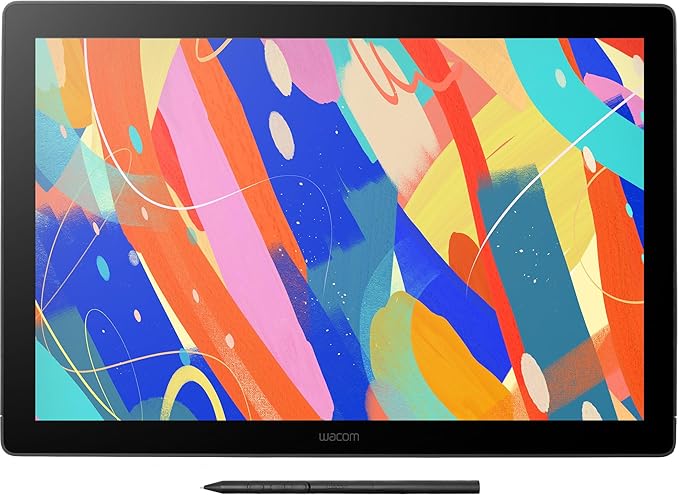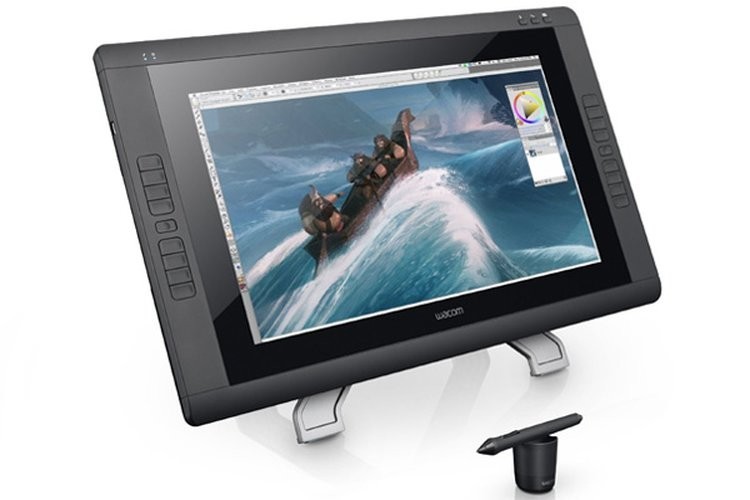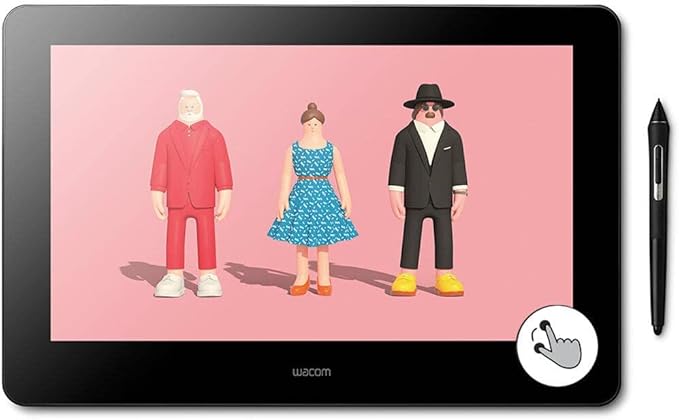
On a graphic tablet you can write and make drawings with special pen. The information your graphic tablet receives is transferred to your computer and can be displayed as a drawing on your screen. With the appropriate software, it is even possible to write in handwriting on your graphic tablet instead of typing.
On a graphic tablet you can write and make drawings with special pen. The information your graphic tablet receives is transferred to your computer and can be displayed as a drawing on your screen. With the appropriate software, it is even possible to write in handwriting on your graphic tablet instead of typing.
in 1 offers
The lowest price for Wacom Cintiq Pro 16" UHD Interactive Pen Display (DTH-1620) right now is $1,699.00 at Scorptec.
The all-time low was $1,699.00 on 1 Oct 2026. That's the lowest price we've ever tracked — a great time to buy.
Prices last updated 21 Oct 2026.
Wacom Cintiq Pro 16" UHD Interactive Pen Display (DTH-1620)
On a graphic tablet you can write and make drawings with special pen. The information your graphic tablet receives is transferred to your computer and can be displayed as a drawing on your screen. With the appropriate software, it is even possible to write in handwriting on your graphic tablet instead of typing.
On a graphic tablet you can write and make drawings with special pen. The information your graphic tablet receives is transferred to your computer and can be displayed as a drawing on your screen. With the appropriate software, it is even possible to write in handwriting on your graphic tablet instead of typing.
Last updated at 21/10/2026 09:16:13
*Ex Demo* Wacom DTH-1620/AK0-CX Cintiq Pro 16 Pen Display
Delivery $17
originally posted on ebay.com
Heads and shoulders above everything else out there. The cable setup can be a little messy if your computer doesn't have any USB C ports, however it comes with all the necessary adapters if your computer doesn't. One important thing to note is that without 3rd party hardware you cannot output 4K resolution from this device without a USB C connection. I believe the highest output it has otherwise is QuadHD also known as 1440p. Performance of the tablet functions and response is amazing. No other tablet comes close. Tracking is spot on, and the pen feels more natural than ever. This device can take a little bit of time to setup, (especially if you don't have USB C), but once you get it going you will never want to turn it off.
originally posted on wexphotographic.com
This would be a great product combing a portable size and features if it actually worked as advertised. It does not.The display would often disconnect randomly during my first few weeks of ownership, this seems to have been resolved with a driver update. However this did not fix a more critical issue - it draws wobbly lines so you can forget about inking smoothly. Older Cintiqs such as the 22HD offer better, more reliable performance. Wacom assured my they would release a driver update to fix the issue and I foolishly believed them, allowing the return window at Wex to elapse - over a month later and I'm still no closer to having a portable setup that actually works. It seems they haven't actually tested it properly prior to release on Windows or OSX.
originally posted on adorama.com
I really hoped that this new 16 inch design would be more maneuverable and comfortable than the larger 22" and 24" cintiqs but avoid the tiny icons and low resolution of the 13HD. I also hoped that Wacom would finally introduce a worthwhile touch interface. None of those hopes were realized.Despite being smaller and lighter and more flexible to use on a desk, the thing requires a whole nest of cables to run, so leaning back and putting it in your lap is not happening without making a huge mess. Even the 13HD, with its finicky connection used a single cable and could reasonably be expected to sit in your lap.Despite the higher resolution the icons are still tiny and grainy looking with negligible improvement over the 13 HD. Compared to iPad Pro with Astropad and ... MoreI really hoped that this new 16 inch design would be more maneuverable and comfortable than the larger 22" and 24" cintiqs but avoid the tiny icons and low resolution of the 13HD. I also hoped that Wacom would finally introduce a worthwhile touch interface. None of those hopes were realized.Despite being smaller and lighter and more flexible to use on a desk, the thing requires a whole nest of cables to run, so leaning back and putting it in your lap is not happening without making a huge mess. Even the 13HD, with its finicky connection used a single cable and could reasonably be expected to sit in your lap.Despite the higher resolution the icons are still tiny and grainy looking with negligible improvement over the 13 HD. Compared to iPad Pro with Astropad and Surface Pro it looks terrible.Multitouch still sucks regardless if it's on a Mac or a PC (yes I tried both). I don't know how this is so hard for Wacom to get right. Solid multitouch interfaces are everywhere at this point. Even windows laptops have nice multitouch trackpads now. Wacom just can't make that happen. In testing, basic gestures like pinch to zoom work only about 60-70% of the time. I can barely see any improvement over my old intuos 5 tablet.Bottom Line:Ipad pro gives a better pen display experience through Astropad, using a single USB cable than the Cintiq pro can manage with 3 USB C ports in use. I went to a Best Buy and tried out the Surface pro again after installing this Cintiq. In my opinion the Surface had a better drawing feel with less parallax.Either way, Wacom isn't the only name in town anymore and both Microsoft and Apple's options are more versatile and give you a better experience for a better price.
| Brand | Wacom |
| Pressure Sensitivity | Level 8192 |
| Tilt-sensitive | Yes |
| Connectivity | Wired |
| Programmable | Yes |
*Ex Demo* Wacom DTH-1620/AK0-CX Cintiq Pro 16 Pen Display
Delivery $17
Heads and shoulders above everything else out there. The cable setup can be a little messy if your computer doesn't have any USB C ports, however it comes with all the necessary adapters if your computer doesn't. One important thing to note is that without 3rd party hardware you cannot output 4K resolution from this device without a USB C connection. I believe the highest output it has otherwise is QuadHD also known as 1440p. Performance of the tablet functions and response is amazing. No other tablet comes close. Tracking is spot on, and the pen feels more natural than ever. This device can take a little bit of time to setup, (especially if you don't have USB C), but once you get it going you will never want to turn it off.
This would be a great product combing a portable size and features if it actually worked as advertised. It does not.The display would often disconnect randomly during my first few weeks of ownership, this seems to have been resolved with a driver update. However this did not fix a more critical issue - it draws wobbly lines so you can forget about inking smoothly. Older Cintiqs such as the 22HD offer better, more reliable performance. Wacom assured my they would release a driver update to fix the issue and I foolishly believed them, allowing the return window at Wex to elapse - over a month later and I'm still no closer to having a portable setup that actually works. It seems they haven't actually tested it properly prior to release on Windows or OSX.
I really hoped that this new 16 inch design would be more maneuverable and comfortable than the larger 22" and 24" cintiqs but avoid the tiny icons and low resolution of the 13HD. I also hoped that Wacom would finally introduce a worthwhile touch interface. None of those hopes were realized.Despite being smaller and lighter and more flexible to use on a desk, the thing requires a whole nest of cables to run, so leaning back and putting it in your lap is not happening without making a huge mess. Even the 13HD, with its finicky connection used a single cable and could reasonably be expected to sit in your lap.Despite the higher resolution the icons are still tiny and grainy looking with negligible improvement over the 13 HD. Compared to iPad Pro with Astropad and ... MoreI really hoped that this new 16 inch design would be more maneuverable and comfortable than the larger 22" and 24" cintiqs but avoid the tiny icons and low resolution of the 13HD. I also hoped that Wacom would finally introduce a worthwhile touch interface. None of those hopes were realized.Despite being smaller and lighter and more flexible to use on a desk, the thing requires a whole nest of cables to run, so leaning back and putting it in your lap is not happening without making a huge mess. Even the 13HD, with its finicky connection used a single cable and could reasonably be expected to sit in your lap.Despite the higher resolution the icons are still tiny and grainy looking with negligible improvement over the 13 HD. Compared to iPad Pro with Astropad and Surface Pro it looks terrible.Multitouch still sucks regardless if it's on a Mac or a PC (yes I tried both). I don't know how this is so hard for Wacom to get right. Solid multitouch interfaces are everywhere at this point. Even windows laptops have nice multitouch trackpads now. Wacom just can't make that happen. In testing, basic gestures like pinch to zoom work only about 60-70% of the time. I can barely see any improvement over my old intuos 5 tablet.Bottom Line:Ipad pro gives a better pen display experience through Astropad, using a single USB cable than the Cintiq pro can manage with 3 USB C ports in use. I went to a Best Buy and tried out the Surface pro again after installing this Cintiq. In my opinion the Surface had a better drawing feel with less parallax.Either way, Wacom isn't the only name in town anymore and both Microsoft and Apple's options are more versatile and give you a better experience for a better price.
The Cintiq has improved my workflow significantly including speed and precision. It works quite well with Adobe products and even with non-creative apps. I only have a couple of complaints. It tends to run warm after prolonged use which isn't a deal breaker. Also there's some calibration issues from time to time, once again not a deal breaker.
So far the cintiq 16 pro is great . The one issue I am having issues with is the connection to computer . If you have a windows computer it took me a very long time to get it to connect . If you have a Mac or iMac your golden as long as you have a usb-c port . I love the ease of being able to edit photos thru photoshop . I called Wacom to get help with connections but whoever I had had a very low voice and not much patience . I have the 22 touch and was looking for something smaller . I would def buy from b & h again .
I've been using Cintiqs ever since the 21UX came out. I've never had issues like I have had with the 16 Pro - and for that matter, it's all-in-one cousin the Mobilestudio Pro 16. Specifically - every unit I have had has developed something I am calling pixel rash within the first couple months of use. It begins as a smattering of stuck pixels and will eventually escalate and spread out from the lower central portion of the screen. It's extremely noticeable and becomes a real hinderance when working with dark images. This has happened to me with two Mobilestudio Pro's, and I am currently on my second 16 Pro to have developed this issue. Luckily it's still under warranty. But it's frustrating to have to continue to go through this process with Wacom. Frankly, it's a ... MoreI've been using Cintiqs ever since the 21UX came out. I've never had issues like I have had with the 16 Pro - and for that matter, it's all-in-one cousin the Mobilestudio Pro 16. Specifically - every unit I have had has developed something I am calling pixel rash within the first couple months of use. It begins as a smattering of stuck pixels and will eventually escalate and spread out from the lower central portion of the screen. It's extremely noticeable and becomes a real hinderance when working with dark images. This has happened to me with two Mobilestudio Pro's, and I am currently on my second 16 Pro to have developed this issue. Luckily it's still under warranty. But it's frustrating to have to continue to go through this process with Wacom. Frankly, it's a bad product.That being said, setting aside the pixel rash issue, drawing on this thing is a dream. By far the best drawing experience of any tablet I have used. So if you absolutely need a small drawing tablet with 4K... as far as I know this is still the only game in town. But you've been warned.
Ive always had a few technical problems with Wacom tablets, when paired to a PC. Windows/driver updates can throw a wrench in things.This video is one that helped clear up my issues where the pen was panning instead of drawing, no pen pressure and other annoying Windows ink features. Lots of forum searches and youtube watching.https://www.youtube.com/watch?v=sGi47EWEkuYI also left my regular tablet plugged in and it trips up the function of the Cintiq. If you have the pen or mouse actively sitting on it, it will not allow drawing on the Cintiq. Simple problem, but it took me way too long to figure out. :)Smooth sailing, once the set up is complete.
I've used, and loved my old Cintiq 22. Unfortunately, when the back-light on it finally died I decided to try a new, smaller and more portable Cintiq Pro 16 model.The first display I received had light artifacts running up the right hand edge, as well as an overall green hue to the display. I spent several hours working with Wacom support to update drivers and firmware, as they seemed to feel software would fix the poor display quality. It did not, and because Wacom would only replace my brand new never been used display with a refurbished model, the unit was returned.After about a year, I had hoped some of the issues had been worked out, and tried buying a new Wacom Cintiq Pro 16 again. This display was in better, functional condition, but still I was ... MoreI've used, and loved my old Cintiq 22. Unfortunately, when the back-light on it finally died I decided to try a new, smaller and more portable Cintiq Pro 16 model.The first display I received had light artifacts running up the right hand edge, as well as an overall green hue to the display. I spent several hours working with Wacom support to update drivers and firmware, as they seemed to feel software would fix the poor display quality. It did not, and because Wacom would only replace my brand new never been used display with a refurbished model, the unit was returned.After about a year, I had hoped some of the issues had been worked out, and tried buying a new Wacom Cintiq Pro 16 again. This display was in better, functional condition, but still I was disappointed.First, I have a Windows 10 Surface Pro, and an iMac Pro. The Cintiq Pro 16 is NOT plug and play with either.With the iMac Pro, using the USB-C cord, the Cintiq Pro 16 works reasonably well, after you install the Wacom software, and drivers, and depending on when the unit shipped, may need to also update the internal firmware using the Wacom Desktop Center.Also a bit disappointing when the Cintiq Pro 16 is connected to the iMac Pro over USB-C, you still need a second USB-C cord to supply power, and that cord can only plug in to the right side of the Cintiq, meaning, you have USB-C cords sicking out of both sides of the display taking up vital desk space, and just asking to be bumped and bent. If you try to plug both power and display in to the left side, it will not work. (Odd considering the iMac USB-C bus is capable of supplying sufficient power to external devices to avoid the need for Cintiq to require a separate power cable.)The Surface Pro, not having USB-C, requires both a USB and Display Port cable going to the Wacom Link Plus, plugged in to a power over USB-C cord, then running the USB C cord to the Cintiq. Wow! What a mess. This is not a very portable solution after all with 4-5 cords and a Link Plus box. Even so, if it worked it would be a messy but okay solution. (I get that adapters are needed). Unfortunately after all that, the Surface see's the Cintiq, touch and pen input work, the Surface thinks the display is attached, but the Wacom Cintiq only shows a black screen with a green box stating No Signal. I have, on a few rare occasions had the display work properly with the Surface, but it's unreliable, to the point I can not use it for work.Best I can say is, if you want a VERY expensive Intuos, the Cintiq works perfectly in tablet mode (meaning, pen/touch work, but the display stays black).Color rendering is abysmal anyways, so maybe tablet mode isn't the worst option. Even after multiple attempts at calibration (of a unit that is suppose to be factory calibrated) the display cast's a greenish hue, making it useless for photography or any graphic work where accurate color is important.The quality and general functionality of the Cintiq Pro 16 is so bad, if it weren't for the Wacom Pen's which I've grown to love and far surpass anything else on the market, I would have given up on Wacom displays already. I want to love the Cintiq Pro 16. It's slim, portable, and easy to stash a way, feels comfortable on the desk or in your lap, and is a pretty good compromise in size.I want to love the Cintiq Pro 16, but the quality of the display falls so far below that of my Surface Pro, iPad and other such pen-input supporting displays, I just can't justify the price. I have always loved the Wacom pen's, and still do. The pen is the best thing Wacom has going for it right now... saddly. The Cintiq Pro 16 is marketed as a professional too for photographers, and artist's. I disagree. This is not a tool that meets the exacting standards of even amateur photographers.Save your money and stick with your mouse. If you really need pen input, the Surface or Intuos are two better options that I'm aware of. Either that or hold out in hope that one day Wacom will once again start to deliver the high quality professional products they once did.
I was looking for an upgrade to using my iPad Pro with Astro Pad Studio that would get me the same responsiveness and feel as the Apple Pencil but with some tooth. I’ve only seen the Cintiq graphic displays online and have heard good things about them, so my expectations were high. I also have an Intuos wireless graphics tablet, so I’ve experienced the responsiveness of Wacom’s tech.Bottom line, this is a solid product.The drawing experience is so natural that it’s easy to fall into your creative zone and not worry about the tech that’s behind getting you there.I do have one con though that caused my 4 star rating. The touch feature (perhaps the driver capabilities?) does not allow for a simple two finger tap assignment to Undo. On the iPad in apps such as ... MoreI was looking for an upgrade to using my iPad Pro with Astro Pad Studio that would get me the same responsiveness and feel as the Apple Pencil but with some tooth. I’ve only seen the Cintiq graphic displays online and have heard good things about them, so my expectations were high. I also have an Intuos wireless graphics tablet, so I’ve experienced the responsiveness of Wacom’s tech.Bottom line, this is a solid product.The drawing experience is so natural that it’s easy to fall into your creative zone and not worry about the tech that’s behind getting you there.I do have one con though that caused my 4 star rating. The touch feature (perhaps the driver capabilities?) does not allow for a simple two finger tap assignment to Undo. On the iPad in apps such as Procreate and others, that has become a natural gesture to quickly undo your last stroke and I was so looking forward to having that function available, but alas! There is a 3 finger undo, but who does that really?I also use a graphics tablet glove which seems to not have any effect on the touch when it’s on, so I find myself having to turn touch off reluctantly because it becomes a hinderance more than a help. Makes me wonder if I should have gone with the regular Cintiq 16 and saved some money.Even so, overall I am enjoying my Cintiq and would recommend it.
I've always been told Wacom is the best, and while pricey, I definitely agree so far.The pen doesn't require batteries and between the pen and screen texture, it really feels like you're drawing on paper. And it has a digital hotkey for turning touch off quickly, though you can also customize the gestures to your liking in addition to the buttons on the pen and a pop up radial tool for quick actions.It has several connectors/cables included for the various hardware setups you might have and is natively a 4k screen. The only problem I run into with it is if your normal monitors are not also 4k you will want to set the display to 1080p to match the monitor otherwise there is a a distortion (at least with windows) when trying to use multiple resolutions.
| Brand | Wacom |
| Pressure Sensitivity | Level 8192 |
| Tilt-sensitive | Yes |
| Connectivity | Wired |
| Programmable | Yes |