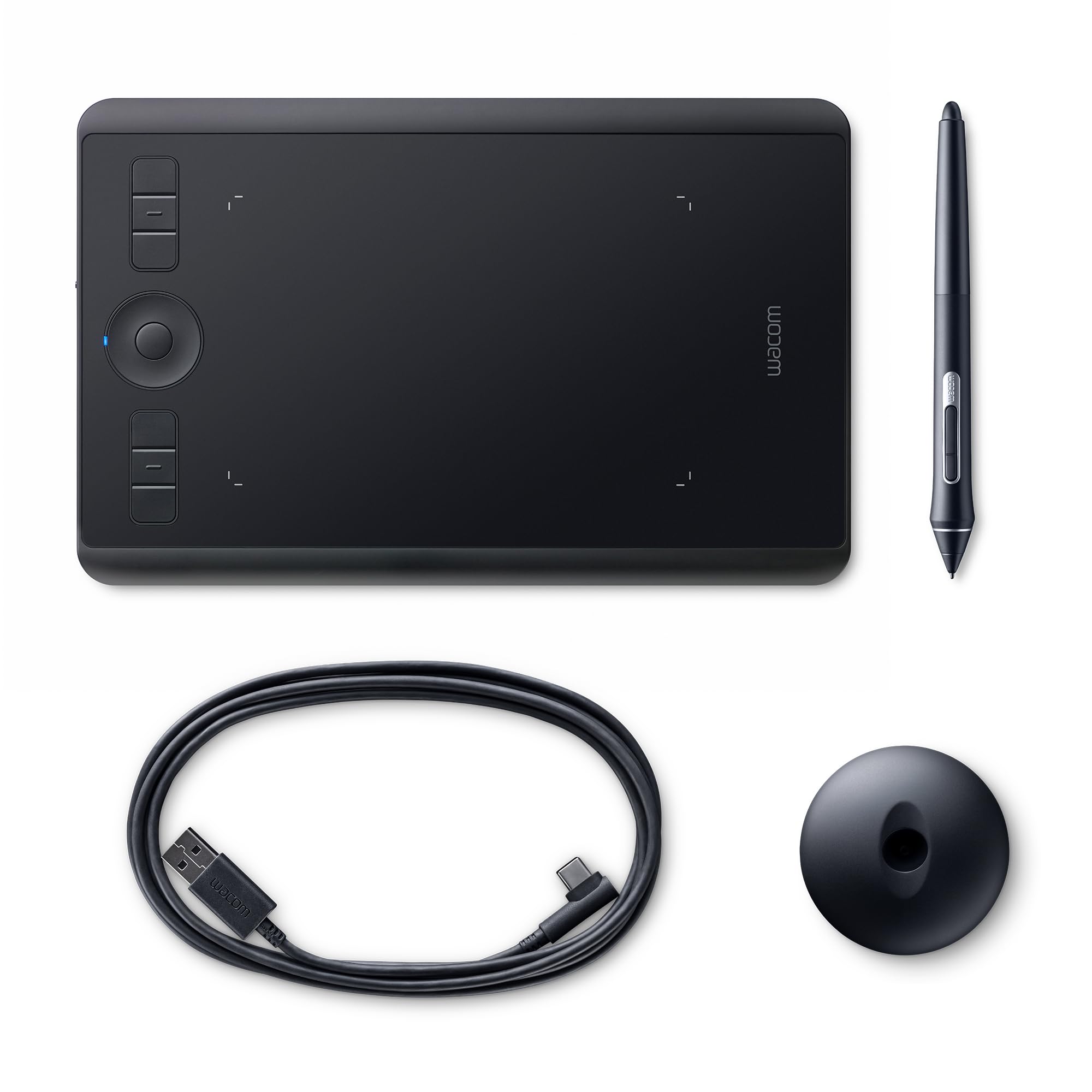
Wacom - Intuos Pro Small Pen and Touch Tablet - Black - PTH451
The Wacom Intuos Pro Small sets a new standard for professional pen tablets with exceptional pen performance and creative capabilities to help you achieve creative breakthroughs. At the heart of the Intuos Pro Small is the Wacom Pro Pen 2 which features 8,192 levels of pressure sensitivity as well as tilt-response and virtually lag-free tracking. With no batteries or recharging required you get complete creative freedom. Intuos Pro comes with a range of features to make creating faster and easier. Customisable Express-Keys, a Touch Ring, Radial Menus and pen side switches provide quick and easy shortcuts for common tasks. The multi-touch surface speeds your workflow, letting you zoom, pan and navigate with a sweep of your fingers. The Intuos Pro features a new super-slim design with a smaller, more compact footprint. The result is a pen tablet that feels reassuringly strong but is only 8mm thick. It comes with built-in wireless Bluetooth or a USB cable for connection to your Mac or PC. The Intuos Pro is also available in Medium and Large, as well as a Paper Edition that allows you to sketch on paper and capture a digital, editable version.
The Wacom Intuos Pro Small sets a new standard for professional pen tablets with exceptional pen performance and creative capabilities to help you achieve creative breakthroughs. At the heart of the Intuos Pro Small is the Wacom Pro Pen 2 which features 8,192 levels of pressure sensitivity as well as tilt-response and virtually lag-free tracking. With no batteries or recharging required you get complete creative freedom. Intuos Pro comes with a range of features to make creating faster and easier. Customisable Express-Keys, a Touch Ring, Radial Menus and pen side switches provide quick and easy shortcuts for common tasks. The multi-touch surface speeds your workflow, letting you zoom, pan and navigate with a sweep of your fingers. The Intuos Pro features a new super-slim design with a smaller, more compact footprint. The result is a pen tablet that feels reassuringly strong but is only 8mm thick. It comes with built-in wireless Bluetooth or a USB cable for connection to your Mac or PC. The Intuos Pro is also available in Medium and Large, as well as a Paper Edition that allows you to sketch on paper and capture a digital, editable version.
The Wacom Intuos Pro Small sets a new standard for professional pen tablets with exceptional pen performance and creative capabilities to help you achieve creative breakthroughs. At the heart of the Intuos Pro Small is the Wacom Pro Pen 2 which features 8,192 levels of pressure sensitivity as well as tilt-response and virtually lag-free tracking. With no batteries or recharging required you get complete creative freedom. Intuos Pro comes with a range of features to make creating faster and easier. Customisable Express-Keys, a Touch Ring, Radial Menus and pen side switches provide quick and easy shortcuts for common tasks. The multi-touch surface speeds your workflow, letting you zoom, pan and navigate with a sweep of your fingers. The Intuos Pro features a new super-slim design with a smaller, more compact footprint. The result is a pen tablet that feels reassuringly strong but is only 8mm thick. It comes with built-in wireless Bluetooth or a USB cable for connection to your Mac or PC. The Intuos Pro is also available in Medium and Large, as well as a Paper Edition that allows you to sketch on paper and capture a digital, editable version.
The Wacom Intuos Pro Small sets a new standard for professional pen tablets with exceptional pen performance and creative capabilities to help you achieve creative breakthroughs. At the heart of the Intuos Pro Small is the Wacom Pro Pen 2 which features 8,192 levels of pressure sensitivity as well as tilt-response and virtually lag-free tracking. With no batteries or recharging required you get complete creative freedom. Intuos Pro comes with a range of features to make creating faster and easier. Customisable Express-Keys, a Touch Ring, Radial Menus and pen side switches provide quick and easy shortcuts for common tasks. The multi-touch surface speeds your workflow, letting you zoom, pan and navigate with a sweep of your fingers. The Intuos Pro features a new super-slim design with a smaller, more compact footprint. The result is a pen tablet that feels reassuringly strong but is only 8mm thick. It comes with built-in wireless Bluetooth or a USB cable for connection to your Mac or PC. The Intuos Pro is also available in Medium and Large, as well as a Paper Edition that allows you to sketch on paper and capture a digital, editable version.
in 14 offers
The lowest price for Wacom - Intuos Pro Small Pen and Touch Tablet - Black - PTH451 right now is $76.12 at eBay.com.au, compared across 8 retailers.
The all-time low was $25.99 on 26 Feb 2025 — today's price is 193% above the lowest ever. It has been notably cheaper before — worth setting a price alert.
Prices last updated 12 Sept 2026.
Last updated at 12/09/2026 02:40:10
Wacom Intuos Pro Small Pth-451 Digital Graphic Drawing Tablet Only
Delivery $56.16
Affiliate Disclosure: We may receive a small commission for purchases made through this link at no extra cost to you. This helps support our site. Thank you!
Wacom Intuos Pro small Professional Pen & Touch Tablet with Wireless Kit PTH451
Affiliate Disclosure: We may receive a small commission for purchases made through this link at no extra cost to you. This helps support our site. Thank you!
Wacom Intous Pen Tablet Pth-451
Delivery $40.41
Affiliate Disclosure: We may receive a small commission for purchases made through this link at no extra cost to you. This helps support our site. Thank you!
Wacom Intuos Pro Digital Graphic Drawing Tablet For Mac Or Pc, Small
Free delivery
Affiliate Disclosure: We may receive a small commission for purchases made through this link at no extra cost to you. This helps support our site. Thank you!
Wacom Intuos Pro Pth-451 Professional Creative Touch Tablet Small
Delivery $14.50
Affiliate Disclosure: We may receive a small commission for purchases made through this link at no extra cost to you. This helps support our site. Thank you!
Wacom Intuos PRO Small Graphics Tablet + Wireless Kit PTH-451
30-day returns
Wacom Intuos Pro S graphics tablet, 5080lpi, 160x100mm Active area, Pen wireless, spike, erasure function, 2 keys | PTH460K0B
Delivery between 16–23 Sept $34.90
Wacom Intuos Pro Small Refurbished
Free delivery between 16–23 Sept
Wacom Intuos Pro Small
Free delivery between 16–23 Sept
Wacom Intuos Pro Small
originally posted on influenster.com
First tablet I ever got and it works like a dream! If you're someone who likes drawing on the couch/ on your lap, the small is probably the best place to start. The workspace is just the right size if you're working with a laptop. Wireless function is awesome and the battery life is excellent. The touch function is the only the extra that I don't use at all - so it's something to consider if you're deciding to buy a tablet with or without touch capabilities. Beyond that, the whole thing is by far worth the price. Very affordable for a top quality product. Pro tip: if you want the surface to stay neat and clean without any scratches, consider putting a clear film or paper on top of the drawing area. The the tablet senses the stylus without any problems even with ... MoreFirst tablet I ever got and it works like a dream! If you're someone who likes drawing on the couch/ on your lap, the small is probably the best place to start. The workspace is just the right size if you're working with a laptop. Wireless function is awesome and the battery life is excellent. The touch function is the only the extra that I don't use at all - so it's something to consider if you're deciding to buy a tablet with or without touch capabilities. Beyond that, the whole thing is by far worth the price. Very affordable for a top quality product. Pro tip: if you want the surface to stay neat and clean without any scratches, consider putting a clear film or paper on top of the drawing area. The the tablet senses the stylus without any problems even with paper in between.
originally posted on influenster.com
Personally as a graphic designer and illustrator I can not live without my Wacom tablets I have both this one and the Wacom one with display and have not been disappointed. It is super easy to set up on your laptop or computer and ready to go right out the box. While with any new tool getting used to how to position yourself and the feeling of drawing on a tablet is initially awkward the Wacom is super user friendly and I recommend to anyone from a novice to expert.
originally posted on influenster.com
The HP Wacom Intuos Pro is a high-end digital drawing tablet that's perfect for artists, designers, and anyone who wants to create digital art. It's got a large active area, a pressure-sensitive pen, and a variety of features that make it easy to create natural-looking strokes. I've been using the Intuos and Bamboo for years, and I'm really impressed with it. The pen feels great in my hand, and the pressure sensitivity is spot-on. I can create really fine lines or broad strokes with ease, and the pen feels just like a real pencil. The Intuos Pro also has a variety of other features that make it great for digital art. The ExpressKeys are customizable, so you can assign them to different shortcuts. The Touch Ring is also really handy for zooming and scrolling. And the ... MoreThe HP Wacom Intuos Pro is a high-end digital drawing tablet that's perfect for artists, designers, and anyone who wants to create digital art. It's got a large active area, a pressure-sensitive pen, and a variety of features that make it easy to create natural-looking strokes. I've been using the Intuos and Bamboo for years, and I'm really impressed with it. The pen feels great in my hand, and the pressure sensitivity is spot-on. I can create really fine lines or broad strokes with ease, and the pen feels just like a real pencil. The Intuos Pro also has a variety of other features that make it great for digital art. The ExpressKeys are customizable, so you can assign them to different shortcuts. The Touch Ring is also really handy for zooming and scrolling. And the software that comes with the Intuos Pro is really easy to use. As an artist, every Wacom tablet for me is the best. You know that the weak part of this brand is the price. New brands are taking along the way because of this. But Wacom as always show great capacity in technology with all their tablets. I recommend this tablet if you are a proffesionalartist in the industry.
Wacom Intuos Pro Small Pth-451 Digital Graphic Drawing Tablet Only
Delivery $56.16
Affiliate Disclosure: We may receive a small commission for purchases made through this link at no extra cost to you. This helps support our site. Thank you!
Wacom Intuos Pro small Professional Pen & Touch Tablet with Wireless Kit PTH451
Affiliate Disclosure: We may receive a small commission for purchases made through this link at no extra cost to you. This helps support our site. Thank you!
Wacom Intous Pen Tablet Pth-451
Delivery $40.41
Affiliate Disclosure: We may receive a small commission for purchases made through this link at no extra cost to you. This helps support our site. Thank you!
Wacom Intuos Pro Digital Graphic Drawing Tablet For Mac Or Pc, Small
Free delivery
Affiliate Disclosure: We may receive a small commission for purchases made through this link at no extra cost to you. This helps support our site. Thank you!
Wacom Intuos Pro Pth-451 Professional Creative Touch Tablet Small
Delivery $14.50
Affiliate Disclosure: We may receive a small commission for purchases made through this link at no extra cost to you. This helps support our site. Thank you!
First tablet I ever got and it works like a dream! If you're someone who likes drawing on the couch/ on your lap, the small is probably the best place to start. The workspace is just the right size if you're working with a laptop. Wireless function is awesome and the battery life is excellent. The touch function is the only the extra that I don't use at all - so it's something to consider if you're deciding to buy a tablet with or without touch capabilities. Beyond that, the whole thing is by far worth the price. Very affordable for a top quality product. Pro tip: if you want the surface to stay neat and clean without any scratches, consider putting a clear film or paper on top of the drawing area. The the tablet senses the stylus without any problems even with ... MoreFirst tablet I ever got and it works like a dream! If you're someone who likes drawing on the couch/ on your lap, the small is probably the best place to start. The workspace is just the right size if you're working with a laptop. Wireless function is awesome and the battery life is excellent. The touch function is the only the extra that I don't use at all - so it's something to consider if you're deciding to buy a tablet with or without touch capabilities. Beyond that, the whole thing is by far worth the price. Very affordable for a top quality product. Pro tip: if you want the surface to stay neat and clean without any scratches, consider putting a clear film or paper on top of the drawing area. The the tablet senses the stylus without any problems even with paper in between.
Personally as a graphic designer and illustrator I can not live without my Wacom tablets I have both this one and the Wacom one with display and have not been disappointed. It is super easy to set up on your laptop or computer and ready to go right out the box. While with any new tool getting used to how to position yourself and the feeling of drawing on a tablet is initially awkward the Wacom is super user friendly and I recommend to anyone from a novice to expert.
The HP Wacom Intuos Pro is a high-end digital drawing tablet that's perfect for artists, designers, and anyone who wants to create digital art. It's got a large active area, a pressure-sensitive pen, and a variety of features that make it easy to create natural-looking strokes. I've been using the Intuos and Bamboo for years, and I'm really impressed with it. The pen feels great in my hand, and the pressure sensitivity is spot-on. I can create really fine lines or broad strokes with ease, and the pen feels just like a real pencil. The Intuos Pro also has a variety of other features that make it great for digital art. The ExpressKeys are customizable, so you can assign them to different shortcuts. The Touch Ring is also really handy for zooming and scrolling. And the ... MoreThe HP Wacom Intuos Pro is a high-end digital drawing tablet that's perfect for artists, designers, and anyone who wants to create digital art. It's got a large active area, a pressure-sensitive pen, and a variety of features that make it easy to create natural-looking strokes. I've been using the Intuos and Bamboo for years, and I'm really impressed with it. The pen feels great in my hand, and the pressure sensitivity is spot-on. I can create really fine lines or broad strokes with ease, and the pen feels just like a real pencil. The Intuos Pro also has a variety of other features that make it great for digital art. The ExpressKeys are customizable, so you can assign them to different shortcuts. The Touch Ring is also really handy for zooming and scrolling. And the software that comes with the Intuos Pro is really easy to use. As an artist, every Wacom tablet for me is the best. You know that the weak part of this brand is the price. New brands are taking along the way because of this. But Wacom as always show great capacity in technology with all their tablets. I recommend this tablet if you are a proffesionalartist in the industry.
I am a digital illustrator and I have been using wacom products for over 15 years. The tablets themselves surpass any other brand that I’ve used and are very accurate with pressure features. If you treat them right they last longer than software updates and that’s pretty much where they become obsolete. Aside from no legacy updates these are really great tablets that should last you a very long time. 
I purchased the tablet about a month ago and returned it straight away.Was it because it's a bad product? No, it's a fantastic graphic tablet, but some of the promises it made were overblown and didn't match my expectations. The device is advertised as a pen and touch input capable and the reason I purchased it was to once and for all dispose of a trackpad and mouse on my mac - having a single, universal device for all purposes. Where Intuos excels as a wireless pen device for retouch, it falls short as a universal tool for operating across the system and specialist software such as video editing suites. On the pen side the reason for this is simple: everytime you want to switch from typing to cursor you engage in a cumbersome action of putting down and picking up ... MoreI purchased the tablet about a month ago and returned it straight away.Was it because it's a bad product? No, it's a fantastic graphic tablet, but some of the promises it made were overblown and didn't match my expectations. The device is advertised as a pen and touch input capable and the reason I purchased it was to once and for all dispose of a trackpad and mouse on my mac - having a single, universal device for all purposes. Where Intuos excels as a wireless pen device for retouch, it falls short as a universal tool for operating across the system and specialist software such as video editing suites. On the pen side the reason for this is simple: everytime you want to switch from typing to cursor you engage in a cumbersome action of putting down and picking up the pen - hence the idea of using touch functionality, bringing us to the core of the problem - the touch functionality on Intuos is a gimmick - it's nowhere near as smooth as that of apple trackpads and the gestures are not actually gestures that map apple os x ones - they are simply activating keyboard shortcuts. Further - many of those gestures don't really act as they should and official software updates both from other companies as well as Wacom's updates to the tablet software itself frequently scramble various functionality features across the system and software such as Premiere Pro. There is also a continous conflict of pen and touch input and it often takes two or more attempts at a gesture of any kind before the device switches from pen to touch input; when one engages in this practice on an ongoing basis - say across everyday operating system use - it's quickly becomes an exercise in frustration. Since my main interest in a new generation wireless touch tablet was to completely do away with trackpad or magic mouse - the device falls short of expectations and cannot be recommended as a replacement tool for other general purpose input devices when it comes to power users who want everything to work as smoothly and flawlessly as possible and no compromise. If you are one, stick to using it for what it's been designed for - photoshop and other drawing-based apps and keep your mouse or trackpad to switch between. If you don't mind it falling short of perfect in gestures, shortcuts and smoothness of movement departments however, on the contrary -it may still be just that for you - a versatile tool that does away with all others across the board. Drawing device - highly recommended; touch device - on the contrary.
Generally a good product as is to be expected from wacom. I appreciate the size and portability. Pressure sensitivity and drawing experience is very good. I don't like the textured (paper like) surface of the tablet as it A. wears down the nibs much faster B. itself gets worn down quickly and becomes a worse surface to draw on. Battery life is also poor and I find myself plugging it in all the time.Overall I would say it's a fairly good product, but I don't see it standing the test of time like my Intuos 4 from 2009 that still hold up perfectly.
I decided to upgrade from my Bamboo CTH-470 Capture. Unlike many reviewers, I am not a full convert to tablets for photo retouching, despite having used tablets for several years. I like the touch sensitivity of a tablet for increased dodge and burn subtlety, but still prefer a high precision mouse for most other adjustments in Lightroom and Photoshop. I upgraded from the Capture mostly because of the increased button capabilities of the Intuos. I particularly like the Touch Ring for controlling brush sizes. As an added benefit, I found the heftier, higher quality pen easier to control than the pen bundled with the Capture tablet. And I find that I am growing attached to the Radial Menu feature of the Intuos, especially when programmed to activate with the front pen ... MoreI decided to upgrade from my Bamboo CTH-470 Capture. Unlike many reviewers, I am not a full convert to tablets for photo retouching, despite having used tablets for several years. I like the touch sensitivity of a tablet for increased dodge and burn subtlety, but still prefer a high precision mouse for most other adjustments in Lightroom and Photoshop. I upgraded from the Capture mostly because of the increased button capabilities of the Intuos. I particularly like the Touch Ring for controlling brush sizes. As an added benefit, I found the heftier, higher quality pen easier to control than the pen bundled with the Capture tablet. And I find that I am growing attached to the Radial Menu feature of the Intuos, especially when programmed to activate with the front pen button.For me, the benefits of upgrading were worth the cost, though I would not necessarily recommend upgrading with any enthusiasm. Although I think the precision and sensitivity of the Intuos are somewhat better than that of my older Bamboo, for me, the differences are not striking. I think that the Bamboo Capture is a fine tablet for hobbyists, like myself, and that the upgrade to the Intuos is more luxurious than essential.
I love this tablet. I am a professional photographer and I had the medium for a very longtime but it always felt too big. For photo editing I find the small to be the perfect size. If I were doing graphic arts with free hand drawing I'd go with the medium or even the large, as they both often require a much longer single stroke. However for photoshop I find the smaller area is better suited for the shorter stroke more typical of photo editing. The touch feature is also really great. The ability to pinch zoom while editing reallly speeds things up. If you are new to graphics tablets it does take a bit of practice so give it a few weeks to acclimate yourself. Once you get use to it there will be no going back. The ergonomics alone make this a must have for anyone who ... MoreI love this tablet. I am a professional photographer and I had the medium for a very longtime but it always felt too big. For photo editing I find the small to be the perfect size. If I were doing graphic arts with free hand drawing I'd go with the medium or even the large, as they both often require a much longer single stroke. However for photoshop I find the smaller area is better suited for the shorter stroke more typical of photo editing. The touch feature is also really great. The ability to pinch zoom while editing reallly speeds things up. If you are new to graphics tablets it does take a bit of practice so give it a few weeks to acclimate yourself. Once you get use to it there will be no going back. The ergonomics alone make this a must have for anyone who spends hours of editing graphics at a computer. The pen is a very normal position for the human hand and I've found I no longer have the hand cramps and carpal tunnel like symptoms of using the mouse. Don't hesitate any longer get this tablet
Definitely a learning curve involved with adapting my workflow to incorporate the tablet. Ive had some connectivity issues when using wireless, which I haven't worked out yet, thus have had to use wired for any reliability.On a positive note, the customizable side buttons and wheel speed up editing tasks, but I recommend watching some tutorials online to aid setup. One thing that I highly recommend is reducing the size of the active area, at least for photo editing applications. Doing so saves your wrist a lot of movement, and honestly I don't need that much surface area to cover. I can't imagine anyone needing the med or large tablet for photo editing/retouching.Using the tablet vs a mouse gives me much greater control and precision. Overall I like it, and I'm ... MoreDefinitely a learning curve involved with adapting my workflow to incorporate the tablet. Ive had some connectivity issues when using wireless, which I haven't worked out yet, thus have had to use wired for any reliability.On a positive note, the customizable side buttons and wheel speed up editing tasks, but I recommend watching some tutorials online to aid setup. One thing that I highly recommend is reducing the size of the active area, at least for photo editing applications. Doing so saves your wrist a lot of movement, and honestly I don't need that much surface area to cover. I can't imagine anyone needing the med or large tablet for photo editing/retouching.Using the tablet vs a mouse gives me much greater control and precision. Overall I like it, and I'm sure I'll like it more with continued use (esp if wireless issue can be resolved).
Fantastic for graphic and photo ediitng. Surprisingly easy to set up and use. Being the smallest version is not an issue for me: you still cover the entire screen area without the need for zooming etc. For me, the size is ideal to fit on my desk.Huge number of features and options. Wireless connection is via bluetooth, and is highly reposvie (not laggy).BUT: the "S" version does not have a toggle switch for the "touch wheel" to switch modes. It looks to me like the bigger sizes have this. I was annoyed by this at the start, but actuallly the vast range of configurations you can do means I found a good way around this. A minor issue.