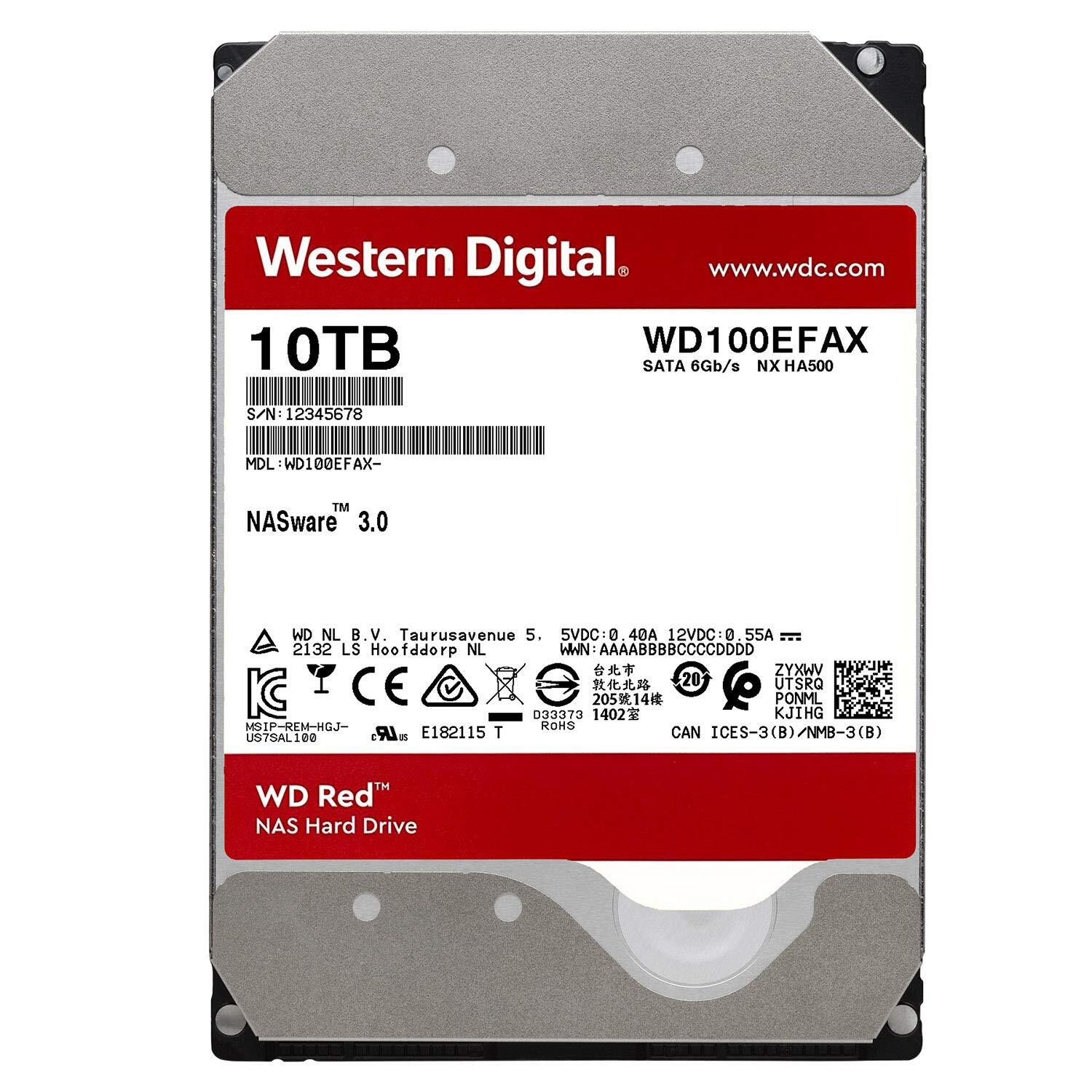
With drives up to 10TB, the WD Red drive is built for single-bay to 8-bay NAS systems and packs the capacity to store your precious data in one powerhouse unit. Cooler Temperatures By reducing power consumption, the operating temperature of your NAS stays cool. With a lower temperature in your system, you can create a more reliable solution for your NAS. Built for NAS Compatibility WD Red drives with NASware technology are purpose-built to balance performance and reliability in NAS and RAID environments. Desktop Drive vs. WD Red Drive A desktop hard drive is not typically tested and designed for NAS environments. WD Red has features such as NAS compatibility, increased reliability and more.
With drives up to 10TB, the WD Red drive is built for single-bay to 8-bay NAS systems and packs the capacity to store your precious data in one powerhouse unit. Cooler Temperatures By reducing power consumption, the operating temperature of your NAS stays cool. With a lower temperature in your system, you can create a more reliable solution for your NAS. Built for NAS Compatibility WD Red drives with NASware technology are purpose-built to balance performance and reliability in NAS and RAID environments. Desktop Drive vs. WD Red Drive A desktop hard drive is not typically tested and designed for NAS environments. WD Red has features such as NAS compatibility, increased reliability and more.
in 1 offers
The lowest price for Western Digital WD100EFAX 10TB Red 3.5" Hard Drive right now is $789.00 at itclearancecompany.com.au.
The all-time low was $236.41 on 30 Sept 2024 — today's price is 234% above the lowest ever. It has been notably cheaper before — worth setting a price alert.
Prices last updated 3 Sept 2026.
Western Digital WD100EFAX 10TB Red 3.5" Hard Drive
With drives up to 10TB, the WD Red drive is built for single-bay to 8-bay NAS systems and packs the capacity to store your precious data in one powerhouse unit. Cooler Temperatures By reducing power consumption, the operating temperature of your NAS stays cool. With a lower temperature in your system, you can create a more reliable solution for your NAS. Built for NAS Compatibility WD Red drives with NASware technology are purpose-built to balance performance and reliability in NAS and RAID environments. Desktop Drive vs. WD Red Drive A desktop hard drive is not typically tested and designed for NAS environments. WD Red has features such as NAS compatibility, increased reliability and more.
With drives up to 10TB, the WD Red drive is built for single-bay to 8-bay NAS systems and packs the capacity to store your precious data in one powerhouse unit. Cooler Temperatures By reducing power consumption, the operating temperature of your NAS stays cool. With a lower temperature in your system, you can create a more reliable solution for your NAS. Built for NAS Compatibility WD Red drives with NASware technology are purpose-built to balance performance and reliability in NAS and RAID environments. Desktop Drive vs. WD Red Drive A desktop hard drive is not typically tested and designed for NAS environments. WD Red has features such as NAS compatibility, increased reliability and more.
Last updated at 03/09/2026 08:34:01
Western Digital Red Plus WD100EFGX internal hard drive 10 TB 7200 RPM 512 MB 3.5" Serial ATA III
Delivery $19
originally posted on westerndigital.com
I build custom computers for artists, and they absolutely MUST have reliable, long-term data storage for their art work. WD Red and Gold are the best for their purpose.I purchased two of these in 10TB for in internal RAID 1 array, as these are excellent for long-term, heavy use storage. One of them was bad, with very slow data transfer and loud clicking. WD Customer Service replied quickly with an RMA for a refund and supplied the UPS return label. Problems with WD products are very rare, but when one does occur, their customer service is the best that I've encountered. I've dealt with CS at three of their larger competitors, and it's due to WDs superior response to a problem that their HDDs and SSDs are the only products that I will now use for data storage and ... MoreI build custom computers for artists, and they absolutely MUST have reliable, long-term data storage for their art work. WD Red and Gold are the best for their purpose.I purchased two of these in 10TB for in internal RAID 1 array, as these are excellent for long-term, heavy use storage. One of them was bad, with very slow data transfer and loud clicking. WD Customer Service replied quickly with an RMA for a refund and supplied the UPS return label. Problems with WD products are very rare, but when one does occur, their customer service is the best that I've encountered. I've dealt with CS at three of their larger competitors, and it's due to WDs superior response to a problem that their HDDs and SSDs are the only products that I will now use for data storage and transfer.My customers appreciate the reliability of these drives.
originally posted on westerndigital.com
These are by-far the most vibration-laden drives I have ever worked with in the 25+ years I have been building PCs. Even with being installed in a grommeted caddy, and having that caddy suspended in my drive cage, so much vibration still gets transferred to my case and can be heard two rooms over. Significant vibration is even transferred through the power and sata cables and into my case's side panel. I've never seen drives this poorly built in my life! These are rated to be spinning 24/7, but they are by far the loudest thing in my home whenever they spin up. I regret my purchase every single time they power on. I wish I had installed these prior to my return date so I could have sent them back. There is no way my data will last very long with how bad these ... MoreThese are by-far the most vibration-laden drives I have ever worked with in the 25+ years I have been building PCs. Even with being installed in a grommeted caddy, and having that caddy suspended in my drive cage, so much vibration still gets transferred to my case and can be heard two rooms over. Significant vibration is even transferred through the power and sata cables and into my case's side panel. I've never seen drives this poorly built in my life! These are rated to be spinning 24/7, but they are by far the loudest thing in my home whenever they spin up. I regret my purchase every single time they power on. I wish I had installed these prior to my return date so I could have sent them back. There is no way my data will last very long with how bad these vibrate. These drives are SUPPOSED to be a higher class of product, the price tag confirms as much.Note: The drives in question are the 8tb red+ with 256mb cache (WD80EFBX). Of course they just spun up again while confirming the model number with hddscan, and I'm even more displeased.
originally posted on westerndigital.com
For over a decade, I’ve used these ‘WD Red’ drives and they’ve far outlasted their maximum purchasable warranty period. In fact I don’t think one has ever failed for me; I’ve owned five. I have only needed to buy more when I need to upgrade storage capacity. I use these drives in a NAS; a Synology DS214+ enclosure.The 7200 RPM drives (for 10TB and larger of this model) are noticeably louder than the 5400 RPM but I also don’t care; that’s not what I’m shopping for. I needed a reliable drive with speed/performance that’s on par & and a fair price point. This is it. I’m going to keep buying these drives until they give me a reason not to.I bought directly from WesternDigital dot com and the experience was fantastic; the price was the best I could find, shipping was ... MoreFor over a decade, I’ve used these ‘WD Red’ drives and they’ve far outlasted their maximum purchasable warranty period. In fact I don’t think one has ever failed for me; I’ve owned five. I have only needed to buy more when I need to upgrade storage capacity. I use these drives in a NAS; a Synology DS214+ enclosure.The 7200 RPM drives (for 10TB and larger of this model) are noticeably louder than the 5400 RPM but I also don’t care; that’s not what I’m shopping for. I needed a reliable drive with speed/performance that’s on par & and a fair price point. This is it. I’m going to keep buying these drives until they give me a reason not to.I bought directly from WesternDigital dot com and the experience was fantastic; the price was the best I could find, shipping was very fast, and the website’s checkout experience was modern.
| General | |
| Device Type | Hard drive - internal |
| Capacity | 10 TB |
| Form Factor | 3.5" |
| Interface | SATA 6Gb/s |
Western Digital Red Plus WD100EFGX internal hard drive 10 TB 7200 RPM 512 MB 3.5" Serial ATA III
Delivery $19
I build custom computers for artists, and they absolutely MUST have reliable, long-term data storage for their art work. WD Red and Gold are the best for their purpose.I purchased two of these in 10TB for in internal RAID 1 array, as these are excellent for long-term, heavy use storage. One of them was bad, with very slow data transfer and loud clicking. WD Customer Service replied quickly with an RMA for a refund and supplied the UPS return label. Problems with WD products are very rare, but when one does occur, their customer service is the best that I've encountered. I've dealt with CS at three of their larger competitors, and it's due to WDs superior response to a problem that their HDDs and SSDs are the only products that I will now use for data storage and ... MoreI build custom computers for artists, and they absolutely MUST have reliable, long-term data storage for their art work. WD Red and Gold are the best for their purpose.I purchased two of these in 10TB for in internal RAID 1 array, as these are excellent for long-term, heavy use storage. One of them was bad, with very slow data transfer and loud clicking. WD Customer Service replied quickly with an RMA for a refund and supplied the UPS return label. Problems with WD products are very rare, but when one does occur, their customer service is the best that I've encountered. I've dealt with CS at three of their larger competitors, and it's due to WDs superior response to a problem that their HDDs and SSDs are the only products that I will now use for data storage and transfer.My customers appreciate the reliability of these drives.
These are by-far the most vibration-laden drives I have ever worked with in the 25+ years I have been building PCs. Even with being installed in a grommeted caddy, and having that caddy suspended in my drive cage, so much vibration still gets transferred to my case and can be heard two rooms over. Significant vibration is even transferred through the power and sata cables and into my case's side panel. I've never seen drives this poorly built in my life! These are rated to be spinning 24/7, but they are by far the loudest thing in my home whenever they spin up. I regret my purchase every single time they power on. I wish I had installed these prior to my return date so I could have sent them back. There is no way my data will last very long with how bad these ... MoreThese are by-far the most vibration-laden drives I have ever worked with in the 25+ years I have been building PCs. Even with being installed in a grommeted caddy, and having that caddy suspended in my drive cage, so much vibration still gets transferred to my case and can be heard two rooms over. Significant vibration is even transferred through the power and sata cables and into my case's side panel. I've never seen drives this poorly built in my life! These are rated to be spinning 24/7, but they are by far the loudest thing in my home whenever they spin up. I regret my purchase every single time they power on. I wish I had installed these prior to my return date so I could have sent them back. There is no way my data will last very long with how bad these vibrate. These drives are SUPPOSED to be a higher class of product, the price tag confirms as much.Note: The drives in question are the 8tb red+ with 256mb cache (WD80EFBX). Of course they just spun up again while confirming the model number with hddscan, and I'm even more displeased.
For over a decade, I’ve used these ‘WD Red’ drives and they’ve far outlasted their maximum purchasable warranty period. In fact I don’t think one has ever failed for me; I’ve owned five. I have only needed to buy more when I need to upgrade storage capacity. I use these drives in a NAS; a Synology DS214+ enclosure.The 7200 RPM drives (for 10TB and larger of this model) are noticeably louder than the 5400 RPM but I also don’t care; that’s not what I’m shopping for. I needed a reliable drive with speed/performance that’s on par & and a fair price point. This is it. I’m going to keep buying these drives until they give me a reason not to.I bought directly from WesternDigital dot com and the experience was fantastic; the price was the best I could find, shipping was ... MoreFor over a decade, I’ve used these ‘WD Red’ drives and they’ve far outlasted their maximum purchasable warranty period. In fact I don’t think one has ever failed for me; I’ve owned five. I have only needed to buy more when I need to upgrade storage capacity. I use these drives in a NAS; a Synology DS214+ enclosure.The 7200 RPM drives (for 10TB and larger of this model) are noticeably louder than the 5400 RPM but I also don’t care; that’s not what I’m shopping for. I needed a reliable drive with speed/performance that’s on par & and a fair price point. This is it. I’m going to keep buying these drives until they give me a reason not to.I bought directly from WesternDigital dot com and the experience was fantastic; the price was the best I could find, shipping was very fast, and the website’s checkout experience was modern.
When you buy two new drives and after 5 days you finally receive them make sure to look them up. They sell used drives or refurbished drives as NEW. I am talking about not a replacement drive. NEW from there store they sell refurbished as NEW. How they are getting away with this is behind me. That’s right folks I’m not talking about a year later. I’m talking about literally buying a brand new drive from them brand new in their store buying two drives well over $400 and they refer and on top of that the two drives I got neither one of them work, so it’s a process to send that crap back to Western digital And they wanted to try to send me a new pair referred drives. I don’t think so pal. I’m within 30 days. I’m sending your trash back for a full refund because you’re ... MoreWhen you buy two new drives and after 5 days you finally receive them make sure to look them up. They sell used drives or refurbished drives as NEW. I am talking about not a replacement drive. NEW from there store they sell refurbished as NEW. How they are getting away with this is behind me. That’s right folks I’m not talking about a year later. I’m talking about literally buying a brand new drive from them brand new in their store buying two drives well over $400 and they refer and on top of that the two drives I got neither one of them work, so it’s a process to send that crap back to Western digital And they wanted to try to send me a new pair referred drives. I don’t think so pal. I’m within 30 days. I’m sending your trash back for a full refund because you’re selling me garbage. Do yourself a favor do not buy them.
Two WD40EFRX were put into PLeX server 7-3-15.Now they still run but along side eight WD80EFAX drives. Each drive has a MyBook B.U. drive.I have not lost a single drive or had a single problem.As with ANY electronic device the first thing I made absolutely sure of was the presence of a Power Supply that has 33% more GOLD power than the power requirements of the whole of all the parts that make up the Device, in this case a Server. I also back that Power Supply up with clean power that only a quality U.P.S. can provide, less ripple, less brown outs (the real killer/not black outs) less PROBLEMS!☆Second I make sure that proper amount of + AND - CFM flow drains the heat from the server....anyone can just slap some fans in a P.C. and say they have proper heat ... MoreTwo WD40EFRX were put into PLeX server 7-3-15.Now they still run but along side eight WD80EFAX drives. Each drive has a MyBook B.U. drive.I have not lost a single drive or had a single problem.As with ANY electronic device the first thing I made absolutely sure of was the presence of a Power Supply that has 33% more GOLD power than the power requirements of the whole of all the parts that make up the Device, in this case a Server. I also back that Power Supply up with clean power that only a quality U.P.S. can provide, less ripple, less brown outs (the real killer/not black outs) less PROBLEMS!☆Second I make sure that proper amount of + AND - CFM flow drains the heat from the server....anyone can just slap some fans in a P.C. and say they have proper heat management and many will slap a few extra fans in and say they REALLY have proper heat management. NO, bad user, BAD!! This is not how heat management worx! Read a book or a forum post from someone that does understand proper heat management and get that heat soak out of your drives!With just these two important steps well taken care of my hard drive longevity has made insane increases.Just like any "Review Collection" many people don't seem to take into account that you have absolutely no way of verifying the credentials or even just experience or wisdom of the post's owners.In my R.C. touring car Racing career and P.A./Home/Auto Audiophile hobby/second biz experience i ALWAYS started with fantastic power supply and heat removal! Amplifiers should provide MORE watts than the speakers they drive and the gains turned down to achieve zero THD for example.No one does this anymore, everyone just follows the person in front of them with blinders and blames anyone and everyone else they can when a problem arises.
I have had WD Red drives in my OWC Thunderbay4 enclosures since 2014, six WD Red 3TB drives for my photos and six 3TB backup drives. They have worked flawlessly for a decade. Finally the Drive DX app notified me that the first of those drives, which has been running perpetually since 2014 (1) and has 27,000 hours on it, was about to fail. The rest of the drives had over 20,000 hours on them so I replaced them all twelve drives with 4TB WD Plus drives which are basically the same as the old WD Reds. The current WD Red (not Plus) is not the same design as the older Reds. The Plus is, though.I originally had eight Red Plus drives and four Toshiba N300 NAS drives in stock as replacements. Thought I'd give the N300's a try since they got a good review for reliability ... MoreI have had WD Red drives in my OWC Thunderbay4 enclosures since 2014, six WD Red 3TB drives for my photos and six 3TB backup drives. They have worked flawlessly for a decade. Finally the Drive DX app notified me that the first of those drives, which has been running perpetually since 2014 (1) and has 27,000 hours on it, was about to fail. The rest of the drives had over 20,000 hours on them so I replaced them all twelve drives with 4TB WD Plus drives which are basically the same as the old WD Reds. The current WD Red (not Plus) is not the same design as the older Reds. The Plus is, though.I originally had eight Red Plus drives and four Toshiba N300 NAS drives in stock as replacements. Thought I'd give the N300's a try since they got a good review for reliability from Backblaze. But they are soooo noisy. Their humming drove me crazy for a few days after installation. I took them out and replaced them with four more Red Plus drives (bought from B&H) and now I have twelve WD Red Plus drives in three OWC Thunderbay 4 cases, all spinning in utter silence, hopefully, for another 20,000+ hours.A WD tech expert had told me at a trade show that drives should be replaced every 20,000 hours.
Ordered two drives directly from WD since I don't like going through Amazon for everything but I wish I did with this purchase. One of the two drives worked without issue, the other was DOA. When I started a chat with WD support, I had to push tremendously for a RMA. Then they wanted to charge me for shipping, which after complaining, they offered a one time return shipping label. It took me over a month to get the replacement drive. I opened the package and it's a recertified drive. RECERTIFIED. After I paid for TWO BRAND NEW DRIVES. This is unacceptable. I truly believe this will be the last WD product I ever buy.
This is my umpteenth purchase of a WD drive. Never had a problem with any of them. This was an upgrade for a raid drive, same brand WD Red, which I purchased almost 7-8 years ago. Those drives are still running perfectly, however, they were only 2TB. I will use the old drives until they die, however I wont keep critical files on them. Maybe use as a back up of a back up of a back up. I do tend to be a digital hoarder, and maybe putting files i dont really need on aging equipment my give me the pust to let go once the device fails :). But i do follow the 3-2-1 rule for backing up my systems. I also do a "hardware refresher" every 5-7 years, just to take advantage of the new technology and refresh the lifecycle of my hardware especially those that store my data.
I purchased the Red 6TB drive as a replacement drive for by 5-bay Drobo connected to our home Mac server, and used for storing Time Machine backups for our 5 computers. The Drobo has only WD Red drives purchased over the past years, gradually swapping in larger Red drives as old ones fail or I needed increased storage space. This is probably at least the 10th Red drive I have swapped in to our Drobo. As soon as I swapped in this drive I noticed it wasn't as usual. The Drobo would unmount and re-mount repeatedly during the RAID rebuild phase. When it was done rebuilding I tested it out by running a Time Machine backup, which should do an incremental change to a sparse bundle file. I noticed that the entire sparsebundle file (1.7TB) was reduced to zero bytes and the ... MoreI purchased the Red 6TB drive as a replacement drive for by 5-bay Drobo connected to our home Mac server, and used for storing Time Machine backups for our 5 computers. The Drobo has only WD Red drives purchased over the past years, gradually swapping in larger Red drives as old ones fail or I needed increased storage space. This is probably at least the 10th Red drive I have swapped in to our Drobo. As soon as I swapped in this drive I noticed it wasn't as usual. The Drobo would unmount and re-mount repeatedly during the RAID rebuild phase. When it was done rebuilding I tested it out by running a Time Machine backup, which should do an incremental change to a sparse bundle file. I noticed that the entire sparsebundle file (1.7TB) was reduced to zero bytes and the backup software prompted to perform a "first backup", i.e. the historical changes were lost. I then noticed that this was the case also for all backup sets for the four other computers in our home. I now realize that the Red drive I purchased uses SMR instead of CMR and that these new Red drives don't appear to be suitable at all for our purpose. I can see that this information is on the website but how can WD make such a significant change to a product line and keep its name? Apparently, the Red is now named Red Plus but that was not obvious at all. I cannot believe how the good people at WD could allow this to happen. This is probably a decent standalone drive but it should not have been allowed to drag the Red (NAS/RAID) product line in the dirt. I am devastated, sad and angry with myself for trusting the product name so deeply that I didn't do research. And I am angry with WD for betraying that trust.
You would think as you go up in size in a given line of hard drives they get more power hungry and noisy but not with the WD Red Plus. It's the opposite of common sense. The 12TB WD120EFBX is much quieter and more power efficient than the 10TB and 8TB versions in the same line of drives! The WD101EFBX 10TB WD Red Plus, for example, is a completely different drive than the 12 TB version. The 10TB and 8TB drives are really HGST drives, not native WD drives, like this 12 TB version. If you look closely, even WD's own specs show the 10TB makes far more noise, consumes significantly more power, and hence runs hotter, than the 12 TB and larger versions which are helium filled. The 10 TB and 8 TB drives are an inferior cheaper air filled design. They are noisy even at idle ... MoreYou would think as you go up in size in a given line of hard drives they get more power hungry and noisy but not with the WD Red Plus. It's the opposite of common sense. The 12TB WD120EFBX is much quieter and more power efficient than the 10TB and 8TB versions in the same line of drives! The WD101EFBX 10TB WD Red Plus, for example, is a completely different drive than the 12 TB version. The 10TB and 8TB drives are really HGST drives, not native WD drives, like this 12 TB version. If you look closely, even WD's own specs show the 10TB makes far more noise, consumes significantly more power, and hence runs hotter, than the 12 TB and larger versions which are helium filled. The 10 TB and 8 TB drives are an inferior cheaper air filled design. They are noisy even at idle making a "rushing" noise much like a noisy desk fan. There are many complaints about this issue in various reviews and forums. Thankfully the 12TB version, and even the 6TB version, are true WD helium filled drives that are quiet, run cool, and a MUCH better option. But WD only gets 3 stars for slapping a WD Red Plus label on anything they want in this line of drives with serious inconsistencies. How can WD claim all the same features, benefits, etc, for completely different drives, designed by different companies, depending on which size you choose?
| General | |
| Device Type | Hard drive - internal |
| Capacity | 10 TB |
| Form Factor | 3.5" |
| Interface | SATA 6Gb/s |

