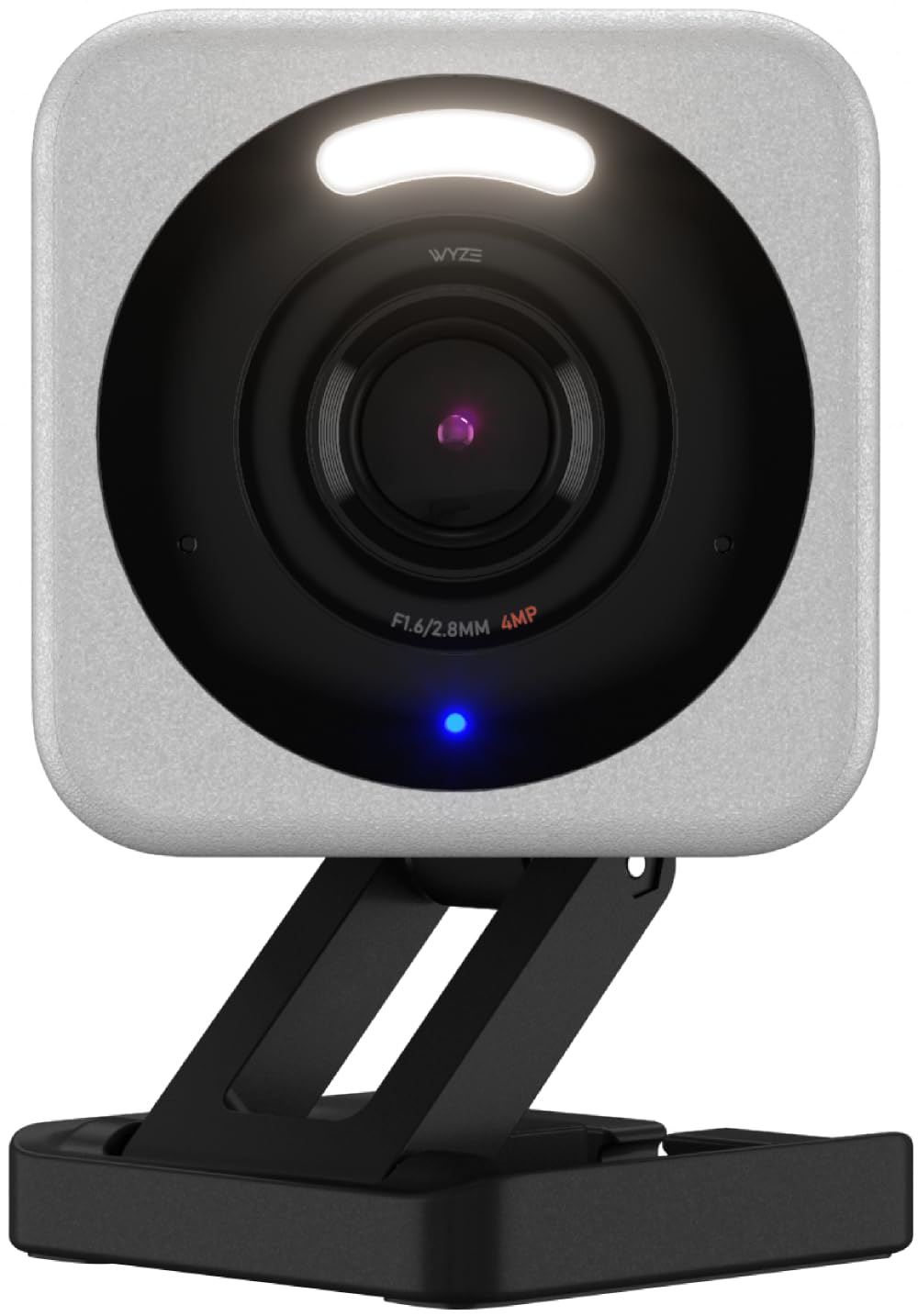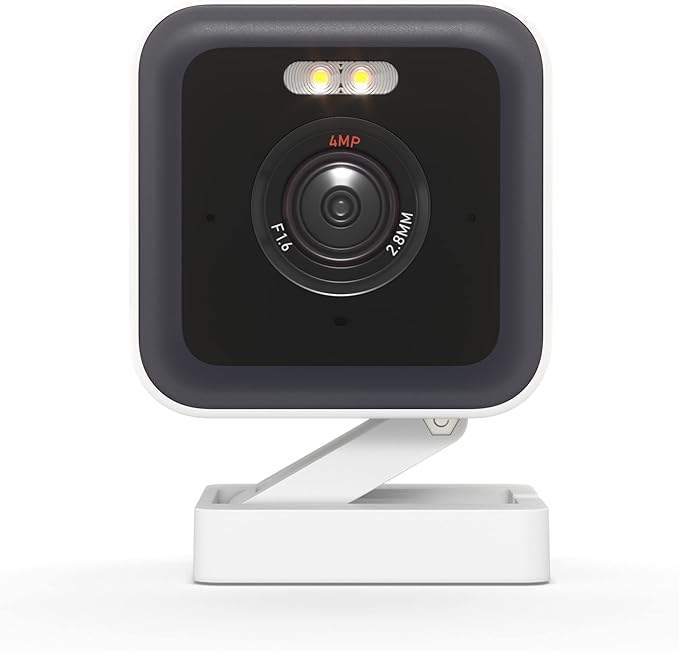
Wyze Cam v3 Pro | 2.5K Smart Camera with Spotlight & Edge AI
Wyze Cam v3 Pro | 2.5K Smart Camera with Spotlight & Edge AI
in 3 offers
The lowest price for Wyze Cam V3 Pro Wired Indoor/Outdoor 2K Smart Security Camera for Pet Baby Kids Dog Cat Elderly Monitoring, Color Night Vision, Spotlight Camera right now is $90.47 at Amazon.com.au, compared across 3 retailers.
The all-time low was $40.45 on 16 Mar 2026 — today's price is 124% above the lowest ever. It has been notably cheaper before — worth setting a price alert.
Prices last updated 23 Aug 2026.
Wyze Cam V3 Pro Wired Indoor/Outdoor 2K Smart Security Camera for Pet Baby Kids Dog Cat Elderly Monitoring, Color Night Vision, Spotlight Camera
Wyze Cam v3 Pro | 2.5K Smart Camera with Spotlight & Edge AI
Wyze Cam v3 Pro | 2.5K Smart Camera with Spotlight & Edge AI
Last updated at 23/08/2026 19:57:06
Wyze Cam v3 Pro Wired Indoor/Outdoor 2K Smart Security Camera for Pet Baby Kids Dog Cat Elderly Monitoring, Color Night Vision, Spotlight Camera
Affiliate Disclosure: We may receive a small commission for purchases made through this link at no extra cost to you. This helps support our site. Thank you!
Wyze Cam v3 Pro
Cam V3 Pro Wired Indoor/outdoor 2k Smart Security Camera For Pet Baby
Free delivery
Affiliate Disclosure: We may receive a small commission for purchases made through this link at no extra cost to you. This helps support our site. Thank you!
originally posted on wyze.com
I want to start by saying I love the WYZE product line and though I am disappointed at the moment, I am confident my issues will be resolved. Upon hearing of the new V3 Pro camera, I immediately ordered 10 for my residence to replace my V3s that were great. Installation was easy and I upgraded my SD cards with the new cameras to 132gb. Everything was working fine with an occasional camera falling off line for the first 2-3 weeks, but then I started having issues. Now into week 4, none of the 10 cameras will even recognize the SD cards and if I attempt to fix via the app, most times the camera seems unstable and will go off line for several hours. Even a reboot via the plug does not help. They eventually come back, but none will record on the SD cards. I have taken ... MoreI want to start by saying I love the WYZE product line and though I am disappointed at the moment, I am confident my issues will be resolved. Upon hearing of the new V3 Pro camera, I immediately ordered 10 for my residence to replace my V3s that were great. Installation was easy and I upgraded my SD cards with the new cameras to 132gb. Everything was working fine with an occasional camera falling off line for the first 2-3 weeks, but then I started having issues. Now into week 4, none of the 10 cameras will even recognize the SD cards and if I attempt to fix via the app, most times the camera seems unstable and will go off line for several hours. Even a reboot via the plug does not help. They eventually come back, but none will record on the SD cards. I have taken some out to reformat, but cannot get any of them to even recognize it now. I have opened numerous tickets and surprisingly have not had the best luck with service. Many of my cameras are mounted high on my house and therefore not too easy to troubleshoot by doing several inserts of SD cards etc as they recommend. I am confident Wyze will eventually fix via updates, bit for the moment, I am disappointed in my new cameras that I waited weeks to receive. Look forward to updating this review at some point.
originally posted on wyze.com
1. In playback mode it is impossible to view a specific time 2 or 3 min before or after of an event. The timeline cursor just jumps to the event and plays it automatically within this timeframe. This creates a 5 or 6 min dead spot around every event where only the event can be viewed.2. In playback mode the Play, Pause and 30sec FF RW buttons are now overlaid on the video screen with the overlay dimming the picture. This makes using these feature very awkward and difficult. First it obscures the video you're trying to search by dimming it and having the button right in the middle of the picture. Second you have to touch the video to show the menu, then touch again to let's say advance 30sec then you have to touch the video again to bring the menu back up to ... More1. In playback mode it is impossible to view a specific time 2 or 3 min before or after of an event. The timeline cursor just jumps to the event and plays it automatically within this timeframe. This creates a 5 or 6 min dead spot around every event where only the event can be viewed.2. In playback mode the Play, Pause and 30sec FF RW buttons are now overlaid on the video screen with the overlay dimming the picture. This makes using these feature very awkward and difficult. First it obscures the video you're trying to search by dimming it and having the button right in the middle of the picture. Second you have to touch the video to show the menu, then touch again to let's say advance 30sec then you have to touch the video again to bring the menu back up to advance another 30 sec. All the while the video is dimmed then brightened repeatedly. It's probably okay if you just want to advance once, but it's miserable tying to search a video with the 30 sec advance feature. Plus you run into problem 1 above if you're searching near an event. The old interface had the feature buttons below the video and was much easier to operate from a user perspective.Sadly, I am probably going to have to replace my v3 Pro with my old v3 until this gets fixed. This is unfortunately because I like the v3 Pro otherwise especially the improved resolution.
originally posted on wyze.com
I’ve come to like Wyze hardware more and more over the years. I’ve many cameras and other products they make. This is definitely their best camera yet. But… they lock features behind a paywall. I should not have to have a subscription to have a camera I’ve purchased in order to remove a cooldown timer between event recording. This is practically criminal negligence built into the product. I was very disgusted to discover this piece of greedy programming. Yeah, I can set it to always on recording but then finding events is very tedious plus the length of time the recorded event is saved is quite short as the storage will be overwritten much sooner than event only recording. They also removed the pigtail for the usb plug and went back to a socket like on the V2 ... MoreI’ve come to like Wyze hardware more and more over the years. I’ve many cameras and other products they make. This is definitely their best camera yet. But… they lock features behind a paywall. I should not have to have a subscription to have a camera I’ve purchased in order to remove a cooldown timer between event recording. This is practically criminal negligence built into the product. I was very disgusted to discover this piece of greedy programming. Yeah, I can set it to always on recording but then finding events is very tedious plus the length of time the recorded event is saved is quite short as the storage will be overwritten much sooner than event only recording. They also removed the pigtail for the usb plug and went back to a socket like on the V2 cameras. I liked that pigtail they introduced on the V3. The last gripe is the regularity that service disruptions occur. Whether you subscribe or not, service disruptions are infuriating. I will continue to buy their products but they have definitely taken a faction standing hit due to the paywall on features.
| Connectivity technology | Wired |
| Special feature | Water Resistant |
| Indoor/Outdoor usage | Outdoor, Indoor |
| Product dimensions | 5.21 x 5.21 x 5.84 cm; 119.92 Grams |
| Country of origin | China |
Wyze Cam v3 Pro Wired Indoor/Outdoor 2K Smart Security Camera for Pet Baby Kids Dog Cat Elderly Monitoring, Color Night Vision, Spotlight Camera
Affiliate Disclosure: We may receive a small commission for purchases made through this link at no extra cost to you. This helps support our site. Thank you!
Wyze Cam v3 Pro
Cam V3 Pro Wired Indoor/outdoor 2k Smart Security Camera For Pet Baby
Free delivery
Affiliate Disclosure: We may receive a small commission for purchases made through this link at no extra cost to you. This helps support our site. Thank you!
I want to start by saying I love the WYZE product line and though I am disappointed at the moment, I am confident my issues will be resolved. Upon hearing of the new V3 Pro camera, I immediately ordered 10 for my residence to replace my V3s that were great. Installation was easy and I upgraded my SD cards with the new cameras to 132gb. Everything was working fine with an occasional camera falling off line for the first 2-3 weeks, but then I started having issues. Now into week 4, none of the 10 cameras will even recognize the SD cards and if I attempt to fix via the app, most times the camera seems unstable and will go off line for several hours. Even a reboot via the plug does not help. They eventually come back, but none will record on the SD cards. I have taken ... MoreI want to start by saying I love the WYZE product line and though I am disappointed at the moment, I am confident my issues will be resolved. Upon hearing of the new V3 Pro camera, I immediately ordered 10 for my residence to replace my V3s that were great. Installation was easy and I upgraded my SD cards with the new cameras to 132gb. Everything was working fine with an occasional camera falling off line for the first 2-3 weeks, but then I started having issues. Now into week 4, none of the 10 cameras will even recognize the SD cards and if I attempt to fix via the app, most times the camera seems unstable and will go off line for several hours. Even a reboot via the plug does not help. They eventually come back, but none will record on the SD cards. I have taken some out to reformat, but cannot get any of them to even recognize it now. I have opened numerous tickets and surprisingly have not had the best luck with service. Many of my cameras are mounted high on my house and therefore not too easy to troubleshoot by doing several inserts of SD cards etc as they recommend. I am confident Wyze will eventually fix via updates, bit for the moment, I am disappointed in my new cameras that I waited weeks to receive. Look forward to updating this review at some point.
1. In playback mode it is impossible to view a specific time 2 or 3 min before or after of an event. The timeline cursor just jumps to the event and plays it automatically within this timeframe. This creates a 5 or 6 min dead spot around every event where only the event can be viewed.2. In playback mode the Play, Pause and 30sec FF RW buttons are now overlaid on the video screen with the overlay dimming the picture. This makes using these feature very awkward and difficult. First it obscures the video you're trying to search by dimming it and having the button right in the middle of the picture. Second you have to touch the video to show the menu, then touch again to let's say advance 30sec then you have to touch the video again to bring the menu back up to ... More1. In playback mode it is impossible to view a specific time 2 or 3 min before or after of an event. The timeline cursor just jumps to the event and plays it automatically within this timeframe. This creates a 5 or 6 min dead spot around every event where only the event can be viewed.2. In playback mode the Play, Pause and 30sec FF RW buttons are now overlaid on the video screen with the overlay dimming the picture. This makes using these feature very awkward and difficult. First it obscures the video you're trying to search by dimming it and having the button right in the middle of the picture. Second you have to touch the video to show the menu, then touch again to let's say advance 30sec then you have to touch the video again to bring the menu back up to advance another 30 sec. All the while the video is dimmed then brightened repeatedly. It's probably okay if you just want to advance once, but it's miserable tying to search a video with the 30 sec advance feature. Plus you run into problem 1 above if you're searching near an event. The old interface had the feature buttons below the video and was much easier to operate from a user perspective.Sadly, I am probably going to have to replace my v3 Pro with my old v3 until this gets fixed. This is unfortunately because I like the v3 Pro otherwise especially the improved resolution.
I’ve come to like Wyze hardware more and more over the years. I’ve many cameras and other products they make. This is definitely their best camera yet. But… they lock features behind a paywall. I should not have to have a subscription to have a camera I’ve purchased in order to remove a cooldown timer between event recording. This is practically criminal negligence built into the product. I was very disgusted to discover this piece of greedy programming. Yeah, I can set it to always on recording but then finding events is very tedious plus the length of time the recorded event is saved is quite short as the storage will be overwritten much sooner than event only recording. They also removed the pigtail for the usb plug and went back to a socket like on the V2 ... MoreI’ve come to like Wyze hardware more and more over the years. I’ve many cameras and other products they make. This is definitely their best camera yet. But… they lock features behind a paywall. I should not have to have a subscription to have a camera I’ve purchased in order to remove a cooldown timer between event recording. This is practically criminal negligence built into the product. I was very disgusted to discover this piece of greedy programming. Yeah, I can set it to always on recording but then finding events is very tedious plus the length of time the recorded event is saved is quite short as the storage will be overwritten much sooner than event only recording. They also removed the pigtail for the usb plug and went back to a socket like on the V2 cameras. I liked that pigtail they introduced on the V3. The last gripe is the regularity that service disruptions occur. Whether you subscribe or not, service disruptions are infuriating. I will continue to buy their products but they have definitely taken a faction standing hit due to the paywall on features.
Good picture quality. Spotlight does a good job even in a large open area outside. Wyze will blame this on my network I’m sure…. That’s their go to… connection is so much worse than the original v3. Replaced an original v3 with this pro. Connected to same wifi6 router on the same mesh network, in the exact same location. Intermittent loss of connection. The mesh router it’s connected to is 15 feet from the camera. Router is in a window and camera is mounted at corner of house almost directly above. When not having connection issues, it does connect to the live view much fast than other Wyze cameras. I just never know when the connection drops. Even though it’s stable most of the time, you want your cameras to be more reliable. I’ve connected it to a smart plug so I ... MoreGood picture quality. Spotlight does a good job even in a large open area outside. Wyze will blame this on my network I’m sure…. That’s their go to… connection is so much worse than the original v3. Replaced an original v3 with this pro. Connected to same wifi6 router on the same mesh network, in the exact same location. Intermittent loss of connection. The mesh router it’s connected to is 15 feet from the camera. Router is in a window and camera is mounted at corner of house almost directly above. When not having connection issues, it does connect to the live view much fast than other Wyze cameras. I just never know when the connection drops. Even though it’s stable most of the time, you want your cameras to be more reliable. I’ve connected it to a smart plug so I can restart it whenever I see it’s dropped the connection. I ordered two of these and tried both in the same location and both have the same issue. Whether they work reliably or not is very location dependent. Both work great and don’t drop off in other locations. Would just be speculation but there has to be something different with the Wi-Fi or antenna config in the pro. Turned off the smart focus. More of a novelty. I can zoom in if I need to. It’s a nuisance that it does it for you when it’s most helpful to see a wider view of what’s happening around the event it’s detecting. Also seems to be an issue that if live view is set to 2k, when it connects for live view, a snapshot of the last recorded event is on the screen for 20 seconds before it actually gives connects and gives you a live view. The lower the resolution, the faster the connection. Why the resolution setting affects its speed at even attempting to make the connection doesn’t make sense.
Despite the name, this product probably should be called the Wyze Cam v4 instead of v3 Pro. This product has as many important changes as compared to the v2 to v3 upgrade. You get much better video quality, much faster person detection using on-board AI (rather than the cloud like the standard v3 requires), the v3 Pro also includes a built-in LED spotlight But it doesn't work some of the v3 compatible addons (like the Wyze Lamp Socket). It also requires more power than the v3 did. It does work with the Window Mount and it can be powered by the secondary USB socket on the Wyze Spotlight (but it cannot serve as the main camera). The color night vision offers better fidelity than the v3, but it is slightly darker than the v3 (though the latest firmware makes that less ... MoreDespite the name, this product probably should be called the Wyze Cam v4 instead of v3 Pro. This product has as many important changes as compared to the v2 to v3 upgrade. You get much better video quality, much faster person detection using on-board AI (rather than the cloud like the standard v3 requires), the v3 Pro also includes a built-in LED spotlight But it doesn't work some of the v3 compatible addons (like the Wyze Lamp Socket). It also requires more power than the v3 did. It does work with the Window Mount and it can be powered by the secondary USB socket on the Wyze Spotlight (but it cannot serve as the main camera). The color night vision offers better fidelity than the v3, but it is slightly darker than the v3 (though the latest firmware makes that less of an issue). WiFi performance is slightly better than the v3, especially at moderate distances. It also does away with the permanently attached short "weather resistant" power input cord in favor of a more standard removable URB power cable. That means if the cable frays or stops working, you can replace it without having to buy a new camera. The v3 Pro still maintains the weather-resistant rating that the regular v3 managed. It is worth noting that there is a slight change in the field of view from the v3 to the v3 Pro. It's not a major change, but the v3 offered a slightly wider field than the Pro does. Although the Pro is more expensive than the v3, it's worth the price, especially if you want free on-camera person detection without paying for Cam Plus.
First of all, I'm a big fan of WYZE and the fact that they often provide a quality product for a very reasonable price. I've wanted to try their Camera line for sometime as I am a Google Nest user for many years and always looking at other options. That's not to say I'm unhappy with Nest. It's another Quality product but often for a premium price. After trying the v3 for a bit of time, I'm very impressed with the build quality, ease of use and cost. The only issues I have however is with the integration with the Cam Pro+ and Google Hubs. For me, the Cameras use is severely limited without the additional purchase of the + product. I certainly understand wanting to upsell a service yet as I am currently using Google's similar service, I found it hard to justify the ... MoreFirst of all, I'm a big fan of WYZE and the fact that they often provide a quality product for a very reasonable price. I've wanted to try their Camera line for sometime as I am a Google Nest user for many years and always looking at other options. That's not to say I'm unhappy with Nest. It's another Quality product but often for a premium price. After trying the v3 for a bit of time, I'm very impressed with the build quality, ease of use and cost. The only issues I have however is with the integration with the Cam Pro+ and Google Hubs. For me, the Cameras use is severely limited without the additional purchase of the + product. I certainly understand wanting to upsell a service yet as I am currently using Google's similar service, I found it hard to justify the cost for both. So I considered discontinuing and going strictly with the WYZE service as I bet many other customers debate too. This is where my second issue come into play. There is a known issue with playing back Live Video from some WYZE cameras to the Google Hub or Hub Max. It doesn't happen to all users but enough that it impacts a good portion and has not yet been resolved. I'm looking forward to a day in the future where this issue is resolved and I can move over to the WYZE ecosystem. Until then, I'll have to wait and see if some of these issues are addressed. Or at the very least, WYZE creates an Assistant product that allows the Camera feeds to be displayed (other than the App)
Cam v3 Pro is OK for basic, up-close needs. It works and provides pictures.The disappointment is that when zooming-in, just a little, the compression artifacts/blurriness make the picture very fuzzy/unclear and adds little value over the initial photo. The reason I bought the camera was to monitor the property that sits in the middle of a 2 acre lot with the ability to see detail up to 25 to 50 feet away and sometimes further. For my purposes I now know it is important to be able to zoom in on an image more than this camera will provide.It seems to be a good camera for up close pictures between 3 to 20 feet using moderate zoom, where the image of the person does not require much enlargement; It appears it would work well indoors in most any room of my home or ... MoreCam v3 Pro is OK for basic, up-close needs. It works and provides pictures.The disappointment is that when zooming-in, just a little, the compression artifacts/blurriness make the picture very fuzzy/unclear and adds little value over the initial photo. The reason I bought the camera was to monitor the property that sits in the middle of a 2 acre lot with the ability to see detail up to 25 to 50 feet away and sometimes further. For my purposes I now know it is important to be able to zoom in on an image more than this camera will provide.It seems to be a good camera for up close pictures between 3 to 20 feet using moderate zoom, where the image of the person does not require much enlargement; It appears it would work well indoors in most any room of my home or where the distance is up to 20 feet. Recognizing people I know, in good light works OK as far as 30 feet but other people, ones I do not know, are difficult, very difficult, to identify - especially in lower light - even with night light on.So now I will move it to another location. This camera is currently used for outdoors, is mounted under an eaves out of the weather and hidden from direct sun light. I bought the wrong camera for my needs and will look for another that has a higher pixel image and/or a quality zoom. And, yes, I do have other WYZE cameras that work well (within the constraints mentioned above) both out and indoors, where the image is closer.
I object to being unwitting ‘beta-testers’ for your products - when those products are not fully de-bugged. This new product is no different than those wherein I’ve had issues right from the get-go. Right now, this new camera keeps giving me the “Error (code 06): failed to upload the video to the cloud…” for all of the captures at least for the past two days.I have 24 of your cameras - at two locations - and I’ve NEVER been able to have them all working at the same time.And just when I get comfortable with the app - you change it.I view your products as mere “toys” - in that when I really need/want them, there’s always something delaying/preventing me from accessing the video during the recently-alerted event.And I must be your only customer who uses an iPad ... MoreI object to being unwitting ‘beta-testers’ for your products - when those products are not fully de-bugged. This new product is no different than those wherein I’ve had issues right from the get-go. Right now, this new camera keeps giving me the “Error (code 06): failed to upload the video to the cloud…” for all of the captures at least for the past two days.I have 24 of your cameras - at two locations - and I’ve NEVER been able to have them all working at the same time.And just when I get comfortable with the app - you change it.I view your products as mere “toys” - in that when I really need/want them, there’s always something delaying/preventing me from accessing the video during the recently-alerted event.And I must be your only customer who uses an iPad to look at my Wize-Stuph — in that I must always pick up the iPad, rotate it to portrait mode, select whatever I want to look at, and then return the iPad to the table where I can watch the video(s) in landscape mode — using SOME of the menu choices (since some can only be seen/operated when the iPad is in Portrait mode.Lastly - getting in touch with any tech help is so frustrating that it’s functionally nonexistent - and I doubt that any Human will actually read my narrative, let alone actually heed my Wise words to the Wyze.
Hands down this is the best camera so far! It's very convenient having the spotlight built in to the camera and I've noticed that the startup time from when the camera has power to the time it is displaying a live feed is extremely fast much much faster than the other cameras prior. I wish there was better AI technology to better keep track and determine familiar or friendly faces that's still does not seem to work very well at capturing faces even when it's in perfect environment with good lighting and a clear unobstructed view of the individual's face. Other than that I would definitely recommend and I've upgraded all of my cameras we now have 16 cameras in total and just upgraded to the security system. I'm happy with all the products except for the home security ... MoreHands down this is the best camera so far! It's very convenient having the spotlight built in to the camera and I've noticed that the startup time from when the camera has power to the time it is displaying a live feed is extremely fast much much faster than the other cameras prior. I wish there was better AI technology to better keep track and determine familiar or friendly faces that's still does not seem to work very well at capturing faces even when it's in perfect environment with good lighting and a clear unobstructed view of the individual's face. Other than that I would definitely recommend and I've upgraded all of my cameras we now have 16 cameras in total and just upgraded to the security system. I'm happy with all the products except for the home security chime can only be heard in one or two rooms away so if you have a multi-level home you won't hear if someone enters the door it just seems weird that you can't have another chime to let you know because some people may have a large or small home and that needs to be taken into consideration because other alarmed companies and their products have a louder time or a time that can be heard throughout the entire home if I had known that I actually would not have gone through with this but since I'm stuck with it the setup is very easy user friendly and customizable!
Upgraded my reg v3 which was having constant problems (as well as my V2s) which I now feel was purely just a former firmware problem. Once I purchased a v3 Pro- while waiting for it to be shipped, I noticed after the next firmware update dropped suddenly my cams no longer had the wacky issues. But I still wanted to upgrade the other v3 I was using, so kept this one. The 2k image quality is nice, almost too crisp/sharpened. I noticed the color is slightly off on the Pro vs the reg v3 though. I hope they work on making it so as soon as you open the v3 Pro in live stream mode, you don't have to wait 3+ seconds to doubt tap and zoom in. At times when I've heard something, I am used to opening it and being able to zoom immediately but can't with this. I'm not a fan of ... MoreUpgraded my reg v3 which was having constant problems (as well as my V2s) which I now feel was purely just a former firmware problem. Once I purchased a v3 Pro- while waiting for it to be shipped, I noticed after the next firmware update dropped suddenly my cams no longer had the wacky issues. But I still wanted to upgrade the other v3 I was using, so kept this one. The 2k image quality is nice, almost too crisp/sharpened. I noticed the color is slightly off on the Pro vs the reg v3 though. I hope they work on making it so as soon as you open the v3 Pro in live stream mode, you don't have to wait 3+ seconds to doubt tap and zoom in. At times when I've heard something, I am used to opening it and being able to zoom immediately but can't with this. I'm not a fan of the individual v3 Pro event layout especially for playback, but at least the events for the v3 Pro are incorporated into my regular events feed. I don't use the smart focus, I found it unhelpful but others may like it. All in all it's a nice cam but I must say I kind of wish I had just gotten another reg v3. I don't get to use the spotlight feature since I have to use mine indoors and it's behind a glass window and would just reflect. But for those that can use it outside, I'm sure it'll be great. That's my honest thoughts so far but haven't had it up and running for a month yet because shipping took a while and at first I was having trouble getting this pro cam to record to the cloud, and it just did stillshots for videos.
| Connectivity technology | Wired |
| Special feature | Water Resistant |
| Indoor/Outdoor usage | Outdoor, Indoor |
| Product dimensions | 5.21 x 5.21 x 5.84 cm; 119.92 Grams |
| Country of origin | China |