1TB LaCie Rugged SSD Pro Thunderbolt 3
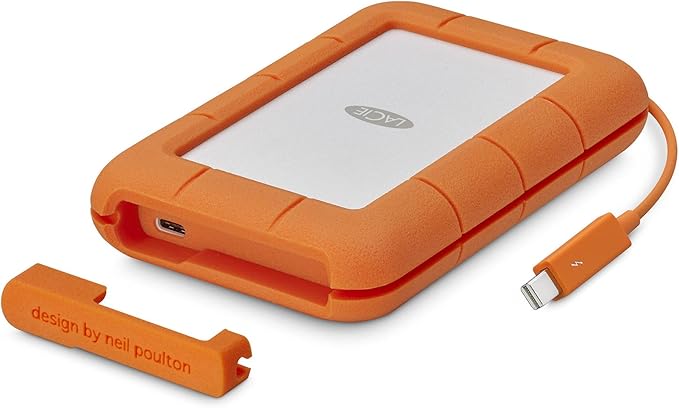
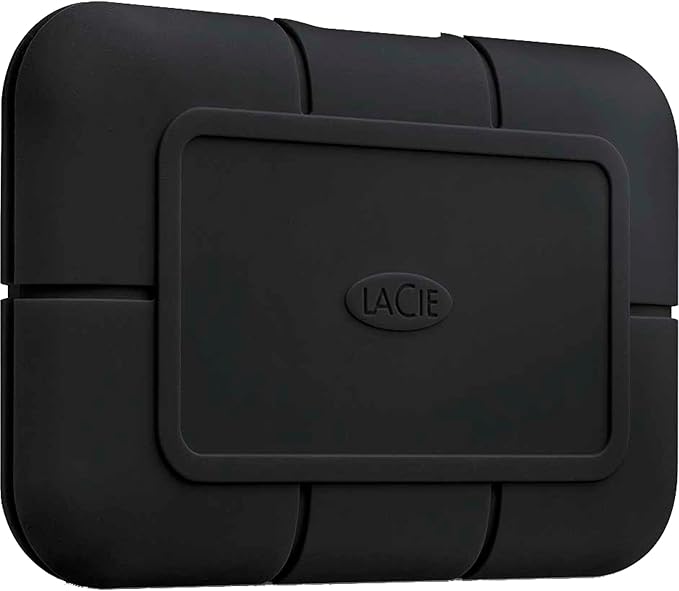
The LaCie Rugged SSD Pro 1TB is a superfast portable SSD that can take a hit. Thanks to the Thunderbolt 3 connector and the built-in NVMe SSD, you can transfer files at a speed of up to 2800MB/s. You can transfer the entire contents of this 1TB SSD in less than 6 minutes. 1TB contains enough space for 100,000 photos of 10MB or 100 movies of 10GB. The robust bumper protects the SSD from splash water, dust, a pressure of up to 2 tons, and a fall from up to 3m. This is useful when you're traveling or working on a construction site, for example. If something goes wrong with your hard drive within 5 years, Seagate Rescue Service will repair it for you. This way, you won't lose your valuable photos and files. With a 6.5x9.8cm size, the Rugged SSD Pro also easily fits in your bag or inner pocket. Your data remains protected thanks to data encryption and password protection.
The LaCie Rugged SSD Pro 1TB is a superfast portable SSD that can take a hit. Thanks to the Thunderbolt 3 connector and the built-in NVMe SSD, you can transfer files at a speed of up to 2800MB/s. You can transfer the entire contents of this 1TB SSD in less than 6 minutes. 1TB contains enough space for 100,000 photos of 10MB or 100 movies of 10GB. The robust bumper protects the SSD from splash water, dust, a pressure of up to 2 tons, and a fall from up to 3m. This is useful when you're traveling or working on a construction site, for example. If something goes wrong with your hard drive within 5 years, Seagate Rescue Service will repair it for you. This way, you won't lose your valuable photos and files. With a 6.5x9.8cm size, the Rugged SSD Pro also easily fits in your bag or inner pocket. Your data remains protected thanks to data encryption and password protection.
The LaCie Rugged SSD Pro 1TB is a superfast portable SSD that can take a hit. Thanks to the Thunderbolt 3 connector and the built-in NVMe SSD, you can transfer files at a speed of up to 2800MB/s. You can transfer the entire contents of this 1TB SSD in less than 6 minutes. 1TB contains enough space for 100,000 photos of 10MB or 100 movies of 10GB. The robust bumper protects the SSD from splash water, dust, a pressure of up to 2 tons, and a fall from up to 3m. This is useful when you're traveling or working on a construction site, for example. If something goes wrong with your hard drive within 5 years, Seagate Rescue Service will repair it for you. This way, you won't lose your valuable photos and files. With a 6.5x9.8cm size, the Rugged SSD Pro also easily fits in your bag or inner pocket. Your data remains protected thanks to data encryption and password protection.
The LaCie Rugged SSD Pro 1TB is a superfast portable SSD that can take a hit. Thanks to the Thunderbolt 3 connector and the built-in NVMe SSD, you can transfer files at a speed of up to 2800MB/s. You can transfer the entire contents of this 1TB SSD in less than 6 minutes. 1TB contains enough space for 100,000 photos of 10MB or 100 movies of 10GB. The robust bumper protects the SSD from splash water, dust, a pressure of up to 2 tons, and a fall from up to 3m. This is useful when you're traveling or working on a construction site, for example. If something goes wrong with your hard drive within 5 years, Seagate Rescue Service will repair it for you. This way, you won't lose your valuable photos and files. With a 6.5x9.8cm size, the Rugged SSD Pro also easily fits in your bag or inner pocket. Your data remains protected thanks to data encryption and password protection.
in 6 offers
The lowest price for 1TB LaCie Rugged SSD Pro Thunderbolt 3 right now is $284.00 at Device Deal, compared across 6 retailers.
The all-time low was $129.95 on 30 Jan 2026 — today's price is 119% above the lowest ever. It has been notably cheaper before — worth setting a price alert.
Prices last updated 22 Oct 2026.
Last updated at 22/10/2026 20:38:12
LaCie 1TB Rugged Pro Thunderbolt 3 Portable External SSD
Delivery $11.99
LaCie Rugged Ssd Pro 1tb 2.5" Drop Resistant, USB-C, Thunderbolt3, NVMe, 5yr Portable Drives - STHZ1000800, 2800MB/s, IP67 Water Resistant, 3m Drop
Delivery between Mon – Wed $10
Lacie 1TB Rugged SSD Pro USB-C Thunderbolt 3 External SSD (STHZ1000800)
Lacie 1TB Rugged SSD Pro USB C Thunderbolt 3 External SSD STHZ1000800 - External SSD Hard Drives
Delivery $16.60
Lacie 1TB Rugged SSD Pro USB C Thunderbolt 3 External SSD STHZ1000800 - External SSD Hard Drives
Delivery $12
Lacie Sthz1000800 Rugged Ssd Pro 1tb Portable Ssd Thunderbolt 3 Usb
Delivery $31.35
Affiliate Disclosure: We may receive a small commission for purchases made through this link at no extra cost to you. This helps support our site. Thank you!
originally posted on bhphotovideo.com
SSD manufacturers are notorious for exaggerating their speeds. They use confusing and overlapping terms to mask the fact they use older/lower quality components in their units. For an SSD priced over a grand I was really hoping I would get something that follow through on it's promises.Reached out to LaCie after the first tests and they recommended I return it and get a new one. Tests on the replacement were the same.Tested it on a 2020 Macbook M1 and a high end Macbook M1 Pro. Similar results both times. Write speeds were consistently around half of what's advertised. Transfer speeds were around 20% less too.I'll always buy from BH and recommend every do the same, I just wouldn't recommend buying this SSD.
originally posted on bhphotovideo.com
I purchased this rugged SSD Pro by LaCie for my daughter who purchased a MacBook Pro. I moved the files off the SSD then used Disk Utililty to format and partition the drive for Time Machine and Manual backups. Compared to her old SSD USB 2.0 external drive, the copy speed of the LaCie SSD was fast. It was only a few minutes and all files were copied over. She will continue to use the Rugged SSD for her backup files.
originally posted on bhphotovideo.com
Excellent external SSD that is fast, has a reasonable amount of storage, and has contemporary connection (USB-C or Thunderbolt). It is rugged and has very fast read and write speeds. It is also very very light. The small size makes it even more attractive to resolve an SSD need as one can easily store the SSD after backing up data at a safe place.As some people have already mentioned the connection cable included in the package is really short so one may have to get a longer cable if a short cable does not address your needs.I transferred data from an old WD my book that was bought in 2014 and back then it was a one or two year old model. So it didn't have fast transfer speeds and the whole data transfer took a long time but I am noticing the LaCie SSD is ... MoreExcellent external SSD that is fast, has a reasonable amount of storage, and has contemporary connection (USB-C or Thunderbolt). It is rugged and has very fast read and write speeds. It is also very very light. The small size makes it even more attractive to resolve an SSD need as one can easily store the SSD after backing up data at a safe place.As some people have already mentioned the connection cable included in the package is really short so one may have to get a longer cable if a short cable does not address your needs.I transferred data from an old WD my book that was bought in 2014 and back then it was a one or two year old model. So it didn't have fast transfer speeds and the whole data transfer took a long time but I am noticing the LaCie SSD is seriously fast with its lightning read and write speeds.
| Type | SSD |
| Use | External |
| Device Compatibility | Windows, Mac, PC |
| Durability | Crush resistant, Shock resistant, Water resistant, Dustproof |
| Read Speed | 2800 MB/s |
LaCie 1TB Rugged Pro Thunderbolt 3 Portable External SSD
Delivery $11.99
LaCie Rugged Ssd Pro 1tb 2.5" Drop Resistant, USB-C, Thunderbolt3, NVMe, 5yr Portable Drives - STHZ1000800, 2800MB/s, IP67 Water Resistant, 3m Drop
Delivery between Mon – Wed $10
Lacie 1TB Rugged SSD Pro USB-C Thunderbolt 3 External SSD (STHZ1000800)
Lacie 1TB Rugged SSD Pro USB C Thunderbolt 3 External SSD STHZ1000800 - External SSD Hard Drives
Delivery $16.60
Lacie 1TB Rugged SSD Pro USB C Thunderbolt 3 External SSD STHZ1000800 - External SSD Hard Drives
Delivery $12
SSD manufacturers are notorious for exaggerating their speeds. They use confusing and overlapping terms to mask the fact they use older/lower quality components in their units. For an SSD priced over a grand I was really hoping I would get something that follow through on it's promises.Reached out to LaCie after the first tests and they recommended I return it and get a new one. Tests on the replacement were the same.Tested it on a 2020 Macbook M1 and a high end Macbook M1 Pro. Similar results both times. Write speeds were consistently around half of what's advertised. Transfer speeds were around 20% less too.I'll always buy from BH and recommend every do the same, I just wouldn't recommend buying this SSD.
I purchased this rugged SSD Pro by LaCie for my daughter who purchased a MacBook Pro. I moved the files off the SSD then used Disk Utililty to format and partition the drive for Time Machine and Manual backups. Compared to her old SSD USB 2.0 external drive, the copy speed of the LaCie SSD was fast. It was only a few minutes and all files were copied over. She will continue to use the Rugged SSD for her backup files.
Excellent external SSD that is fast, has a reasonable amount of storage, and has contemporary connection (USB-C or Thunderbolt). It is rugged and has very fast read and write speeds. It is also very very light. The small size makes it even more attractive to resolve an SSD need as one can easily store the SSD after backing up data at a safe place.As some people have already mentioned the connection cable included in the package is really short so one may have to get a longer cable if a short cable does not address your needs.I transferred data from an old WD my book that was bought in 2014 and back then it was a one or two year old model. So it didn't have fast transfer speeds and the whole data transfer took a long time but I am noticing the LaCie SSD is ... MoreExcellent external SSD that is fast, has a reasonable amount of storage, and has contemporary connection (USB-C or Thunderbolt). It is rugged and has very fast read and write speeds. It is also very very light. The small size makes it even more attractive to resolve an SSD need as one can easily store the SSD after backing up data at a safe place.As some people have already mentioned the connection cable included in the package is really short so one may have to get a longer cable if a short cable does not address your needs.I transferred data from an old WD my book that was bought in 2014 and back then it was a one or two year old model. So it didn't have fast transfer speeds and the whole data transfer took a long time but I am noticing the LaCie SSD is seriously fast with its lightning read and write speeds.
The drive has performed well on my macStudio. The TB 3 connection is fast. One advantage of the TB connection on Macs is that the status of the drive can be monitored (SMART data) - USB drives don't support SMART data. I want to monitor drive health. On another Samsung SSD TB drive I got an early warning of problems developing and replaced the drive.
I will be using this hard drive for my main working disc for photo and video editing between three computers and an iPad. It's been perfect so far. No complaints whatsoever. Sure it would be nice if it didn't cost a buck, but it's definitely a better value than the 2 TB offering and faster than anything that I've seen in this price range.SanDisk has some offerings worth considering if you don't need this much speed, but I do want to point out that both companies include 5 year warranties on most of their professional drives, and Lacie/ Seagate includes 5 years of date recovery too. My other issue with the best bus-powered SanDisk drive currently is that is that my Macs won't support 20 Gbps bandwidth via USB-C. Only 10... so you're paying for extra performance ... MoreI will be using this hard drive for my main working disc for photo and video editing between three computers and an iPad. It's been perfect so far. No complaints whatsoever. Sure it would be nice if it didn't cost a buck, but it's definitely a better value than the 2 TB offering and faster than anything that I've seen in this price range.SanDisk has some offerings worth considering if you don't need this much speed, but I do want to point out that both companies include 5 year warranties on most of their professional drives, and Lacie/ Seagate includes 5 years of date recovery too. My other issue with the best bus-powered SanDisk drive currently is that is that my Macs won't support 20 Gbps bandwidth via USB-C. Only 10... so you're paying for extra performance that you can't use if you're machine doesn't support the latest USB (not Thunderbolt 3/4).
I've used Lacie for a while. This one is small and compact, and very tough with the outer skin. The USB-C on this version is way better than the older model with the older connector on one end that wasn't very secure. This is USB-C on both sides. Transfer speeds are great, it works excellent with my Mac.
Very fast: I get almost the same speed on my MacBook Pro (using the thunderbolt 3 port) as with the internal ssd (write 1600 MByte/s, read 2500 MB/s). Perfect to edit Final Cut Pro and iMovie files directly from the external ssd.Strangely I couldn’t format it with APFS (using Disk Utility on macOS Sonoma) - no idea why;Also, the write speed is clearly faster using the Mac journaling file system than with ExtFAT.
I think this is the best product for people who work with large amounts of data such as video. The overwhelmingly faster transmission speed compared to other products can greatly reduce work time. It's small and light, so it's easy to carry, and most of all, it has a beautiful design.
The reason to get this drive is that you have a laptop with Thunderbolt ports, and you want external storage that is as fast as your internal SSD. When you are working on large audio or video projects, you are using the drive at high throughputs for extended periods of time, and a lot of the external drives will overheat and corrupt. Not this one though. This one barely gets warm even when you are driving it hard, and it is as fast as it is rated! I highly recommend it!
For several years I have been using the small Samsung USB-C external drives (almost credit-card sized) -- I used two 500GB and one 1TB drives along with Carbon Copy Cloner and my MacBook Air.That worked well (although the 1TB became corrupted and unusable about 3 months ago) and I would especially back up the drive before any flight and separate the drive from my laptop at TSA.I just upgraded to a (wonderful!) MacBook Pro 14 and attempted a Migration Assistant transfer from the Air using a fresh Samsung backup. I let it run for about 8 hours and it never got past the first Looking for applications and documents... stage.To cut to the chase: I thus ordered this 500GB LaCie drive and did a fresh CCC backup from the MB Air. It took 7 minutes to backup 400GB of ... MoreFor several years I have been using the small Samsung USB-C external drives (almost credit-card sized) -- I used two 500GB and one 1TB drives along with Carbon Copy Cloner and my MacBook Air.That worked well (although the 1TB became corrupted and unusable about 3 months ago) and I would especially back up the drive before any flight and separate the drive from my laptop at TSA.I just upgraded to a (wonderful!) MacBook Pro 14 and attempted a Migration Assistant transfer from the Air using a fresh Samsung backup. I let it run for about 8 hours and it never got past the first Looking for applications and documents... stage.To cut to the chase: I thus ordered this 500GB LaCie drive and did a fresh CCC backup from the MB Air. It took 7 minutes to backup 400GB of data! Using the Samsung with USB-C it would take 13 mins for ~22GB. (See screenshot of CCC logs.)I hooked the LaCie up to the MB Pro and started Migration Assistant. The whole process took ~15 minutes. Previously it would take hours.Sorry for rambling on.TLDR; A wicked fast external drive worth every penny. And Thunderbolt makes a huge difference!
| Type | SSD |
| Use | External |
| Device Compatibility | Windows, Mac, PC |
| Durability | Crush resistant, Shock resistant, Water resistant, Dustproof |
| Read Speed | 2800 MB/s |