Ly73pr
Ly73pr
in 10 offers
The lowest price for Amazon Fire TV Stick right now is $30.98 at eBay.com.au, compared across 5 retailers.
The all-time low was $30.98 on 9 June 2026. That's the lowest price we've ever tracked — a great time to buy.
Prices last updated 9 June 2026.
Amazon Fire TV Stick
Ly73pr
Ly73pr
Last updated at 09/06/2026 08:06:40
Amazon Fire Tv Stick Media Streamer Ly73pr W/ Voice Remote - 2nd Gen
Free delivery
Affiliate Disclosure: We may receive a small commission for purchases made through this link at no extra cost to you. This helps support our site. Thank you!
Fire Tv Stick Hd W/ Alexa Voice Remote, Tv & Volume Controls
Free delivery
Affiliate Disclosure: We may receive a small commission for purchases made through this link at no extra cost to you. This helps support our site. Thank you!
Amazon Fire Tv Stick 4k Streaming Device With Alexa Voice Remote -
Delivery $31.53
Affiliate Disclosure: We may receive a small commission for purchases made through this link at no extra cost to you. This helps support our site. Thank you!
Amazon Fire TV Stick with Alexa Voice Remote | streaming media player BBC ITV UK
Affiliate Disclosure: We may receive a small commission for purchases made through this link at no extra cost to you. This helps support our site. Thank you!
Amazon Fire Tv Streaming Media Player
Delivery $39.54
Affiliate Disclosure: We may receive a small commission for purchases made through this link at no extra cost to you. This helps support our site. Thank you!
Amazon Fire TV Stick Alexa Voice Remote with TV Controls
Free delivery between Wed – Thu
Amazon Fire TV Stick Alexa Voice Remote with TV Controls
Delivery between 15–23 June $7.80
Amazon FireTV Stick with Alexa Remote - (Brand New)
Delivery $85.18
Amazon FireTV Stick 4K With Alexa Remote
Delivery $85.18
Fire TV Stick with Alexa Voice Remote Bundle. Includes Fire TV Stick with Alexa Voice Remote (includes TV controls), HD streaming device & Made For
Delivery between 10–22 June $28.32
originally posted on influenster.com
This product is an absolute life saver. Keep the home very entertaining, whether it’s family or friends visiting there’s plenty to do with this device. And most importantly saving a lot of money rather than paying heavy fee on tv subscription. This is an easy to install device. All you need is a good internet connection in the home, you tv ideally if HD or FHD you would definitely enjoy the experience the product delivers. I currently have two of this device purchased directly from Amazon. One is situated in my living room and the second in my bedroom. Obviously this is a good set up for my family and no need to worry about sharing the living space trying to watch tv as I can go to the room and watch my own preferred content. So with the device you get access to ... MoreThis product is an absolute life saver. Keep the home very entertaining, whether it’s family or friends visiting there’s plenty to do with this device. And most importantly saving a lot of money rather than paying heavy fee on tv subscription. This is an easy to install device. All you need is a good internet connection in the home, you tv ideally if HD or FHD you would definitely enjoy the experience the product delivers. I currently have two of this device purchased directly from Amazon. One is situated in my living room and the second in my bedroom. Obviously this is a good set up for my family and no need to worry about sharing the living space trying to watch tv as I can go to the room and watch my own preferred content. So with the device you get access to many applications like Netflix, Amazon Prime Video, Spotify, games, local tv stations apps. The many features is the streaming of all services like vidoes, music, gaming etc. Before purchasing this product I had to do serious research on it. I wanted to know the compatibility of the device with my tv. And also the setting up, which proved to be well worth it as I got a very good deal and details I was looking for.
originally posted on influenster.com
While the device works great for streaming, it still has room for improvement. We first started with Roku devices. Over time though, Roku devices basically stop working. They stop being supported, and even though they may have worked fine for years, you can no longer update them or install software, even old versions, so you have to throw them away. So, we tried firetv sticks. The first generation was rough, but they have come along way. For media streaming and app coverage, they really can't be beat..... but.... We love that they are tied into Amazon, but also hate that they are tied into Amazon. It never lets you forget that its primary job is to let Amazon sell stuff to you and its secondary job is to be your streaming device. What do I mean by this? Well, it ... MoreWhile the device works great for streaming, it still has room for improvement. We first started with Roku devices. Over time though, Roku devices basically stop working. They stop being supported, and even though they may have worked fine for years, you can no longer update them or install software, even old versions, so you have to throw them away. So, we tried firetv sticks. The first generation was rough, but they have come along way. For media streaming and app coverage, they really can't be beat..... but.... We love that they are tied into Amazon, but also hate that they are tied into Amazon. It never lets you forget that its primary job is to let Amazon sell stuff to you and its secondary job is to be your streaming device. What do I mean by this? Well, it really likes to put you back on Amazon's homescreen as much as possible, and when you are in Amazon's homescreen, you are presented with the content you have paid for, but also a lot of content Amazon would like to sell to you. I really only want to see the content I have already paid for. For example, if you are watching something on MAX, or Netflix, and you pause the program, if you unpause it quick enough, it will just pick up where you left off. However, if you wait to long, you will find yourself back at Amazon's homescreen asking you to tell it which user profile to use. Well, unless I tell it otherwise, shouldn't I be the same person I was when I hit pause? Shouldn't I want to continue watch what I was watching when I hit pause? Once you select a profile, you are back to Amazon's homescreen where the show you ads for services they want to sell you, when all you really wanted to do was resume what you were watching when you hit pause.
originally posted on influenster.com
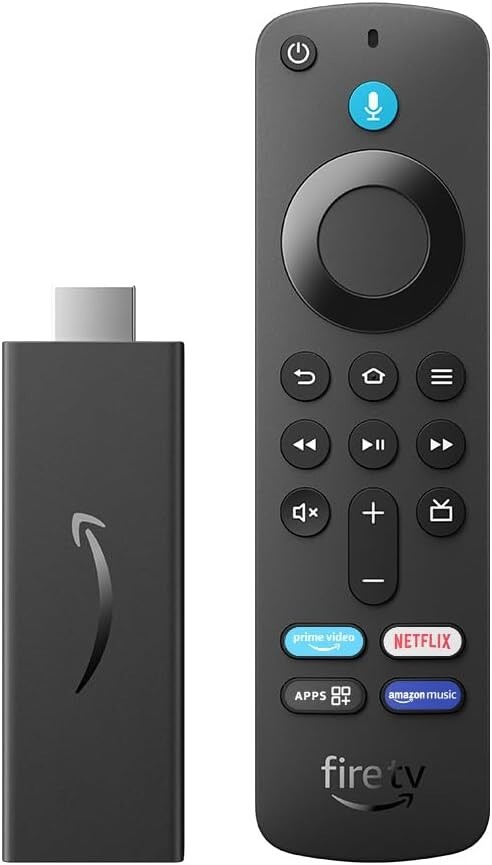
I have several Fire Sticks, Roku TVs, and a Roku Express. I don't have a need for 4K, so that feature found on the more expensive models is not important to me. Price and basic performance are what counts. The new Fire TV Stick Lite delivers—especially at the current promotional price. All three of my basic Fire Sticks are standard models and identical in appearance with slightly different remote controls. The oldest standard stick has the most basic features and no volume or power button. The newer standard model has the same controls but with the addition of a power button, mute button, and volume controls. The newest Lite model removes the power and sound buttons but adds a guide button not found on the other two. They removed the power and sound buttons on the ... MoreI have several Fire Sticks, Roku TVs, and a Roku Express. I don't have a need for 4K, so that feature found on the more expensive models is not important to me. Price and basic performance are what counts. The new Fire TV Stick Lite delivers—especially at the current promotional price. All three of my basic Fire Sticks are standard models and identical in appearance with slightly different remote controls. The oldest standard stick has the most basic features and no volume or power button. The newer standard model has the same controls but with the addition of a power button, mute button, and volume controls. The newest Lite model removes the power and sound buttons but adds a guide button not found on the other two. They removed the power and sound buttons on the Lite model. With these buttons, I pretty much don't have to use the TV remote control at all. For a few dollars more, you may want to consider the basic Fire TV stick just to get the power and sound buttons. Just make sure that you are getting a newer model with these features and not the original stick without these buttons. UPDATE 12/13/2020: I discovered that you CAN control the TV Power ON/OFF with the Fire Stick Lite if your TV is CEC capable (most are.) Pressing the HOME button on the Fire remote should turn the TV on and switch to the Fire input. If the TV is already on, pressing the HOME button will switch to the correct input. To turn the TV off, press the MIC button and say "TV POWER OFF," and it should turn the TV off. Make sure that your TV HDMI settings have CEC control turned on for this hidden feature to work. So far, I haven't been able to control the volume this way. All of the remote controls use RF (radio frequencies) to control the stick, rather than the usual infra-red (IR) controls found on TV remotes. That means that they don't have to be pointed at the TV to work. In fact, they wouldn't work with the Fire Sticks if they were IR remotes since the Stick sits behind the TV. The downside to the RF remote is that they are specific to the individual stick. The menu allows you to pair a new remote to the Fire Stick if you replace one. You can also access the Fire Stick with your cell phone using the Fire TV app. This has come in handy when I've misplaced the remote control or worn down the battery and not had a replacement. By comparison, the Roku Express (and my Roku TVs) use IR remotes that you have to point. They are interchangeable, and the batteries seem to last longer than the RF remotes used with the Sticks. Performance, picture quality, and speed are good on all three Fire Stick models. The Lite model is the newest of the basic models and should have the fastest speed, but I haven't detected any difference. To save on network bandwidth, I force all of my devices to operate at 720P. The picture quality is quite good on my TVs (up to 50"), and pushing higher resolutions just wastes bandwidth, in my opinion. However, picture quality is heavily dependent on the particular app and type of content being watched, so I can't really make any predictions about how it will work for you. The Fire TV Sticks plug directly into the HDMI connector on your TV. A short extension cable is provided if there is not enough space for the Stick to be plugged directly in. The unit is provided with a 5V 1.0 amp AC adapter and a short USB cable. Amazon recommends plugging the stick into a separate outlet rather than using the USB jack on many TVs. In fact, if the unit detects that the TV USB connector doesn't have enough amperage, you'll get a message telling you not to use it. It's more convenient to use the TV to power the Stick, but there are drawbacks aside from the lack of power. The TV often turns off the USB connector when powered down, meaning that when you turn on the TV, the Fire Stick will have to reboot and reconnect to your network, slowing down your start-up. It would also be possible, in rare instances, to accidentally power down your Stick with the TV when an upgrade is being performed, which could cause problems. All that said, I still use the Fire Stick.
Amazon Fire Tv Stick Media Streamer Ly73pr W/ Voice Remote - 2nd Gen
Free delivery
Affiliate Disclosure: We may receive a small commission for purchases made through this link at no extra cost to you. This helps support our site. Thank you!
Fire Tv Stick Hd W/ Alexa Voice Remote, Tv & Volume Controls
Free delivery
Affiliate Disclosure: We may receive a small commission for purchases made through this link at no extra cost to you. This helps support our site. Thank you!
Amazon Fire Tv Stick 4k Streaming Device With Alexa Voice Remote -
Delivery $31.53
Affiliate Disclosure: We may receive a small commission for purchases made through this link at no extra cost to you. This helps support our site. Thank you!
Amazon Fire TV Stick with Alexa Voice Remote | streaming media player BBC ITV UK
Affiliate Disclosure: We may receive a small commission for purchases made through this link at no extra cost to you. This helps support our site. Thank you!
Amazon Fire Tv Streaming Media Player
Delivery $39.54
Affiliate Disclosure: We may receive a small commission for purchases made through this link at no extra cost to you. This helps support our site. Thank you!
This product is an absolute life saver. Keep the home very entertaining, whether it’s family or friends visiting there’s plenty to do with this device. And most importantly saving a lot of money rather than paying heavy fee on tv subscription. This is an easy to install device. All you need is a good internet connection in the home, you tv ideally if HD or FHD you would definitely enjoy the experience the product delivers. I currently have two of this device purchased directly from Amazon. One is situated in my living room and the second in my bedroom. Obviously this is a good set up for my family and no need to worry about sharing the living space trying to watch tv as I can go to the room and watch my own preferred content. So with the device you get access to ... MoreThis product is an absolute life saver. Keep the home very entertaining, whether it’s family or friends visiting there’s plenty to do with this device. And most importantly saving a lot of money rather than paying heavy fee on tv subscription. This is an easy to install device. All you need is a good internet connection in the home, you tv ideally if HD or FHD you would definitely enjoy the experience the product delivers. I currently have two of this device purchased directly from Amazon. One is situated in my living room and the second in my bedroom. Obviously this is a good set up for my family and no need to worry about sharing the living space trying to watch tv as I can go to the room and watch my own preferred content. So with the device you get access to many applications like Netflix, Amazon Prime Video, Spotify, games, local tv stations apps. The many features is the streaming of all services like vidoes, music, gaming etc. Before purchasing this product I had to do serious research on it. I wanted to know the compatibility of the device with my tv. And also the setting up, which proved to be well worth it as I got a very good deal and details I was looking for.
While the device works great for streaming, it still has room for improvement. We first started with Roku devices. Over time though, Roku devices basically stop working. They stop being supported, and even though they may have worked fine for years, you can no longer update them or install software, even old versions, so you have to throw them away. So, we tried firetv sticks. The first generation was rough, but they have come along way. For media streaming and app coverage, they really can't be beat..... but.... We love that they are tied into Amazon, but also hate that they are tied into Amazon. It never lets you forget that its primary job is to let Amazon sell stuff to you and its secondary job is to be your streaming device. What do I mean by this? Well, it ... MoreWhile the device works great for streaming, it still has room for improvement. We first started with Roku devices. Over time though, Roku devices basically stop working. They stop being supported, and even though they may have worked fine for years, you can no longer update them or install software, even old versions, so you have to throw them away. So, we tried firetv sticks. The first generation was rough, but they have come along way. For media streaming and app coverage, they really can't be beat..... but.... We love that they are tied into Amazon, but also hate that they are tied into Amazon. It never lets you forget that its primary job is to let Amazon sell stuff to you and its secondary job is to be your streaming device. What do I mean by this? Well, it really likes to put you back on Amazon's homescreen as much as possible, and when you are in Amazon's homescreen, you are presented with the content you have paid for, but also a lot of content Amazon would like to sell to you. I really only want to see the content I have already paid for. For example, if you are watching something on MAX, or Netflix, and you pause the program, if you unpause it quick enough, it will just pick up where you left off. However, if you wait to long, you will find yourself back at Amazon's homescreen asking you to tell it which user profile to use. Well, unless I tell it otherwise, shouldn't I be the same person I was when I hit pause? Shouldn't I want to continue watch what I was watching when I hit pause? Once you select a profile, you are back to Amazon's homescreen where the show you ads for services they want to sell you, when all you really wanted to do was resume what you were watching when you hit pause.
I have several Fire Sticks, Roku TVs, and a Roku Express. I don't have a need for 4K, so that feature found on the more expensive models is not important to me. Price and basic performance are what counts. The new Fire TV Stick Lite delivers—especially at the current promotional price. All three of my basic Fire Sticks are standard models and identical in appearance with slightly different remote controls. The oldest standard stick has the most basic features and no volume or power button. The newer standard model has the same controls but with the addition of a power button, mute button, and volume controls. The newest Lite model removes the power and sound buttons but adds a guide button not found on the other two. They removed the power and sound buttons on the ... MoreI have several Fire Sticks, Roku TVs, and a Roku Express. I don't have a need for 4K, so that feature found on the more expensive models is not important to me. Price and basic performance are what counts. The new Fire TV Stick Lite delivers—especially at the current promotional price. All three of my basic Fire Sticks are standard models and identical in appearance with slightly different remote controls. The oldest standard stick has the most basic features and no volume or power button. The newer standard model has the same controls but with the addition of a power button, mute button, and volume controls. The newest Lite model removes the power and sound buttons but adds a guide button not found on the other two. They removed the power and sound buttons on the Lite model. With these buttons, I pretty much don't have to use the TV remote control at all. For a few dollars more, you may want to consider the basic Fire TV stick just to get the power and sound buttons. Just make sure that you are getting a newer model with these features and not the original stick without these buttons. UPDATE 12/13/2020: I discovered that you CAN control the TV Power ON/OFF with the Fire Stick Lite if your TV is CEC capable (most are.) Pressing the HOME button on the Fire remote should turn the TV on and switch to the Fire input. If the TV is already on, pressing the HOME button will switch to the correct input. To turn the TV off, press the MIC button and say "TV POWER OFF," and it should turn the TV off. Make sure that your TV HDMI settings have CEC control turned on for this hidden feature to work. So far, I haven't been able to control the volume this way. All of the remote controls use RF (radio frequencies) to control the stick, rather than the usual infra-red (IR) controls found on TV remotes. That means that they don't have to be pointed at the TV to work. In fact, they wouldn't work with the Fire Sticks if they were IR remotes since the Stick sits behind the TV. The downside to the RF remote is that they are specific to the individual stick. The menu allows you to pair a new remote to the Fire Stick if you replace one. You can also access the Fire Stick with your cell phone using the Fire TV app. This has come in handy when I've misplaced the remote control or worn down the battery and not had a replacement. By comparison, the Roku Express (and my Roku TVs) use IR remotes that you have to point. They are interchangeable, and the batteries seem to last longer than the RF remotes used with the Sticks. Performance, picture quality, and speed are good on all three Fire Stick models. The Lite model is the newest of the basic models and should have the fastest speed, but I haven't detected any difference. To save on network bandwidth, I force all of my devices to operate at 720P. The picture quality is quite good on my TVs (up to 50"), and pushing higher resolutions just wastes bandwidth, in my opinion. However, picture quality is heavily dependent on the particular app and type of content being watched, so I can't really make any predictions about how it will work for you. The Fire TV Sticks plug directly into the HDMI connector on your TV. A short extension cable is provided if there is not enough space for the Stick to be plugged directly in. The unit is provided with a 5V 1.0 amp AC adapter and a short USB cable. Amazon recommends plugging the stick into a separate outlet rather than using the USB jack on many TVs. In fact, if the unit detects that the TV USB connector doesn't have enough amperage, you'll get a message telling you not to use it. It's more convenient to use the TV to power the Stick, but there are drawbacks aside from the lack of power. The TV often turns off the USB connector when powered down, meaning that when you turn on the TV, the Fire Stick will have to reboot and reconnect to your network, slowing down your start-up. It would also be possible, in rare instances, to accidentally power down your Stick with the TV when an upgrade is being performed, which could cause problems. All that said, I still use the Fire Stick.
I have had Firesticks for several years now and they are a very good option for streaming. The first few sticks I had didn't last as long as the newer versions but that is likely due to advances in technology. It comes with all the things you need to get it up and running immediately, even batteries for the remote. The OS is user friendly and works very well. It makes sense how its laid out is easy to navigate. Something else I like about it is that it is an android based OS so there are developer options which allow you more opportunity for customizing your experience. In the past the most common issues Ive had with it are the OS slowing down. There is 5gb of internal storage on it and it can get bogged down if you have a lot going on. Over time I notice there is a ... MoreI have had Firesticks for several years now and they are a very good option for streaming. The first few sticks I had didn't last as long as the newer versions but that is likely due to advances in technology. It comes with all the things you need to get it up and running immediately, even batteries for the remote. The OS is user friendly and works very well. It makes sense how its laid out is easy to navigate. Something else I like about it is that it is an android based OS so there are developer options which allow you more opportunity for customizing your experience. In the past the most common issues Ive had with it are the OS slowing down. There is 5gb of internal storage on it and it can get bogged down if you have a lot going on. Over time I notice there is a delay in the responsiveness to remote commands. Resetting the device does improve the lagging for a short period of time but it isn't a permanent fix and it never goes back to how it ran when it was brand new...just a little less lag. In my experience these devices will last several years before needing to be replaced. In my opinion, that is a great bang for your buck. Something else great about them is that you can find them on sale all throughout the year on amazon. There are also numerous areas for support on the amazon site as well as live customer service to help if you need it. I have used other streaming devices before but keep coming back to these. One side note....we have phillps hue ecosystem for our lights and use the hue sync box to control the lights to match the colors on the screen. We bought the 4k stick and it wasn't compatible with the hue sync box. Our sync box is several years old so perhaps the newer ones have a patch that fixes the issue but we weren't able to use the 4k stick with our hue sync box. The HD stick works just fine with our setup. I will say that there was a noticeable picture and audio quality difference with the 4k stick, but not being able to work with our lights was a deal breaker for me. Overall I would recommend this device for anyone. It's affordable and works great for all of our needs
The OS is user friendly and works very well. It makes sense how its laid out is easy to navigate. Something else I like about it is that it is an android based OS so there are developer options which allow you more opportunity for customizing your experience. In the past the most common issues Ive had with it are the OS slowing down. There is 5gb of internal storage on it and it can get bogged down if you have a lot going on. Over time I notice there is a delay in the responsiveness to remote commands. Resetting the device does improve the lagging for a short period of time but it isn't a permanent fix and it never goes back to how it ran when it was brand new...just a little less lag. In my experience these devices will last several years before needing to be ... MoreThe OS is user friendly and works very well. It makes sense how its laid out is easy to navigate. Something else I like about it is that it is an android based OS so there are developer options which allow you more opportunity for customizing your experience. In the past the most common issues Ive had with it are the OS slowing down. There is 5gb of internal storage on it and it can get bogged down if you have a lot going on. Over time I notice there is a delay in the responsiveness to remote commands. Resetting the device does improve the lagging for a short period of time but it isn't a permanent fix and it never goes back to how it ran when it was brand new...just a little less lag. In my experience these devices will last several years before needing to be replaced. In my opinion, that is a great bang for your buck. Something else great about them is that you can find them on sale all throughout the year on amazon. There are also numerous areas for support on the amazon site as well as live customer service to help if you need it. I have used other streaming devices before but keep coming back to these.
Amazon Fire TV Stick with Voice Remote is a great way to put all your entertainment needs in the same place. You can download almost any kind of app onto your Fire TV stick for free and then sign into your account one time within that application, then stream anything and everything you want! It has just about every app that's available to stream or be entertained on. You simply sign into your Amazon account when you first plug in your Fire TV stick into your TV's HDMI port (cable is included with the Fire Stick and remote) and then you can move on to download any apps you want to stream on including Amazon PRIME, YouTube, Twitch, Paramount +, Hulu, Sling TV, Philo, Peacock, Roku Channel, Apple TV, and the Fire TV stick even has its own channel that's free! Other ... MoreAmazon Fire TV Stick with Voice Remote is a great way to put all your entertainment needs in the same place. You can download almost any kind of app onto your Fire TV stick for free and then sign into your account one time within that application, then stream anything and everything you want! It has just about every app that's available to stream or be entertained on. You simply sign into your Amazon account when you first plug in your Fire TV stick into your TV's HDMI port (cable is included with the Fire Stick and remote) and then you can move on to download any apps you want to stream on including Amazon PRIME, YouTube, Twitch, Paramount +, Hulu, Sling TV, Philo, Peacock, Roku Channel, Apple TV, and the Fire TV stick even has its own channel that's free! Other apps include ESPN ESPN +, NETFLIX, Discovery +, HBO MAX HBO, STARZ, plus all your local news channels such as CBS, and even FOX, CNN, NBC, and MORE! It even has other applications from Amazon like LUNA. It's quick and easy to set up and sign into. You can push the mic button on the remote and tell Alexa what you want to watch on whatever platform or application and she does the work for you! You can even whisper into it if you don't want to wake your sleeping kids or spouse and Alexa picks up on that and will respond in a soft subtle way. The remote takes 2 AAA batteries and is even to connect and it's easy to navigate. Very entertaining and convenient!
This is a pretty cool Firestick. I mainly use it for streaming on YouTube, Vudu, and Netflix. It's the third one I've purchased... with every purchase, the designs get newer and more interesting. I love the power button that controls my tv, and the volume button that magically controls the tv as well... it's not a smart tv, but it does have HDMI ports x 2. Set-up was easy... just followed the instructions, linked my prior account, and it took it some time to get my apps on there, but it was eventually successful... did it all by itself! In case you don't know, or you've never owned a Firestick, the remote can be taken all the way across your house, and it'll still be able to work. You can hide it behind a pillow, and the signal is still strong. This is very ... MoreThis is a pretty cool Firestick. I mainly use it for streaming on YouTube, Vudu, and Netflix. It's the third one I've purchased... with every purchase, the designs get newer and more interesting. I love the power button that controls my tv, and the volume button that magically controls the tv as well... it's not a smart tv, but it does have HDMI ports x 2. Set-up was easy... just followed the instructions, linked my prior account, and it took it some time to get my apps on there, but it was eventually successful... did it all by itself! In case you don't know, or you've never owned a Firestick, the remote can be taken all the way across your house, and it'll still be able to work. You can hide it behind a pillow, and the signal is still strong. This is very interesting technology to me! On the other hand, I can take the manufactures (regular) remote and face it away from the tv, and it won't work! LOL!!! Oh! You get two AAA batteries to boot. I use rechargeable Duracell batteries with all of mine, and there's an on-screen prompt that notifies you when your batteries are running low. Pretty neat. (= I don't use voice recognition a lot, but most of the time, it works just fine. I refuse to invite Alexa into my humble home... for the time being. If she's hot enough, then I may reconsider. Technology is good depending on the intended application of it. At this point? My only concern is the longevity of this product. Had my first one, my very first one, not stopped working as expected (screens freezing, having to reset it multiple times to link with my Wi-Fi, mashing the button to the right required more muscle), then I'd have not been in the market for another. Nevertheless, all things eventually break down. In the meantime, this one is working just fine.
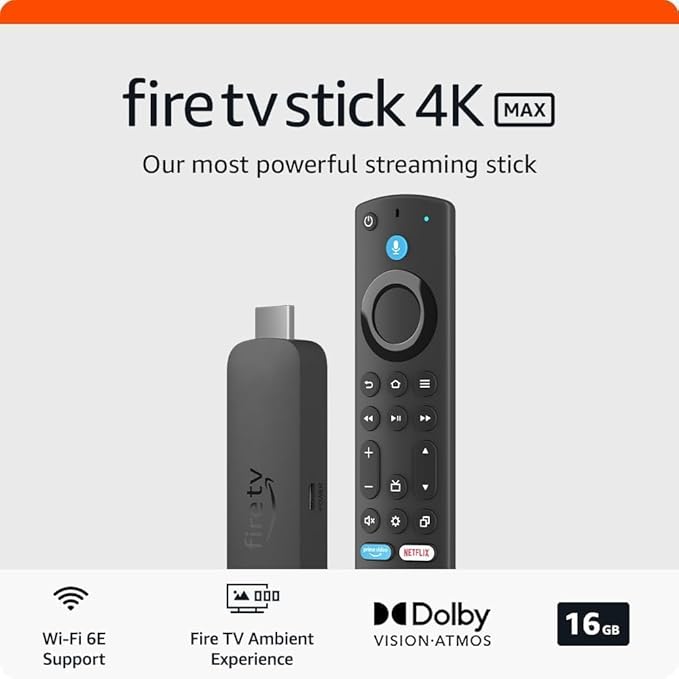
LOVE IT!! I have used fire sticks for over a decade needed to update mine for more storage capacity. The 4k is perfect. It's an extremely easy set up I love the new screen savers they use. The synergy with my Alexa devices is particularly impressive, allowing for seamless voice commands to control viewing options. I love the ambient mode..what a clever feature. It provides a serene backdrop that displays my schedule and to-dos when the screen is idle. It is also easy to stream movies with this 4k stick from a home media server over windows networking (smb). I am really surprised the Firestick's are not more popular. You can also play console style games on it as well! I haven't tried that, but look forward to giving it a whirl. I am very, very pleased with my ... MoreLOVE IT!! I have used fire sticks for over a decade needed to update mine for more storage capacity. The 4k is perfect. It's an extremely easy set up I love the new screen savers they use. The synergy with my Alexa devices is particularly impressive, allowing for seamless voice commands to control viewing options. I love the ambient mode..what a clever feature. It provides a serene backdrop that displays my schedule and to-dos when the screen is idle. It is also easy to stream movies with this 4k stick from a home media server over windows networking (smb). I am really surprised the Firestick's are not more popular. You can also play console style games on it as well! I haven't tried that, but look forward to giving it a whirl. I am very, very pleased with my decision to purchase this product, I am also very pleased that Amazon designed a nice device with a good interface that integrates the streaming content into the main page. I love the voice control option theology the remote or I can use my Alexa to control it. I like that the remote has the buttons for Netflix, prime, Disney peacock as I use all of those apps.
First of all, this item is fairly easy to set up and use. They give you a manual if you can’t figure out how to set it up, and they explain it nicely. I’m a fan of the remote that comes with it because of its small, sleek design. When you get the stick plugged in and working, you have to do a small set up procedure. You choose what apps you want on your home screen, they make you see if the volume control on the remote is working, what language you want, connects to your internet (which then connects to your Alexa app if you have it and have other devices), etc. This can all be changed later in the settings. As for the glitches and buffering, I do not experience either of these with the item. The streaming quality and speed is very nice with no breaking up, lag, ... MoreFirst of all, this item is fairly easy to set up and use. They give you a manual if you can’t figure out how to set it up, and they explain it nicely. I’m a fan of the remote that comes with it because of its small, sleek design. When you get the stick plugged in and working, you have to do a small set up procedure. You choose what apps you want on your home screen, they make you see if the volume control on the remote is working, what language you want, connects to your internet (which then connects to your Alexa app if you have it and have other devices), etc. This can all be changed later in the settings. As for the glitches and buffering, I do not experience either of these with the item. The streaming quality and speed is very nice with no breaking up, lag, etc., making it a nice watching experience. Lastly, for the remote control, the remote is easy to use and understand and the stick is very responsive. (Tip: the Alexa on your remote serves as a normal Alexa device too, as it can do everything others can like turn devices on/off, tell you the time, do routines, etc., but this time it can show you movies and shows on your TV!)
I just regret not having reacted earlier and bought my Amazon fire stick a long time ago, instead of paying for a cable subscription unnecessarily. The HD picture quality is sharp crisp and despite response to the commands not being as fast as cable (showing some micro-second slags with the remote) that seems to be only a very minor inconvenience, almost unnoticeable. You will get a stable signal as long as your internet service enjoys a reliable connection as well. The set up was a breeze and very straightforward and I love the minimalist design parameters of the remote, very sleek and intuitive and all you need at a simple click of your fingertips. There is obviously a learning curve into changing to full streaming services but is more about the learning ... MoreI just regret not having reacted earlier and bought my Amazon fire stick a long time ago, instead of paying for a cable subscription unnecessarily. The HD picture quality is sharp crisp and despite response to the commands not being as fast as cable (showing some micro-second slags with the remote) that seems to be only a very minor inconvenience, almost unnoticeable. You will get a stable signal as long as your internet service enjoys a reliable connection as well. The set up was a breeze and very straightforward and I love the minimalist design parameters of the remote, very sleek and intuitive and all you need at a simple click of your fingertips. There is obviously a learning curve into changing to full streaming services but is more about the learning experience to navigate the app and getting acquainted with the remote, getting familiar with the apps you’d like to keep and avoid getting lured into acquiring new pay streaming services unnecessary for your needs or preferences. Beware, the current streaming offer seems to be enormous, so I can see it might take you some time just organizing your preferences. The fire TV will let you organize access into separate user profiles and establishing parental controls or limited access accordingly. Overall, it proves to be a simple solution for quality streaming services at a very convenient price and a definite good bye to my regrets for paying expensive cable tv services!