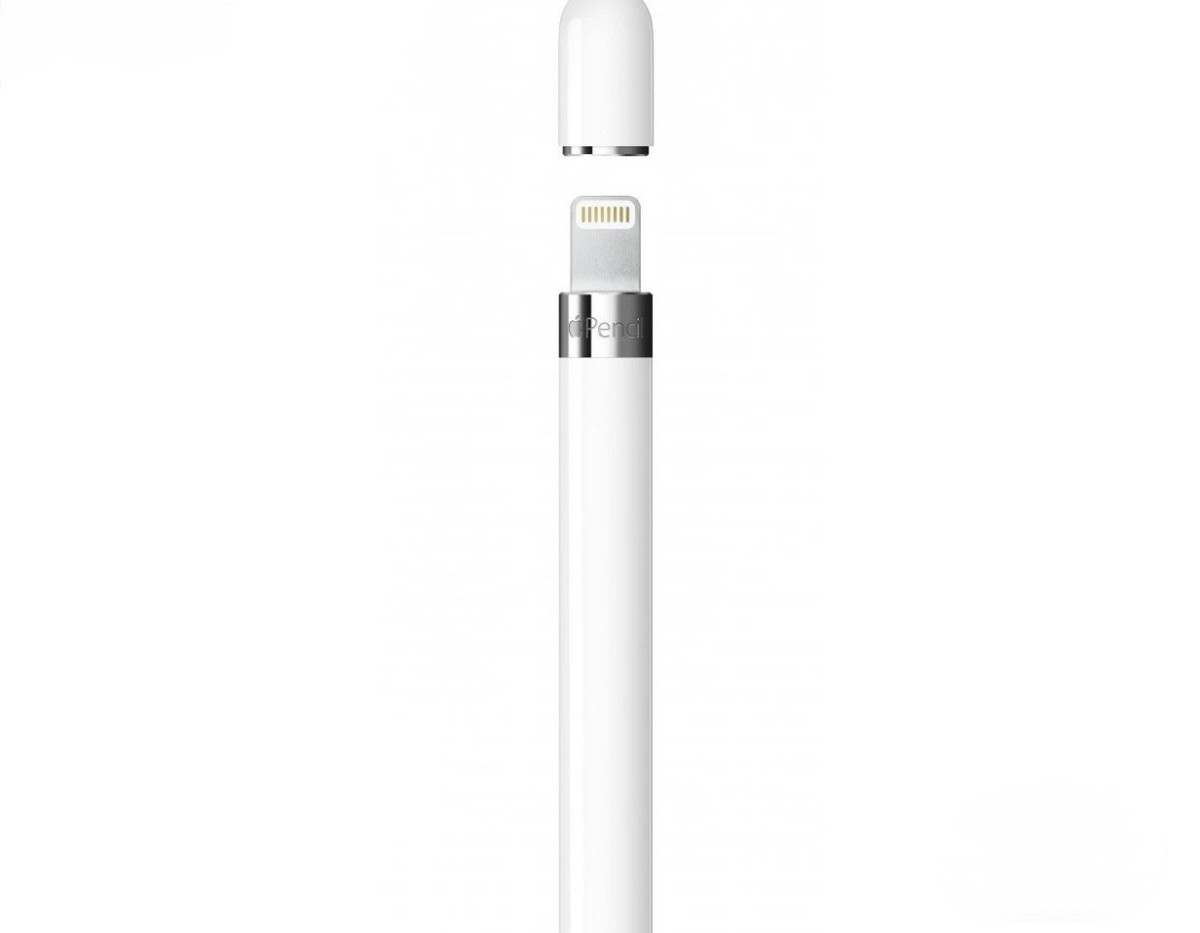
Features USB-C Connector Attaches magnetically Supports Apple Pencil hover on iPad Pro Apple Pencil (USB-C) is perfect for taking notes, sketching, marking up documents, journaling, and more. It delivers pixel‐perfect precision, low latency, and tilt sensitivity. So it’s as natural to use as a pencil. Apple Pencil (USB-C) pairs and charges via a USB-C Charge Cable. It magnetically attaches to the side of iPad for storage. Apple Pencil (USB-C) supports Apple Pencil hover when used with iPad Pro 12.9-inch (6th generation) and iPad Pro 11-inch (4th generation).
Features USB-C Connector Attaches magnetically Supports Apple Pencil hover on iPad Pro Apple Pencil (USB-C) is perfect for taking notes, sketching, marking up documents, journaling, and more. It delivers pixel‐perfect precision, low latency, and tilt sensitivity. So it’s as natural to use as a pencil. Apple Pencil (USB-C) pairs and charges via a USB-C Charge Cable. It magnetically attaches to the side of iPad for storage. Apple Pencil (USB-C) supports Apple Pencil hover when used with iPad Pro 12.9-inch (6th generation) and iPad Pro 11-inch (4th generation).
in 1 offers
The lowest price for Apple Pencil Usb-C right now is $103.99 at Techinthebasket AU.
The all-time low was $101.45 on 17 Mar 2025 — today's price is 3% above the lowest ever. This is at or near its all-time low — a good time to buy.
Prices last updated 2 Nov 2026.
Apple Pencil Usb-C
Features USB-C Connector Attaches magnetically Supports Apple Pencil hover on iPad Pro Apple Pencil (USB-C) is perfect for taking notes, sketching, marking up documents, journaling, and more. It delivers pixel‐perfect precision, low latency, and tilt sensitivity. So it’s as natural to use as a pencil. Apple Pencil (USB-C) pairs and charges via a USB-C Charge Cable. It magnetically attaches to the side of iPad for storage. Apple Pencil (USB-C) supports Apple Pencil hover when used with iPad Pro 12.9-inch (6th generation) and iPad Pro 11-inch (4th generation).
Features USB-C Connector Attaches magnetically Supports Apple Pencil hover on iPad Pro Apple Pencil (USB-C) is perfect for taking notes, sketching, marking up documents, journaling, and more. It delivers pixel‐perfect precision, low latency, and tilt sensitivity. So it’s as natural to use as a pencil. Apple Pencil (USB-C) pairs and charges via a USB-C Charge Cable. It magnetically attaches to the side of iPad for storage. Apple Pencil (USB-C) supports Apple Pencil hover when used with iPad Pro 12.9-inch (6th generation) and iPad Pro 11-inch (4th generation).
Last updated at 02/11/2026 15:45:15
Apple Pencil (USB-C) | MUWA3
Free delivery
originally posted on johnlewis.com
This is the only Apple Pencil that does not have pressure sensitivity. If you are purchasing it for use with Adobe Fresco or Procreate, look elsewhere.It's also worth noting that the pen comes wrapped in tissue paper which tears easily when trying to remove the pen from its packaging. This means you can't return the pencil if, like me you assumed getting a pencil released after the Gen 1 would be better for digital art.Presumably this is by design from Apple so that they can force people to buy two pencils by precluding the possibility of return.The pencil is very useful to navigate the iPad and take notes but it's not really suited for artists' use. It's a shame this omission is not made clearer in the description as I would not have made this purchase.
originally posted on elkjop.no
I love the apple pencil USB-C. Its even cheaper than the 1°gen and almost as good as the 2°gen. I totally recommend it.PROS:Its compatible with a wild range of Ipads (more than the two other options).It is, of course, USB-C, which makes it a lot easier to charge.And it can magnetically attach to Ipads that supports this technology.CONS:Although you can magnetically attach your apple pencil USB-C to your Ipad, it doesn't support magnetically charge.
originally posted on bestbuy.com
Best value option in my opinion for those that own the 10th gen Ipad. Prior to this pencil we had to use the lighning cable 1st Gen Apple Pencil with the 10th gen Ipad and use an adaptor, which was a pain. Now, we can use this and it works with type C and can be charged by plugging it into the Ipad. For the price we got it (79.99) its the best value option if you are going to buy a first party stylus for your Ipad. We sadly missout on some features, so if you are an artist maybe buy something else. Otherwise, if you are going to use the IPAD for casual drawing and handwritten notes this is the value option!
| Brand | Apple |
Apple Pencil (USB-C) | MUWA3
Free delivery
This is the only Apple Pencil that does not have pressure sensitivity. If you are purchasing it for use with Adobe Fresco or Procreate, look elsewhere.It's also worth noting that the pen comes wrapped in tissue paper which tears easily when trying to remove the pen from its packaging. This means you can't return the pencil if, like me you assumed getting a pencil released after the Gen 1 would be better for digital art.Presumably this is by design from Apple so that they can force people to buy two pencils by precluding the possibility of return.The pencil is very useful to navigate the iPad and take notes but it's not really suited for artists' use. It's a shame this omission is not made clearer in the description as I would not have made this purchase.
I love the apple pencil USB-C. Its even cheaper than the 1°gen and almost as good as the 2°gen. I totally recommend it.PROS:Its compatible with a wild range of Ipads (more than the two other options).It is, of course, USB-C, which makes it a lot easier to charge.And it can magnetically attach to Ipads that supports this technology.CONS:Although you can magnetically attach your apple pencil USB-C to your Ipad, it doesn't support magnetically charge.
Best value option in my opinion for those that own the 10th gen Ipad. Prior to this pencil we had to use the lighning cable 1st Gen Apple Pencil with the 10th gen Ipad and use an adaptor, which was a pain. Now, we can use this and it works with type C and can be charged by plugging it into the Ipad. For the price we got it (79.99) its the best value option if you are going to buy a first party stylus for your Ipad. We sadly missout on some features, so if you are an artist maybe buy something else. Otherwise, if you are going to use the IPAD for casual drawing and handwritten notes this is the value option!
I recently purchased an Apple Pencil from JB Hi-Fi, and the experience was exceptional! The staff were incredibly knowledgeable and helped me understand all the features and benefits of the Apple Pencil, ensuring it was the right choice for my needs. The product itself is fantastic – it’s precise, easy to use, and has greatly enhanced my iPad experience for both drawing and note-taking. The purchase process at JB Hi-Fi was smooth and efficient, and the customer service was excellent. I highly recommend the Apple Pencil and JB Hi-Fi for their superb products and outstanding service!
The Apple Pencil 2nd Gen is a game-changer for digital artists and note-takers alike. Its precision and responsiveness make it feel incredibly natural, akin to writing on paper. The added pressure sensitivity and tilt recognition enhance creative control, allowing for varied line thickness and shading. Its seamless integration with Apple devices ensures a smooth and intuitive user experience. Despite its premium price, the Pencil 2nd Gen's features and build quality justify the investment for serious users.
"Absolutely indispensable tool for anyone serious about digital creativity! The Apple Pencil has completely transformed my workflow, whether I'm sketching out ideas, annotating documents, or creating stunning digital artwork. Its seamless integration with my iPad Pro makes it feel like a natural extension of my hand, offering unparalleled precision and responsiveness. The battery life is impressive, and the sleek design exudes elegance. If you're looking for a top-tier stylus, look no further than the Apple Pencil. Five stars all the way!"
It works as expected and has a nice feel.My only real complaint is it doesn't have a control to put it in sleep mode. A physical button of some sort (maybe turn the end) or even a software control to put it to sleep.Sure... It goes to sleep if it's magnetically attached; however, like almost everyone my Ipad is in a case which makes the magnetic feature irrelevant. The Ipad case has a nice pencil holder but since the magnetic feature doesn't work the pencil activates whenever the Ipad is moved.Since the pencil doesn't go to sleep very often the battery runs down quickly which is annoying.In the end I'll probably look at 3rd party pencil options.
It wasnt the pencil i needed for my ipad but it still had quite the decent feel. But even so, it lacks pressure sensitivity, which is crucial for these sort of things. Especially in drawing its 100% needed. To not have that core function that was even in the previous version of this ipencil this just isnt that good of a product. Just get the old one, or a new ipad to buy the current ipencil. I will admit, the method of connecting to your ipad is a lot better than the previous. You have a less chance of losing the cap of the pencil. But they could also at the very least, give you a usb-c cable in packaging but they just sell it seperately. Just seems cheap in my book.
This is my 3rd Apple Pencil but the first with this improved design. The magnetic attachment helps and the groove improves the feel. And I like the slide access to the usb charging slot. But the magnet is not strong and this pencil still likes to roll off on adventures of its own design. My 2 older pencils rolled off low tables and died so I wasn’t inclined to try again, especially at the price. The photo makes the pencil profile seem oval (to my eye) which convinced me to try again, but it’s still a round barrel with a long groove not wide enough to inhibit rolling. The pencil works well but I’ve noticed that for some apps and some purposes I still need both pencil taps and a swipe with a finger or soft stylus.
| Brand | Apple |