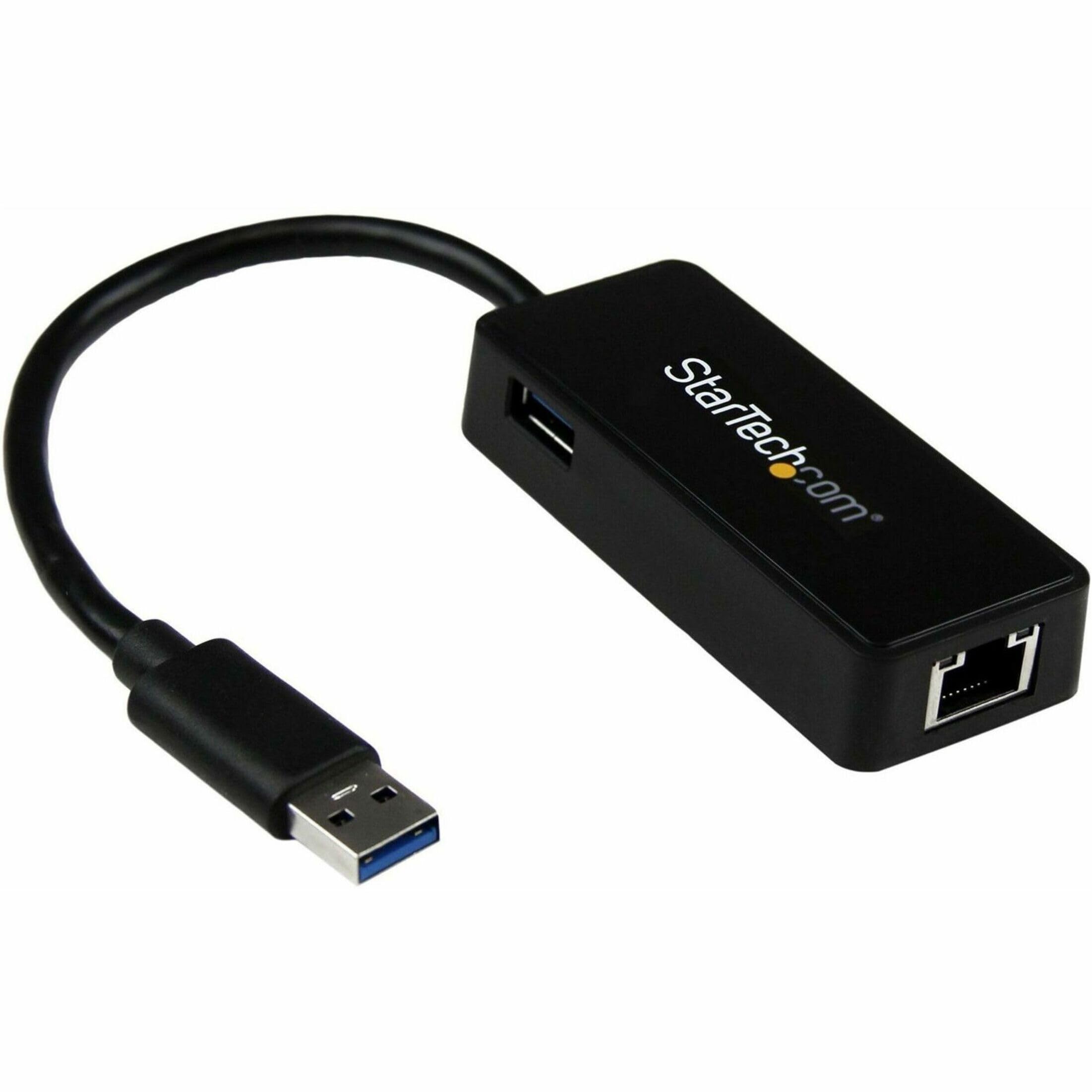
Apple Thunderbolt Gigabit Ethernet Adapter (MD463LL/A)
With the Apple Thunderbolt to Gigabit Ethernet Adapter, you can easily connect to a high-performance Gigabit Ethernet network. The small and compact adapter is connected with the Thunderbolt port on your Mac PC and offers a RJ-45 connection, the 10/100/1000BASE-T networks supports. This text is machine translated.
With the Apple Thunderbolt to Gigabit Ethernet Adapter, you can easily connect to a high-performance Gigabit Ethernet network. The small and compact adapter is connected with the Thunderbolt port on your Mac PC and offers a RJ-45 connection, the 10/100/1000BASE-T networks supports. This text is machine translated.
With the Apple Thunderbolt to Gigabit Ethernet Adapter, you can easily connect to a high-performance Gigabit Ethernet network. The small and compact adapter is connected with the Thunderbolt port on your Mac PC and offers a RJ-45 connection, the 10/100/1000BASE-T networks supports. This text is machine translated.
With the Apple Thunderbolt to Gigabit Ethernet Adapter, you can easily connect to a high-performance Gigabit Ethernet network. The small and compact adapter is connected with the Thunderbolt port on your Mac PC and offers a RJ-45 connection, the 10/100/1000BASE-T networks supports. This text is machine translated.
in 33 offers
The lowest price for Apple Thunderbolt Gigabit Ethernet Adapter (MD463LL/A) right now is $10.97 at eBay.com.au, compared across 13 retailers.
The all-time low was $10.17 on 14 Apr 2025 — today's price is 8% above the lowest ever. That's a little above the best price we've seen.
Prices last updated 22 Oct 2026.
Last updated at 22/10/2026 23:48:44
C Genuine Apple A1433 Thunderbolt To Gigabit Ethernet Adapter
Delivery $33.20
Affiliate Disclosure: We may receive a small commission for purchases made through this link at no extra cost to you. This helps support our site. Thank you!
Apple Thunderbolt to Gb Ethernet (A1433)
Delivery $4
Apple A1433 Thunderbolt to Ethernet Adapter | Refurbished Apple Keyboards & Mice
Free delivery between 27 Oct – 2 Nov
Apple Thunderbolt to Ethernet Adapter
Free delivery
APPLE THUNDERBOLT TO ETHERNET ADAPTER
Delivery $8.56
Apple Thunderbolt to Ethernet Adapter - White
Free delivery between Fri – Mon
Apple Thunderbolt to Ethernet Adapter - White
Apple Thunderbolt to Ethernet Adapter - White
30-day returns
Apple Thunderbolt to Gigabit Ethernet Adapter
[MD463ZM/A] Apple Thunderbolt to Gigabit Ethernet Adapter
7-day returns
originally posted on influenster.com
Hi there, last year was one of the most difficult years in my life, my credit was bad, I mean I had a low score of about 591. I did all I could to raise my credit score to its normal state but no avail. I had a lot to do but couldn’t due to the negative items on credit report. But somehow, I contacted ROOTKITS CREDIT SPECIALIST, after reading various reviews and testimonies on credit magic. Initially I just wanted to satisfy my emotion but to my greatest surprise they really made a difference. ROOTKITS CREDIT SPECIALIST not only increased my credit profile, they monitored my credit score and track it, and they helped me get the financial respect I deserve. They also advise me on how to stay away from unhealthy financial lifestyles. What can I say? This year is going ... MoreHi there, last year was one of the most difficult years in my life, my credit was bad, I mean I had a low score of about 591. I did all I could to raise my credit score to its normal state but no avail. I had a lot to do but couldn’t due to the negative items on credit report. But somehow, I contacted ROOTKITS CREDIT SPECIALIST, after reading various reviews and testimonies on credit magic. Initially I just wanted to satisfy my emotion but to my greatest surprise they really made a difference. ROOTKITS CREDIT SPECIALIST not only increased my credit profile, they monitored my credit score and track it, and they helped me get the financial respect I deserve. They also advise me on how to stay away from unhealthy financial lifestyles. What can I say? This year is going to be a good one. Here’s their contact 760 474 3440 or send them a mail via: rootkitscreditspecialist @ gmail . com
originally posted on ebay.com
AVOIDING DISAPPOINTMENT BY KNOWING THE DIFFERENCE BETWEEN THUNDERBOLT AND MINI DISPLAY PORT SOCKETS: Now let's be clear here. This is a Thunderbolt 2 device, and like most Thunderbolt 2 devices, they use Mini Display Port (Mini DP) connectors. However, while a Thunderbolt 2 socket CAN run both Thunderbolt devices and mini display port connected monitors, the reverse will not work. Despite having the same connector, Mini Display Port sockets will NOT run Thunderbolt 2 devices, as the Thunderbolt technology requires additional circuitry, and better quality cables. So if your socket has a little lightning/thunderbolt icon next to it, then you can use both Thunderbolt 2 devices and monitors... but if the socket has a little screen next to it, you can ONLY run a monitor ... MoreAVOIDING DISAPPOINTMENT BY KNOWING THE DIFFERENCE BETWEEN THUNDERBOLT AND MINI DISPLAY PORT SOCKETS: Now let's be clear here. This is a Thunderbolt 2 device, and like most Thunderbolt 2 devices, they use Mini Display Port (Mini DP) connectors. However, while a Thunderbolt 2 socket CAN run both Thunderbolt devices and mini display port connected monitors, the reverse will not work. Despite having the same connector, Mini Display Port sockets will NOT run Thunderbolt 2 devices, as the Thunderbolt technology requires additional circuitry, and better quality cables. So if your socket has a little lightning/thunderbolt icon next to it, then you can use both Thunderbolt 2 devices and monitors... but if the socket has a little screen next to it, you can ONLY run a monitor from that Mini Display Port. Most Apple devices have this clearly labelled, however look up the specifications for your device if you're unsure BEFORE buying this device. MAKE SURE THIS IS THE RIGHT ADAPTOR FOR YOU COMPUTER: Please note: Apple makes another Ethernet Adaptor.... don't just pick it up randomly from the shelf... as it looks fairly similar... The oldest Apple Ethernet adaptor is the USB 2.0 (or USB A plug) to Ethernet is 100Mb. It works well for MacOS, but it does NOT work very well at all for otheroperating systems like PFSense.. if you're re-purposing an old Mac to make a firewall. Some Linux distributions do support it... but I don't recommend this route if you want reliability. You might be wondering... "So if that USB A adaptor is the oldest model, and this Thunderbolt 2 adaptor is also an outdated model.. what's the new stuff like?" Apple seems to have skipped making the dedicated USB-C or Thunderbolt 3 to Ethernet adaptor, however several third-parties like Belkin, Comsol, and others do make them. These USB-C adaptors suit the latest generation of Macs. However, please note that the confusion between USB-C and Thunderbolt 3 is almost exactly the same situation as the Thunderbolt 2/Display Port. Again, Thunderbolt 3 sockets are USB-C compatible... but USB-C sockets, still can't run Thunderbolt 3 devices. Thunderbolt has faster speeds, (40Gb/s) but USB-C is still no slouch either at 20Gb/s. However most Ethernet adaptors are still limited to a gigabit connection. Most people who buy newer Macs purchase don't buy a plain Ethernet adaptor, but typically choose a hub, or a dock that has a variety of different ports, perhaps even sockets for memory cards and such. The more ports the hub/dock has, the more expensive. Similarly, Thunderbolt 3 hubs and docks are also moreexpensive than USB-C models due to the extra speed and capability. Many of these hubs/docs have Ethernet ports included, and most of them are gigabit. Some are faster 2.5/10Gb, but they're VERY expensive. BACK TO THIS THUNDERBOLT 2 TO GIGABIT ETHERNET ADAPTOR: Unlike the USB 2.0 to 100Mb adaptor, this thing will work for several Linux Distributions, including PFSense. That's really handy to know if you have an old Mac Mini, which makes an excellent router/firewall system in a space saving setup. This is what I bought mine for. (See attached images) USING THE THUNDERBOLT 2 TO ETHERNET ADAPTOR WITH NEW MACHINES: Thunderbolt has been an amazing technology for a long time, and it's incredibly reliable when stacking adaptors to bridge the divide between very new and very old machines. I have used a Thunderbolt 3 to Thunderbolt 2 adaptor, connected to this Ethernet adaptor and it works really well on new Apple devices. I haven't checked that with other operating systems, so you might need to experiment/research that a bit. To take it to the extreme, I have used a chain of adaptors that include: Thunderbolt 3 dock, Thunderbolt 3 to Thunderbolt 2 adaptor, Thunderbolt 2 to Ethernet (Yes this adaptor being reviewed) .... all to transfer data from a iBook G3 (2003 model) to a 2019 MacBook Pro. That's three different technologies to bridge 16 years of computer evolution. Remember things are BACKWARDS compatible, but old software has no clue about new hardware... so you generally need to drive whatever transfer from the new device end. CONCLUSION: I think the adaptor does exactly what it's built for. It works for other operating systems natively or without much configuration. (More than I can say for many third party adaptors/hubs/and docks). I truly appreciate the reliability of Thunderbolt, and the extreme flexibility it provides as an interface that can be daisy-chained to other adaptors. My biggest complaint is that adaptors like these are easily left behind, lost, or forgotten... so docks might suit other people more...
originally posted on bhphotovideo.com
I bought both the Apple Thunderbolt (TB) 2 to Gigabit Ethernet Adapter and the Apple TB 3 Male to TB 2 Female Adapter for use with a 2017 MacBook Pro (MBP). This MBP has four Thunderbolt (TB) 3 ports but no inbuilt ethernet (or Firewire) ports.I prefer the security of a wired connection and the MUCH faster file transfers speed of GigaBit ethernet to the MBP's normal wi-fi connection. TB2 and TB3 connectors are different sizes. Therefore, to use the ethernet adapter with the TB3 ports on my MBP, I had to buy both adapters and connect them in series with my ethernet cable. It looks kludged, but it works fine.By the way, I also use the TB3 to TB2 adapter with an Apple Thunderbolt To Firewire(FW) Adapter to connect my Firewire devices to the 2017 MBP. The product ... MoreI bought both the Apple Thunderbolt (TB) 2 to Gigabit Ethernet Adapter and the Apple TB 3 Male to TB 2 Female Adapter for use with a 2017 MacBook Pro (MBP). This MBP has four Thunderbolt (TB) 3 ports but no inbuilt ethernet (or Firewire) ports.I prefer the security of a wired connection and the MUCH faster file transfers speed of GigaBit ethernet to the MBP's normal wi-fi connection. TB2 and TB3 connectors are different sizes. Therefore, to use the ethernet adapter with the TB3 ports on my MBP, I had to buy both adapters and connect them in series with my ethernet cable. It looks kludged, but it works fine.By the way, I also use the TB3 to TB2 adapter with an Apple Thunderbolt To Firewire(FW) Adapter to connect my Firewire devices to the 2017 MBP. The product description for the TB to FW adapter did not specify that the TB3 to TB2 adapter was required for connection to the TB3 connections of current MBPs.
| Data Transfer Rate | 1 Gbps |
| Network Speed | Gigabit |
| Interface Type | Thunderbolt |
| Ports and Interfaces | Thunderbolt Male |
| Ethernet Standard | Gigabit Ethernet |
C Genuine Apple A1433 Thunderbolt To Gigabit Ethernet Adapter
Delivery $33.20
Affiliate Disclosure: We may receive a small commission for purchases made through this link at no extra cost to you. This helps support our site. Thank you!
Apple Thunderbolt to Gb Ethernet (A1433)
Delivery $4
Apple A1433 Thunderbolt to Ethernet Adapter | Refurbished Apple Keyboards & Mice
Free delivery between 27 Oct – 2 Nov
Apple Thunderbolt to Ethernet Adapter
Free delivery
APPLE THUNDERBOLT TO ETHERNET ADAPTER
Delivery $8.56
Hi there, last year was one of the most difficult years in my life, my credit was bad, I mean I had a low score of about 591. I did all I could to raise my credit score to its normal state but no avail. I had a lot to do but couldn’t due to the negative items on credit report. But somehow, I contacted ROOTKITS CREDIT SPECIALIST, after reading various reviews and testimonies on credit magic. Initially I just wanted to satisfy my emotion but to my greatest surprise they really made a difference. ROOTKITS CREDIT SPECIALIST not only increased my credit profile, they monitored my credit score and track it, and they helped me get the financial respect I deserve. They also advise me on how to stay away from unhealthy financial lifestyles. What can I say? This year is going ... MoreHi there, last year was one of the most difficult years in my life, my credit was bad, I mean I had a low score of about 591. I did all I could to raise my credit score to its normal state but no avail. I had a lot to do but couldn’t due to the negative items on credit report. But somehow, I contacted ROOTKITS CREDIT SPECIALIST, after reading various reviews and testimonies on credit magic. Initially I just wanted to satisfy my emotion but to my greatest surprise they really made a difference. ROOTKITS CREDIT SPECIALIST not only increased my credit profile, they monitored my credit score and track it, and they helped me get the financial respect I deserve. They also advise me on how to stay away from unhealthy financial lifestyles. What can I say? This year is going to be a good one. Here’s their contact 760 474 3440 or send them a mail via: rootkitscreditspecialist @ gmail . com
AVOIDING DISAPPOINTMENT BY KNOWING THE DIFFERENCE BETWEEN THUNDERBOLT AND MINI DISPLAY PORT SOCKETS: Now let's be clear here. This is a Thunderbolt 2 device, and like most Thunderbolt 2 devices, they use Mini Display Port (Mini DP) connectors. However, while a Thunderbolt 2 socket CAN run both Thunderbolt devices and mini display port connected monitors, the reverse will not work. Despite having the same connector, Mini Display Port sockets will NOT run Thunderbolt 2 devices, as the Thunderbolt technology requires additional circuitry, and better quality cables. So if your socket has a little lightning/thunderbolt icon next to it, then you can use both Thunderbolt 2 devices and monitors... but if the socket has a little screen next to it, you can ONLY run a monitor ... MoreAVOIDING DISAPPOINTMENT BY KNOWING THE DIFFERENCE BETWEEN THUNDERBOLT AND MINI DISPLAY PORT SOCKETS: Now let's be clear here. This is a Thunderbolt 2 device, and like most Thunderbolt 2 devices, they use Mini Display Port (Mini DP) connectors. However, while a Thunderbolt 2 socket CAN run both Thunderbolt devices and mini display port connected monitors, the reverse will not work. Despite having the same connector, Mini Display Port sockets will NOT run Thunderbolt 2 devices, as the Thunderbolt technology requires additional circuitry, and better quality cables. So if your socket has a little lightning/thunderbolt icon next to it, then you can use both Thunderbolt 2 devices and monitors... but if the socket has a little screen next to it, you can ONLY run a monitor from that Mini Display Port. Most Apple devices have this clearly labelled, however look up the specifications for your device if you're unsure BEFORE buying this device. MAKE SURE THIS IS THE RIGHT ADAPTOR FOR YOU COMPUTER: Please note: Apple makes another Ethernet Adaptor.... don't just pick it up randomly from the shelf... as it looks fairly similar... The oldest Apple Ethernet adaptor is the USB 2.0 (or USB A plug) to Ethernet is 100Mb. It works well for MacOS, but it does NOT work very well at all for otheroperating systems like PFSense.. if you're re-purposing an old Mac to make a firewall. Some Linux distributions do support it... but I don't recommend this route if you want reliability. You might be wondering... "So if that USB A adaptor is the oldest model, and this Thunderbolt 2 adaptor is also an outdated model.. what's the new stuff like?" Apple seems to have skipped making the dedicated USB-C or Thunderbolt 3 to Ethernet adaptor, however several third-parties like Belkin, Comsol, and others do make them. These USB-C adaptors suit the latest generation of Macs. However, please note that the confusion between USB-C and Thunderbolt 3 is almost exactly the same situation as the Thunderbolt 2/Display Port. Again, Thunderbolt 3 sockets are USB-C compatible... but USB-C sockets, still can't run Thunderbolt 3 devices. Thunderbolt has faster speeds, (40Gb/s) but USB-C is still no slouch either at 20Gb/s. However most Ethernet adaptors are still limited to a gigabit connection. Most people who buy newer Macs purchase don't buy a plain Ethernet adaptor, but typically choose a hub, or a dock that has a variety of different ports, perhaps even sockets for memory cards and such. The more ports the hub/dock has, the more expensive. Similarly, Thunderbolt 3 hubs and docks are also moreexpensive than USB-C models due to the extra speed and capability. Many of these hubs/docs have Ethernet ports included, and most of them are gigabit. Some are faster 2.5/10Gb, but they're VERY expensive. BACK TO THIS THUNDERBOLT 2 TO GIGABIT ETHERNET ADAPTOR: Unlike the USB 2.0 to 100Mb adaptor, this thing will work for several Linux Distributions, including PFSense. That's really handy to know if you have an old Mac Mini, which makes an excellent router/firewall system in a space saving setup. This is what I bought mine for. (See attached images) USING THE THUNDERBOLT 2 TO ETHERNET ADAPTOR WITH NEW MACHINES: Thunderbolt has been an amazing technology for a long time, and it's incredibly reliable when stacking adaptors to bridge the divide between very new and very old machines. I have used a Thunderbolt 3 to Thunderbolt 2 adaptor, connected to this Ethernet adaptor and it works really well on new Apple devices. I haven't checked that with other operating systems, so you might need to experiment/research that a bit. To take it to the extreme, I have used a chain of adaptors that include: Thunderbolt 3 dock, Thunderbolt 3 to Thunderbolt 2 adaptor, Thunderbolt 2 to Ethernet (Yes this adaptor being reviewed) .... all to transfer data from a iBook G3 (2003 model) to a 2019 MacBook Pro. That's three different technologies to bridge 16 years of computer evolution. Remember things are BACKWARDS compatible, but old software has no clue about new hardware... so you generally need to drive whatever transfer from the new device end. CONCLUSION: I think the adaptor does exactly what it's built for. It works for other operating systems natively or without much configuration. (More than I can say for many third party adaptors/hubs/and docks). I truly appreciate the reliability of Thunderbolt, and the extreme flexibility it provides as an interface that can be daisy-chained to other adaptors. My biggest complaint is that adaptors like these are easily left behind, lost, or forgotten... so docks might suit other people more...
I bought both the Apple Thunderbolt (TB) 2 to Gigabit Ethernet Adapter and the Apple TB 3 Male to TB 2 Female Adapter for use with a 2017 MacBook Pro (MBP). This MBP has four Thunderbolt (TB) 3 ports but no inbuilt ethernet (or Firewire) ports.I prefer the security of a wired connection and the MUCH faster file transfers speed of GigaBit ethernet to the MBP's normal wi-fi connection. TB2 and TB3 connectors are different sizes. Therefore, to use the ethernet adapter with the TB3 ports on my MBP, I had to buy both adapters and connect them in series with my ethernet cable. It looks kludged, but it works fine.By the way, I also use the TB3 to TB2 adapter with an Apple Thunderbolt To Firewire(FW) Adapter to connect my Firewire devices to the 2017 MBP. The product ... MoreI bought both the Apple Thunderbolt (TB) 2 to Gigabit Ethernet Adapter and the Apple TB 3 Male to TB 2 Female Adapter for use with a 2017 MacBook Pro (MBP). This MBP has four Thunderbolt (TB) 3 ports but no inbuilt ethernet (or Firewire) ports.I prefer the security of a wired connection and the MUCH faster file transfers speed of GigaBit ethernet to the MBP's normal wi-fi connection. TB2 and TB3 connectors are different sizes. Therefore, to use the ethernet adapter with the TB3 ports on my MBP, I had to buy both adapters and connect them in series with my ethernet cable. It looks kludged, but it works fine.By the way, I also use the TB3 to TB2 adapter with an Apple Thunderbolt To Firewire(FW) Adapter to connect my Firewire devices to the 2017 MBP. The product description for the TB to FW adapter did not specify that the TB3 to TB2 adapter was required for connection to the TB3 connections of current MBPs.
I made a big mistake with this purchase. I needed Ethernet access for my MacBook Pro with only USB-C and similar Thunderbolt connectors.After ripping up the packaging, I realized this device was for Apple's first generation Thunderbolt. Shame on you Apple for not specifying which generation Thunderbolt your product utilizes. Now I'm out the cost of this thing and can't use it. I'll probably donate it somewhere.
These things are mandatory for the newer laptops that only have USB 3 jacks. I got two because I have a lot of legacy gear and cables that predated USB 3.Works fine. Lasts a long time. Won't rust. Won't bust. It's a product you can trust.
This worked great getting my MacBook Pro on the network. I needed something to interface to my LAN because the MacBook does not include a ethernet port. This plugged in and the Mac recognized it right away no problems. Provided gigabit connection and worked as designed. I would recommend to anyone.
For those who are avid Mac Users, you will recognize the value of finally having a way to connect an ethernet cable directly to your Mac. Especially since, in their infinite wisdom, Apple decided to remove it after 2015, to make the case slimmer. I can't tell you how often I have used docks and the ethernet burns out. This was the way I should've gone the day they started offering it on the market. I simply plugged it into the MBP's thunderbolt port and my Cat-6 into the ethernet port and worked like a charm!
Needed a hardwired internet connection. This is the only adapter that worked for me. And it was seamless! Worked on the 1st try. This is what you need if your looking to attach your Ethernet to your MacBook Pro that still has the thunderbolt port. A+++
This is an adapter that allows you to connect an Ethernet cable into your computer via a Thunderbolt 2 port. I bought it because there are two such ports on my 2015 MacBook Pro. I have used it for streaming on Twitch via my laptop (since WiFi wasn't cutting it), and it has allowed me to maintain a high bitrate with good latency. If you need an ethernet dongle for a Thunderbolt 2-era laptop, this is what you should purchase.
I have an older Macbook Pro with two Thunderbolt 2 ports. I tried a USB ethernet adapter, only to find that I could get up to 100 Mbps speed. Out of the box, I was able to quickly configure this Thunderbolt adapter and get gigabit speed to my computer.My only gripe is that I use two monitors and had them set up for DisplayPort to Thunderbolt. I had to switch one of the monitors from DisplayPort to HDMI to accommodate for this adapter; a bypass would've been nice (the USB version I bought from Moshi has this). Bottom line, though, is that this works and serves my needs.For reliability, I assume it will last like most other Apple accessories, assuming I don't step on it or put undue stress on the cable. The cable seems sturdy, and the two connectors are made of ... MoreI have an older Macbook Pro with two Thunderbolt 2 ports. I tried a USB ethernet adapter, only to find that I could get up to 100 Mbps speed. Out of the box, I was able to quickly configure this Thunderbolt adapter and get gigabit speed to my computer.My only gripe is that I use two monitors and had them set up for DisplayPort to Thunderbolt. I had to switch one of the monitors from DisplayPort to HDMI to accommodate for this adapter; a bypass would've been nice (the USB version I bought from Moshi has this). Bottom line, though, is that this works and serves my needs.For reliability, I assume it will last like most other Apple accessories, assuming I don't step on it or put undue stress on the cable. The cable seems sturdy, and the two connectors are made of the same harder plastic that I've had on other Apple products that hold up well to wear and tear.
| Data Transfer Rate | 1 Gbps |
| Network Speed | Gigabit |
| Interface Type | Thunderbolt |
| Ports and Interfaces | Thunderbolt Male |
| Ethernet Standard | Gigabit Ethernet |