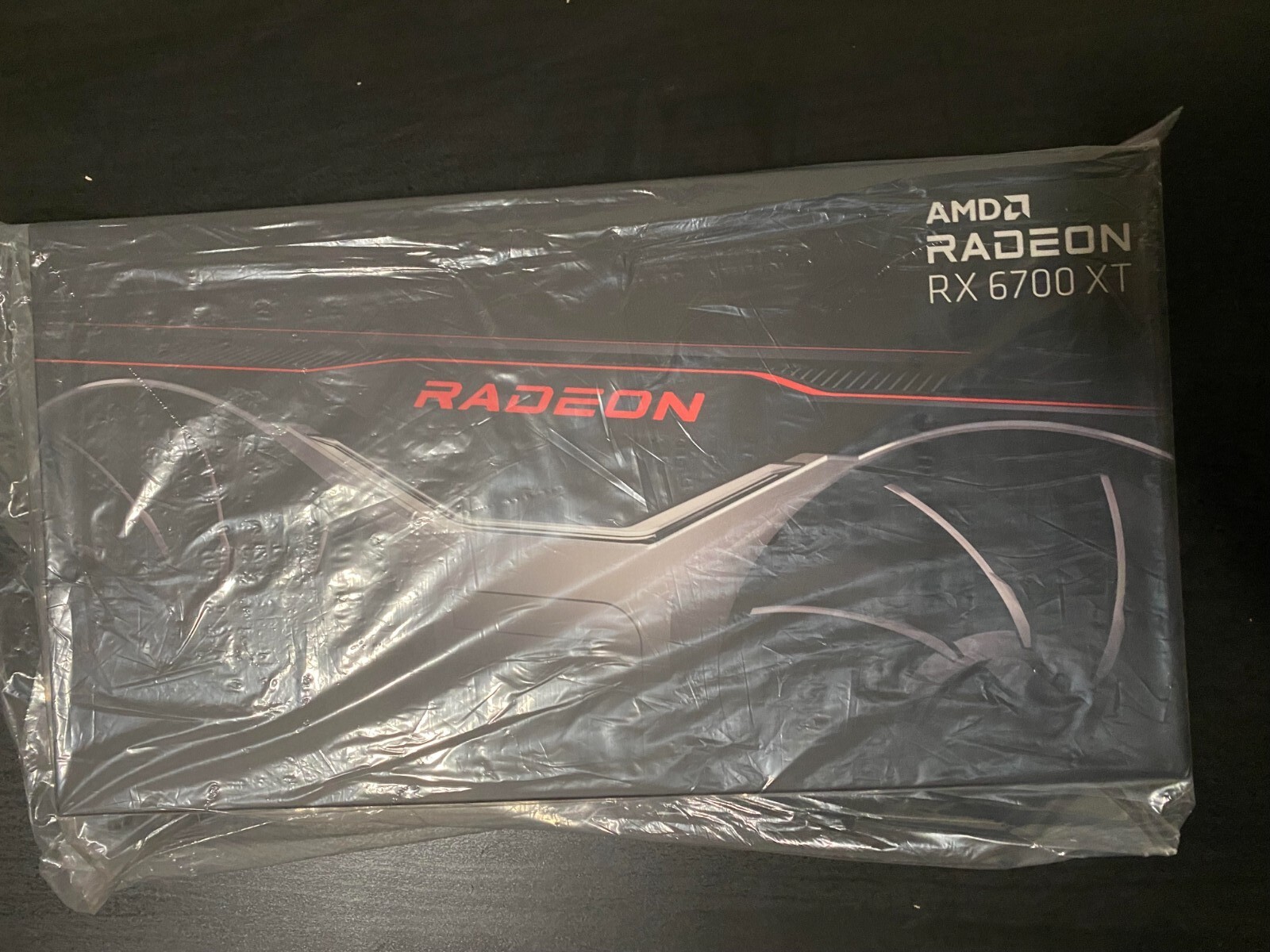
ASRock Challenger Radeon RX 6700 XT D 12GB Graphics Card [RX6700XT CLD 12g]
With 12GB of GDDR6 memory and 40 enhanced processing units, you're perfectly equipped to play games at the highest settings and experience 1440p gaming at ultra settings with smooth frame rates and maximum graphics settings. AMD FidelityFX Super Resolution (FSR) boosts frame rates in FSR-supported games for a high-quality, high-definition gaming experience. Up to 96MB of AMD Infinity Cache enables high bandwidth performance with low power consumption and low latency while gaming. Get more performance by communicating between AMD Ryzen desktop processors and AMD Radeon graphics cards via PCI Express.
With 12GB of GDDR6 memory and 40 enhanced processing units, you're perfectly equipped to play games at the highest settings and experience 1440p gaming at ultra settings with smooth frame rates and maximum graphics settings. AMD FidelityFX Super Resolution (FSR) boosts frame rates in FSR-supported games for a high-quality, high-definition gaming experience. Up to 96MB of AMD Infinity Cache enables high bandwidth performance with low power consumption and low latency while gaming. Get more performance by communicating between AMD Ryzen desktop processors and AMD Radeon graphics cards via PCI Express.
With 12GB of GDDR6 memory and 40 enhanced processing units, you're perfectly equipped to play games at the highest settings and experience 1440p gaming at ultra settings with smooth frame rates and maximum graphics settings. AMD FidelityFX Super Resolution (FSR) boosts frame rates in FSR-supported games for a high-quality, high-definition gaming experience. Up to 96MB of AMD Infinity Cache enables high bandwidth performance with low power consumption and low latency while gaming. Get more performance by communicating between AMD Ryzen desktop processors and AMD Radeon graphics cards via PCI Express.
With 12GB of GDDR6 memory and 40 enhanced processing units, you're perfectly equipped to play games at the highest settings and experience 1440p gaming at ultra settings with smooth frame rates and maximum graphics settings. AMD FidelityFX Super Resolution (FSR) boosts frame rates in FSR-supported games for a high-quality, high-definition gaming experience. Up to 96MB of AMD Infinity Cache enables high bandwidth performance with low power consumption and low latency while gaming. Get more performance by communicating between AMD Ryzen desktop processors and AMD Radeon graphics cards via PCI Express.
in 6 offers
The lowest price for ASRock Challenger Radeon RX 6700 XT D 12GB Graphics Card [RX6700XT CLD 12g] right now is $475.00 at CeX, compared across 5 retailers.
The all-time low was $177.18 on 4 June 2026 — today's price is 168% above the lowest ever. It has been notably cheaper before — worth setting a price alert.
Prices last updated 22 Aug 2026.
Last updated at 22/08/2026 01:36:03
ASRock Radeon RX 6700 XT Challenger D 12GB GDDR6
Free delivery
ASROCK Radeon RX 6700XT Challenger D 12GB 16000MHz GDDR6 PCI Express 4.0 16 3×DisplayPort 1×HDMI
Free delivery
ASRock Radeon RX 6700 XT Challenger D 12GB GDDR6 Graphics Card
Affiliate Disclosure: We may receive a small commission for purchases made through this link at no extra cost to you. This helps support our site. Thank you!
ASRock Radeon RX 6700 XT Challenger D 12GB GDDR6 Graphics Card
Affiliate Disclosure: We may receive a small commission for purchases made through this link at no extra cost to you. This helps support our site. Thank you!
Asrock Radeon RX 6700 XT Challenger D 12G Graphics Card
30-day returns
RX 6700 XT Challenger D 12GB OC, RDNA 2, 2615MHz Boost, 12GB GDDR6 192-bit, PCIe 4.0 Graphics Card
Delivery between 28–31 Aug $29
originally posted on microcenter.com
I have been using this card for about 3 weeks paired with an i9-9900k, and I like it very much. Very well built. With the AMD Adrenalin driver, it is easily overclockable and very stable at max OC settings, delivers similar performance to a RTX 3070.Equipped with 2 fans, it is able to hold GPU temps within 50-70C playing MSFS2020, delivering in average 40-60FPS at 1440p ultra settings, sometimes even reaching 90-110FPS (depending on plane and the loaded scene.) I noticed AMD has been able to get more out of these cards with great drivers lately.I recommend this card especially for those with a GPU budget of $450-500 max currently.
originally posted on newegg.com
-Installed this as an upgrade from the RX Vega 56. -Running alongside a Ryzen 9 3900X and 32gb 3600Mhz DDR4 RAM -Tested in Elden Ring and Apex Legends at 1440p native on a 144hz monitor -Pardon the screenshot quality (explained below) *I highly recommend you use DDU (Display Driver Uninstaller) and do a completely fresh driver install with ANY new GPU. Just follow the instructions on the site.* After a clean driver install, I adjusted the settings I wanted to adjust in AMD's Adrenaline software, and booted directly into Elden Ring. This game is a relatively notorious PC port, prone to stuttering, framerate drops, and even crashes on some PC's. I'd already followed several guides on improving performance with the 56 installed (with... Let's say moderate success), so ... More-Installed this as an upgrade from the RX Vega 56. -Running alongside a Ryzen 9 3900X and 32gb 3600Mhz DDR4 RAM -Tested in Elden Ring and Apex Legends at 1440p native on a 144hz monitor -Pardon the screenshot quality (explained below) *I highly recommend you use DDU (Display Driver Uninstaller) and do a completely fresh driver install with ANY new GPU. Just follow the instructions on the site.* After a clean driver install, I adjusted the settings I wanted to adjust in AMD's Adrenaline software, and booted directly into Elden Ring. This game is a relatively notorious PC port, prone to stuttering, framerate drops, and even crashes on some PC's. I'd already followed several guides on improving performance with the 56 installed (with... Let's say moderate success), so I'll be reviewing with the same fixes applied here. In Elden Ring, the performance improvement is immediately obvious. The stutters are all but gone, aside from loading into new areas, and even those are quite short lived, which was the main issue on the 56. It would often stutter for up to a full second in certain cases. The game is locked at 60fps by the developer, so the 6700xt wasn't even breaking 90% usage running at the settings I was using for the Vega 56 (most set to "high" with AA and motion blur off, and a few minor options such as grass quality set to "medium"). I then turned up every option I could to max, restarted the game, and the 6700xt sat quite happily at 60fps, averaging about 89-93% GPU usage, with small improvements when I turned off AA (I don't really like to use AA past 1080p, personal pref). The only issue I noticed was the postgame performance summary for Elden Ring in AMD's Adrenaline software appears to display significantly lower numbers than I was actually experiencing. *Note that this happened on the 56, as well, and I believe it's likely an issue with the game, rather than AMD.* From what I can tell, loading screens appear to lower both FPS and GPU usage significantly, causing my logged FPS average to drop from an essentially rock-solid 60fps to a relatively dismal 43fps average. Something that probably shouldn't happen. Rest assured, this is not what you're getting while actually playing the game. It ran beautifully (at least as beautifully as one could expect a poor PC port, anyway) and I experienced no other problems running the game at max. I also tested Apex Legends, which saw absolutely breathtaking improvement, as per the screenshot posted (looks bad because I had to scale the image way down to upload, sorry). With the 56, I had quite a few settings cut down in order to maximize FPS. With most settings at medium or high, I would average about 120fps at best, with occasional framerate drops from there. With the 6700xt, however, it was absolutely obliterating those settings, maxing out at 144fps (my monitor's maximum refresh rate, and my framerate cap for this system) at about 70% usage. Zero stutter, zero frame drops, just smooth as bloody silk! I'm normally very hesitant to bump up settings in FPS games for a variety of reasons, but I went ahead and cranked everything to max and restarted just to see how it would do, and imagine my surprise when the only thing that changed was a 10% usage increase (to roughly 80% average usage), and a significant increase in visual quality. I'm absolutely blown away at the amount of headroom this afforded me in Apex. I expected an improvement, but not quite like this. It's legitimately a different game when you're able to crank up settings and not see a negative impact. Keep in mind, this is also at 1440p! Even better, my 56 would often make my room unbearably hot, as I was pushing the poor thing to its absolute limit most of the time. The Vega series was great, but seems to require significant cooling to keep up the performance. Thank goodness they underclock so well with virtually no performance hit, or I'd have been running a sauna. The 6700xt appears significantly more efficient, both in thermals and power consumption, surprisingly using less overall power according to my resource logs, despite having a 20w higher TDP according to AMD's official measurements. Likely because it's hardly ever running near 100% like the 56 did. The Asrock cooling solution, though subjectively kind of ugly, seems to perform admirably, with nice, large, exposed heat pipes, an oversized 2-fan configuration, and a relatively attractive backplate that I have to assume is for both looks and thermals, which helps it look significantly better once installed, unless you're mounting in an abnormal manner. I did not test raytracing, but it is featured on this card. You probably shouldn't buy this card if you care a ton about RT, anyway according to official reviews. Overall, I'm incredibly satisfied. If anything changes over the next few months of testing, I'll update this review, but on day 1, I absolutely couldn't be happier, especially at the $600 price point in the current market.
originally posted on microcenter.com
Originally picked up the more expensive MSI 6700xt, but I felt like I was over paying, decided to exchange in store once I saw this was in stock.Considering the janky reviews of the reference 6700 thermals, this card stays pretty cool. Once I apply the right tuning parameters (lower the voltage a little, raise the clock) I get pretty solid performance (good enough for a work by day/ game at night pc - usually playing AAA titles, Im not an online gamer)With ray tracing on, Im getting 40+ fps with High settings in cyberpunk130+ fps (usually 140+) in Shadow of the Tomb Raider with all the settings cranked (except motion blur and anti aliasing on 2x SMAA)Decided to run some Blender benchmarks just cause (using my gaming tuning parameters)bmw27 : 55.47svictor ... MoreOriginally picked up the more expensive MSI 6700xt, but I felt like I was over paying, decided to exchange in store once I saw this was in stock.Considering the janky reviews of the reference 6700 thermals, this card stays pretty cool. Once I apply the right tuning parameters (lower the voltage a little, raise the clock) I get pretty solid performance (good enough for a work by day/ game at night pc - usually playing AAA titles, Im not an online gamer)With ray tracing on, Im getting 40+ fps with High settings in cyberpunk130+ fps (usually 140+) in Shadow of the Tomb Raider with all the settings cranked (except motion blur and anti aliasing on 2x SMAA)Decided to run some Blender benchmarks just cause (using my gaming tuning parameters)bmw27 : 55.47svictor 399.97sclassroom: 112.97Running a Ryzen 5 5600x, Strix B550 F Gaming, 16gb 3200MhZ RAM,Also, although I would have liked to see an LED light on the ASROCK logo (or the RADEON logo) the exposed copper heat pipes look pretty good.
| General | |
| Device Type | Graphics card |
| Bus Type | PCI Express 4.0 x16 |
| Graphics Engine | AMD Radeon RX 6700 XT |
| Core Clock | 2321 MHz |
ASRock Radeon RX 6700 XT Challenger D 12GB GDDR6
Free delivery
ASROCK Radeon RX 6700XT Challenger D 12GB 16000MHz GDDR6 PCI Express 4.0 16 3×DisplayPort 1×HDMI
Free delivery
ASRock Radeon RX 6700 XT Challenger D 12GB GDDR6 Graphics Card
Affiliate Disclosure: We may receive a small commission for purchases made through this link at no extra cost to you. This helps support our site. Thank you!
ASRock Radeon RX 6700 XT Challenger D 12GB GDDR6 Graphics Card
Affiliate Disclosure: We may receive a small commission for purchases made through this link at no extra cost to you. This helps support our site. Thank you!
Asrock Radeon RX 6700 XT Challenger D 12G Graphics Card
30-day returns
I have been using this card for about 3 weeks paired with an i9-9900k, and I like it very much. Very well built. With the AMD Adrenalin driver, it is easily overclockable and very stable at max OC settings, delivers similar performance to a RTX 3070.Equipped with 2 fans, it is able to hold GPU temps within 50-70C playing MSFS2020, delivering in average 40-60FPS at 1440p ultra settings, sometimes even reaching 90-110FPS (depending on plane and the loaded scene.) I noticed AMD has been able to get more out of these cards with great drivers lately.I recommend this card especially for those with a GPU budget of $450-500 max currently.
-Installed this as an upgrade from the RX Vega 56. -Running alongside a Ryzen 9 3900X and 32gb 3600Mhz DDR4 RAM -Tested in Elden Ring and Apex Legends at 1440p native on a 144hz monitor -Pardon the screenshot quality (explained below) *I highly recommend you use DDU (Display Driver Uninstaller) and do a completely fresh driver install with ANY new GPU. Just follow the instructions on the site.* After a clean driver install, I adjusted the settings I wanted to adjust in AMD's Adrenaline software, and booted directly into Elden Ring. This game is a relatively notorious PC port, prone to stuttering, framerate drops, and even crashes on some PC's. I'd already followed several guides on improving performance with the 56 installed (with... Let's say moderate success), so ... More-Installed this as an upgrade from the RX Vega 56. -Running alongside a Ryzen 9 3900X and 32gb 3600Mhz DDR4 RAM -Tested in Elden Ring and Apex Legends at 1440p native on a 144hz monitor -Pardon the screenshot quality (explained below) *I highly recommend you use DDU (Display Driver Uninstaller) and do a completely fresh driver install with ANY new GPU. Just follow the instructions on the site.* After a clean driver install, I adjusted the settings I wanted to adjust in AMD's Adrenaline software, and booted directly into Elden Ring. This game is a relatively notorious PC port, prone to stuttering, framerate drops, and even crashes on some PC's. I'd already followed several guides on improving performance with the 56 installed (with... Let's say moderate success), so I'll be reviewing with the same fixes applied here. In Elden Ring, the performance improvement is immediately obvious. The stutters are all but gone, aside from loading into new areas, and even those are quite short lived, which was the main issue on the 56. It would often stutter for up to a full second in certain cases. The game is locked at 60fps by the developer, so the 6700xt wasn't even breaking 90% usage running at the settings I was using for the Vega 56 (most set to "high" with AA and motion blur off, and a few minor options such as grass quality set to "medium"). I then turned up every option I could to max, restarted the game, and the 6700xt sat quite happily at 60fps, averaging about 89-93% GPU usage, with small improvements when I turned off AA (I don't really like to use AA past 1080p, personal pref). The only issue I noticed was the postgame performance summary for Elden Ring in AMD's Adrenaline software appears to display significantly lower numbers than I was actually experiencing. *Note that this happened on the 56, as well, and I believe it's likely an issue with the game, rather than AMD.* From what I can tell, loading screens appear to lower both FPS and GPU usage significantly, causing my logged FPS average to drop from an essentially rock-solid 60fps to a relatively dismal 43fps average. Something that probably shouldn't happen. Rest assured, this is not what you're getting while actually playing the game. It ran beautifully (at least as beautifully as one could expect a poor PC port, anyway) and I experienced no other problems running the game at max. I also tested Apex Legends, which saw absolutely breathtaking improvement, as per the screenshot posted (looks bad because I had to scale the image way down to upload, sorry). With the 56, I had quite a few settings cut down in order to maximize FPS. With most settings at medium or high, I would average about 120fps at best, with occasional framerate drops from there. With the 6700xt, however, it was absolutely obliterating those settings, maxing out at 144fps (my monitor's maximum refresh rate, and my framerate cap for this system) at about 70% usage. Zero stutter, zero frame drops, just smooth as bloody silk! I'm normally very hesitant to bump up settings in FPS games for a variety of reasons, but I went ahead and cranked everything to max and restarted just to see how it would do, and imagine my surprise when the only thing that changed was a 10% usage increase (to roughly 80% average usage), and a significant increase in visual quality. I'm absolutely blown away at the amount of headroom this afforded me in Apex. I expected an improvement, but not quite like this. It's legitimately a different game when you're able to crank up settings and not see a negative impact. Keep in mind, this is also at 1440p! Even better, my 56 would often make my room unbearably hot, as I was pushing the poor thing to its absolute limit most of the time. The Vega series was great, but seems to require significant cooling to keep up the performance. Thank goodness they underclock so well with virtually no performance hit, or I'd have been running a sauna. The 6700xt appears significantly more efficient, both in thermals and power consumption, surprisingly using less overall power according to my resource logs, despite having a 20w higher TDP according to AMD's official measurements. Likely because it's hardly ever running near 100% like the 56 did. The Asrock cooling solution, though subjectively kind of ugly, seems to perform admirably, with nice, large, exposed heat pipes, an oversized 2-fan configuration, and a relatively attractive backplate that I have to assume is for both looks and thermals, which helps it look significantly better once installed, unless you're mounting in an abnormal manner. I did not test raytracing, but it is featured on this card. You probably shouldn't buy this card if you care a ton about RT, anyway according to official reviews. Overall, I'm incredibly satisfied. If anything changes over the next few months of testing, I'll update this review, but on day 1, I absolutely couldn't be happier, especially at the $600 price point in the current market.
Originally picked up the more expensive MSI 6700xt, but I felt like I was over paying, decided to exchange in store once I saw this was in stock.Considering the janky reviews of the reference 6700 thermals, this card stays pretty cool. Once I apply the right tuning parameters (lower the voltage a little, raise the clock) I get pretty solid performance (good enough for a work by day/ game at night pc - usually playing AAA titles, Im not an online gamer)With ray tracing on, Im getting 40+ fps with High settings in cyberpunk130+ fps (usually 140+) in Shadow of the Tomb Raider with all the settings cranked (except motion blur and anti aliasing on 2x SMAA)Decided to run some Blender benchmarks just cause (using my gaming tuning parameters)bmw27 : 55.47svictor ... MoreOriginally picked up the more expensive MSI 6700xt, but I felt like I was over paying, decided to exchange in store once I saw this was in stock.Considering the janky reviews of the reference 6700 thermals, this card stays pretty cool. Once I apply the right tuning parameters (lower the voltage a little, raise the clock) I get pretty solid performance (good enough for a work by day/ game at night pc - usually playing AAA titles, Im not an online gamer)With ray tracing on, Im getting 40+ fps with High settings in cyberpunk130+ fps (usually 140+) in Shadow of the Tomb Raider with all the settings cranked (except motion blur and anti aliasing on 2x SMAA)Decided to run some Blender benchmarks just cause (using my gaming tuning parameters)bmw27 : 55.47svictor 399.97sclassroom: 112.97Running a Ryzen 5 5600x, Strix B550 F Gaming, 16gb 3200MhZ RAM,Also, although I would have liked to see an LED light on the ASROCK logo (or the RADEON logo) the exposed copper heat pipes look pretty good.
Very disappointed in this card and ASRock! Keep in mind, this card have VERY light usage. This is the first AMD card I have ever owned and will be my last thanks to ASrock. Bought the card back in March of 2021, woke up one morning and my PC refused to boot to windows. After 3 days of troubleshooting came to find out it was the GPU (even though the GPU's fans and the outputs work just fine, when ANY version of the AMD drivers are installed the card dies). Contacted ASrock, said it out of warranty by 5 months. They didn't care so I dont care that they lose mine and several other gamers business now. Well done ASrock!
Very disappointed in this card and ASRock! Keep in mind, this card have VERY light usage. This is the first AMD card I have ever owned and will be my last thanks to ASrock. Bought the card back in March of 2021, woke up one morning and my PC refused to boot to windows. After 3 days of troubleshooting came to find out it was the GPU (even though the GPU's fans and the outputs work just fine, when ANY version of the AMD drivers are installed the card dies). Contacted ASrock, said it out of warranty by 5 months. They didn't care so I dont care that they lose mine and several other gamers business now. Well done ASrock!
Amazing card, I've had it for the last week and its been great. I'm upgrading from a 5700xt that I had to mod in order to keep cool. This card doesn't breach the 70s under furmark and the fans make little noise under regular use. I don't even feel the need to repaste it which I've done on every other gpu I've owned. The thermal pad on the backplate is a nice attention to detail. However, I had to upgrade my psu from a 700w unit to an 850w one due to power spikes. With my previous psu, I'd get random black screens. This is a solid well built card and I've had a good time with it so far.
I like this card. It's simple and doesn't have extra gimmicks. It seems like the manufacturer spent money where it matters. Cooling performance is solid. Overclocking is easy. This generation of AMD cards have been overlooked and misjudged during the GPU apocalypse. Frankly, you're getting comparable performance within a few % of any equivalent Nvidia card. DLSS and RTX are gimmicks to me, coming from a 2080S. You're also paying a much much lower price. As for me, I switched to AMD abruptly because of the appalling situation of NVIDIA drivers on Linux. Nvidia is a very lazy and greedy company to hold back critical new technologies with their buggy proprietary drivers. AMD GPUs come with shockingly good software on Windows which outdoes Nvidia. Linux drivers are ... MoreI like this card. It's simple and doesn't have extra gimmicks. It seems like the manufacturer spent money where it matters. Cooling performance is solid. Overclocking is easy. This generation of AMD cards have been overlooked and misjudged during the GPU apocalypse. Frankly, you're getting comparable performance within a few % of any equivalent Nvidia card. DLSS and RTX are gimmicks to me, coming from a 2080S. You're also paying a much much lower price. As for me, I switched to AMD abruptly because of the appalling situation of NVIDIA drivers on Linux. Nvidia is a very lazy and greedy company to hold back critical new technologies with their buggy proprietary drivers. AMD GPUs come with shockingly good software on Windows which outdoes Nvidia. Linux drivers are included in the kernel itself. I don't have to do anything. I just get great Vulkan performance. Much more versatile. 6700XT is a great card, plain and simple. Not too hot. Not buggy. Very nice performance. Decent value.
I've been a repeat customer with Newegg for close to 20 years. Built a lot of rigs for myself and friends/family during that time. There's never been a worldwide chip shortage like we're seeing now, and for people like me who are used to regularly updating components it's been extremely frustrating and costly. I got this card through the Shuffle a few weeks ago. So, I'd like to thank the Newegg Shuffle. Not only did I manage to score this 6700xt, but I also helped my friend get an rtx3060 today. Now we can finally game on par again!I don't see any other retailers trying to come up with ways to get scarce parts into the hands of loyal customers, and dedicated gamers. It's actually kind of discouraging when sellers look the other way while retail consumers get ... MoreI've been a repeat customer with Newegg for close to 20 years. Built a lot of rigs for myself and friends/family during that time. There's never been a worldwide chip shortage like we're seeing now, and for people like me who are used to regularly updating components it's been extremely frustrating and costly. I got this card through the Shuffle a few weeks ago. So, I'd like to thank the Newegg Shuffle. Not only did I manage to score this 6700xt, but I also helped my friend get an rtx3060 today. Now we can finally game on par again!I don't see any other retailers trying to come up with ways to get scarce parts into the hands of loyal customers, and dedicated gamers. It's actually kind of discouraging when sellers look the other way while retail consumers get bent-over by bulk buying bots. I guess maybe I just won't shop with those outlets anymore. Thanks again Newegg!
I bought this GPU for my new gaming PC and it works great so far. I have been able to play most newer games (like Elden Ring) on High to Ultra settings. Most competitive games seem to require lower settings to get a consistent 60 FPS, but I don’t play those seriously, so it doesn’t bother me. I also think AMD’s software is pretty intuitive and makes overclocking/undervolting rather simple, if this is something you plan on trying. It also comes with an assortment of features for gaming, such as FreeSyncing if you have a compatible monitor. Overall, I’d say it’s worth the price, especially given how expensive GPUs are right now.
I've intentionally dropped NVIDIA due to them always giving us Linux users the finger. This has opensource driver support right out of the box that work just as good as the proprietary drivers in my experience. The only OS I had issues using this card with so far was Debian. Even after upgrading the kernel version from backports or upgrading to testing. In the words of Linus Torvalds when asked about Nvidia... Maybe I should keep this review family friendly. Thank you AMD for looking out for us.
| General | |
| Device Type | Graphics card |
| Bus Type | PCI Express 4.0 x16 |
| Graphics Engine | AMD Radeon RX 6700 XT |
| Core Clock | 2321 MHz |