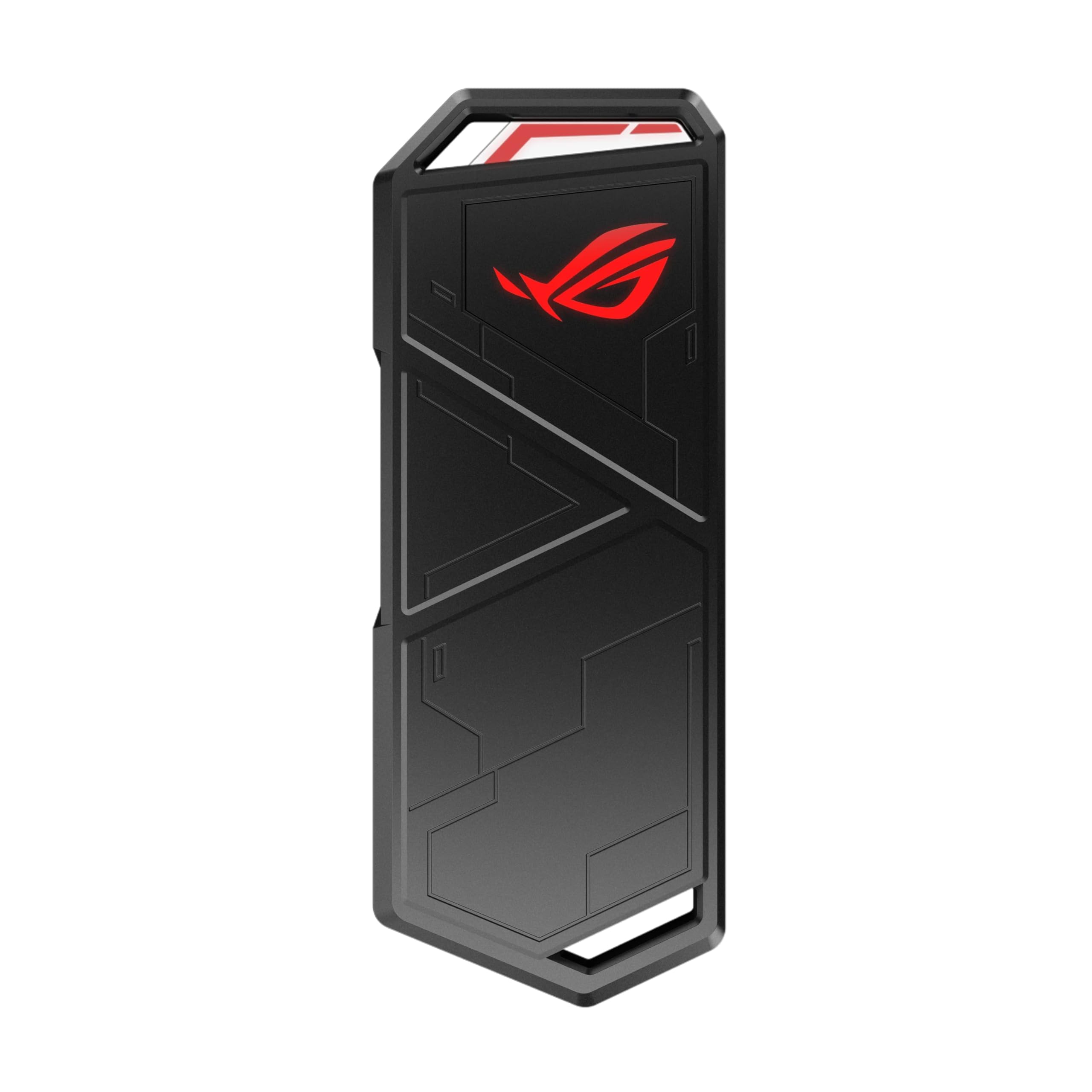
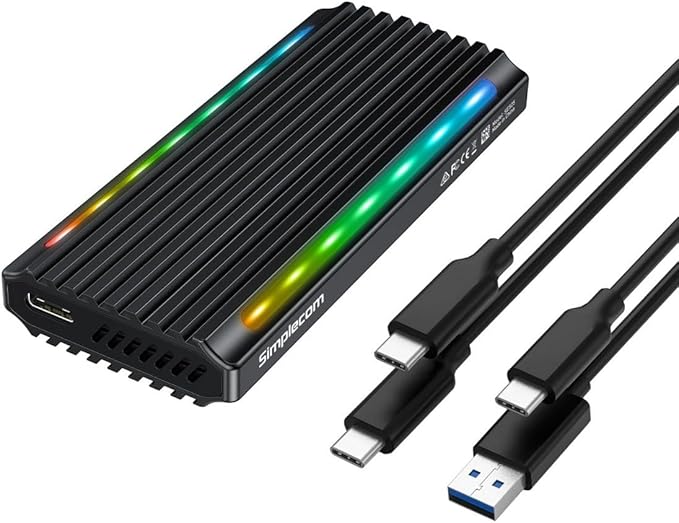
Asus ROG Strix Arion ESD-S1C USB 3.2 Gen 2 Type-C M.2 NVMe SSD RGB Enclosure
ASUS ARION With the ASUS Republic of Gamers Strix Arion M.2 NVMe SSD Enclosure, you'll be able to use your own M.2 NVMe PCIe SSD as an external SSD. The enclosure features a USB 3.2 Gen 2 (10 Gb/s) Type-C port. The M.2 slot supports 2230, 2242, 2260, and 2280 form factors. The NVMe PCIe SSD can be up to 2TB with M key/B+M key. The enclosure features an aluminum alloy design and a screwdriver-less installation. The thermal pads reduce operating temperatures, enabling your SSD to maintain high transfer speeds. The chassis also supports ASUS Aura Sync lighting so it can sync with your other ASUS ROG devices. An exclusive protective holder is included, as well as a USB Type-C to Type-C cable and a USB Type-C to Type-A cable. Please note:This enclosure does not support SATA-based B-key/B+M key and PCIe/ACHI-based M-key SSDs.
ASUS ARION With the ASUS Republic of Gamers Strix Arion M.2 NVMe SSD Enclosure, you'll be able to use your own M.2 NVMe PCIe SSD as an external SSD. The enclosure features a USB 3.2 Gen 2 (10 Gb/s) Type-C port. The M.2 slot supports 2230, 2242, 2260, and 2280 form factors. The NVMe PCIe SSD can be up to 2TB with M key/B+M key. The enclosure features an aluminum alloy design and a screwdriver-less installation. The thermal pads reduce operating temperatures, enabling your SSD to maintain high transfer speeds. The chassis also supports ASUS Aura Sync lighting so it can sync with your other ASUS ROG devices. An exclusive protective holder is included, as well as a USB Type-C to Type-C cable and a USB Type-C to Type-A cable. Please note:This enclosure does not support SATA-based B-key/B+M key and PCIe/ACHI-based M-key SSDs.
ASUS ARION With the ASUS Republic of Gamers Strix Arion M.2 NVMe SSD Enclosure, you'll be able to use your own M.2 NVMe PCIe SSD as an external SSD. The enclosure features a USB 3.2 Gen 2 (10 Gb/s) Type-C port. The M.2 slot supports 2230, 2242, 2260, and 2280 form factors. The NVMe PCIe SSD can be up to 2TB with M key/B+M key. The enclosure features an aluminum alloy design and a screwdriver-less installation. The thermal pads reduce operating temperatures, enabling your SSD to maintain high transfer speeds. The chassis also supports ASUS Aura Sync lighting so it can sync with your other ASUS ROG devices. An exclusive protective holder is included, as well as a USB Type-C to Type-C cable and a USB Type-C to Type-A cable. Please note:This enclosure does not support SATA-based B-key/B+M key and PCIe/ACHI-based M-key SSDs.
ASUS ARION With the ASUS Republic of Gamers Strix Arion M.2 NVMe SSD Enclosure, you'll be able to use your own M.2 NVMe PCIe SSD as an external SSD. The enclosure features a USB 3.2 Gen 2 (10 Gb/s) Type-C port. The M.2 slot supports 2230, 2242, 2260, and 2280 form factors. The NVMe PCIe SSD can be up to 2TB with M key/B+M key. The enclosure features an aluminum alloy design and a screwdriver-less installation. The thermal pads reduce operating temperatures, enabling your SSD to maintain high transfer speeds. The chassis also supports ASUS Aura Sync lighting so it can sync with your other ASUS ROG devices. An exclusive protective holder is included, as well as a USB Type-C to Type-C cable and a USB Type-C to Type-A cable. Please note:This enclosure does not support SATA-based B-key/B+M key and PCIe/ACHI-based M-key SSDs.
in 3 offers
The lowest price for Asus ROG Strix Arion ESD-S1C USB 3.2 Gen 2 Type-C M.2 NVMe SSD RGB Enclosure right now is $60.95 at Mwave Australia, compared across 3 retailers.
The all-time low was $60.95 on 29 June 2026. That's the lowest price we've ever tracked — a great time to buy.
Prices last updated 29 June 2026.
Last updated at 29/06/2026 14:08:49
ASUS ROG Strix Arion Lite USB-C 3.2 Gen 2 M.2 NVMe SSD Enclosure
Free delivery between 2–9 July
ASUS ROG Strix Arion M.2 NVMe SSD Enclosure - Black
Delivery between Wed – Mon $11.64
ASUS ROG Strix Arion Lite M.2 NVMe SSD Enclosure-USB3.2 GEN2 Type-C 10 Gbps
Delivery between 2–14 July $10
originally posted on newegg.com
I purchased this, because I decided to finally upgrade my NVMe SSD on my HP OMEN desktop. I wanted something that I could later, move the old drive into, without it being damaged. I love the design and durability. No cheap stuff here, it's great! The only problem I have with this, was when I was installing the new SSD, it's a WD Black (with the thermal), because it's a bulkier SSD, this prevented the cover from closing. So, I had to leave that off, during the cloning process. No problem, it wasn't going anywhere. I also noticed the screw to hold down the SSD is a bit tall, when I moved my old SSD into this gadget (plain without any thermal), it was having a problem closing all the way. I removed the screw and it snapped shut. So, if you plan to store your SSD drive ... MoreI purchased this, because I decided to finally upgrade my NVMe SSD on my HP OMEN desktop. I wanted something that I could later, move the old drive into, without it being damaged. I love the design and durability. No cheap stuff here, it's great! The only problem I have with this, was when I was installing the new SSD, it's a WD Black (with the thermal), because it's a bulkier SSD, this prevented the cover from closing. So, I had to leave that off, during the cloning process. No problem, it wasn't going anywhere. I also noticed the screw to hold down the SSD is a bit tall, when I moved my old SSD into this gadget (plain without any thermal), it was having a problem closing all the way. I removed the screw and it snapped shut. So, if you plan to store your SSD drive in this device as a spare, you may want to use a different screw, to secure it tight. Otherwise, that was my only complaint. I also love the pin ejection on this, to open the lid. That guarantees the case will not open by accident. It comes with a pin to open the lid (similar to the SIM Card pins on your tablets and phones). If you want something that's secure and durable, go with this. Just be warned it doesn't work for all drives.
originally posted on newegg.com
The Asus ROG-STRIX-ARION is a fantastic product, and easily the best external M.2 enclosure out there. Build quality is fantastic. The materials used are all heavy, strong, and elegant, allowing for excellent protection of your storage device. Thermals are extremely good: the added thermal compound and heatsinks keep the NVMe at safe operating temperatures. The exterior can get VERY hot, but that just means the heat is being effectively diverted away from the M.2 drive. RGB effects are gorgeous and are controlled using ASUS’s software (for better or for worse). Playing games directly off the drive produces minimal framerate drops (like 3-5 fps at its worst), if any, when connected to the Thunderbolt 3 port. As far as the downsides: this enclosure is expensive! ... MoreThe Asus ROG-STRIX-ARION is a fantastic product, and easily the best external M.2 enclosure out there. Build quality is fantastic. The materials used are all heavy, strong, and elegant, allowing for excellent protection of your storage device. Thermals are extremely good: the added thermal compound and heatsinks keep the NVMe at safe operating temperatures. The exterior can get VERY hot, but that just means the heat is being effectively diverted away from the M.2 drive. RGB effects are gorgeous and are controlled using ASUS’s software (for better or for worse). Playing games directly off the drive produces minimal framerate drops (like 3-5 fps at its worst), if any, when connected to the Thunderbolt 3 port. As far as the downsides: this enclosure is expensive! Costing about 30% more than similar products. This could be a deal breaker for some; however I strongly recommend spending that extra money as this is a far better product. Other issues are the included cables: which are stiff and short (but you can easily replace these so it’s no big deal). One other downside is that I wouldn't recommend buying this over a standard 2.5" SSD enclosure unless you can spare the expense, as it isn't much faster and NVMe drives themselves are expensive. One other thing I noticed is the drive comes in a medium-grey enclosure (not the as black as the one you see in the product photo) Verdict: If you travel a lot, game on the go competitively, or have a spare NVMe lying around, this is the product for you. My final verdict: If you travel a lot, game on the go competitively, or have a spare NVMe lying around, this is the product for you.
originally posted on homeessentialsdirect.com
I bought this enclosure to clone my laptop drive to a new WD Black drive, with double the storage. I wanted a decent enclosure that I could reuse and is functional. Having the usb-c or a connectors is very nice. It allows for use in many different places. Having the rgb make it stand out more than most of the other enclosures, and it's not plastic so it's good at dissipating heat. The usb-c connection allowed for faster cloning of my current drive to the replacement drive, and then the enclosure allowed for me to reuse my current laptop drive as an external nvme. I like it, it looks good, is very functional and versatile. However the only thing I would have a complaint about, is the belt clip is made of cheap plastic and broke easily. I never plan on taking this ... MoreI bought this enclosure to clone my laptop drive to a new WD Black drive, with double the storage. I wanted a decent enclosure that I could reuse and is functional. Having the usb-c or a connectors is very nice. It allows for use in many different places. Having the rgb make it stand out more than most of the other enclosures, and it's not plastic so it's good at dissipating heat. The usb-c connection allowed for faster cloning of my current drive to the replacement drive, and then the enclosure allowed for me to reuse my current laptop drive as an external nvme. I like it, it looks good, is very functional and versatile. However the only thing I would have a complaint about, is the belt clip is made of cheap plastic and broke easily. I never plan on taking this anywhere on my belt, so, I guess that's not a big deal to me, however if that's somehow important to you, I suggest getting a metal one to replace it. Also, it syncs the lights with my desktop which has an Asus motherboard. Update, I found a decent reasonably priced fix for the crappy plastic carabiner. Here's a link to it. I added photos so you can see what it looks like together. For only $1.68 it's not a huge expenditure to add to this case. ASUS probably should've included something like this instead of the cheap plastic one. https://www.Home Essentials Direct.com/dp/B002MD01DE?ref=ppx_pop_mob_ap_share
| Inputs/Outputs | 1x USB-C 3.1/3.2 Gen 2 |
| Form Factor | Portable |
| OS Compatibility | Windows 7 or Later macOS 10.6 or Later |
| Encryption | Yes |
| Cooling | Yes |
ASUS ROG Strix Arion Lite USB-C 3.2 Gen 2 M.2 NVMe SSD Enclosure
Free delivery between 2–9 July
ASUS ROG Strix Arion M.2 NVMe SSD Enclosure - Black
Delivery between Wed – Mon $11.64
ASUS ROG Strix Arion Lite M.2 NVMe SSD Enclosure-USB3.2 GEN2 Type-C 10 Gbps
Delivery between 2–14 July $10
I purchased this, because I decided to finally upgrade my NVMe SSD on my HP OMEN desktop. I wanted something that I could later, move the old drive into, without it being damaged. I love the design and durability. No cheap stuff here, it's great! The only problem I have with this, was when I was installing the new SSD, it's a WD Black (with the thermal), because it's a bulkier SSD, this prevented the cover from closing. So, I had to leave that off, during the cloning process. No problem, it wasn't going anywhere. I also noticed the screw to hold down the SSD is a bit tall, when I moved my old SSD into this gadget (plain without any thermal), it was having a problem closing all the way. I removed the screw and it snapped shut. So, if you plan to store your SSD drive ... MoreI purchased this, because I decided to finally upgrade my NVMe SSD on my HP OMEN desktop. I wanted something that I could later, move the old drive into, without it being damaged. I love the design and durability. No cheap stuff here, it's great! The only problem I have with this, was when I was installing the new SSD, it's a WD Black (with the thermal), because it's a bulkier SSD, this prevented the cover from closing. So, I had to leave that off, during the cloning process. No problem, it wasn't going anywhere. I also noticed the screw to hold down the SSD is a bit tall, when I moved my old SSD into this gadget (plain without any thermal), it was having a problem closing all the way. I removed the screw and it snapped shut. So, if you plan to store your SSD drive in this device as a spare, you may want to use a different screw, to secure it tight. Otherwise, that was my only complaint. I also love the pin ejection on this, to open the lid. That guarantees the case will not open by accident. It comes with a pin to open the lid (similar to the SIM Card pins on your tablets and phones). If you want something that's secure and durable, go with this. Just be warned it doesn't work for all drives.
The Asus ROG-STRIX-ARION is a fantastic product, and easily the best external M.2 enclosure out there. Build quality is fantastic. The materials used are all heavy, strong, and elegant, allowing for excellent protection of your storage device. Thermals are extremely good: the added thermal compound and heatsinks keep the NVMe at safe operating temperatures. The exterior can get VERY hot, but that just means the heat is being effectively diverted away from the M.2 drive. RGB effects are gorgeous and are controlled using ASUS’s software (for better or for worse). Playing games directly off the drive produces minimal framerate drops (like 3-5 fps at its worst), if any, when connected to the Thunderbolt 3 port. As far as the downsides: this enclosure is expensive! ... MoreThe Asus ROG-STRIX-ARION is a fantastic product, and easily the best external M.2 enclosure out there. Build quality is fantastic. The materials used are all heavy, strong, and elegant, allowing for excellent protection of your storage device. Thermals are extremely good: the added thermal compound and heatsinks keep the NVMe at safe operating temperatures. The exterior can get VERY hot, but that just means the heat is being effectively diverted away from the M.2 drive. RGB effects are gorgeous and are controlled using ASUS’s software (for better or for worse). Playing games directly off the drive produces minimal framerate drops (like 3-5 fps at its worst), if any, when connected to the Thunderbolt 3 port. As far as the downsides: this enclosure is expensive! Costing about 30% more than similar products. This could be a deal breaker for some; however I strongly recommend spending that extra money as this is a far better product. Other issues are the included cables: which are stiff and short (but you can easily replace these so it’s no big deal). One other downside is that I wouldn't recommend buying this over a standard 2.5" SSD enclosure unless you can spare the expense, as it isn't much faster and NVMe drives themselves are expensive. One other thing I noticed is the drive comes in a medium-grey enclosure (not the as black as the one you see in the product photo) Verdict: If you travel a lot, game on the go competitively, or have a spare NVMe lying around, this is the product for you. My final verdict: If you travel a lot, game on the go competitively, or have a spare NVMe lying around, this is the product for you.
I bought this enclosure to clone my laptop drive to a new WD Black drive, with double the storage. I wanted a decent enclosure that I could reuse and is functional. Having the usb-c or a connectors is very nice. It allows for use in many different places. Having the rgb make it stand out more than most of the other enclosures, and it's not plastic so it's good at dissipating heat. The usb-c connection allowed for faster cloning of my current drive to the replacement drive, and then the enclosure allowed for me to reuse my current laptop drive as an external nvme. I like it, it looks good, is very functional and versatile. However the only thing I would have a complaint about, is the belt clip is made of cheap plastic and broke easily. I never plan on taking this ... MoreI bought this enclosure to clone my laptop drive to a new WD Black drive, with double the storage. I wanted a decent enclosure that I could reuse and is functional. Having the usb-c or a connectors is very nice. It allows for use in many different places. Having the rgb make it stand out more than most of the other enclosures, and it's not plastic so it's good at dissipating heat. The usb-c connection allowed for faster cloning of my current drive to the replacement drive, and then the enclosure allowed for me to reuse my current laptop drive as an external nvme. I like it, it looks good, is very functional and versatile. However the only thing I would have a complaint about, is the belt clip is made of cheap plastic and broke easily. I never plan on taking this anywhere on my belt, so, I guess that's not a big deal to me, however if that's somehow important to you, I suggest getting a metal one to replace it. Also, it syncs the lights with my desktop which has an Asus motherboard. Update, I found a decent reasonably priced fix for the crappy plastic carabiner. Here's a link to it. I added photos so you can see what it looks like together. For only $1.68 it's not a huge expenditure to add to this case. ASUS probably should've included something like this instead of the cheap plastic one. https://www.Home Essentials Direct.com/dp/B002MD01DE?ref=ppx_pop_mob_ap_share
I was in the process of updating my PC SSD, so I needed an external enclosure, this Asus ROG Strix Arion enclosure therefore served me two purposes; to hold my new SSD to be cloned and then to house my old SSD afterwards. For anyone not in the know, ROG stands for Republic of Gamers, and represents the gaming division of Asus so this SSD enclosure is oriented towards gamers but can be used by anyone looking for a high quality SSD enclosure. Off the bat the presentation is top notch, high profile, glossy, full colored box that contains the ROG Strix Arion SSD enclosure nestled within a dense foam container. No cheap plastic product containers here and of course it is a little bit of overkill, but the presentation cannot be denied. Inside the box is the ROG Strix ... MoreI was in the process of updating my PC SSD, so I needed an external enclosure, this Asus ROG Strix Arion enclosure therefore served me two purposes; to hold my new SSD to be cloned and then to house my old SSD afterwards. For anyone not in the know, ROG stands for Republic of Gamers, and represents the gaming division of Asus so this SSD enclosure is oriented towards gamers but can be used by anyone looking for a high quality SSD enclosure. Off the bat the presentation is top notch, high profile, glossy, full colored box that contains the ROG Strix Arion SSD enclosure nestled within a dense foam container. No cheap plastic product containers here and of course it is a little bit of overkill, but the presentation cannot be denied. Inside the box is the ROG Strix Arion SSD enclosure, a short USB-C to USB-C cable, another short USB-C to USB-A cable, a rubberized protective covering for the unit that has a built in handle for the included strap and very plastic carabiner clip shaped into a "R" to represent ROG. The only shortcoming that I have with this is how extremely cheap the carabiner clip is, needless to say I will not be using it at all. Holding the ROG Strix Arion SSD for the first time, wow! This aluminum enclosure is one very solidly built device! It has some heft to it without being heavy and the fit and finish is top notch all around including the super awesome RGB LED lights. SSD installing is a breeze as this SSD enclosure opens up with just a pin eject tool, the same kind that opens up the SIM/SD card slot on cell phones. Inside there is a thumbscrew that is easily turned by hand, and if need be the pin eject tool can be used as a quick screwdriver. Place the NVME SSD inside the slot, reattach the thumbscrew, close the unit and you are ready to go. Connected to a USB 3.2 Gen 2 port on my desktop PC, I was getting 941 MB/s read and 882 MB/s write, good results if just a tad slow but very much in line with most other USB 3.2 Gen 2 external NVME drives, I also tested this on my laptop with Thunderbolt 3 and I was getting 1,050 MB/s read and write, much better and closer to the threshold for USB 3.2 Gen 2 which is approximately 1,250 MB/s. The drive inside is a 250 Gb Samsung 981a which is capable of 3,000 MB/s read and 2,200 MB/s write. I didnt test the RGB software because I most likely wont be using this drive for my PC, more than likely as a miscellaneous drive for maybe Xbox or music or something else so Im not really concerned with whatever color it is but I do like the RGBs on this device, one of the reasons I chose it. Excellent enclosure and what I think is a respectable price for a quality product of this caliber. Highly recommended.
I bought this along with a Crucial 1TB P5 drive. Installation of the drive was easy: instructions are reasonably clear and the enclosure comes with a tool for popping the cover off and driving the thumbscrew that secures the drive in the enclosure. But I could not get this to work reliably. It would show up in the drives, and it's even possible to initialize the drive and format it. But the latency is incredibly high. Even simple drive operations take minutes to complete and worse, when the OS is waiting on those, all other drive I/O is blocked too. I tried to use the made-for-Crucial version of Acronis True Image to clone my old drive to the new drive. The first problem was that the program, which requires a Crucial drive to be attached to the system, did not ... MoreI bought this along with a Crucial 1TB P5 drive. Installation of the drive was easy: instructions are reasonably clear and the enclosure comes with a tool for popping the cover off and driving the thumbscrew that secures the drive in the enclosure. But I could not get this to work reliably. It would show up in the drives, and it's even possible to initialize the drive and format it. But the latency is incredibly high. Even simple drive operations take minutes to complete and worse, when the OS is waiting on those, all other drive I/O is blocked too. I tried to use the made-for-Crucial version of Acronis True Image to clone my old drive to the new drive. The first problem was that the program, which requires a Crucial drive to be attached to the system, did not recognize the attached P5 as a Crucial drive, since it shows up as an Asus device. But even after getting a patch from Crucial to bypass that issue, cloning didn't work. I let it run for 12 hours, without seeing any significant progress. This compares to less than 60 minutes to clone identically-sized drives to a regular 2.5"-form-factor SSD using a conventional enclosure. Swapping parts, I tried the same Crucial drive in a Vanstar enclosure, and a Samsung drive in the Asus enclosure. Both of those tests worked mostly fine; there were still minor latency glitches with the Samsung drive in the Asus enclosure, but nothing coming close to the problems I had with the Crucial drive. The Crucial drive in the Vanstar enclosure worked *perfectly*. Same tests were also made with second examples of the Asus enclosure and Crucial drive, with the same results. If the problem is a manufacturing defect, it's something that affected a whole batch of the enclosures, not just a one-off problem. Bottom line: this enclosure will probably work okay with other brands of drives, and maybe even other Crucial drives. When it works, it's a nice enclosure, and I really wanted it to work for me. But if you have a Crucial P5 drive, you should probably use a different brand of enclosure rather than spending any time trying to get this to work (I spent over 10 hours of diagnostic effort to sort everything out). I found it completely unusable with Crucial's drives. Customer support review: I contacted both Crucial and Asus when trying to diagnose the problem. The Crucial customer support was the most helpful; they actually responded to my specific issues, and provided attempts to help solve the problem. The Asus support, not so much. About every other email (I didn't use phone support with Asus) it seemed like they had not bothered to read my message at all, and just provided some random form-letter response that had nothing to do with the problem. They spent the rest of the time mostly trying to blame the problem on a faulty drive; one of the most amusing exchanges was when they asked me to send photos of the drive installed in the enclosure, then noticed a slight discoloration on the manufacturer's sticker over one of the ICs on the drive and said that indicated some defect with the drive. In spite of the fact that the discoloration was simply transfer of some slightly oily substance from the heat-pads on the Asus enclosure's cover itself! Granted, Crucial didn't provide a resolution either. But at least they seemed to be taking me and the problem I was reporting seriously.
So many things about this enclosure are amazing. I bought 4 external enclosures all at once, and this is the only one I went back and bought a second of. Easily the best M.2 enclosure I have used. If the drive has a thick metallic label on it, then this enclosure will not close properly. If you see reviewers saying "it pops open" or whatever, its due to stickers on the drive used. I had a Sabrent Rocket, that I had to peel off their copper sticker to get this ROG enclosure to close properly. Its just a very... very... tight fit. However when it closes the drive is secure and stays cold even during heavy use due to the enclosure acting as a giant heatsink. The other enclosures I bought (around half the price of this one) all have problems of their own. Either A) they ... MoreSo many things about this enclosure are amazing. I bought 4 external enclosures all at once, and this is the only one I went back and bought a second of. Easily the best M.2 enclosure I have used. If the drive has a thick metallic label on it, then this enclosure will not close properly. If you see reviewers saying "it pops open" or whatever, its due to stickers on the drive used. I had a Sabrent Rocket, that I had to peel off their copper sticker to get this ROG enclosure to close properly. Its just a very... very... tight fit. However when it closes the drive is secure and stays cold even during heavy use due to the enclosure acting as a giant heatsink. The other enclosures I bought (around half the price of this one) all have problems of their own. Either A) they are not cool enough to prevent throttling. B) The connection ports are not secure and can be bumped to lose connection C) the drive does not fit securely inside and does not feel safe to drop, where as this asus enclosure, I wouldnt even flinch if I dropped onto concrete. I wish they made this in other colors so that its easier to discern between multiples. I do videography and transfer hundreds of gigs of data on a daily basis so I cant just use a casual enclosure with small problems. I need serious stuff that works consistently and reliably. This does the job well.
Insane R-n-W speeds Recently had the chance to build a new PC and decided to go with less storage for the main drive, as I use external storage to back up all my files or ultimately close the drive, so for extra storage, I swapped my 960GB Corsair MP-510 and use it with an external USB flash drive, but which USB external enclosure? I looked at so many NVMe to USB enclosures but the ASUS was my choice. This is a 3.2 Gen 2 Type C storage and for the 10Gbps I hoped to get the maximum speed for R-n-W. After seeing other reviews online I knew the average speed I could get with the enclosure but surprisingly enough, the speeds obtained were far more than I expected, then again, you can never go wrong with Corsair and ASUS, the reason why I always go with those two. I ... MoreInsane R-n-W speeds Recently had the chance to build a new PC and decided to go with less storage for the main drive, as I use external storage to back up all my files or ultimately close the drive, so for extra storage, I swapped my 960GB Corsair MP-510 and use it with an external USB flash drive, but which USB external enclosure? I looked at so many NVMe to USB enclosures but the ASUS was my choice. This is a 3.2 Gen 2 Type C storage and for the 10Gbps I hoped to get the maximum speed for R-n-W. After seeing other reviews online I knew the average speed I could get with the enclosure but surprisingly enough, the speeds obtained were far more than I expected, then again, you can never go wrong with Corsair and ASUS, the reason why I always go with those two. I tested this on a Z390 and Z490 motherboards, both were fast but the Z490 was 200MB faster, which is why I made the Z490 my main system. Will I recommend this combo? Absolutely! For the speeds and versatility of using/swapping other NVMe drives with the same enclosure, it's great. I have a 2nd 480GB MP-510 which I'm either going to swap if I need to put different files in the MP-510 or just buy a 2nd ARION. I also like that is so big that you'll never lose it or if in a drawer, you'll easily find it, as I don't have it constantly connected to the PC, just need it for back up or access files backed up. For the price? It's worth it.
The pin to open the back of the unit is worth tossing after one use. The lid itself has not locked like it was when I opened the box. Second day i gave up, i am not planing on carrying it around anyhow. I purchased it to wipe a couple of spare Solid state drives . Test ran and it wrote 480 plus. Tried wring back movies to video folder and got only 47 max to 37MBps . Would be a good unit at 28$ not 80$, you would not feel as ripped off.
I bought this and paired with a 2tb Seagate nvme drive (last gen but still enough to max out the 10Gbit/s throughput). This has resulted in an slightly bigger than normal flash drive that is 10-20 times faster than any I have used before, and 10 times faster than my external hard drives. Now its not the smallest enclosure on the market, but the way its structured that extra surface area is used for cooling. The higher thermal mass of the case will make temperatures climb slowly, compared to a smaller enclosure. I really like the RGB light as it matches my other peripherials. One thing to note is I don't really like or trust the plastic "R" shaped carabiner provided, but one can just not use it. I really like that they provided 2 high quality cables in the box so you ... MoreI bought this and paired with a 2tb Seagate nvme drive (last gen but still enough to max out the 10Gbit/s throughput). This has resulted in an slightly bigger than normal flash drive that is 10-20 times faster than any I have used before, and 10 times faster than my external hard drives. Now its not the smallest enclosure on the market, but the way its structured that extra surface area is used for cooling. The higher thermal mass of the case will make temperatures climb slowly, compared to a smaller enclosure. I really like the RGB light as it matches my other peripherials. One thing to note is I don't really like or trust the plastic "R" shaped carabiner provided, but one can just not use it. I really like that they provided 2 high quality cables in the box so you don't have to buy anything extra to use this on new (USB c) or older (USB A) ports. (pro tip, format to exFAT to be able to use this on Mac and PC at the same time.)All in all its a device I would be happy to recomend to anyone that doesn't want to make a compromise in speed and thermals, while having a device that looks quite cool.
ASM2362 is limited to 1GB/s.Plastic transparent piece blocking top bracket can be removed - connected with 2 screws.Out of box blasting with rainbow led - impossible to sleep in the same room. Asus software to disable it - gigabyles of bloatware, works only on windows and led is back to shine after reconnect. Ended up removing 0Ohm resistor next to Aura chip on pcb.
| Inputs/Outputs | 1x USB-C 3.1/3.2 Gen 2 |
| Form Factor | Portable |
| OS Compatibility | Windows 7 or Later macOS 10.6 or Later |
| Encryption | Yes |
| Cooling | Yes |