Aten 2 Port USB DisplayPort 4K KVM Switch CS782DP
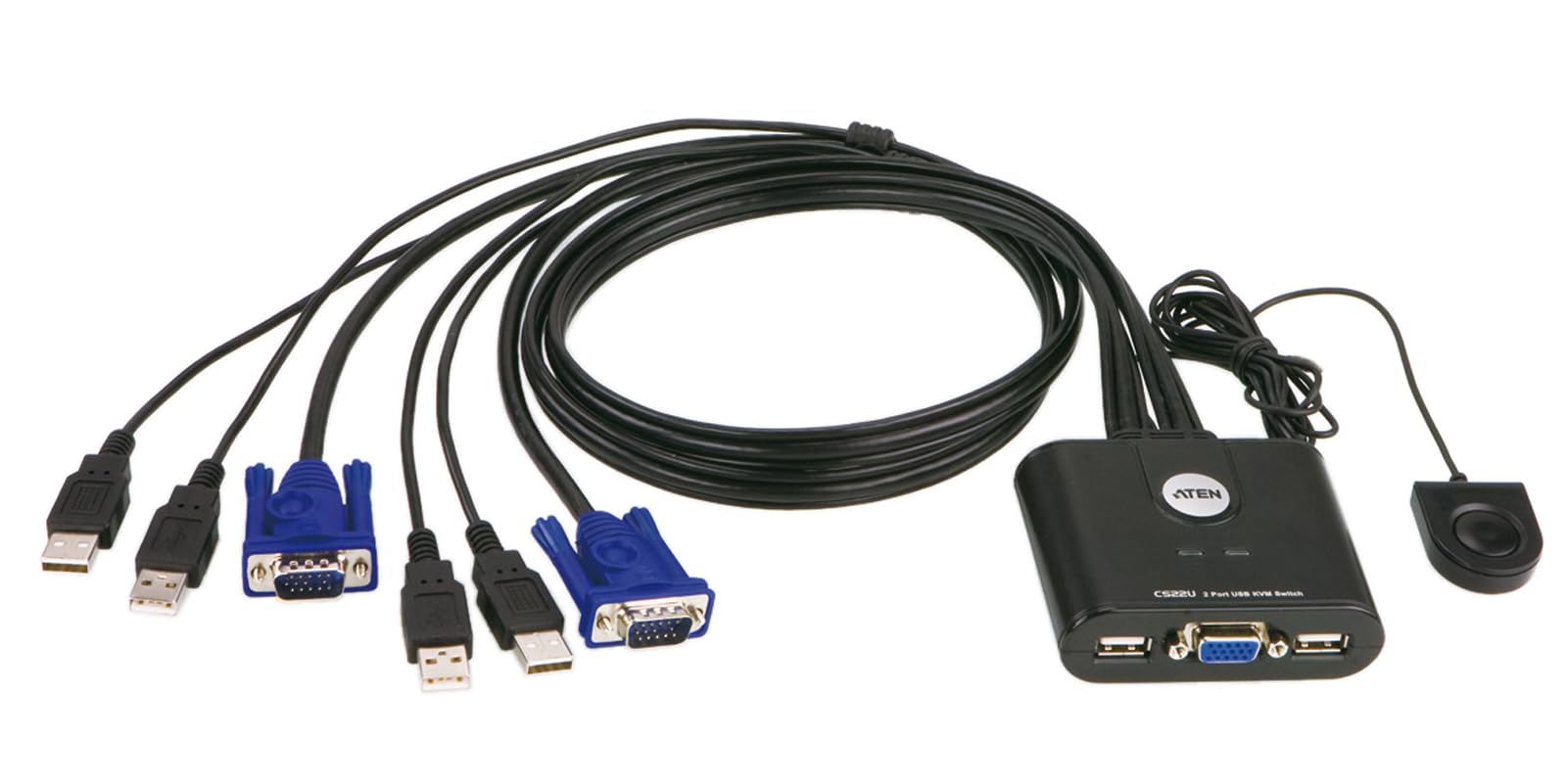
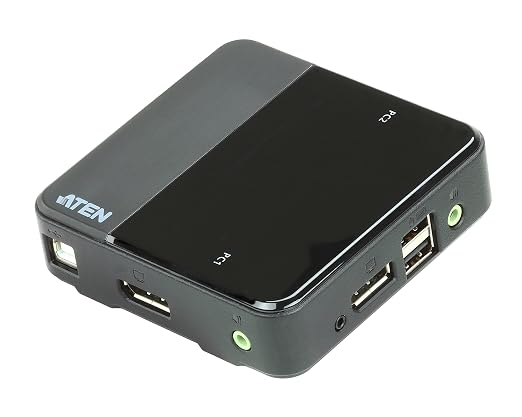
With the ever-growing demand for higher video quality and the evolution of DisplayPort technology, 4K-enabled computers and displays are now widely adopted in visually-intensive and commercial applications. Offering up to 4K UHD resolution, the ATEN CS782DP is at home amongst these demanding scenarios and technological advancements. \ \ \ The ATEN CS782DP 2-Port USB DisplayPort KVM Switch features 4K UHD video resolution and allows users to access two 4K-enabled computers from a single USB keyboard, USB mouse, and DisplayPort video console. \ \ Doing so with ease, the CS782DP provides three convenient switching methods - using a remote port selector, mouse, or hotkeys for flexible access to any computer connected to the installation. The product even provides premium audio support for a complete multimedia solution. To round off the entire experience, the streamlined, space-saving design of CS782DP also makes it ideal for any working environment. \ \ With its rich feature set, the CS782DP is designed to surpass all requirements in graphic design, animation, and video-editing applications.
With the ever-growing demand for higher video quality and the evolution of DisplayPort technology, 4K-enabled computers and displays are now widely adopted in visually-intensive and commercial applications. Offering up to 4K UHD resolution, the ATEN CS782DP is at home amongst these demanding scenarios and technological advancements. \ \ \ The ATEN CS782DP 2-Port USB DisplayPort KVM Switch features 4K UHD video resolution and allows users to access two 4K-enabled computers from a single USB keyboard, USB mouse, and DisplayPort video console. \ \ Doing so with ease, the CS782DP provides three convenient switching methods - using a remote port selector, mouse, or hotkeys for flexible access to any computer connected to the installation. The product even provides premium audio support for a complete multimedia solution. To round off the entire experience, the streamlined, space-saving design of CS782DP also makes it ideal for any working environment. \ \ With its rich feature set, the CS782DP is designed to surpass all requirements in graphic design, animation, and video-editing applications.
With the ever-growing demand for higher video quality and the evolution of DisplayPort technology, 4K-enabled computers and displays are now widely adopted in visually-intensive and commercial applications. Offering up to 4K UHD resolution, the ATEN CS782DP is at home amongst these demanding scenarios and technological advancements. \ \ \ The ATEN CS782DP 2-Port USB DisplayPort KVM Switch features 4K UHD video resolution and allows users to access two 4K-enabled computers from a single USB keyboard, USB mouse, and DisplayPort video console. \ \ Doing so with ease, the CS782DP provides three convenient switching methods - using a remote port selector, mouse, or hotkeys for flexible access to any computer connected to the installation. The product even provides premium audio support for a complete multimedia solution. To round off the entire experience, the streamlined, space-saving design of CS782DP also makes it ideal for any working environment. \ \ With its rich feature set, the CS782DP is designed to surpass all requirements in graphic design, animation, and video-editing applications.
With the ever-growing demand for higher video quality and the evolution of DisplayPort technology, 4K-enabled computers and displays are now widely adopted in visually-intensive and commercial applications. Offering up to 4K UHD resolution, the ATEN CS782DP is at home amongst these demanding scenarios and technological advancements. \ \ \ The ATEN CS782DP 2-Port USB DisplayPort KVM Switch features 4K UHD video resolution and allows users to access two 4K-enabled computers from a single USB keyboard, USB mouse, and DisplayPort video console. \ \ Doing so with ease, the CS782DP provides three convenient switching methods - using a remote port selector, mouse, or hotkeys for flexible access to any computer connected to the installation. The product even provides premium audio support for a complete multimedia solution. To round off the entire experience, the streamlined, space-saving design of CS782DP also makes it ideal for any working environment. \ \ With its rich feature set, the CS782DP is designed to surpass all requirements in graphic design, animation, and video-editing applications.
in 53 offers
The lowest price for Aten 2 Port USB DisplayPort 4K KVM Switch CS782DP right now is $137.00 at Device Deal, compared across 44 retailers.
The all-time low was $127.20 on 21 Nov 2024 — today's price is 8% above the lowest ever. That's a little above the best price we've seen.
Prices last updated 16 Oct 2026.
Last updated at 16/10/2026 09:17:43
Aten CS782DP Dp 1.2 Kvm
Affiliate Disclosure: We may receive a small commission for purchases made through this link at no extra cost to you. This helps support our site. Thank you!
ATEN CS782DP 2 Port USB DisplayPort/Audio KVM Switch (4K UHD Supported)
Delivery $11.90
Aten Slim KVM Switch 2 Port Single Display DisplayPort w/ audio, Cables Included, Remote Port Selector,
Delivery between 20–23 Oct $13.25
Aten Slim KVM Switch 2 Port Single Display DisplayPort w/ audio, Cables Included, Remote Port Selector,
Delivery between 20–27 Oct $15
2 Port USB 2.0 DisplayPort / Audio 4K KVM Switch Support HDCP 4096 x 2160 @ 60 Hz DP 1.2 Mouse emulation Keyboard emulation - [ OLD SKU: CS-782DP ]
Delivery $16.50
ATEN CS782DP 2-Port USB DisplayPort KVM Switch with Audio, Cables Included, Remote Port Selector
Delivery between Tue – Thu $10
Aten 2 Port USB 2.0 DISPLAYPORT 4K KVM Switch
Delivery $16.95
Aten 2 Port USB 2.0 DisplayPort 4K KVM Switch (CS-782DP)
Aten 2 Port USB 2 0 DisplayPort 4K KVM Switch CS 782DP - KVM Switches
Delivery $14.46
Aten 2 Port USB 2 0 DisplayPort 4K KVM Switch CS 782DP - KVM Switches
Delivery $13
originally posted on altex.com
Only draw back is that doesn't work well with many display cable adapters. Make sure all computers and monitors have display ports. HDMI/DisplayPort adapters may work, I didn't try. I use quite a few DVI/DisplayPort adapters and they didn't work with this switch. Active adapters may work but all mine are passive. They worked just fine when I shuffled computers and monitors around to make sure everything was native DisplayPort.
originally posted on scan.co.uk
Bought this so I could switch my Ultra HD iiyama monitor between my Surface Pro 4 and work laptop, an HP Z book with dock. It's compact and well made and came with all the necessary cables. The toggle switch is neat with plenty of cable to allow you to put it where you want it. The installation was a breeze and it works flawlessly switching between the 2 devices in under 10s. The picture quality is perfect, no hint of flicker or interference which cheaper KVM switches are prone to.I wanted to be able to use the Z book as a base station without lifting the lid so I needed a keyboard to plug into the switch. Bought a Microsoft Sculpt wireless desktop. The only issue I had is that the keyboard worked when switching between devices but the mouse didn't. After a bit of ... MoreBought this so I could switch my Ultra HD iiyama monitor between my Surface Pro 4 and work laptop, an HP Z book with dock. It's compact and well made and came with all the necessary cables. The toggle switch is neat with plenty of cable to allow you to put it where you want it. The installation was a breeze and it works flawlessly switching between the 2 devices in under 10s. The picture quality is perfect, no hint of flicker or interference which cheaper KVM switches are prone to.I wanted to be able to use the Z book as a base station without lifting the lid so I needed a keyboard to plug into the switch. Bought a Microsoft Sculpt wireless desktop. The only issue I had is that the keyboard worked when switching between devices but the mouse didn't. After a bit of research I found that someone had overcome this issue by plugging another older wireless mouse dongle into the other USB port on the switch. Tried it and bingo! Everything works perfectly with mouse and keyboard switching between devices. I can leave the Z book sleeping in the dock and when I need to use it just hit the remote switch and the mouse wakes it up. My home/work setup is now perfect.There are cheaper KVM switches out there but reviews are variable. I'm glad I spent the extra money for an amazing bit of kit.
originally posted on scan.co.uk
It does what is claims to do: switches keyboard, mouse, and video between two computers. I use it to switch between my personal computer and my work laptop. It is one of the few KVMs switches that provides 4K @ 60Hz.The keyboard must go into the keyboard USB port. The other port is a USB-2 hub so you can plug mouse, video camera, etc. into that. A particular setting has to be disabled for this to work. The manual describes how to do it.Switching is automatic or can be done with the press of a button. Occasionally one of my computers will fail to pick up the screen, but it happens infrequently.
| General | |
| Device Type | KVM / audio / USB switch - 2 ports |
| Enclosure Type | Desktop |
| Subtype | KVM |
| Ports | 2 x KVM / audio / USB |

Aten CS782DP Dp 1.2 Kvm
Affiliate Disclosure: We may receive a small commission for purchases made through this link at no extra cost to you. This helps support our site. Thank you!
ATEN CS782DP 2 Port USB DisplayPort/Audio KVM Switch (4K UHD Supported)
Delivery $11.90
Aten Slim KVM Switch 2 Port Single Display DisplayPort w/ audio, Cables Included, Remote Port Selector,
Delivery between 20–23 Oct $13.25
Aten Slim KVM Switch 2 Port Single Display DisplayPort w/ audio, Cables Included, Remote Port Selector,
Delivery between 20–27 Oct $15
2 Port USB 2.0 DisplayPort / Audio 4K KVM Switch Support HDCP 4096 x 2160 @ 60 Hz DP 1.2 Mouse emulation Keyboard emulation - [ OLD SKU: CS-782DP ]
Delivery $16.50
Only draw back is that doesn't work well with many display cable adapters. Make sure all computers and monitors have display ports. HDMI/DisplayPort adapters may work, I didn't try. I use quite a few DVI/DisplayPort adapters and they didn't work with this switch. Active adapters may work but all mine are passive. They worked just fine when I shuffled computers and monitors around to make sure everything was native DisplayPort.
Bought this so I could switch my Ultra HD iiyama monitor between my Surface Pro 4 and work laptop, an HP Z book with dock. It's compact and well made and came with all the necessary cables. The toggle switch is neat with plenty of cable to allow you to put it where you want it. The installation was a breeze and it works flawlessly switching between the 2 devices in under 10s. The picture quality is perfect, no hint of flicker or interference which cheaper KVM switches are prone to.I wanted to be able to use the Z book as a base station without lifting the lid so I needed a keyboard to plug into the switch. Bought a Microsoft Sculpt wireless desktop. The only issue I had is that the keyboard worked when switching between devices but the mouse didn't. After a bit of ... MoreBought this so I could switch my Ultra HD iiyama monitor between my Surface Pro 4 and work laptop, an HP Z book with dock. It's compact and well made and came with all the necessary cables. The toggle switch is neat with plenty of cable to allow you to put it where you want it. The installation was a breeze and it works flawlessly switching between the 2 devices in under 10s. The picture quality is perfect, no hint of flicker or interference which cheaper KVM switches are prone to.I wanted to be able to use the Z book as a base station without lifting the lid so I needed a keyboard to plug into the switch. Bought a Microsoft Sculpt wireless desktop. The only issue I had is that the keyboard worked when switching between devices but the mouse didn't. After a bit of research I found that someone had overcome this issue by plugging another older wireless mouse dongle into the other USB port on the switch. Tried it and bingo! Everything works perfectly with mouse and keyboard switching between devices. I can leave the Z book sleeping in the dock and when I need to use it just hit the remote switch and the mouse wakes it up. My home/work setup is now perfect.There are cheaper KVM switches out there but reviews are variable. I'm glad I spent the extra money for an amazing bit of kit.
It does what is claims to do: switches keyboard, mouse, and video between two computers. I use it to switch between my personal computer and my work laptop. It is one of the few KVMs switches that provides 4K @ 60Hz.The keyboard must go into the keyboard USB port. The other port is a USB-2 hub so you can plug mouse, video camera, etc. into that. A particular setting has to be disabled for this to work. The manual describes how to do it.Switching is automatic or can be done with the press of a button. Occasionally one of my computers will fail to pick up the screen, but it happens infrequently.
I use a PC for work as well as my own PC for gaming. To save space, I only have a single 4K monitor which I shared by connecting one PC via DisplayPort and the other with HDMI and manually switching using the monitor controls. My mouse and keyboard were shared with a cheap keyboard/mouse switch and I also shared audio with a single set of speakers with a combination of 3.5mm and RCA connectors. This meant switching was a cumbersome affair requiring at least three button presses to switch over video on the monitor and a further press on the KM switch itself.Now it all goes through this device and I can switch between PCs with a single press using the handy button you can plug in, and if you only have one PC running I don't even need to do that. It seems such a ... MoreI use a PC for work as well as my own PC for gaming. To save space, I only have a single 4K monitor which I shared by connecting one PC via DisplayPort and the other with HDMI and manually switching using the monitor controls. My mouse and keyboard were shared with a cheap keyboard/mouse switch and I also shared audio with a single set of speakers with a combination of 3.5mm and RCA connectors. This meant switching was a cumbersome affair requiring at least three button presses to switch over video on the monitor and a further press on the KM switch itself.Now it all goes through this device and I can switch between PCs with a single press using the handy button you can plug in, and if you only have one PC running I don't even need to do that. It seems such a small thing, but it's well worth the money.However, there is one issue which took me some time to figure out which is connecting a gaming mouse and keyboard. Basically, it seems that it only supports one way USB communication when mouse and keyboard are plugged in directly, so in order to get it working I ended up using the USB hub built in to my monitor by connecting it to the mouse USB port and disabling the mouse emulation function. So, if you have something other than a basic keyboard and mouse, make sure you also have a hub to use.
I was disappointed that I could not run my Razer KB through the switch at all. Additionally my Razer mouse is not seen by my Razer software, even though the mouse does function. In fact my alternative KB while working is also not detected and therefor not able to run the specific software with it. For the price I expected a lot more, given it switches HD and 4k. Edit, Update to my review Works now with all of my peripherals. I just had to disable mouse emulation, and run my KB and mouse together via my monitor USB hub. The only bad thing is the troubleshooting as I had to figure this out via trial and error after reading through all of the documentation and going to the website.
The box should have contained a remote port selector and user instructions, but it didn't. Instructions were available on-line, though and there are supposedly hotkey combinations to toggle between ports.However, I could not get this device to work with my system. I had two computers with DP ports, and a monitor with an HDMI port. I had purchased a DP to HDMI adapter cable, which worked with a single computer and the monitor, but not with the KVM switch.
Note* This works out of the box with no firmware updates as have been talked about in previous versions.I'm running two Display Port laptops into a 1440p ultrawide at 60hz without any issues at all. Single USB combo mouse and keyboard works on both again with no issues. It also sends sound through DP so no need for extra wires.You switch it over with a little button on the desk. Works better that the standard scroll lock key combo of traditional KVMs.If you push the refresh to 75hz the screen starts to develop an intermittent flicker every few minutes, but to be honest not many people bar gamers need to run ultrawides at above 60Hz, especially with a KVM getting in the way.No notable input lag between mouse and screen. Change over takes about 2-3 seconds and ... MoreNote* This works out of the box with no firmware updates as have been talked about in previous versions.I'm running two Display Port laptops into a 1440p ultrawide at 60hz without any issues at all. Single USB combo mouse and keyboard works on both again with no issues. It also sends sound through DP so no need for extra wires.You switch it over with a little button on the desk. Works better that the standard scroll lock key combo of traditional KVMs.If you push the refresh to 75hz the screen starts to develop an intermittent flicker every few minutes, but to be honest not many people bar gamers need to run ultrawides at above 60Hz, especially with a KVM getting in the way.No notable input lag between mouse and screen. Change over takes about 2-3 seconds and I am more than happy with it.Very pleased with the device. Worth about £60-80 in an ideal world. Will be buying more for the office but will source at a lower price.
I have this switch set up to allow me to switch between a Retina MacBook Pro and my tower gaming PC with Nvidia GTX 1070 graphics card, and it performs the job very well. Previously I had a similar setup using an IOGear DVI+USB KVM switch between MacBook Pro and my older tower PC, with just a DVI-to-DisplayPort adapter on the video cable to the Mac. For the new setup I bought a DisplayPort-to-mini-DisplayPort cable for the Mac (could have used an adapter but the cable was < $10 and it's less... lumpy... this way.) I've only been using it for a week or so, but it's working great! Comes with all cables, which seem to be solid quality, and fully bus-powered - small and light but seems well made. The older IOGear DVI+USB2 switch wasn't as expensive as this when it was ... MoreI have this switch set up to allow me to switch between a Retina MacBook Pro and my tower gaming PC with Nvidia GTX 1070 graphics card, and it performs the job very well. Previously I had a similar setup using an IOGear DVI+USB KVM switch between MacBook Pro and my older tower PC, with just a DVI-to-DisplayPort adapter on the video cable to the Mac. For the new setup I bought a DisplayPort-to-mini-DisplayPort cable for the Mac (could have used an adapter but the cable was < $10 and it's less... lumpy... this way.) I've only been using it for a week or so, but it's working great! Comes with all cables, which seem to be solid quality, and fully bus-powered - small and light but seems well made. The older IOGear DVI+USB2 switch wasn't as expensive as this when it was new, but I guess that's the price I pay for going 4K. I did my usual research on all available DisplayPort + USB switch options before selecting this one, and I'm pretty sure I made the right choice here. If you're trying to drive a 2K or 4K monitor from two DisplayPort-equipped machines and share a mouse and keyboard between them, this is the ticket.
Maybe I'm being critical because I'm using this KVM outside of it's recommended purpose. I have two computers, my work laptop, and my gaming desktop, but want them to share the same keyboard, mouse, and USB headset. Because it's a gaming desktop, all my peripherals are gaming style (Logitech G15 keyboard, Razer DeathAdder mouse, Logitech G933 headset). There is only one USB port that supports true pass-through support, so I have to attach a hub. I was worried about bandwidth with the USB headset sharing the keyboard and mouse, but luckily the keyboard and mouse are fairly low bandwidth and work. The only real complain that I have about this KVM is that it keeps my monitor from deep-sleeping, where it would consume roughly 0.5W. Without deep-sleep, when the monitor ... MoreMaybe I'm being critical because I'm using this KVM outside of it's recommended purpose. I have two computers, my work laptop, and my gaming desktop, but want them to share the same keyboard, mouse, and USB headset. Because it's a gaming desktop, all my peripherals are gaming style (Logitech G15 keyboard, Razer DeathAdder mouse, Logitech G933 headset). There is only one USB port that supports true pass-through support, so I have to attach a hub. I was worried about bandwidth with the USB headset sharing the keyboard and mouse, but luckily the keyboard and mouse are fairly low bandwidth and work. The only real complain that I have about this KVM is that it keeps my monitor from deep-sleeping, where it would consume roughly 0.5W. Without deep-sleep, when the monitor is off, it consumes about 20W. Maybe a firmware update can fix this.
After about a month of use seems like a solid little KVM. It's small, the indicator light is visible but not too bright. It draws power from the computers it's connected to so you save having a power cord which helps with cable management/neatness. In my setup I have a 2560x1440 display running off it with no problems. I don't have separate speakers running through it so I don't have much to say about the audio switching. My display has builtin speakers and these work with no issue through the DisplayPort connection through this KVM just fine. I use a wireless keyboard and mouse with separate receivers (they're not a matched pair) and have had no issues. Everything seems to work fine. There is a simple, white indicator light on each side to indicate which computer ... MoreAfter about a month of use seems like a solid little KVM. It's small, the indicator light is visible but not too bright. It draws power from the computers it's connected to so you save having a power cord which helps with cable management/neatness. In my setup I have a 2560x1440 display running off it with no problems. I don't have separate speakers running through it so I don't have much to say about the audio switching. My display has builtin speakers and these work with no issue through the DisplayPort connection through this KVM just fine. I use a wireless keyboard and mouse with separate receivers (they're not a matched pair) and have had no issues. Everything seems to work fine. There is a simple, white indicator light on each side to indicate which computer is in use. The light is easily visible but not very bright (a plus for me; it's not bright enough to light a dark room but it can be seen easily when you look at it).
| General | |
| Device Type | KVM / audio / USB switch - 2 ports |
| Enclosure Type | Desktop |
| Subtype | KVM |
| Ports | 2 x KVM / audio / USB |