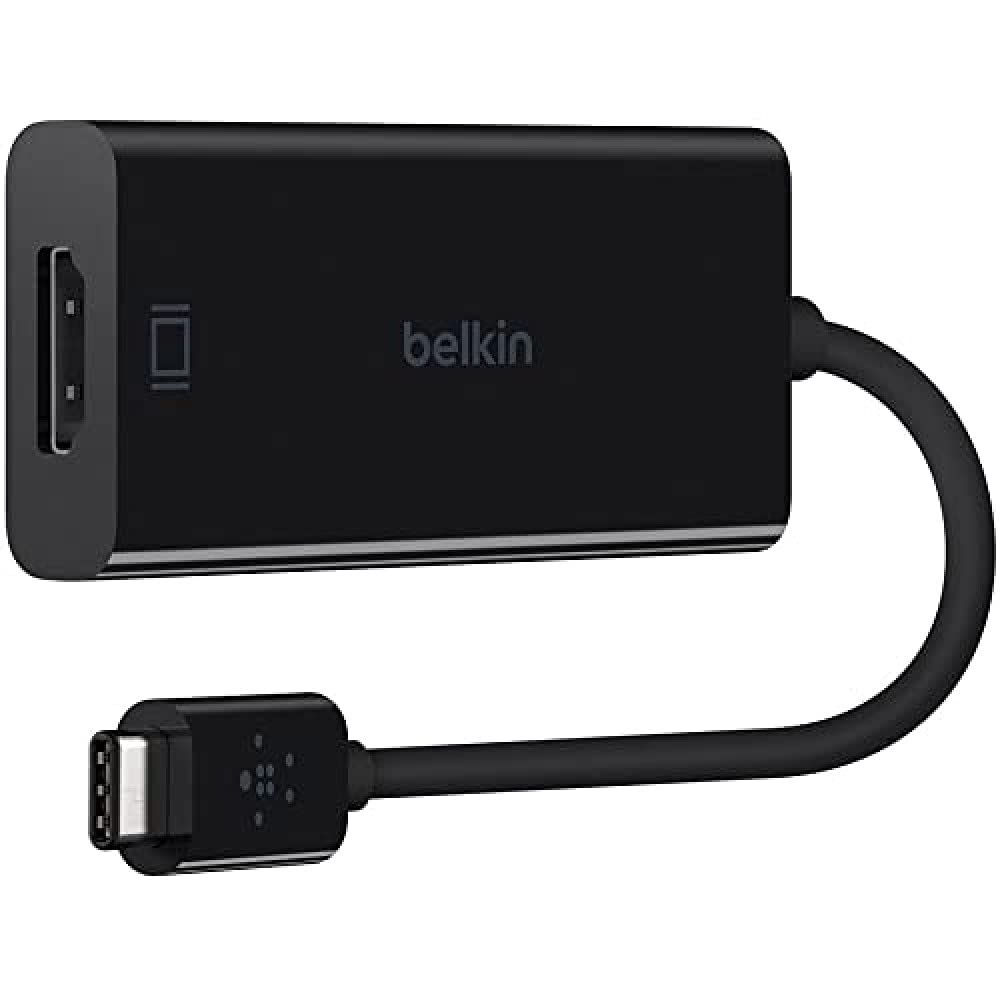
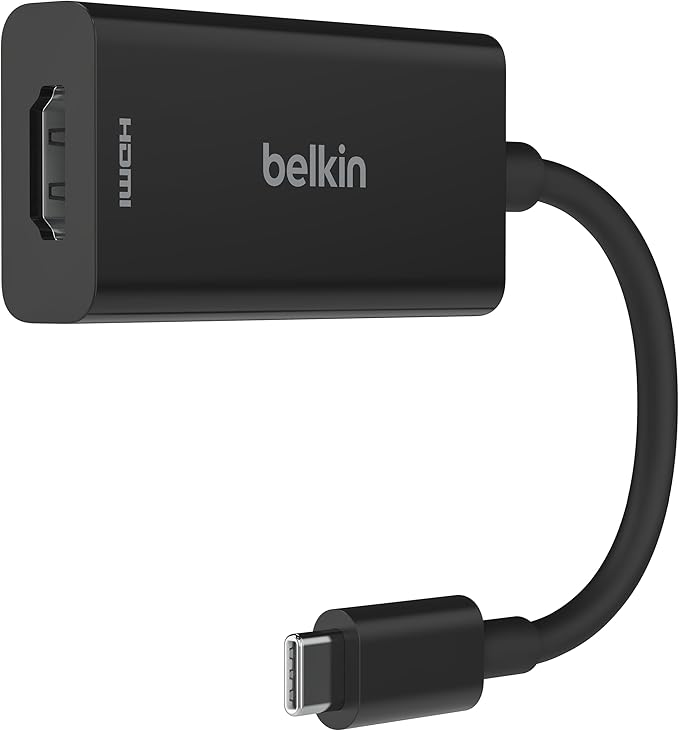
USB C to HDMI Adapter Belkin AVC002BTBK
Elevate your connectivity with the Belkin USB C to HDMI Adapter - AVC002btBK in sleek black. This high-performance adapter easily connects your USB-C devices to HDMI-enabled displays, delivering stunning 4K video and audio output. Perfect for presentations, gaming, or streaming your favorite content on larger screens, this adapter is designed for both durability and style. Its compact design makes it easy to carry, ensuring you can enjoy high-quality visual experiences wherever you go. Upgrade your setup with the reliability and efficiency of Belkin.
Elevate your connectivity with the Belkin USB C to HDMI Adapter - AVC002btBK in sleek black. This high-performance adapter easily connects your USB-C devices to HDMI-enabled displays, delivering stunning 4K video and audio output. Perfect for presentations, gaming, or streaming your favorite content on larger screens, this adapter is designed for both durability and style. Its compact design makes it easy to carry, ensuring you can enjoy high-quality visual experiences wherever you go. Upgrade your setup with the reliability and efficiency of Belkin.
Elevate your connectivity with the Belkin USB C to HDMI Adapter - AVC002btBK in sleek black. This high-performance adapter easily connects your USB-C devices to HDMI-enabled displays, delivering stunning 4K video and audio output. Perfect for presentations, gaming, or streaming your favorite content on larger screens, this adapter is designed for both durability and style. Its compact design makes it easy to carry, ensuring you can enjoy high-quality visual experiences wherever you go. Upgrade your setup with the reliability and efficiency of Belkin.
Elevate your connectivity with the Belkin USB C to HDMI Adapter - AVC002btBK in sleek black. This high-performance adapter easily connects your USB-C devices to HDMI-enabled displays, delivering stunning 4K video and audio output. Perfect for presentations, gaming, or streaming your favorite content on larger screens, this adapter is designed for both durability and style. Its compact design makes it easy to carry, ensuring you can enjoy high-quality visual experiences wherever you go. Upgrade your setup with the reliability and efficiency of Belkin.
in 50 offers
The lowest price for USB C to HDMI Adapter Belkin AVC002BTBK right now is $33.00 at MyITHub Australia, compared across 36 retailers.
The all-time low was $18.40 on 27 Apr 2026 — today's price is 79% above the lowest ever. It has been notably cheaper before — worth setting a price alert.
Prices last updated 19 Oct 2026.
Last updated at 19/10/2026 17:09:01
Belkin USB C to HDMI Adapter 4K 60Hz with 60W Power Delivery Compact Black | Connect a USB C Laptop to a 4K Display While Passing through up to 60W
Free delivery
Affiliate Disclosure: We may receive a small commission for purchases made through this link at no extra cost to you. This helps support our site. Thank you!
Belkin USB-C to HDMI + Charge Adapter, USB 3.2 Gen 1, Black, for Laptops and Tablets
Delivery between Wed – Fri $10
BELKIN ADAPTER USB-C TO HDMI (SUPPORT 4K) AND USB-C PD 60W PASS THRU 2YR WTY
Delivery $16.50
Belkin USB-C to HDMI and Charge Adapter (AVC002BTBK)
Delivery $13.56
Belkin USB-C to HDMI and Charge Adapter (AVC002BTBK)
Delivery $13.56
AVC002BTBK Belkin Belkin USB-C To HDMI + Charge Adapter, Black AVC002BTBK
Delivery between 23–27 Oct $15
BELKIN AVC002BTBK – USB-C / 60W PD / HDMI / USB-C – Port Replicator
Free delivery
Belkin USB-C to HDMI + Charging Adapter (USB-C Pass-Through) - Black | General
Delivery $8.95
Belkin USB-C to HDMI Adapter with PD Pass-Through
Delivery $11.99
Belkin Adapter USB-C to HDMI support4k and USB-C PD 60W Pass Thru AVC002BTBK
Delivery $22
originally posted on belkin.com
This adapter is plugged into my Android tablet. With this adapter I can add an external monitor and charge my tablet at the same time. Having 2 screen makes it great for multitasking. Just an FYI, this adapter is not extending the DEX desktop. It is running its own screen, meaning I can run 1 app/program on the larger monitor and run a different app/ program on the tablet. I assume that if you plug this adapter into a windows laptop, it will extend the windows monitor. With this adapter, you can connect an external monitor via HDMI or via VGA. I tired connecting 2 monitors via both connection and it does not display on both monitor simultaneously. I could run only 1 display or the other. Also, I not sure if it due to my monitor or the adapter but when plugging via ... MoreThis adapter is plugged into my Android tablet. With this adapter I can add an external monitor and charge my tablet at the same time. Having 2 screen makes it great for multitasking. Just an FYI, this adapter is not extending the DEX desktop. It is running its own screen, meaning I can run 1 app/program on the larger monitor and run a different app/ program on the tablet. I assume that if you plug this adapter into a windows laptop, it will extend the windows monitor. With this adapter, you can connect an external monitor via HDMI or via VGA. I tired connecting 2 monitors via both connection and it does not display on both monitor simultaneously. I could run only 1 display or the other. Also, I not sure if it due to my monitor or the adapter but when plugging via VGA connection, the monitor is blurry. This adapter also adds a USB Type-A port as well as a Network port. Overall, this is an awesome adapter if you want to add ports and an external monitor.
originally posted on belkin.com
I love using the Belkin Multimedia + Charge Adapter (100W) daily since enables me to keep watching and stay charged with a multimedia adapter that enables up to 100W of pass-through power with its five-port adapter. This simple plug-and-play technology is compatible with Mac and Windows laptops and USB-C devices. I have been using the This simple plug-and-play technology is compatible with Mac and Windows laptops and USB-C devices. daily and find it extremely useful to my household. With this a dedicated, tethered USB-C cable anchors my adapter and provides seamless compatibility with Mac and Windows laptops and other USB-C devices alike. I can't talk enough of this amazing Belkin Multimedia + Charge Adapter and have already recommended it to many of my friends and ... MoreI love using the Belkin Multimedia + Charge Adapter (100W) daily since enables me to keep watching and stay charged with a multimedia adapter that enables up to 100W of pass-through power with its five-port adapter. This simple plug-and-play technology is compatible with Mac and Windows laptops and USB-C devices. I have been using the This simple plug-and-play technology is compatible with Mac and Windows laptops and USB-C devices. daily and find it extremely useful to my household. With this a dedicated, tethered USB-C cable anchors my adapter and provides seamless compatibility with Mac and Windows laptops and other USB-C devices alike. I can't talk enough of this amazing Belkin Multimedia + Charge Adapter and have already recommended it to many of my friends and family who always love to stay connected with their devices, and several of them have already purchased and used it, and find it very useful to their households too, in order to keep them stay connected with their devices.
originally posted on bestbuy.com
This dongle works as designed. I was able to connect it to the USB-C port on my Samsung Galaxy S10 phone, 10-inch Galaxy S4 tablet, and 15-inch Dell laptop (see pics). With the use of an HDMI cable (not included), I was able to display all three devices on my TV. And because the dongle has an additional USB-C port for charging, I was able to charge the device while presenting. Charging is accomplished by using the charging adapter and USB-C cable that came with your device. So instead of plugging the cable directly into your device, you plug it into the dongle, then plug the dongle into your device. There are plenty of after market chargers out there that can be used to charge your devices, but keep in mind that the dongle allows up to 60-watts of power to pass ... MoreThis dongle works as designed. I was able to connect it to the USB-C port on my Samsung Galaxy S10 phone, 10-inch Galaxy S4 tablet, and 15-inch Dell laptop (see pics). With the use of an HDMI cable (not included), I was able to display all three devices on my TV. And because the dongle has an additional USB-C port for charging, I was able to charge the device while presenting. Charging is accomplished by using the charging adapter and USB-C cable that came with your device. So instead of plugging the cable directly into your device, you plug it into the dongle, then plug the dongle into your device. There are plenty of after market chargers out there that can be used to charge your devices, but keep in mind that the dongle allows up to 60-watts of power to pass through it. Meaning, it can easily keep your Andriod phone and iPhone charged, as well as an Andriod tablet and iPad, and many laptops that require 60 watts or fewer. The notable exceptions are the latest MacBook Pros laptops that come with an 87-watt charger, as well as power-hungry gaming PCs. While a 60-watt charger can charge a MacBook pro, it may not be enough to power it properly when in use. There is a chance that the device will continue to drain, albeit slower, if your running resource intensive programs. Still, it won’t stop you from using the dongle to output your display to an external monitor, TV, or projector. This is a quality accessory with the added bonus of powering your device up to 60-watts. On top of that, it can also handle 4K video. And just in case anyone is wondering, it cannot be used with a Nintendo Switch. It wasn’t designed for that. I tested it on my Switch just to double check, and the Switch wouldn’t recognize the dongle, therefor it didn’t send a video signal to my TV. The dongle was designed for laptop computers, tablets, and phones with a USB-C connection. Just make sure your device is designed to output video through it’s USB-C connection.
| Adapter Type | Adapter |
| Connector Type | HDMI, USB-C |
| Cable Type | HDMI, USB-C |
| Supported Devices | USB-C devices |
| Number Of Connectors | 2 |

Belkin USB C to HDMI Adapter 4K 60Hz with 60W Power Delivery Compact Black | Connect a USB C Laptop to a 4K Display While Passing through up to 60W
Free delivery
Affiliate Disclosure: We may receive a small commission for purchases made through this link at no extra cost to you. This helps support our site. Thank you!
Belkin USB-C to HDMI + Charge Adapter, USB 3.2 Gen 1, Black, for Laptops and Tablets
Delivery between Wed – Fri $10
BELKIN ADAPTER USB-C TO HDMI (SUPPORT 4K) AND USB-C PD 60W PASS THRU 2YR WTY
Delivery $16.50
Belkin USB-C to HDMI and Charge Adapter (AVC002BTBK)
Delivery $13.56
Belkin USB-C to HDMI and Charge Adapter (AVC002BTBK)
Delivery $13.56
This adapter is plugged into my Android tablet. With this adapter I can add an external monitor and charge my tablet at the same time. Having 2 screen makes it great for multitasking. Just an FYI, this adapter is not extending the DEX desktop. It is running its own screen, meaning I can run 1 app/program on the larger monitor and run a different app/ program on the tablet. I assume that if you plug this adapter into a windows laptop, it will extend the windows monitor. With this adapter, you can connect an external monitor via HDMI or via VGA. I tired connecting 2 monitors via both connection and it does not display on both monitor simultaneously. I could run only 1 display or the other. Also, I not sure if it due to my monitor or the adapter but when plugging via ... MoreThis adapter is plugged into my Android tablet. With this adapter I can add an external monitor and charge my tablet at the same time. Having 2 screen makes it great for multitasking. Just an FYI, this adapter is not extending the DEX desktop. It is running its own screen, meaning I can run 1 app/program on the larger monitor and run a different app/ program on the tablet. I assume that if you plug this adapter into a windows laptop, it will extend the windows monitor. With this adapter, you can connect an external monitor via HDMI or via VGA. I tired connecting 2 monitors via both connection and it does not display on both monitor simultaneously. I could run only 1 display or the other. Also, I not sure if it due to my monitor or the adapter but when plugging via VGA connection, the monitor is blurry. This adapter also adds a USB Type-A port as well as a Network port. Overall, this is an awesome adapter if you want to add ports and an external monitor.
I love using the Belkin Multimedia + Charge Adapter (100W) daily since enables me to keep watching and stay charged with a multimedia adapter that enables up to 100W of pass-through power with its five-port adapter. This simple plug-and-play technology is compatible with Mac and Windows laptops and USB-C devices. I have been using the This simple plug-and-play technology is compatible with Mac and Windows laptops and USB-C devices. daily and find it extremely useful to my household. With this a dedicated, tethered USB-C cable anchors my adapter and provides seamless compatibility with Mac and Windows laptops and other USB-C devices alike. I can't talk enough of this amazing Belkin Multimedia + Charge Adapter and have already recommended it to many of my friends and ... MoreI love using the Belkin Multimedia + Charge Adapter (100W) daily since enables me to keep watching and stay charged with a multimedia adapter that enables up to 100W of pass-through power with its five-port adapter. This simple plug-and-play technology is compatible with Mac and Windows laptops and USB-C devices. I have been using the This simple plug-and-play technology is compatible with Mac and Windows laptops and USB-C devices. daily and find it extremely useful to my household. With this a dedicated, tethered USB-C cable anchors my adapter and provides seamless compatibility with Mac and Windows laptops and other USB-C devices alike. I can't talk enough of this amazing Belkin Multimedia + Charge Adapter and have already recommended it to many of my friends and family who always love to stay connected with their devices, and several of them have already purchased and used it, and find it very useful to their households too, in order to keep them stay connected with their devices.
This dongle works as designed. I was able to connect it to the USB-C port on my Samsung Galaxy S10 phone, 10-inch Galaxy S4 tablet, and 15-inch Dell laptop (see pics). With the use of an HDMI cable (not included), I was able to display all three devices on my TV. And because the dongle has an additional USB-C port for charging, I was able to charge the device while presenting. Charging is accomplished by using the charging adapter and USB-C cable that came with your device. So instead of plugging the cable directly into your device, you plug it into the dongle, then plug the dongle into your device. There are plenty of after market chargers out there that can be used to charge your devices, but keep in mind that the dongle allows up to 60-watts of power to pass ... MoreThis dongle works as designed. I was able to connect it to the USB-C port on my Samsung Galaxy S10 phone, 10-inch Galaxy S4 tablet, and 15-inch Dell laptop (see pics). With the use of an HDMI cable (not included), I was able to display all three devices on my TV. And because the dongle has an additional USB-C port for charging, I was able to charge the device while presenting. Charging is accomplished by using the charging adapter and USB-C cable that came with your device. So instead of plugging the cable directly into your device, you plug it into the dongle, then plug the dongle into your device. There are plenty of after market chargers out there that can be used to charge your devices, but keep in mind that the dongle allows up to 60-watts of power to pass through it. Meaning, it can easily keep your Andriod phone and iPhone charged, as well as an Andriod tablet and iPad, and many laptops that require 60 watts or fewer. The notable exceptions are the latest MacBook Pros laptops that come with an 87-watt charger, as well as power-hungry gaming PCs. While a 60-watt charger can charge a MacBook pro, it may not be enough to power it properly when in use. There is a chance that the device will continue to drain, albeit slower, if your running resource intensive programs. Still, it won’t stop you from using the dongle to output your display to an external monitor, TV, or projector. This is a quality accessory with the added bonus of powering your device up to 60-watts. On top of that, it can also handle 4K video. And just in case anyone is wondering, it cannot be used with a Nintendo Switch. It wasn’t designed for that. I tested it on my Switch just to double check, and the Switch wouldn’t recognize the dongle, therefor it didn’t send a video signal to my TV. The dongle was designed for laptop computers, tablets, and phones with a USB-C connection. Just make sure your device is designed to output video through it’s USB-C connection.
Since newer Mac laptops only include USB-C ports, users are forced to live a world of dongles. This is mostly because most of the devices we want to connect to they use some other type of connector. VGA is an older type of connector, but it's still common to find it on monitors you can buy in the store now. I personally have two computers connected to the same monitor, one by HDMI, the other by VGA. All I have to do is press a button on the monitor to change "channels" and switch computers. This device makes it possible to attach my newer devices that include USB-C to this monitor. It's much less common to see a VGA connector on a device that includes USB-C because USB-C is a small connector and allows the overall device to be much thinner, but only if the VGA ... MoreSince newer Mac laptops only include USB-C ports, users are forced to live a world of dongles. This is mostly because most of the devices we want to connect to they use some other type of connector. VGA is an older type of connector, but it's still common to find it on monitors you can buy in the store now. I personally have two computers connected to the same monitor, one by HDMI, the other by VGA. All I have to do is press a button on the monitor to change "channels" and switch computers. This device makes it possible to attach my newer devices that include USB-C to this monitor. It's much less common to see a VGA connector on a device that includes USB-C because USB-C is a small connector and allows the overall device to be much thinner, but only if the VGA connector is removed. I first connected this Belkin USB-C to VGA connector to my Chromebook. It's a low-end model but has HDMI and USB-C. The monitor on this device is not great, but it was inexpensive. The Chromebook recognized it quickly and my monitor lit up quickly. The picture is actually better than the Chromebook display itself. The connection is solid - no flickering, no artifacts. I then tried the USB-C to VGA connector to my MacBook Pro 16, a relatively new device at the time of this writing. The great thing about this connector is that it has a USB-C pass-through for another USB-C connector, which allows for the power cable to be plugged in, so you truly don't lose a port by using this device (power only - another USB-C device would not work plugged into this port). Since my MacBook Pro has 4 ports, this is not as big of an issue, but for for some of the older MacBook models that have 1-2 ports, this is a lifesaver! The one downside to this is that the MacBook did not charge as quickly when the power cable was connected to the device. As soon as I moved the power cable to another port, the laptop began to charge much faster. However, if your USB-C ports are at a premium, this is a minor inconvenience. The device itself seems to be of good quality. It is made of plastic, and I thing the casing would crack if enough pressure was applied. However, the connector feels solid and plugs into a computer with a reasonable amount of resistance, but not too much. The VGA cable connect to the VGA port squarely and securely - it definitely is not going to fall out from being moved around during use. Overall, this is great connector for VGA connections, and it should hold up through a lot of plugging in and removing from devices.
I have this product for about 3 weeks and is excellent, I work with my phone and there are several moments where having a bigger screen helps a lot and now with this adapter I can connect my phone to several equipments. The size is great, also very light. Is very well made, with good quality materials and designs. Is very easy to use and connect to my phone. Have 4 types of connections: VGA: found in all the old monitors and TV DVI: to connector your phone with computer monitors. HDMI: very useful for TV and Projectors. DiapleyPort: similar to the HDMI, very common in Dell products. Having this 4 connections I can basically connect my phone wherever I want. The only thing this can't do is add accessories like keyboard and mouse to use with your phone. It is only to ... MoreI have this product for about 3 weeks and is excellent, I work with my phone and there are several moments where having a bigger screen helps a lot and now with this adapter I can connect my phone to several equipments. The size is great, also very light. Is very well made, with good quality materials and designs. Is very easy to use and connect to my phone. Have 4 types of connections: VGA: found in all the old monitors and TV DVI: to connector your phone with computer monitors. HDMI: very useful for TV and Projectors. DiapleyPort: similar to the HDMI, very common in Dell products. Having this 4 connections I can basically connect my phone wherever I want. The only thing this can't do is add accessories like keyboard and mouse to use with your phone. It is only to connect the phone with any screen or projector.
More and more laptops are making the move to USB-C. I applaud this development, but it can be problematic if you have only one or 2 USB-C ports and they are also the only way to charge your laptop. In that scenario, giving up one of those precious ports to use an external monitor can be problematic. Belkin’s new adapter addresses that problem, and provides 4K output to an external monitor at 60 Hz. I like the style of this adapter because it incorporates a short length of cable to the part that you plug your HDMI cable into. That’s because the adapters without a cable can end up being subjected to a lot of stress depending upon where you put your laptop. Any stress to the adapter is also stressing your port, and that’s not good. That’s why I like this design better. ... MoreMore and more laptops are making the move to USB-C. I applaud this development, but it can be problematic if you have only one or 2 USB-C ports and they are also the only way to charge your laptop. In that scenario, giving up one of those precious ports to use an external monitor can be problematic. Belkin’s new adapter addresses that problem, and provides 4K output to an external monitor at 60 Hz. I like the style of this adapter because it incorporates a short length of cable to the part that you plug your HDMI cable into. That’s because the adapters without a cable can end up being subjected to a lot of stress depending upon where you put your laptop. Any stress to the adapter is also stressing your port, and that’s not good. That’s why I like this design better. I also like this design because of the passthrough charging port that is included. This allows you to charge your laptop using the same adapter that you’re using to power the external monitor. I don’t have a full 4K external monitor, but I do have a 32” QHD monitor, and this adapter easily handles it, and it looks great! My laptop has a small screen, so this gives me much better output options, and that’s easier on my eyes. I was just on an extended Zoom call, so I needed both USB-C ports for the monitor and webcam, but noticed that my laptop wouldn’t last through the end of the call. Not a problem, since I had the Belkin adapter! It worked flawlessly and I was able to use the external monitor while still charging my laptop. I was so glad to have this when I needed it. This is a simple product with a simple focus, and it does it well.
>> Summary Overall, a convenient way to expand your mobile device with a bigger screen where wireless connectivity is not available (or not desired). You can expand your USB-C laptop with a 4k screen, and you can expand your phones to a 4k screen while also being able to charge them. - Favorable: video quality as promised, at 4k resolution video looks outstanding (well depending also on the device graphics capabilities). Charging option for your phone a plus. - Not-so-favorable: this is no inherently to the device, but your mobile device should be able to output HDMI through USB-C. >> One setup/configuration ideal for this device After trying different scenarios/configurations, I see that one that would use the full features of the Belkin USB-C to HDMI/Charge is ... More>> Summary Overall, a convenient way to expand your mobile device with a bigger screen where wireless connectivity is not available (or not desired). You can expand your USB-C laptop with a 4k screen, and you can expand your phones to a 4k screen while also being able to charge them. - Favorable: video quality as promised, at 4k resolution video looks outstanding (well depending also on the device graphics capabilities). Charging option for your phone a plus. - Not-so-favorable: this is no inherently to the device, but your mobile device should be able to output HDMI through USB-C. >> One setup/configuration ideal for this device After trying different scenarios/configurations, I see that one that would use the full features of the Belkin USB-C to HDMI/Charge is when the user uses their phone as the primary mobile device (i.e. phone dependent person) and wants to see some of their favorite shows while doing something else. For example, my wife usually follows cooking shows on her cell phone in the kitchen while doing pastries and others, and sometimes wishes she had a bigger screen phone; then the Belkin USB-C to HDMI/Charger came to the rescue, now she can have a TV near the counter (or anywhere in the kitchen) and she can follow her shows on the bigger screen and also is able to respond to her messages on her phone without running out of battery (by connecting to a power source). >> Devices tried I tried the Belkin device with multiple portable USB-C devices: - Surface Tablet: I tried video capabilities using a 4k monitor, video quality just outstanding. - Huawei P20: I tried video and charging capabilities with a 4K TV. The Belkin ended up as the perfect peripheral for the Huawei P20, the picture quality delivered was great, audio outstanding, charging with no issues, and software support just perfect. I could use the control pad to control the screen, or I could be using other apps in the small phone screen while there would be video showing on the bigger screen (very neat). - Lumia 950XL (yes a Windows Phone): I tried video and charging using a 4k monitor and 4k TV. Video looked as good as the source device would produce, so it wasn’t that great the end result on the 4k screens, but still a great improvement to have a bigger surface. though. Charging didn’t work as expected, I had to have the power connected and then restart the Lumia for it to start charging, otherwise it wouldn’t charge. - Sony Experia XZ2: wouldn’t work at all, it wouldn’t charge nor would output any video. There was no way to change the settings, even updating to the latest Android version and updating the Sony software. Then I learnt that it cannot output HDMI from the USB-C, so the Belkin USB-C to HDMI/Charger was useless for the device (or vice-versa). >> Not-tested The device is said to be Thunderbolt 3 compatible. I haven’t tested that capability as I don’t own devices with such ports.
I am so disappointed because I got an adapter with faulty power connection right out of the box. Only the VGA component of the adapter works, but that defeats the purpose of this also being able to charge smaller devices simultaneously. I love Belkin products, but this was a miss for me. I tried connecting my compatible devices per instruction, such as surface laptop, iPad, iPhone, and AirPods. None of these devices received any type of charge when plugged into the adapter using a lightning usb c charge cable. I tested different charging cables with the adapter, and no devices received any power. I made sure all the cables could receive power, so I knew it has to be this Belkin usb c to VGA plus charge that was not functioning well. The vga functionality works, but ... MoreI am so disappointed because I got an adapter with faulty power connection right out of the box. Only the VGA component of the adapter works, but that defeats the purpose of this also being able to charge smaller devices simultaneously. I love Belkin products, but this was a miss for me. I tried connecting my compatible devices per instruction, such as surface laptop, iPad, iPhone, and AirPods. None of these devices received any type of charge when plugged into the adapter using a lightning usb c charge cable. I tested different charging cables with the adapter, and no devices received any power. I made sure all the cables could receive power, so I knew it has to be this Belkin usb c to VGA plus charge that was not functioning well. The vga functionality works, but I’m disappointed overall.
It works great on my iPad Air 5th generation. Now I can use my unlimited Verizon LTE/5G for watching HD on my TV without having to use hotspot which is capped. Note: I tested it on a Nintendo Switch OLED with the official AC adapter and it didn’t work at all. I believe that the power input is limited to a somewhat smaller amount than when plugging it straight into the device. This is not a big deal though because even while streaming hd and downloading huge files over LTE/5G at the same time on the iPad, it still charges faster than it drains which is all I required out of this device.
So I'll start off by saying I cannot tell if my varied experiences were because the Belkin adapter was the problem or if it's the multitude of implementations of USB-C by every different manufacturer. I'd guess it's the latter and the adapter works fine when the USB-C port is built correctly. I used a Platinum 95w USB-C PD charger to test the power pass-through. Every laptop I tested the picture on the monitor looked just as good as when plugged into the laptop. This adapter does not seem to have any loss of quality or distortion. The adapter works perfectly on my 2018 HP x360 Envy 15.6" laptop. It plugged right in and everything worked. The monitor came through and the laptop was charging at the same time. My 2019 Dell Inspiron 15.6" 7000 series laptop will work ... MoreSo I'll start off by saying I cannot tell if my varied experiences were because the Belkin adapter was the problem or if it's the multitude of implementations of USB-C by every different manufacturer. I'd guess it's the latter and the adapter works fine when the USB-C port is built correctly. I used a Platinum 95w USB-C PD charger to test the power pass-through. Every laptop I tested the picture on the monitor looked just as good as when plugged into the laptop. This adapter does not seem to have any loss of quality or distortion. The adapter works perfectly on my 2018 HP x360 Envy 15.6" laptop. It plugged right in and everything worked. The monitor came through and the laptop was charging at the same time. My 2019 Dell Inspiron 15.6" 7000 series laptop will work with one or the other. It will pass through charging but only if the VGA port is not used. And if the VGA port is in use it will not pass through charge. Also if the charger is plugged in the adapter first then you plug the adapter into the laptop it will recognize charger over monitor. Third laptop I tested was a 2020 Samsung Galaxy Book Flex Alpha 13". It would recognize the monitor but not the USB-C charger. My caveat to this though is the laptop itself will not recognize the charger directly either because Samsung is a pain with outside chargers. So my guess would be if the USB-C charger works with the laptop it would work through this adapter also. The cool thing with this adapter is with all 3 laptops I tested I was able to set up a 3 monitor array by using the built-in display, a monitor plugged into the built-in HDMI port and a monitor connected to this adapter. If you want a 3 monitor setup, don't mind plugging in an extra cable and don't want to spend hundreds on a multi-monitor docking station this is a great alternative.
| Adapter Type | Adapter |
| Connector Type | HDMI, USB-C |
| Cable Type | HDMI, USB-C |
| Supported Devices | USB-C devices |
| Number Of Connectors | 2 |