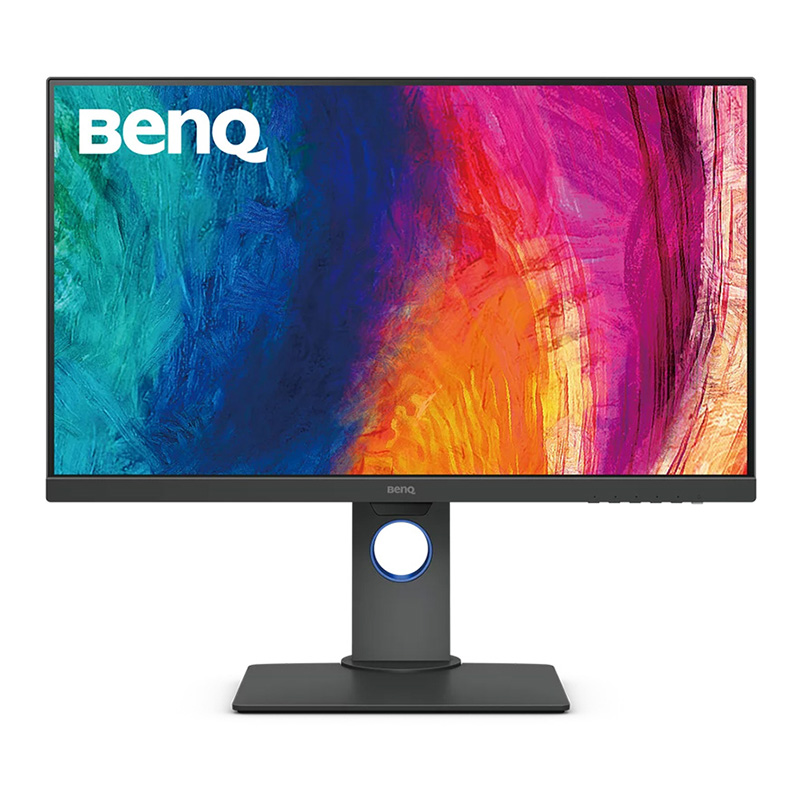
BenQ PD2705Q 2K 27" Design Monitor with QHD
Monitor for graphic artists, architects and 3D artists with WQHD resolution, 100% sRGB and HDR 100% sRGB and Delta E = 3 USB-C port More efficiency with KVM & ICCSync DesignVue PD series - monitors for graphic artists, architects and 3D artists PD series monitors are ideal tools for professional designers! BenQ has integrated many impressive features to make the creative workflow of creating, visualising and editing your designs even more comfortable and enjoyable. The monitors offer the wired Hotkey Puck for true multifunctionality. You can switch between the different modes (Darkroom, CAD/CAM and Animation) in no time and with just the push of a button. Industry standard colours The 100% coverage of sRGB and Rec. 709 colour spaces at a Delta E value of = 3 guarantees consistent colours for creative work. Experience true-to-life and consistent colours - even on monitors from different series.
Monitor for graphic artists, architects and 3D artists with WQHD resolution, 100% sRGB and HDR 100% sRGB and Delta E = 3 USB-C port More efficiency with KVM & ICCSync DesignVue PD series - monitors for graphic artists, architects and 3D artists PD series monitors are ideal tools for professional designers! BenQ has integrated many impressive features to make the creative workflow of creating, visualising and editing your designs even more comfortable and enjoyable. The monitors offer the wired Hotkey Puck for true multifunctionality. You can switch between the different modes (Darkroom, CAD/CAM and Animation) in no time and with just the push of a button. Industry standard colours The 100% coverage of sRGB and Rec. 709 colour spaces at a Delta E value of = 3 guarantees consistent colours for creative work. Experience true-to-life and consistent colours - even on monitors from different series.
Monitor for graphic artists, architects and 3D artists with WQHD resolution, 100% sRGB and HDR 100% sRGB and Delta E = 3 USB-C port More efficiency with KVM & ICCSync DesignVue PD series - monitors for graphic artists, architects and 3D artists PD series monitors are ideal tools for professional designers! BenQ has integrated many impressive features to make the creative workflow of creating, visualising and editing your designs even more comfortable and enjoyable. The monitors offer the wired Hotkey Puck for true multifunctionality. You can switch between the different modes (Darkroom, CAD/CAM and Animation) in no time and with just the push of a button. Industry standard colours The 100% coverage of sRGB and Rec. 709 colour spaces at a Delta E value of = 3 guarantees consistent colours for creative work. Experience true-to-life and consistent colours - even on monitors from different series.
Monitor for graphic artists, architects and 3D artists with WQHD resolution, 100% sRGB and HDR 100% sRGB and Delta E = 3 USB-C port More efficiency with KVM & ICCSync DesignVue PD series - monitors for graphic artists, architects and 3D artists PD series monitors are ideal tools for professional designers! BenQ has integrated many impressive features to make the creative workflow of creating, visualising and editing your designs even more comfortable and enjoyable. The monitors offer the wired Hotkey Puck for true multifunctionality. You can switch between the different modes (Darkroom, CAD/CAM and Animation) in no time and with just the push of a button. Industry standard colours The 100% coverage of sRGB and Rec. 709 colour spaces at a Delta E value of = 3 guarantees consistent colours for creative work. Experience true-to-life and consistent colours - even on monitors from different series.
in 4 offers
The lowest price for BenQ PD2705Q 2K 27" Design Monitor with QHD right now is $489.00 at PCByte AU, compared across 4 retailers.
The all-time low was $459.00 on 25 Nov 2025 — today's price is 7% above the lowest ever. That's a little above the best price we've seen.
Prices last updated 13 June 2026.
Last updated at 13/06/2026 06:45:39
BenQ 27in QHD IPS LED Designer Monitor (PD2705Q)
BenQ 27in QHD IPS LED Designer Monitor PD2705Q - Monitors
Delivery $36.69
BenQ PD2705Q 2K 27" Design Monitor with QHD
Free delivery between 18–26 June
Benq Pd2705q. Display Diagonal: 68.6 Cm 27" Display Resolution: 2560 X
Free delivery
Affiliate Disclosure: We may receive a small commission for purchases made through this link at no extra cost to you. This helps support our site. Thank you!
originally posted on bhphotovideo.com
As a small design studio in NYC, we've been using Eizo monitors for many years for all color critical prepress and web projects. We test purchased our first BenQ PD3220U several months ago and liked it very much. We then ended up purchasing another PD3220U followed by two PD2705Qs for work at home.As they are quite well calibrated, we can work at our studio as well as at home pretty much seamlessly without worrying about color matching.We think 32 4K PD3220U is too high-res for graphic and web work, but this 2K PD2705Q is just about perfect in terms of space and resolution. And it's less than $400, or a quarter of less of similar Eizo's.Highly recommended.
originally posted on bhphotovideo.com
The PD2705Q clones the display space of the Thunderbolt display (we're talking about the original T'bolt-- made from from 2011 to 2016).The PD2705Q's dimensions and resolution make it an excellent choice for any non-gamer who already has a Thunderbolt display and wants to move to a dual display setup.The visual hot areas of the two match to the millimeter. The result is that the PD2705Q is a Thunderbolt-equivalent visual surface. The active display areas can be brought to within 1.5 in of each other -- an inch for the T'bolt bezel + 0.5 in for the PD27'Q's.The PD2705Q has a smaller bezel so the overall dimensions are different but it's easy to align it's height so the tops and bottoms of the two displays are co-linear.This arrangement makes dragging a window ... MoreThe PD2705Q clones the display space of the Thunderbolt display (we're talking about the original T'bolt-- made from from 2011 to 2016).The PD2705Q's dimensions and resolution make it an excellent choice for any non-gamer who already has a Thunderbolt display and wants to move to a dual display setup.The visual hot areas of the two match to the millimeter. The result is that the PD2705Q is a Thunderbolt-equivalent visual surface. The active display areas can be brought to within 1.5 in of each other -- an inch for the T'bolt bezel + 0.5 in for the PD27'Q's.The PD2705Q has a smaller bezel so the overall dimensions are different but it's easy to align it's height so the tops and bottoms of the two displays are co-linear.This arrangement makes dragging a window from one display to the other is visually smooth. The mouse pointer can be moved from the bottom of one screen to the other without jumping up or down and without getting hung up at the edge.Why would anyone do this? Aren't there better displays than the now-ancient Thunderbolt?Well, yes, there are. LG makes a very nice curved display that fits the bill -- it is a 32:9 display that has the same overall dimensions as the T'bolt +PD2705Q. But check out the price of LG 49WL95C-W. If you already have a working Thunderbolt display, adding a BenQ will cost you around $400.There is some aggravation in cabling it up but it can be made to work quite nicely with the later model MacBook Pros and other computers.The PD2705P has limitations -- the sound quality is poor and there's the usual button mania with settings you will never use but the screen is sharp,bright, well balanced for color, and it includes a very nice, high quality metal stand that allows easy adjustment to bring the two displays in alignment.If you are a gamer this will probably not be satisfactory. But if you already have Thunderbolt display and want to double your visual workspace the PD2705Q is a great choice.
originally posted on bestbuy.ca
I love it, it`s been one month since my 2020 Laptop(an the vast majority of new models) had USB-C, I connect just one USB-C cable from my laptop to this monitor and I tested that this monitor can send the extended picture to a second monitor via Display port. Just one cable to send 2k picture while change my laptop= fantastic!This is a 60hz monitor, so it`s absolutely NOT for gaming, but for my work use, the USB-C port makes the difference when I decided to buy this one.Advangates:--Just one USB-C cable to the laptop to the monitor to send 1440p picture + change the laptop;--The monitor function "Dark Mode" is excellent for who will use for long hours, it really decrease a good amount of brightness from the screen.--You can use the HDMI port for other ... MoreI love it, it`s been one month since my 2020 Laptop(an the vast majority of new models) had USB-C, I connect just one USB-C cable from my laptop to this monitor and I tested that this monitor can send the extended picture to a second monitor via Display port. Just one cable to send 2k picture while change my laptop= fantastic!This is a 60hz monitor, so it`s absolutely NOT for gaming, but for my work use, the USB-C port makes the difference when I decided to buy this one.Advangates:--Just one USB-C cable to the laptop to the monitor to send 1440p picture + change the laptop;--The monitor function "Dark Mode" is excellent for who will use for long hours, it really decrease a good amount of brightness from the screen.--You can use the HDMI port for other devices...I use an old fire stick 1080p on the HDMI port--The 4 USB-A ports can be used to connect a mouse, keyboard and other perifects for change.Disatvantages:--The HDR mode on Windows is too bright, it could be better;--The stand it`s way better than the "cousin" model EW2780U, but It`s Not possible to put in a totally vertical position;--For a 27 inch size, this monitor could easily be a 4k resolution, but it probably be more expensive. But for windows/mac use it`s absolutely fine a 2k resolution.
| Speakers | Yes |
| Number of Speakers | 2 |
| Operating Power Consumption | 155 W |
| Standby Power Consumption | 500 mW |
| Off-Mode Power Consumption | 500 mW |
BenQ 27in QHD IPS LED Designer Monitor (PD2705Q)
BenQ 27in QHD IPS LED Designer Monitor PD2705Q - Monitors
Delivery $36.69
BenQ PD2705Q 2K 27" Design Monitor with QHD
Free delivery between 18–26 June
Benq Pd2705q. Display Diagonal: 68.6 Cm 27" Display Resolution: 2560 X
Free delivery
Affiliate Disclosure: We may receive a small commission for purchases made through this link at no extra cost to you. This helps support our site. Thank you!
As a small design studio in NYC, we've been using Eizo monitors for many years for all color critical prepress and web projects. We test purchased our first BenQ PD3220U several months ago and liked it very much. We then ended up purchasing another PD3220U followed by two PD2705Qs for work at home.As they are quite well calibrated, we can work at our studio as well as at home pretty much seamlessly without worrying about color matching.We think 32 4K PD3220U is too high-res for graphic and web work, but this 2K PD2705Q is just about perfect in terms of space and resolution. And it's less than $400, or a quarter of less of similar Eizo's.Highly recommended.
The PD2705Q clones the display space of the Thunderbolt display (we're talking about the original T'bolt-- made from from 2011 to 2016).The PD2705Q's dimensions and resolution make it an excellent choice for any non-gamer who already has a Thunderbolt display and wants to move to a dual display setup.The visual hot areas of the two match to the millimeter. The result is that the PD2705Q is a Thunderbolt-equivalent visual surface. The active display areas can be brought to within 1.5 in of each other -- an inch for the T'bolt bezel + 0.5 in for the PD27'Q's.The PD2705Q has a smaller bezel so the overall dimensions are different but it's easy to align it's height so the tops and bottoms of the two displays are co-linear.This arrangement makes dragging a window ... MoreThe PD2705Q clones the display space of the Thunderbolt display (we're talking about the original T'bolt-- made from from 2011 to 2016).The PD2705Q's dimensions and resolution make it an excellent choice for any non-gamer who already has a Thunderbolt display and wants to move to a dual display setup.The visual hot areas of the two match to the millimeter. The result is that the PD2705Q is a Thunderbolt-equivalent visual surface. The active display areas can be brought to within 1.5 in of each other -- an inch for the T'bolt bezel + 0.5 in for the PD27'Q's.The PD2705Q has a smaller bezel so the overall dimensions are different but it's easy to align it's height so the tops and bottoms of the two displays are co-linear.This arrangement makes dragging a window from one display to the other is visually smooth. The mouse pointer can be moved from the bottom of one screen to the other without jumping up or down and without getting hung up at the edge.Why would anyone do this? Aren't there better displays than the now-ancient Thunderbolt?Well, yes, there are. LG makes a very nice curved display that fits the bill -- it is a 32:9 display that has the same overall dimensions as the T'bolt +PD2705Q. But check out the price of LG 49WL95C-W. If you already have a working Thunderbolt display, adding a BenQ will cost you around $400.There is some aggravation in cabling it up but it can be made to work quite nicely with the later model MacBook Pros and other computers.The PD2705P has limitations -- the sound quality is poor and there's the usual button mania with settings you will never use but the screen is sharp,bright, well balanced for color, and it includes a very nice, high quality metal stand that allows easy adjustment to bring the two displays in alignment.If you are a gamer this will probably not be satisfactory. But if you already have Thunderbolt display and want to double your visual workspace the PD2705Q is a great choice.
I love it, it`s been one month since my 2020 Laptop(an the vast majority of new models) had USB-C, I connect just one USB-C cable from my laptop to this monitor and I tested that this monitor can send the extended picture to a second monitor via Display port. Just one cable to send 2k picture while change my laptop= fantastic!This is a 60hz monitor, so it`s absolutely NOT for gaming, but for my work use, the USB-C port makes the difference when I decided to buy this one.Advangates:--Just one USB-C cable to the laptop to the monitor to send 1440p picture + change the laptop;--The monitor function "Dark Mode" is excellent for who will use for long hours, it really decrease a good amount of brightness from the screen.--You can use the HDMI port for other ... MoreI love it, it`s been one month since my 2020 Laptop(an the vast majority of new models) had USB-C, I connect just one USB-C cable from my laptop to this monitor and I tested that this monitor can send the extended picture to a second monitor via Display port. Just one cable to send 2k picture while change my laptop= fantastic!This is a 60hz monitor, so it`s absolutely NOT for gaming, but for my work use, the USB-C port makes the difference when I decided to buy this one.Advangates:--Just one USB-C cable to the laptop to the monitor to send 1440p picture + change the laptop;--The monitor function "Dark Mode" is excellent for who will use for long hours, it really decrease a good amount of brightness from the screen.--You can use the HDMI port for other devices...I use an old fire stick 1080p on the HDMI port--The 4 USB-A ports can be used to connect a mouse, keyboard and other perifects for change.Disatvantages:--The HDR mode on Windows is too bright, it could be better;--The stand it`s way better than the "cousin" model EW2780U, but It`s Not possible to put in a totally vertical position;--For a 27 inch size, this monitor could easily be a 4k resolution, but it probably be more expensive. But for windows/mac use it`s absolutely fine a 2k resolution.
Crisp, clear display with good colors. I think BenQ's own color calibration is biased (slightly cooler), which is particularly evident when next to my other monitor. There is some haloing, but that's to be expected at this price point.The overall construction feels solid. The stand is sturdy, the buttons are nice and well positioned. No complaints about the inputs and outputs. The addition of USB-C is great.I'm happy with this monitor overall, especially considering that some of the BenQ monitors that I have used in the past have had questionable QC. It's a great entry-level color accurate monitor, even if the colors may need some slight tweaking.
This was used to replace my wife's 27 Dell gaming monitor which performed fantastic, but died with vertical lines starting and growing to be worse and worse.She is not a gamer, but the color is great with this IPS monitor, and it does not have glare issues like most monitors do these days.I swear that whoever builds this unit also builds the Dell she had before - they both seem very similar.
Excellent display for it's price, nice color gamma and it's sharp. I'm using it with my MacBook Pro M1 for coding, connected via usb type-c cable , no issues at all. Quality build is good what else you need. Attached to Hama Monitorarm FULLMOTION 33 - 81cm (13 - 32), 1 Arm on my desk and looks awesome.
I have used this monitor for about a week and the monitor seems very good except for a USB-C startup issue when used with an M1 Mac mini. The monitor is on (power button is white) and upon startup of the M1 Mac mini, the monitor senses the startup but has not received a USB-C video signal yet and goes into energy saving mode (power button turns to amber) and the screen is black. The monitor stays in this state until you press the amber power button. The button immediately turns white, and the monitor is working perfectly at this point until the next startup. I have contacted BenQ and they informed me that a firmware upgrade is available to fix this issue. However, the monitor must be returned to BenQ for this firmware update (ie no firmware update available online). ... MoreI have used this monitor for about a week and the monitor seems very good except for a USB-C startup issue when used with an M1 Mac mini. The monitor is on (power button is white) and upon startup of the M1 Mac mini, the monitor senses the startup but has not received a USB-C video signal yet and goes into energy saving mode (power button turns to amber) and the screen is black. The monitor stays in this state until you press the amber power button. The button immediately turns white, and the monitor is working perfectly at this point until the next startup. I have contacted BenQ and they informed me that a firmware upgrade is available to fix this issue. However, the monitor must be returned to BenQ for this firmware update (ie no firmware update available online). I have sent BenQ my monitor and hope the firmware update corrects the issue. If not, the monitor will be returned for credit. If the firmware work, I would give this monitor 5 stars. However, as is and no online firmware update, I have to give this monitor only 2 stars.
Good Points: Great select of ports for devices, including usb-c, which allows me to charge through the monitor, and reduces the cable spaghetti.The screen sits just above the top of my 13" macbook pro, so no more stacked books.Improvement Points: Is it not possible to provide the 3rd party device manufacturers with remote access privileges, via your api, drivers, whatevs, allowing users control of the monitor settings from the device display settings.Its a total ball ache fiddling with monitor UX.Plus the monitor might not be within direct reach.Writing that has now got me wondering why we even need the monitor and devicephysically connected?Surely if it's possible to stream HD content over mobile networks, or cast content from device to tv, can't the ... MoreGood Points: Great select of ports for devices, including usb-c, which allows me to charge through the monitor, and reduces the cable spaghetti.The screen sits just above the top of my 13" macbook pro, so no more stacked books.Improvement Points: Is it not possible to provide the 3rd party device manufacturers with remote access privileges, via your api, drivers, whatevs, allowing users control of the monitor settings from the device display settings.Its a total ball ache fiddling with monitor UX.Plus the monitor might not be within direct reach.Writing that has now got me wondering why we even need the monitor and devicephysically connected?Surely if it's possible to stream HD content over mobile networks, or cast content from device to tv, can't the same tech be a source option for monitors??
I replaced an old monitor with this monitor upon upgrading to a new M1 Pro, MacBook Pro 14. The installation process went smoothly. Ideally, I wanted to connect via USB C, providing power, display and data via a single connection. My only concern were reports, not specific to this monitor, of glitchy behavior, i.e., laptop sleeps and monitor won't display, until unplugged/replugged. My concerns were unfounded, as this has worked seamlessly since day one. I am only giving four stars currently, as I have not yet updated my calibration hardware/software yet. The final star will come after I see the calibration results.
I thought I knew what I was getting into with this monitor, and for the price, it's not actually horribly bad. I primarily edit images for the web, so choosing an sRGB compliant monitor was good enough without having to splurge on something with a wider gamut. Having used and loved the PD2700q in the past, I was expecting a bit more from this panel which is basically the same monitor with USB-C connectivity. However, a few things caught me off guard.LED bleed through seems way worse than my PD2700q. On a dark image, the corners bleed through quite a bit. This also changes depending on your viewing distance from the monitor. Sitting a little closer makes it significantly worse. On the flip side, a bright white image shows moderate vignetting at the left and right ... MoreI thought I knew what I was getting into with this monitor, and for the price, it's not actually horribly bad. I primarily edit images for the web, so choosing an sRGB compliant monitor was good enough without having to splurge on something with a wider gamut. Having used and loved the PD2700q in the past, I was expecting a bit more from this panel which is basically the same monitor with USB-C connectivity. However, a few things caught me off guard.LED bleed through seems way worse than my PD2700q. On a dark image, the corners bleed through quite a bit. This also changes depending on your viewing distance from the monitor. Sitting a little closer makes it significantly worse. On the flip side, a bright white image shows moderate vignetting at the left and right edges. Definitely not ideal for run of the mill image editing work, and absolutely not ideal for professional use. But then again, it's a fraction of the cost of the hardware calibrated BenQ SW line with screen uniformity specifically for editing work. It's probably okay for CAD/CAM work though, and more than okay for the general user surfing the web and binge watching youtube videos.Also, on a Windows 10 system connected through USB-C, I'm having compatibility issues between Datacolor's calibration software and the BenQ Display Pilot software. When the Display Pilot software is running, the Datacolor Spyder Utility throws errors when trying to load the calibrated ICC profiles during startup. Disabling the BenQ software fixes the issue, but doing so takes away the software based control of the monitor. Seems like they're both trying to load ICC profiles during startup and conflicting, but I'm not 100% sure on this.I'll play with this for another day to see if it's worth keeping, but I have a feeling I'll be returning this for something better, albeit more expensive.The good... BestBuy gets 5 stars for their shipping speed (delivered next day), and for their excellent return policy.
| Speakers | Yes |
| Number of Speakers | 2 |
| Operating Power Consumption | 155 W |
| Standby Power Consumption | 500 mW |
| Off-Mode Power Consumption | 500 mW |