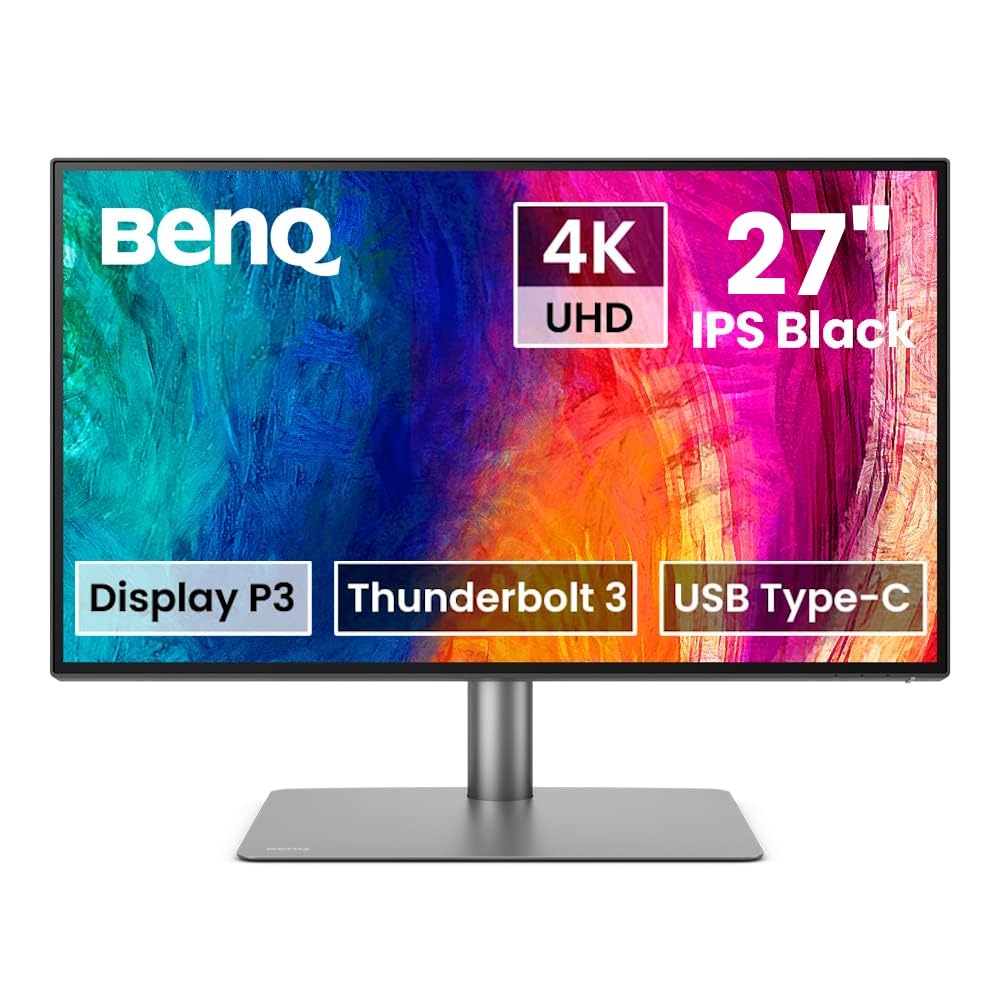
BenQ PD2706UA DesignVue 27" 4K UHD LED Monitor, Gray, 95% P3, 99% Rec. 709, 99% sRGB
BenQ PD2706UA with ergo arm and USB Type-C covers 95% P3, 99% sRGB and 99% Rec.709 color spaces with amazing Delta E ≤ 3 ensures superb accuracy.
BenQ PD2706UA with ergo arm and USB Type-C covers 95% P3, 99% sRGB and 99% Rec.709 color spaces with amazing Delta E ≤ 3 ensures superb accuracy.
BenQ PD2706UA with ergo arm and USB Type-C covers 95% P3, 99% sRGB and 99% Rec.709 color spaces with amazing Delta E ≤ 3 ensures superb accuracy.
BenQ PD2706UA with ergo arm and USB Type-C covers 95% P3, 99% sRGB and 99% Rec.709 color spaces with amazing Delta E ≤ 3 ensures superb accuracy.
in 6 offers
The lowest price for BenQ PD2706UA DesignVue 27" 4K UHD LED Monitor, Gray, 95% P3, 99% Rec. 709, 99% sRGB right now is $720.00 at Image Science, compared across 5 retailers.
The all-time low was $720.00 on 2 Aug 2026. That's the lowest price we've ever tracked — a great time to buy.
Prices last updated 2 Aug 2026.
Last updated at 02/08/2026 04:54:49
BenQ PD2706UA 27" Ergo Arm 4K UHD Designer Monitor
Delivery between 6–13 Aug $20
Recertified - BenQ PD2706UA 27" 4K UHD IPS Computer Monitor 16:9 60Hz HDMI, DisplayPort & USB-C Anti-Glare Tilt, Swivel, Ergo Arm Stand
Delivery $459.48
BenQ PD2706UA Ergo Arm Mac-Ready 27 4K UHD, 95% P3, 99% Rec.709 & sRGB, IPS, Built-in Ergo Arm, ICCSync, Uniformity, Delta E3, Factory-Calibrated,
Delivery between 6–10 Aug $35.88
Creative Pro PD2706UA 27" Ergo Arm 4K Monitor, 90W USB-C, UHD, P3, DisplayHDR 400, IPS, Factory-Calibrated, DualView, Darkroom mode, Animation Mode, C
Delivery between 8–11 Aug $29
Benq Pd2706ua 27" 4k Uhd Designer Monitor Ips Usb-c 90w Dci-p3 95%
Delivery $129.68
Affiliate Disclosure: We may receive a small commission for purchases made through this link at no extra cost to you. This helps support our site. Thank you!
Benq Pd2706ua 27" 4k Uhd Designer Monitor Ips Usb-c 90w Dci-p3 95%
Delivery $129.66
Affiliate Disclosure: We may receive a small commission for purchases made through this link at no extra cost to you. This helps support our site. Thank you!
originally posted on wexphotographic.com
Bought to use for photo editing using LR & PS in combination with a new Mac Mini. Prints are great & match what I am seeing on the screen. It was very easy to setup & is excellent value for money. I spent some time comparing different monitors & can definitely recommend this one.
originally posted on wexphotographic.com
I bought this as a monitor for a Mac Mini. It has a much bigger screen than my previous iMac but because of the Ergo Arm takes up much less desk space. Picture quality is very good and ideal for photo editing. The monitor hub provides several very useful extra ports as the number on the Mac Mini are quite limited. The cable tidy facility in the Ergo Arm helps to declutter the desk.
originally posted on benq.com
Overall I'm happy with the monitor. It is bright and clear and the mounting arm saves me a lot of room on my desk.The KVM functionality is sufficient for my needs. I find it weird that the the two sides of the KVM are asymmetrical; that is, you can't plug in both computers with a USB-C for example. I had to plug in one of my computers with USB-C and the other one with HDMI+USB-B. Additionally, there's a significant delay (approx. 5 seconds) when switching between sources. It's probably an unreasonable expectation with everything being digital but my last experience with a KVM was back in the analog era and was basically instant. I am, however, very impressed that my Mac doesn't freak out and start moving my windows around thinking I've unplugged the monitor. Once ... MoreOverall I'm happy with the monitor. It is bright and clear and the mounting arm saves me a lot of room on my desk.The KVM functionality is sufficient for my needs. I find it weird that the the two sides of the KVM are asymmetrical; that is, you can't plug in both computers with a USB-C for example. I had to plug in one of my computers with USB-C and the other one with HDMI+USB-B. Additionally, there's a significant delay (approx. 5 seconds) when switching between sources. It's probably an unreasonable expectation with everything being digital but my last experience with a KVM was back in the analog era and was basically instant. I am, however, very impressed that my Mac doesn't freak out and start moving my windows around thinking I've unplugged the monitor. Once it's all set up it's a very seamless experience.I don't like the puck peripheral. The buttons are labeled with black-on-black lettering and are impossible to see. Sometimes you push the button and it clicks but nothing happens. The OSD icons displayed on the monitor don't match the design of the puck; it seems like the icons were written for a device with a four-way directional pad, so you'll get onscreen prompts that say to press "right arrow" on the puck which is a button it doesn't have.The physical build quality of the display seems very high; this does not seem like a cheap off-brand product. I'm particularly impressed with the desk mount; it gives lots of options for positioning while keeping your desk completely clear and even offering a bit of cable management.I expect to be using this display for a long time.
BenQ PD2706UA 27" Ergo Arm 4K UHD Designer Monitor
Delivery between 6–13 Aug $20
Recertified - BenQ PD2706UA 27" 4K UHD IPS Computer Monitor 16:9 60Hz HDMI, DisplayPort & USB-C Anti-Glare Tilt, Swivel, Ergo Arm Stand
Delivery $459.48
BenQ PD2706UA Ergo Arm Mac-Ready 27 4K UHD, 95% P3, 99% Rec.709 & sRGB, IPS, Built-in Ergo Arm, ICCSync, Uniformity, Delta E3, Factory-Calibrated,
Delivery between 6–10 Aug $35.88
Creative Pro PD2706UA 27" Ergo Arm 4K Monitor, 90W USB-C, UHD, P3, DisplayHDR 400, IPS, Factory-Calibrated, DualView, Darkroom mode, Animation Mode, C
Delivery between 8–11 Aug $29
Benq Pd2706ua 27" 4k Uhd Designer Monitor Ips Usb-c 90w Dci-p3 95%
Delivery $129.68
Affiliate Disclosure: We may receive a small commission for purchases made through this link at no extra cost to you. This helps support our site. Thank you!
Bought to use for photo editing using LR & PS in combination with a new Mac Mini. Prints are great & match what I am seeing on the screen. It was very easy to setup & is excellent value for money. I spent some time comparing different monitors & can definitely recommend this one.
I bought this as a monitor for a Mac Mini. It has a much bigger screen than my previous iMac but because of the Ergo Arm takes up much less desk space. Picture quality is very good and ideal for photo editing. The monitor hub provides several very useful extra ports as the number on the Mac Mini are quite limited. The cable tidy facility in the Ergo Arm helps to declutter the desk.
Overall I'm happy with the monitor. It is bright and clear and the mounting arm saves me a lot of room on my desk.The KVM functionality is sufficient for my needs. I find it weird that the the two sides of the KVM are asymmetrical; that is, you can't plug in both computers with a USB-C for example. I had to plug in one of my computers with USB-C and the other one with HDMI+USB-B. Additionally, there's a significant delay (approx. 5 seconds) when switching between sources. It's probably an unreasonable expectation with everything being digital but my last experience with a KVM was back in the analog era and was basically instant. I am, however, very impressed that my Mac doesn't freak out and start moving my windows around thinking I've unplugged the monitor. Once ... MoreOverall I'm happy with the monitor. It is bright and clear and the mounting arm saves me a lot of room on my desk.The KVM functionality is sufficient for my needs. I find it weird that the the two sides of the KVM are asymmetrical; that is, you can't plug in both computers with a USB-C for example. I had to plug in one of my computers with USB-C and the other one with HDMI+USB-B. Additionally, there's a significant delay (approx. 5 seconds) when switching between sources. It's probably an unreasonable expectation with everything being digital but my last experience with a KVM was back in the analog era and was basically instant. I am, however, very impressed that my Mac doesn't freak out and start moving my windows around thinking I've unplugged the monitor. Once it's all set up it's a very seamless experience.I don't like the puck peripheral. The buttons are labeled with black-on-black lettering and are impossible to see. Sometimes you push the button and it clicks but nothing happens. The OSD icons displayed on the monitor don't match the design of the puck; it seems like the icons were written for a device with a four-way directional pad, so you'll get onscreen prompts that say to press "right arrow" on the puck which is a button it doesn't have.The physical build quality of the display seems very high; this does not seem like a cheap off-brand product. I'm particularly impressed with the desk mount; it gives lots of options for positioning while keeping your desk completely clear and even offering a bit of cable management.I expect to be using this display for a long time.
Purchased a 2024 MacBook Pro M3 to replace a ten year old iMAC but needed the 27" screen!The 27" BENQ Monitor is much less bulky on my desk as it does not have the processor and disk/memory built in to it and I have the option of using the laptop on its own.The Ergo Arm is fantastic - conterbalanced and almost fully articulating - it just needs a small note in the installation instructions to remind you to read the serial number off the recess in the back of the monitor BEFORE mounting the monitor on the arm - very tricky otherwise!
I bought one of these to evaluate and loved it so much I bought nine more and it's the new standard in our photo studio. I love the resolution, no-glare surface, great ergonomics, and excellent integrated stand. I just hope they keep making this model so we can purchase more as our business grows!
Purchased for photo and video editing. Purchased after reading many reviews of the screen, the majority of them were very complimentary. I would agree with them, well pleased with it so far.
Superb color, solid & uniform brightness, easy interface, and the arm is amazing. Highest height is perfect for ergonomic viewing. It also swings right over my electric piano keyboard, which I can now place directly on my desk.I chose this over the Dell U2723QE, because the prices and features were comparable, but the BenQ comes with an arm built in, which amounts to a $100-$200 savings over purchasing an arm separately. The only minor compromise was that the Dell comes with an Ethernet jack, which was unnecessary for me.A note on the arm: The display slants a little bit off-level depending on the arm's extension. However, the display can only pivot clockwise, so if the arm is pushed all the way back like this (hinge open to the right, when seen from the ... MoreSuperb color, solid & uniform brightness, easy interface, and the arm is amazing. Highest height is perfect for ergonomic viewing. It also swings right over my electric piano keyboard, which I can now place directly on my desk.I chose this over the Dell U2723QE, because the prices and features were comparable, but the BenQ comes with an arm built in, which amounts to a $100-$200 savings over purchasing an arm separately. The only minor compromise was that the Dell comes with an Ethernet jack, which was unnecessary for me.A note on the arm: The display slants a little bit off-level depending on the arm's extension. However, the display can only pivot clockwise, so if the arm is pushed all the way back like this (hinge open to the right, when seen from the front/above), you can't correct for the tilt, because the display can't pivot counterclockwise. This can be easily corrected by using the inverse arm configuration ( - hinge open to the left), then correcting for the slant by pivoting the display slightly clockwise. Definitely not a reason not to purchase; just a little mechanical quirk with an easy workaround.A note on brightness: I'd say the BenQ's full brightness reaches 90% of the full brightness of my 2019 MBP 16, but I never need it that bright. I generally use the BenQ at 30% brightness, which is equivalent to 60% brightness on my Mac.
Perfect 27-inch 4K display for enthusiasts. Great color reproduction and awesome clarity. The display calibration to truly reproduce an Apple MacBook is extremely impressive.