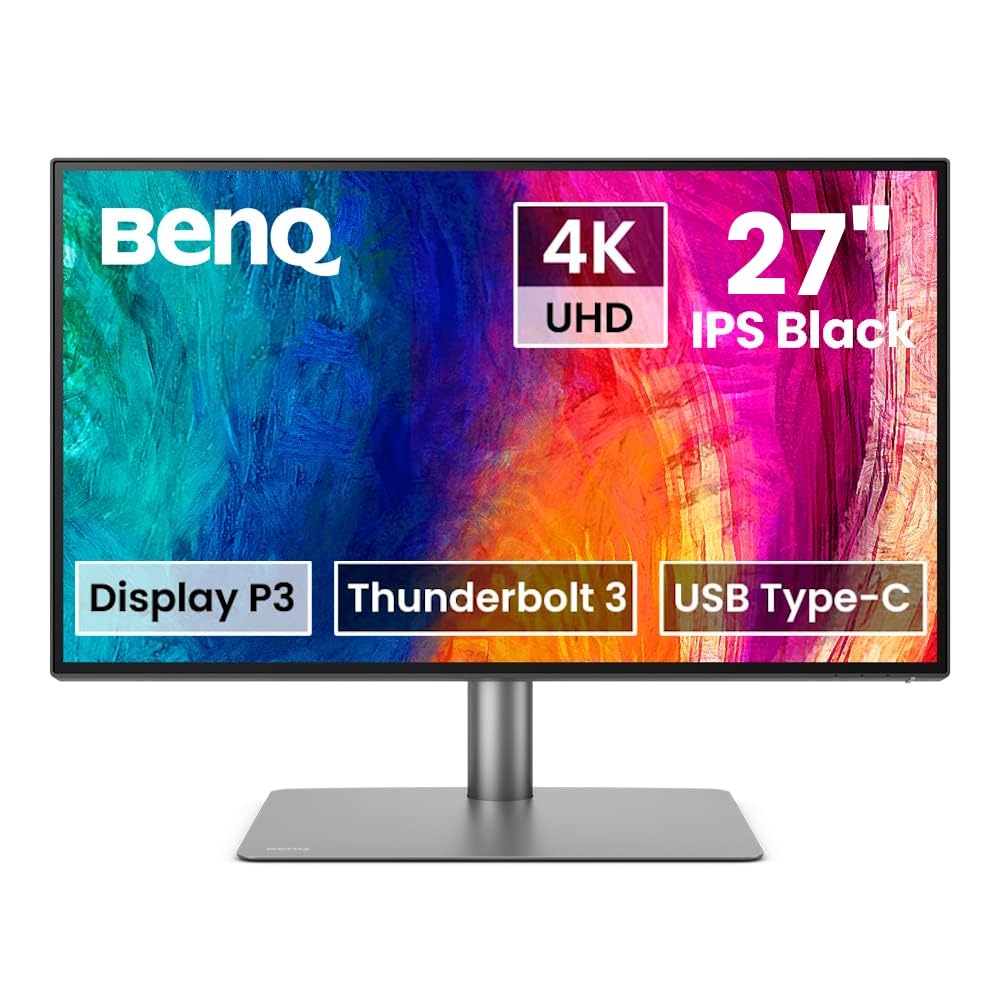
BenQ PD2725U 27" UHD 4K IPS Designer Monitor
Introducing the pd2725u 68.58cm 27in LED IPS from BenQ, a sophisticated display designed to enhance your visual experience. With its sleek design and cutting-edge technology, this monitor is perfect for professionals and enthusiasts alike. Featuring a 68.58cm (27-inch) LED IPS panel, this monitor delivers stunning visuals with vibrant colors and sharp details. Whether you're working on graphic design, photo editing, or watching movies, the pd2725u ensures exceptional image quality from any angle. Equipped with LED backlighting, this monitor offers improved energy efficiency, providing a more eco-friendly solution without compromising on brightness or color accuracy. The IPS (In-Plane Switching) technology enhances color reproduction and delivers consistent color performance across the entire display. With a variety of connectivity options including HDMI, DisplayPort, and USB-C, this monitor allows for seamless integration with your devices. The pd2725u also features a height-adjustable stand, allowing you to find the perfect viewing angle for ergonomic comfort. Upgrade your visual workspace with the pd2725u 68.58cm 27in LED IPS from BenQ and enjoy a superior visual experience like never before.
Introducing the pd2725u 68.58cm 27in LED IPS from BenQ, a sophisticated display designed to enhance your visual experience. With its sleek design and cutting-edge technology, this monitor is perfect for professionals and enthusiasts alike. Featuring a 68.58cm (27-inch) LED IPS panel, this monitor delivers stunning visuals with vibrant colors and sharp details. Whether you're working on graphic design, photo editing, or watching movies, the pd2725u ensures exceptional image quality from any angle. Equipped with LED backlighting, this monitor offers improved energy efficiency, providing a more eco-friendly solution without compromising on brightness or color accuracy. The IPS (In-Plane Switching) technology enhances color reproduction and delivers consistent color performance across the entire display. With a variety of connectivity options including HDMI, DisplayPort, and USB-C, this monitor allows for seamless integration with your devices. The pd2725u also features a height-adjustable stand, allowing you to find the perfect viewing angle for ergonomic comfort. Upgrade your visual workspace with the pd2725u 68.58cm 27in LED IPS from BenQ and enjoy a superior visual experience like never before.
Introducing the pd2725u 68.58cm 27in LED IPS from BenQ, a sophisticated display designed to enhance your visual experience. With its sleek design and cutting-edge technology, this monitor is perfect for professionals and enthusiasts alike. Featuring a 68.58cm (27-inch) LED IPS panel, this monitor delivers stunning visuals with vibrant colors and sharp details. Whether you're working on graphic design, photo editing, or watching movies, the pd2725u ensures exceptional image quality from any angle. Equipped with LED backlighting, this monitor offers improved energy efficiency, providing a more eco-friendly solution without compromising on brightness or color accuracy. The IPS (In-Plane Switching) technology enhances color reproduction and delivers consistent color performance across the entire display. With a variety of connectivity options including HDMI, DisplayPort, and USB-C, this monitor allows for seamless integration with your devices. The pd2725u also features a height-adjustable stand, allowing you to find the perfect viewing angle for ergonomic comfort. Upgrade your visual workspace with the pd2725u 68.58cm 27in LED IPS from BenQ and enjoy a superior visual experience like never before.
Introducing the pd2725u 68.58cm 27in LED IPS from BenQ, a sophisticated display designed to enhance your visual experience. With its sleek design and cutting-edge technology, this monitor is perfect for professionals and enthusiasts alike. Featuring a 68.58cm (27-inch) LED IPS panel, this monitor delivers stunning visuals with vibrant colors and sharp details. Whether you're working on graphic design, photo editing, or watching movies, the pd2725u ensures exceptional image quality from any angle. Equipped with LED backlighting, this monitor offers improved energy efficiency, providing a more eco-friendly solution without compromising on brightness or color accuracy. The IPS (In-Plane Switching) technology enhances color reproduction and delivers consistent color performance across the entire display. With a variety of connectivity options including HDMI, DisplayPort, and USB-C, this monitor allows for seamless integration with your devices. The pd2725u also features a height-adjustable stand, allowing you to find the perfect viewing angle for ergonomic comfort. Upgrade your visual workspace with the pd2725u 68.58cm 27in LED IPS from BenQ and enjoy a superior visual experience like never before.
in 43 offers
The lowest price for BenQ PD2725U 27" UHD 4K IPS Designer Monitor right now is $839.30 at Newegg, compared across 32 retailers.
The all-time low was $796.85 on 13 July 2025 — today's price is 5% above the lowest ever. This is at or near its all-time low — a good time to buy.
Prices last updated 22 Oct 2026.
Last updated at 22/10/2026 08:44:48
BenQ PD2725U Designer Monitor (AQCOLOR Technology, 27 inch, 4K UHD, P3 Wide Color, Thunderbolt 3, DisplayHDR 400, KVM, Compatible for MacBook Pro M1/
Free delivery
Affiliate Disclosure: We may receive a small commission for purchases made through this link at no extra cost to you. This helps support our site. Thank you!
Recertified - BenQ PD2725U 27" UHD 3840 x 2160 (4K) 60 Hz VESA DisplayHDR 400 HDMI, DisplayPort, Thunderbolt 3, USB, Headphone Jack Built-in Speakers
Delivery $230.97
BenQ PD2725U 27" UHD 4K IPS HDR400 Thunderbolt3 Mac Designer Monitor
Free delivery between Fri – Mon
BenQ PD2725U 27" UHD 4K IPS HDR400 Thunderbolt3 Mac Designer Monitor
Free delivery between 26–29 Oct
BenQ PD2725U 27" UHD 4K IPS HDR400 Thunderbolt3 Mac Designer Monitor
Free delivery between 28 Oct – 5 Nov
BenQ 27 inch 4K UHD Thunderbolt 3 Monitor, Display P3 | PD2725U
Free delivery
BenQ PD2725U 27" UHD 4K IPS HDR400 Thunderbolt3 Mac Designer Monitor - Black
Free delivery between Sat – Tue
BenQ PD2725U 27\
Affiliate Disclosure: We may receive a small commission for purchases made through this link at no extra cost to you. This helps support our site. Thank you!
BenQ PD2725U 27" UHD 4K IPS HDR400 Thunderbolt3 Mac Designer Monitor Black
Delivery between 25 Oct – 2 Nov $10
BenQ PD2725U 27" UHD 4K IPS HDR400 Thunderbolt3 Mac Designer Monitor
Free delivery
originally posted on bhphotovideo.com
We bought this monitor for our editing bay. We absolutely love it! Its dynamic in color gamuts and quickness in switching from either one with the switch control that is given is truly amazing. Highly recommend it!
originally posted on bhphotovideo.com
I actually love how simple this monitor was to inbox and get up and running in minutes. The clarity on my work station as a second monitor is making me say, why did I wait so long to get a good monitor? Watching 4K movies is just a plus. The colors and brightness levels are perfect during the day in sunlight and nice at night with lower levels of room lighting. All I can say is that this monitor is worth the investment. It's got a sturdy build and looks great.
originally posted on bhphotovideo.com
Eye strain much better and I love the quality of the monitor, especially on the new mac. Using with both Macbooks and M1 mac mini, it works great on both, but I am not a designer or a photo / movie editor professional. I am still trying to figure out the KVM, as it doesn't automatically waking up the different machines from sleep, as my previous monitor did. For context: I use logitech dongle. If both machines are awake the KVM works brilliantly, and the accessory is great (ability to press 1 or 2 and you switch seamlessly between devices)
| Resolution | 3840 x 2160 |
| HD Format | 4K |
| Horizontal Resolution | 3840 |
| Vertical Resolution | 2160 |
| Connector Type | Thunderbolt 3, DisplayPort, HDMI |

BenQ PD2725U Designer Monitor (AQCOLOR Technology, 27 inch, 4K UHD, P3 Wide Color, Thunderbolt 3, DisplayHDR 400, KVM, Compatible for MacBook Pro M1/
Free delivery
Affiliate Disclosure: We may receive a small commission for purchases made through this link at no extra cost to you. This helps support our site. Thank you!
Recertified - BenQ PD2725U 27" UHD 3840 x 2160 (4K) 60 Hz VESA DisplayHDR 400 HDMI, DisplayPort, Thunderbolt 3, USB, Headphone Jack Built-in Speakers
Delivery $230.97
BenQ PD2725U 27" UHD 4K IPS HDR400 Thunderbolt3 Mac Designer Monitor
Free delivery between Fri – Mon
BenQ PD2725U 27" UHD 4K IPS HDR400 Thunderbolt3 Mac Designer Monitor
Free delivery between 26–29 Oct
BenQ PD2725U 27" UHD 4K IPS HDR400 Thunderbolt3 Mac Designer Monitor
Free delivery between 28 Oct – 5 Nov
We bought this monitor for our editing bay. We absolutely love it! Its dynamic in color gamuts and quickness in switching from either one with the switch control that is given is truly amazing. Highly recommend it!
I actually love how simple this monitor was to inbox and get up and running in minutes. The clarity on my work station as a second monitor is making me say, why did I wait so long to get a good monitor? Watching 4K movies is just a plus. The colors and brightness levels are perfect during the day in sunlight and nice at night with lower levels of room lighting. All I can say is that this monitor is worth the investment. It's got a sturdy build and looks great.
Eye strain much better and I love the quality of the monitor, especially on the new mac. Using with both Macbooks and M1 mac mini, it works great on both, but I am not a designer or a photo / movie editor professional. I am still trying to figure out the KVM, as it doesn't automatically waking up the different machines from sleep, as my previous monitor did. For context: I use logitech dongle. If both machines are awake the KVM works brilliantly, and the accessory is great (ability to press 1 or 2 and you switch seamlessly between devices)
The HDR on this monitor is absolutely stunning in person, and the fact that it comes from the factory already calibrated is a huge plus. The KVM functionality works flawlessly, and has fixed a major stumbling point with my workstation where I'm frequently swapping between a MacBook and a PC tower. The power on the thunderbolt connection is enough to charge my 14 inch MacBook Pro, albeit slower than the official Apple adapter does. Also love that, unlike some monitors, there is a thunderbolt out port, so this doesn't need to be at the very end of your thunderbolt chain.
Everything about the monitor is great (color, lighting, HDR, KVM, etc.), except for the fact that Brightness can only be controlled via the Display Pilot application, the Hotkey Puck G2, or the OSD. Volume can only be controlled via the Hotkey Puck G2, or the OSD. macOS can't control Brightness or Volume of the display.
Upgraded from a 1440p Dell Viewsonic to this. Colors are punchy yet balanced. Screen looks great and I like the matte finish. It's a 27", so even if you're a bit closer to it, the pixel density is sharp versus something bigger like a 32". I don't regret spending the extra money for this unit. For those that want to sit a ways away I might recommend a bigger size but there is not an equivalent out yet in a bigger size (only the prior generation).
This is a good monitor considering the other $1000 or less monitors on the market but leaves a lot to be desired. My use case: Professional video and photo work. Small production company direct to client. Corporate, commercial, educational, lifestyle. Apple iMac Pro 5k Retina, macOS Big Sur The Bad: It's dark / dull. with a peak brightness of 400nits this monitor honestly is not bright enough given the price tag. If you are in a room with windows or any daylight you'll likely not find this monitor bright enough. If you plan to use this along side of an iMac you'll need to drop your iMacs brightness down to about half to match the max brightness of this monitor. I find this monitor to be extremely dull and lack much needed contrast ratio when trying to work on ... MoreThis is a good monitor considering the other $1000 or less monitors on the market but leaves a lot to be desired. My use case: Professional video and photo work. Small production company direct to client. Corporate, commercial, educational, lifestyle. Apple iMac Pro 5k Retina, macOS Big Sur The Bad: It's dark / dull. with a peak brightness of 400nits this monitor honestly is not bright enough given the price tag. If you are in a room with windows or any daylight you'll likely not find this monitor bright enough. If you plan to use this along side of an iMac you'll need to drop your iMacs brightness down to about half to match the max brightness of this monitor. I find this monitor to be extremely dull and lack much needed contrast ratio when trying to work on exposure critical things like photos / videos. The entire back of the monitor is made with cheap plastic that reminds me of an early 90's desktop computer monitor. The wire cover has yet to snap in correctly after many attempts. The ports and backside of the monitors design is crude at best. Keeping in mind you can buy an M1 iMac for $1,299 or a high end TV I expected much better build quality considering this is just a monitor (I understand this is not an apple product). My first unit showed up scratched and with a dead pixel patch at the edge of the monitor. I'm assume this was the result of an impact. However the packaging was not damaged in this area so that leads me to believe it was packaged that way at the factory. BH has an amazing return policy so that was not an issue however do be sure to carefully inspect your monitor upon arrival if you purchase anything from BenQ. The Good: If you ignore the backside of the monitor, it is great looking with a very slim minimal design. The stand is solid and very versatile. The bezels are extremely thin which is great. It is color accurate out of the box which is the main reason I purchased this monitor to begin with. It's great knowing that your work is being graded the way it will export. Connectivity is excellent and it works seamlessly with apple products as advertised (iMac Pro & M1 Macbook Pro) it can also daisy chain a 4K feed to my Sumo monitor which is a huge plus for anyone doing screen capture work. It turns on and off with startup and shut down of my computer reducing the amount of buttons you need to hit to fire up your desk. The picture on it is even all the way across with no notable shifts in colors or brightness from edge to edge. The anti-glare coating is effective, much better than most. It's got a small footprint on your desk for a good sized monitor for professional work. No / to extremely low latency when working with video projects. Editing sound sync critical timelines is not a problem. The hockey puck thing is nice, once you get it set up I can't image using is often but it is nice to have. The swivel head and height adjustment on the stand is great. The overall picture if very good, especially if you are able to keep your working area dark. Summary: After looking over the monitor options for this price range I do believe this is one of the best options available all things considered and after a few months of use I've grown to like the monitor overall. It has drastically improved my color work flow and was a noticeable upgrade from my previous second monitor. I would recommend this to anyone who is doing color critical professional work and wants to have confidence in their output. This is a solid budget monitor.
Excellent monitor, beautiful colors. I debated many different options, and ultimately chose this one. This monitor was well worth it. It's perfect for my work as a designer. The cords are a little hard to get to in the back, but I have no other issues with it. It comes calibrated and was very easy to set up. I'm so glad I got it. Love!
Look no further! I've searched tirelessly trying to find the best monitor to pair with my MacBook Pro M1. I'm a videographer and photographer and bought this monitor to have better color accuracy and help with video editing instead of working off a MacBook. After using the monitor for a month these are my opinions: Pros: - Excellent Clarity & Color (M-book profile is very comparable to MacBook color) -Screen size is very useful, especially for a video editor with its 16:9 ratio - Comparable resolution to previous iMac 5K Retina display. You can only see pixels if you're extremely close to the screen - Easy setup and compatible with Apple devices - Delivered with Thunderbolt 3 cable Cons: - Base plate is quite large and deceiving in pictures. I would recommend buying ... MoreLook no further! I've searched tirelessly trying to find the best monitor to pair with my MacBook Pro M1. I'm a videographer and photographer and bought this monitor to have better color accuracy and help with video editing instead of working off a MacBook. After using the monitor for a month these are my opinions: Pros: - Excellent Clarity & Color (M-book profile is very comparable to MacBook color) -Screen size is very useful, especially for a video editor with its 16:9 ratio - Comparable resolution to previous iMac 5K Retina display. You can only see pixels if you're extremely close to the screen - Easy setup and compatible with Apple devices - Delivered with Thunderbolt 3 cable Cons: - Base plate is quite large and deceiving in pictures. I would recommend buying a separate VESA monitor stand to cut down on desk clutter - Speakers are average - Plugging in cables (thunderbolt, usb, display ports) is quite difficult. Not user friendly. Overall, very satisfied with this purchase instead of buying a 5K monitor.
Really happy with this monitor! The pre-calibration is right on and the height adjustment and flip to portrait mode are fluid and effortless. The quick start instructions are worthless drawings without text, so go straight to the manual, which has to be downloaded.
| Resolution | 3840 x 2160 |
| HD Format | 4K |
| Horizontal Resolution | 3840 |
| Vertical Resolution | 2160 |
| Connector Type | Thunderbolt 3, DisplayPort, HDMI |