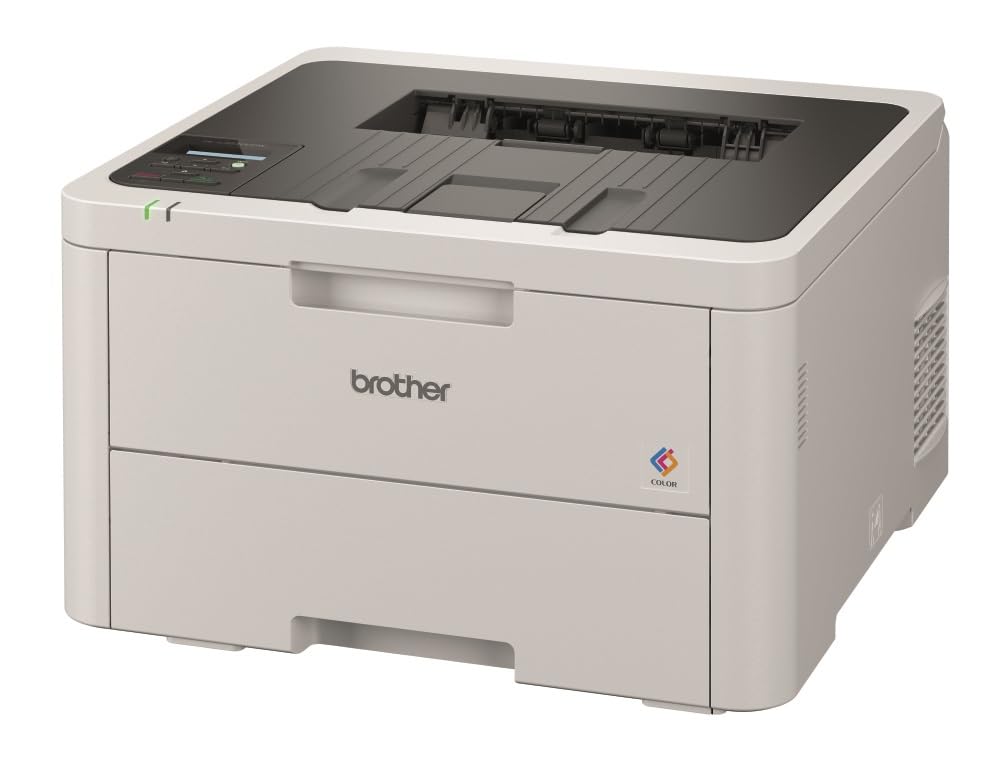
Brother HL-L8360CDW Colour Wireless Laser Printer
The Brother HL-L8360CDW Colour Laser Printer is a great choice for workgroups with higher print volumes that need low cost printing and reliable, business quality output. This high-performance printer helps to increase your productivity with print speeds up to 31ppm and a 6.8cm Touchscreen display for easy navigation and direct printing from popular business cloud services. Advanced security features help limit document and device access and help lower costs by restricting colour printing. Flexible paper handling includes the ability to expand to a 2,380-sheet total capacity with optional tower tray. Experience true mobile integration by wirelessly printing from any device with Brother iPrint&Scan, Apple’s AirPrint and Mopria Print Service, including previewing your copies and faxes, and saving to Cloud. Brother’s HL-L8360CDW Colour Laser Printer has been designed for the needs of businesses. Built with robust materials to withstand the most challenging office environments, this range is the perfect partner for your business. The advanced security capabilities of the colour laser range ensures you are always in full control of your print infrastructure. You can improve data protection by restricting printer access with network user authentication and secure print, which allows you to password-protect certain device functions. Oversee and control your print infrastructure remotely with our BRAdmin Professional 4 Software – from managing printing costs with print quotas for each user to instant notifications of any printer downtime for speedy attendance.
The Brother HL-L8360CDW Colour Laser Printer is a great choice for workgroups with higher print volumes that need low cost printing and reliable, business quality output. This high-performance printer helps to increase your productivity with print speeds up to 31ppm and a 6.8cm Touchscreen display for easy navigation and direct printing from popular business cloud services. Advanced security features help limit document and device access and help lower costs by restricting colour printing. Flexible paper handling includes the ability to expand to a 2,380-sheet total capacity with optional tower tray. Experience true mobile integration by wirelessly printing from any device with Brother iPrint&Scan, Apple’s AirPrint and Mopria Print Service, including previewing your copies and faxes, and saving to Cloud. Brother’s HL-L8360CDW Colour Laser Printer has been designed for the needs of businesses. Built with robust materials to withstand the most challenging office environments, this range is the perfect partner for your business. The advanced security capabilities of the colour laser range ensures you are always in full control of your print infrastructure. You can improve data protection by restricting printer access with network user authentication and secure print, which allows you to password-protect certain device functions. Oversee and control your print infrastructure remotely with our BRAdmin Professional 4 Software – from managing printing costs with print quotas for each user to instant notifications of any printer downtime for speedy attendance.
The Brother HL-L8360CDW Colour Laser Printer is a great choice for workgroups with higher print volumes that need low cost printing and reliable, business quality output. This high-performance printer helps to increase your productivity with print speeds up to 31ppm and a 6.8cm Touchscreen display for easy navigation and direct printing from popular business cloud services. Advanced security features help limit document and device access and help lower costs by restricting colour printing. Flexible paper handling includes the ability to expand to a 2,380-sheet total capacity with optional tower tray. Experience true mobile integration by wirelessly printing from any device with Brother iPrint&Scan, Apple’s AirPrint and Mopria Print Service, including previewing your copies and faxes, and saving to Cloud. Brother’s HL-L8360CDW Colour Laser Printer has been designed for the needs of businesses. Built with robust materials to withstand the most challenging office environments, this range is the perfect partner for your business. The advanced security capabilities of the colour laser range ensures you are always in full control of your print infrastructure. You can improve data protection by restricting printer access with network user authentication and secure print, which allows you to password-protect certain device functions. Oversee and control your print infrastructure remotely with our BRAdmin Professional 4 Software – from managing printing costs with print quotas for each user to instant notifications of any printer downtime for speedy attendance.
The Brother HL-L8360CDW Colour Laser Printer is a great choice for workgroups with higher print volumes that need low cost printing and reliable, business quality output. This high-performance printer helps to increase your productivity with print speeds up to 31ppm and a 6.8cm Touchscreen display for easy navigation and direct printing from popular business cloud services. Advanced security features help limit document and device access and help lower costs by restricting colour printing. Flexible paper handling includes the ability to expand to a 2,380-sheet total capacity with optional tower tray. Experience true mobile integration by wirelessly printing from any device with Brother iPrint&Scan, Apple’s AirPrint and Mopria Print Service, including previewing your copies and faxes, and saving to Cloud. Brother’s HL-L8360CDW Colour Laser Printer has been designed for the needs of businesses. Built with robust materials to withstand the most challenging office environments, this range is the perfect partner for your business. The advanced security capabilities of the colour laser range ensures you are always in full control of your print infrastructure. You can improve data protection by restricting printer access with network user authentication and secure print, which allows you to password-protect certain device functions. Oversee and control your print infrastructure remotely with our BRAdmin Professional 4 Software – from managing printing costs with print quotas for each user to instant notifications of any printer downtime for speedy attendance.
in 45 offers
The lowest price for Brother HL-L8360CDW Colour Wireless Laser Printer right now is $529.00 at Mwave Australia, compared across 34 retailers.
The all-time low was $299.00 on 26 Aug 2023 — today's price is 77% above the lowest ever. It has been notably cheaper before — worth setting a price alert.
Prices last updated 10 Oct 2026.
Last updated at 10/10/2026 06:41:22
Brother HLL8360CDW Colour Laser Printer
Affiliate Disclosure: We may receive a small commission for purchases made through this link at no extra cost to you. This helps support our site. Thank you!
Brother | HL-L8360CDW | A4 Wireless Colour Laser Printer
Free delivery between Tue – Fri
Brother HL-L8360CDW Colour Wireless Laser Printer
Delivery between Tue – Fri $99.66
Brother Color Laser Printer HL L8360CDW - Laser Printers
Delivery $106.74
Brother Color Laser Printer HL L8360CDW - Laser Printers
Delivery $101
Brother HL-L8360CDW, A4, Colour Laser Printer
Delivery $35
Brother HLL8360CDW Colour Laser Printer HL-L8360CDW
Delivery between 13–19 Oct $17.75
Brother HL-L8360CDW Colour Laser Printer
Delivery $51
Brother HL-L8360CDW Colour Laser - LED Printer
Free delivery between Mon – Fri
Brother HL-L8360CDW Professional Wireless Colour Laser Printer
14-day returns
originally posted on brother-usa.com
I chose the HL-L8360CDW to replace a competitor color laser printer that was old and difficult to maintain. I like laser printers in general over inkjet printers because of their robustness over inkjets. And when I compared the price of the Brother 8360 against other leading inkjet printers or laser printers, the Brother printer came out on top by a lot. The 8360 come complete with excellent documentation and it was easy to install. The network install was quick and easy, too. It prints documents exceptionally well and prints them quickly. The 2-sided print option is also a benefit. The Brother 8360 far exceeds expectations.
originally posted on bhphotovideo.com
My 12-year-old Xerox color laser died. I decided I needed a medium-duty color laser printer for my wife's business, and we home-schooled our daughter. I followed the instructions and updated the software/firmware before using the laser. The AirPrint works fantastic, and it's faster than my old color laser printer. However, I did have a ghosting or blurry text printing issue when printing color PDF documents. It took over an hour with Brother tech support to resolve the problem, but we fixed it by changing the printer settings to AUTO mode. If you have PDF printing issues with blurry or fuzzy text, ensure your laser printer settings are in AUTO mode.
originally posted on brother-usa.com
First off, my machine did pretty well for the price, when it was working. The interface is a bit clunky, but totally usable, and the utilities software for scanning/fax/etc. is pretty clunky also. Ultimately, I think it is junk because I managed to get 3000 pages out of it with a toner replacement, before quality began to go south. The machine was printing images that progressively got more faded. I was recommended to replace the toner again (not cheap) by customer support in spite of the fact that it makes little sense that the first image would be good then subsequent images wouldn't be. So I spent the money on new toner, and experienced the same issue. After walking through this with customer support again, they told me they are unable to assist any further and ... MoreFirst off, my machine did pretty well for the price, when it was working. The interface is a bit clunky, but totally usable, and the utilities software for scanning/fax/etc. is pretty clunky also. Ultimately, I think it is junk because I managed to get 3000 pages out of it with a toner replacement, before quality began to go south. The machine was printing images that progressively got more faded. I was recommended to replace the toner again (not cheap) by customer support in spite of the fact that it makes little sense that the first image would be good then subsequent images wouldn't be. So I spent the money on new toner, and experienced the same issue. After walking through this with customer support again, they told me they are unable to assist any further and that I should drive my printer to the nearest service center, which is 2.25 hours one way. The drums show to be ~90% and the toner is all new. I called the nearest service center and asking what the most common 3 problems each individually cost to fix, it turns out I would spend 70-90% of what a brand new printer costs (assuming it's one of those three). Thank goodness I just spent hundreds of dollars on toner for a machine that is not working.
| Supported Functions | Print, Color Output |
| Paper Size | A4 |
| Paper Type | Plain Paper, Envelopes |
| Auto Duplex Printing | Yes |
| Paper Tray Capacity | 50 sheets (multi-purpose tray) |

Brother HLL8360CDW Colour Laser Printer
Affiliate Disclosure: We may receive a small commission for purchases made through this link at no extra cost to you. This helps support our site. Thank you!
Brother | HL-L8360CDW | A4 Wireless Colour Laser Printer
Free delivery between Tue – Fri
Brother HL-L8360CDW Colour Wireless Laser Printer
Delivery between Tue – Fri $99.66
Brother Color Laser Printer HL L8360CDW - Laser Printers
Delivery $106.74
Brother Color Laser Printer HL L8360CDW - Laser Printers
Delivery $101
I chose the HL-L8360CDW to replace a competitor color laser printer that was old and difficult to maintain. I like laser printers in general over inkjet printers because of their robustness over inkjets. And when I compared the price of the Brother 8360 against other leading inkjet printers or laser printers, the Brother printer came out on top by a lot. The 8360 come complete with excellent documentation and it was easy to install. The network install was quick and easy, too. It prints documents exceptionally well and prints them quickly. The 2-sided print option is also a benefit. The Brother 8360 far exceeds expectations.
My 12-year-old Xerox color laser died. I decided I needed a medium-duty color laser printer for my wife's business, and we home-schooled our daughter. I followed the instructions and updated the software/firmware before using the laser. The AirPrint works fantastic, and it's faster than my old color laser printer. However, I did have a ghosting or blurry text printing issue when printing color PDF documents. It took over an hour with Brother tech support to resolve the problem, but we fixed it by changing the printer settings to AUTO mode. If you have PDF printing issues with blurry or fuzzy text, ensure your laser printer settings are in AUTO mode.
First off, my machine did pretty well for the price, when it was working. The interface is a bit clunky, but totally usable, and the utilities software for scanning/fax/etc. is pretty clunky also. Ultimately, I think it is junk because I managed to get 3000 pages out of it with a toner replacement, before quality began to go south. The machine was printing images that progressively got more faded. I was recommended to replace the toner again (not cheap) by customer support in spite of the fact that it makes little sense that the first image would be good then subsequent images wouldn't be. So I spent the money on new toner, and experienced the same issue. After walking through this with customer support again, they told me they are unable to assist any further and ... MoreFirst off, my machine did pretty well for the price, when it was working. The interface is a bit clunky, but totally usable, and the utilities software for scanning/fax/etc. is pretty clunky also. Ultimately, I think it is junk because I managed to get 3000 pages out of it with a toner replacement, before quality began to go south. The machine was printing images that progressively got more faded. I was recommended to replace the toner again (not cheap) by customer support in spite of the fact that it makes little sense that the first image would be good then subsequent images wouldn't be. So I spent the money on new toner, and experienced the same issue. After walking through this with customer support again, they told me they are unable to assist any further and that I should drive my printer to the nearest service center, which is 2.25 hours one way. The drums show to be ~90% and the toner is all new. I called the nearest service center and asking what the most common 3 problems each individually cost to fix, it turns out I would spend 70-90% of what a brand new printer costs (assuming it's one of those three). Thank goodness I just spent hundreds of dollars on toner for a machine that is not working.
So far this seems to be a very good color laser printer. It takes a while to find and get the options set correctly, but after the initial setup it works well. I am only giving it a 4 because sometimes it will not pull paper from either tray, I have to go to the printer and click "retry" and this is a brand new printer so this should not be an issue. Also, sometimes (not always) the print jobs print very slowly, but other times they go quickly so I don't know what is going on there. But other than that, it has worked well. I've had no problems printing envelopes which several people have complained about in the reviews. Envelopes work well from the front manual tray without issue. I purchased the optional additional tray and I put checks in the built in tray and ... MoreSo far this seems to be a very good color laser printer. It takes a while to find and get the options set correctly, but after the initial setup it works well. I am only giving it a 4 because sometimes it will not pull paper from either tray, I have to go to the printer and click "retry" and this is a brand new printer so this should not be an issue. Also, sometimes (not always) the print jobs print very slowly, but other times they go quickly so I don't know what is going on there. But other than that, it has worked well. I've had no problems printing envelopes which several people have complained about in the reviews. Envelopes work well from the front manual tray without issue. I purchased the optional additional tray and I put checks in the built in tray and paper in the bottom tray and have a different print driver for each tray. That works well with my accounting software so I am loving not having to swap out paper and checks all the time! To be determined how economical the color printing is, we have not printed any big print jobs in color yet to see the usage.
The printer worked great. Until it didn't. We have a low volume of usage and the printer has never moved from the day it was placed into service. After we finally needed to replace the color toner is where the problems started. We are getting an error that the yellow toner is not there. After over 3 Months (Sent us a new yellow toner and had us power on and off.....) of working with support we have been told sorry your out of warranty and we are not going to fix your issue. Not a good printer if it quits working after the first toner change. Not a Brother Fan any longer and going back to HP who has at least helped the few times we have had issues in the past. Frustrating.
Custom paper size of 3 5/8" by 6 1/2" (6 3/4" envelope) does not work. You can enter the envelope size into both a document (in your word processor) and the printer properties (on the print menu). The word processor shows the envelope image centered left-to-right. However, when you issue the print command the print preview shows the envelope info left-justified. The printer manual tray document guides force the envelope to physically center in the tray, so the printed image is lost over the left margin. If you return the document guides to fit standard 8 1/2 x 11 paper and insert the envelope against the left-hand guide, the printer announces a paper jam and doesn't print anything. Printer is very slow to wake up after it enters power-save mode. Prices for ... MoreCustom paper size of 3 5/8" by 6 1/2" (6 3/4" envelope) does not work. You can enter the envelope size into both a document (in your word processor) and the printer properties (on the print menu). The word processor shows the envelope image centered left-to-right. However, when you issue the print command the print preview shows the envelope info left-justified. The printer manual tray document guides force the envelope to physically center in the tray, so the printed image is lost over the left margin. If you return the document guides to fit standard 8 1/2 x 11 paper and insert the envelope against the left-hand guide, the printer announces a paper jam and doesn't print anything. Printer is very slow to wake up after it enters power-save mode. Prices for replacement toner are VERY high. Start rating for this review apparently does not work. I wanted to rate it four stars, but it does not seem to accept any rating less than five stars.
I've been using this printer for 7 months, so I've had time to try different things. == I would recommend this for office use == I can send print jobs over wiFi easily and without issues, the printer provides good print options (paper sizes, binding, layout, etc.), and printing on plain copier paper is very fast I think this printer is a good choice for basic office use. It prints standard paper very fast, and it has no trouble with network connections. If that's all you're looking for, then this printer delivers. == I would not recommend this for creative projects == Paper handling is only reliable for 8.5" x 11" copier paper. Legal size paper gets bent in one corner as it rolls out of Tray 1. Glossy paper gets hot and jams. Double sided printing does not work with ... MoreI've been using this printer for 7 months, so I've had time to try different things. == I would recommend this for office use == I can send print jobs over wiFi easily and without issues, the printer provides good print options (paper sizes, binding, layout, etc.), and printing on plain copier paper is very fast I think this printer is a good choice for basic office use. It prints standard paper very fast, and it has no trouble with network connections. If that's all you're looking for, then this printer delivers. == I would not recommend this for creative projects == Paper handling is only reliable for 8.5" x 11" copier paper. Legal size paper gets bent in one corner as it rolls out of Tray 1. Glossy paper gets hot and jams. Double sided printing does not work with 4" x 6" paper, and if you try to run the pages back through manually, they jam. Card stock gets curled as it passes through the machine... I wouldn't recommend this printer for creative projects. Because its paper handling is pretty limited, it's not a good choice for cards, posters, glossy labels, etc. Since I personally do a lot of this sort of thing, I wish I had kept shopping and bought a different printer. Hope that helps!
When printing duplex with a laser you expect it to align. With this printer, it would be out from 2 to 5mm the more you print. It doesn’t maintain the margins you would expect it to when printing documents, booklets or books. When contacting support about this I was told that this is working as intended as this is what the machine they tested my document on did as well! I don’t find that acceptable for a printer of this price when its cheaper counterparts can do what this can’t and actually align when duplex printing. The next issue when printing was the hit and miss with graphics quality. One page can print fine and the image will look good the next will have a smear and haze around the image. If you want a machine that you need for correct aligned duplex printing ... MoreWhen printing duplex with a laser you expect it to align. With this printer, it would be out from 2 to 5mm the more you print. It doesn’t maintain the margins you would expect it to when printing documents, booklets or books. When contacting support about this I was told that this is working as intended as this is what the machine they tested my document on did as well! I don’t find that acceptable for a printer of this price when its cheaper counterparts can do what this can’t and actually align when duplex printing. The next issue when printing was the hit and miss with graphics quality. One page can print fine and the image will look good the next will have a smear and haze around the image. If you want a machine that you need for correct aligned duplex printing with good consistent image quality, this machine is NOT it.
This is a very nice printer. It's not the cheapest thing out there, but I believe you get what you pay for. Color looks good, very fast, and it's a real linux/postscript printer. I can use this with literally any OS. Also something I didn't realize is that it can detect and automatically re-order toner and supplies, so you never get caught running out of a color unexpectedly. Really nice printer, and you are not locked into only buying proprietary cartridges. I have had only good things to say about my last B&W brother laser, which was still going strong without any trouble when I recycled it (really wanted color for my kid's school projects). I beleive this printer will be exactly the same quality as the old one.
This is my second purchase of this same printer. It is a work horse - easy to operate and very well built. Set up out of the box: There are alot - (ALOT) of tabs and secure tape all over this printer to keep it safe during shipping -- You will need to open each area and look for the tabs or tape and get them removed before you start. After all areas are cleared - Be sure to let the computer sit for an hour or two to get it to acclimate to the room temp. --- The instruction screen may even give you instructions to wait. Once it is acclimated - You need to set up to your wifi- (I had to delete my old printer first) then I installed this printer. All in all about with waiting was about an hour or so. This printer without fail has printed thousands and thousands of ... MoreThis is my second purchase of this same printer. It is a work horse - easy to operate and very well built. Set up out of the box: There are alot - (ALOT) of tabs and secure tape all over this printer to keep it safe during shipping -- You will need to open each area and look for the tabs or tape and get them removed before you start. After all areas are cleared - Be sure to let the computer sit for an hour or two to get it to acclimate to the room temp. --- The instruction screen may even give you instructions to wait. Once it is acclimated - You need to set up to your wifi- (I had to delete my old printer first) then I installed this printer. All in all about with waiting was about an hour or so. This printer without fail has printed thousands and thousands of different types of forms/envelopes that I use in my business. Things I love: Two sided copies - just click on display screen on your computer when needed Easy removal of tray to replenish the paper supply Easy Feed of envelopes or odd size paper Clearing jams is usually very easy Easy, Easy way to replace toner when needed LED screen to give you clear instructions on what you need (toner), it it's out of paper, or a jam Wifi -- impportant to me beause I work in a different room away from my printer. I can print from my phone also --- this is a great feature Things I do not Like: During this Covid climate - it was hard to locate - took more than 3 hours to find on-line - Suppliers were very limited that had this printer in stock. Hopefully they will continue making this printer
| Supported Functions | Print, Color Output |
| Paper Size | A4 |
| Paper Type | Plain Paper, Envelopes |
| Auto Duplex Printing | Yes |
| Paper Tray Capacity | 50 sheets (multi-purpose tray) |