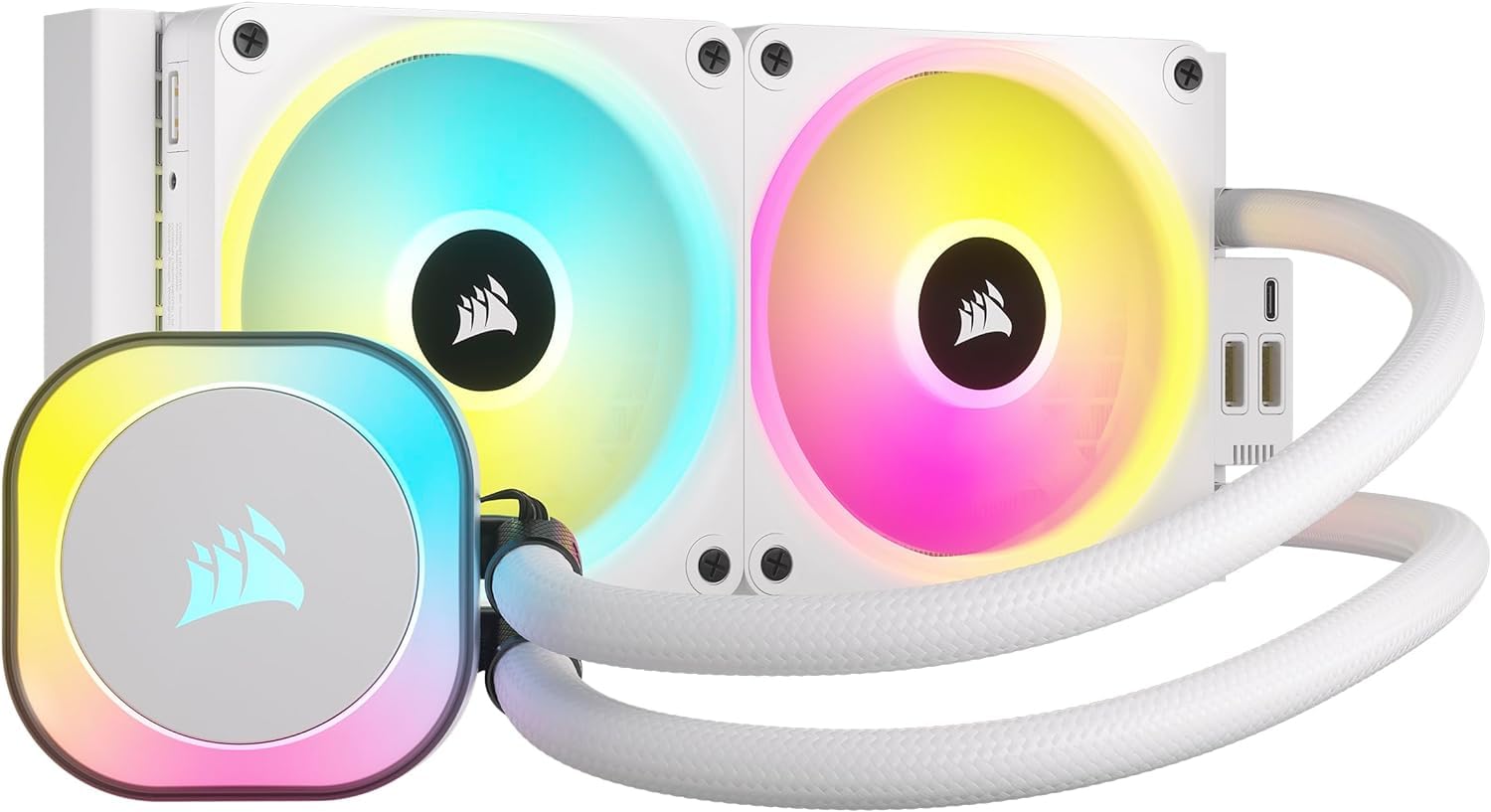
Corsair iCUE Link H150i RGB AIO Liquid CPU Cooler - White
H100i | H150i | H170i | Manual
H100i | H150i | H170i | Manual
H100i | H150i | H170i | Manual
H100i | H150i | H170i | Manual
in 11 offers
The lowest price for Corsair iCUE Link H150i RGB AIO Liquid CPU Cooler - White right now is $220.72 at PB Tech, compared across 8 retailers.
The all-time low was $103.65 on 9 June 2026 — today's price is 113% above the lowest ever. It has been notably cheaper before — worth setting a price alert.
Prices last updated 30 Sept 2026.
Last updated at 30/09/2026 02:25:11
Corsair iCUE LINK H150i RGB AIO Water Cooling CPU Cooler 360mm Radiator, For Intel Socket LGA 1851/ 1700 / 1200 / 115X / 2011 / 2066, AMD AM5 / AM4
7-day returns
Corsair iCUE Link H150i RGB 360mm AIO Liquid CPU Cooler - White (CW-9061006-WW)
30-day returns
Corsair iCUE Link H150i RGB 360mm AIO Liquid CPU Cooler - White (CW-9061006-WW)
30-day returns
Vodeno hlađenje CORSAIR iCUE Link H150i RGB White AIO, CW-9061006-WW, za Intel i AMD
Corsair iCUE H150i iCUE Link 360mm AIO with 3xQX120 fans (Black)
Delivery $22.50
Corsair iCUE LINK H150i RGB White 360mm Liquid CPU Cooler
Delivery $9.85
Corsair Icue Link H150i Rgb White 360mm Liquid Cpu Cooler
Delivery $15
Affiliate Disclosure: We may receive a small commission for purchases made through this link at no extra cost to you. This helps support our site. Thank you!
Corsair iCUE Link H150i RGB 360mm AIO CPU Cooler White
Free delivery between Thu – Tue
originally posted on pccasegear.com
the hardware is great and incredibly simple to setup and use but the iCUE software is a nightmare, upon update of the software you have to reset all fans and the pump to there desired profiles even though they are shown as set to whatever you had previously it will not work that way. Also had to contact corsair to get a manual download patch to stop cooler flashing red for no reason at all.Pros;-Very easy setup-Seems high quality parts-Looks great in case-Runs OK temp wise, but not much better than a deepcool AIOCons:-Software that is necessary for its use is still very very poor as of the date of this review.
originally posted on bestbuy.com
I recently just upgraded to an AMD Ryzen 7800x3D and I began to wonder if I wanted to continue using my Hi100 AIO and my existing fams. Thermals were decent, but I wanted to upgrade my CPU cooler to a 360mm and my first instinct was to go with the regular Hi150 as it would just fit to my existing Commander Hub, but the iCUE link system realy caught my eye due to the ease of use and lack of cables. So I got my wallet out and bought this one and I do not regret it. I also bought the three pack of iCUE link fans to act as my case fans to match everything. All together, setting it up was breeze and cable management was no issue. The included cables were sufficient enough for me in my Corsair 4000X case. The fans work great and they are quiet! There are a couple of ... MoreI recently just upgraded to an AMD Ryzen 7800x3D and I began to wonder if I wanted to continue using my Hi100 AIO and my existing fams. Thermals were decent, but I wanted to upgrade my CPU cooler to a 360mm and my first instinct was to go with the regular Hi150 as it would just fit to my existing Commander Hub, but the iCUE link system realy caught my eye due to the ease of use and lack of cables. So I got my wallet out and bought this one and I do not regret it. I also bought the three pack of iCUE link fans to act as my case fans to match everything. All together, setting it up was breeze and cable management was no issue. The included cables were sufficient enough for me in my Corsair 4000X case. The fans work great and they are quiet! There are a couple of downsides. For one, its way more expensive compated to the non-link systems and other AIOs in general. Plus, the Link system is also a bit useless if you do not have the other Link-capable fans, so thats another thing to worry about. And lastly is the software. While when it works, its usueful to managing the RGB and fan settings, there is a bug that would say that ther eare too many devices connected and ultimately go to low power and start to flash red. Its a bug in the software and there are work arounds such as doing a force update, but ts quite annoying it happens. Overall, if you have the money to switch to this whole new system, its worth it.
originally posted on bestbuy.com
The CORSAIR iCUE LINK H150i RGB cooler is fantastic! It keeps my CPU running at impressively low temperatures, even under heavy workloads. The RGB lighting is vibrant and customizable, adding a sleek look to my setup. Installation was straightforward, and the iCUE software makes managing everything super easy. Highly recommend for anyone looking to keep their system cool and stylish!
Corsair iCUE LINK H150i RGB AIO Water Cooling CPU Cooler 360mm Radiator, For Intel Socket LGA 1851/ 1700 / 1200 / 115X / 2011 / 2066, AMD AM5 / AM4
7-day returns
Corsair iCUE Link H150i RGB 360mm AIO Liquid CPU Cooler - White (CW-9061006-WW)
30-day returns
Corsair iCUE Link H150i RGB 360mm AIO Liquid CPU Cooler - White (CW-9061006-WW)
30-day returns
Vodeno hlađenje CORSAIR iCUE Link H150i RGB White AIO, CW-9061006-WW, za Intel i AMD
Corsair iCUE H150i iCUE Link 360mm AIO with 3xQX120 fans (Black)
Delivery $22.50
the hardware is great and incredibly simple to setup and use but the iCUE software is a nightmare, upon update of the software you have to reset all fans and the pump to there desired profiles even though they are shown as set to whatever you had previously it will not work that way. Also had to contact corsair to get a manual download patch to stop cooler flashing red for no reason at all.Pros;-Very easy setup-Seems high quality parts-Looks great in case-Runs OK temp wise, but not much better than a deepcool AIOCons:-Software that is necessary for its use is still very very poor as of the date of this review.
I recently just upgraded to an AMD Ryzen 7800x3D and I began to wonder if I wanted to continue using my Hi100 AIO and my existing fams. Thermals were decent, but I wanted to upgrade my CPU cooler to a 360mm and my first instinct was to go with the regular Hi150 as it would just fit to my existing Commander Hub, but the iCUE link system realy caught my eye due to the ease of use and lack of cables. So I got my wallet out and bought this one and I do not regret it. I also bought the three pack of iCUE link fans to act as my case fans to match everything. All together, setting it up was breeze and cable management was no issue. The included cables were sufficient enough for me in my Corsair 4000X case. The fans work great and they are quiet! There are a couple of ... MoreI recently just upgraded to an AMD Ryzen 7800x3D and I began to wonder if I wanted to continue using my Hi100 AIO and my existing fams. Thermals were decent, but I wanted to upgrade my CPU cooler to a 360mm and my first instinct was to go with the regular Hi150 as it would just fit to my existing Commander Hub, but the iCUE link system realy caught my eye due to the ease of use and lack of cables. So I got my wallet out and bought this one and I do not regret it. I also bought the three pack of iCUE link fans to act as my case fans to match everything. All together, setting it up was breeze and cable management was no issue. The included cables were sufficient enough for me in my Corsair 4000X case. The fans work great and they are quiet! There are a couple of downsides. For one, its way more expensive compated to the non-link systems and other AIOs in general. Plus, the Link system is also a bit useless if you do not have the other Link-capable fans, so thats another thing to worry about. And lastly is the software. While when it works, its usueful to managing the RGB and fan settings, there is a bug that would say that ther eare too many devices connected and ultimately go to low power and start to flash red. Its a bug in the software and there are work arounds such as doing a force update, but ts quite annoying it happens. Overall, if you have the money to switch to this whole new system, its worth it.
The CORSAIR iCUE LINK H150i RGB cooler is fantastic! It keeps my CPU running at impressively low temperatures, even under heavy workloads. The RGB lighting is vibrant and customizable, adding a sleek look to my setup. Installation was straightforward, and the iCUE software makes managing everything super easy. Highly recommend for anyone looking to keep their system cool and stylish!
Very nice and clean cooler. The LINK technology is a great concept that greatly reduces the amount of cables needed, which helps with cable management. So on my current computer build, I have a total of 9 fans, and only 2 cables into the control port. The LCD screen is fun to use and change out with still pictures or 30 sec gifs/vids. The iCUE application takes a bit to get use to, for customization. Only gave it 4 stars, because the cable linking isn't quite compatible to use with every case. I did have to make some cuts and modifications to my NZXT H6 case. If they had the connection ports on each side, it could add to the flexibility of design and fitment.
Would like to compliment corsair on how well this unit is built. theyve completely simplified everything. i previouslt had an nzxt kracken z73 360 with 4 other nzxt fans. this setup changed what was 14 wires for power and rgb down to 4. the icue link system is next level. im a corsair fanboy so everything else is corsair. the icue software app can be buggy but that has nothing to do with the product itsself. 10/10 for build and quality.
Overall a good AIO. It keeps my Ryzen 9 7950X3D cool at 45-50 C doing basic tasks. Under stress from cinebench r23 testing it peaks at around 75-80 C. Not as cool, and I would like, but perfectly acceptable, as I will never stress the CPU more than that test on a 30 minute loop. The rgb is easy to control with iCUE software, and the fan controller through iCUE also works well. The pump is a little noisy though, but overall I’m happy with this purchase.
Pros:-Cable management is made simple-the RGB of the QX fans are niceCons:-at $240, there are other 360mm AIOs that can outperform this at half the price-iCUE is sketchy, it will sometimes not detect that you even have an H150i installeOverall: I bought this hoping to get a decent performance improvement over my $30 Phantom Spirit air cooler to cool my 7800X3D CPU. But at $240, what I saw was maybe a 4C-5C improvement over a $30 air cooler. I couldn't believe a $30 air cooler could go toe to toe in performance against a $240 AIO.I even reapplied thermal paste and reseated the cold plate and cranked the fans on the radiator to 100% (radiator is set on the side of my case so it pulls fresh cold air from the outside). At 100%, I got noise but maybe at best, ... MorePros:-Cable management is made simple-the RGB of the QX fans are niceCons:-at $240, there are other 360mm AIOs that can outperform this at half the price-iCUE is sketchy, it will sometimes not detect that you even have an H150i installeOverall: I bought this hoping to get a decent performance improvement over my $30 Phantom Spirit air cooler to cool my 7800X3D CPU. But at $240, what I saw was maybe a 4C-5C improvement over a $30 air cooler. I couldn't believe a $30 air cooler could go toe to toe in performance against a $240 AIO.I even reapplied thermal paste and reseated the cold plate and cranked the fans on the radiator to 100% (radiator is set on the side of my case so it pulls fresh cold air from the outside). At 100%, I got noise but maybe at best, 7C improvement over my $30 air cooler. I ended up returning this and basically learned to live with the extra Celsius while saving my money.
The HX150i with icue link was both the easiest and a little confusing aio I had to set up. Easy because of the fans and how cables can connect. The confusing part is when you have multiple Icue fans and you have to plan a route that doesn't overload one port on the fan hub. Other than that, I love this thing. Keeps my Ryzen 3900x extremely cool as I wait to upgrade my cpu.It is definitely pricey though, so if you can wait, I would wait for a sale.
So to start, I bought this cooler and the QX fans from Corsair at launch. This cooler is an improvement for those who are looking for a more simplified cable management experience for their PC. However, the cables that used to runs from the CPU block now runs inside the tubes which is better for cable management but now the tubes aren't completely even all the way through which is noticeable.There are going to be 2 issues you're likely to come across. One is that you might have to purchase extra cables from Corsair if you are also pairing this with the QX fans. The second is Corsair's notorious ICUE software. After releasing an update, one of my fan's RGB won't turn on and isn't detected by ICUE (It still works and swapping the fans kept the same issue in the same ... MoreSo to start, I bought this cooler and the QX fans from Corsair at launch. This cooler is an improvement for those who are looking for a more simplified cable management experience for their PC. However, the cables that used to runs from the CPU block now runs inside the tubes which is better for cable management but now the tubes aren't completely even all the way through which is noticeable.There are going to be 2 issues you're likely to come across. One is that you might have to purchase extra cables from Corsair if you are also pairing this with the QX fans. The second is Corsair's notorious ICUE software. After releasing an update, one of my fan's RGB won't turn on and isn't detected by ICUE (It still works and swapping the fans kept the same issue in the same spot and not the fan). While looking for a solution, I found that this is a pretty widespread issue right now for people who have ICUE Link devices with the amount of fans no longer being detected varying.Overall I would say that this is definitely a much friendlier option for PC building but I would recommend waiting a little bit for Corsair to fix their software to have less issues with the Link system.
Initially I loved this AIO system because it is pretty inside your desktop case and the Icue software is very intuitive and easy to use. The issue is this unit has a Coolit pump instead of Asetek. The minimum pump speed RPM on Quiet mode is 2400 rpm. At this speed the AIO emits a high pitch frequency similar to a dog whistle. I really loved the system but it gives me a ringing in the ears and a headache whenever I turn on my computer. So I do not advise you purchase this item. This is why I returned it for an Asetek pump rpm that lets you go low rpm on the pump.