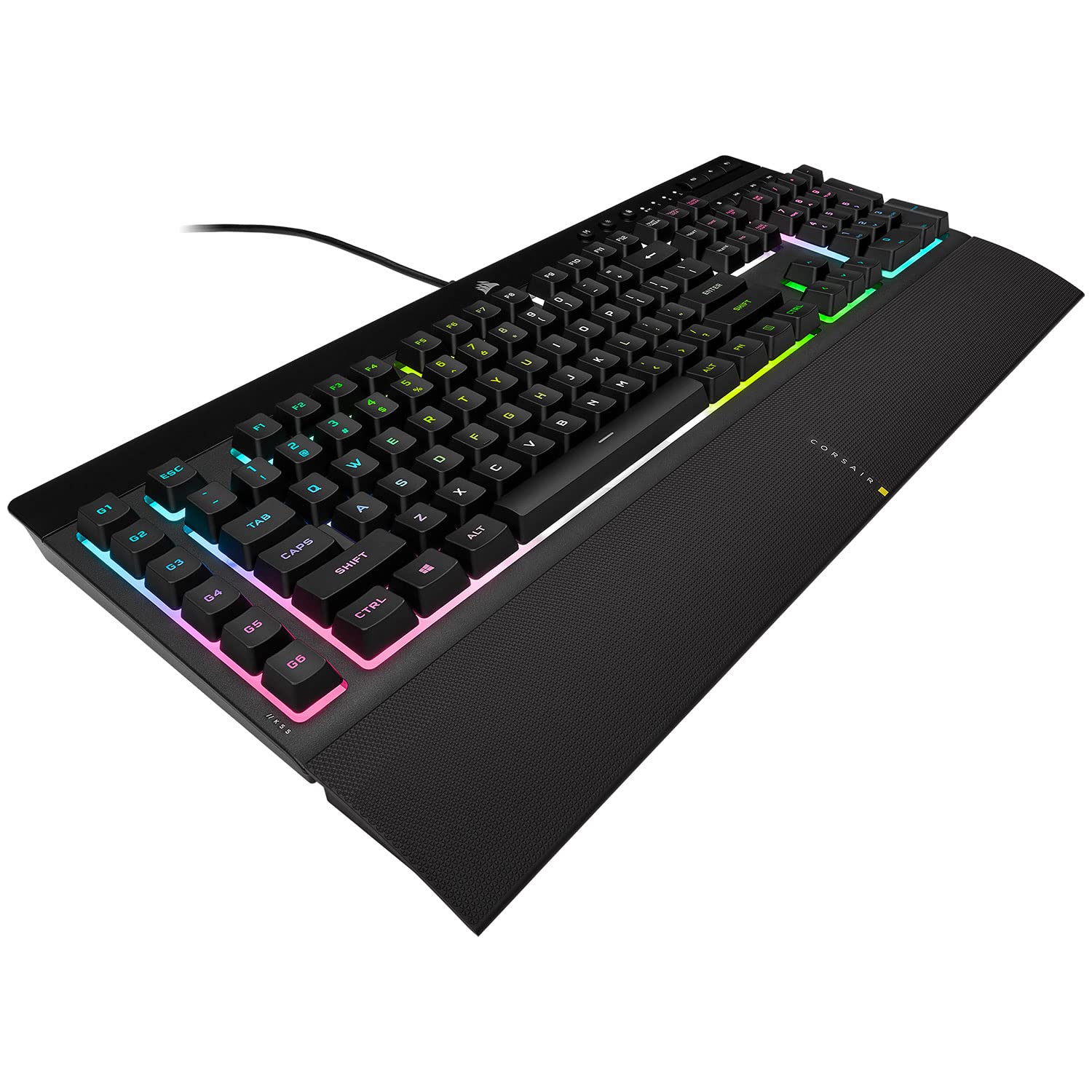
Corsair K55 RGB Pro XT Gaming Keyboard
The keyboard is the main input peripheral used by all computers. The keyboard allows for user input and interaction with the computer. Much like many typewriters the keyboard has all the letters of the alphabet, numbers 0 – 9 and additional special operational keys, e.g. for adjusting the volume or going to your inbox directly. There are three different connection types: – USB is the most modern. You can recognize it by the rectangular connector. – PS/2 connectors are round. This type of connection is fairly commonly used by PC’s. – Bluetooth is another modern (wireless) connection method.
The keyboard is the main input peripheral used by all computers. The keyboard allows for user input and interaction with the computer. Much like many typewriters the keyboard has all the letters of the alphabet, numbers 0 – 9 and additional special operational keys, e.g. for adjusting the volume or going to your inbox directly. There are three different connection types: – USB is the most modern. You can recognize it by the rectangular connector. – PS/2 connectors are round. This type of connection is fairly commonly used by PC’s. – Bluetooth is another modern (wireless) connection method.
The keyboard is the main input peripheral used by all computers. The keyboard allows for user input and interaction with the computer. Much like many typewriters the keyboard has all the letters of the alphabet, numbers 0 – 9 and additional special operational keys, e.g. for adjusting the volume or going to your inbox directly. There are three different connection types: – USB is the most modern. You can recognize it by the rectangular connector. – PS/2 connectors are round. This type of connection is fairly commonly used by PC’s. – Bluetooth is another modern (wireless) connection method.
The keyboard is the main input peripheral used by all computers. The keyboard allows for user input and interaction with the computer. Much like many typewriters the keyboard has all the letters of the alphabet, numbers 0 – 9 and additional special operational keys, e.g. for adjusting the volume or going to your inbox directly. There are three different connection types: – USB is the most modern. You can recognize it by the rectangular connector. – PS/2 connectors are round. This type of connection is fairly commonly used by PC’s. – Bluetooth is another modern (wireless) connection method.
in 7 offers
The lowest price for Corsair K55 RGB Pro XT Gaming Keyboard right now is $56.83 at eBay.com.au, compared across 6 retailers.
The all-time low was $38.00 on 11 Mar 2025 — today's price is 50% above the lowest ever. It has been notably cheaper before — worth setting a price alert.
Prices last updated 15 Oct 2026.
Last updated at 15/10/2026 02:05:09
Corsair K55 Rgb Pro Xt Wired Gaming Keyboard: With Wrist Rest - Free
Free delivery
Affiliate Disclosure: We may receive a small commission for purchases made through this link at no extra cost to you. This helps support our site. Thank you!
Corsair K55 RGB Pro XT Gaming Keyboard
Delivery between Sat – Wed $10
Corsair K55 RGB PRO XT Gaming Keyboard
30-day returns
Corsair K55 RGB PRO XT, IP42 Spill Resistant, Marco Controls, ICUE Game Integration, RGB Effects, Gaming Keyboard
Delivery between 20–28 Oct $9.99
CORSAIR K55 RGB PRO XT, IP42 Spill Resistant, Marco Controls, ICUE Game Integration, RGB Effects. Media Control, Value Gaming Keyboard
Free delivery between 15–22 Oct
CORSAIR K55 RGB PRO XT, IP42 Spill Resistant, Marco Controls, ICUE Game Integration, RGB Effects. Media Control, Value Gaming Keyboard
originally posted on Google
Keyboard really isn't that well suited for gaming. First of all, it is a membrane keyboard and not a mechanical one, so the keys won't be satisfying to use. The keyboard also feels pretty boring and doesn't even have the usb cable detachable, making it lousy to store in some places. The RGB also isn't that good, as it only has 5 areas with repeatedly changing colored lights which isn't nice to look at since most other keyboards have actual moving colors. The only good thing I can say about it however is that it actually has its own media and macro keys, and it does feel kinda premium in some ways. Overall, I'd say the keyboard is only best for anything besides gaming, as gaming with a K55 RGB PRO isn't really good.
originally posted on neweggbusiness.com
Overall a quality keyboard for the price. RGB can be turned off for those that prefer to go without. Minor issues with key placement but I assume that will resolve itself over time.
originally posted on microcenter.com
Quiet, clean input. Feels much better than my previous keyboard in all aspects. 10/10 comfort. Sleek, clean look, and the ICUE functionality makes this a win in my book. Overall I'd give it a 9/10.
| General | |
| Device Type | Keyboard |
| Backlit | RGB / 16.8 million colours |
| Interface | USB |
| Input Device |
Corsair K55 Rgb Pro Xt Wired Gaming Keyboard: With Wrist Rest - Free
Free delivery
Affiliate Disclosure: We may receive a small commission for purchases made through this link at no extra cost to you. This helps support our site. Thank you!
Corsair K55 RGB Pro XT Gaming Keyboard
Delivery between Sat – Wed $10
Corsair K55 RGB PRO XT Gaming Keyboard
30-day returns
Corsair K55 RGB PRO XT, IP42 Spill Resistant, Marco Controls, ICUE Game Integration, RGB Effects, Gaming Keyboard
Delivery between 20–28 Oct $9.99
CORSAIR K55 RGB PRO XT, IP42 Spill Resistant, Marco Controls, ICUE Game Integration, RGB Effects. Media Control, Value Gaming Keyboard
Free delivery between 15–22 Oct
Keyboard really isn't that well suited for gaming. First of all, it is a membrane keyboard and not a mechanical one, so the keys won't be satisfying to use. The keyboard also feels pretty boring and doesn't even have the usb cable detachable, making it lousy to store in some places. The RGB also isn't that good, as it only has 5 areas with repeatedly changing colored lights which isn't nice to look at since most other keyboards have actual moving colors. The only good thing I can say about it however is that it actually has its own media and macro keys, and it does feel kinda premium in some ways. Overall, I'd say the keyboard is only best for anything besides gaming, as gaming with a K55 RGB PRO isn't really good.
Overall a quality keyboard for the price. RGB can be turned off for those that prefer to go without. Minor issues with key placement but I assume that will resolve itself over time.
Quiet, clean input. Feels much better than my previous keyboard in all aspects. 10/10 comfort. Sleek, clean look, and the ICUE functionality makes this a win in my book. Overall I'd give it a 9/10.
I like this Keyboard for my 12yr old son He loves the 5 color zones compared to his old 1. I would say it has a solid feel the lighting is bright and they keys feel good for a membrane keyboard great budget keyboard. thumbs up to the micro center staff for helping me out.
If you buy this keyboard, do so knowing you will not be using any RGB features as the native Corsair program iCUE will lock your system up. And this has been a problem for YEARS. Terrible. I would not have purchased this had I known.
I rushed to buy a new keyboard after destroying my old one by dropping coffee on it. It's a good, reliable and affordable keyboard. It's not mechanical, but if you're not a hardcore Mech-fan, it'll be more than enough!
The key board has a nice look with the customable color schemes and all.But don't dare spill a single drop of coffee on it, it will be done for good.My last Microsoft keyboards use to have better tolerance to hazards...
The RGB itself is so pretty and you can change patterns if you want something a little more chill.I use this to play Warzone where you slide cancel every 2 seconds and make a lot of noise, but this keyboard is perfect to be quiet all night and such.10/10
Excellent as a gaming keyboard, although the keys themselves are slightly louder than i would have liked. The ICUE software to run custom colours is unnecessarily bloated at 3gb, and the most recent update isn't compatible with this keyboard. The set colour schemes work fine regardless.
the membrane keys are quiet but not too quiet. they have good feedback but if youre tryin to compare it to a mechanical keyboard then you will be disappointed. the k55 is a great budget board that offers amazing customization and comfort.
| General | |
| Device Type | Keyboard |
| Backlit | RGB / 16.8 million colours |
| Interface | USB |
| Input Device |

