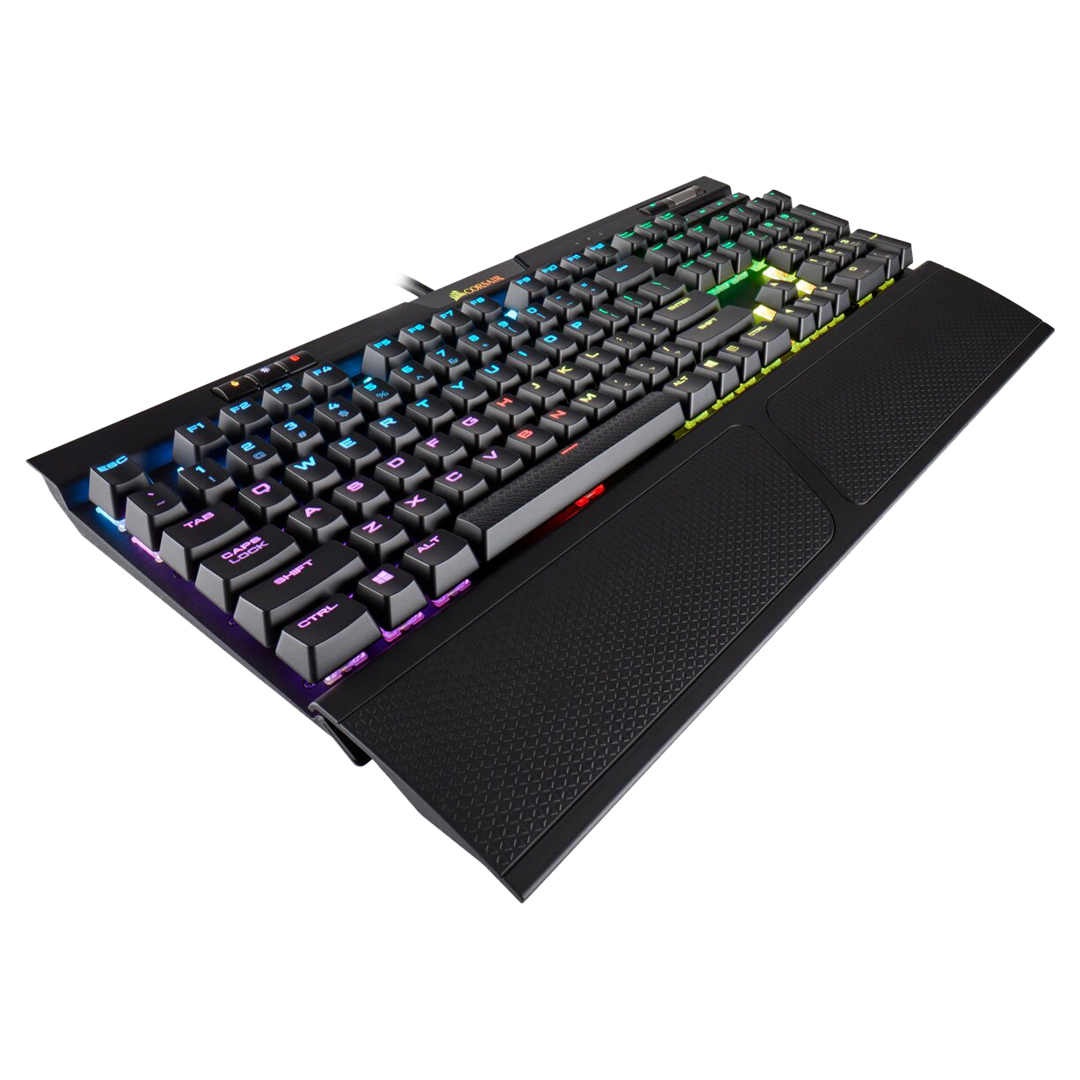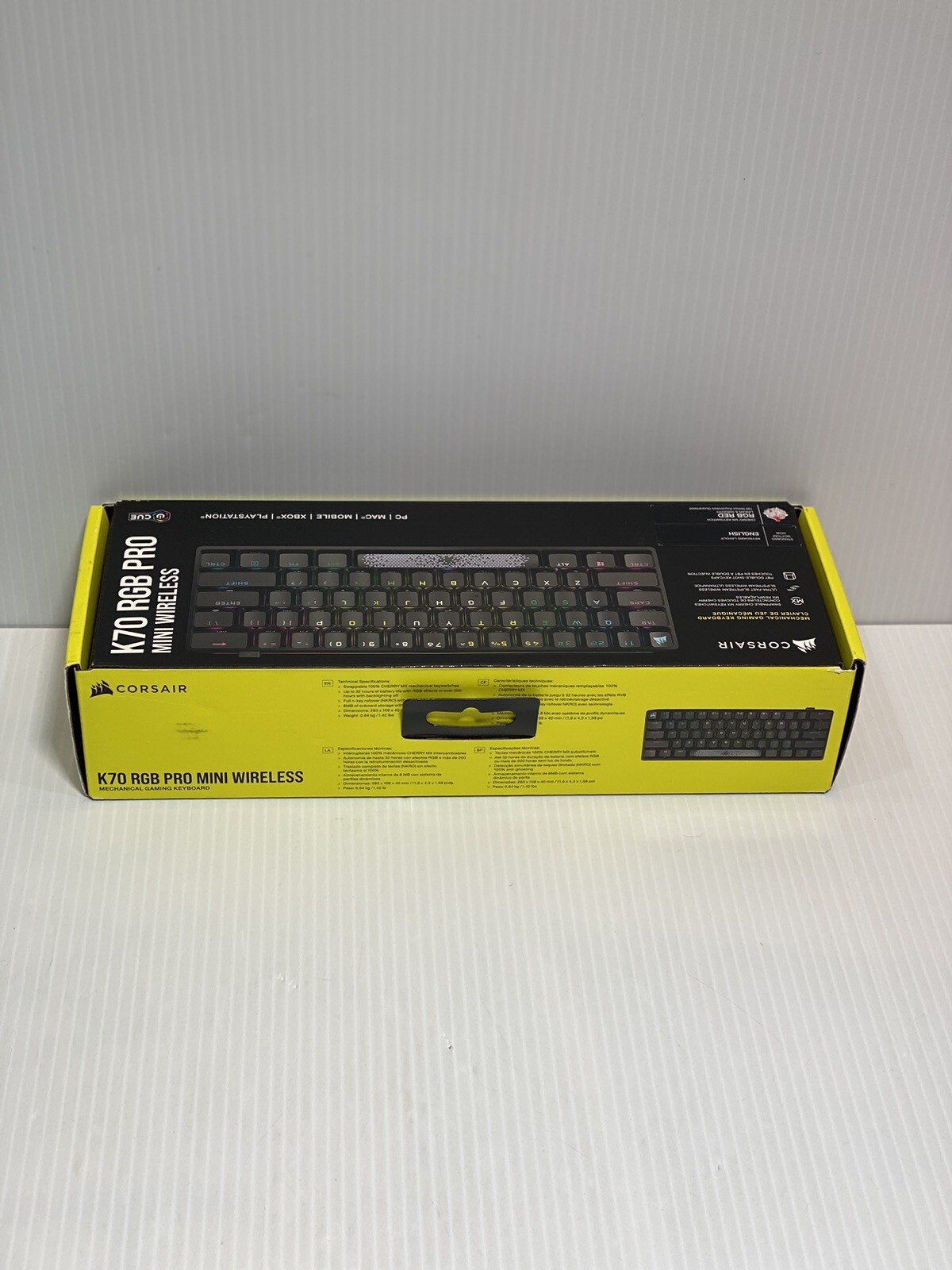
Corsair K70 Pro Mini Wireless RGB 60% Mechanical Gaming Keyboard, Backlit RGB LED, Cherry MX Red Keyswitches, Black (CH-9189010-NA)
Corsair gaming keyboard with illuminated RGB keys in English. It is mechanical and therefore ideal for gamers and anyone who wants to type quickly. It has a fast response and accuracy as its switches are activated halfway, which saves movement when typing. Compared to membrane keyboards, they last longer, but have the disadvantage of being noisy, which is often disturbing to those around you. It has Cherry MX Red switches, which require less actuation force than black switches, allowing them to return to their position more quickly, making them more comfortable for hours of use. It is relatively quiet and is ideal for games where you have to press the same key many times in a short space of time. It is only 60% the size of a standard keyboard, takes up less desk space and has no number keys on the right-hand side. It can be connected wirelessly to the computer for greater convenience and flexibility.
Corsair gaming keyboard with illuminated RGB keys in English. It is mechanical and therefore ideal for gamers and anyone who wants to type quickly. It has a fast response and accuracy as its switches are activated halfway, which saves movement when typing. Compared to membrane keyboards, they last longer, but have the disadvantage of being noisy, which is often disturbing to those around you. It has Cherry MX Red switches, which require less actuation force than black switches, allowing them to return to their position more quickly, making them more comfortable for hours of use. It is relatively quiet and is ideal for games where you have to press the same key many times in a short space of time. It is only 60% the size of a standard keyboard, takes up less desk space and has no number keys on the right-hand side. It can be connected wirelessly to the computer for greater convenience and flexibility.
Corsair gaming keyboard with illuminated RGB keys in English. It is mechanical and therefore ideal for gamers and anyone who wants to type quickly. It has a fast response and accuracy as its switches are activated halfway, which saves movement when typing. Compared to membrane keyboards, they last longer, but have the disadvantage of being noisy, which is often disturbing to those around you. It has Cherry MX Red switches, which require less actuation force than black switches, allowing them to return to their position more quickly, making them more comfortable for hours of use. It is relatively quiet and is ideal for games where you have to press the same key many times in a short space of time. It is only 60% the size of a standard keyboard, takes up less desk space and has no number keys on the right-hand side. It can be connected wirelessly to the computer for greater convenience and flexibility.
Corsair gaming keyboard with illuminated RGB keys in English. It is mechanical and therefore ideal for gamers and anyone who wants to type quickly. It has a fast response and accuracy as its switches are activated halfway, which saves movement when typing. Compared to membrane keyboards, they last longer, but have the disadvantage of being noisy, which is often disturbing to those around you. It has Cherry MX Red switches, which require less actuation force than black switches, allowing them to return to their position more quickly, making them more comfortable for hours of use. It is relatively quiet and is ideal for games where you have to press the same key many times in a short space of time. It is only 60% the size of a standard keyboard, takes up less desk space and has no number keys on the right-hand side. It can be connected wirelessly to the computer for greater convenience and flexibility.
in 3 offers
The lowest price for Corsair K70 Pro Mini Wireless RGB 60% Mechanical Gaming Keyboard, Backlit RGB LED, Cherry MX Red Keyswitches, Black (CH-9189010-NA) right now is $64.80 at Cash Converters, compared across 3 retailers.
The all-time low was $64.80 on 22 June 2026. That's the lowest price we've ever tracked — a great time to buy.
Prices last updated 12 July 2026.
Last updated at 12/07/2026 15:34:24
Corsair K70 Pro Mini Wireless Black Keyboard - Computer
Delivery $20.70
Corsair K70 Pro Mini Wireless 60% Mechanical RGB Keyboard - Black, B
Free delivery
CORSAIR K70 PRO MINI WIRELESS 60% RGB Mechanical Gaming Keyboard - Black, US English (Cherry MX Speed Switches)
Affiliate Disclosure: We may receive a small commission for purchases made through this link at no extra cost to you. This helps support our site. Thank you!
originally posted on bestbuy.com
This keyboard has gotten some slack online from content creators and keyboard reviewers. I gotta say I consider them nothing more than some negative aspects here and there.This Keyboard is fantastic, the wireless opens up a much cleaner look on my set up and its latency is almost nonexistent. It’s hotswappable which is great for those like me who like to change switches often. Standard switches are great too.Only concern is the stabilizers and switches. Corsair doesn’t strike me as the lubed here and there kind of company. But you can easily do this part yourself.Overall a 9/10 - Great wireless experience, long lasting battery, Zero latency even with other wireless products connected to your PC.
originally posted on bestbuy.com
Build quality is great. Loved typing on it. BUT...... Slipstream technology SUCKS. This keyboard constantly disconnected from my pc, it didnt matter if is was working or gaming. No matter what I did, it would not stay connected. After about 10-15 min of usage, the lights would start blinking to reconnect. I turned off all rgb and even turned off sleep mode, updated the lastest software and reset it multiple times. Nothing worked, unless I was wired, but thats defeats the whole purpose. I never had a problem with my Logitech G915 wirelsss keyboard (it stopped charging all of a sudden.) Thank goodness for Best Buy Total Tech, they gave me all my money back and I went back to Logitech. I will stay away from Corsair as much as I can from here on out. There iCue software ... MoreBuild quality is great. Loved typing on it. BUT...... Slipstream technology SUCKS. This keyboard constantly disconnected from my pc, it didnt matter if is was working or gaming. No matter what I did, it would not stay connected. After about 10-15 min of usage, the lights would start blinking to reconnect. I turned off all rgb and even turned off sleep mode, updated the lastest software and reset it multiple times. Nothing worked, unless I was wired, but thats defeats the whole purpose. I never had a problem with my Logitech G915 wirelsss keyboard (it stopped charging all of a sudden.) Thank goodness for Best Buy Total Tech, they gave me all my money back and I went back to Logitech. I will stay away from Corsair as much as I can from here on out. There iCue software is just to glitchy and buggy.
originally posted on bestbuy.com
When I first took the key board out of it's box, the first thing I noticed was how heavy it is. This thing is solid! Very impressive build quality! I wish everything I bought was built this well. The keys are nice and clicky, with great feedback, and they're the same size as my normal key board. I had expected a mini version of a key board, but I had expected all the keys to be slightly smaller. In reality, this keyboard cleverly leaves off the top row of function keys, and the directional arrow section and numerical key pad that a full size keyboard would have, but the normal typing surface is perfectly normal, and as easy to use as any other key board you might want to use. The RGB lighting is beautiful, the colors are nice and vibrant, and the keyboard will shut ... MoreWhen I first took the key board out of it's box, the first thing I noticed was how heavy it is. This thing is solid! Very impressive build quality! I wish everything I bought was built this well. The keys are nice and clicky, with great feedback, and they're the same size as my normal key board. I had expected a mini version of a key board, but I had expected all the keys to be slightly smaller. In reality, this keyboard cleverly leaves off the top row of function keys, and the directional arrow section and numerical key pad that a full size keyboard would have, but the normal typing surface is perfectly normal, and as easy to use as any other key board you might want to use. The RGB lighting is beautiful, the colors are nice and vibrant, and the keyboard will shut down after a few minutes of not being used so it will save it's battery. The included USB wireless plug in worked right out of the box and the keyboard was able to type as is. But in order to change the RGB there is some software that needs to be downloaded. This is where I ran into some issues. I couldn't get it to work correctly on my desk top PC... my best guess is because I'm still running Windows 7. But it did work perfectly when I downloaded it onto my laptop running Windows 11. The software allows a bunch of cool settings for changing the keys and mapping them differently if you want to assign different functions etc, and it also allows control of the RGB lighting. I found the software to be a little frustrating to use. It wasn't as intuitive as I would have liked and I couldn't figure out how to change some of the settings to how I wanted them. I'm certain that there's a way to do what I wanted, but I just couldn't figure it out and gave up in frustration. As slick as the interface looks, it's basically a skin over a bunch of choices the developers thought would be cool, instead of making it easy to just change things how the user might want to do it. Also it was kind of hard to figure out how to save my settings when I got them close to how I liked... as soon as I closed the settings program, the keyboard went back to it's default settings and I had to open the programmer back up and reset them again. I finally got it to save my settings, but I'm not even sure how I did it....Over all it's a really nice keyboard, I love the size, I like the keys, and the RGB is pretty. Maybe I'll figure out the control panel after more useage but I'm not a fan of it so far.
| Keyboard Interface | USB 3.0 |
| Design Style | Mini |
| Palm Rest | No |
| Mechanical Keyboard | Yes |
| Key Switch Type | Cherry MX RGB Red |
Corsair K70 Pro Mini Wireless Black Keyboard - Computer
Delivery $20.70
Corsair K70 Pro Mini Wireless 60% Mechanical RGB Keyboard - Black, B
Free delivery
CORSAIR K70 PRO MINI WIRELESS 60% RGB Mechanical Gaming Keyboard - Black, US English (Cherry MX Speed Switches)
Affiliate Disclosure: We may receive a small commission for purchases made through this link at no extra cost to you. This helps support our site. Thank you!
This keyboard has gotten some slack online from content creators and keyboard reviewers. I gotta say I consider them nothing more than some negative aspects here and there.This Keyboard is fantastic, the wireless opens up a much cleaner look on my set up and its latency is almost nonexistent. It’s hotswappable which is great for those like me who like to change switches often. Standard switches are great too.Only concern is the stabilizers and switches. Corsair doesn’t strike me as the lubed here and there kind of company. But you can easily do this part yourself.Overall a 9/10 - Great wireless experience, long lasting battery, Zero latency even with other wireless products connected to your PC.
Build quality is great. Loved typing on it. BUT...... Slipstream technology SUCKS. This keyboard constantly disconnected from my pc, it didnt matter if is was working or gaming. No matter what I did, it would not stay connected. After about 10-15 min of usage, the lights would start blinking to reconnect. I turned off all rgb and even turned off sleep mode, updated the lastest software and reset it multiple times. Nothing worked, unless I was wired, but thats defeats the whole purpose. I never had a problem with my Logitech G915 wirelsss keyboard (it stopped charging all of a sudden.) Thank goodness for Best Buy Total Tech, they gave me all my money back and I went back to Logitech. I will stay away from Corsair as much as I can from here on out. There iCue software ... MoreBuild quality is great. Loved typing on it. BUT...... Slipstream technology SUCKS. This keyboard constantly disconnected from my pc, it didnt matter if is was working or gaming. No matter what I did, it would not stay connected. After about 10-15 min of usage, the lights would start blinking to reconnect. I turned off all rgb and even turned off sleep mode, updated the lastest software and reset it multiple times. Nothing worked, unless I was wired, but thats defeats the whole purpose. I never had a problem with my Logitech G915 wirelsss keyboard (it stopped charging all of a sudden.) Thank goodness for Best Buy Total Tech, they gave me all my money back and I went back to Logitech. I will stay away from Corsair as much as I can from here on out. There iCue software is just to glitchy and buggy.
When I first took the key board out of it's box, the first thing I noticed was how heavy it is. This thing is solid! Very impressive build quality! I wish everything I bought was built this well. The keys are nice and clicky, with great feedback, and they're the same size as my normal key board. I had expected a mini version of a key board, but I had expected all the keys to be slightly smaller. In reality, this keyboard cleverly leaves off the top row of function keys, and the directional arrow section and numerical key pad that a full size keyboard would have, but the normal typing surface is perfectly normal, and as easy to use as any other key board you might want to use. The RGB lighting is beautiful, the colors are nice and vibrant, and the keyboard will shut ... MoreWhen I first took the key board out of it's box, the first thing I noticed was how heavy it is. This thing is solid! Very impressive build quality! I wish everything I bought was built this well. The keys are nice and clicky, with great feedback, and they're the same size as my normal key board. I had expected a mini version of a key board, but I had expected all the keys to be slightly smaller. In reality, this keyboard cleverly leaves off the top row of function keys, and the directional arrow section and numerical key pad that a full size keyboard would have, but the normal typing surface is perfectly normal, and as easy to use as any other key board you might want to use. The RGB lighting is beautiful, the colors are nice and vibrant, and the keyboard will shut down after a few minutes of not being used so it will save it's battery. The included USB wireless plug in worked right out of the box and the keyboard was able to type as is. But in order to change the RGB there is some software that needs to be downloaded. This is where I ran into some issues. I couldn't get it to work correctly on my desk top PC... my best guess is because I'm still running Windows 7. But it did work perfectly when I downloaded it onto my laptop running Windows 11. The software allows a bunch of cool settings for changing the keys and mapping them differently if you want to assign different functions etc, and it also allows control of the RGB lighting. I found the software to be a little frustrating to use. It wasn't as intuitive as I would have liked and I couldn't figure out how to change some of the settings to how I wanted them. I'm certain that there's a way to do what I wanted, but I just couldn't figure it out and gave up in frustration. As slick as the interface looks, it's basically a skin over a bunch of choices the developers thought would be cool, instead of making it easy to just change things how the user might want to do it. Also it was kind of hard to figure out how to save my settings when I got them close to how I liked... as soon as I closed the settings program, the keyboard went back to it's default settings and I had to open the programmer back up and reset them again. I finally got it to save my settings, but I'm not even sure how I did it....Over all it's a really nice keyboard, I love the size, I like the keys, and the RGB is pretty. Maybe I'll figure out the control panel after more useage but I'm not a fan of it so far.
MODEL REVIEWEDCORSAIR K70 PRO MINI WIRELESS RGB 60% MECHANICAL GAMING KEYBOARD, BACKLIT RGB LED, CHERRY MX SPEED KEYSWITCHES, BLACKHEADLINE:FANTASTIC FEELING 60% RGB KEYBOARD – ALL THE KEYS YOU NEEDOVERVIEWThe CORSAIR K70 PRO MINI WIRELESS has all the features you would expect from CORSAIR like RGB goodness, as well as great clicky tactile feeling (CHERRY MX SPEED Key switches) and a really solid feeling build. More importantly this wonder is wireless (or wired) and supports the included Slipstream Wireless USB receiver. I also like the included key puller that easily allows you to swap out the black spacebar for the updated geometric design spacebar.If you are new to 60% keyboards, don’t worry these are not tiny little keys, they are full size (QWERTY) ... MoreMODEL REVIEWEDCORSAIR K70 PRO MINI WIRELESS RGB 60% MECHANICAL GAMING KEYBOARD, BACKLIT RGB LED, CHERRY MX SPEED KEYSWITCHES, BLACKHEADLINE:FANTASTIC FEELING 60% RGB KEYBOARD – ALL THE KEYS YOU NEEDOVERVIEWThe CORSAIR K70 PRO MINI WIRELESS has all the features you would expect from CORSAIR like RGB goodness, as well as great clicky tactile feeling (CHERRY MX SPEED Key switches) and a really solid feeling build. More importantly this wonder is wireless (or wired) and supports the included Slipstream Wireless USB receiver. I also like the included key puller that easily allows you to swap out the black spacebar for the updated geometric design spacebar.If you are new to 60% keyboards, don’t worry these are not tiny little keys, they are full size (QWERTY) keys in the usual position. But instead, all the extraneous keys that have been added over the past 40 years are gone (or more precisely reassigned to dual function keys). This means that at first glance the cursor keys, function keys, numeric keypad, etc have been removed. Instead, for example you would press FN+I to trigger up arrow in normal everyday use.The CORSAIR K70 PRO MINI WIRELESS RGB allows you to toss a real gaming keyboard (in a mini-package) in your backpack for easy travel and storage, or just to reduce the clutter on your desk when gaming. In my case, I have a hard time fitting my mouse and full size gaming keyboard on the desk centered in front of the curved monitor. Now with the CORSAIR K70 PRO MINI WIRELESS RGB I easily have room for both.Since I already game with a CORSAIR - K95 RGB PLATINUM XT the learning curve and change in feeling was virtually non-existent, the keys feel exactly the same between my K70 and K95 XT.I can fully recommend the CORSAIR K70 PRO MINI WIRELESS KEYBOARD.SETUPJust download the latest ICUE software, then follow instructions for firmware updates (if needed) and you are off the races. Because I already had the K95, the setup process copied my existing profile and mapped it to the K70, which was very cool and saved lots of time.I look forward to playing with the advanced keymapping which lets you map keys to just about anything you can imagine. (mouse clicks, macros, other keys, other languages, etc). Comparing this feature side by side with the K95 the K70 seems to be missing APP mapping and PROFILE mapping (neither of which I use).SUMMARYThe CORSAIR K70 PRO MINI WIRELESS RGB is every bit as powerful as its bigger brothers from CORSAIR, and every bit as capable and well built. If you are ready to experience the real-estate savings offered by a 60% keyboard, I recommend you take a close look at the CORSAIR K70 PRO MINI WIRELESS RGB. Wireless gives you extra freedom, but I would still take the cable with you in case you run out of battery.
This is an excellent keyboard. I wanted a keyboard with swappable key switches but I'm a sucker for the iCue and I have 6 devices that are compatible. This was the only keyboard I found that satisfied both requirements. Here are a few things that I've noted in the 2 or so months of use.-I was worried about battery life as I always keep the brightness for the nights at full blast but I've never gotten to the point of needing to charge and I frequently just top off the charge whenever I'm near my PC with the included USB-C. Additionally, the auto-wake feature is outstanding. The keyboard can go to sleep mode to typing in a split second.-The functionality of wired, wireless, and Bluetooth connections is something that I thought I would never use however I ... MoreThis is an excellent keyboard. I wanted a keyboard with swappable key switches but I'm a sucker for the iCue and I have 6 devices that are compatible. This was the only keyboard I found that satisfied both requirements. Here are a few things that I've noted in the 2 or so months of use.-I was worried about battery life as I always keep the brightness for the nights at full blast but I've never gotten to the point of needing to charge and I frequently just top off the charge whenever I'm near my PC with the included USB-C. Additionally, the auto-wake feature is outstanding. The keyboard can go to sleep mode to typing in a split second.-The functionality of wired, wireless, and Bluetooth connections is something that I thought I would never use however I frequently bring the keyboard from my home setup to my work setup. I would frequently forget a cable and wireless receiver and the Bluetooth connection was a lifesaver.The only cons I would add are ones specific to me and would likely only apply to something in my unique position or a high-level keyboard enthusiast. These cons are:-The keycaps themselves sound very "plastic" and hollow. This can be mitigated by doing what I've done and applying you're own film and lube but if sound is a dealbreaker for you, I might look elsewhere.-I frequently code as a hobbyist so losing the arrow keys is difficult at first but I've not included this con in my overall rating as, by definition, these smaller types of keyboards don't have them so it would be unfair to hold this against the keyboard. To its credit, it's very easy to develop muscle memory to use the arrow keys with the FN key pressed.-I experience a bug where the keyboard would freeze and need to be restarted whenever typing in wireless mode. After some research online, it seems that the issue had something to do with having certain settings in "Hardware Lighting" in iCue. Maybe this is unique to me so I haven't included this in the overall rating either.
This is my first time trying out both a 60% keyboard as well as Cherry MX Speed Silver switches.This K70 is replacing my Corsair K63 TKL with Cherry MX Red switches for use with my Xbox Series X and when traveling. I much prefer the design of the K70 over the K63 as it makes use of USB-C instead of micro USB and it also has a storage spot for the USB dongle, something very useful when traveling with the keyboard. I also like the MX Speed switches more than the MX Reds. They have a similar feel overall but the shorter travel and actuation distances make the keys feel firmer with less wobble. It definitely took a couple of days to get used to the extra sensitivity of the keys but it's a more pleasurable experience once you adjust. My main keyboard has Cherry MX Blue ... MoreThis is my first time trying out both a 60% keyboard as well as Cherry MX Speed Silver switches.This K70 is replacing my Corsair K63 TKL with Cherry MX Red switches for use with my Xbox Series X and when traveling. I much prefer the design of the K70 over the K63 as it makes use of USB-C instead of micro USB and it also has a storage spot for the USB dongle, something very useful when traveling with the keyboard. I also like the MX Speed switches more than the MX Reds. They have a similar feel overall but the shorter travel and actuation distances make the keys feel firmer with less wobble. It definitely took a couple of days to get used to the extra sensitivity of the keys but it's a more pleasurable experience once you adjust. My main keyboard has Cherry MX Blue switches and that is still my preferred switch for most tasks but when I want to be a bit quitter while gaming or working the K70 does well.Battery life has been great and definitely an upgrade from the K63. I'm not sure if that's due to a bigger battery or just better optimization but I am definitely reaching for the charger a lot less.The RGB lighting effects are also an upgrade over the monochrome blue and are nicely implemented but I often find myself toggling them off as I never really fell into the RGB craze.The alternate functions on the main buttons seemed weird at first but when in use they feel to be in comfortable positions. I think this is likely a common adjustment you need to get used to if you are interested in using 60% keyboards.The included cap pullers and addition spacebar and corsair caps are appreciated and I prefer the added texture on the triangle patterned spacebar.
The best way I can go about describing this keyboard as I type on it right now is that unlike several other mini keyboards I have tried like the Razer Huntsman Analog, this keyboard actually feels like a full sized keyboard with the typing experience, yet retains a truly compact and usable footprint in a tight space or for clean desktop space organization.Initial connection and setup was literally plug and play. I took the 2.4ghz wireless dongle and plugged it into a random USB-A port on my PC, switched the power on the keyboard, and boom, I am typing and playing games.The initial rolling rainbow RGB on the keyboard is gorgeous, and I am absolutely in love with the LED strip that runs all the way along the bottom of the keyboard. This is a high-dollar keyboard ... MoreThe best way I can go about describing this keyboard as I type on it right now is that unlike several other mini keyboards I have tried like the Razer Huntsman Analog, this keyboard actually feels like a full sized keyboard with the typing experience, yet retains a truly compact and usable footprint in a tight space or for clean desktop space organization.Initial connection and setup was literally plug and play. I took the 2.4ghz wireless dongle and plugged it into a random USB-A port on my PC, switched the power on the keyboard, and boom, I am typing and playing games.The initial rolling rainbow RGB on the keyboard is gorgeous, and I am absolutely in love with the LED strip that runs all the way along the bottom of the keyboard. This is a high-dollar keyboard that looks and plays the part. The RGB is some of the brightest I have seen on a wireless keyboard.I am a big fan of the speed RGB silver switches. They are linear switches that are easy to press and result in a nice tap at the bottom of the stroke, nothing too loud or annoying other. Also absent here is any annoying metallic pinging when tapping.This software rendition of iCUE solves past irritations I have had with iCUE. It is reasonable and straight forward in its user interface and makes customizing this keyboard easy.Altogether, if you are looking for an excellent mini wireless keyboard option and enjoy Corsair products, this is a perfect selection in my opinion. I am very happy to have this keyboard and I am sure you will be too! Thank you for reading and hope this review helps boost your confidence with this purchase!
When I saw this keyboard for the first time, I considered whether I would even enjoy something so compact for gaming. I have a conventional keyboard that I use for everything, primarily because I found gaming keyboards to be too loud for things like typing up a document, which I tend to do more often than play games these days. What I realized is this is the perfect thing for me, as a second keyboard that I can use for gaming exclusively while using my other one for everything else and due to its diminutive size, it will not be in the way when I put it aside. Being so small, wireless, and yet having a very tactile feel and heft makes it a really nice package overall. This keyboard has the proven and well-regarded Cherry MX Keyswitches, and uses Corsair’s Slipstream ... MoreWhen I saw this keyboard for the first time, I considered whether I would even enjoy something so compact for gaming. I have a conventional keyboard that I use for everything, primarily because I found gaming keyboards to be too loud for things like typing up a document, which I tend to do more often than play games these days. What I realized is this is the perfect thing for me, as a second keyboard that I can use for gaming exclusively while using my other one for everything else and due to its diminutive size, it will not be in the way when I put it aside. Being so small, wireless, and yet having a very tactile feel and heft makes it a really nice package overall. This keyboard has the proven and well-regarded Cherry MX Keyswitches, and uses Corsair’s Slipstream Wireless technology for high speed, low lag inputs. You can also use it with Bluetooth or plug it in and go wired instead. I for one am not a pro gamer, but I do like to play as much as time permits me. So, I don’t notice any difference between wireless or wired. That is a good thing however as it is telling for how good the wireless is. Bluetooth is not the best way to use this keyboard, there is noticeable lag going that route. But it’s an option, nonetheless. As is popular with PC gaming, full RGB lighting is in effect here, with each key individually lit and customized with Corsair’s iCue software. It even takes it a step further with RGB lighting around the entire perimeter of the aluminum frame. It’s a very flashy and well-lit device. It advertises up to 200 hours of wireless play on a charge, I have no way to know for sure it’ll last that long or what impact the RGB has on that battery life, but it seems so far like it will go a very long time before I need to plug in.Now, this is a gaming keyboard after all, and I have no complaints other than maybe the very small size. It is clicky, responsive, and all the keys feel good to the touch with good smooth travel and minimal noise. It has adjustable feet at the back for changing the angle like nearly all other keyboards I’ve used, and it comes with a couple of replacement keys to customize it a bit such as a different style of space bar, and a little tool for removing the keys. Also includes a charging cable, and a USB dongle for that Slipstream Wireless to work. The dongle plugs into the back of the keyboard for storage if you are using it wired or Bluetooth so you can keep it close by. With how small it is, some things get lost in translation. For example, it does not have dedicated arrow keys, but there is an alt function that will let you use IKJL as arrows if you need to, as well as many other functions on various keys.If you have space constraints, or maybe like me use your PC for lots of things that make only having a gaming keyboard a pain, this is a great way to go. Its responsive, feels great, and super small so it's easy to store away when it's time to work.
If you take your gaming on the road or just want a mini wireless keyboard that you can use for gaming this Corsair K70 Pro mini is definitely one you will love. This keyboard has the feel and response of the full size K70 Pro without losing to much functionality. The only complaint I have about this keyboard is I wish they would have put some of the dual-purpose symbols on the top of the keycaps vs the front side so they would be easier to recognize in low light conditions. Its only an issue until you memorize the secondary function keys you use the most.Corsair packs a lot into this mechanical RGB mini 60% form factor keyboard. In my photos you can see the difference between the full size K 70 Pro and this K 70 Pro Mini. Every key has multiple functions and all ... MoreIf you take your gaming on the road or just want a mini wireless keyboard that you can use for gaming this Corsair K70 Pro mini is definitely one you will love. This keyboard has the feel and response of the full size K70 Pro without losing to much functionality. The only complaint I have about this keyboard is I wish they would have put some of the dual-purpose symbols on the top of the keycaps vs the front side so they would be easier to recognize in low light conditions. Its only an issue until you memorize the secondary function keys you use the most.Corsair packs a lot into this mechanical RGB mini 60% form factor keyboard. In my photos you can see the difference between the full size K 70 Pro and this K 70 Pro Mini. Every key has multiple functions and all of them have identification marking on the front side indicating its secondary purpose. The keyboard is on an aluminum frame and feels rock solid. The key layout and height of the rows are not compromised by the smaller form factor. The use of cherry MX mechanical switches makes this a true gaming keyboard. The keys are very responsive and provide the mechanical feel and sound you expect from a cherry MX keyboard. Corsair lets you adjust the polling time and switch debounce in the iCUE app if you like. The keyboard has a USB-C connector and a six foot long cable is provided for hard wiring or for wireless you can use Corsair’s slipstream wireless or Bluetooth connectivity. Using Bluetooth you can pair up to three different devices and there are three different keys to use for pairing and selection. I found it very easy to pair devices and to switch between them. The keyboard attempts to pair with the last connected device when powered up. Even though this is a mini keyboard it does allow you to control the media functions, the volume, the keyboard lighting and lighting modes as secondary functions on existing keys. The keycaps are double shot and they can be swapped out to personalize the layout. They include a keycap puller and a Corsair keycap and spacebar but it does not include FPS and MOBA textured keycap sets, all the keys have the same texture. You can set up macros and profiles using the keyboard or the iCUE app and then save them to the keyboard’s 8 gb of memory. The iCUE app gives you more control over the lighting, profiles, macros and key assignments however it can be frustrating at times because it is not very intuitive. The good news is once you get your profiles and macros set and saved you can select them with just the keyboard. This keyboard has 360 degree lighting which means not only do the keys light but also the perimeter around the keyboard itself lights up. The iCUE app gives you total control of the lighting and modes and there are enough options to make every gamer happy with the RGB options. There is an on/off switch and the battery should last around 32 hours if you use the RGB lighting. They also included a storage spot for the wireless receiver so you don’t lose it when you aren’t using it.
Corsair K70 RGB PRO Mini wireless mechanical keyboard boast the same form factor of K65 mini and is 60% form factor keyboard intended for travel purchase or minimizing desk space and it’s not targeted for everyday use unless you are used to not using arrow keys and other important keys. It does take less space on your desk and comes with USB receiver (Slipstream wireless) for wireless. It does connect to 3 devices via Bluetooth multidevice option.What’s in the box: Keyboard with the USB receiver attached, braided USB 3.0 cable (Type C to A), Corsair Logo imprinted ABS ESC keycap, Radiant ABS space bar, plastic ring style keycap puller and Safety information /Warranty Guide.Keyboard’s minimalistic design is good and measures 11.6 x 4.3 x 1.58 inches and weighs ... MoreCorsair K70 RGB PRO Mini wireless mechanical keyboard boast the same form factor of K65 mini and is 60% form factor keyboard intended for travel purchase or minimizing desk space and it’s not targeted for everyday use unless you are used to not using arrow keys and other important keys. It does take less space on your desk and comes with USB receiver (Slipstream wireless) for wireless. It does connect to 3 devices via Bluetooth multidevice option.What’s in the box: Keyboard with the USB receiver attached, braided USB 3.0 cable (Type C to A), Corsair Logo imprinted ABS ESC keycap, Radiant ABS space bar, plastic ring style keycap puller and Safety information /Warranty Guide.Keyboard’s minimalistic design is good and measures 11.6 x 4.3 x 1.58 inches and weighs around 1.42 lbs. which is slightly heavier than the wired K70 and its due to the battery on K70 PRO mini. USB cable is 6 ft. black braided fiber USB Type-C to Type- A. This Keyboard does not have all the keys from the full-size Keyboards. I have posted pictures with my Corsair K65 mini keyboard for comparison on the size. Very clean design. Space bar attached is the PBT keycap and has a radiant ABS that can be easily switched personally, like the printed ABS spacebar for its added aesthetics.This keyboard has height elevation tabs at the back like other keyboards that was lacking in the wired K65 mini keyboard.Battery is advertised to be at 32 hours with RGB effects and over 200 hours with backlighting off.Setup: In order to setup, you will need to download the latest iCUE software. There is no user manual included or any instructions that will walk through the setup process. Once the USB receiver is inserted to laptop or computer it automatically detects without any driver install and seamlessly connects to the keyboard once the power button is turned on.Once connected and the iCUE software is opened, it detects the keyboard and slipstream wireless USB receiver automatically and displays as 2 tabs for various setting adjustments. There were firmware updates available for both keyboard and receiver and to update the firmware you will need to connect the keyboard directly with USB C cable to your laptop. Takes around 2 minutes to update both the keyboard and USB receiver. Once done, you can adjust the setting for your keyboard like key assignments, hardware key assignments, wireless lighting effects, hardware lighting, performance, device settings.This keyboard has a new setting for lighting effects in the iCUE software called quick lighting zone where you can select all, WASD, QWERDF, 1-6, 360-degree lightedge. To save some battery I selected the 360 lightedge and few other buttons as profile. Looks great.Bluetooth Connection: This keyboard can be connected via Bluetooth to 3 different laptops/computers/mobile devices. All you must do is hit function (FN) key and Letter T key when the device is in Bluetooth setup mode. You will see Corsair mini wireless pop up for connecting and once you accepted it will display a 6-digit code to type on the keyboard. Just type the code displayed and press enter. Repeat the process for another device and this time configure by hitting the function (FN) key and Letter Y key to setup the second device and FN with Letter G key to setup 3rd device.Keyboard has lot of shortcuts and for those who are not comfortable with mini, or laptop keyboard will find this keyboard annoying at first as you will need to use shortcuts for most functionality like arrow keys, delete, media control keys. You will need to use the function key quite often if you need to use any of the shortcuts. For ex: if you need increase volume then you need to hold the FN key and press the corresponding shortcut key /?. It does take time to get used to this keyboard for the most part, I still have trouble with the arrow keys placement and the function key. Shortcuts for lighting, profiles, macros, mouse cursor, media controls are allowed.This keyboard has 8MB of onboard storage with dynamic profile system that allows to store up to 50 profiles with custom macros including 20 lighting layers. You can operate this keyboard in two operating modes – Hardware mode & Software mode. When you connect this device to a system that doesn’t have iCUE software then it’s on hardware mode and the onboard stored profiles and lighting effects can be used.Overall, it’s a good value for 60% form factor mini wireless Bluetooth keyboard for 3 devices with RGB and is great for travel. Takes less desk space and looks great and powerful with its ultra-fast slipstream wireless receiver / multi- device Bluetooth option with RGB. Highly recommend for gamers and anyone looking for multidevice connect keyboard during travel for connecting multiple devices.
| Keyboard Interface | USB 3.0 |
| Design Style | Mini |
| Palm Rest | No |
| Mechanical Keyboard | Yes |
| Key Switch Type | Cherry MX RGB Red |